SOFTWARES

SOFTWARES

Download InnovMetric PolyWorks Metrology Suite 2024 IR3.2 x64

Download InnovMetric PolyWorks Metrology Suite 2024 IR3.2 x64

Link download PolyWorks Metrology Suite 2024 IR3.2 win64 full forever

Working with PolyWorks Metrology Suite 2024 IR3.2 full

Discharge: 64-bit
Interface language: Multilingual
System Requirements: Windows 64-bit

Description: PolyWorks Metrology Suite 2024 IR3.2 – multifunctional software manufactured by InnovMetricSoftware Inc., used for processing laser scanning data: reverse engineering, control of product geometric parameters, architecture tasks, monitoring deformation of the earth’s surface and many others. PolyWorks software complex allows you to work efficiently and quickly with very large amounts of data. PolyWorks consists of several modules and has a wide range of tools that simplify and speed up working with data. It is important to note that the complex allows you to work with data obtained from three-dimensional scanners of all known brands.

IMAlign
• This module is designed for primary data processing.
• Initially, the data obtained using a ground-based three-dimensional scanner or data already processed in other programs is imported. Already at this stage, there are some processing options: the data is imported with a given accuracy (a step of the points samped is set); the data can be filtered at a distance.
• Primary treatment of points clouds is made: scaling of points clouds; filtration for matching points, that is, ordering (points spreading at distances less than the time being, are removed). In the module, the external coordinate system and the chanting is tied up.
• The program allows you to choose the method of sewn, which can be divided into: visual methods of insketch; by reference objects. And what is not little important: the program produces statistics and histoggrams of unification errors, primary polygon models are created.
• Data can be exported in many formats (AC, BRE, PIF, PTX, SURF) and as polygonal models in DXF, IGES.

IMMerge
• Designed to create a triangulation model, the module allows you to manually determine the parameters responsible for the quality and accuracy of the model being created.

IMEdit
• The module is designed to work with TIN surfaces created in PW or imported from other programs.
• The module contains smoothing, “hole” filling functions, retriangulation (a certain areas can be triangulated with less accuracy), various mechanisms for creating curves and tools for their editing.
• This module implements the functions of creating and editing NURBS surfaces – surfaces that are created by curves, and in the module there are many ways to create these curves: manually – certain curves are carried out at the specified points, curves are built by intersections with the model of planes, in section, the grid of curves is automatically computed according to the model with a given accuracy (step and the maximum).

IMInspect
Incdes the tools that allow:
• make inscribing the points of geometric primitives into the cloud (surgery, cone, cylinder, plane, point, polylynia, sphere and vector);
• construction of polygonal surfaces;
• combining data and reference objects into a single and unique coordinate system;
• profiling, creating arbitrary and specified sections;
• make a detailed comparison, statistics and reports within or between data, reference objects and primitives;
• all types of measurements, control of the position and state of complex structures (measuring geometric dimensions, both linear and angry areas, volumes);
• export of data and reference objects to many formats.

IMCompress
• Reducing mainly color polygon 3D models. Auxigation module that reduces the weight of the model by reducing the number of components of its elements (thyanguls or patches).

IMTexture
• The module allows you to combine the model and its texture map, that is, to obtain a model with textures that displays not only geometric, but also the physical properties of the model. The texture card must be obtained from the scanner, that is, in the data obtained from the scanner, in addition to the coordinates, there should be information about the intensity. There are two types of data, as a result, the model has the form closest to reality.

IMView
• Module for viewing data.
• The models created in the program are stored in internal format and can be viewed in a free software module. PolyWorks software product is intended for a certain range of tasks, the solution of which is not possible in other software products.
• This range of tasks covers many aspects. For example: Monitoring of deformations of the earth’s surface, landslide processes and subsidence of the soil under the influence of technogenic factors. When overlying each other models created at different points in time, you can get the size and direction of displacement. And the characterization of the data on these shifts will not be individual control points.
• Since the scan is made solid shooting, the necessary information can be obtained almost anywhere in the surface. The obtained data are presented in the form of a painted three-dimensional model with a distribution of colors depending on the size of the deformations.
• A Simple click of the mouse key at any point of this model on the screen displays the value and direction of the deformation, as well as the coordinates of this point in different observation cycles. Then the distribution diagrams of these values are constructed, which can be transformed into various graphs, diagrams and histograms in MS Excel format.
• A three-dimensional model of the ground surface allows you to solve a number of tasks, ranging from calculating the volume of explosive blocks on open quarrys and ending with a conventional topographic plan and materials for land management documentation.
• PolyWorks software tools in automatic mode in this case, the following tasks may be as follows:
Analysis of surfaces (scup and direction of deformation). Analysis of surfaces – cuts (they can be performed in different directions: perpendicularly on board and in horizontal planes: in the first case, this is one of the main parameters for assessing the quality of the explosion and the location of the ore, in the other we get a quarry top-plane).
• Construction of the isoline surface of the collapse. The assessment of the collapse and exploding volume (the collapse estimate for these models can be performed as follows: the collapse is divided into accountable blocks (for example, 3×3 m) and the volume of each such unit is estimated; these calculations are carried out from the calculated plane at a given mark) Many other tasks. The tasks of industrial enterprises associated with the measurements of inaccessible and complex objects, the construction of three-dimensional models of objects and the preparation of materials for use in automatic design systems and enterprise management systems. Monitoring the condition of buildings and structures, in particular, observations of deformations.
• By imposing on each other models created at different points in time, you can get the size and direction of displacement at any point of the structure. It is possible to impose the current model on a certain “renal” model, the role of which can be played by the project. In this case, we will have deviations from the “perfect” parameters. An example of such deformation is the deflect of the tent roof.
• Deformation monitoring is carried out both in the building as a whole and for individual structural elements, including inaccessible.

If you want to download PolyWorks Metrology Suite 2024 IR3.2 full license, please click to DOWNLOAD symbol and complete check out a little help my website is maintained. The download link is appeared automatically when you complete check out.
CLICKDOWN.ORG Download CAD CAM CNC software
Please see youtube video for download instruction by open *.txt file and copy youtube video link paste to your browser If you don’t know how to download.
Inside folder PolyWorks Metrology Suite 2024 IR3.2, already have crack’s file and instruction how to install PolyWorks Metrology Suite 2024 IR3.2 step by step. I guarantee you can install PolyWorks Metrology Suite 2024 IR3.2 successfully if you follow that instruction.
If you also can not install it or any problems, please contact to me by email: clickdown.org@gmail.com, then I will help you to install software by teamviewer.
Thanks a lot

SOFTWARES

Download Altium Designer 24.9.1 Build 31 x64 full license

Download Altium Designer 24.9.1 Build 31 x64 full license

Link download Altium Designer 24.9.1 Build 31 win64 full activated

Altium Designer 24.9.1 Build 31 x64 full

Altium Designer 24.9.1 Build 31 x64 full

Working with Altium Designer 24.9.1 Build 31 full

Description of Altium Designer 24.9.1

Altium Designer 24.9.1 Build 31 is a comprehensive system for automated design of electronic modules based on printed circuit boards, which allows you to perform a full range of design tasks: from creating a concept of operation to releasing a complete set of design and production data.

Altium Designer is the most common system for designing printed circuit boards among engineers and electronics designers. Altium Designer is affordable, effective and modern software with a single user interface, with control of a simple and understandable licensing system. A single data model of Altium Designer allows you to quickly and efficiently design new electronic products. Optimized unified user interface of all editors (UGO, footprint, circuit, board, design documentation, etc.) increases the productivity of the design process and eliminates typical difficulties and errors caused by manual data transfer between editors.

Key features of Altium Designer:
• Unified platform where all stages of electronic device design are carried out.
• Creation of electrical circuits. Altium Designer supports bidirectional communication between the schematic and the PCB, which ensures a unified user interface and data model throughout the design process, increasing its efficiency.
• Component management. A single model of each component, which contains all the necessary components: UGO, footprints, 3D model and behavioral models for functional analysis.
• Design verification. The built-in XSPICE mixed analog and digital analysis editor and signal editor enable AC analysis, transient analysis, operating point calculation, sensitivity analysis to parameter changes, Monte Carlo analysis and other types of analysis.
• Layout design, where the tools have a logical structure and allow you to place and move objects in different modes.
• Rigid-flex board support. Altium Designer makes it easy to define and edit rigid-flex layer stack regions consisting of different materials and thicknesses, which allows you to create rigid-flex designs on a single board.
• Design devices from multiple electronic modules. Altium Designer allows you to design an assembly consisting of multiple connected boards, supports projects of devices from several electronic modules.
• Interactive routing. Modern capabilities of the board editor allow you to route single conductors and differential pairs in various placement modes and adjust the length of conductors.
• Interaction with mechanical CAD systems. The NATIVE 3D™ graphics engine provides seamless interaction between the design of the electronic and mechanical parts of the product.
• Data management includes the functions of locking, visual comparison of document changes and revisions.
• Generation of design and production documentation according to the Unified System for Design Documentation (ESKD). Data for production and assembly is generated in batches using Output Job files. Draftsman tools allow you to quickly obtain a set of documentation for production and assembly.

Key features of Altium Designer:
-A unified platform where all stages of the design of an electronic device are carried out.
-Creating electrical circuits. Altium Designer supports bidirectional communication between the circuit and the board, which ensures the unity of the user interface and data model for the entire design process and increases its efficiency.
-Component management. A single model of each component, in which there are all the necessary components: UGO, seats, 3D-model and behavioral models for the analysis of functioning.
-Verification of the project. The built-in XSPICE mixed analog and digital analysis editor and signal editor allow for AC analysis, transient analysis, calculation of the operating point, sensitivity analysis to parameter changes, Monte Carlo analysis and other types of analysis.
-Designing a topology where tools have a logical structure and allow you to place and move objects in various modes.
-Supports flex-rigid boards. Altium Designer simplifies the definition and editing of areas with a flexible-rigid stack of layers consisting of different materials and having different thicknesses, which allows you to create flexible-rigid structures on one board.
-Designing devices from several electronic modules. Altium Designer allows you to design an assembly consisting of many connected boards, supports device designs from several electronic modules.
-Interactive tracing. The modern capabilities of the board editor allow tracing of single conductors and differential pairs in various placement modes and adjust the length of the conductors.
-Interaction with mechanical CAD systems. The NATIVE 3D™ graphics engine allows seamless interaction between the design of the electronic and mechanical parts of the product.
-Data management includes the functions of blocking, visual comparison of document changes and revisions.
-Formation of design and production documentation for ESKD. Data for production and assembly are generated in batches using Output Job files. Draftsman tools allow you to quickly get a set of documentation for production and assembly.

If you want to download Altium Designer 24.9.1 full license, please click to DOWNLOAD symbol and complete check out a little help my website is maintained. The download link is appeared automatically when you complete check out.
CLICKDOWN.ORG Download CAD CAM CNC software
Please see youtube video for download instruction by open *.txt file and copy youtube video link paste to your browser If you don’t know how to download.
Inside folder Altium Designer 24.9.1, already have crack’s file and instruction how to install Altium Designer 24.9.1 step by step. I guarantee you can install Altium Designer 24.9.1 successfully if you follow that instruction.
If you also can not install it or any problems, please contact to me by email: clickdown.org@gmail.com, then I will help you to install software by teamviewer.
Thanks a lot

SOFTWARES

Download MATLAB R2024b v24.2.0.2712019 x64 full license

Download MATLAB R2024b v24.2.0.2712019 x64 full license

Link download MATLAB R2024b v24.2.0.2712019 win64 full activated

MATLAB R2024b v24.2.0.2712019 x64 full

MATLAB R2024b v24.2.0.2712019 x64 full

Working with MATLAB R2024b v24.2.0.2712019 full license

System Requirements: Windows 11

DESCRIPTION OF MATLAB R2024b

MathWorks MATLAB R2024b is an interactive programming environment widely used by engineers and scientists to perform numerical calculations, develop algorithms, create models, and analyze and visualize various types of data. MATLAB is also a high-level programming language that compares favorably with traditional C/C++, Pascal, Java, and others in that it can reduce the time it takes to solve typical problems. In addition, this language is quite “flexible” in terms of developing new algorithms, supports flow control, object-oriented programming, and allows the use of complex data structures. MATLAB also has integration tools with C/C++, ActiveX technology, and code inheritance. The program offers a wide range of tools for working with data matrices (complex, analytical, real), the fast Fourier transform function (FFTW), and linear algebra functions (BLAS, LAPACK). These features allow MATLAB to be used in a wide range of areas: computational biology, control systems, signal and communication processing, automation of testing and measurements, financial engineering, and so on.

Facilities and software features MathWorks MATLAB R2024b

— perform a variety of complex mathematical calculations and heavy
— Development environment for managing code, files, and data
— explore ways to achieve this solution
— A variety of mathematical functions for linear algebra, statistics, Fourier analysis, optimization, filtering, numerical integration and…
— drawing two-dimensional and three-dimensional graphics functions for visualizing data as
— Design and construction of user interfaces under the programming languages ​​C ++, C or Java
— Ability to test and measure the exact functions and graphs
— the possibility of communication signal processing, image and video
— There are various Jbhabzarhay engineering companies for specific applications such as telecommunications, control, fuzzy, estimates, statistics, data collection, simulation systems, neural networks, probability and…

If you want to download MATLAB R2024b full license, please click to DOWNLOAD symbol and complete check out a little help my website is maintained. The download link is appeared automatically when you complete check out.
CLICKDOWN.ORG Download CAD CAM CNC software
Please see youtube video for download instruction by open *.txt file and copy youtube video link paste to your browser If you don’t know ho
w to download.
Inside folder MATLAB R2024b, already have crack’s file and instruction how to install MATLAB R2024b step by step. I guarantee you can install MATLAB R2024b successfully if you follow that instruction.
If you also can not install it or any problems, please contact to me by email: clickdown.org@gmail.com, then I will help you to install software by teamviewer.
Thanks a lot

SOFTWARES

Download Scan2CAD 10.5.4 full license 100% working

Download Scan2CAD 10.5.4 full license 100% working

Link download Scan2CAD 10.5.4 full activated

Working with Scan2CAD 10.5.4 full

Description of Scan2CAD 10.5.4

Scan2CAD 10.5.4 is a reliable program that can help you convert various image documents on your computer to CAD files, thus allowing you to process your architectural projects in a more accessible manner. It comes with an extensive user interface that shelters numerous functions, thus providing you with a wide variety of possibilities.

Although this program was designed to help advanced PC users, it also provides you with an in-depth documentation manual that you can turn to in case you get stuck while operating its functions or encounter any other difficulty.

This application allows you to convert blueprints or scan files from your computer to CAD files, thus allowing you to use the hard copy of your projects within your preferred CAD application.

It is possible to rely on the vast collection of tools that allow you to edit your file after conversion and fine-tune your projects. Among the functions mentioned above, you can find Raster Effects, Raster Edit, Vector Edit, Thicken, Smooth, Warp, Brightness or Contrast.

After editing your project so that it better fits your needs, you can export the results to various formats, such as PDF, JPEG, BMP, GIF, DXF or SVG, thus providing you with multiple possibilities regarding compatibility.

To wrap it up, Scan2CAD is a powerful application that allows you to use scan files on your computer into your CAD projects easily, by allowing you to rasterize them. It comes with a comprehensive user interface, packs numerous intuitive functions and features a detailed help manual.

If you want to download Scan2CAD 10.5.4 full license, please click to DOWNLOAD symbol and complete check out a little help my website is maintained. The download link is appeared automatically when you complete check out.
CLICKDOWN.ORG Download CAD CAM CNC software
Please see youtube video for download instruction by open *.txt file and copy youtube video link paste to your browser If you don’t know how to download.
Inside folder Scan2CAD 10.5.4, already have crack’s file and instruction how to install Scan2CAD 10.5.4 step by step. I guarantee you can install Scan2CAD 10.5.4 successfully if you follow that instruction.
If you also can not install it or any problems, please contact to me by email: clickdown.org@gmail.com, then I will help you to install software by teamviewer.
Thanks a lot

SOFTWARES

Download ProfiCAD 12.4.6 full license 100% working

Download ProfiCAD 12.4.6 full license 100% working

Link download ProfiCAD 12.4.6 full activated

Working with ProfiCAD 12.4.6 full

Description of ProfiCAD 12.4.6

ProfiCAD 12.4.6 is a professional software application that helps you create electrical designs and schematic diagrams.

Although it comes packed with a multitude of dedicated parameters, the user interface is clean and straightforward.

ProfiCAD bundles several preset electrical drawings related to electronic equipment, indoor and power installations, as well as other fields, which can be inserted into the working environment for creating similar circuits.

When it comes to embedding electrical components into the working area, the program offers quick access to various categories, namely distribution boards (e.g. switches, circuit breakers, indicator lights), machines (induction motors, reactors), outdoor installations (e.g. transformers, amplifying points), PLC, generators, switchgears, protective devices, and controlgears.

ProfiCAD enables users to work with multiple layers and pages, rotate or flip the selected components, zoom in or out, draw different objects (e.g. rectangles, ellipses, arcs, lines), as well as cut, copy, or paste the elements.

You can embed text messages which can be customized in terms of font style, size, number, color, and alignment. There are several options designed to help you change the border and filling color for each component, and create a list with your favorite objects.

You can perform searches, change the background color of the circuit board, and specify the page size.

The generated project can be printed or exported to PNG, BMP, EMF, or DXF. Plus, you can copy the selected drawing to the Clipboard and paste it into other third-party applications.

All things considered, ProfiCAD proves to be a reliable utility when it comes to creating electrical diagrams. It comprises many useful features that can be configured by all types of users, regardless of their experience level.

If you want to download ProfiCAD 12.4.6 full license, please click to DOWNLOAD symbol and complete check out a little help my website is maintained. The download link is appeared automatically when you complete check out.
CLICKDOWN.ORG Download CAD CAM CNC software
Please see youtube video for download instruction by open *.txt file and copy youtube video link paste to your browser If you don’t know how to download.
Inside folder ProfiCAD 12.4.6, already have crack’s file and instruction how to install ProfiCAD 12.4.6 step by step. I guarantee you can install ProfiCAD 12.4.6 successfully if you follow that instruction.
If you also can not install it or any problems, please contact to me by email: clickdown.org@gmail.com, then I will help you to install software by teamviewer.
Thanks a lot

SOFTWARES

Download LuBan 3D 30.08.2024 full license forever

Download LuBan 3D 30.08.2024 full license forever

Link download LuBan 3D 30.08.2024 full activated

Working with LuBan 3D 30.08.2024 full

Description of LuBan 3D 30.08.2024

LuBan 3D 30.08.2024 is generative design software that helps designers and makers in rapid production of their creations. LuBan automatically generates 3D models in various forms, such as lithophane, stack, hash, plate, relief, module, and wireframe. The generated model can be fabricated by 3D printing, laser cutting, and CNC milling.

LuBan is next-generation, generative CAD/CAM software discovered at Massachusetts Institute of Technology (MIT) and developed at Singapore University of Technology and Design (SUTD) to help designers and makers improve physical production of their creations.

LuBan automatically generates 3D models in the form of (1) stacking, (2) interlocking, (3) finger joint, and (4) 3D printed models. Parts of a model can be fabricated by laser cutting and 3D printing. LuBan is not dependent on specific fabrication methods; instead, it can interface with many types of machines through several standard file formats such as DXF, EPS, OBJ, STL, and SVG.

Luban was designed to split large print jobs into smaller sized chunks that make it easy to make GIANT prints on a typical (200mm x 200mm) print bed,

LuBan: Easy Way to Make Large 3D Prints!
Luban is an application for breaking apart an STL file into ‘chunks’ that you can print easily on any printer. You can define the size of the chunks for each axis, attachment method, and error correction. Most people would look at this as an opportunity to print GINORMOUS things on their CR10 style printers. I am going to go in a different direction with my first Luban print. Let’s try and write some regular sized CR10 prints on a mini printer!

If you want to download LuBan 3D 30.08.2024 full license, please click to DOWNLOAD symbol and complete check out a little help my website is maintained. The download link is appeared automatically when you complete check out.
CLICKDOWN.ORG Download CAD CAM CNC software
Please see youtube video for download instruction by open *.txt file and copy youtube video link paste to your browser If you don’t know how to download.
Inside folder LuBan 3D 30.08.2024, already have crack’s file and instruction how to install LuBan 3D 30.08.2024 step by step. I guarantee you can install LuBan 3D 30.08.2024 successfully if you follow that instruction.
If you also can not install it or any problems, please contact to me by email: clickdown.org@gmail.com, then I will help you to install software by teamviewer.
Thanks a lot

SOFTWARES

Download Graitec ArchiWIZARD 2025.0.1 v13.0.1 x64 full

Download Graitec ArchiWIZARD 2025.0.1 v13.0.1 x64 full

Link download Graitec ArchiWIZARD 2025.0.1 v13.0.1 win64 full

Working with Graitec ArchiWIZARD 2025.0.1 v13.0.1 full license

Description of Graitec ArchiWIZARD 2025.0.1 v13.0.1

Graitec ArchiWIZARD 2025.0.1 v13.0.1 is software that analyzes real-time 3D model-based BIM is directly connected with the solution of architectural CAD. ArchiWIZARD provides analysis of heat, light, solar and shadow, accurate simulation of renewable energy (photovoltaic system & solar thermal). It embed the simulation program building energy EnergyPlus v8.1 (STD) to combine performance analysis building more accurate with the ability to use advanced user interface ArchiWIZARD and interactive capabilities. ArchiWIZARD has been evaluated for compliance with regulations RT2012 of France by the CSTB. From sketches for new works and refurbishment, ArchiWIZARD informs you about the relevance and performance of the architectural choices and your specifications related to energy performance,..

Key features of Graitec ArchiWIZARD 2025.0.1 v13.0.1

– thermal calculations, simulation of daylight, optimization of the amount of light radiation
– calculation of the amount of artificial light in each section
– pre-set and changeable examples for building areas, wall covering
– Direct connection with CAD software
– Evaluation of building energy performance
– Need for heating and cooling based on TH-EC
– Designing 3D building models
– Possibility of using projects in Autodesk products
– Support for all types of structures
– and…

If you want to download ArchiWIZARD 2025.0.1 full license, please click to DOWNLOAD symbol and complete check out a little help my website is maintained. The download link is appeared automatically when you complete check out.
CLICKDOWN.ORG Download CAD CAM CNC software
Please see youtube video for download instruction by open *.txt file and copy youtube video link paste to your browser If you don’t know how to download.
Inside folder ArchiWIZARD 2025.0.1, already have crack’s file and instruction how to install ArchiWIZARD 2025.0.1 step by step. I guarantee you can install ArchiWIZARD 2025.0.1 successfully if you follow that instruction.
If you also can not install it or any problems, please contact to me by email: clickdown.org@gmail.com, then I will help you to install software by teamviewer.
Thanks a lot

SOFTWARES

Downloa Graitec OMD 2025 x64 full license 100% working

Downloa Graitec OMD 2025 x64 full license 100% working

Link download Graitec OMD 2025 full activated

Working with Graitec OMD 2025 full license

Working with Graitec OMD 2025 full license

Description of Graitec OMD 2025

Graitec OMD 2025 is a building simulation application software that displays a preliminary estimate of the system while calculating all elements of load distribution, wind containment, and seismic evaluation.

Since the launch of Graitec OMD software in 1993, it has become the reference software in continental Europe for designing and modeling reinforced concrete buildings. Graitec OMD software receives a 3D model of the building, including slabs, beams, columns, walls and foundations, and after assessing the overall stability of the structure, automatically draws all the details that strengthen the building.

This software has the reference tools needed to examine the metal structure and design doors and windows. Graitec OMD software tools are also very useful for automatically designing and inspecting profiles, crane connections, floors and corridors. Graitec OMD software also generates expense statements and provides a complete report of estimated calculations in just a few minutes.
Features and specifications of Graitec OMD software

-Integrated with 3D CAD with the ability to view previous hardware designed with Advance Concrete
-Provide an initial estimate
-It has a 3D generator of snow, wind and load that they impose on the structure
-Load distribution analysis and wind bracing and a combination of traditional methods and sophisticated digital modeling techniques
-Seismic evaluation in dynamic modal
-Create calculation reports, material bills, reinforcement ratios and cost estimates automatically

If you want to download Graitec OMD 2025 full license, please click to DOWNLOAD symbol and complete check out a little help my website is maintained. The download link is appeared automatically when you complete check out.
CLICKDOWN.ORG Download CAD CAM CNC software
Please see youtube video for download instruction by open *.txt file and copy youtube video link paste to your browser If you don’t know how to download.
Inside folder Graitec OMD 2025, already have crack’s file and instruction how to install Graitec OMD 2025 step by step. I guarantee you can install Graitec OMD 2025 successfully if you follow that instruction.
If you also can not install it or any problems, please contact to me by email: clickdown.org@gmail.com, then I will help you to install software by teamviewer.
Thanks a lot

SOFTWARES

Download Rhinoceros 8.11.24254.15001 x64 full license

Download Rhinoceros 8.11.24254.15001 x64 full license

Link download Rhinoceros 8.11.24254.15001 win64 full activated

Working with Rhinoceros 8.11.24254.15001 full license

Working with Rhinoceros 8.11.24254.15001 full license

Description of Rhinoceros 8.11.24254.15001

Rhino can create, edit, analyze, document, render, animate, and translate NURBS curves, surfaces and solids, subdivision geometry (SubD), point clouds, and polygon meshes. There are no limits on complexity, degree, or size beyond those of your hardware.

New functions
Rhino for Windows includes a fully integrated version of the popular Grashopper visual programming environment. Some functions were also rewritten and the workflows that required fundamental processing were updated. This has significantly increased their productivity.

Grasshopper
After the end of a long beta period, Grasshopper became a full-fledged component of Rhino. Used in a number of the most ambitious projects of the last decade, Grasshopper, like Rhino, has become a reliable platform for developing a large number of third-party components – from environmental modeling to robotic control.

Presentation
The presentation is a key component of the design process: throughout almost every phase of the project, you need to communicate with customers, employees and other project participants and coordinate your solutions with them. The new version of Rhino, which contains significant changes in the visualization and material usage procedure, will help you better present your work: whether it’s a quick preview result or a high-resolution high-resolution image.

Image maps
The new graphics conveyor Rhino 6 works faster, more stable and uses the capabilities of modern graphics equipment, including GPU shader processing and memory optimization. This leads to fewer gPU failures and ensures the production of serial and high-frequency shots, even for very large models.

Documentation
Modeling is just one part of the design process. In addition to the development of the model itself, it is necessary to show how to create what is depicted on the screen. To improve the documentation of the model in the new version of Rhino 6, the annotation style interface was completely redesigned, improved support for DWG and RichText.

Licensing and Administration
Simplified installation, licensing and configuration of Rhino configurations. An important innovation was the possibility of licensing Rhino using the Zoo cloud service. We also recommend that you read the new system requirements.

Generation 2D species
The command to Generate2D is fully redesigned, which made it possible to ensure that a faster, quality and customizable result is obtained.

Other improvements
Hundreds of small errors have been corrected in Rhino. In addition, some similar functions were combined, which allowed to optimize work with Rhino and make it more convenient.

Platform for Development
Rhino is not just a modeling program. With the variety of plugins and an open set of development tools, Rhino has become a popular development platform for those who want to come to the design process in a new way. Rino 6 significantly improved free SDK, APIs, documentation and increased access to the Rhino commands from Grasshopper.

The Serengeti Community
The Rhino development team is constantly working to improve the program. Rhino 6 users have access to the Serengeti and WIP (Work-In-Progress) version of Rhino, which allows you to get acquainted with new features developed, such as Support for SubD, Grasshoper2, a new real-time visualization kernel and more.

If you want to download Rhinoceros 8.11.24254.15001 full license, please click to DOWNLOAD symbol and complete check out a little help my website is maintained. The download link is appeared automatically when you complete check out.
CLICKDOWN.ORG Download CAD CAM CNC software
Please see youtube video for download instruction by open *.txt file and copy youtube video link paste to your browser If you don’t know how to download.
Inside folder Rhinoceros 8.11.24254.15001, already have crack’s file and instruction how to install Rhinoceros 8.11.24254.15001 step by step. I guarantee you can install Rhinoceros 8.11.24254.15001 successfully if you follow that instruction.
If you also can not install it or any problems, please contact to me by email: clickdown.org@gmail.com, then I will help you to install software by teamviewer.
Thanks a lot

SOFTWARES

Download Tecplot 360 EX and Chorus 2024 R1 win64 full

Download Tecplot 360 EX and Chorus 2024 R1 win64 full

Link download Tecplot 360 EX and Chorus 2024 R1 x64 full

Working with Tecplot 360 EX and Chorus 2024 R1 full

Working with Tecplot 360 EX and Chorus 2024 R1 full

Description of Tecplot 360 EX and Chorus 2024 R1

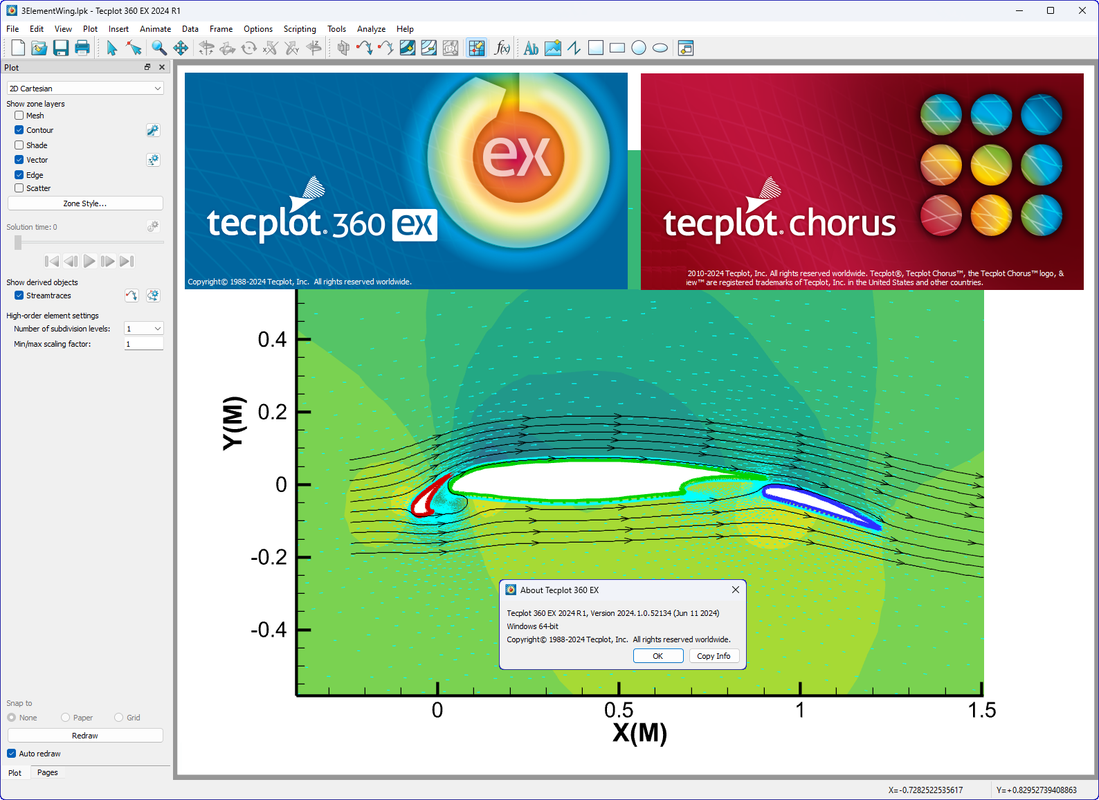
Tecplot 360 integrated postprocessing environment allows you to analyze detailed flow-field data while producing exceptional visual output. Spend less time waiting and more time discovering. More CFD simulations are being run, grid sizes are getting larger, and data sets are being stored remotely. It’s essential that you have the right tools to handle large data sets, automate workflows, and visualize parametric results. Integrate XY, 2D, & 3D plots and get them looking exactly the way you want. Communicate your results with brilliant images and animations. Analyze complex results, explore billion-cell models, verify engineering designs, automate routine tasks, and get excellent technical help when you need it.

Tecplot Chorus has a unique set of features that help you explore datasets from multiple simulations, compare results and evaluate overall system performance. This tool helps engineers who run and generate many simulations or test data sets. The most common applications are: Optimizing your designs; Developing aero databases; Predicting performance over the operating envelope; Investigation an engineering problem. In all these scenarios engineers need to manage their solution data, discover the trends and anomalies in output variables, and understand the underlying physics that cause these variations.

If you want to download Tecplot 360 EX and Chorus 2024 R1 full license, please click to DOWNLOAD symbol and complete check out a little help my website is maintained. The download link is appeared automatically when you complete check out.
CLICKDOWN.ORG Download CAD CAM CNC software
Please see youtube video for download instruction by open *.txt file and copy youtube video link paste to your browser If you don’t know how to download.
Inside folder Tecplot 360 EX and Chorus 2024 R1, already have crack’s file and instruction how to install Tecplot 360 EX and Chorus 2024 R1 step by step. I guarantee you can install Tecplot 360 EX and Chorus 2024 R1 successfully if you follow that instruction.
If you also can not install it or any problems, please contact to me by email: clickdown.org@gmail.com, then I will help you to install software by teamviewer.
Thanks a lot
SOFTWARES

Download Trimble Tekla Structures 2024 SP4 build 39510 x64 full

Download Trimble Tekla Structures 2024 SP4 build 39510 x64 full

Link download Tekla Structures 2024 SP4 win64 full activated

Working with Tekla Structures 2024 SP4 build 39510 full

Working with Tekla Structures 2024 SP4 build 39510 full

Description of Tekla Structures 2024 SP4

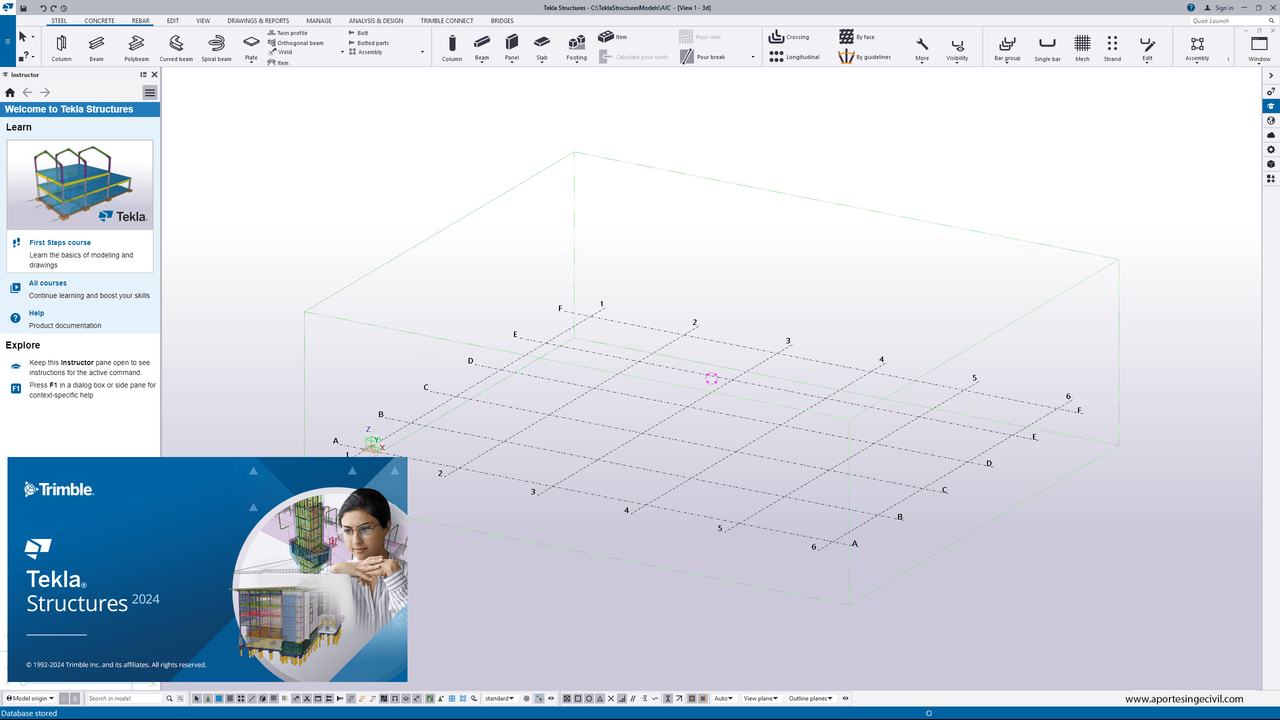
Tekla Structures 2024 SP4 is a comprehensive solution that allows you to significantly increase the productivity of designing industrial and civil buildings using various structural materials, such as: metal structures, precast concrete products and monolithic concrete structures.

Tekla Structures is a Building Information Modeling (BIM) software that enables you to create and manage accurate, detailed, easy-to-build 3D models of any material and complexity. Tekla Structures models can be used throughout the construction process, from sketches to fabrication, installation and construction management.

Tekla Structures can be used with other existing applications or as a stand-alone platform for developing your own workflows. The open platform supports compatibility and standardization. Tekla Structures interfaces with various systems through the Tekla Open API via an application programming interface that is implemented using Microsoft .NET technology. For example, Tekla Structures supports the following standard formats: IFC, CIS/2, SDNF and DSTV. Tekla Structures supports its own formats, such as DWG, DXF and DGN.

Tekla Structures 2024 SP4 configurations

Tekla Structures, Full Detailing is a universal configuration containing modules for detailing metal structures, precast concrete products and monolithic concrete products. It provides for the creation of three-dimensional models of steel and concrete structures, as well as automatic generation of KM and KMD drawings.
Tekla Structures, Steel Detailing is a configuration designed for designing metal structures. The user can create detailed 3D models of any metal structures and obtain the corresponding data for production and assembly, used by all project participants.
Tekla Structures, Precast Concrete Detailing is a standard configuration supplemented with essential precast concrete detailing features. The user can create detailed 3D models of concrete structures and obtain relevant production and erection data that can be shared with all project participants.
Tekla Structures, Reinforced Concrete Detailing is a standard configuration supplemented with important features for detailing monolithic reinforced concrete products. The user can create detailed 3D models of monolithic reinforced concrete products and obtain relevant production and installation data, which can be shared with all project participants.
Tekla Structures, Engineering is a standard configuration that enables synchronized design. Structural steel designers and MEP engineers can collaborate in a shared model.

If you want to download Tekla Structures 2024 SP4 full license, please click to DOWNLOAD symbol and complete check out a little help my website is maintained. The download link is appeared automatically when you complete check out.
CLICKDOWN.ORG Download CAD CAM CNC software
Please see youtube video for download instruction by open *.txt file and copy youtube video link paste to your browser If you don’t know how to download.
Inside folder Tekla Structures 2024 SP4, already have crack’s file and instruction how to install Tekla Structures 2024 SP4 step by step. I guarantee you can install Tekla Structures 2024 SP4 successfully if you follow that instruction.
If you also can not install it or any problems, please contact to me by email: clickdown.org@gmail.com, then I will help you to install software by teamviewer.
Thanks a lot
SOFTWARES

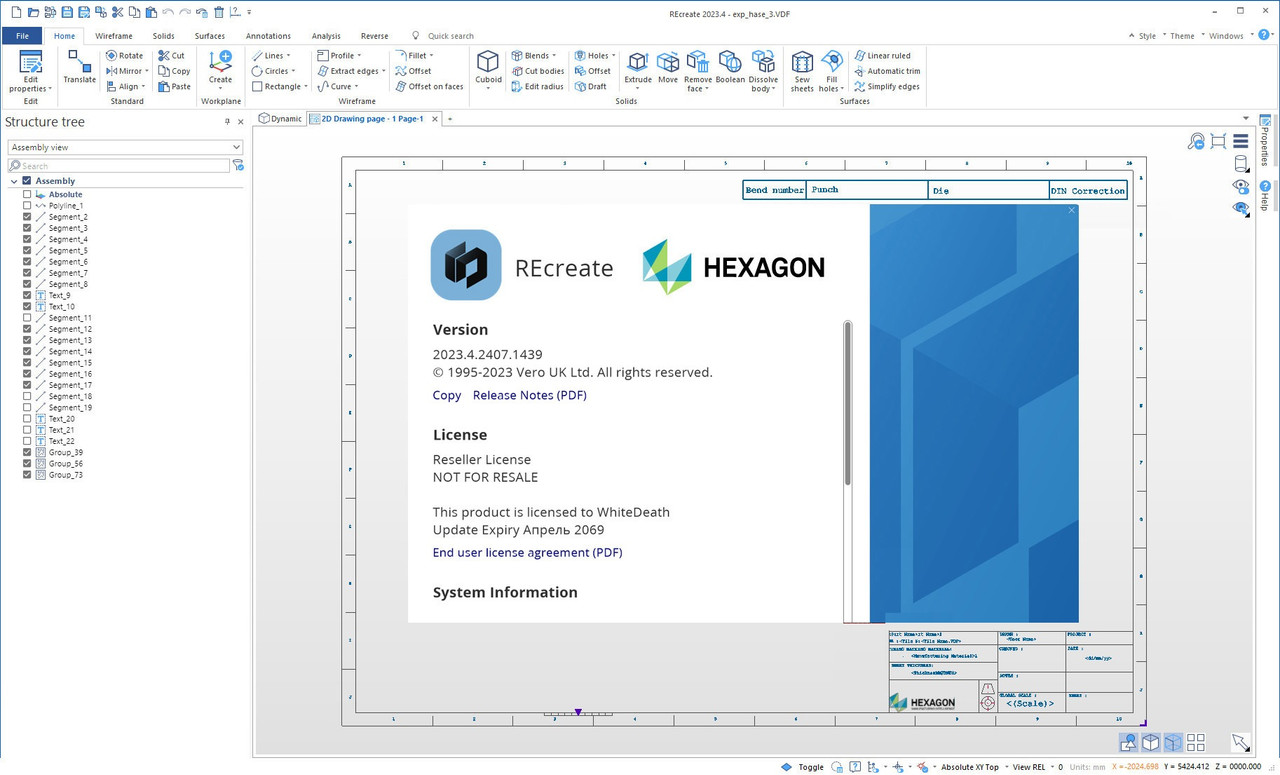
Download Hexagon Vero REcreate 2023.4 x64 full license

Download Hexagon Vero REcreate 2023.4 x64 full license

Link download Vero REcreate 2023.4 win64 full activated

Working with Hexagon Vero REcreate 2023.4

Working with Hexagon Vero REcreate 2023.4

Description of Vero REcreate 2023.4

Discover REcreate, the reverse engineering software that reduces workflow complexity to create a faster and more flexible design, production and inspection environment.

REcreate takes the complexity out of reverse engineering to create a smarter, faster and more flexible design and production environment for modelling new products and for repairing or replacing parts.

Highly flexible, REcreate stands apart from traditional reverse engineering software by incorporating a CAD system that can create 2D drawings as well as CAD models. REcreate fits into any existing production workflow and is versatile enough to be used as a standalone product, working with machines that don’t use CAM data, or as part of an end-to-end CAD to CAM solution. Other key functionalities include direct modelling, which makes it easy for users to form the shape the require.

The ease-of-use and interoperability of REcreate make it simple for users to capture data by connecting directly to scanning devices or importing mesh, solid, surface or point cloud data. They can model designs in a single environment using a full array of modelling data and manufacture using CAD/CAM – as well as validate quality. And they can start at whichever point in the reverse engineering process that best suits their needs.

With REcreate manufacturers and OEMs can:

Reconstruct legacy parts.
Develop innovative products from existing parts.
Ensure a precise fit for new components.
Create CAD for parts when none exist.
Up date design files to reflect changes that occurred during manufacturing or prototyping.

And because REcreate is designed to operate with a wide range of third-party systems, it can be used either as a fully end-to-end reverse engineering solution or as a complement to existing technology.

If you want to download Vero REcreate 2023.4 full license, please click to DOWNLOAD symbol and complete check out a little help my website is maintained. The download link is appeared automatically when you complete check out.
CLICKDOWN.ORG Download CAD CAM CNC software
Please see youtube video for download instruction by open *.txt file and copy youtube video link paste to your browser If you don’t know how to download.
Inside folder Vero REcreate 2023.4, already have crack’s file and instruction how to install Vero REcreate 2023.4 step by step. I guarantee you can install Vero REcreate 2023.4 successfully if you follow that instruction.
If you also can not install it or any problems, please contact to me by email: clickdown.org@gmail.com, then I will help you to install software by teamviewer.
Thanks a lot
SOFTWARES

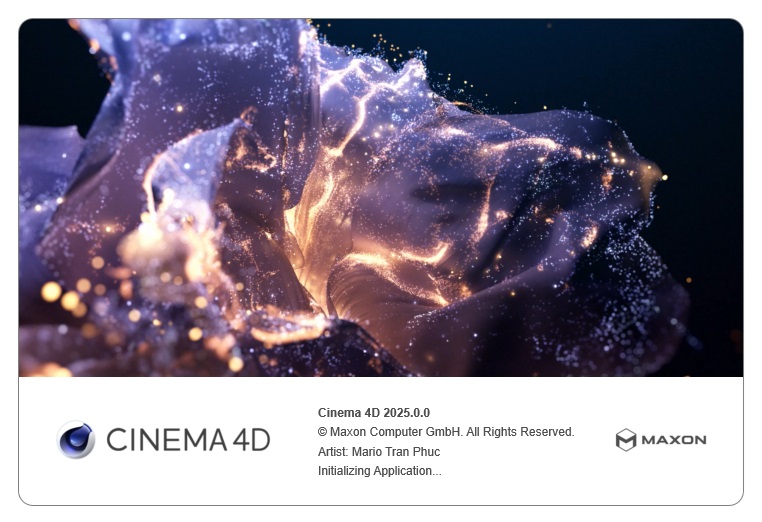
Download Maxon Cinema 4D Studio 2025.0 x64 full license

Download Maxon Cinema 4D Studio 2025.0 x64 full license

Link download Cinema 4D Studio 2025.0 win64 full activated

Cinema 4D Studio 2025.0 x64 full

Cinema 4D Studio 2025.0 x64 full

Working with Cinema 4D Studio 2025.0 full

Working with Cinema 4D Studio 2025.0 full

Description of Cinema 4D Studio 2025.0

Continuing an ongoing effort to make simulation and particle effects fast and easy, Cinema 4D users can create advanced particles using the new Follow Spline modifier, which makes it easy to flow particles along a vector shape. Every new subscription of Cinema 4D Studio 2025.0 now includes access to the full power of Redshift rendering, enabling any Cinema 4D user to fully utilize GPU or CPU, which is ideal for rendering high-end 3D animations fast.

FEATURES OF Cinema 4D Studio 2025.0

WHAT IS CINEMA 4D?
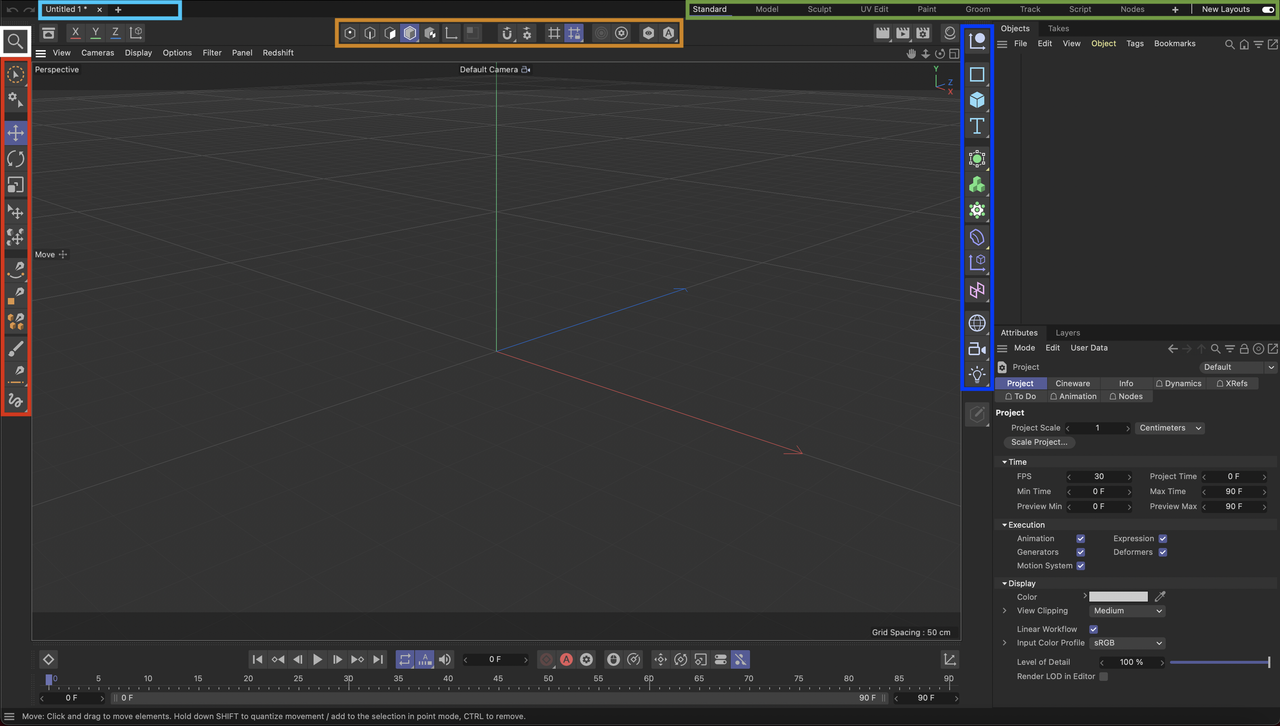
Cinema 4D is a professional 3D modeling, animation, simulation and rendering software solution. Its fast, powerful, flexible and stable toolset make 3D workflows more accessible and efficient for design, motion graphics, VFX, AR/MR/VR, game development and all types of visualization professionals. Cinema 4D produces stunning results, whether working on your own or in a team.

AWARD-WINNING MOGRAPH
MoGraph is a procedural modeling and animation toolset that gives motion designers the ability to quickly and easily create complex and abstract animations. At the heart of MoGraph is the Cloner object which allows you to duplicate objects in a variety of ways. Add MoGraph’s powerful collection of Effectors to the mix and you can put everything in limitless motion using sound, fracturing, fields, and so much more – often without creating a single keyframe! MoGraph is the go-to system for professional broadcast graphics designers and was recognized by the Academy of Motion Picture Arts and Sciences with a Technical Achievement Award in 2019.

UNMATCHED SPEED AND PERFORMANCE
Thanks to its new core, Cinema 4D is numerous times faster than previous versions and offers unparalleled power for your most demanding scenes. We have optimized all areas of the software, making it even more responsive, while keeping the intuitive workflows that you have come to love over the years. You will especially notice incredible speed gains when playing back your complex motion graphics and simulation scenes in the editor.

EASY TO LEARN – EASY TO USE
Cinema 4D is widely recognized as one of the easiest and most accessible 3D packages to learn and use. To soften that learning curve Maxon offers thousands of tutorials on Cineversity and hundreds of Quick Tips. Maxon’s Training team also hosts weekly and monthly live webinars to help new and existing users succeed – check out our archives and events schedule for more information.

If you want to download Cinema 4D Studio 2025.0 full license, please click to DOWNLOAD symbol and complete check out a little help my website is maintained. The download link is appeared automatically when you complete check out.
CLICKDOWN.ORG Download CAD CAM CNC software
Please see youtube video for download instruction by open *.txt file and copy youtube video link paste to your browser If you don’t know how to download.
Inside folder Cinema 4D Studio 2025.0, already have crack’s file and instruction how to install Cinema 4D Studio 2025.0 step by step. I guarantee you can install Cinema 4D Studio 2025.0 successfully if you follow that instruction.
If you also can not install it or any problems, please contact to me by email: clickdown.org@gmail.com, then I will help you to install software by teamviewer.
Thanks a lot
SOFTWARES

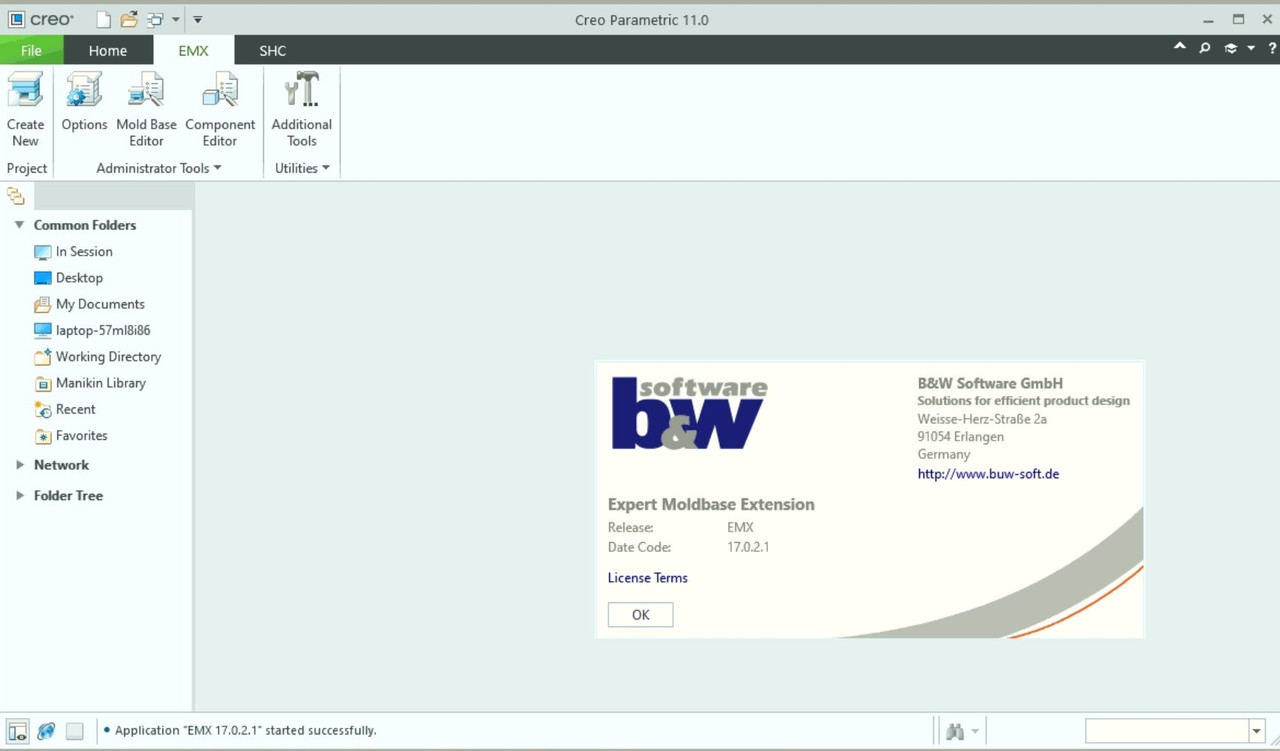
Download BUW EMX (Expert Moldbase Extentions) 17.0.2.1 for Creo 11.0 x64

Download BUW EMX (Expert Moldbase Extentions) 17.0.2.1 for Creo 11.0 x64

Link download BUW EMX (Expert Moldbase Extentions) 17.0.2.1 for Creo 11.0 win64

Working with BUW EMX (Expert Moldbase Extentions) 17.0.2.1 for Creo 11.0 full

Working with BUW EMX (Expert Moldbase Extentions) 17.0.2.1 for Creo 11.0 full

The Discharge: 64bit
Interface language: Multilingual
System requirements: Pre-installed Creo Parametric 11.0.x

The description of BUW EMX (Expert Moldbase Extentions) 17.0.2.1 for Creo 11.0

Creo Expert Moldbase Extension contains adapted detailed plates and individual plates of all leading suppliers, taking into account the requirements of the main
standards in this area.
When creating a model unit, the Creo Expert Moldbase Extension automatically forms an assembly drawing, specification and drawings of the boards, taking into account the requirements of the ESKD.
The fortforming components can be created directly in the Creo Expert Moldbase Extension or use the mold-forming components created in the CreoTool Design module.
Creo Expert Moldbase Extension has a specialized graphical interface with a schematic two-dimensional type of both ready-made designs of model blocks and individual components. At the same time, you can create and use your own structures, components, types of injection molding machines used, and build your suppliers in the database.
The choice of the main parameters of the components of the molds is carried out in a two-dimensional mode. If it is necessary to specify the parameters of the placement of a component, the designer addresses the three-dimensional design. This approach greatly accelerates the process of mold development.
As a rule, full three-dimensional models of assembly of mold with holes made in the plates, grove, etc. The d. are formed in an automated mode. At the same time, all holes and grove are dependent – when removing the component for which these structural elements were performed, they are also removed. When the size and location of the components are changed, these geometrical constructs are automatically rebuilt.
Creo Expert Moldbase Extension automatically places fasteners, calculates the length of pushers and signs, creates cutouts along the contour of the part. To facilitate visualization of Creo Expert Moldbase Extension allows you to enable/opoption display of any components.
The Creo Expert Moldbase Extension implemented a mechanism for the disclosure of the mold using animation, with analysis for intersection of components. The following calculations may be carried out:
comparison of the compression force of the machine and the pressure created within the form;
efforts that work on the wedge during its movement (in the mechanism of the mobile rod) at a given course;
length of the clay;
angle of inclined pusher;
delays (with double disclosure of the model unit);
total design cost in the manufacture of mold.
Main advantages
High performance in the design of the model unit due to the fact that the designer creates a mold of ready-made adaptive components – kubikov, for which templates of drawings have already been created.
Reducing the likelihood of errors, since the placement of components and the execution of all necessary cuts with the corresponding gaps is fully automated.
The user two-dimensional interface with visualization of changes makes it possible to quickly develop the mold without unnecessary time to regenerate the three-dimensional model.
Development of mold for a specific foundry machine with the calculation of the necessary cloaking effort.
Automated creation of a control program for processing holes in the plates.
Calculation of mold cost.
Creation of own library of plates, components, structures of mechanisms and model units in dialogue mode.
Fast module development, interactive reference guide with animation videos.
Main features
Automatic placement of mold components with subsequent removal of material in plates.
Automatic specification, assembly drawing and plate drawings.
Automatic creation of associative hole tables in the drawings.
Creation of animation mode of the mold with analysis for intersection of components.
Libraries of standard mold blocks and individual parts of leading suppliers: DME, DMS, EOC, Futaba, Misumi, HASCO, KLA, Meusburger, Pedrotti, Rabourdin, Strack, FCPK and libraries according to GOST of the following nomenclature:
design of model units (standard set of all sizes, double pushing, double opening);
set of plates and insulation;
centering elements (sleeves, columns);
shanks;
the locks;
sprues and central bushings;
pushers and counter-cushes;
the stops;
fastening elements;
the pins;
the support;
schemes and elements of the cooling system;
mechanisms of movable rod;
mechanisms of inclined pushing;
mechanisms of double disclosure;
transmission mechanisms for the production of threaded models;
circuits of hot-channel system, nozzles, collectors, flanges.
Creation of custom libraries with own typical designs and mold details.

If you want to download EMX (Expert Moldbase Extentions) 17.0.2.1 full license, please click to DOWNLOAD symbol and complete check out a little help my website is maintained. The download link is appeared automatically when you complete check out.
CLICKDOWN.ORG Download CAD CAM CNC software
Please see youtube video for download instruction by open *.txt file and copy youtube video link paste to your browser If you don’t know how to download.
Inside folder EMX (Expert Moldbase Extentions) 17.0.2.1, already have crack’s file and instruction how to install EMX (Expert Moldbase Extentions) 17.0.2.1 step by step. I guarantee you can install EMX (Expert Moldbase Extentions) 17.0.2.1 successfully if you follow that instruction.
If you also can not install it or any problems, please contact to me by email: clickdown.org@gmail.com, then I will help you to install software by teamviewer.
Thanks a lot
SOFTWARES

Download Pixologic ZBrush 2025.0.0 x64 full license

Download Pixologic ZBrush 2025.0.0 x64 full license

Link download Pixologic ZBrush 2025.0 win64 full activated

Working with Pixologic ZBrush 2025.0.0 full license

Working with Pixologic ZBrush 2025.0.0 full license

Description of ZBrush 2025.0

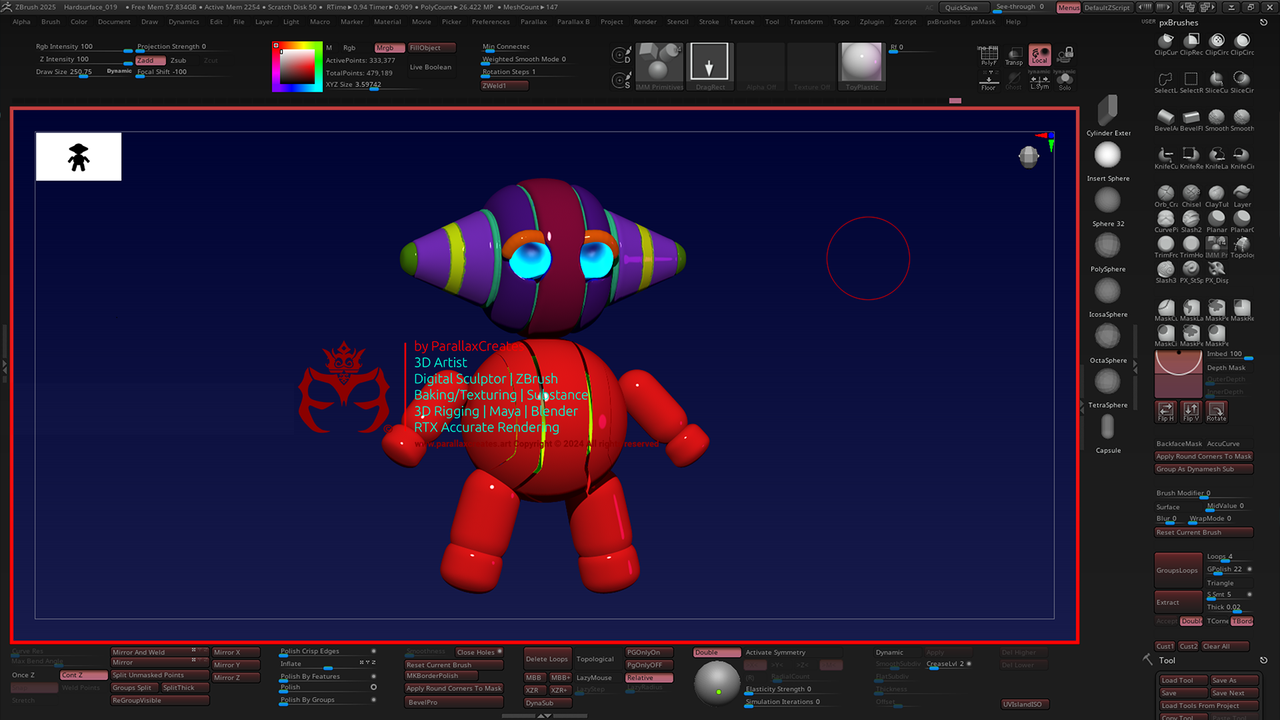
Maxon has released ZBrush 2025, the latest version of its digital sculpting software.

ZBrush 2025.0 makes it possible to export files to ZBrush for iPad, the new tablet edition of the software, which is now included as part of ZBrush subscriptions.

The update also extends ZBrush’s export options, and adds new MatCap materials.

Features of ZBrush 2025.0

Base Mesh Generation
As with anything else in life, where you can go is usually determined by where you begin. Having a great finished model requires a quality base mesh. ZBrush provides an arsenal of tools to assist with this task, ensuring that no matter what you have in mind, there is a way to get the perfect base to then take to the next level. The best known of these systems are explained here.

Sculptris Pro
Ignore the constraints of polygon distribution and simply – sculpt! Sculptris Pro will dynamically add (tesselate) and remove (decimate) polygons wherever and whenever needed. It does this during your brush stroke in a real-time process called Tessimation. This frees you to focus entirely on the look you’re trying to achieve.

Dynamesh
DynaMesh is a perfect solution for free-form sculpting because it removes all need for focusing on topological constraints. Change the overall shape of the model by pushing or pulling, adding various pieces of geometry to combine into one, or even remove geometry in a manner similar to what can be done with Boolean operations. Where Sculptris Pro dynamically adjusts the triangles in your mesh as you sculpt, DynaMesh redistributes the model’s polygons as quads on command.

Mesh Detailing
Whether created in ZBrush or imported from elsewhere, once you have your base mesh it is time to start detailing. ZBrush features a robust suite of tools to accomplish this. Those listed below are just the tip of the iceberg.

Sculpting Brushes
The main workflow for creating with ZBrush is based on a system of brushes which can also be modulated using pen pressure from a graphics tablet. ZBrush will reproduce the natural feeling of a real paint brush or sculpting tool, using the pressure applied to the pen tip to transform your digital stroke in a variety of ways. There are brushes to pinch, move, build up the surface, chisel into it, slice through the model and much more. You can even use other 3D models as brushes, inserting their geometry into your surface.

Noisemaker
In addition to being able to add detail by hand, ZBrush provides a system for procedurally generating surface detail through noise patterns. Choose a detail type, adjust a few simple parameters, then apply that pattern to your model in its entirety or by restricting it to a certain region. You can even combine different noise types to create highly complex effects. The Noise system is ideal for both hard surface work and organic details.

PolyPaint
Because ZBrush works with tens of millions of polygons in real-time, you can paint directly on the surface of the model without first assigning a texture map or UV’s. This offers significant advantages compared to a standard workflow. The resolution of the texture map does not need to be decided in advance. This is particularly valuable if you find you need more detailing on an area than you thought you would. Instead of repainting a new, larger texture map you can simply transfer the existing surface detail to that larger map without any reworking. You don’t even need to do UV unwrapping before you begin this painting. In fact, thanks to the way that ZBrush can project details (both sculpted and painted) from one model to another you can have a fully painted model before you even have a finalized animation mesh. Instead, you can copy everything to the final base mesh once it has been signed off on.

UV Master
In order create or use a texture map, a model first needs UV’s. These are 2D coordinates that tell all 3D applications how to apply a texture to your model. With most programs, creating those UV’s has been a time consuming challenge that requires a high level of technical expertise and has little room for creativity. With UV Master you are able to create very efficient UV’s for your model – in most cases with a single click. If you need more control over this automatic process there are features that refine where seams will be placed or increase the amount of pixel space given to certain regions of your model. It’s both intuitive and fast, letting you get back to being creative with minimal fuss.

Rendering
Whether you are using ZBrush by itself as an illustration tool or as part of a production pipeline for animation, you will at some point want to show your work to others. ZBrush makes this possible through a powerful rendering system called BPR (Best Preview Render).

If you want to download ZBrush 2025.0.0 full license, please click to DOWNLOAD symbol and complete check out a little help my website is maintained. The download link is appeared automatically when you complete check out.
CLICKDOWN.ORG Download CAD CAM CNC software
Please see youtube video for download instruction by open *.txt file and copy youtube video link paste to your browser If you don’t know how to download.
Inside folder ZBrush 2025.0.0, already have crack’s file and instruction how to install ZBrush 2025.0.0 step by step. I guarantee you can install ZBrush 2025.0.0 successfully if you follow that instruction.
If you also can not install it or any problems, please contact to me by email: clickdown.org@gmail.com, then I will help you to install software by teamviewer.
Thanks a lot
SOFTWARES

Download ANSYS Products 2024 R2.02 (SP2) x64 full license

Download ANSYS Products 2024 R2.02 (SP2) x64 full license

Link download ANSYS Products 2024 R2.02 win64 full activated

Working with ANSYS Products 2024 R2.02 (SP2) full license

Working with ANSYS Products 2024 R2.02 (SP2) full license

Description of ANSYS Products 2024 R2.02 (SP2)

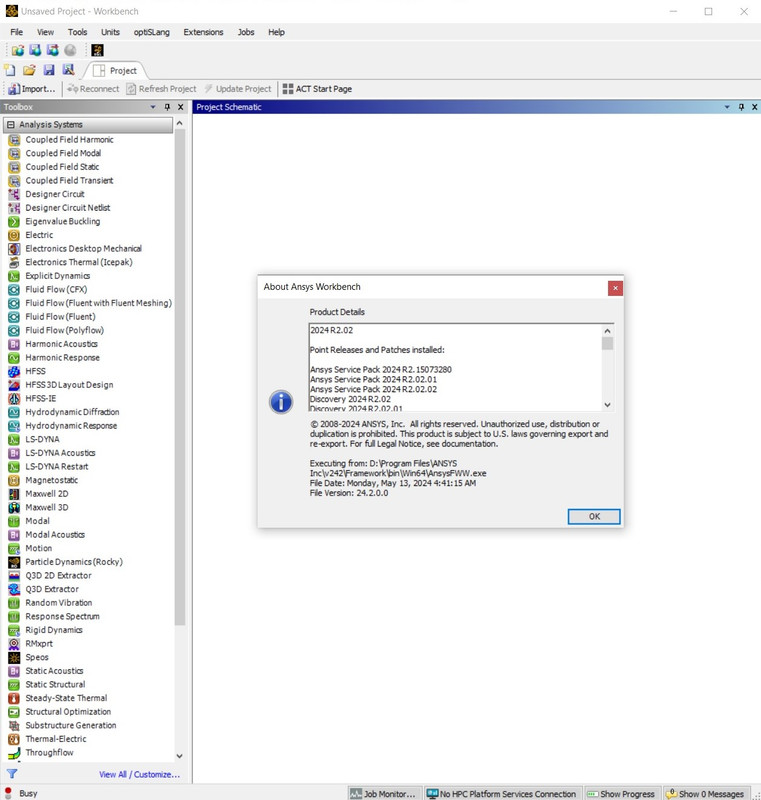
ANSYS offers a comprehensive software suite that spans the entire range of physics, providing access to virtually any field of engineering simulation that a design process requires. Organizations around the world trust ANSYS to deliver the best value for their engineering simulation software investment.

Simulation-driven product development takes engineering simulation to another level ― the unequalled depth and breadth of our software coupled with its unmatched engineered scalability, comprehensive multiphysics foundation and adaptive architecture set our technology apart from other CAE tools. These ANSYS advantages add value to the engineering design process by delivering efficiency, driving innovation and reducing physical constraints enabling simulated tests that might not be possible otherwise.

Extending the Solution
By partnering with key hardware and independent software vendor, we extend our product functionality even further to ensure you get the most accurate solution in the least amount of time.

If you want to download ANSYS Products 2024 R2.02 (SP2) full license, please click to DOWNLOAD symbol and complete check out a little help my website is maintained. The download link is appeared automatically when you complete check out.
CLICKDOWN.ORG Download CAD CAM CNC software
Please see youtube video for download instruction by open *.txt file and copy youtube video link paste to your browser If you don’t know how to download.
Inside folder ANSYS Products 2024 R2.02 (SP2), already have crack’s file and instruction how to install ANSYS Products 2024 R2.02 (SP2) step by step. I guarantee you can install ANSYS Products 2024 R2.02 (SP2) successfully if you follow that instruction.
If you also can not install it or any problems, please contact to me by email: clickdown.org@gmail.com, then I will help you to install software by teamviewer.
Thanks a lot
SOFTWARES

Download OfficeSuite Premium 9.00.57530 x64 full

Download OfficeSuite Premium 9.00.57530 x64 full

Link download OfficeSuite Premium 9.00.57530 win64 full

OfficeSuite Premium 9.00.57530 x64 full license

OfficeSuite Premium 9.00.57530 x64 full license

Description of OfficeSuite Premium 9.00.57530

Many of you might only point to Microsoft’s widely-known product when talking about Office suites. However, there are other alternatives that you can try out, especially if you are a home user. Very popular on mobile platforms, OfficeSuite has also shifted towards Windows, delivering a suite of office-related tools with a clean look and simple options.

It is fully compatible with all popular formats, including DOC, DOCX, DOCM, XLS, XLSX, XLSM, PPT, PPTX, PPS, PPSX, PPTM, and PPSM. Support standard formats like OpenDocument (ODT, ODS, and ODP), RTF, CSV, and ZIP. With standard functionality in all the applications, OfficeSuite delivers a good alternative to Microsoft Office, from whom it also borrows the GUI layout. It supports all the Office formats, so you don’t have to worry about compatibility issues.

With a name that speaks about simplicity and ease of use, OfficeSuite concentrates on the most crucial application features usually included in such a suite. It brings to the table a word processor, a spreadsheet editor, a presentation maker, and a PDF reader and editor. Connect to the cloud using Box, Dropbox, Google Drive, OneDrive, Amazon Cloud Drive, and SugarSync, and share over email, Bluetooth, and messaging apps.

Features of OfficeSuite Premium 9.00.57530

Use one license across all your devices.
Synchronize between devices using your OfficeSuite account
Convert PDF to Word, Excel, or ePub
Scan your physical documents to PDF via your device’s camera
Certification and markup include digital signatures support, permissions management, text to PDF, and annotations

If you want to download OfficeSuite Premium 9.00.57530 full license, please click to DOWNLOAD symbol and complete check out a little help my website is maintained. The download link is appeared automatically when you complete check out.
CLICKDOWN.ORG Download CAD CAM CNC software
Please see youtube video for download instruction by open *.txt file and copy youtube video link paste to your browser If you don’t know how to download.
Inside folder OfficeSuite Premium 9.00.57530, already have crack’s file and instruction how to install OfficeSuite Premium 9.00.57530 step by step. I guarantee you can install OfficeSuite Premium 9.00.57530 successfully if you follow that instruction.
If you also can not install it or any problems, please contact to me by email: clickdown.org@gmail.com, then I will help you to install software by teamviewer.
Thanks a lot
SOFTWARES

Download Bentley RAM 2024.1 x64 full license

Download Bentley RAM 2024.1 x64 full license

Link download Bentley RAM 2024.1 win64 full activated

Working with Bentley RAM 2024.1 full license

Working with Bentley RAM 2024.1 full license

Description of Bentley RAM 2024.1

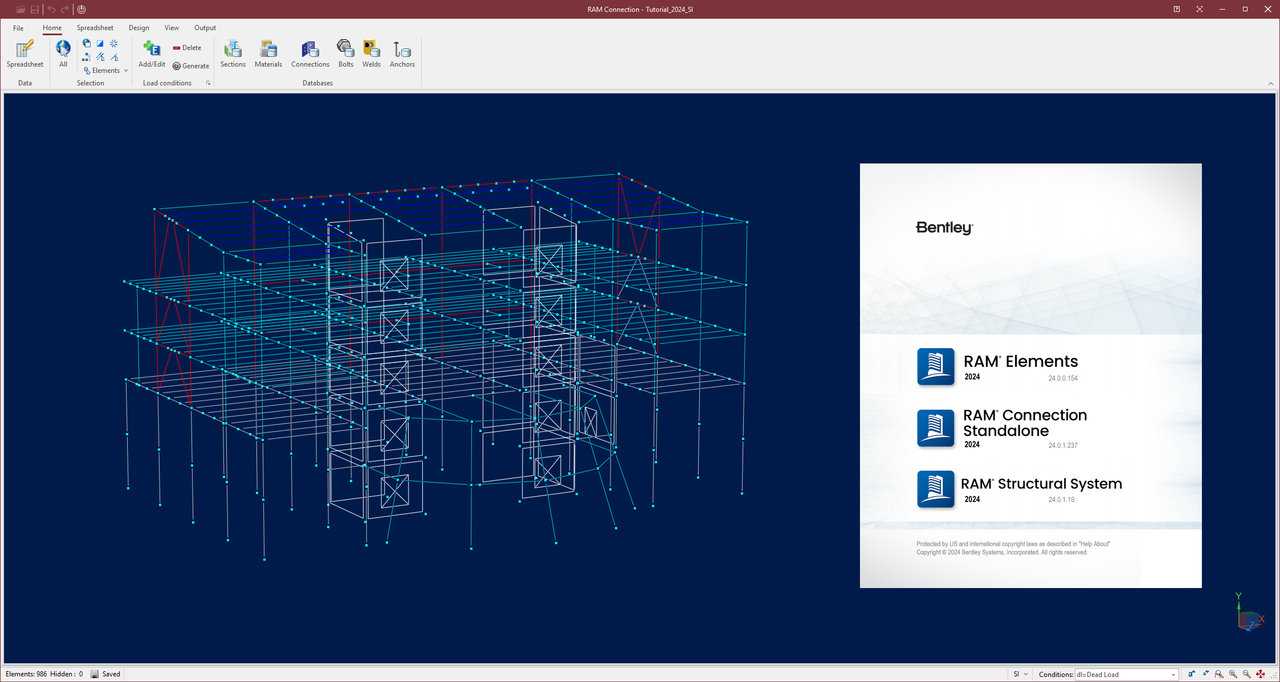
Easily deliver high-quality, cost-effective projects using a variety of concrete, steel, and beam building structures. Design, analyze, and document your building projects to save time and money. Maximize your software investment with a fully integrated suite of applications for comprehensive analysis, design, and documentation of steel and concrete structures. Increase your productivity by eliminating tedious and time-consuming tasks with practical RAM applications. Design everything from individual components to large-scale construction and foundations.

RAM Structural System
Reliable equipment and rapid development of high-quality and cost-effective projects using a variety of concrete, steel and beam building structures.

RAM Connection
Analysis, design and instant verification of all types of connections with comprehensive calculations and compliance with seismic requirements.

RAM Elements
Perform analysis and design – including 3D finite element analysis – of virtually any type of building structure and structural component in a single, accessible application.

If you want to download Bentley RAM 2024.1 full license, please click to DOWNLOAD symbol and complete check out a little help my website is maintained. The download link is appeared automatically when you complete check out.
CLICKDOWN.ORG Download CAD CAM CNC software
Please see youtube video for download instruction by open *.txt file and copy youtube video link paste to your browser If you don’t know how to download.
Inside folder Bentley RAM 2024.1, already have crack’s file and instruction how to install Bentley RAM 2024.1 step by step. I guarantee you can install Bentley RAM 2024.1 successfully if you follow that instruction.
If you also can not install it or any problems, please contact to me by email: clickdown.org@gmail.com, then I will help you to install software by teamviewer.
Thanks a lot
SOFTWARES

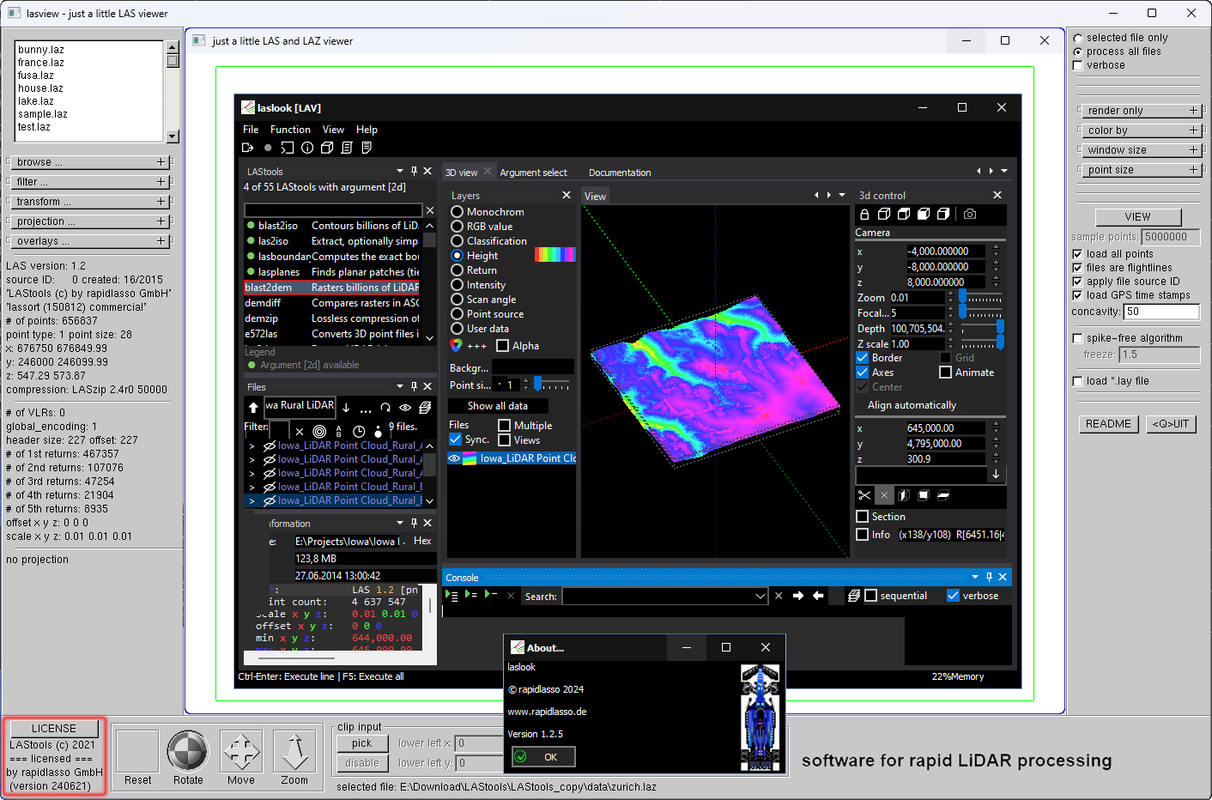
Download rapidlasso LAStools Suite 2024.6 full license

Download rapidlasso LAStools Suite 2024.6 full license

Link download rapidlasso LAStools Suite 2024.6 full activated

Working with rapidlasso LAStools Suite 2024.6 full license

Working with rapidlasso LAStools Suite 2024.6 full license

Description: Our LiDAR processing tools are widely known for their blazing speeds and high productivity. Our software combines robust algorithms with efficient I/O and clever memory management to achieve high throughput for data sets containing billions of points.

Our popular LAStools software suite has deep market penetration and is heavily used in the commercial sector, government agencies, research labs, and educational institutions alike — filtering, tiling, rasterizing, triangulating, converting, clipping, quality-checking, etc. TeraBytes of LiDAR every day.

Our open-source LiDAR compressor LASzip has become the de facto industry standard for compressed LiDAR. It has won the 2012 Geospatial World Forum Technology Innovation Award and was voted 2nd place for ”most innovative product” at INTERGEO 2012.

The tools in rapidlasso LAStools Suite 2024.6
lasview
lasinfo
lasground
lasclassify
las2dem
las2iso
lascolor
lasgrid
lasoverlap
lasoverage
lasboundary
lasclip
lash height
lastrack
lascanopy
lastin
lasoptimize
lassort
lasvoxel
lasreturn
lasduplicate
lascontrol
Lastile
las2txt
lassplit
txt2las
lasvalidate

If you want to download rapidlasso LAStools Suite 2024.6 full license, please click to DOWNLOAD symbol and complete check out a little help my website is maintained. The download link is appeared automatically when you complete check out.
CLICKDOWN.ORG Download CAD CAM CNC software
Please see youtube video for download instruction by open *.txt file and copy youtube video link paste to your browser If you don’t know how to download.
Inside folder rapidlasso LAStools Suite 2024.6, already have crack’s file and instruction how to install rapidlasso LAStools Suite 2024.6 step by step. I guarantee you can install rapidlasso LAStools Suite 2024.6 successfully if you follow that instruction.
If you also can not install it or any problems, please contact to me by email: clickdown.org@gmail.com, then I will help you to install software by teamviewer.
Thanks a lot
SOFTWARES

Download PowerSurfacing 10.0 for SolidWorks 2020-2024 x64 full

Download PowerSurfacing (Power Surfacing) v10.0 for SolidWorks 2020-2024 x64 full

Link download Power Surfacing 10.0 for SolidWorks 2020-2024 win64

Power Surfacing 10.0 for SolidWorks 2020-2024 x64 full

Power Surfacing 10.0 for SolidWorks 2020-2024 x64 full

Working with Power Surfacing 10.0 for SolidWorks 2020-2024 full

Working with Power Surfacing 10.0 for SolidWorks 2020-2024 full

Description of PowerSurfacing 10.0 for SolidWorks 2020-2024

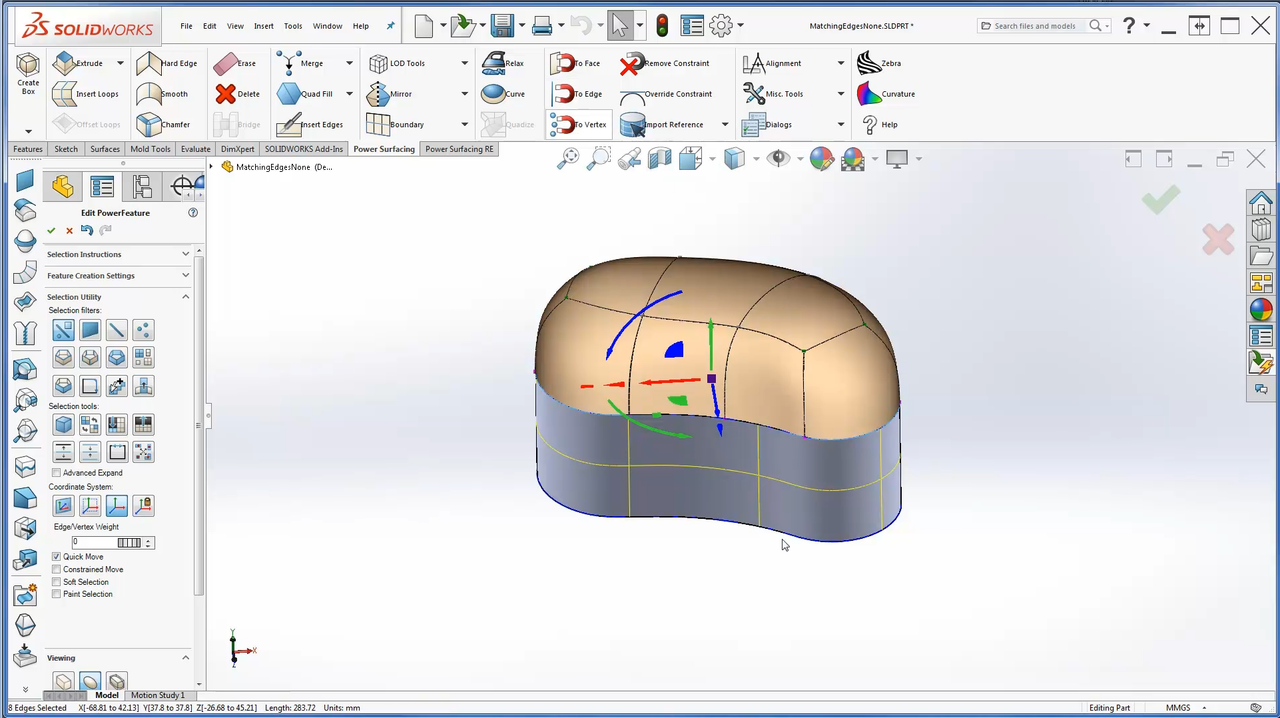
Power Surfacing 10.0 for SolidWorks 2020-2024 is a revolutionary addon for industrial design that will fundamentally change the way SolidWorks parts be designed for engineers and designers. Power Surfacing allows you to easily and excitingly design in SOLIDWORKS complex, aesthetically pleasing surfaces of arbitrary shape. You will no longer need to try to connect a set of cut surfaces together to form complex curved shapes; to manipulate parts in Power Surfacing as easy as sculpting from clay.
The Power Shelling module allows you to create a thin-walled piece of any thickness of any complex geometry, when the built-in SolidWorks function does not cope.
The Power Surfacing RE (reverse engineering) module allows you to convert any third-party 3D model (e.g. 3D scan) into a solid-state, for later editing.

Features of PowerSurfacing 10.0 for SolidWorks 2020-2024

Includes the full Power Surfacing Toolset
Import meshes and display as a reference mesh
Convert existing solidworks geometry into reference mesh
Drawing tools with automatic face creation
Constrain points to reference mesh
Automatic retopologizing of enclosed areas
Add geometry to cover holes while matching curvature in reference mesh
Distance display to measure approximation of reference mesh
Interpolate or “vacuum seal” to closely approximate the reference mesh shape

If you want to download Power Surfacing 10.0 for SolidWorks 2020-2024 full license, please click to DOWNLOAD symbol and complete check out a little help my website is maintained. The download link is appeared automatically when you complete check out.
CLICKDOWN.ORG Download CAD CAM CNC software
Please see youtube video for download instruction by open *.txt file and copy youtube video link paste to your browser If you don’t know how to download.
Inside folder PowerSurfacing 10.0 for SolidWorks 2020-2024, already have crack’s file and instruction how to install PowerSurfacing 10.0 for SolidWorks 2020-2024 step by step. I guarantee you can install PowerSurfacing 10.0 for SolidWorks 2020-2024 successfully if you follow that instruction.
If you also can not install it or any problems, please contact to me by email: clickdown.org@gmail.com, then I will help you to install software by teamviewer.
Thanks a lot
error: Content is protected !!
Scroll to Top