August 2026

SOFTWARES

Download Advanced Design System (ADS) 2027.0 full license

Advanced Design System (ADS) 2027.0 – RF & Microwave Design Software

Download Advanced Design System (ADS) 2027.0 full license

Link download Advanced Design System (ADS) 2027.0 full activated
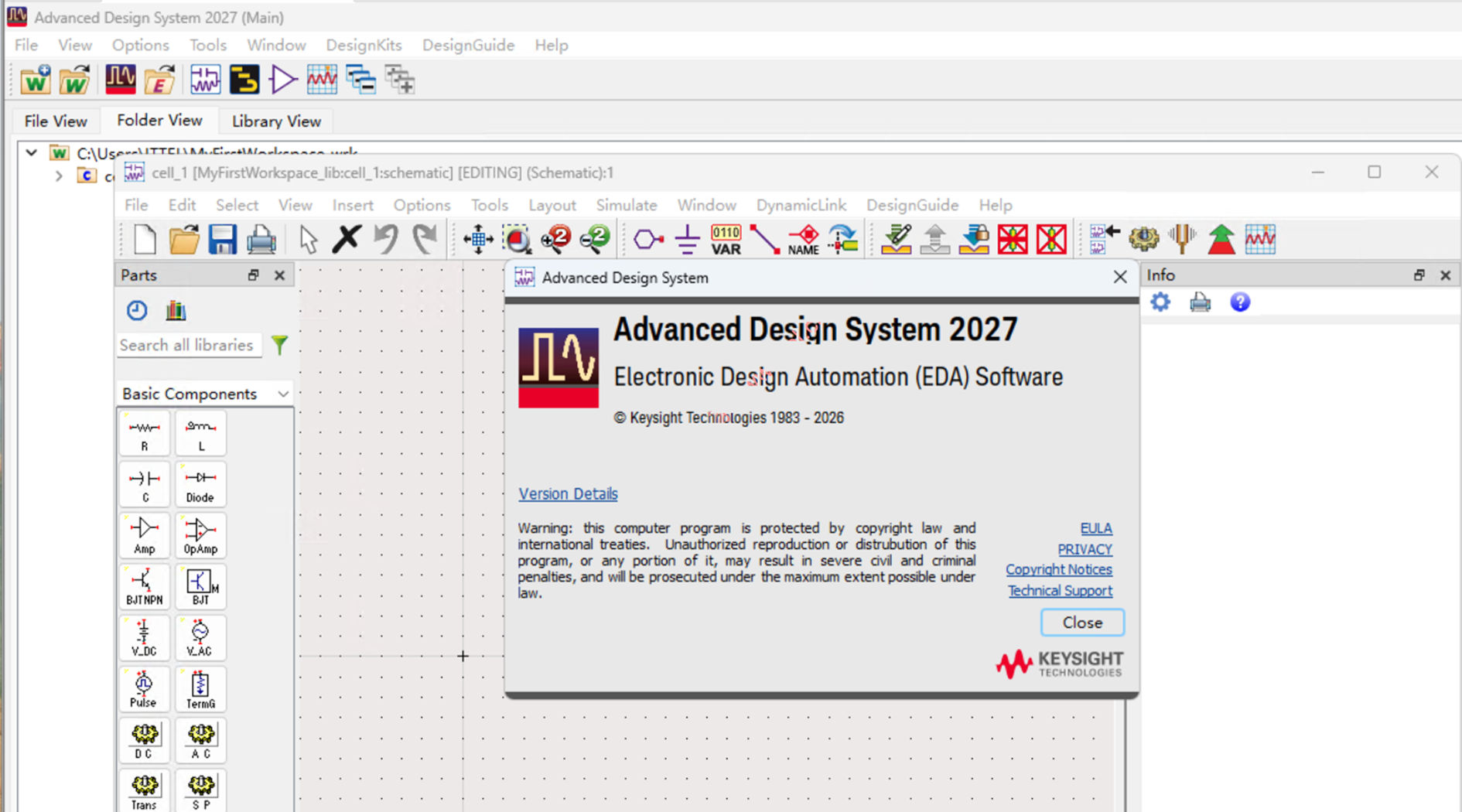
Working with Advanced Design System (ADS) 2027.0 full license

Description of Advanced Design System (ADS) 2027.0

Advanced Design System (ADS) 2027.0 is a professional electronic design automation (EDA) software platform developed for designing, simulating, and analyzing high-frequency electronic systems. It is widely used for RF, microwave, wireless communications, high-speed digital, and semiconductor design workflows.

The software provides an integrated environment for schematic design, circuit simulation, electromagnetic analysis, optimization, and system-level development. Engineers can use ADS to evaluate circuit performance and refine designs before moving to physical implementation.

Features of Advanced Design System (ADS) 2027.0

RF & Microwave Design: Create and analyze high-frequency circuits and systems for modern wireless applications.
Schematic Design: Develop circuit schematics and configure components within an integrated design environment.
Circuit Simulation: Analyze circuit behavior using advanced simulation technologies and engineering models.
Electromagnetic Simulation: Perform EM analysis to investigate electromagnetic behavior of RF and microwave structures.
High-Speed Digital Design: Support signal integrity and high-speed interconnect analysis workflows.
System-Level Simulation: Evaluate communication systems and complex RF architectures at a higher level.
Optimization: Optimize circuit parameters and design configurations to meet specified performance targets.
Parameter Sweeps: Investigate circuit behavior across different component values, frequencies, and operating conditions.
Data Visualization: Analyze simulation results using plots, graphs, measurements, and other visualization tools.
Layout & Design Workflow: Support the transition from circuit concepts toward physical implementation.
RF Component Modeling: Work with models for RF and microwave components and devices.
Wireless Communication Applications: Suitable for the development and analysis of RF systems used in wireless technologies.
Design Verification: Evaluate circuit and system performance before hardware fabrication.
Engineering Automation: Support advanced workflows for repetitive simulation, analysis, and optimization tasks.

Why Use Advanced Design System (ADS) 2027.0?
Designing high-frequency electronic systems requires accurate simulation and careful analysis because RF and microwave circuits can be highly sensitive to component values, layout, electromagnetic effects, and operating conditions.

Advanced Design System (ADS) 2027.0 provides engineers with an integrated environment where circuit design, simulation, EM analysis, optimization, and system-level evaluation can be performed within a connected workflow.

It can be used for applications such as RF front-end development, microwave circuits, antennas and passive structures, wireless communication systems, high-speed digital interfaces, and semiconductor-related design.

Conclusion
Advanced Design System (ADS) 2027.0 is a comprehensive EDA platform for RF, microwave, wireless, and high-speed electronic design. With schematic capture, circuit simulation, electromagnetic analysis, optimization, system-level simulation, and visualization capabilities, it provides engineers with tools for developing and validating sophisticated electronic designs.
Note: Please obtain Advanced Design System from an authorized Keysight source and use it according to the applicable licensing terms.

If you want to download Advanced Design System (ADS) 2027.0 full license, please click to DOWNLOAD button to download.
CLICKDOWN.ORG Download CAD CAM CNC software
Inside package Advanced Design System (ADS) 2027.0, already have cracked files and instruction how to install Advanced Design System (ADS) 2027.0 step by step. I guarantee you can install Advanced Design System (ADS) 2027.0 successfully if you follow that instruction.
If you also can’t install it or get any problems, please contact to me by email: clickdown.org@gmail.com, then I will help you to install software by teamviewer or Ultraviewer or Anydesk.
Thanks a lot
SOFTWARES

Download AIST Software PeakLab 2.01.00 full license forever

AIST Software PeakLab 2.01.00 – Scientific Data Analysis Software

Download AIST Software PeakLab 2.01.00 full license forever

Link download AIST Software PeakLab 2.01.00 full activated

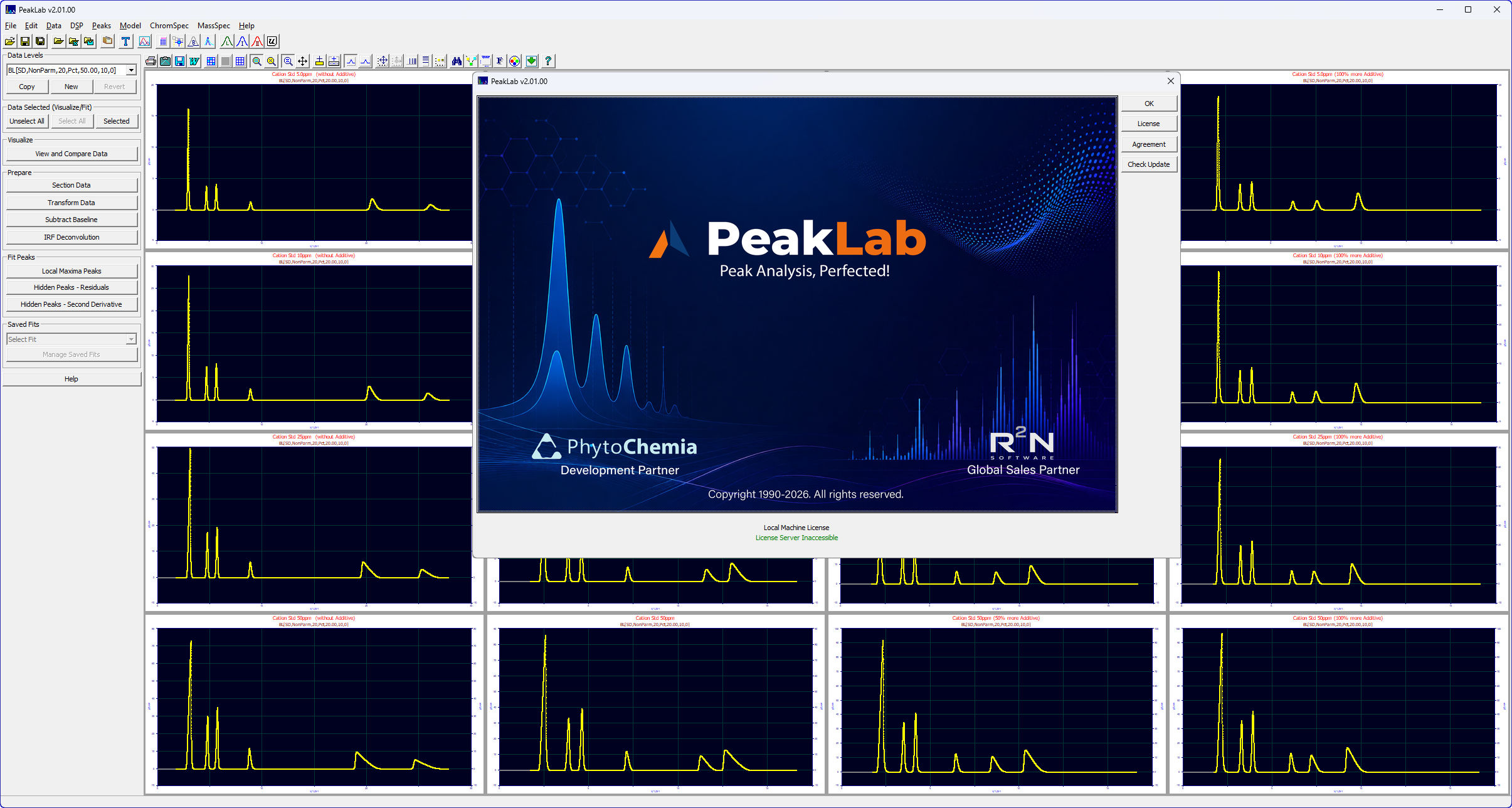
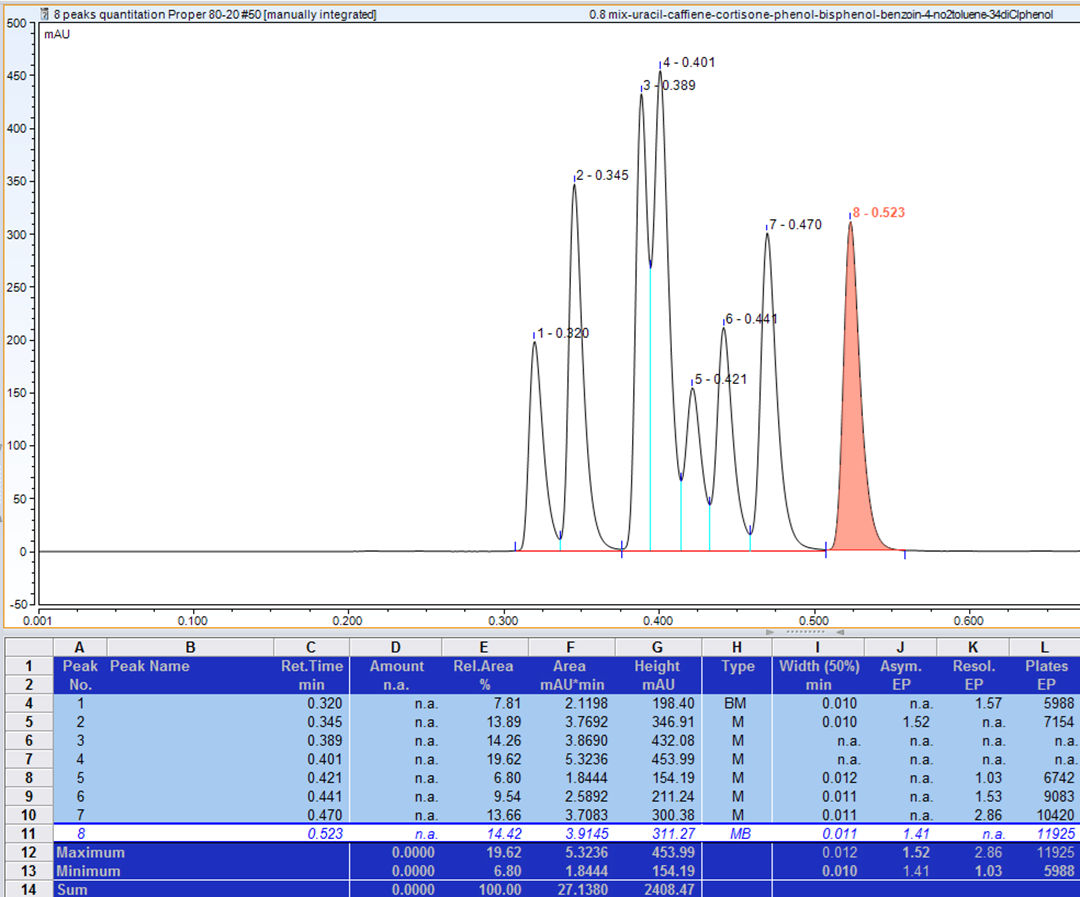
Working with AIST Software PeakLab 2.01.00 full activated

Working with AIST Software PeakLab 2.01.00 full license

Description of AIST Software PeakLab 2.01.00

AIST Software PeakLab 2.01.00 is a scientific data analysis application designed for researchers, engineers, and laboratory professionals who need to analyze experimental data and interpret complex datasets. It provides tools for peak analysis, curve fitting, signal processing, and quantitative evaluation.

PeakLab can be useful in scientific and technical environments where accurate analysis of measured data is required. Its analytical capabilities help users process experimental results and extract meaningful information from datasets.

Features of AIST Software PeakLab 2.01.00

Peak Analysis: Identify, analyze, and characterize peaks within experimental and scientific datasets.
Curve Fitting: Apply mathematical models to experimental data and evaluate fitting results.
Data Visualization: Display datasets and analysis results using graphical representations.
Signal Analysis: Process and investigate measured signals to identify relevant characteristics.
Quantitative Analysis: Extract numerical information from experimental data for further evaluation.
Baseline Processing: Help identify and correct baseline variations that can affect peak analysis.
Multiple Data Formats: Work with scientific datasets and imported measurement information.
Mathematical Modeling: Apply different mathematical approaches to characterize experimental data.
Interactive Analysis: Adjust analysis parameters and review results during the data-processing workflow.
Scientific Research Support: Suitable for laboratory research, engineering analysis, and scientific experimentation.
Result Evaluation: Compare analytical results and examine fitted models against measured data.
Flexible Workflow: Provides tools that can be adapted to different scientific data-analysis requirements.

Why Use AIST Software PeakLab 2.01.00?
Analyzing experimental data manually can be time-consuming, especially when datasets contain overlapping peaks, background variations, or complex signal patterns. AIST Software PeakLab 2.01.00 provides specialized analytical tools that help researchers process and interpret this type of data more efficiently.
Its combination of visualization, peak analysis, curve fitting, and mathematical modeling makes it useful for researchers who need to extract reliable information from experimental measurements.

Conclusion
AIST Software PeakLab 2.01.00 provides a specialized environment for scientific data analysis, peak characterization, curve fitting, and experimental data processing. Its analytical and visualization tools can support researchers, engineers, and laboratory professionals working with complex measurement datasets.
Note: Please obtain AIST Software PeakLab from an authorized source and use it according to the applicable licensing terms.

If you want to download AIST Software PeakLab 2.01.00 full license, please click to DOWNLOAD button to download.
CLICKDOWN.ORG Download CAD CAM CNC software
Inside package AIST Software PeakLab 2.01.00, already have cracked files and instruction how to install AIST Software PeakLab 2.01.00 step by step. I guarantee you can install AIST Software PeakLab 2.01.00 successfully if you follow that instruction.
If you also can’t install it or get any problems, please contact to me by email: clickdown.org@gmail.com, then I will help you to install software by teamviewer or Ultraviewer or Anydesk.
Thanks a lot
SOFTWARES

Download Adobe Photoshop 2026 v27.10.0.26 x64 full license

Adobe Photoshop 2026 v27.10.0.26 – Professional Image Editing Software

Download Adobe Photoshop 2026 v27.10.0.26 x64 full license

Link download Adobe Photoshop 2026 v27.10.0.26 win64 full activated

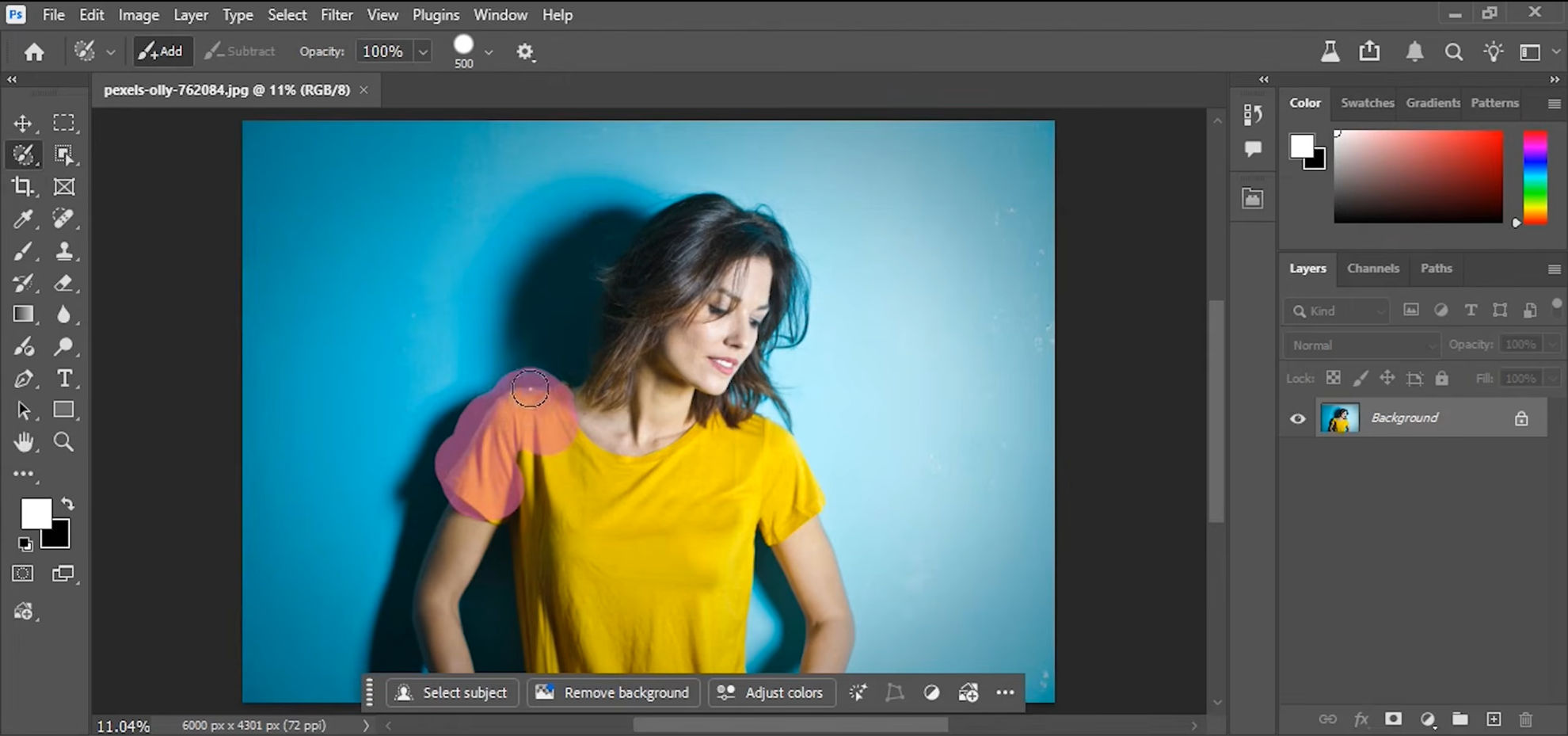
Working with Adobe Photoshop 2026 v27.10.0.26 full license

Description of Adobe Photoshop 2026 v27.10.0.26

Adobe Photoshop 2026 v27.10.0.26 is a professional image editing and graphic design application designed for photographers, designers, digital artists, content creators, and creative professionals. It provides a comprehensive set of tools for editing photographs, creating digital artwork, retouching images, designing graphics, and preparing visual content for print and digital platforms.

With its combination of powerful editing tools, layers, masks, filters, selections, typography, and AI-assisted features, Photoshop provides a flexible workflow for both everyday image editing and advanced creative projects.

Features of Adobe Photoshop 2026 v27.10.0.26

Professional Image Editing: Edit, enhance, retouch, and manipulate digital photographs with precision.
Layer-Based Workflow: Create complex compositions using layers, adjustment layers, masks, and blending options.
Advanced Retouching: Remove unwanted objects, refine portraits, correct imperfections, and enhance photographs.
Selection Tools: Make precise selections using a variety of selection, masking, and subject-isolation tools.
AI-Assisted Editing: Use intelligent features to assist with object removal, image enhancement, selections, and creative workflows.
Generative Features: Create or modify visual content with supported generative AI capabilities.
Color Correction: Adjust exposure, contrast, color balance, saturation, curves, and other image properties.
Filters & Effects: Apply creative and corrective filters to enhance photographs and digital artwork.
Typography Tools: Add and customize text with extensive font, formatting, and layout controls.
Digital Painting: Create illustrations and artwork using customizable brushes and painting tools.
Object Manipulation: Transform, resize, distort, rotate, and reposition individual elements within a composition.
Content-Aware Tools: Remove or replace image elements while intelligently adapting surrounding areas.
Professional File Support: Work with PSD and other common image formats for flexible creative workflows.
Creative Cloud Integration: Support workflows involving other Adobe Creative Cloud applications and services.

Why Use Adobe Photoshop 2026 v27.10.0.26?
Adobe Photoshop 2026 v27.10.0.26 combines traditional professional image-editing capabilities with modern intelligent and generative tools. This allows users to perform precise manual edits while also speeding up repetitive or complex creative tasks.
From professional photo retouching and graphic design to digital painting, social media content, advertising materials, and web graphics, Photoshop provides a versatile environment for creating and refining visual content.

Conclusion
Adobe Photoshop 2026 v27.10.0.26 is a comprehensive solution for professional image editing, graphic design, photo retouching, and digital artwork. Its combination of layers, masks, advanced selection tools, color correction, filters, typography, and AI-assisted features makes it suitable for a wide range of creative workflows.
Note: Please obtain Adobe Photoshop from an authorized Adobe source and use it according to the applicable licensing terms.

If you want to download Adobe Photoshop 2026 v27.10.0.26 full license, please click to DOWNLOAD button to download.
CLICKDOWN.ORG Download CAD CAM CNC software
Inside package Adobe Photoshop 2026 v27.10.0.26, already have cracked files and instruction how to install Adobe Photoshop 2026 v27.10.0.26 step by step. I guarantee you can install Adobe Photoshop 2026 v27.10.0.26 successfully if you follow that instruction.
If you also can’t install it or get any problems, please contact to me by email: clickdown.org@gmail.com, then I will help you to install software by teamviewer or Ultraviewer or Anydesk.
Thanks a lot
SOFTWARES

Download Adobe Substance 3D Painter 12.1.3.5709 x64 full

Adobe Substance 3D Painter 12.1.3.5709 – Professional 3D Texture Painting

Download Adobe Substance 3D Painter 12.1.3.5709 x64 full license

Link download Adobe Substance 3D Painter 12.1.3.5709 win64 full activated

Working with Adobe Substance 3D Painter 12.1.3.5709 full license

Description of Adobe Substance 3D Painter 12.1.3.5709

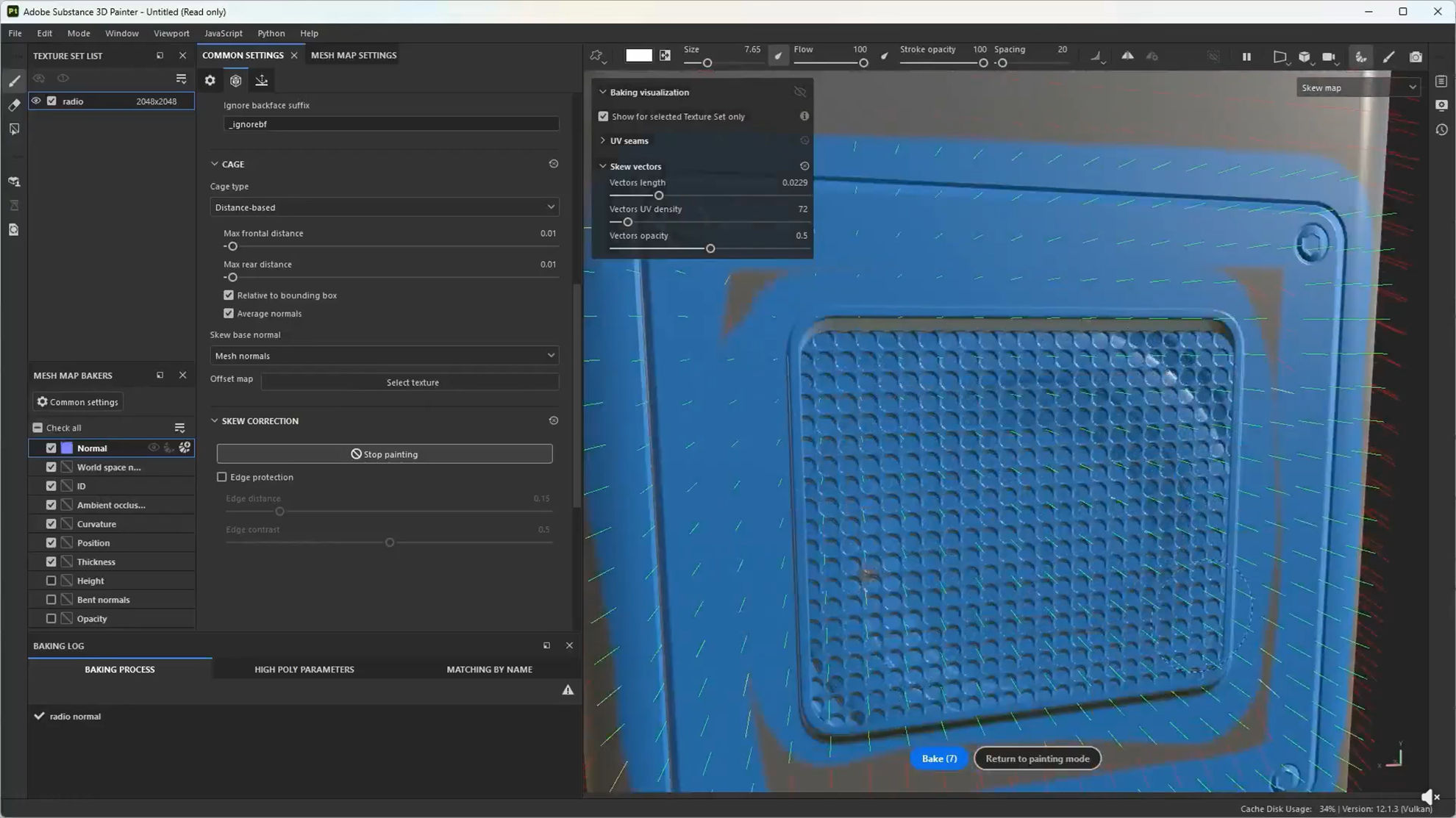
Adobe Substance 3D Painter 12.1.3.5709 is a professional 3D texturing and material painting application designed for game developers, 3D artists, VFX professionals, and visualization specialists. It provides a powerful environment for painting directly onto 3D models while creating detailed and realistic materials.

The software combines intuitive painting tools with advanced material authoring, smart masks, procedural effects, and real-time visualization, making it suitable for both creative experimentation and professional production pipelines.

Features of Adobe Substance 3D Painter 12.1.3.5709

3D Texture Painting: Paint directly on 3D models and create detailed surface textures with an intuitive workflow.
PBR Material Workflow: Create physically based materials with maps such as base color, roughness, metallic, normal, and height.
Smart Materials: Apply customizable material presets to quickly build realistic surface appearances.
Smart Masks: Generate detailed masks based on the geometry and surface characteristics of a model.
Procedural Effects: Add procedural details, patterns, wear, dirt, scratches, and other surface effects.
Layer-Based Editing: Organize texture work using layers, masks, filters, and blending controls.
Real-Time 3D Preview: Preview material and texture changes directly on the 3D model.
Advanced Brush Tools: Use customizable brushes and painting options for precise texture creation.
Material & Texture Baking: Generate useful texture maps from 3D mesh information to support detailed material creation.
UV Workflow: Work with UV layouts while painting and editing textures across 3D assets.
Texture Export: Export texture maps for use in game engines, rendering applications, and other 3D software.
Game Development Support: Create production-ready textures for characters, environments, props, and other game assets.
VFX & Visualization: Suitable for creating detailed materials for animation, visual effects, product visualization, and architectural projects.

Why Use Adobe Substance 3D Painter 12.1.3.5709?
Traditional texture creation can require extensive manual editing across multiple texture maps. Adobe Substance 3D Painter 12.1.3.5709 simplifies this process by allowing artists to paint and preview materials directly on 3D models.

Its combination of smart materials, procedural effects, masks, layers, and real-time visualization makes it easier to create realistic surface details such as scratches, dust, rust, fabric, metal, plastic, and other material characteristics.

Conclusion
Adobe Substance 3D Painter 12.1.3.5709 provides a comprehensive workflow for professional 3D texture painting and material creation. With PBR support, smart materials, procedural effects, layer-based editing, texture baking, and real-time previews, it is a powerful tool for game development, VFX, animation, and 3D visualization.
Note: Please obtain Adobe Substance 3D Painter from an authorized Adobe source and use it according to the applicable licensing terms.

If you want to download Adobe Substance 3D Painter 12.1.3.5709 full license, please click to DOWNLOAD button to download.
CLICKDOWN.ORG Download CAD CAM CNC software
Inside package Adobe Substance 3D Painter 12.1.3.5709, already have cracked files and instruction how to install Adobe Substance 3D Painter 12.1.3.5709 step by step. I guarantee you can install Adobe Substance 3D Painter 12.1.3.5709 successfully if you follow that instruction.
If you also can’t install it or get any problems, please contact to me by email: clickdown.org@gmail.com, then I will help you to install software by teamviewer or Ultraviewer or Anydesk.
Thanks a lot
SOFTWARES

Download GibbsCAM 2026 v26.1.17.0 win64 full license forever

GibbsCAM 2026 v26.1.17.0 – Professional CNC Programming Software

Download GibbsCAM 2026 v26.1.17.0 x64 full license

Link download GibbsCAM 2026 v26.1.17.0 win64 full activated

Working with GibbsCAM 2026 v26.1.17.0 full license

Description of GibbsCAM 2026 v26.1.17.0

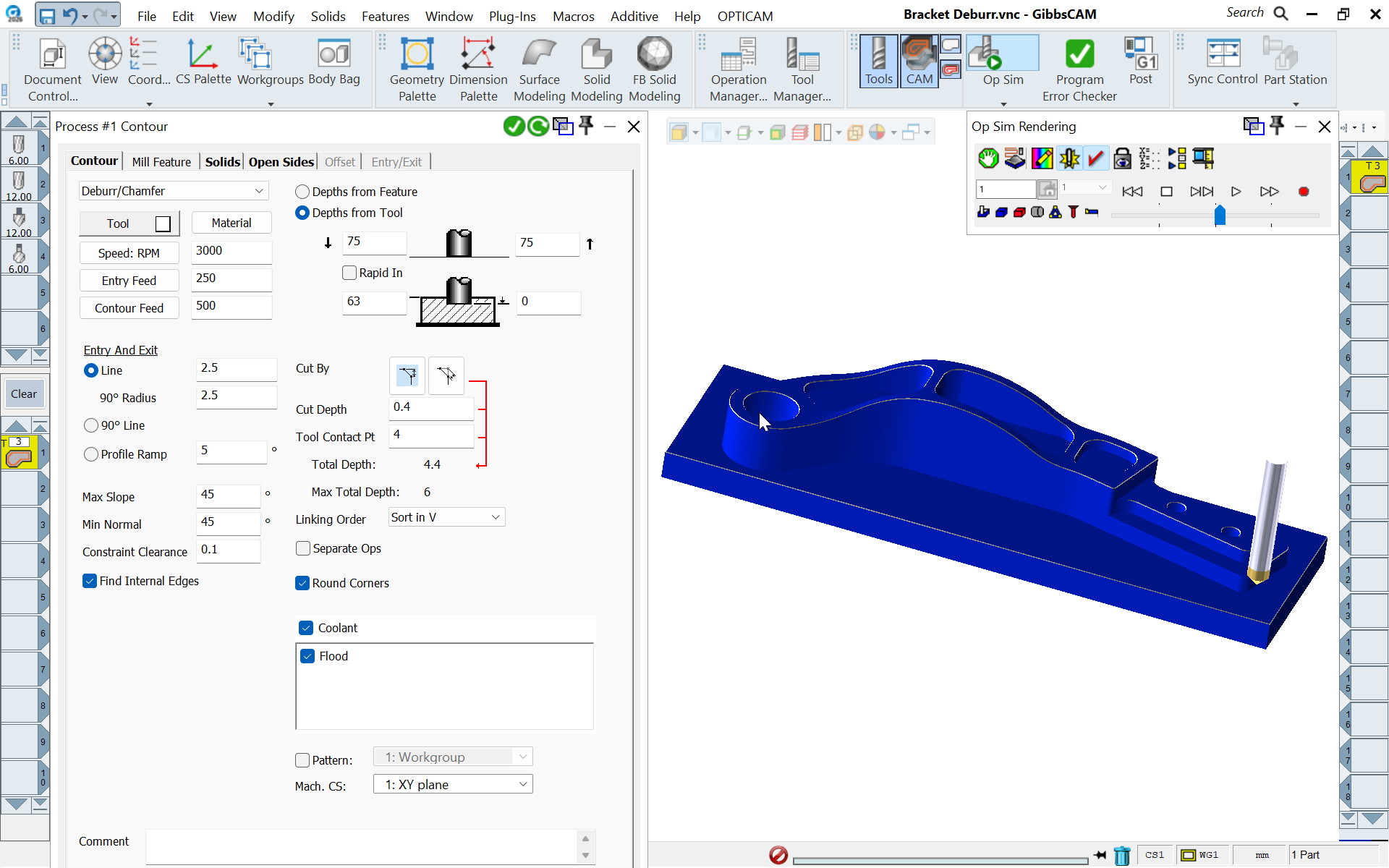
GibbsCAM 2026 v26.1.17.0 is a professional CAD/CAM solution designed for CNC programming, machining, and manufacturing applications. It provides tools for creating efficient CNC programs for milling, turning, multi-task machining, and complex manufacturing operations.

Designed for machinists, CNC programmers, manufacturing engineers, and production professionals, GibbsCAM provides an integrated environment for preparing toolpaths and optimizing machining strategies for modern CNC equipment.

Features of GibbsCAM 2026 v26.1.17.0

CNC Programming: Create and optimize CNC programs for a wide range of machining applications.
Milling: Support 2-axis through advanced multi-axis milling operations for complex components.
Turning: Develop CNC turning programs for various lathe and production machining applications.
Mill-Turn Machining: Combine milling and turning operations for multitasking CNC machines.
Multi-Axis Machining: Create advanced toolpaths for complex geometries and simultaneous machining.
Toolpath Generation: Generate efficient machining paths based on geometry, tooling, and manufacturing requirements.
Toolpath Simulation: Simulate machining operations to review tool movement and identify potential issues before production.
Machine Simulation: Help visualize machining processes and verify operations for supported machine configurations.
CNC Machine Support: Prepare programs for a broad range of CNC machine tools and manufacturing environments.
CAD Data Import: Work with geometry from common CAD formats for streamlined CAD/CAM workflows.
Post Processing: Generate machine-specific CNC code using appropriate post processors.
Tool & Workpiece Management: Define cutting tools, workpieces, and machining parameters for manufacturing operations.
Manufacturing Optimization: Help reduce unnecessary tool movements and improve machining efficiency.
Production Workflow: Support the transition from digital part geometry to CNC-ready manufacturing programs.

Why Use GibbsCAM 2026 v26.1.17.0?
Modern CNC manufacturing often requires sophisticated programming strategies for increasingly complex components. GibbsCAM 2026 v26.1.17.0 provides an integrated CAM environment that allows programmers to create, simulate, and optimize machining operations before sending programs to the CNC machine.

Its support for milling, turning, mill-turn, and multi-axis machining makes it suitable for a variety of manufacturing environments. By combining toolpath creation, simulation, and post-processing capabilities, GibbsCAM can help reduce programming time and improve production preparation.

Conclusion
GibbsCAM 2026 v26.1.17.0 is a comprehensive CNC programming and CAM solution for professional manufacturing workflows. With milling, turning, mill-turn, multi-axis machining, simulation, toolpath generation, and post-processing capabilities, it provides a flexible platform for CNC programmers and manufacturing engineers.
Note: Please obtain GibbsCAM from an authorized source and use it according to the applicable licensing terms.

If you want to download GibbsCAM 2026 v26.1.17.0 full license, please click to DOWNLOAD button to download.
CLICKDOWN.ORG Download CAD CAM CNC software
Inside package GibbsCAM 2026 v26.1.17.0, already have cracked files and instruction how to install GibbsCAM 2026 v26.1.17.0 step by step. I guarantee you can install GibbsCAM 2026 v26.1.17.0 successfully if you follow that instruction.
If you also can’t install it or get any problems, please contact to me by email: clickdown.org@gmail.com, then I will help you to install software by teamviewer or Ultraviewer or Anydesk.
Thanks a lot
SOFTWARES

Download Adobe Substance 3D Designer 16.0.5.11585 x64 full

Adobe Substance 3D Designer 16.0.5.11585 – Professional 3D Material & Texture Creation

Download Adobe Substance 3D Designer 16.0.5.11585 full license

Link download Adobe Substance 3D Designer 16.0.5.11585 full activated

Working with Adobe Substance 3D Designer 16.0.5.11585 full

Description of Adobe Substance 3D Designer 16.0.5.11585

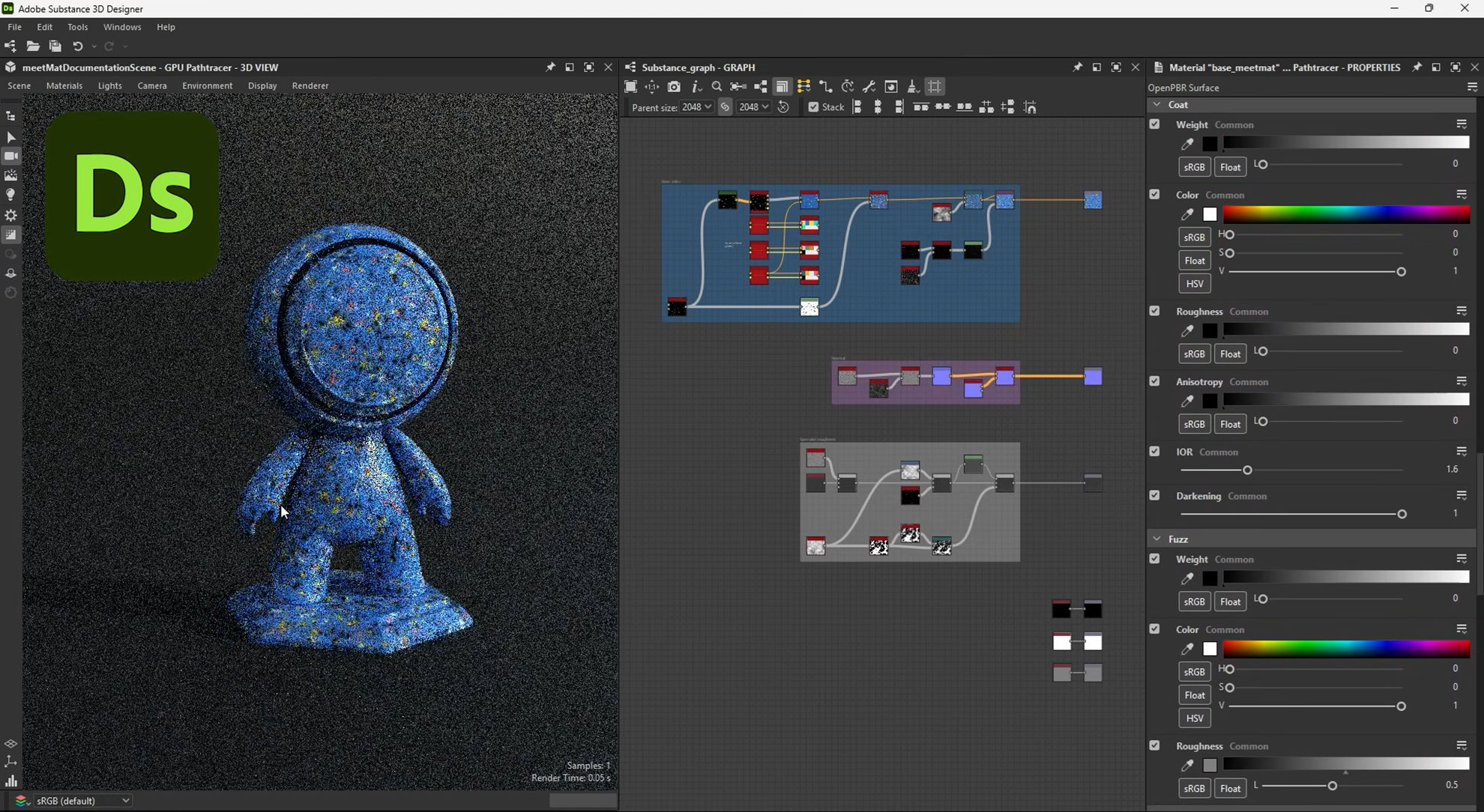
Adobe Substance 3D Designer 16.0.5.11585 is a professional procedural 3D material and texture creation application designed for artists, game developers, 3D designers, and visual effects professionals. It provides a node-based workflow for creating detailed materials, textures, patterns, and surface effects with extensive control over the final result.

The software is suitable for developing physically based rendering (PBR) materials and procedural assets for games, animation, VFX, product visualization, architectural visualization, and other 3D workflows.

Features of Adobe Substance 3D Designer 16.0.5.11585

Procedural Material Creation: Build complex materials and textures using a flexible procedural workflow.
Node-Based Workflow: Connect and manipulate nodes to create sophisticated texture-processing graphs.
PBR Materials: Create physically based materials with maps such as base color, roughness, metallic, normal, and height.
Advanced Texture Generation: Generate detailed surfaces, patterns, masks, and procedural textures.
Non-Destructive Editing: Modify procedural graphs and parameters without manually rebuilding the entire texture.
3D Viewport: Preview materials and textures on 3D models while developing them.
Customizable Parameters: Expose parameters to make procedural materials easier to modify and reuse.
Pattern & Surface Design: Create tiles, fabrics, metals, stones, wood, concrete, and other realistic surface materials.
Material Authoring: Develop reusable material libraries for different creative and production projects.
Game Development Workflow: Create optimized materials and textures for modern game production pipelines.
3D Production Integration: Use generated assets within compatible 3D modeling, rendering, animation, and VFX applications.
Automation & Reusability: Procedural graphs allow artists to generate variations efficiently and reuse established workflows.

Why Use Adobe Substance 3D Designer 16.0.5.11585?
Traditional texture creation can require extensive manual painting and repetitive adjustments. Adobe Substance 3D Designer 16.0.5.11585 uses a procedural node-based approach that allows artists to create complex materials while maintaining control over individual elements.
This workflow is particularly useful when producing multiple variations of a material or when a project requires consistent, scalable textures. Artists can adjust parameters and procedural graphs to quickly generate different visual results without starting from scratch.

Conclusion
Adobe Substance 3D Designer 16.0.5.11585 provides a powerful environment for procedural material and texture creation. With node-based authoring, PBR workflows, procedural generation, customizable parameters, and 3D previews, it is a valuable tool for game development, VFX, animation, visualization, and professional 3D production.
Note: Please obtain Adobe Substance 3D Designer from an authorized Adobe source and use the software according to the applicable licensing terms.

If you want to download Adobe Substance 3D Designer 16.0.5.11585 full license, please click to DOWNLOAD button to download.
CLICKDOWN.ORG Download CAD CAM CNC software
Inside package Adobe Substance 3D Designer 16.0.5.11585 , already have cracked files and instruction how to install Adobe Substance 3D Designer 16.0.5.11585 step by step. I guarantee you can install Adobe Substance 3D Designer 16.0.5.11585 successfully if you follow that instruction.
If you also can’t install it or get any problems, please contact to me by email: clickdown.org@gmail.com, then I will help you to install software by teamviewer or Ultraviewer or Anydesk.
Thanks a lot
SOFTWARES

Download TA Solutions TA Auto Points 3.0.0 full license

TA Solutions TA Auto Points 3.0.0 – Civil 3D Productivity Tool

Download TA Solutions TA Auto Points 3.0.0 full license

Link download TA Solutions TA Auto Points 3.0.0 full activated

Working with TA Solutions TA Auto Points 3.0.0 full license

Description of TA Solutions TA Auto Points 3.0.0

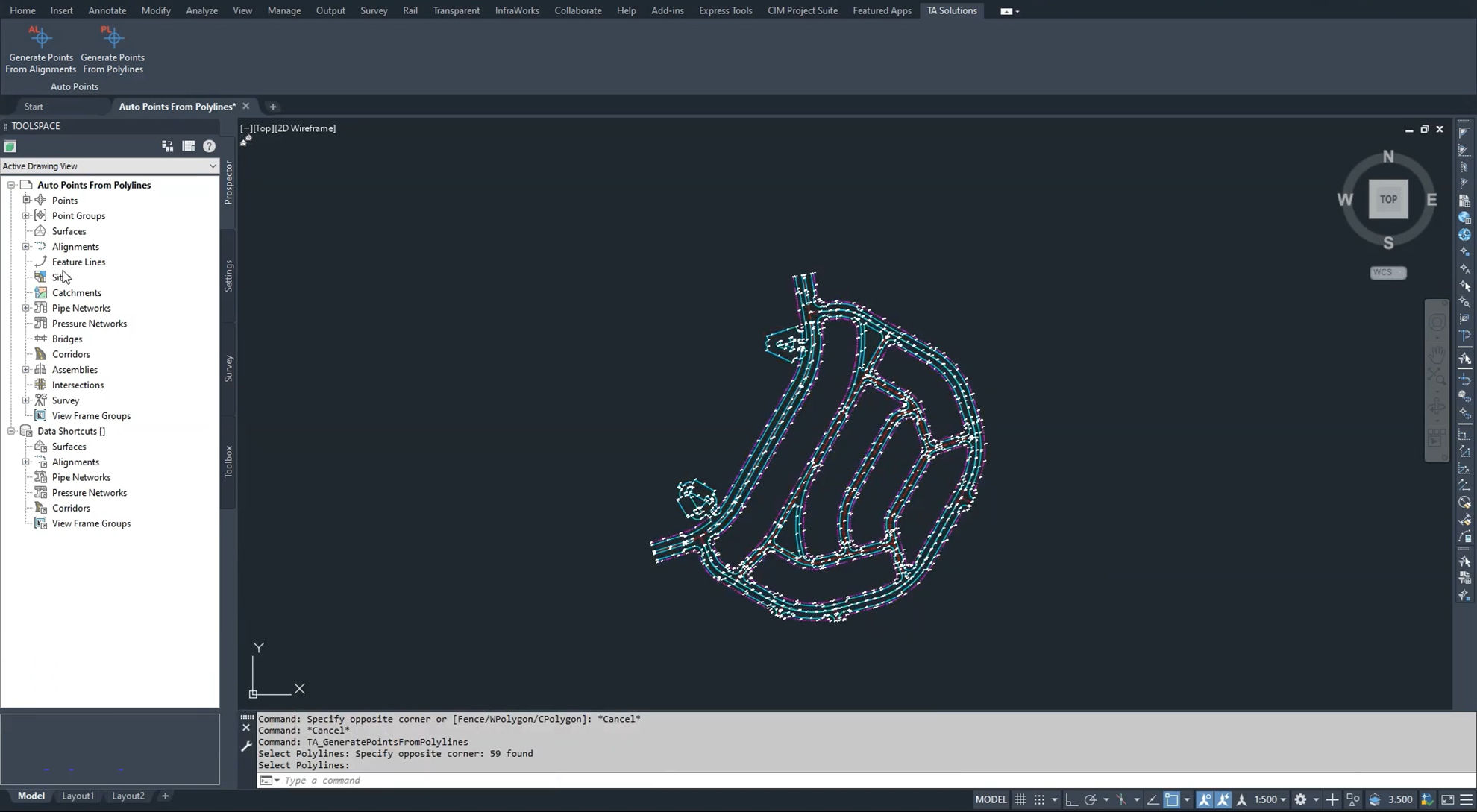
TA Solutions TA Auto Points 3.0.0 is a specialized productivity tool designed to assist civil engineering and surveying workflows involving point creation and management. It is intended to help users automate repetitive point-related tasks and improve efficiency when working with CAD and civil infrastructure projects.

The software can be useful for surveyors, civil engineers, designers, and CAD professionals who regularly work with coordinate-based point data and need to streamline their project workflows.

Features of TA Solutions TA Auto Points 3.0.0

Automated Point Creation: Helps streamline the process of creating points from project data and design information.
CAD Workflow Integration: Designed to support point-related workflows within compatible CAD environments.
Surveying Support: Useful for projects that involve survey points, coordinates, and terrain-related data.
Civil Engineering Workflows: Helps simplify repetitive point creation tasks in civil infrastructure projects.
Coordinate-Based Data: Supports workflows involving coordinate information and point locations.
Productivity Automation: Reduces repetitive manual operations and helps users work more efficiently.
Point Management: Provides tools for handling and organizing project point information.
Design Workflow Support: Can assist with preparing point data for civil design and documentation.
Time-Saving Tools: Helps automate common operations that would otherwise require repeated manual input.
Simple Workflow: Designed to provide practical tools for professionals working with CAD and surveying data.

Why Use TA Solutions TA Auto Points 3.0.0?
Point creation and management can become time-consuming when working with large surveying or civil engineering datasets. TA Solutions TA Auto Points 3.0.0 is designed to simplify these repetitive operations and help users maintain a more efficient CAD workflow.
By automating common point-related tasks, the software can help surveyors, civil engineers, and CAD technicians spend less time on repetitive data entry and more time on design, analysis, and project documentation.

Conclusion
TA Solutions TA Auto Points 3.0.0 provides a focused solution for automating point-related tasks in civil engineering, surveying, and CAD workflows. Its productivity-oriented tools can help simplify point creation, coordinate-based workflows, and repetitive project operations.
Note: Please verify compatibility with your CAD environment and obtain the software from an authorized source. Use it according to the applicable licensing terms.

If you want to download TA Solutions TA Auto Points 3.0.0 full license, please click to DOWNLOAD button to download.
CLICKDOWN.ORG Download CAD CAM CNC software
Inside package TA Solutions TA Auto Points 3.0.0, already have cracked files and instruction how to install TA Solutions TA Auto Points 3.0.0 step by step. I guarantee you can install TA Solutions TA Auto Points 3.0.0 successfully if you follow that instruction.
If you also can’t install it or get any problems, please contact to me by email: clickdown.org@gmail.com, then I will help you to install software by teamviewer or Ultraviewer or Anydesk.
Thanks a lot
SOFTWARES

Download Vectric Aspire Pro 12.509 x64 full license forever

Vectric Aspire Pro 12.509 – Professional CNC Design & CAM Software

Download Vectric Aspire Pro 12.509 full license

Link download Vectric Aspire Pro 12.509 full activated

Working with Vectric Aspire Pro 12.509 full license

Description of Vectric Aspire Pro 12.509

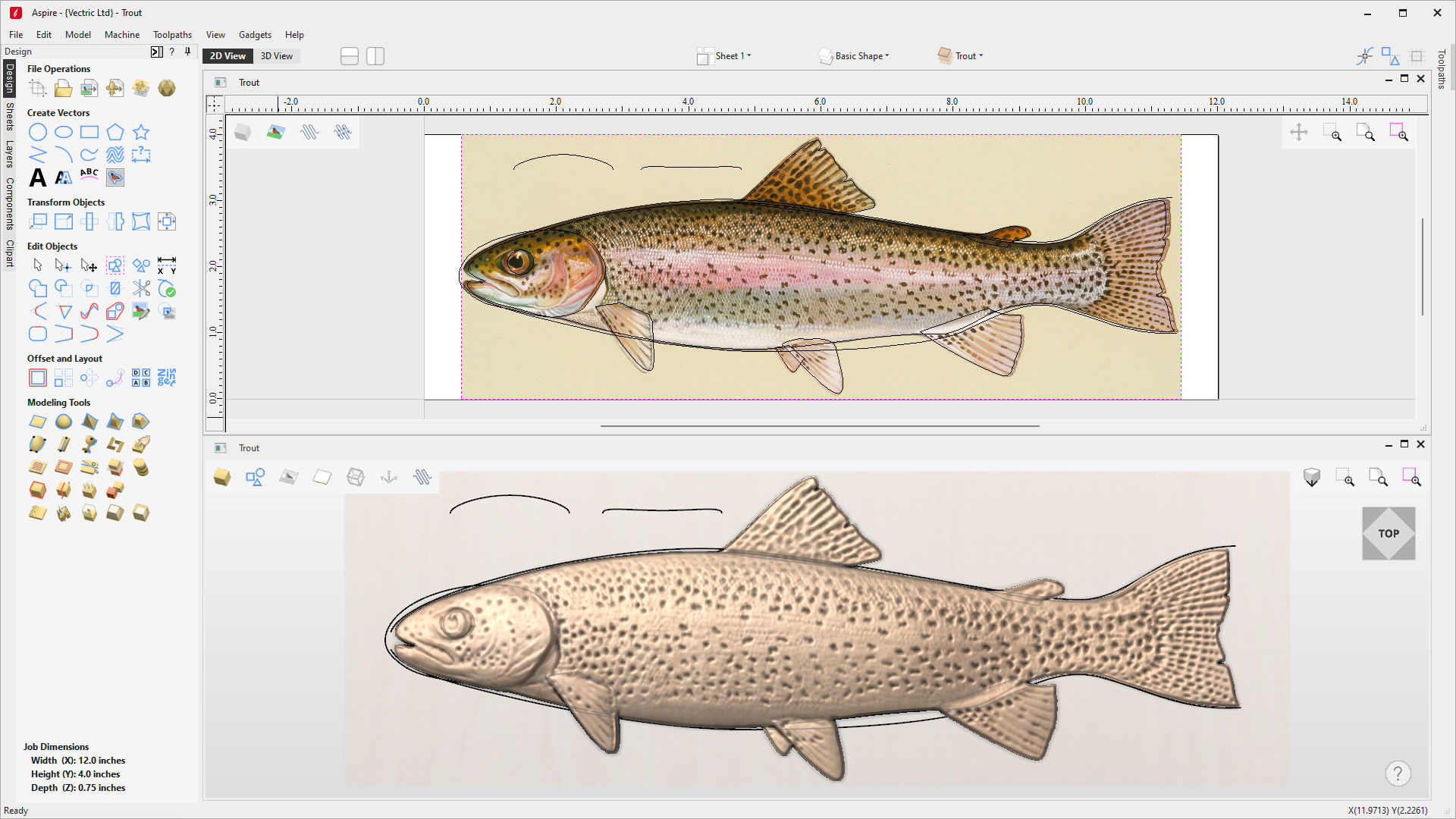
Vectric Aspire Pro 12.509 is a professional CAD/CAM software solution designed for CNC routing, 2D and 3D design, relief modeling, and toolpath creation. It provides a complete workflow for turning digital designs into CNC-ready machining projects.

Aspire is particularly useful for CNC routers and applications such as woodworking, sign making, furniture production, decorative carving, engraving, and custom manufacturing.

Features of Vectric Aspire Pro 12.509

2D Design Tools: Create and edit vectors for signs, panels, furniture components, engraving, and CNC projects.
3D Modeling: Build detailed 3D models and decorative relief designs directly within the software.
Relief Modeling: Create and manipulate 3D reliefs for carving and decorative CNC applications.
CNC Toolpath Creation: Generate machining toolpaths based on the selected geometry and manufacturing requirements.
2D & 3D Machining: Support different machining strategies for both flat and three-dimensional projects.
V-Carving: Create detailed lettering, decorative patterns, and precision engraving using V-carving techniques.
Pocket & Profile Toolpaths: Generate common CNC operations for cutting, profiling, and material removal.
3D Roughing & Finishing: Prepare toolpaths for efficiently machining complex 3D surfaces.
Toolpath Simulation: Preview machining operations before sending the job to a CNC machine.
Material Setup: Define material dimensions and positioning to help prepare accurate machining projects.
Project Layout: Arrange multiple components efficiently to make better use of available material.
CNC Router Workflow: Designed specifically for creating projects intended for CNC routing and carving.
File Import & Export: Work with commonly used vector and 3D design formats for flexible project preparation.

Why Use Vectric Aspire Pro 12.509?
Vectric Aspire Pro 12.509 combines design, 3D modeling, and CNC toolpath generation in a single application. This makes it possible to move from an initial concept to a simulated machining job without requiring multiple separate programs.

The software is especially useful for users who need to create decorative 3D reliefs, carved signs, furniture components, artistic projects, and custom CNC products. Its combination of modeling and CAM tools also makes it suitable for both professional production and advanced CNC hobby applications.

Conclusion
Vectric Aspire Pro 12.509 provides a comprehensive environment for CNC design, 3D relief modeling, and toolpath creation. With 2D design, 3D modeling, V-carving, machining strategies, simulation, and CNC workflow tools, it offers a versatile solution for CNC routing and carving projects.

Note: Please obtain Vectric Aspire from an authorized source and use it according to the applicable licensing terms.

If you want to download Vectric Aspire Pro 12.509 full license, please click to DOWNLOAD button to download.
CLICKDOWN.ORG Download CAD CAM CNC software
Inside package Vectric Aspire Pro 12.509, already have cracked files and instruction how to install Vectric Aspire Pro 12.509 step by step. I guarantee you can install Vectric Aspire Pro 12.509 successfully if you follow that instruction.
If you also can’t install it or get any problems, please contact to me by email: clickdown.org@gmail.com, then I will help you to install software by teamviewer or Ultraviewer or Anydesk.
Thanks a lot
SOFTWARES

Download Qbitec 1.8.1 for Autodesk Revit 2027 x64 full license

Qbitec 1.8.1 for Autodesk Revit 2027 – BIM Productivity Plugin

Download Qbitec 1.8.1 for Autodesk Revit 2027 x64 full license

Link download Qbitec 1.8.1 for Autodesk Revit 2027 full activated

Working with Qbitec 1.8.1 for Autodesk Revit 2027 full license

Description of Qbitec 1.8.1 for Autodesk Revit 2027

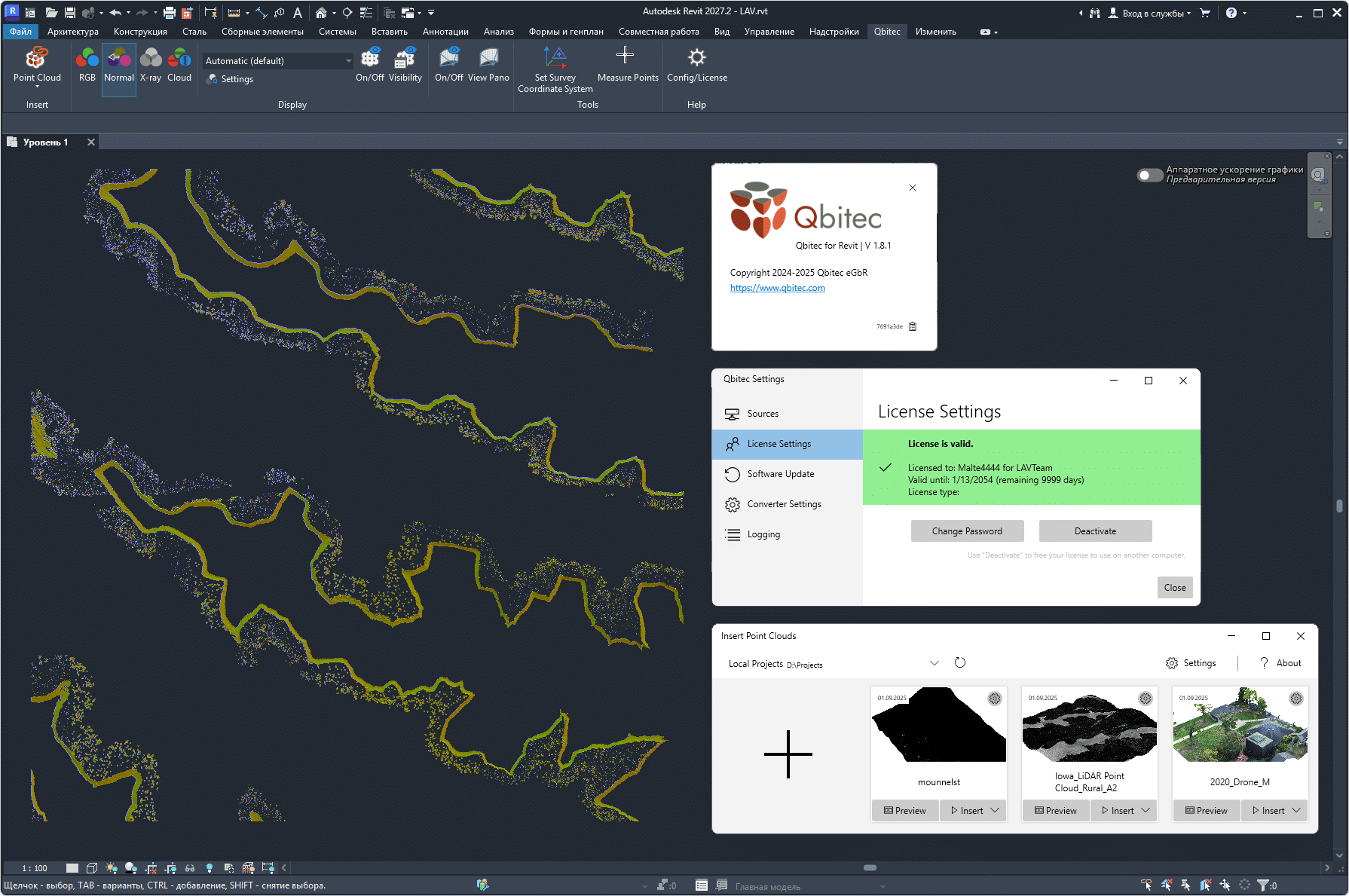
Qbitec 1.8.1 for Autodesk Revit 2027 is a specialized plugin designed to extend the capabilities of Autodesk Revit for BIM professionals, architects, engineers, and designers. It provides additional tools that can help streamline modeling, documentation, and project workflows within the Revit environment.

By integrating directly with Revit, Qbitec can help users improve productivity and reduce repetitive tasks when working on complex BIM projects.

Features of Qbitec 1.8.1 for Autodesk Revit 2027

Revit 2027 Compatibility: Designed to work with Autodesk Revit 2027 workflows.
BIM Productivity Tools: Provides additional functionality to support everyday BIM tasks.
Revit Workflow Integration: Works within the Revit environment to reduce the need for separate applications.
Modeling Assistance: Helps users manage and perform common modeling-related operations more efficiently.
Documentation Support: Provides tools intended to streamline project documentation workflows.
Task Automation: Helps reduce repetitive operations and improve productivity on larger projects.
Project Organization: Supports better management of BIM project elements and information.
User-Friendly Interface: Designed to provide accessible tools for Revit users with different levels of experience.
Engineering & Design Workflows: Can be useful for architects, engineers, BIM coordinators, and designers.
Improved Productivity: Helps users optimize common Revit operations and maintain an efficient project workflow.

Why Use Qbitec 1.8.1 for Autodesk Revit 2027?
Working with large BIM projects can involve many repetitive modeling and documentation tasks. Qbitec 1.8.1 for Autodesk Revit 2027 is intended to provide additional functionality that can make these workflows more efficient.
Its integration with Revit allows users to access supplementary tools without constantly switching between different applications. This can be especially useful for professionals managing detailed architectural, structural, or engineering BIM projects.

Conclusion
Qbitec 1.8.1 for Autodesk Revit 2027 provides additional tools for professionals who want to enhance their Revit-based BIM workflows. Its integration, productivity features, and workflow assistance can help users work more efficiently across modeling and documentation tasks.
Note: Please verify compatibility with your Revit installation and obtain Qbitec from an authorized source. Use the software according to the applicable licensing terms.

If you want to download Qbitec 1.8.1 for Autodesk Revit 2027 full license, please click to DOWNLOAD button to download.
CLICKDOWN.ORG Download CAD CAM CNC software
Inside package Qbitec 1.8.1 for Autodesk Revit 2027, already have cracked files and instruction how to install Qbitec 1.8.1 for Autodesk Revit 2027 step by step. I guarantee you can install Qbitec 1.8.1 for Autodesk Revit 2027 successfully if you follow that instruction.
If you also can’t install it or get any problems, please contact to me by email: clickdown.org@gmail.com, then I will help you to install software by teamviewer or Ultraviewer or Anydesk.
Thanks a lot
SOFTWARES

Download DIgSILENT PowerFactory 2021 SP2 x64 full license

DIgSILENT PowerFactory 2021 SP2 – Power System Analysis Software

Download DIgSILENT PowerFactory 2021 SP2 full license

Link download DIgSILENT PowerFactory 2021 SP2 full activated

Working with DIgSILENT PowerFactory 2021 SP2 full license

Description of DIgSILENT PowerFactory 2021 SP2

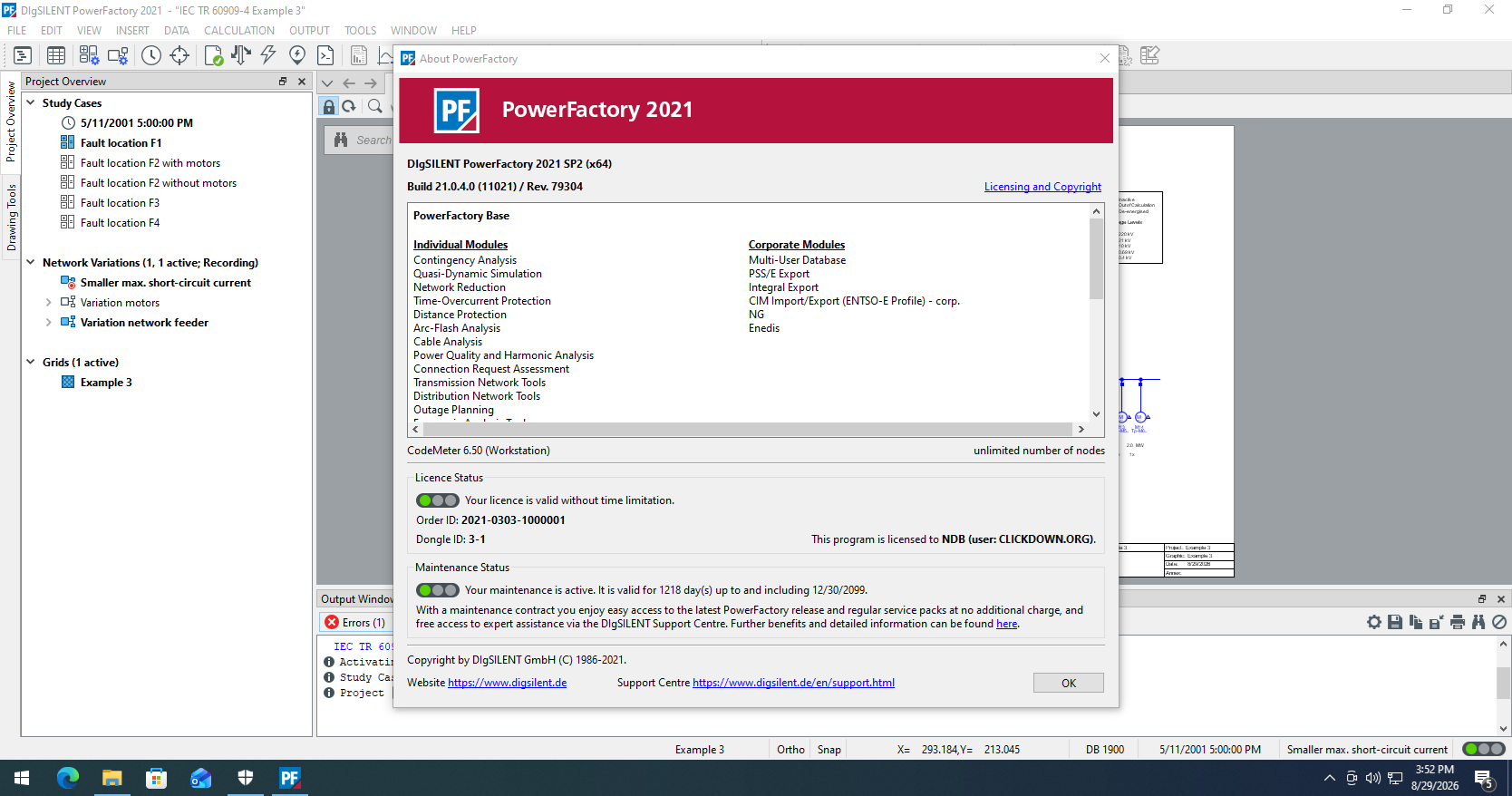
DIgSILENT PowerFactory 2021 SP2 is a professional power system analysis and simulation software solution designed for electrical engineers, utilities, consultants, and researchers. It provides a comprehensive environment for modeling, analyzing, and optimizing electrical power systems ranging from generation and transmission to distribution and industrial networks.

The software combines detailed network modeling with a wide range of analysis functions, making it suitable for both planning studies and operational assessments.

Features of DIgSILENT PowerFactory 2021 SP2

Power System Modeling: Create detailed models of generation, transmission, distribution, and industrial electrical networks.
Load Flow Analysis: Calculate voltage levels, power flows, currents, and other important network parameters.
Short-Circuit Analysis: Evaluate fault conditions and short-circuit currents for different network configurations.
Dynamic Simulation: Analyze system behavior during disturbances and changing operating conditions.
Transient Stability Studies: Evaluate generator and system stability following major disturbances.
Protection Analysis: Support the evaluation and coordination of protection systems and network fault conditions.
Harmonic Analysis: Study harmonic distortion and its potential effects on electrical networks.
Renewable Energy Modeling: Model renewable generation and assess its interaction with electrical grids.
Distribution Network Analysis: Analyze distribution systems, voltage profiles, loading, and network performance.
Contingency Analysis: Evaluate network behavior under different outage and contingency scenarios.
Power Quality Studies: Investigate selected power quality issues and network operating conditions.
Visualization & Reporting: Present network models, calculation results, diagrams, and engineering reports in an organized format.
Automation: Support advanced engineering workflows through scripting and automated calculations.

Why Use DIgSILENT PowerFactory 2021 SP2?
DIgSILENT PowerFactory 2021 SP2 provides engineers with an integrated platform for studying complex electrical power systems. Instead of using separate applications for different types of analysis, users can develop a network model and perform multiple studies within the same environment.

It can be used for power system planning, grid connection studies, network expansion, stability assessments, protection studies, renewable integration, and academic research.

Conclusion
DIgSILENT PowerFactory 2021 SP2 is a comprehensive engineering platform for power system modeling, simulation, and analysis. Its combination of load flow, short-circuit, dynamic, stability, protection, and network planning capabilities makes it suitable for a wide range of electrical engineering applications.

Note: Please obtain the software from an authorized DIgSILENT source and use it according to the applicable licensing terms.

If you want to download DIgSILENT PowerFactory 2021 SP2 full license, please click to DOWNLOAD button to download.
CLICKDOWN.ORG Download CAD CAM CNC software
Inside package DIgSILENT PowerFactory 2021 SP2, already have cracked files and instruction how to install DIgSILENT PowerFactory 2021 SP2 step by step. I guarantee you can install DIgSILENT PowerFactory 2021 SP2 successfully if you follow that instruction.
If you also can’t install it or get any problems, please contact to me by email: clickdown.org@gmail.com, then I will help you to install software by teamviewer or Ultraviewer or Anydesk.
Thanks a lot
SOFTWARES

Download Bitwig Studio 6.1 x64 full license 100% working

Bitwig Studio 6.1 – Professional DAW for Music Production

Bitwig Studio 6.1 (x64) WIN/macOS/LiNUX

Download Bitwig Studio 6.1 x64 full license 100% working

Link download Bitwig Studio 6.1 full activated

Working with Bitwig Studio 6.1 full license

Description of Bitwig Studio 6.1

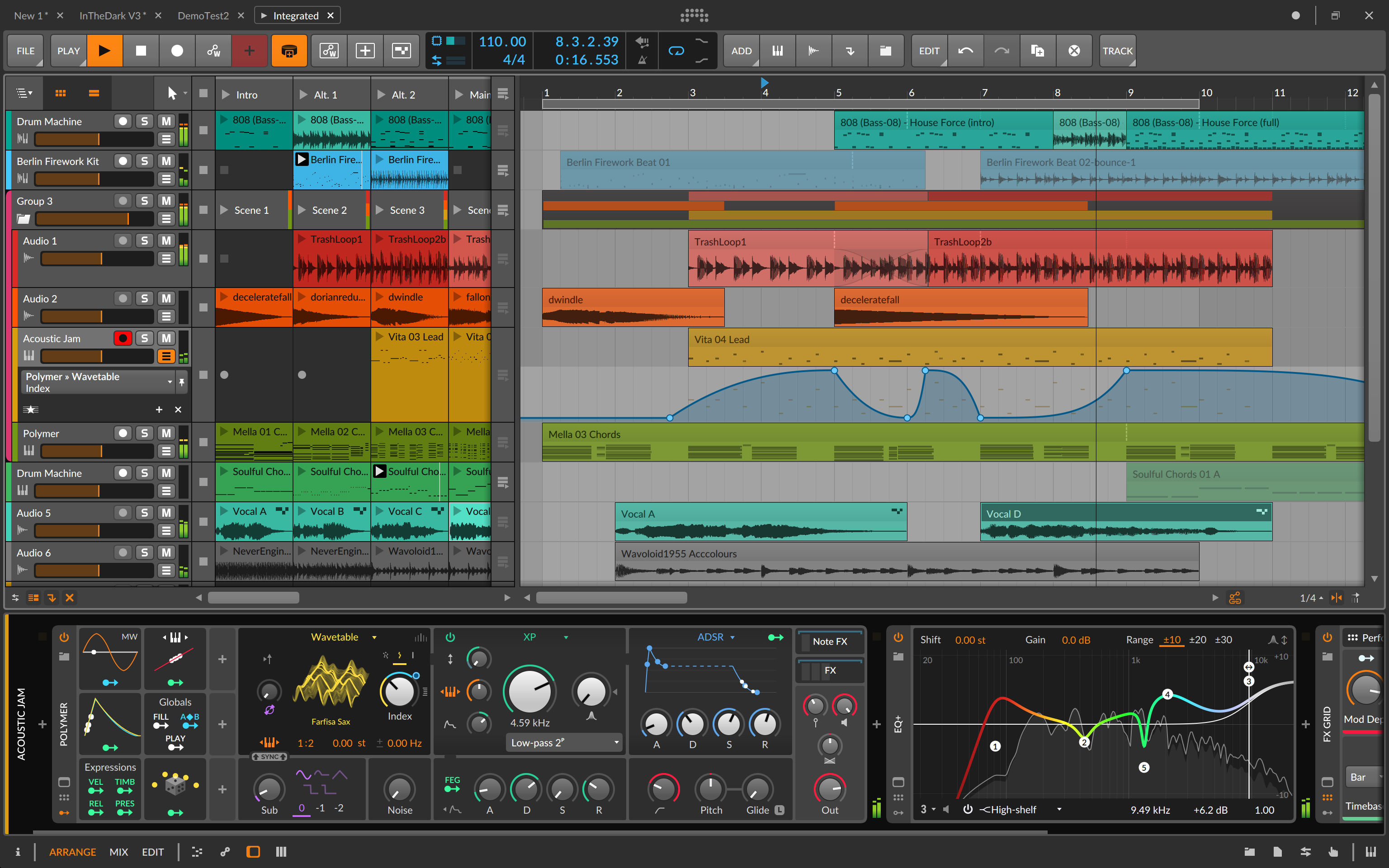
Bitwig Studio 6.1 is a professional digital audio workstation (DAW) designed for music production, sound design, recording, editing, mixing, and live performance. It provides a flexible creative environment that combines traditional linear arrangement workflows with powerful modulation, sequencing, and sound-design capabilities.

Whether you are a music producer, composer, sound designer, DJ, or electronic musician, Bitwig Studio 6.1 provides a comprehensive toolkit for creating and developing modern music projects.

Features of Bitwig Studio 6.1

Professional DAW Workflow: Record, edit, arrange, mix, and produce complete music projects in one application.
Audio Recording & Editing: Record instruments, vocals, and external audio sources with flexible editing tools.
MIDI Production: Create, edit, and arrange MIDI performances for instruments, synthesizers, and drum machines.
Clip-Based Workflow: Experiment with musical ideas using flexible clips and scenes before arranging them into a complete track.
Advanced Modulation: Modulate device parameters and effects to create dynamic and evolving sounds.
Powerful Sequencing: Develop complex rhythms, melodies, automation, and electronic music arrangements.
Sound Design: Combine instruments, effects, modulators, and routing options to build customized sounds.
Mixing Tools: Work with multiple tracks, buses, effects, automation, and detailed signal routing.
Plugin Support: Integrate compatible third-party instruments and effects into your production workflow.
Live Performance: Use Bitwig’s flexible clip and arrangement capabilities for performance and creative experimentation.
Automation: Create detailed parameter changes and movement throughout a project.
Flexible Routing: Build customized audio and MIDI signal paths for complex production setups.

Why Use Bitwig Studio 6.1?
Bitwig Studio 6.1 is designed for producers who want more than a conventional linear DAW workflow. Its combination of arrangement, clip launching, modulation, sequencing, and sound-design tools makes it particularly suitable for electronic music and experimental production.
The software allows users to move quickly between developing musical ideas, arranging complete compositions, designing sounds, and performing projects. Its flexible architecture also makes it possible to create sophisticated production setups without relying on multiple applications.

Conclusion
Bitwig Studio 6.1 offers a versatile environment for music production, sound design, recording, mixing, and live performance. With powerful modulation, MIDI and audio tools, flexible routing, clip-based workflows, and extensive creative possibilities, it is a capable DAW for modern musicians and producers.
Note: Please obtain Bitwig Studio from an authorized source and use it according to the applicable licensing terms.

If you want to download Bitwig Studio 6.1 full license, please click to DOWNLOAD button to download.
CLICKDOWN.ORG Download CAD CAM CNC software
Inside package Bitwig Studio 6.1, already have cracked files and instruction how to install Bitwig Studio 6.1 step by step. I guarantee you can install Bitwig Studio 6.1 successfully if you follow that instruction.
If you also can’t install it or get any problems, please contact to me by email: clickdown.org@gmail.com, then I will help you to install software by teamviewer or Ultraviewer or Anydesk.
Thanks a lot
SOFTWARES

Download Topaz Gigapixel Pro 1.3.5 full license forever

Topaz Gigapixel Pro 1.3.5 – AI Image Upscaling Software

Download Topaz Gigapixel Pro 1.3.5 full license forever

Link download Topaz Gigapixel Pro 1.3.5 full activated

Working with Topaz Gigapixel Pro 1.3.5 full license

Description of Topaz Gigapixel Pro 1.3.5

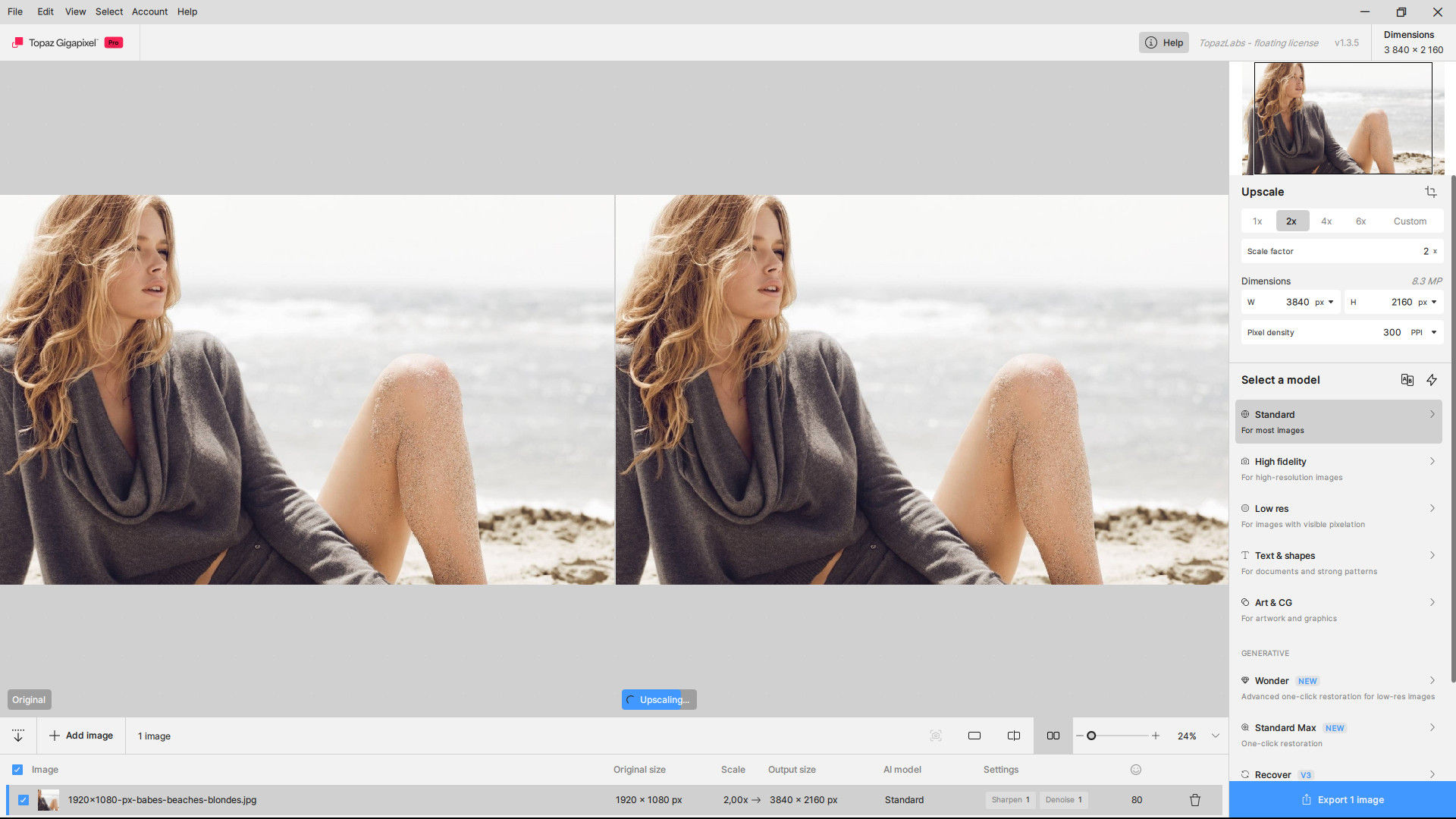
Topaz Gigapixel Pro 1.3.5 is an advanced AI-powered image enhancement and upscaling solution designed to enlarge photographs and digital images while preserving important details. It is useful for photographers, designers, creative professionals, and anyone who needs to increase image resolution for printing, publishing, or digital projects.

Using intelligent image processing, Gigapixel Pro can help improve the appearance of low-resolution images and produce sharper, more detailed results when increasing their dimensions.

Features of Topaz Gigapixel Pro 1.3.5

AI Image Upscaling: Enlarge images while maintaining visual detail and overall image quality.
High-Resolution Enhancement: Increase image dimensions for larger displays and professional printing.
Detail Recovery: AI-based processing helps reconstruct and enhance fine image details.
Noise Reduction: Reduce unwanted digital noise and artifacts during the enhancement process.
Sharpening: Improve image clarity and definition for cleaner-looking results.
Face Enhancement: Optimize facial details when enlarging portraits and photographs.
Multiple Image Processing: Process multiple images efficiently for larger enhancement workflows.
Flexible Output Options: Adjust image size, scaling, and other output parameters according to project requirements.
Photography Workflow: Suitable for enhancing photographs before printing, publishing, or further editing.
User-Friendly Interface: Provides an accessible workflow for both creative professionals and photography enthusiasts.

Why Use Topaz Gigapixel Pro 1.3.5?
Increasing an image’s resolution with conventional resizing methods can often result in blurry edges and loss of detail. Topaz Gigapixel Pro 1.3.5 uses AI-based processing to produce more natural-looking results when enlarging images.
It can be particularly useful when working with older photographs, cropped images, small source files, portraits, artwork, and images intended for large-format printing.

Conclusion
Topaz Gigapixel Pro 1.3.5 provides powerful AI-based tools for enlarging and enhancing digital images. With intelligent upscaling, detail enhancement, sharpening, noise reduction, and batch processing capabilities, it can be a valuable addition to professional photography and image-editing workflows.
Note: Please obtain the software from an authorized source and use it according to the applicable licensing terms.

If you want to download Topaz Gigapixel Pro 1.3.5 full license, please click to DOWNLOAD button to download.
CLICKDOWN.ORG Download CAD CAM CNC software
Inside package Topaz Gigapixel Pro 1.3.5, already have cracked files and instruction how to install Topaz Gigapixel Pro 1.3.5 step by step. I guarantee you can install Topaz Gigapixel Pro 1.3.5 successfully if you follow that instruction.
If you also can’t install it or get any problems, please contact to me by email: clickdown.org@gmail.com, then I will help you to install software by teamviewer or Ultraviewer or Anydesk.
Thanks a lot
SOFTWARES

Download Lucen Timeline Expert 15.01.00.00 full license

Lucen Timeline Expert 15.01.00.00 – Professional Project Scheduling Software

Download Lucen Timeline Expert 15.01.00.00 full license

Link download Lucen Timeline Expert 15.01.00.00 full activated

Working with Lucen Timeline Expert 15.01.00.00 full license

Description of Lucen Timeline Expert 15.01.00.00

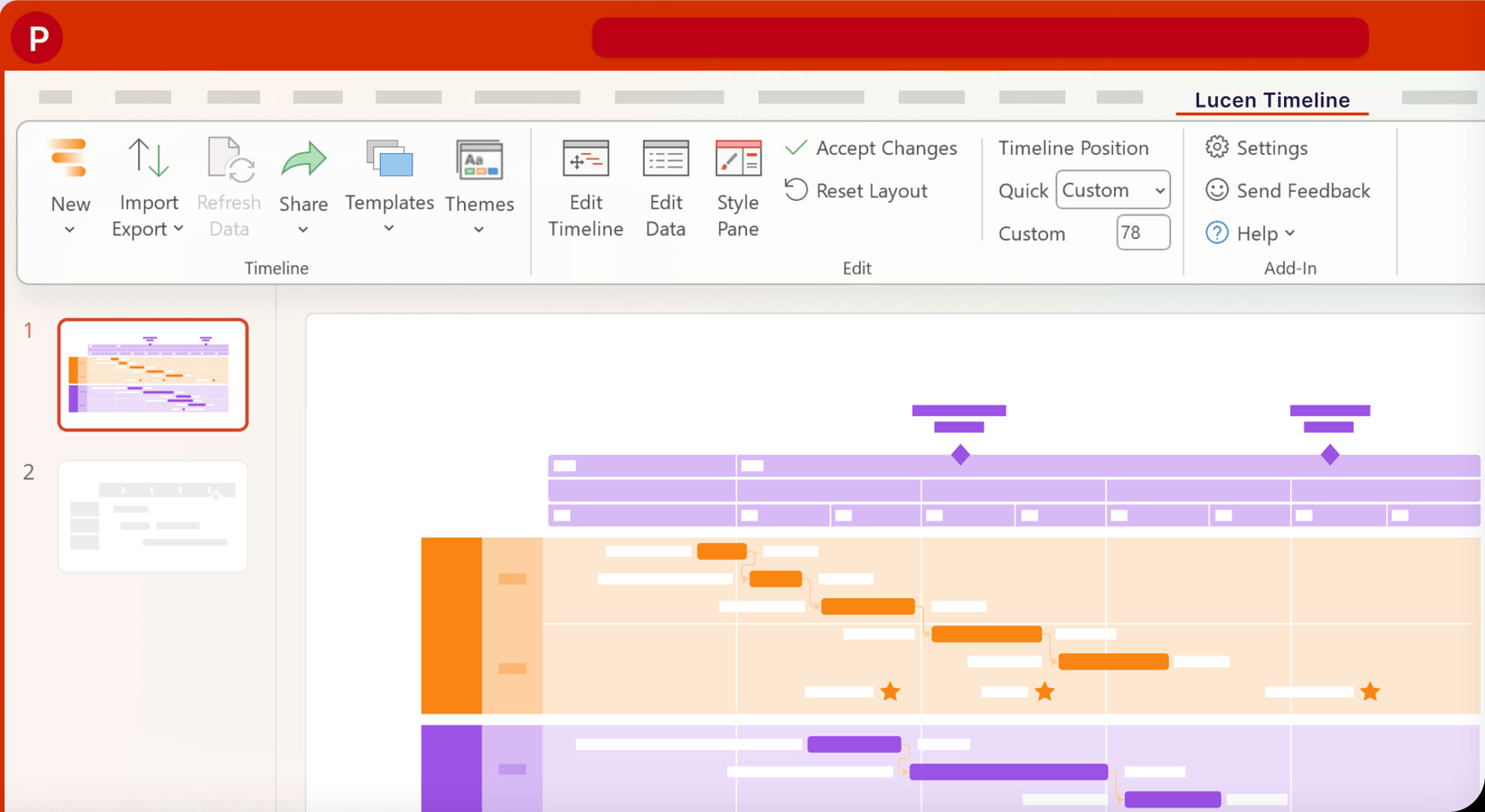
Lucen Timeline Expert 15.01.00.00 is a professional project planning and scheduling solution designed to help users create, manage, and visualize project timelines. It provides an intuitive environment for organizing tasks, milestones, schedules, and project activities in a clear timeline format.

The software can be useful for project managers, engineers, planners, consultants, and professionals who need to coordinate complex projects and monitor progress efficiently.

Features of Lucen Timeline Expert 15.01.00.00

Timeline-Based Planning: Create clear visual timelines to organize project activities and schedules.
Project Scheduling: Define tasks, durations, dependencies, and important project milestones.
Task Management: Organize project activities and maintain a structured overview of ongoing work.
Milestone Tracking: Highlight important deadlines and project milestones for easier monitoring.
Visual Project Overview: Understand project structure, schedules, and relationships through graphical timeline views.
Resource Planning: Help coordinate project resources and activities within the overall project schedule.
Flexible Time Scales: Review project information at different levels of detail for both short- and long-term planning.
Progress Monitoring: Track project development against planned schedules and identify potential delays.
Professional Reports: Present project schedules and timeline information in a clear format for communication and documentation.
User-Friendly Interface: Designed to make project planning and timeline management accessible for both new and experienced users.

Why Use Lucen Timeline Expert 15.01.00.00?
Managing complex projects can become difficult when tasks, deadlines, and dependencies are spread across different documents. Lucen Timeline Expert 15.01.00.00 helps bring this information together in a visual timeline, making it easier to understand the overall project schedule.
By combining scheduling and timeline visualization, the software can help project teams plan activities, coordinate deadlines, monitor progress, and communicate project status more effectively.

Conclusion
Lucen Timeline Expert 15.01.00.00 provides a practical solution for creating and managing professional project timelines. Its scheduling, task organization, milestone tracking, and visual planning capabilities make it a useful tool for professionals who need better control over project schedules.
Note: Please obtain the software from an authorized source and use it according to the applicable licensing terms.

If you want to download Lucen Timeline Expert 15.01.00.00 full license, please click to DOWNLOAD button to download.
CLICKDOWN.ORG Download CAD CAM CNC software
Inside package Lucen Timeline Expert 15.01.00.00, already have cracked files and instruction how to install Lucen Timeline Expert 15.01.00.00 step by step. I guarantee you can install Lucen Timeline Expert 15.01.00.00 successfully if you follow that instruction.
If you also can’t install it or get any problems, please contact to me by email: clickdown.org@gmail.com, then I will help you to install software by teamviewer or Ultraviewer or Anydesk.
Thanks a lot
SOFTWARES

Download OpenFlows Storm 2026 v26.00.00.532 x64 full license

OpenFlows Storm 2026 v26.00.00.532 – Stormwater Modeling Software

Download OpenFlows Storm 2026 v26.00.00.532 x64 full license

Link download OpenFlows Storm 2026 v26.00.00.532 win64 full activated

Working with OpenFlows Storm 2026 v26.00.00.532 full license

Description of OpenFlows Storm 2026 v26.00.00.532

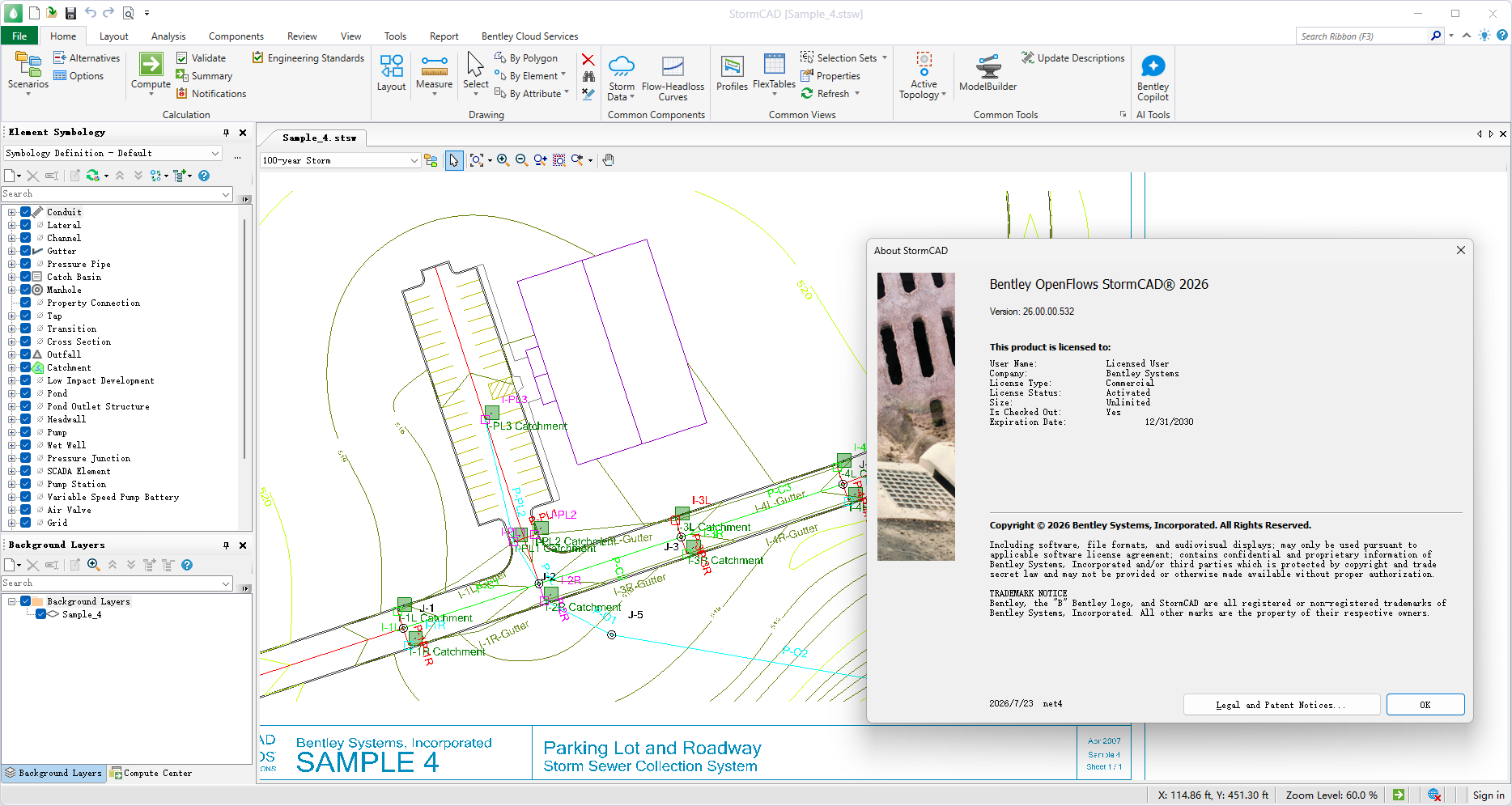
OpenFlows Storm 2026 v26.00.00.532 is a professional stormwater modeling and drainage analysis solution designed to help engineers plan, analyze, and optimize urban stormwater systems. It provides tools for modeling complex drainage networks and evaluating system performance under different rainfall and flow conditions.

The software is suitable for civil engineers, drainage designers, water resource professionals, and infrastructure consultants working on stormwater management projects.

Features of OpenFlows Storm 2026 v26.00.00.532

Stormwater Network Modeling: Build and analyze detailed stormwater drainage networks, including pipes, channels, inlets, and other hydraulic components.
Hydraulic Analysis: Evaluate flow conditions, water levels, velocities, and system capacity throughout a drainage network.
Rainfall & Runoff Modeling: Simulate rainfall events and analyze resulting runoff within stormwater systems.
Network Design: Develop and evaluate drainage system layouts to support efficient infrastructure design.
Flooding Analysis: Identify potential problem areas and assess hydraulic conditions that may contribute to flooding.
Catchment Modeling: Represent contributing drainage areas and analyze runoff entering the stormwater network.
Scenario Management: Compare different design alternatives, rainfall events, and operating conditions.
Profile & Network Visualization: Review hydraulic profiles and network layouts to better understand system behavior.
Engineering Reports: Generate useful analysis results and reports for project documentation and design review.
Integration with Engineering Workflows: Support professional drainage and infrastructure workflows by working with project data and engineering models.

Why Use OpenFlows Storm 2026?
OpenFlows Storm 2026 provides engineers with a structured environment for analyzing stormwater infrastructure before construction or modification. By simulating hydraulic behavior, users can identify capacity issues, evaluate alternative designs, and make more informed decisions during the planning and design process.

The software can be particularly useful for urban drainage projects, stormwater management studies, roadway drainage, flood mitigation, and infrastructure development.

Conclusion
OpenFlows Storm 2026 v26.00.00.532 is a comprehensive solution for stormwater modeling, hydraulic analysis, and drainage system design. Its modeling, simulation, visualization, and reporting capabilities help engineering professionals evaluate stormwater networks and develop practical infrastructure solutions.
Note: Use OpenFlows Storm according to the applicable Bentley licensing terms and obtain the software from an authorized source.

If you want to download OpenFlows Storm 2026 v26.00.00.532 full license, please click to DOWNLOAD button to download.
CLICKDOWN.ORG Download CAD CAM CNC software
Inside package OpenFlows Storm 2026 v26.00.00.532, already have cracked files and instruction how to install OpenFlows Storm 2026 v26.00.00.532 step by step. I guarantee you can install OpenFlows Storm 2026 v26.00.00.532 successfully if you follow that instruction.
If you also can’t install it or get any problems, please contact to me by email: clickdown.org@gmail.com, then I will help you to install software by teamviewer or Ultraviewer or Anydesk.
Thanks a lot
SOFTWARES

Download Adobe Lightroom 9.5.1 win64 full license forever

Adobe Lightroom 9.5.1 – Professional Photo Editing & Management

Download Adobe Lightroom 9.5.1 win64 full license forever

Link download Adobe Lightroom 9.5.1 x64 full activated

Working with Adobe Lightroom 9.5.1 full license

Description of Adobe Lightroom 9.5.1

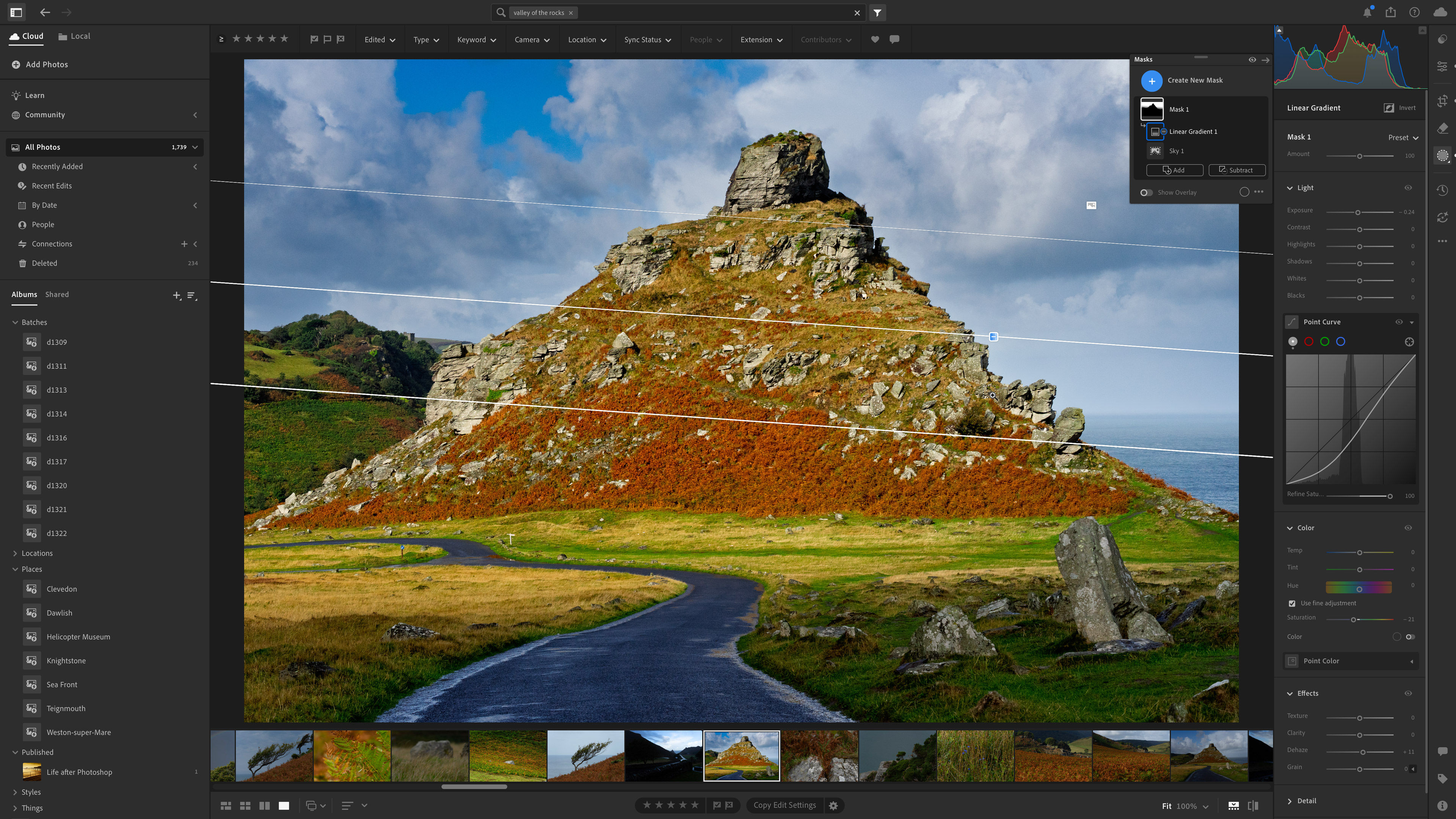
Adobe Lightroom 9.5.1 is a professional photo editing and management application designed for photographers, content creators, and digital imaging professionals. It provides powerful tools for organizing photo libraries, enhancing images, adjusting colors, and creating polished results efficiently.

With its comprehensive workflow, Lightroom makes it easier to manage large collections of photos while providing precise controls for exposure, white balance, contrast, color, detail, and other important image parameters.

Features of Adobe Lightroom 9.5.1

Professional Photo Editing: Adjust exposure, contrast, highlights, shadows, whites, blacks, clarity, texture, and more.
Advanced Color Control: Fine-tune colors using powerful color adjustment and mixing tools.
RAW Photo Processing: Work with RAW images while preserving detailed editing control and image quality.
Photo Organization: Organize, sort, rate, and manage large photo collections efficiently.
Non-Destructive Editing: Make adjustments without permanently changing the original image.
Presets: Apply predefined editing styles quickly or create customized presets for consistent results.
Lens & Camera Corrections: Correct common optical and lens-related issues for cleaner images.
Detail Enhancement: Improve sharpness and reduce image noise for better overall quality.
Cropping & Straightening: Quickly correct composition, perspective, and image orientation.
Batch Editing: Apply similar adjustments across multiple photographs to speed up repetitive workflows.
Export Options: Export edited photographs in commonly used formats and customize output settings.
Efficient Workflow: Designed to help photographers move from importing and organizing to editing and exporting within one workflow.

Why Use Adobe Lightroom 9.5.1?
Adobe Lightroom 9.5.1 combines photo organization and editing tools in a single professional workflow. It is suitable for photographers who need to process large numbers of images while maintaining consistent editing quality. Its non-destructive approach also allows users to experiment with different adjustments without modifying the original photographs.

Whether you are working with RAW photography, portrait images, landscapes, product photography, or everyday photos, Lightroom provides a flexible set of tools for improving and managing your digital image collection.

Conclusion
Adobe Lightroom 9.5.1 offers a complete workflow for organizing, editing, enhancing, and exporting digital photographs. With professional adjustment tools, RAW processing, presets, batch editing, and efficient photo management features, it remains a useful solution for photographers and creative professionals.

Note: Please obtain Adobe Lightroom from an official Adobe source and use it according to the applicable license terms.

If you want to download Adobe Lightroom 9.5.1 full license, please click to DOWNLOAD button to download.
CLICKDOWN.ORG Download CAD CAM CNC software
Inside package v, already have cracked files and instruction how to install Adobe Lightroom 9.5.1 step by step. I guarantee you can install Adobe Lightroom 9.5.1 successfully if you follow that instruction.
If you also can’t install it or get any problems, please contact to me by email: clickdown.org@gmail.com, then I will help you to install software by teamviewer or Ultraviewer or Anydesk.
Thanks a lot
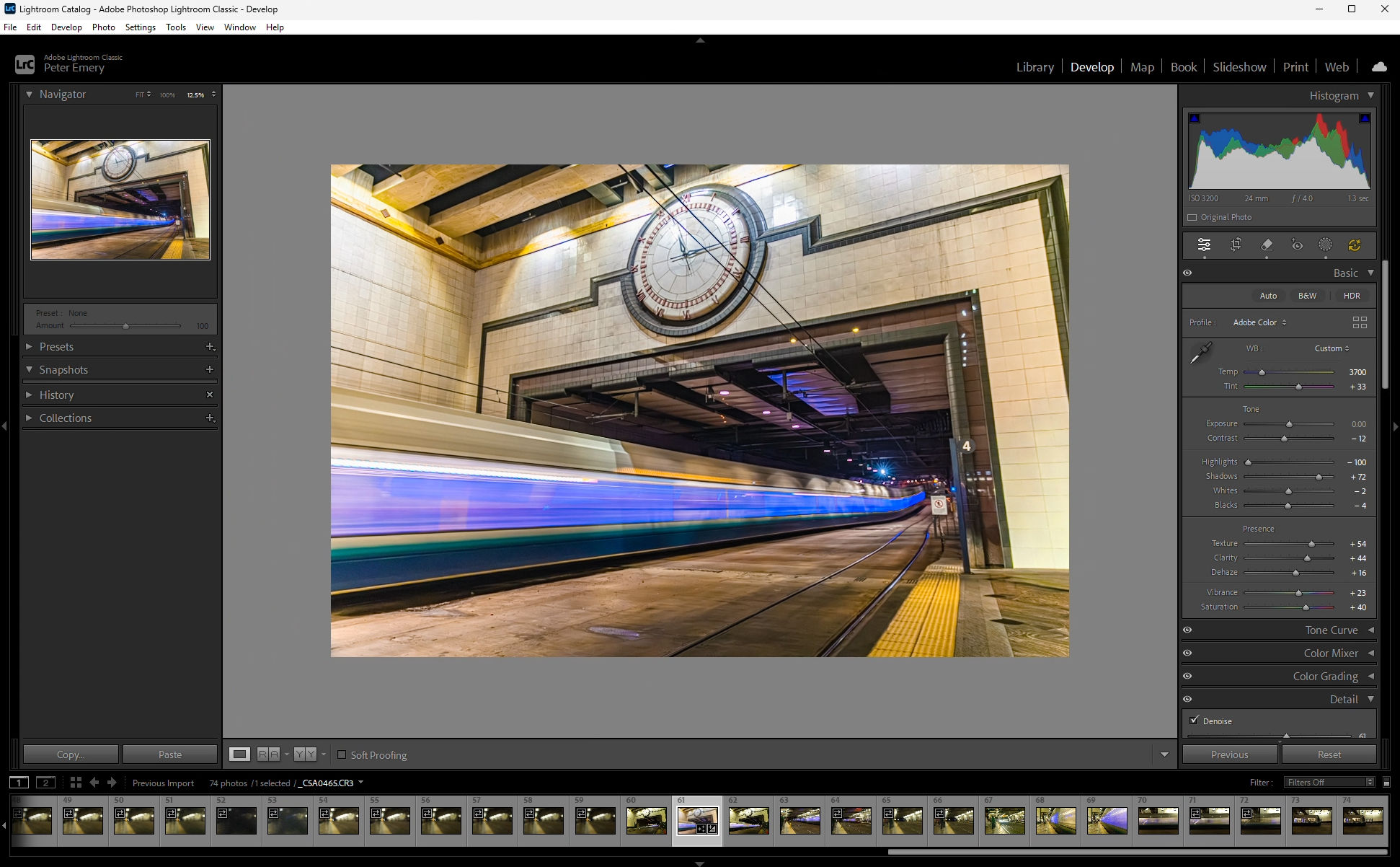
SOFTWARES

Download Adobe Lightroom Classic 2026 v15.5.1 x64 full license

Adobe Lightroom Classic 2026 v15.5.1 – Professional Photo Editing Software

Download Adobe Lightroom Classic 2026 v15.5.1 x64 full license

Link download Adobe Lightroom Classic 2026 v15.5.1 win64 full activated

Working with Adobe Lightroom Classic 2026 v15.5.1 full license

Description of Adobe Lightroom Classic 2026 v15.5.1

Adobe Lightroom Classic 2026 v15.5.1 is a professional photo management and editing application designed for photographers who need powerful tools to organize, enhance, and process large collections of images. It combines a comprehensive cataloging system with advanced RAW processing, masking, color correction, retouching, and export capabilities.

Lightroom Classic is particularly useful for photographers, designers, content creators, and professionals working with large numbers of photos. Its non-destructive editing workflow allows users to make extensive adjustments while preserving the original image files.

Features of Adobe Lightroom Classic 2026 v15.5.1

Advanced Photo Organization
Lightroom Classic provides a powerful catalog-based workflow for managing large photo libraries. Users can organize images using folders, collections, ratings, flags, keywords, metadata, and other organizational tools.

Enhanced Masking Controls
The latest 15.5 release introduces Feather and Edge controls for masks, providing greater precision when adjusting selected areas of an image. These controls can help create smoother transitions and more refined local adjustments.

Render to DNG
A new Render to DNG option allows users to create a rendered DNG containing their current edits. This provides a new starting point when photographers want to continue working with an image while preserving the applied adjustments in the rendered file.

Improved Cropping Workflow
Lightroom Classic adds the ability to temporarily adjust photo opacity while cropping, making it easier to view cropped-out areas and achieve more accurate compositions.

AI-Assisted Photo Selection
Assisted Culling helps photographers review large photo collections more efficiently. Recent updates include improved subject focus analysis and people-focused information such as eye-open and eye-sharpness scores.

Duplicate Photo Detection
Lightroom Classic can automatically detect exact duplicate files across different folders in a catalog and group them into stacks, helping users clean up large photo libraries more efficiently.

Precise Subject Selection
Improved subject detection helps photographers isolate subjects from complicated or busy backgrounds when creating masks, making selective editing faster and more accurate.

Powerful RAW Editing
Lightroom Classic supports professional RAW processing with extensive controls for exposure, white balance, contrast, highlights, shadows, clarity, texture, color, sharpening, noise reduction, and lens corrections.

AI-Powered Noise Reduction
The application includes advanced Denoise capabilities designed to reduce noise while retaining important image details, particularly useful for high-ISO photography.

Professional Color Correction
Photographers can precisely control colors through HSL adjustments, color grading, white balance, profiles, presets, and other advanced color tools.

Non-Destructive Editing
Lightroom Classic uses a non-destructive workflow, allowing users to experiment with different adjustments without permanently modifying the original source photographs.

Photoshop Integration
Lightroom Classic works closely with Adobe Photoshop, allowing photographers to move images between applications for more advanced pixel-level editing. Recent versions also support HDR workflows with Photoshop using 16-bit depth.

Tethered Shooting
Tethered capture allows compatible cameras to communicate directly with Lightroom Classic, making it useful for studio photography and professional shooting environments.

Extensive Camera and Lens Support
New releases continue adding support for additional cameras and lenses, helping photographers work with newer photographic equipment. The August 2026 release also added support for additional GoPro cameras and GoPro, Laowa, and SIGMA lenses.

Improved Performance and Stability
Adobe continues to improve Lightroom Classic through performance enhancements, workflow improvements, and bug fixes. The August 2026 release includes fixes addressing issues related to importing videos, batch exports, keyboard shortcuts, the Book module, Map module, and other workflows.

Why Use Lightroom Classic?
Adobe Lightroom Classic remains a strong choice for photographers who prefer a desktop-based workflow with local photo catalogs and extensive control over their image collections. Its combination of photo organization, RAW development, masking, AI-assisted tools, color grading, retouching, and professional export options makes it suitable for everything from everyday photography to large professional photo projects.

Conclusion
Adobe Lightroom Classic 2026 v15.5.1 provides a comprehensive environment for organizing and editing digital photographs. With enhanced masking controls, Render to DNG, improved cropping, AI-assisted culling, duplicate detection, advanced RAW processing, and continued performance improvements, Lightroom Classic is a powerful solution for photographers looking for an efficient professional desktop photo workflow.

If you want to download Adobe Lightroom Classic 2026 v15.5.1 full license, please click to DOWNLOAD button to download.
CLICKDOWN.ORG Download CAD CAM CNC software
Inside package Adobe Lightroom Classic 2026 v15.5.1, already have cracked files and instruction how to install Adobe Lightroom Classic 2026 v15.5.1 step by step. I guarantee you can install Adobe Lightroom Classic 2026 v15.5.1 successfully if you follow that instruction.
If you also can’t install it or get any problems, please contact to me by email: clickdown.org@gmail.com, then I will help you to install software by teamviewer or Ultraviewer or Anydesk.
Thanks a lot
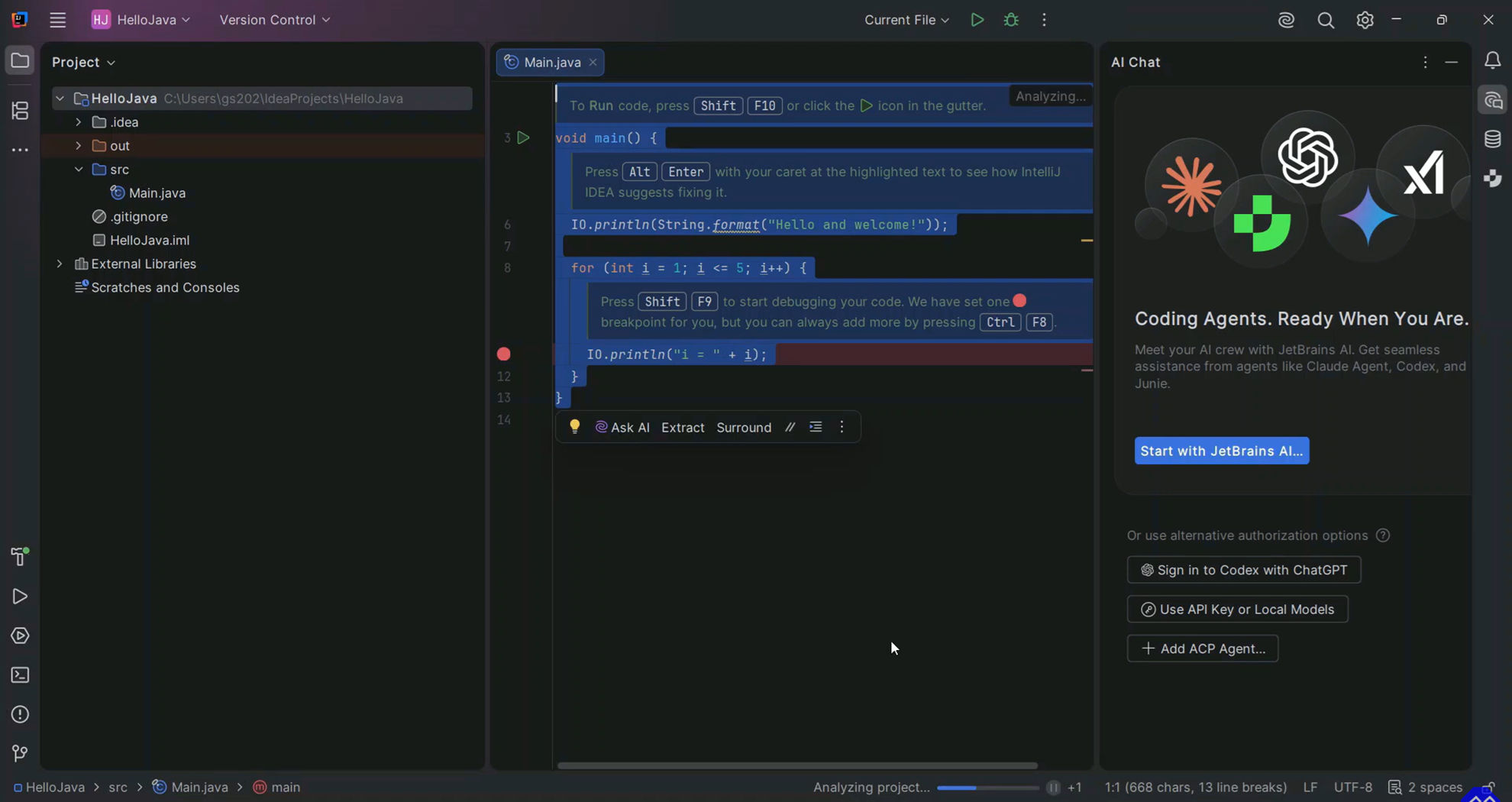
SOFTWARES

Download JetBrains IntelliJ IDEA Ultimate 2026.2.1 x64 full

JetBrains IntelliJ IDEA Ultimate 2026.2.1 – Professional Java IDE

Download JetBrains IntelliJ IDEA Ultimate 2026.2.1 x64 full license

Link download JetBrains IntelliJ IDEA Ultimate 2026.2.1 win64 full activated

Working with JetBrains IntelliJ IDEA Ultimate 2026.2.1 full license

Description of JetBrains IntelliJ IDEA Ultimate 2026.2.1

JetBrains IntelliJ IDEA Ultimate 2026.2.1 is a professional integrated development environment (IDE) designed for Java, Kotlin, Spring, web, and enterprise application development. It combines intelligent code assistance, debugging, testing, refactoring, version control, database tools, and modern AI-powered development features in a unified workspace.

Version 2026.2 introduced support for Java 27, Kotlin 2.4 language features, improved Spring development tools, enhanced debugging, Docker Compose improvements, Gradle support, and expanded AI capabilities. Version 2026.2.1 is the first minor update and focuses on bug fixes, stability, and usability improvements.

Features of JetBrains IntelliJ IDEA Ultimate 2026.2.1

Advanced Java Development – Intelligent coding assistance, inspections, refactoring, navigation, and debugging tools for professional Java development.
Kotlin Support – Comprehensive Kotlin development capabilities with support for the latest Kotlin 2.4 language features.
Intelligent Code Completion – Context-aware suggestions help developers write code faster and reduce repetitive typing.
AI-Powered Development – AI Assistant and coding-agent capabilities provide contextual assistance, code generation, explanations, and development automation.
GitHub Copilot Integration – Native GitHub Copilot integration provides additional AI-assisted coding capabilities.
Spring Development – Enhanced Spring Boot configuration support, Spring Security insights, Spring Cache analysis, and improved Spring Events navigation.
Powerful Debugger – Advanced debugging features including logpoints and improved navigation from runtime output to source code.
Web Development – Support for JavaScript, TypeScript, React, Vue, Angular, Node.js, and other modern web technologies.
Database Tools – Integrated database and SQL development capabilities for working with data directly from the IDE.
HTTP Client – Create, edit, and execute HTTP requests directly inside the development environment.
Maven & Gradle Integration – Built-in support for popular Java build and dependency-management systems.
Testing Tools – Support for JUnit, TestNG, Cucumber, and other testing frameworks, along with code coverage and continuous testing features.
Version Control – Integrated Git, GitHub, Mercurial, Perforce, and other version-control workflows.
Code Refactoring – Intelligent refactoring tools help developers safely restructure and improve existing code.
Code Inspections – Analyze code in real time to identify potential errors, quality issues, and maintainability problems.
Decompiler – Built-in Java bytecode decompiler allows developers to inspect compiled libraries and navigate their contents.
Structural Search & Replace – Search and modify code patterns based on syntax and semantics rather than simple text matching.
Docker & Cloud Development – Improved Docker Compose workflows and support for modern development environments.
Terraform Testing – 2026.2 introduces support for the Terraform testing framework.
TypeScript 7.0 Support – Provides updated tooling for the latest TypeScript ecosystem.
Cross-Platform Development – Available for Windows, macOS, and Linux.

What’s New in Version 2026.2.1?
IntelliJ IDEA 2026.2.1 is a maintenance release focused on improving reliability and fixing issues discovered in the initial 2026.2 release. Notable fixes include corrected Markdown shell-script execution order, improved Undo behavior after automatic import optimization, and fixes related to terminal tabs, Mercurial conflict resolution, and Java formatting with Smart Tabs.

The release also contains fixes across Gradle, Maven, Java debugging, application servers, WSL, Docker environments, and other development workflows.

AI-Assisted Development

AI is an increasingly integrated part of IntelliJ IDEA. The current AI tooling can provide context-aware assistance directly inside the IDE, including code completion, AI chat, coding agents, and integrations with external AI agents.

Developers can use agents to delegate multi-step tasks, modify project files, run commands and tests, and review the resulting changes. IntelliJ IDEA also supports external agents through the Agent Client Protocol (ACP) and connections to external tools through MCP.

Applications
JetBrains IntelliJ IDEA Ultimate 2026.2.1 is suitable for:
Java application development
Kotlin development
Spring Boot applications
Enterprise software development
Backend development
Full-stack web development
REST API development
Microservices
Database and SQL development
Android-related JVM development
Cloud-native applications
DevOps and infrastructure projects
Software testing and debugging

Why Choose IntelliJ IDEA Ultimate 2026.2.1?
IntelliJ IDEA combines coding, debugging, testing, version control, build automation, database management, web development, and AI assistance in one development environment. Its intelligent inspections and context-aware tooling help developers identify problems early while reducing repetitive development tasks.
The 2026.2 release also expands support for modern Java and Kotlin technologies while improving Spring, Gradle, Docker, TypeScript, and AI-assisted workflows. The 2026.2.1 update adds additional stability and reliability improvements on top of these capabilities.

Conclusion
JetBrains IntelliJ IDEA Ultimate 2026.2.1 is a comprehensive professional IDE for modern Java, Kotlin, Spring, web, and enterprise development. With intelligent coding assistance, powerful debugging and testing tools, integrated database and build systems, advanced version control, and AI-powered development features, it provides a complete environment for building and maintaining sophisticated software projects.

If you want to download JetBrains IntelliJ IDEA Ultimate 2026.2.1 full license, please click to DOWNLOAD button to download.
CLICKDOWN.ORG Download CAD CAM CNC software
Inside package JetBrains IntelliJ IDEA Ultimate 2026.2.1, already have cracked files and instruction how to install JetBrains IntelliJ IDEA Ultimate 2026.2.1 step by step. I guarantee you can install JetBrains IntelliJ IDEA Ultimate 2026.2.1 successfully if you follow that instruction.
If you also can’t install it or get any problems, please contact to me by email: clickdown.org@gmail.com, then I will help you to install software by teamviewer or Ultraviewer or Anydesk.
Thanks a lot
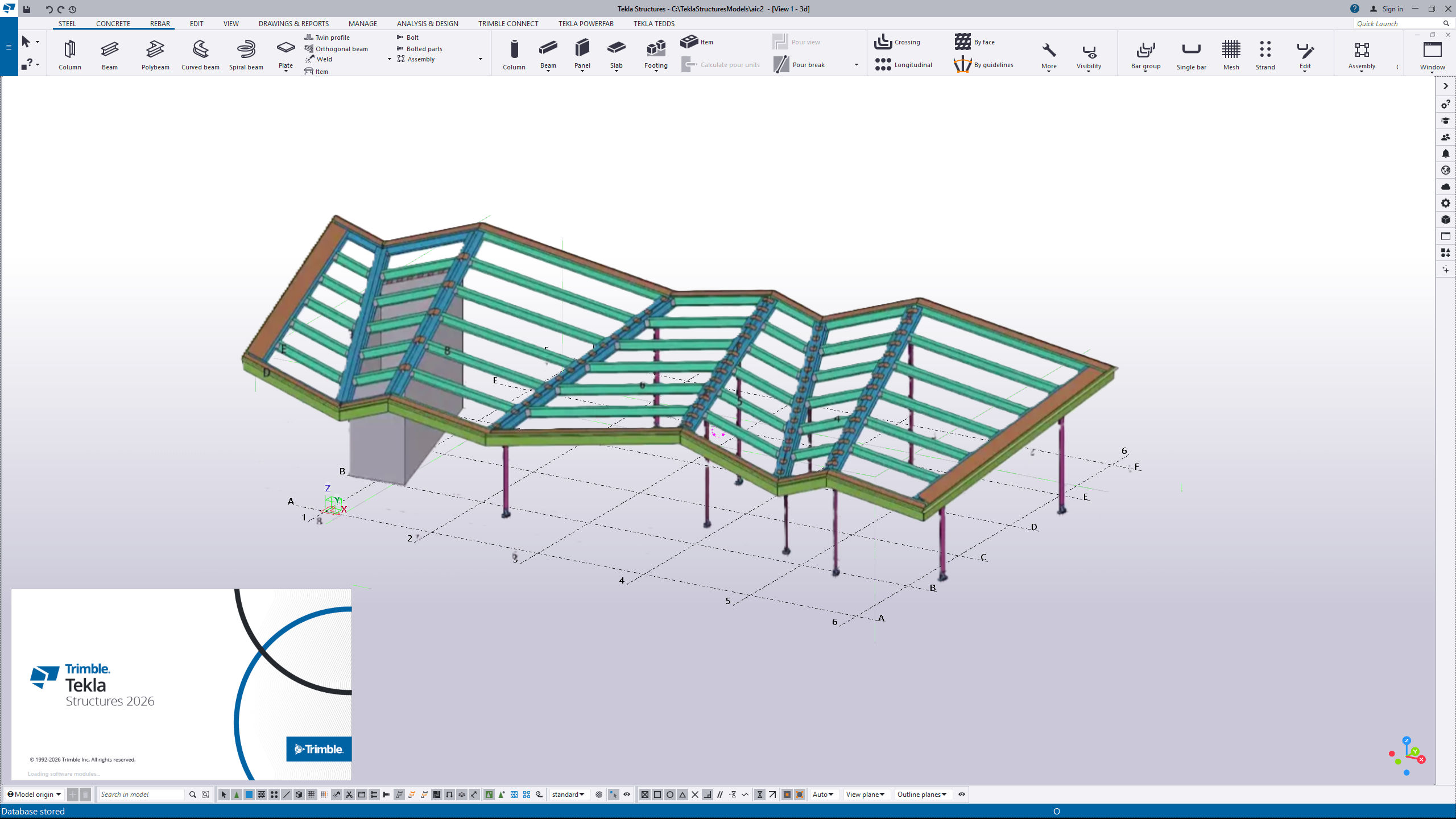
SOFTWARES

Download Tekla Structures 2026 SP4 win64 full license

Tekla Structures 2026 SP4 – Advanced BIM and Structural Design Software

Download Tekla Structures 2026 SP4 x64 full license

Link download Tekla Structures 2026 SP4 win64 full activated

Working with Tekla Structures 2026 SP4 full license

Description of Tekla Structures 2026 SP4

Tekla Structures 2026 SP4 is a professional Building Information Modeling (BIM) software solution from Trimble, designed for detailed structural modeling, steel detailing, concrete detailing, fabrication documentation, and construction workflows.

Tekla Structures 2026 introduces enhanced AI and cloud-based capabilities, improved data workflows, advanced drawing tools, better interoperability, and productivity improvements for structural engineering and construction projects. SP4 further improves the release with updates to Tekla Model Assistant, binding parts to levels, fabrication drawing workflows, and numerous modeling and component fixes.

Features of Tekla Structures 2026 SP4

Advanced 3D Structural Modeling – Create detailed models of steel, concrete, reinforcement, connections, and other structural components.
Steel Detailing – Develop accurate steel structures with detailed connections, profiles, assemblies, and fabrication information.
Concrete Detailing – Model reinforced and precast concrete structures with detailed reinforcement and component information.
Rebar Detailing – Improved control over rebar sets, including freezing, splitting, covers, offsets, and drawing annotations.
Tekla Model Assistant – SP4 expands the AI-powered assistant with report generation, advanced filtering, confirmation for complex operations, image uploads, and improved model interaction.
Model & Drawing Clipboard – Copy and paste model or drawing objects for faster reuse of project content.
Model Views Side Pane – Organize, manage, and navigate large numbers of model views more efficiently.
AI Cloud Fabrication Drawings – AI-assisted template selection and improved drawing cloning help accelerate fabrication drawing creation.
Trimble Connect Integration – Synchronize property-set information between Tekla Structures and Trimble Connect for use in filters, reports, drawings, templates, and IFC exports.
Enhanced IFC Interoperability – More flexible IFC2x3 and IFC4 exports, including improved object selection and IFC4.3 support for building and bridge domains.
Re-engineered Bridge Creator – Create and manage bridge components using a native Tekla Structures plug-in with improved alignment and layout workflows.
Drawing Improvements – Work with models and general arrangement drawings simultaneously to improve coordination between modeling and documentation.
Level Binding Tools – SP4 adds Auto and None options and improves automatic level copying for beams and other structural objects.
Connected Workflows – Support integration with other Trimble solutions and construction workflows.
Reporting & Templates – Generate reports and manage project information through templates and structured model data.
Open API Support – Develop custom applications and integrations using Tekla Open API.
Performance & Stability – SP4 includes numerous fixes across modeling, concrete components, reinforcement, exports, and other areas.

Applications
Tekla Structures 2026 SP4 can be used for a wide range of structural and construction projects, including:
Structural steel detailing
Reinforced concrete detailing
Precast concrete construction
Industrial facilities
Commercial buildings
Infrastructure projects
Bridges
Manufacturing and fabrication
Construction documentation
BIM coordination
Structural engineering workflows

Why Choose Tekla Structures 2026 SP4?
Tekla Structures combines detailed structural modeling with fabrication-oriented documentation and connected BIM workflows. The 2026 release places additional emphasis on automation, AI-assisted workflows, cloud connectivity, and improved information management.

SP4 builds on these capabilities with an expanded Tekla Model Assistant, more advanced filtering and reporting, improved image handling, better level binding, and fixes aimed at improving reliability across modeling and documentation workflows.

Important Compatibility Note
Tekla Structures 2026 models use database changes that make the release not backward compatible with older Tekla Structures versions. Trimble recommends creating a backup before migrating existing projects to the 2026 release.

Conclusion
Tekla Structures 2026 SP4 is a powerful BIM platform for structural modeling, steel and concrete detailing, fabrication documentation, and construction information management. With AI-assisted tools, improved drawings, Trimble Connect integration, enhanced IFC interoperability, advanced reinforcement workflows, and numerous SP4 improvements, it provides a comprehensive environment for modern structural design and construction projects.

If you want to download Tekla Structures 2026 SP4 full license, please click to DOWNLOAD button to download.
CLICKDOWN.ORG Download CAD CAM CNC software
Inside package Tekla Structures 2026 SP4, already have cracked files and instruction how to install Tekla Structures 2026 SP4 step by step. I guarantee you can install Tekla Structures 2026 SP4 successfully if you follow that instruction.
If you also can’t install it or get any problems, please contact to me by email: clickdown.org@gmail.com, then I will help you to install software by teamviewer or Ultraviewer or Anydesk.
Thanks a lot
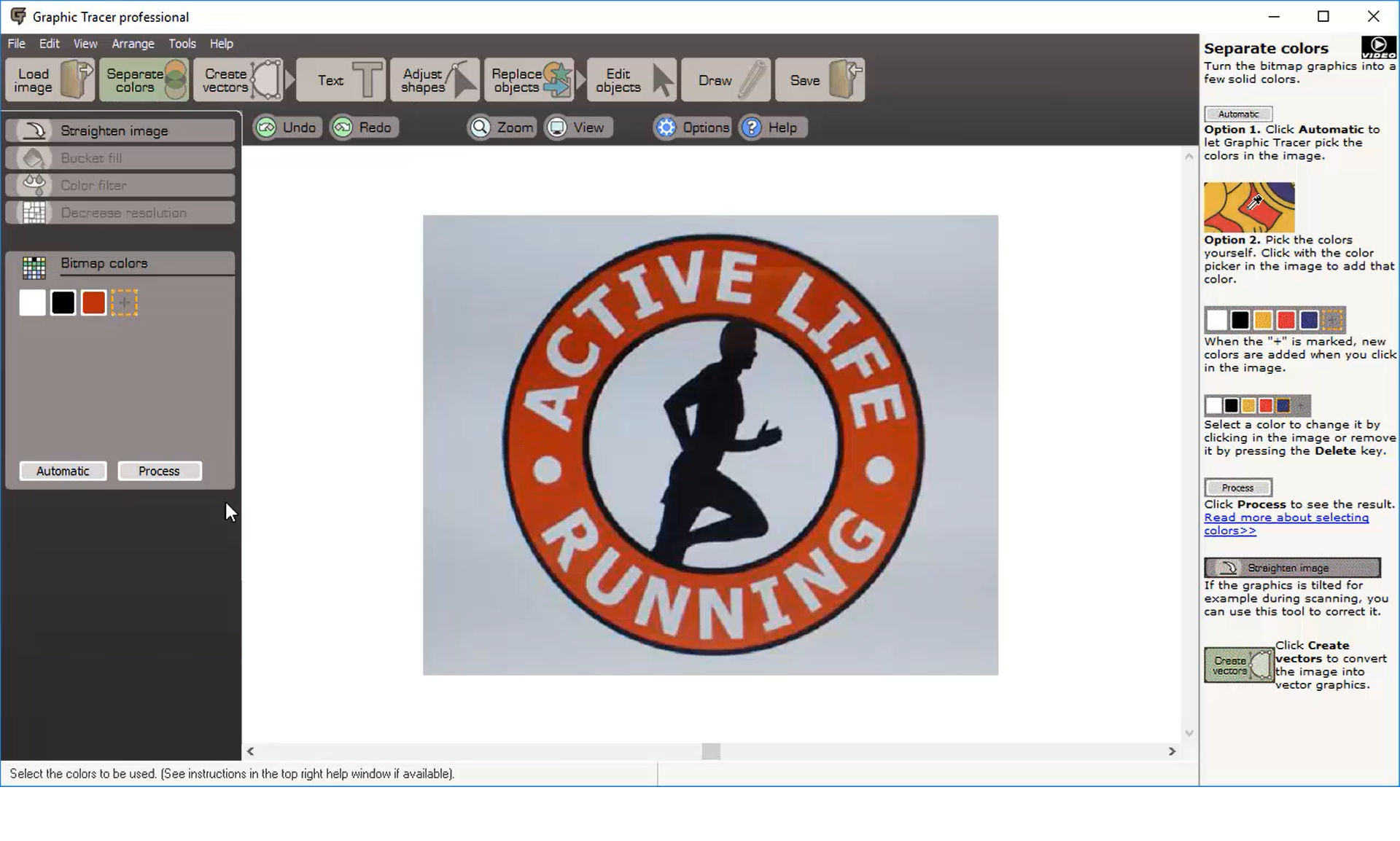
SOFTWARES

Download Graphic Tracer Professional 1.0.0.1 Release 14 full

Graphic Tracer Professional 1.0.0.1 Release 14 – Raster-to-Vector Graphics Software

Download Graphic Tracer Professional 1.0.0.1 Release 14 full

Link download Graphic Tracer Professional 1.0.0.1 Release 14 full activated

Working with Graphic Tracer Professional 1.0.0.1 Release 14 full

Description of Graphic Tracer Professional 1.0.0.1 Release 14

Graphic Tracer Professional 1.0.0.1 Release 14 is a professional graphics application designed to convert raster images into editable, scalable vector graphics. It is particularly useful for reconstructing low-quality, pixelated, jagged, or distorted artwork that would otherwise require extensive manual tracing and cleanup.

The software can process logos, scanned artwork, web graphics, business cards, and graphics captured from photographs. Its automated tracing and shape-reconstruction capabilities help users create cleaner vector artwork suitable for further editing, printing, signage, branding, and other design applications.

Features of Graphic Tracer Professional 1.0.0.1 Release 14

Raster-to-Vector Conversion – Transform bitmap and raster images into scalable vector artwork.
Automatic Image Tracing – Trace low-resolution graphics while preserving important lines, curves, corners, and shapes.
Sensedge™ Technology – Provides automated tracing with sub-pixel accuracy and improved registration between adjacent colors.
Logo Restoration – Clean up pixelated, jagged, or low-quality logos and prepare them for professional use.
Shape Reconstruction – Recalculate common and symmetrical shapes to produce cleaner vector geometry.
Contour Restoration – Restore contour effects and replace calculated objects with reconstructed graphics.
Photographic Logo Tracing – Reconstruct graphics from photographs and other imperfect raster sources.
Scanned Artwork Support – Process scanned business cards, illustrations, logos, and other printed materials.
Font Identification – FontEye™ technology helps identify typefaces contained in distorted or low-resolution artwork.
Distorted Text Recognition – Identify text even when it is curved, tilted, stretched, compressed, pixelated, or presented in script-style fonts.
Large Font Database – Font identification supports more than 100,000 fonts from different collections.
Font Preview – Preview an identified typeface over the traced artwork before applying it.
Vector Export – Export scalable vector artwork for continued editing in compatible graphics applications.

Applications
Graphic Tracer Professional 1.0.0.1 Release 14 can be useful for a wide range of graphic reconstruction and design tasks, including:
Logo restoration
Vector artwork creation
Sign and banner design
Print production
Graphic design
Business card reconstruction
Scanned artwork conversion
Low-resolution image cleanup
Typeface identification
Branding and marketing graphics

Why Choose Graphic Tracer Professional?
Recreating a logo or graphic from a low-quality raster image can involve significant manual tracing and cleanup. Graphic Tracer Professional is designed to automate much of this process by combining raster-to-vector tracing, shape reconstruction, edge processing, and font identification.

Its ability to work with distorted text is particularly useful when the original artwork is unavailable or when the source image has been heavily compressed, photographed, scanned, or otherwise degraded.

System Requirements
The available product information lists support for Windows 7, Windows 8/8.1, Windows 10, and Windows 11, with the Release 14 package provided as an x64 application.

Conclusion
Graphic Tracer Professional 1.0.0.1 Release 14 provides a specialized workflow for converting low-quality raster graphics into scalable vector artwork. With automatic tracing, shape reconstruction, edge accuracy, font identification, and vector export capabilities, it can help designers and print professionals reduce the manual effort required to restore difficult artwork.

If you want to download Graphic Tracer Professional 1.0.0.1 Release 14 full license, please click to DOWNLOAD button to download.
CLICKDOWN.ORG Download CAD CAM CNC software
Inside package Graphic Tracer Professional 1.0.0.1 Release 14, already have cracked files and instruction how to install Graphic Tracer Professional 1.0.0.1 Release 14 step by step. I guarantee you can install Graphic Tracer Professional 1.0.0.1 Release 14 successfully if you follow that instruction.
If you also can’t install it or get any problems, please contact to me by email: clickdown.org@gmail.com, then I will help you to install software by teamviewer or Ultraviewer or Anydesk.
Thanks a lot
SOFTWARES

Download Kleen Software GmbH P&ID Connector Importer 1.0.5

Kleen Software GmbH P&ID Connector Importer 1.0.5 – P&ID Integration for Revit

Download P&ID Connector Importer 1.0.5 full license

Link download P&ID Connector Importer 1.0.5 full activated

Working with Kleen Software GmbH P&ID Connector Importer 1.0.5 full

Description of P&ID Connector Importer 1.0.5

Kleen Software GmbH P&ID Connector Importer 1.0.5 is an Autodesk Revit add-on designed to connect 2D P&ID information from Autodesk AutoCAD or AutoCAD Plant 3D with 3D objects in Revit. It is particularly useful for industrial process engineering workflows where schematic P&ID information needs to be transferred into a BIM environment.

The Importer receives P&ID properties from an interface file previously generated by the corresponding P&ID Connector Exporter. Users can then assign imported P&ID objects to Revit objects through an integrated browser, helping bridge the gap between 2D process schematics and 3D building or plant models.

Features of P&ID Connector Importer 1.0.5

P&ID to Revit Integration – Transfer information from 2D P&ID schematics into corresponding 3D Revit objects.
P&ID Property Import – Import P&ID properties from a previously generated interface file.
1:1 Object Assignment – Assign imported P&ID objects to Revit objects using a convenient browser.
Integrated 2D Viewer – Display imported P&ID objects within an integrated 2D viewer for easier identification and mapping.
Parameter Mapping – Map P&ID information to Revit parameters and project-specific properties.
AutoCAD Integration – Supports workflows involving Autodesk AutoCAD and the P&ID Connector Exporter.
AutoCAD Plant 3D Integration – Designed to work with P&ID data originating from AutoCAD Plant 3D.
Industrial Process Workflows – Helps connect schematic process information with 3D BIM models.
Revit Compatibility – Version 1.0.5 adds compatibility with Autodesk Revit 2026 and supports Revit versions 2022–2026 according to the Autodesk Marketplace listing.
Easy Installation – The plugin can be installed and uninstalled through its setup or Windows system tools.

Workflow
The P&ID Connector Importer is part of a larger export/import workflow. P&ID data is first exported from AutoCAD or AutoCAD Plant 3D using the P&ID Connector Exporter. The resulting interface file can then be imported into Revit with the Importer.
Once the data has been imported, available P&ID objects can be reviewed and assigned to corresponding Revit objects. This approach helps engineers and designers maintain a connection between schematic process information and the 3D model.

Applications
Kleen Software GmbH P&ID Connector Importer 1.0.5 can be useful for:
Industrial plant design
Process engineering
BIM coordination
P&ID documentation
AutoCAD to Revit workflows
AutoCAD Plant 3D to Revit workflows
Mechanical design
Process equipment modeling
Industrial facility documentation
Engineering information management

Why Choose P&ID Connector Importer 1.0.5?
For industrial projects, P&ID drawings and 3D BIM models often contain related information that needs to remain synchronized. The P&ID Connector workflow provides a structured method for transferring P&ID properties and connecting them with Revit objects.
Version 1.0.5 is particularly relevant for users working with Revit 2026, as the official version history identifies Revit 2026 compatibility as the key update.

Conclusion
Kleen Software GmbH P&ID Connector Importer 1.0.5 provides a specialized solution for integrating P&ID information with Autodesk Revit. Its object mapping, parameter assignment, interface-file import, and integrated 2D viewing capabilities can help streamline workflows between 2D process schematics and 3D BIM models.
The software is especially suited to industrial process engineering and plant design teams that need a practical connection between AutoCAD or AutoCAD Plant 3D data and Revit-based 3D models.

If you want to download P&ID Connector Importer 1.0.5 full license, please click to DOWNLOAD button to download.
CLICKDOWN.ORG Download CAD CAM CNC software
Inside package P&ID Connector Importer 1.0.5, already have cracked files and instruction how to install P&ID Connector Importer 1.0.5 step by step. I guarantee you can install P&ID Connector Importer 1.0.5 successfully if you follow that instruction.
If you also can’t install it or get any problems, please contact to me by email: clickdown.org@gmail.com, then I will help you to install software by teamviewer or Ultraviewer or Anydesk.
Thanks a lot

error: Content is protected !!
Scroll to Top