SOFTWARES

SOFTWARES

Download Office Timeline 13.05.00.00 full license forever

Download Office Timeline 13.05.00.00 full license forever

Link download Office Timeline 13.05.00.00 full activated
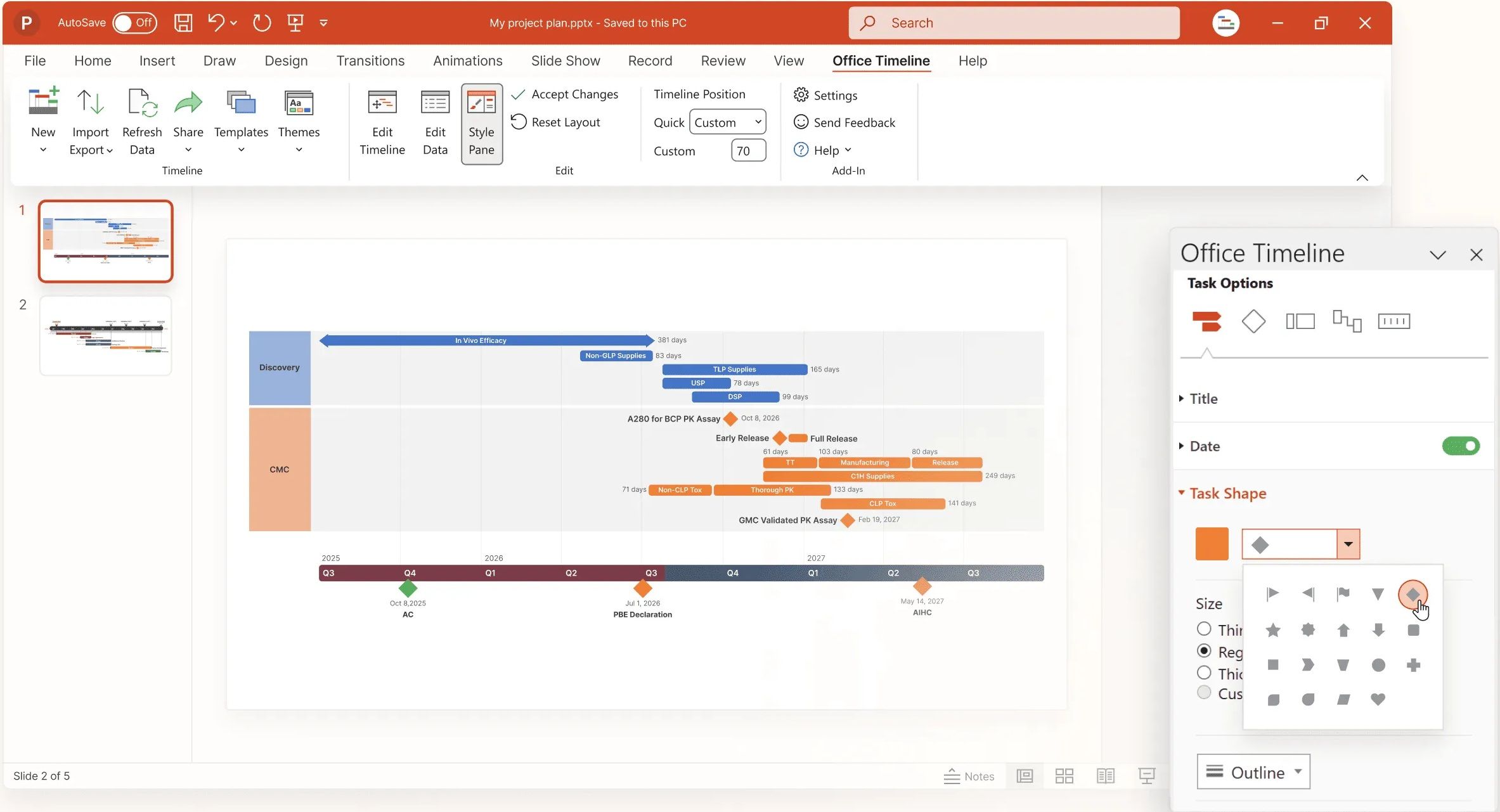
Working with Office Timeline 13.05.00.00 full license

Description of Office Timeline 13.05.00.00

Office Timeline 13.05.00.00 is a professional timeline and Gantt chart creation tool designed to integrate seamlessly with Microsoft PowerPoint. Ideal for project managers, business analysts, and executives, this version delivers improved performance, modern templates, and streamlined automation tools that simplify the creation of clear, visually compelling project timelines. Office Timeline enables users to produce client-ready visuals in minutes without needing advanced design or project management skills.

Features of Office Timeline 13.05.00.00

Easy Timeline and Gantt Chart Creation
Users can quickly build timelines, roadmaps, and Gantt charts directly inside PowerPoint. The intuitive interface makes it easy to enter data, adjust layouts, and customize visual elements.

Updated Templates and Design Themes
This version introduces new templates with upgraded color schemes, layouts, and milestone styles. Users can choose from professional designs tailored for business presentations.

Improved PowerPoint Integration
Office Timeline integrates smoothly with PowerPoint to ensure seamless editing, formatting, and exporting. Timeline items adapt to PowerPoint’s native tools for fonts, shapes, and animations.

Data Import from Excel and Project Tools
Users can import project data directly from Microsoft Excel, Microsoft Project, and other planning tools. This helps maintain consistency across project documents and reduces manual work.

Automatic Timeline Updates
The software can refresh timelines automatically when linked data changes. This feature ensures that reports and presentations stay accurate with minimal effort.

Enhanced Customization Options
Users can modify colors, fonts, shapes, bars, dates, icons, markers, and phases. The drag-and-drop editor makes it easy to tailor timelines to specific audiences or corporate styles.

Milestones, Tasks, and Phase Management
Office Timeline offers precise control over milestone placement, task duration, dependencies, and project phases. Users can visually communicate schedules and progress with clarity.

High-Resolution Export and Sharing
Timelines can be exported in high-quality formats for printing, sharing, or embedding into reports. The software ensures clean, professional visuals suitable for clients and stakeholders.

Faster Performance and Smoother Editing
This release delivers improved responsiveness, better handling of large project files, and more stable workflow operations.

If you want to download Office Timeline 13.05.00.00 full license, please click to DOWNLOAD button to download.
CLICKDOWN.ORG Download CAD CAM CNC software
Inside package Office Timeline 13.05.00.00, already have cracked files and instruction how to install Office Timeline 13.05.00.00 step by step. I guarantee you can install Office Timeline 13.05.00.00 successfully if you follow that instruction.
If you also can’t install it or get any problems, please contact to me by email: clickdown.org@gmail.com, then I will help you to install software by teamviewer or Ultraviewer or Anydesk.
Thanks a lot
SOFTWARES

Download Ashampoo PDF Pro 5.0 full license forever

Download Ashampoo PDF Pro 5.0 full license forever

Link download Ashampoo PDF Pro 5.0 full activated

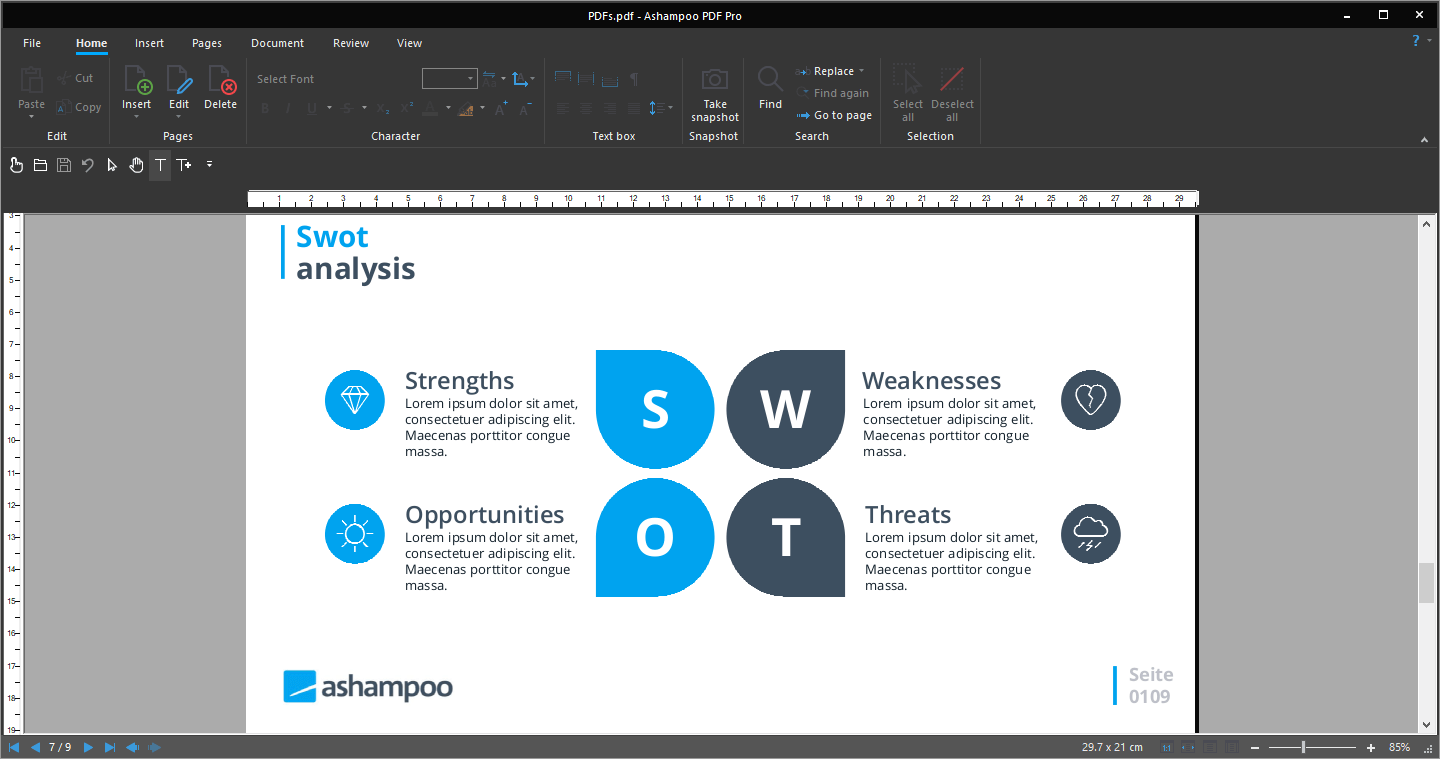
Working with Ashampoo PDF Pro 5.0 full license

Description of Ashampoo PDF Pro 5.0

Ashampoo PDF Pro 5.0 is a complete PDF editing and management solution designed for users who need powerful tools to create, edit, convert, and protect PDF documents. This latest version introduces an improved user interface, faster document processing, and enhanced compatibility with modern file standards. Ashampoo PDF Pro 5.0 is ideal for business professionals, students, and everyday users who require a reliable platform to manage digital documents efficiently.

Features of Ashampoo PDF Pro 5.0

Comprehensive PDF Editing Tools
Users can edit text, images, fonts, and layouts directly within PDF files. The enhanced editor offers smoother handling of complex documents and precise control over formatting.

Create and Convert PDF Files
Ashampoo PDF Pro 5.0 allows users to create PDFs from any printable document and convert PDFs to Word, Excel, HTML, EPUB, and image formats. Improved OCR technology ensures accurate text recognition for scanned documents.

Enhanced Form Creation and Editing
The software includes tools for designing and editing interactive forms. Users can add text fields, checkboxes, dropdown menus, and other elements needed for professional document workflows.

Advanced Document Comparison
This version offers a powerful comparison tool that highlights differences between two PDF files. It is ideal for reviewing contracts, reports, or version changes in business environments.

Secure Encryption and Permission Control
Ashampoo PDF Pro 5.0 supports strong encryption options, password protection, digital signatures, and permission settings to restrict printing, copying, or editing.

Optimized Document Compression
Users can compress PDF files to reduce size without sacrificing visual quality. This helps improve file sharing and storage efficiency.

Rearrange, Merge, Split, and Organize Pages
The page management tools allow users to reorder pages, insert new pages, extract sections, or merge multiple PDFs into one. The drag-and-drop workflow makes document organization fast and intuitive.

Improved Navigation and Interface
The redesigned interface provides a more modern, streamlined experience with better toolbar organization and faster access to essential tools.

If you want to download Ashampoo PDF Pro 5.0 full license, please click to DOWNLOAD button to download.
CLICKDOWN.ORG Download CAD CAM CNC software
Inside package Ashampoo PDF Pro 5.0, already have cracked files and instruction how to install Ashampoo PDF Pro 5.0 step by step. I guarantee you can install Ashampoo PDF Pro 5.0 successfully if you follow that instruction.
If you also can’t install it or get any problems, please contact to me by email: clickdown.org@gmail.com, then I will help you to install software by teamviewer or Ultraviewer or Anydesk.
Thanks a lot
SOFTWARES

Download Luminar Neo 1.25.1.15981 x64 full license

Download Luminar Neo 1.25.1.15981 full license

Link download Luminar Neo 1.25.1.15981 full activated

Luminar Neo 1.25.1.15981 x64 full license

Description of Luminar Neo 1.25.1.15981

Luminar Neo 1.25.1.15981 is a next-generation AI-powered photo editing software designed for photographers and creators who want advanced tools with a fast and intuitive workflow. This version enhances performance, improves AI accuracy, and introduces upgraded tools for lighting correction, portrait retouching, sky enhancement, and creative effects. Luminar Neo allows both beginners and professionals to transform raw images into polished, visually striking results with minimal effort.

Features of Luminar Neo 1.25.1.15981

AI-Powered Photo Enhancements
The software includes advanced AI tools such as Enhance AI, Relight AI, Structure AI, and Color Harmony. These tools automatically analyze images and apply intelligent adjustments to lighting, contrast, color, and details.

Improved Relight AI and Exposure Tools
This version offers enhanced depth detection and exposure correction, allowing editors to fix backlit subjects, balance foreground and background lighting, and recover detail in challenging scenes.

Advanced Portrait Editing Tools
Luminar Neo includes a complete suite of portrait tools, including Skin AI, Face AI, Portrait Bokeh AI, and Body AI. These tools enable natural skin smoothing, lighting adjustments, bokeh simulation, and subtle body reshaping without manual masking.

Sky Replacement with Updated AI Detection
Sky AI has improved edge detection and light matching, allowing users to replace skies seamlessly. The tool automatically adjusts scene lighting, reflections, and color balance to match the new sky.

Noise Reduction and Sharpening Enhancements
The software features improved denoise algorithms and sharpening tools that help refine RAW images, reduce grain, and enhance fine textures while preserving detail.

Layer-Based Editing Workflow
Luminar Neo supports a flexible layer system for blending images, adding overlays, and creating composite artworks. Layers offer full control for creative photo manipulation.

Creative Effects and LUT Support
Artists can apply cinematic color grading, textures, glow effects, and lens flares. LUT support allows easy integration of professional color presets for a consistent style.

Fast Export and File Management
This version includes optimized performance for batch processing, catalog management, and exporting images in various high-quality formats.

If you want to download Luminar Neo 1.25.1.15981 full license, please click to DOWNLOAD button to download.
CLICKDOWN.ORG Download CAD CAM CNC software
Inside package Luminar Neo 1.25.1.15981, already have cracked files and instruction how to install Luminar Neo 1.25.1.15981 step by step. I guarantee you can install Luminar Neo 1.25.1.15981 successfully if you follow that instruction.
If you also can’t install it or get any problems, please contact to me by email: clickdown.org@gmail.com, then I will help you to install software by teamviewer or Ultraviewer or Anydesk.
Thanks a lot
SOFTWARES

Download 3D-Coat 2025.13 win64 full license forever

Download 3D-Coat 2025.13 win64 full license forever

Link download 3D-Coat 2025.13 full activated

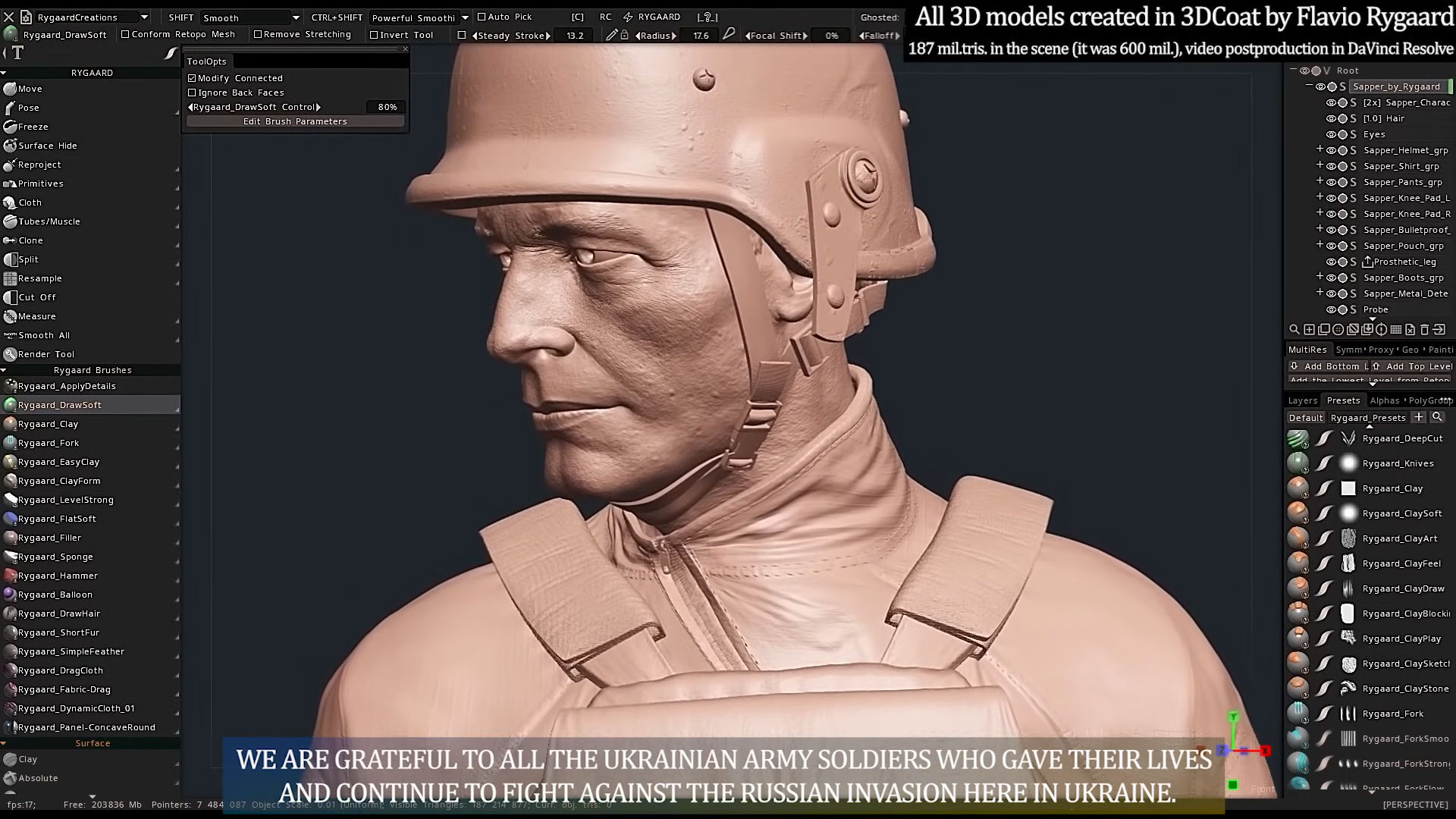
Working with 3D-Coat 2025.13 full license

Description of 3D-Coat 2025.13

3D-Coat 2025.13 is a powerful digital sculpting, texturing, and 3D modelling software widely used by game developers, concept artists, and visual effects studios. Known for its intuitive workflow and industry-leading voxel sculpting tools, this version delivers enhanced performance, upgraded painting features, and improved retopology capabilities. 3D-Coat 2025.13 enables artists to create production-ready assets with speed and precision, from early concept models to final textured renders.

Features of 3D-Coat 2025.13

Advanced Voxel and Surface Sculpting
The software provides powerful voxel sculpting tools that allow artists to create highly detailed models without worrying about topology. Surface mode offers additional precision for fine detailing, making it suitable for character creation, props, and complex shapes.

Improved Smart Materials and PBR Texturing
This version enhances the Smart Material system with updated shading options, better layer control, and improved PBR accuracy. Artists can paint directly onto 3D models with real-time previews and advanced texture blending.

Retopology and Auto-Retopo Enhancements
3D-Coat includes a complete retopology toolkit with automated and manual options. The improved Auto-Retopo engine generates cleaner, more animation-ready meshes faster than previous versions.

UV Mapping and Unwrapping Tools
The UV workspace offers tools for automatic and manual unwrapping, packing, and editing. Faster processing and more accurate UV layouts help streamline asset preparation for games and films.

Rendering and Viewport Upgrades
3D-Coat 2025.13 includes an updated rendering engine with improved lighting, shadow quality, global illumination, and HDRI support. Artists can generate high-quality previews and final renders directly inside the software.

Enhanced Import and Export Pipeline
The software supports major 3D file formats and integrates smoothly with popular platforms such as Blender, Maya, Unreal Engine, and Unity. This makes production pipelines faster and more efficient.

Layer-Based Workflow for Painting and Sculpting
A flexible layer system allows artists to manage sculpting steps, paint layers, masks, and effects with professional control for complex projects.

Performance Improvements and Stability
This release delivers faster calculations, smoother sculpting, and reduced memory usage, making it easier to handle large and detailed 3D scenes.

If you want to download 3D-Coat 2025.13 full license, please click to DOWNLOAD button to download.
CLICKDOWN.ORG Download CAD CAM CNC software
Inside package 3D-Coat 2025.13, already have cracked files and instruction how to install 3D-Coat 2025.13 step by step. I guarantee you can install 3D-Coat 2025.13 successfully if you follow that instruction.
If you also can’t install it or get any problems, please contact to me by email: clickdown.org@gmail.com, then I will help you to install software by teamviewer or Ultraviewer or Anydesk.
Thanks a lot
SOFTWARES

Download Datamine Studio MaxiPit 3.0.373.0 x64 full license

Download Datamine Studio MaxiPit 3.0.373.0 full license

Link download Datamine Studio MaxiPit 3.0.373.0 full activated

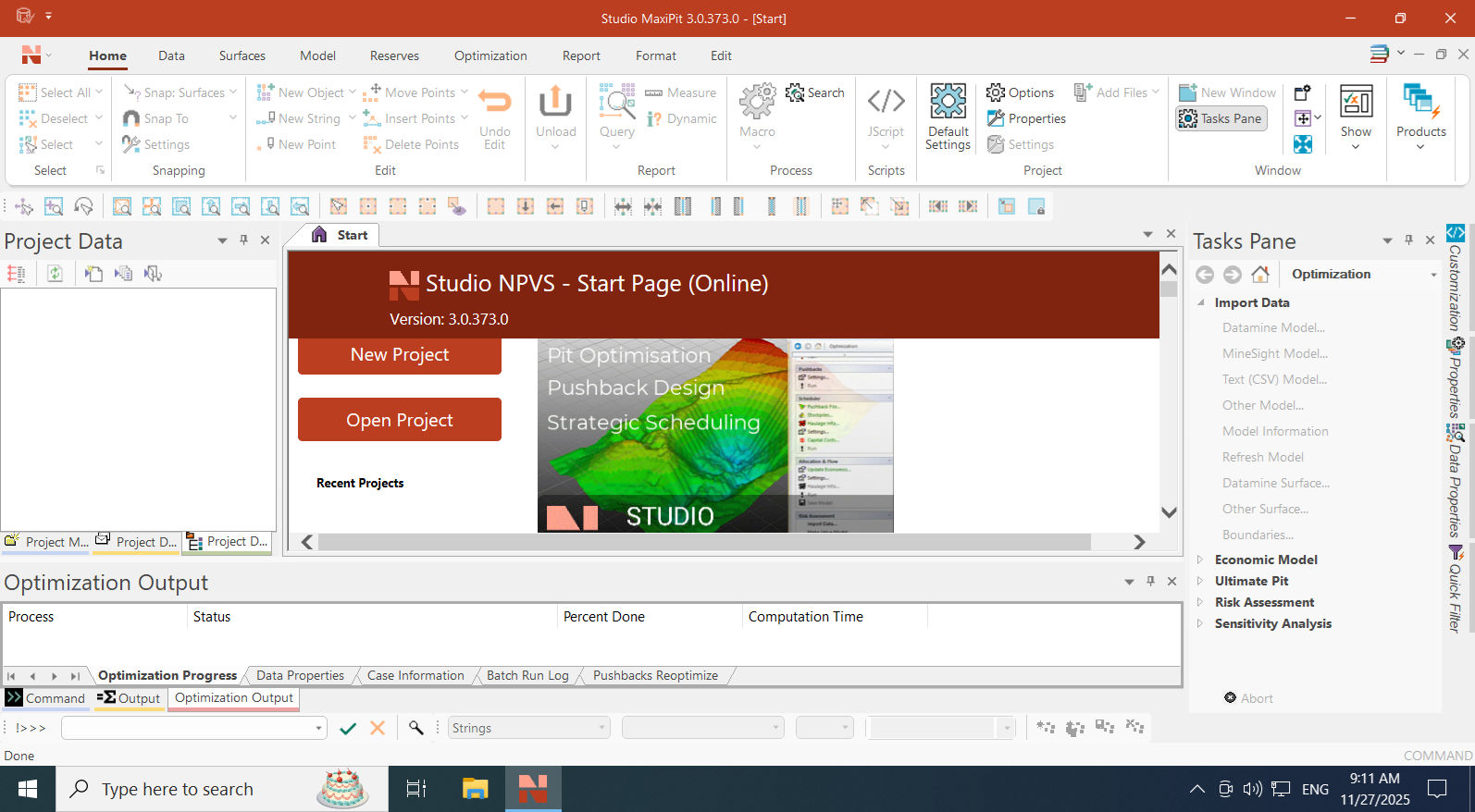
Working with Datamine Studio MaxiPit 3.0.373.0 full license

Description of Datamine Studio MaxiPit 3.0.373.0

Datamine Studio MaxiPit 3.0.373.0 is an advanced open-pit mine design and planning solution engineered for mining professionals who require accuracy, speed, and modern modelling tools. This version enhances pit optimization, short-term and long-term planning capabilities, and integrates seamlessly with Datamine’s mining ecosystem. Studio MaxiPit delivers a complete environment for designing pits, haul roads, dumps, and mining stages, ensuring efficient workflows from concept to operational planning.

Features of Datamine Studio MaxiPit 3.0.373.0

Comprehensive Open-Pit Design Tools
MaxiPit provides advanced design functionalities for pit shells, benches, ramps, and mining stages. Users can create detailed, accurate pit geometries that align with engineering and operational requirements.

Improved Pit Optimization
The software features enhanced algorithms for pit optimization, allowing users to generate optimal pit shells based on economic, geological, and geotechnical parameters. Improved processing speed ensures faster scenario testing.

Integrated Haul Road and Ramp Design
Studio MaxiPit includes intelligent road-design tools that automatically generate haul roads with user-defined grades, widths, and turning radii. This streamlines short-term and long-term haulage planning.

Advanced Scheduling and Mining Sequence Planning
Users can build mining sequences, analyze production schedules, and evaluate different operational scenarios. The scheduling tools support planning for ore, waste, stockpiles, and material routing.

High-Quality 3D Visualization
The software offers robust 3D visualization for pit designs, topography, geological models, and planning results. Visual tools help identify issues, validate designs, and improve decision-making.

Flexible Data Integration
MaxiPit supports various industry-standard formats and integrates with Datamine Studio RM and Studio OP for seamless workflows across geological modelling, resource estimation, and mine planning.

Automation and Scripting Support
With scripting capabilities, engineers can automate repetitive work, apply standardized workflows, and generate consistent planning outputs across multiple projects.

Enhanced Reporting and Output Tools
Users can export pit designs, schedules, and analysis results in formats suitable for technical reports, operations teams, and management presentations.

If you want to download Datamine Studio MaxiPit 3.0.373.0 full license, please click to DOWNLOAD button to download.
CLICKDOWN.ORG Download CAD CAM CNC software
Inside package Datamine Studio MaxiPit 3.0.373.0, already have cracked files and instruction how to install Datamine Studio MaxiPit 3.0.373.0 step by step. I guarantee you can install Datamine Studio MaxiPit 3.0.373.0 successfully if you follow that instruction.
If you also can’t install it or get any problems, please contact to me by email: clickdown.org@gmail.com, then I will help you to install software by teamviewer or Ultraviewer or Anydesk.
Thanks a lot
SOFTWARES

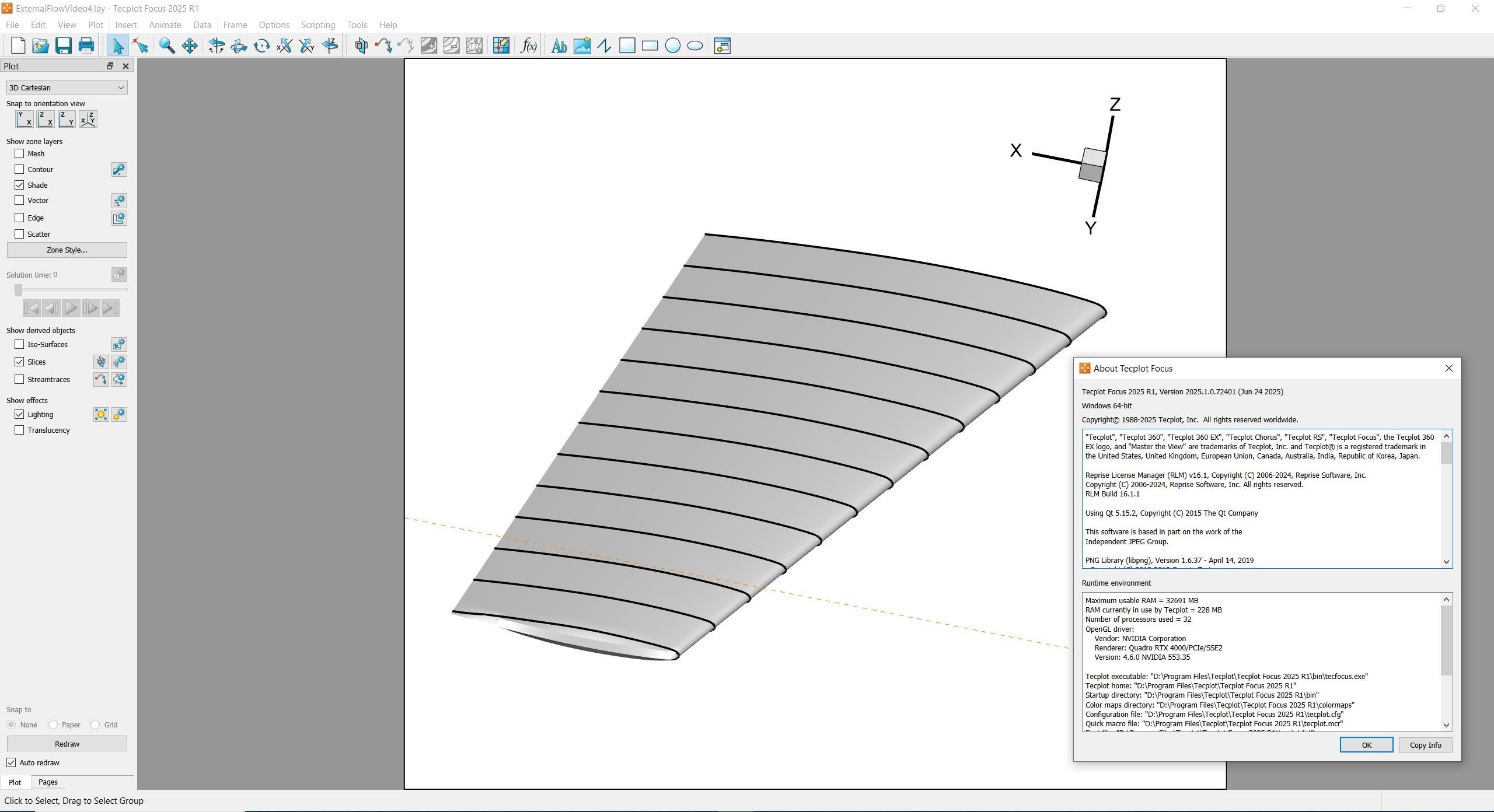
Download Tecplot Focus 2025 R1 Win-Linux x64 full license

Tecplot Focus 2025 R1 (2025.1.0.72401) Win-Linux x64

Download Tecplot Focus 2025 R1 full license

Link download Tecplot Focus 2025 R1 full activated

Working with Tecplot Focus 2025 R1 full license

Description of Tecplot Focus 2025 R1

Tecplot Focus 2025 R1 is a high-performance engineering plotting and visualization software designed for professionals who need fast, accurate, and customizable analysis tools. Ideal for CFD engineers, test engineers, and researchers, Tecplot Focus provides robust capabilities for analyzing XY, 2D, and 3D data. The 2025 R1 release delivers improved performance, streamlined workflows, and updated visualization features that help users gain deeper insights into engineering datasets while reducing analysis time.

Features of Tecplot Focus 2025 R1

High-Quality Engineering Plots
Tecplot Focus offers an extensive suite of plotting tools for generating XY plots, contour plots, vector plots, surface maps, and 3D views. Users can produce publication-quality graphs with precise control over layout and styling.

Improved Performance and Data Handling
The 2025 R1 version provides faster data loading, optimized memory usage, and enhanced rendering capabilities. Large datasets can be processed and visualized more efficiently, improving workflow speed and engineering productivity.

Advanced Data Analysis Tools
Engineers can extract data points, analyze trends, compute variables, perform curve fitting, and conduct comparative evaluations across multiple datasets. Built-in mathematical tools enable deeper insight into experimental and simulation results.

Customizable Workspaces and Layouts
Tecplot Focus allows complete control over plot customization, including line styles, axes, legends, annotations, and color maps. Users can build multi-frame layouts for detailed engineering presentations.

Automated Workflows with Macros and Scripting
Automation tools allow users to run repetitive tasks, batch-process data, or create custom analysis routines. Tecplot’s macro language and Python integration enable consistent and efficient workflows.

Multi-Dataset Comparison
The software supports simultaneous analysis of multiple datasets, making it easy to compare simulation results, experimental data, and time-series outputs within a unified environment.

Extended Data Format Support
Tecplot Focus supports a wide range of engineering data formats, allowing smooth integration with CFD solvers, test data systems, and numerical analysis tools.

High-Resolution Export Options
Users can export plots in various formats suitable for publication, presentations, and documentation. The improved export engine ensures clean, sharp visuals at any resolution.

If you want to download Tecplot Focus 2025 R1 full license, please click to DOWNLOAD button to download.
CLICKDOWN.ORG Download CAD CAM CNC software
Inside package Tecplot Focus 2025 R1, already have cracked files and instruction how to install Tecplot Focus 2025 R1 step by step. I guarantee you can install Tecplot Focus 2025 R1 successfully if you follow that instruction.
If you also can’t install it or get any problems, please contact to me by email: clickdown.org@gmail.com, then I will help you to install software by teamviewer or Ultraviewer or Anydesk.
Thanks a lot
SOFTWARES

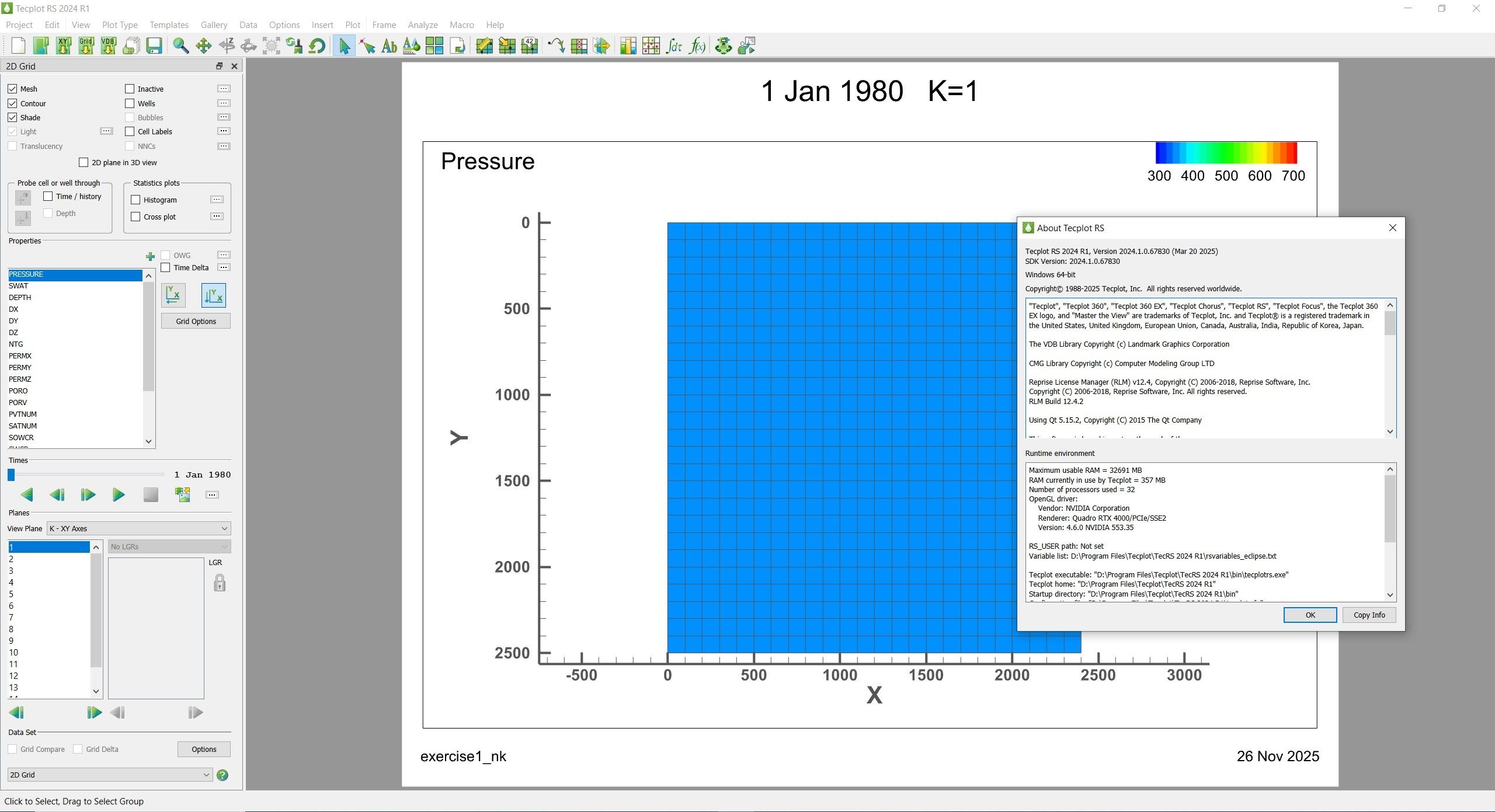
Download Tecplot RS 2024 R1 M1 x64 full license forever

Download Tecplot RS 2024 R1 M1 x64 full license forever

Link download Tecplot RS 2024 R1 M1 win64 full activated

Tecplot RS 2024 R1 M1 (2024.1.0.67830) Win-Linux x64

Working with Tecplot RS 2024 R1 M1 full license

Description of Tecplot RS 2024 R1 M1

Tecplot RS 2024 R1 M1 is a powerful reservoir simulation visualization and analysis software designed to help reservoir engineers interpret complex simulation data with speed, accuracy, and clarity. This latest release enhances performance, improves data-handling capabilities, and introduces modern visualization tools that simplify decision-making for reservoir management. Tecplot RS enables engineers to work seamlessly with large datasets, compare multiple simulation runs, and generate high-quality visuals that support technical reporting and production forecasting.

Features of Tecplot RS 2024 R1 M1

Enhanced Reservoir Visualization
Tecplot RS delivers high-resolution 2D and 3D visualization tools that allow users to explore grid models, saturation changes, pressure distributions, well performance, and production trends. The updated engine ensures faster rendering and smoother navigation of large reservoir models.

Streamlined Simulation Data Integration
The software supports major reservoir simulators including ECLIPSE, CMG, INTERSECT, and tNavigator. Data import and processing workflows have been optimized for better speed and accuracy, enabling quicker analysis of large simulation outputs.

Advanced Plotting and Analysis Tools
Users can create time-series plots, performance graphs, well-by-well comparisons, cross sections, and grid-based visualizations. Tecplot RS also offers built-in templates and automated plot generation to reduce manual work.

Multi-Case and Multi-Scenario Comparison
Engineers can easily compare different simulation runs, evaluate sensitivities, and analyze scenario variations side by side. This helps improve reservoir forecasting and supports data-driven decision-making for field development planning.

Improved Grid and Well Visualization
This release includes updates to well display options, grid coloring techniques, and cell filtering features. Users can highlight specific properties, visualize flow paths, and better understand reservoir behavior across different development stages.

Fast Data Processing and Performance Upgrades
Tecplot RS 2024 R1 M1 features improved memory management and optimized algorithms, resulting in faster loading, processing, and plotting of large simulation datasets.

Automated Workflows and Scripting
The software supports automation through macros and Python scripting, enabling engineering teams to standardize processes, automate repetitive tasks, and generate consistent reporting outputs.

High-Quality Export and Reporting Tools
Users can export publication-quality images, animations, and data files for technical reports, presentations, and inter-team communication. Enhanced layout controls allow for customizable and professional visual outputs.

If you want to download Tecplot RS 2024 R1 M1 full license, please click to DOWNLOAD button to download.
CLICKDOWN.ORG Download CAD CAM CNC software
Inside package Tecplot RS 2024 R1 M1, already have cracked files and instruction how to install Tecplot RS 2024 R1 M1 step by step. I guarantee you can install Tecplot RS 2024 R1 M1 successfully if you follow that instruction.
If you also can’t install it or get any problems, please contact to me by email: clickdown.org@gmail.com, then I will help you to install software by teamviewer or Ultraviewer or Anydesk.
Thanks a lot
SOFTWARES

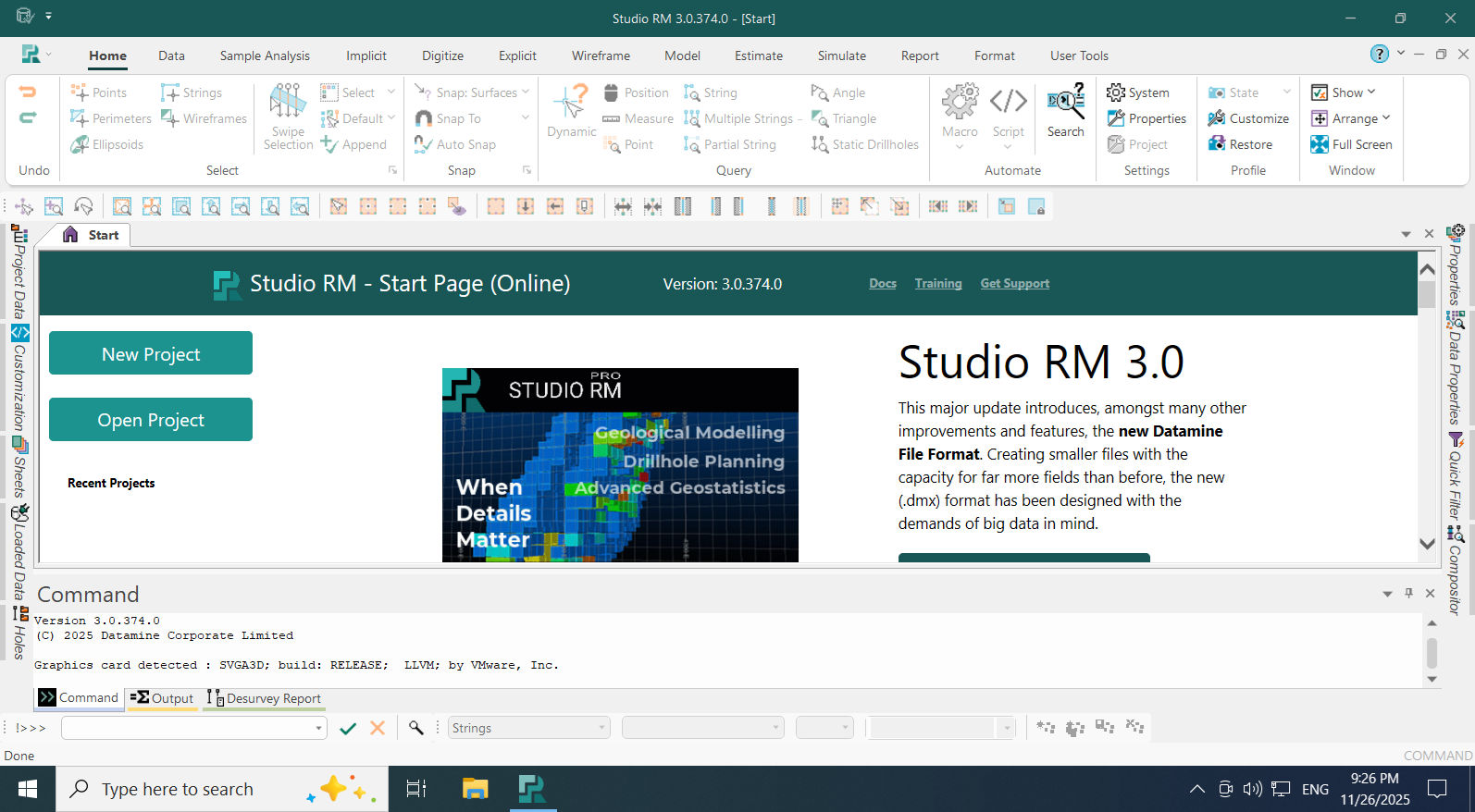
Download Datamine Studio RM 3.0.374.0 full license forever

Download Datamine Studio RM 3.0.374.0 full license

Link download Datamine Studio RM 3.0.374.0 full activated

Working with Datamine Studio RM 3.0.374.0 full license

Description of Datamine Studio RM 3.0.374.0

Datamine Studio RM 3.0.374.0 is an advanced resource modelling platform built to support geologists, mining engineers, and resource analysts in generating accurate and reliable geological models. Designed to deliver precision, speed, and flexibility, this version enhances the modelling workflow with improved algorithms, optimized processing performance, and updated tools for high-quality resource estimation. Studio RM provides a unified environment for data interpretation, geological modelling, geostatistics, and reporting, helping professionals achieve consistent and compliant results.

Features of Datamine Studio RM 3.0.374.0

High-Precision Geological Modelling
The software supports both implicit and explicit modelling techniques, enabling users to build detailed geological frameworks from drillhole, sampling, and structural datasets. Improved algorithms offer greater speed and stability when processing large and complex datasets.

Refined Implicit Surface Generation
This version enhances implicit modelling capabilities with smoother surface generation, better interpolation, and improved handling of faulted or structurally complex geology.

Comprehensive Grade Estimation Tools
Studio RM includes a full suite of estimation methods such as ordinary kriging, inverse distance estimation, and advanced geostatistics. Users can perform detailed variogram modelling, quality checks, and classification processes for accurate resource reporting.

Efficient Data Management and Integration
The platform supports major geological and mining data formats and integrates seamlessly with other Datamine applications. This ensures smooth data flow between exploration, modelling, and mine planning stages.

Powerful 3D Visualization
Users gain access to enhanced 3D visualization tools that provide clear insight into geological structures, grade distribution, and model validation. Visual outputs are customizable for technical reviews and reporting.

Automation and Scripting Support
Workflow automation features allow users to create custom scripts to streamline repetitive modelling tasks, reduce manual effort, and keep project outputs consistent.

Improved Reporting and Compliance Tools
Studio RM helps generate high-quality, audit-ready resource reports aligned with global reporting codes. Built-in validation tools support data accuracy and reliability across the modelling process.

If you want to download Datamine Studio RM 3.0.374.0 full license, please click to DOWNLOAD button to download.
CLICKDOWN.ORG Download CAD CAM CNC software
Inside package Datamine Studio RM 3.0.374.0, already have cracked files and instruction how to install Datamine Studio RM 3.0.374.0 step by step. I guarantee you can install Datamine Studio RM 3.0.374.0 successfully if you follow that instruction.
If you also can’t install it or get any problems, please contact to me by email: clickdown.org@gmail.com, then I will help you to install software by teamviewer or Ultraviewer or Anydesk.
Thanks a lot
SOFTWARES

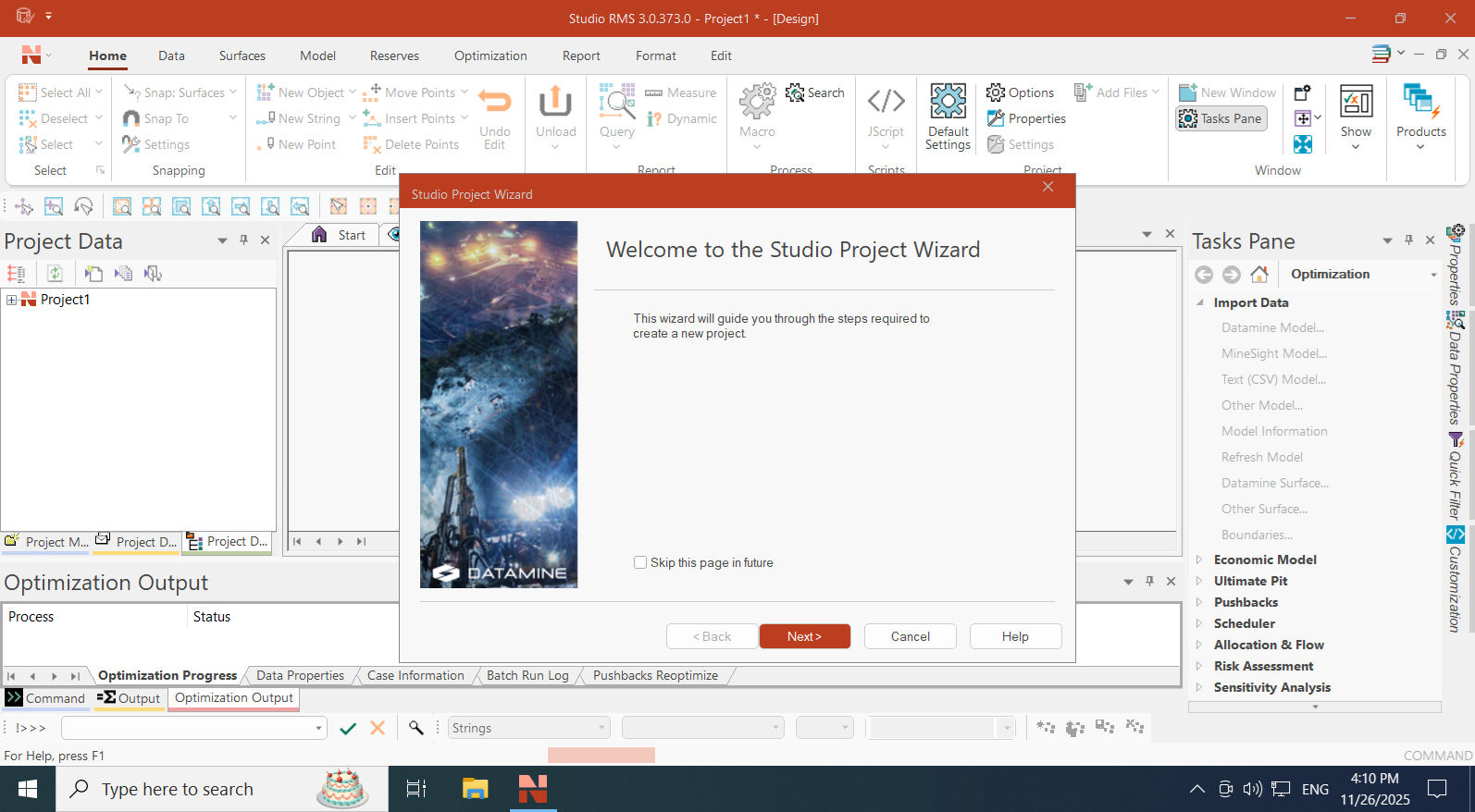
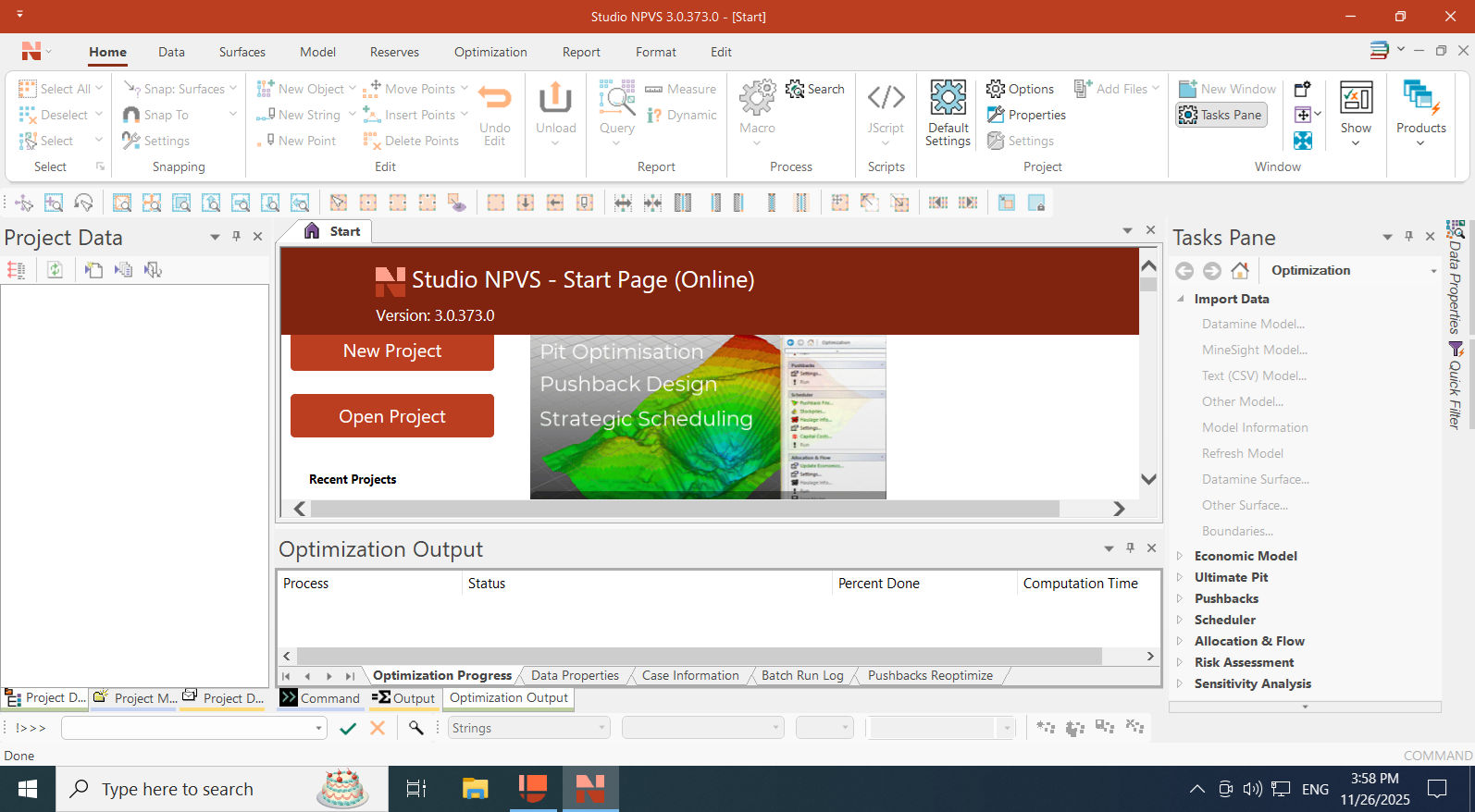
Download Datamine Studio RMS 3.0.373.0 x64 full license

Download Datamine Studio RMS 3.0.373.0 full license

Link download Datamine Studio RMS 3.0.373.0 full activated

Working with Datamine Studio RMS 3.0.373.0 full license

Description of Datamine Studio RMS 3.0.373.0

Datamine Studio RMS 3.0.373.0 is a powerful resource modelling solution designed for mining professionals who require accurate geological interpretation, advanced modelling tools, and reliable resource estimation. This version introduces refined workflows, improved performance, and updated algorithms that help geologists and engineers build high-quality models with confidence. Studio RMS integrates seamlessly with Datamine’s mining ecosystem, enabling efficient data management and smooth collaboration across different project stages.

Features of Datamine Studio RMS 3.0.373.0

Advanced Resource Modelling Tools
The software offers a full suite of geological and resource modelling capabilities, including implicit and explicit modelling, structural interpretation, grade estimation, and geostatistics. Users can easily generate detailed geological models from drilling, sampling, and other exploration datasets.

Enhanced Implicit Modelling Engine
This version includes significant improvements to the implicit modelling engine, allowing faster surface creation, better handling of complex geometries, and more accurate boundary definitions.

Robust Geostatistical Functions
Studio RMS provides a wide selection of estimation and geostatistical methods such as kriging, inverse distance weighting, variography analysis, and uncertainty modelling to support reliable resource classification.

Seamless Data Integration and Management
Users can import and manage large geological datasets efficiently. The software supports industry-standard data formats and integrates with other Datamine applications to streamline the entire modelling workflow.

Improved Visualization and Reporting
High-quality 3D visualization tools enable users to analyze geological structures, grade distribution, and modelling results with clarity. Advanced reporting functions help generate professional outputs for technical documentation and compliance reporting.

Workflow Automation and Scripting
Datamine Studio RMS supports automation through scripting capabilities, allowing users to standardize workflow processes, minimize manual tasks, and ensure consistency across multiple resource models.

Collaboration and Multi-User Support
The platform includes features that enhance teamwork, version control, and data sharing. Teams can work efficiently on large mining projects while maintaining data integrity and model accuracy.

If you want to download Datamine Studio RMS 3.0.373.0 full license, please click to DOWNLOAD button to download.
CLICKDOWN.ORG Download CAD CAM CNC software
Inside package Datamine Studio RMS 3.0.373.0, already have cracked files and instruction how to install Datamine Studio RMS 3.0.373.0 step by step. I guarantee you can install Datamine Studio RMS 3.0.373.0 successfully if you follow that instruction.
If you also can’t install it or get any problems, please contact to me by email: clickdown.org@gmail.com, then I will help you to install software by teamviewer or Ultraviewer or Anydesk.
Thanks a lot
SOFTWARES

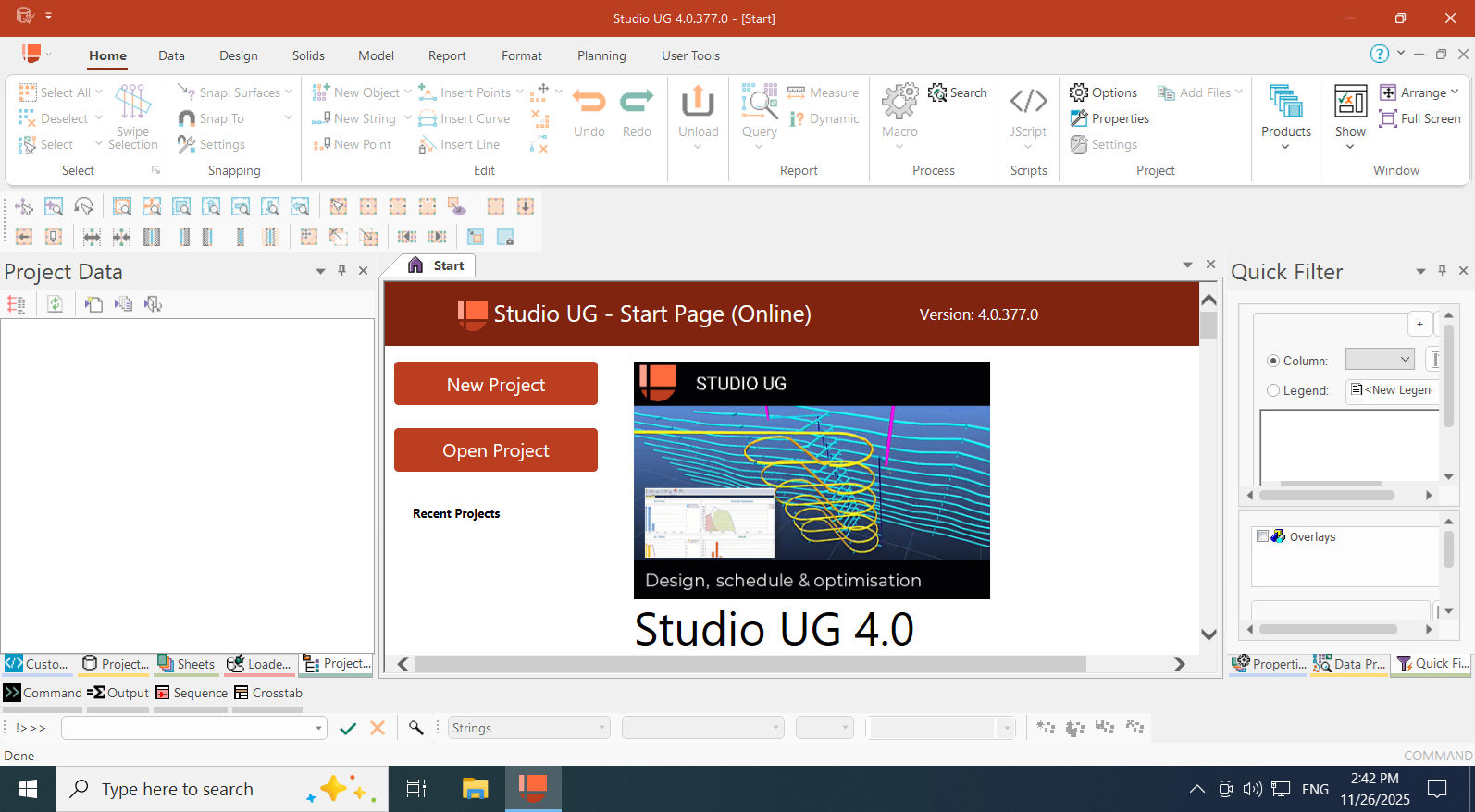
Download Datamine Studio NPVS 3.0.373.0 x64 full license

Download Datamine Studio NPVS 3.0.373.0 full license

Link download Datamine Studio NPVS 3.0.373.0 full activated

Working with Datamine Studio NPVS 3.0.373.0 full license

Description of Datamine Studio NPVS 3.0.373.0

Datamine Studio NPVS 3.0.373.0 is a powerful strategic mine planning and open pit optimization solution designed for mining companies, consultants, and project evaluators. Built on advanced algorithms and flexible modeling tools, NPVS delivers reliable pit optimization, financial analysis, and scenario evaluation to help users determine the most economically viable mine plan.

This version enhances processing speed, improves data handling, and introduces more flexible workflows, making it ideal for feasibility studies, strategic planning, and long-term project evaluation.

Features of Datamine Studio NPVS 3.0.373.0

1. Advanced Open Pit Optimization
Utilizes powerful Lerchs-Grossmann and advanced floating cone algorithms to produce optimized pit shells that maximize economic value based on resource data and market assumptions.

2. Detailed Economic Evaluation
Perform cash flow modeling, NPV calculation, cost estimation, and sensitivity analysis. Tools allow rapid assessment of multiple financial scenarios to support investment decisions.

3. Fully Integrated Block Model Support
Import geological and block model data directly for accurate reserve estimation, grade evaluation, and optimization input preparation.

4. Multi-Scenario Analysis
Compare numerous planning scenarios such as changes in metal prices, operating costs, cut-off grades, and mining sequences to find the best strategic outcome.

5. Pushback and Phase Design Tools
Generate practical mining phases and pushbacks based on optimized shells. Tools help planners create realistic, operationally feasible mine designs.

6. Processing and Destination Optimization
Optimize material routing to multiple processing plants, stockpiles, or waste dumps based on grade, recovery, and economic factors.

7. Rapid Sensitivity and Risk Assessment
Evaluate financial and operational risks by testing variables such as commodity price fluctuations, operating cost changes, and processing constraints.

8. Comprehensive Reporting Tools
Export tables, charts, and economic summaries for feasibility studies, presentations, and strategic planning documentation.

9. User-Friendly Interface and Workflow Improvements
Version 3.0.373.0 introduces cleaner navigation, improved visualization of optimization results, and faster scenario setup.

10. Performance Enhancements
Improved computation speed, better handling of large block models, and enhanced stability during heavy optimization tasks.

If you want to download Datamine Studio NPVS 3.0.373.0 full license, please click to DOWNLOAD button to download.
CLICKDOWN.ORG Download CAD CAM CNC software
Inside package Datamine Studio NPVS 3.0.373.0, already have cracked files and instruction how to install Datamine Studio NPVS 3.0.373.0 step by step. I guarantee you can install Datamine Studio NPVS 3.0.373.0 successfully if you follow that instruction.
If you also can’t install it or get any problems, please contact to me by email: clickdown.org@gmail.com, then I will help you to install software by teamviewer or Ultraviewer or Anydesk.
Thanks a lot
SOFTWARES

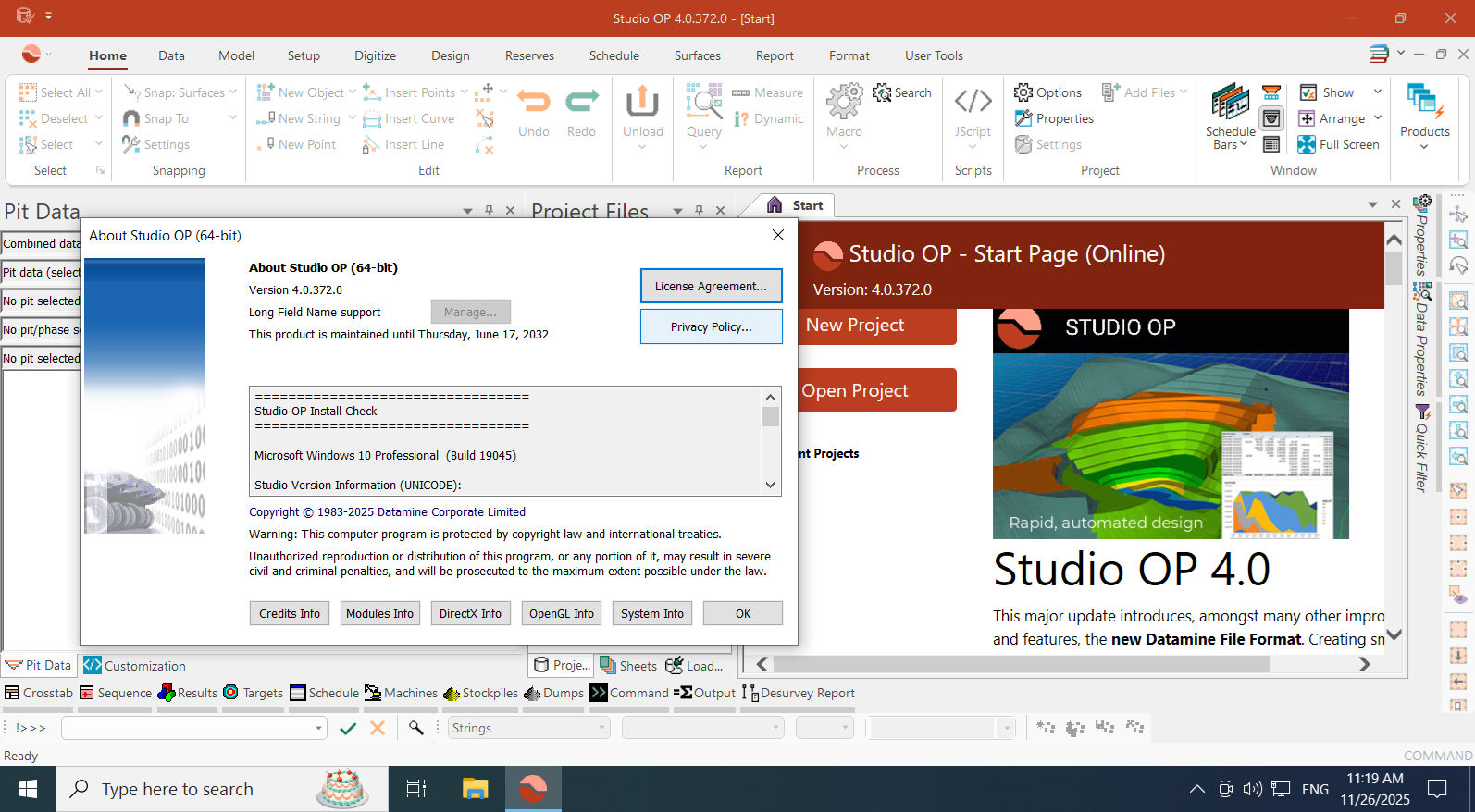
Download Datamine Studio UG 4.0.377.0 x64 full license

Download Datamine Studio UG 4.0.377.0 x64 full license

Link download Datamine Studio UG 4.0.377.0 win64 full activated

Working with Datamine Studio UG 4.0.377.0 full license

Description of Datamine Studio UG 4.0.377.0

Datamine Studio UG 4.0.377.0 is a leading underground mine design and planning solution engineered for mining professionals who require precision, flexibility, and advanced modeling tools. Designed to manage the complexity of underground operations, Studio UG supports stope design, development layout, resource evaluation, and production scheduling with exceptional accuracy.

This release enhances performance, improves automation, and introduces streamlined workflows that help engineers optimize extraction strategies and maximize ore recovery.

Features of Datamine Studio UG 4.0.377.0

1. Comprehensive Underground Mine Design Tools
Create detailed underground layouts including stopes, drives, raises, and access infrastructure. Tools support multiple mining methods such as cut-and-fill, longhole, room-and-pillar, and block caving.

2. Advanced Stope Optimization
Integrated stope optimization algorithms help identify the most profitable mining blocks, maximize ore recovery, and minimize dilution while respecting geotechnical and operational constraints.

3. Automated Development and Production Scheduling
Generate practical development and production schedules using smart sequencing tools. Define dependencies, cycles, and production targets for complete underground planning.

4. Seamless Integration with Block and Geological Models
Import and analyze geological data, block models, and structural information to evaluate resources and support more accurate design decisions.

5. Detailed Draw Control and Dilution Management
Tools for modeling ore boundaries, planned dilution, and unplanned dilution ensure realistic production forecasts and better operational planning.

6. 3D Visualization and Analysis Tools
Explore underground designs, geological data, and production scenarios through an advanced 3D environment with real-time rendering and interactive analysis.

7. Multi-Scenario Planning
Compare alternative designs, extraction sequences, price assumptions, and geotechnical constraints to identify the most profitable mine plan.

8. CAD and Survey Data Compatibility
Supports major CAD and survey formats, enabling integration of engineering drawings, survey pickups, and mapping datasets.

9. Customizable Reporting and Output
Generate high-quality reports, charts, schedules, and design outputs for communication with engineers, planners, and management teams.

10. Performance and Stability Improvements
Version 4.0.377.0 offers faster processing, improved rendering of complex underground models, and greater stability for large-scale mine planning projects.

If you want to download Datamine Studio UG 4.0.377.0 full license, please click to DOWNLOAD button to download.
CLICKDOWN.ORG Download CAD CAM CNC software
Inside package Datamine Studio UG 4.0.377.0, already have cracked files and instruction how to install Datamine Studio UG 4.0.377.0 step by step. I guarantee you can install Datamine Studio UG 4.0.377.0 successfully if you follow that instruction.
If you also can’t install it or get any problems, please contact to me by email: clickdown.org@gmail.com, then I will help you to install software by teamviewer or Ultraviewer or Anydesk.
Thanks a lot
SOFTWARES

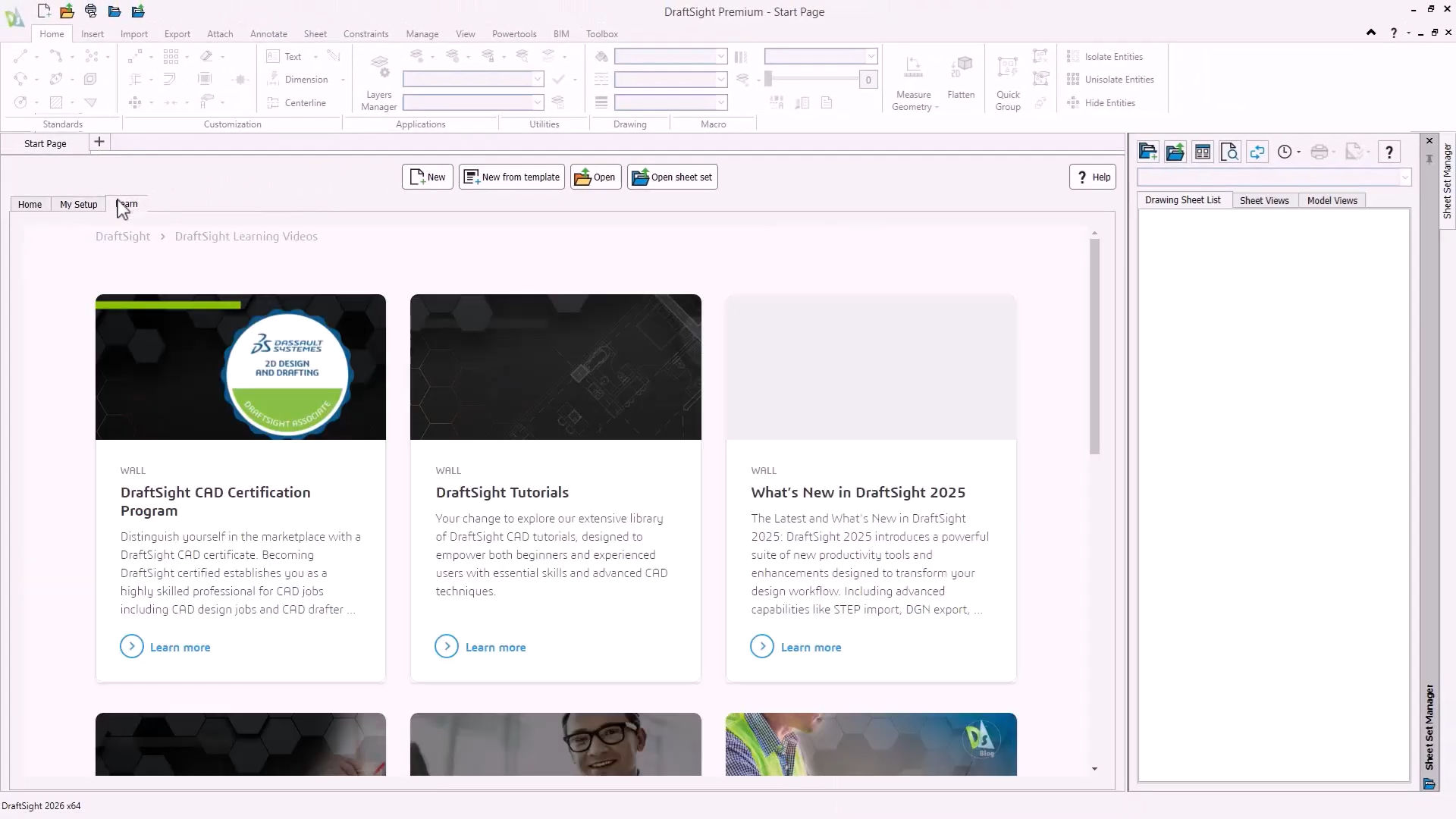
Download Datamine Studio OP 4.0.372.0 x64 full license

Download Datamine Studio OP 4.0.372.0 x64 full license

Link download Datamine Studio OP 4.0.372.0 full activated

Working with Datamine Studio OP 4.0.372.0 x64 full license

Description of Datamine Studio OP 4.0.372.0

Datamine Studio OP 4.0.372.0 is a powerful open pit mine design and scheduling solution built for mining engineers, planners, and geologists who need accurate, data-driven tools for optimizing pit operations. Known for its intuitive interface and robust modeling capabilities, Studio OP enables users to create detailed designs, generate practical schedules, and evaluate economic scenarios with high precision.

This version enhances performance, improves design workflows, and introduces advanced analytics that support better decision-making throughout the entire mine life cycle.

Features of Datamine Studio OP 4.0.372.0

1. Comprehensive Open Pit Design Tools
Create optimized pit shells, design benches, ramps, haul roads, and mining boundaries with highly accurate geometry and customizable parameters.
2. Automated Scheduling Engine
Generate short-term and long-term mine schedules with automated algorithms that consider constraints, priorities, material types, and production goals.

3. Integrated Optimization Algorithms
Use industry-leading optimization tools to evaluate cut-off grades, maximize economic value, and assess multiple planning scenarios effortlessly.

4. Geological and Block Model Integration
Seamlessly import and work with geological models, block models, and resource data for accurate pit planning and resource evaluation.

5. Haulage and Equipment Simulation
Analyze equipment productivity, simulate haul cycles, and estimate fleet requirements to reduce operational costs and improve efficiency.

6. Detailed Reporting and Data Visualization
Generate clear, customizable reports, charts, and graphical outputs for stakeholder communication and operational planning.

7. Multi-Scenario Analysis
Compare alternative pit designs, scheduling strategies, price scenarios, and economic assumptions to select the highest-value plan.

8. Improved User Interface and Workflow Tools
Version 4.0.372.0 delivers smoother navigation, better visualization tools, and simplified workflows for faster planning and decision support.

9. GIS and CAD Compatibility
Compatible with standard CAD formats and GIS data, ensuring smooth integration with survey data, engineering drawings, and mapping tools.

10. Performance Enhancements
Optimized processing speed, improved rendering of large models, and enhanced stability during complex scheduling operations.

If you want to download Datamine Studio OP 4.0.372.0 full license, please click to DOWNLOAD button to download.
CLICKDOWN.ORG Download CAD CAM CNC software
Inside package Datamine Studio OP 4.0.372.0, already have cracked files and instruction how to install Datamine Studio OP 4.0.372.0 step by step. I guarantee you can install Datamine Studio OP 4.0.372.0 successfully if you follow that instruction.
If you also can’t install it or get any problems, please contact to me by email: clickdown.org@gmail.com, then I will help you to install software by teamviewer or Ultraviewer or Anydesk.
Thanks a lot
SOFTWARES

Download DraftSight Enterprise Plus 2026 SP0 full license

Download DraftSight Enterprise Plus 2026 SP0 x64 full license

Link download DraftSight Enterprise Plus 2026 SP0 win64 full activated

Working with DraftSight Enterprise Plus 2026 SP0 full license

Description of DraftSight Enterprise Plus 2026 SP0

DraftSight Enterprise Plus 2026 SP0 is a powerful CAD solution designed for businesses, engineering teams, architecture firms, and manufacturing professionals who need high-performance 2D drafting and full 3D modeling capabilities. Offering enterprise-level productivity, seamless DWG compatibility, and integration with Dassault Systèmes solutions, this version enhances speed, collaboration, and precision for complex design workflows.

Built to meet the needs of professional CAD environments, DraftSight 2026 SP0 provides robust customization options, automation tools, and industry-standard drawing features, making it a reliable alternative to traditional CAD platforms.

Features of DraftSight Enterprise Plus 2026 SP0

1. Full 2D Drafting and Documentation
Create, edit, and manage DWG files with professional-grade tools. Supports layers, blocks, dimensions, hatching, annotations, and advanced drafting standards.

2. Enhanced 3D Modeling Environment
Enterprise Plus includes solid modeling, surface modeling, and mesh tools. Build and modify 3D geometry for mechanical design, prototyping, and visualization workflows.

3. High DWG Compatibility
Open, edit, and save DWG and DXF files with perfect reliability. Ensures smooth collaboration across teams and compatibility with industry-standard CAD platforms.

4. Sheet Set Manager
Manage multi-sheet projects efficiently, automate repetitive tasks, and maintain consistency across large drawing packages.

5. API for Customization and Automation
Supports LISP, VBA, C++, and DraftSight API for custom commands, workflow automation, and integration with enterprise systems.

6. PDF Import and Export
Import vector PDFs as editable CAD entities and export drawings with precise control over layers, scale, and quality.

7. Improved Performance and Stability
Version 2026 SP0 delivers faster file handling, smoother graphics performance, reduced memory usage, and improved reliability for large projects.

8. Advanced Constraints and Parametric Tools
Apply geometric and dimensional constraints to maintain design intent and automate updates during model revisions.

9. Integration with 3DEXPERIENCE Platform
Enterprise users can connect DraftSight to cloud-based data management, collaboration, and project tracking tools from Dassault Systèmes.

10. Enterprise Deployment and Licensing
Supports network licensing, group policy rollout, and centralized configuration for easy management across multiple users and workstations.

If you want to download DraftSight Enterprise Plus 2026 SP0 full license, please click to DOWNLOAD button to download.
CLICKDOWN.ORG Download CAD CAM CNC software
Inside package DraftSight Enterprise Plus 2026 SP0, already have cracked files and instruction how to install DraftSight Enterprise Plus 2026 SP0 step by step. I guarantee you can install DraftSight Enterprise Plus 2026 SP0 successfully if you follow that instruction.
If you also can’t install it or get any problems, please contact to me by email: clickdown.org@gmail.com, then I will help you to install software by teamviewer or Ultraviewer or Anydesk.
Thanks a lot
SOFTWARES

Download Minitab Workspace 1.5.2.0 full license forever

Download Minitab Workspace 1.5.2.0 full license forever

Link download Minitab Workspace 1.5.2.0 full activated

Working with Minitab Workspace 1.5.2.0 full license

Description of Minitab Workspace 1.5.2.0

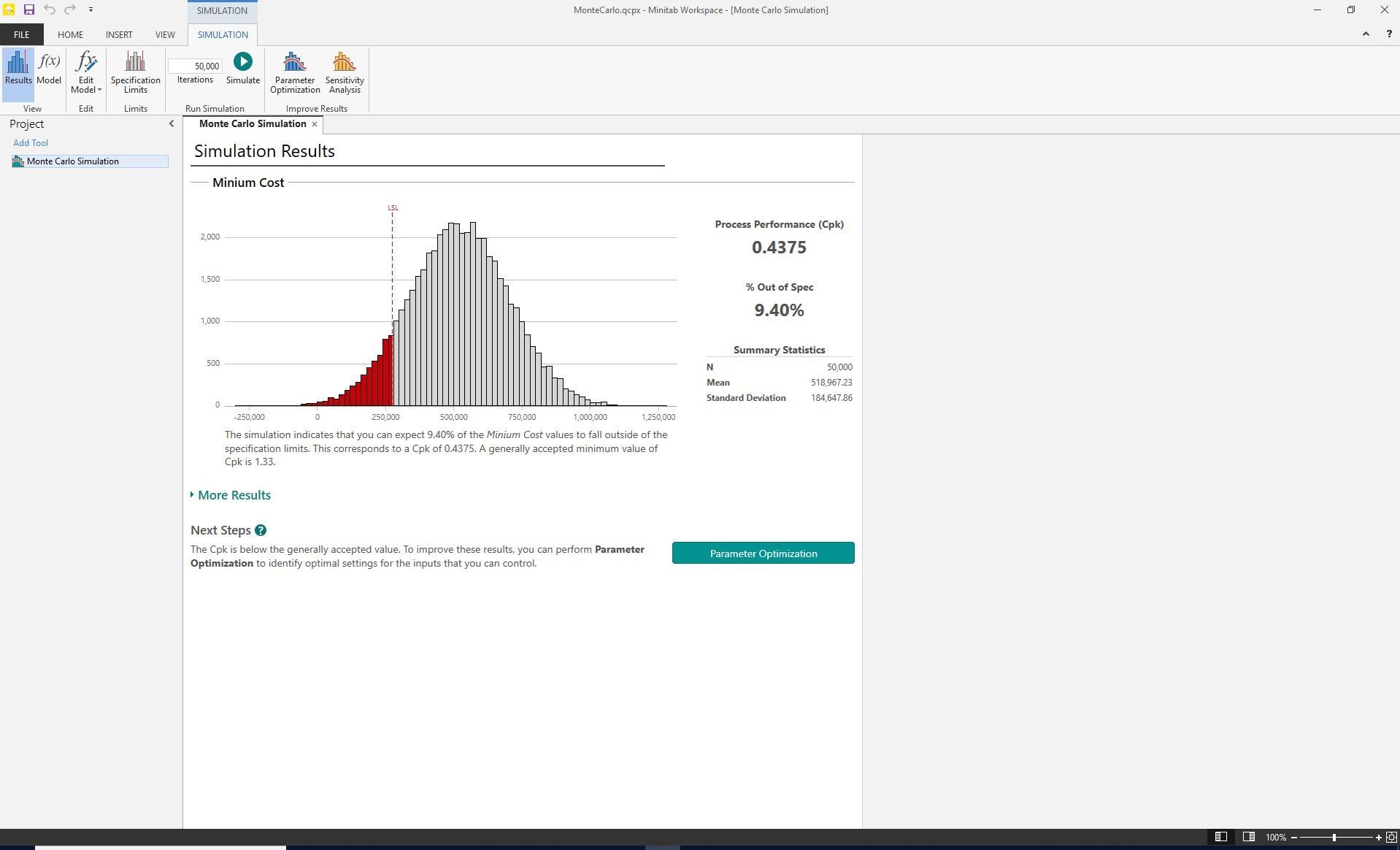
Minitab Workspace 1.5.2.0 is a comprehensive suite of visual and analytical tools designed to help businesses improve processes, optimize workflows, and support data-driven decision-making. Built for Lean, Six Sigma, project management, and quality improvement initiatives, Workspace provides an intuitive environment where users can map processes, identify root causes, analyze risks, and streamline complex tasks.

This version enhances usability, improves performance, and adds updated templates that help teams work more efficiently and deliver consistent, high-quality results.

Features of Minitab Workspace 1.5.2.0

1. Process Mapping and Workflow Visualization
Create clear process maps, flowcharts, SIPOC diagrams, and value stream maps to visualize steps, identify bottlenecks, and improve operational efficiency.

2. Root Cause and Problem-Solving Tools
Use fishbone diagrams, 5 Whys analysis, and cause-and-effect tools to quickly identify sources of problems and improve overall quality and performance.

3. Risk Assessment and Prioritization
Workspace provides FMEA templates, risk matrices, and prioritization tools to assess potential failures, evaluate severity, and implement preventive actions effectively.

4. Project Planning and Management Tools
Plan projects with Gantt charts, prioritization grids, and project roadmaps. Workspace supports Lean and Six Sigma methodologies with structured templates and guided workflows.

5. Idea Management and Brainstorming Tools
Utilize brainstorming diagrams, affinity diagrams, and mind maps to generate creative ideas and organize information for strategic decision-making.

6. Data Visualization and Analysis Support
Workspace integrates seamlessly with Minitab Statistical Software for deeper analytics. Visual tools help users interpret data and communicate insights clearly.

7. Ready-to-Use Professional Templates
Access a library of prebuilt templates for DMAIC projects, quality improvement, operational planning, and risk evaluation. Templates are customizable for specific organizational needs.

8. Improved User Interface and Navigation
Version 1.5.2.0 introduces a cleaner layout, enhanced menu navigation, and quick-access options, making it easier for teams to complete tasks efficiently.

9. Collaboration and Documentation
Easily export charts, diagrams, and reports to share with stakeholders. Workspace ensures consistency and clarity in documentation across teams and departments.

10. Performance Enhancements
Faster loading times, improved stability, and better compatibility with Windows environments ensure smoother operation for day-to-day project work.

If you want to download Minitab Workspace 1.5.2.0 full license, please click to DOWNLOAD button to download.
CLICKDOWN.ORG Download CAD CAM CNC software
Inside package Minitab Workspace 1.5.2.0, already have cracked files and instruction how to install Minitab Workspace 1.5.2.0 step by step. I guarantee you can install Minitab Workspace 1.5.2.0 successfully if you follow that instruction.
If you also can’t install it or get any problems, please contact to me by email: clickdown.org@gmail.com, then I will help you to install software by teamviewer or Ultraviewer or Anydesk.
Thanks a lot
SOFTWARES

Download Rhinoceros 8.25.25328.11001 full license forever

Download Rhinoceros 8.25.25328.11001 full license forever

Link download Rhinoceros 8.25.25328.11001 full activated

Working with Rhinoceros 8.25.25328.11001 full license

Rhinoceros 8.25.25328.11001 – Advanced 3D Modeling for Designers and Engineers

Description of Rhinoceros 8.25.25328.11001

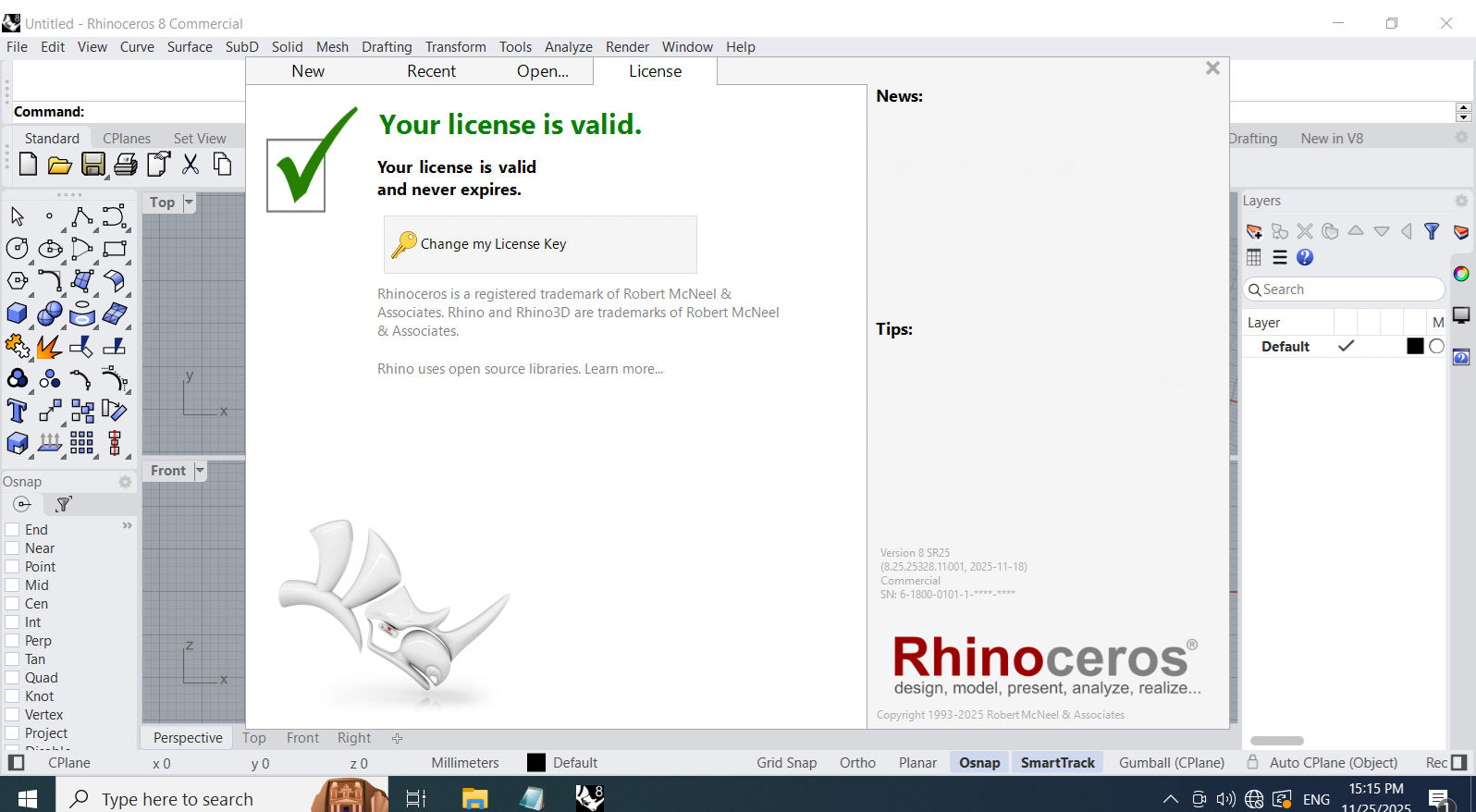
Rhinoceros 8.25.25328.11001 is the latest update of the popular 3D modeling platform known for its powerful NURBS-based modeling capabilities. Widely used in architecture, product design, industrial design, engineering, jewelry, and graphic visualization, Rhino 8 delivers high precision, improved speed, and an expanded toolset for complex geometry creation.

This version enhances workflows with optimized performance, better SubD modeling, faster rendering, and new tools designed for both beginners and advanced professionals. Rhino supports open standards, making it ideal for interoperability across CAD, CAM, BIM, and visualization pipelines.

Features of Rhinoceros 8.25.25328.11001

1. Enhanced NURBS Modeling Engine
Rhino 8 brings improved accuracy and performance for creating, editing, and analyzing NURBS curves, surfaces, and solids. Ideal for high-precision design and engineering tasks.

2. SubD Modeling Improvements
Create smooth, organic shapes with the upgraded SubD tools. Enjoy better edge flow control, creases, subdivision refinements, and smoother transitions for concept modeling and detailed sculpting.

3. New ShrinkWrap Technology
Generate clean, watertight meshes from complex geometry, scans, point clouds, or assemblies. Perfect for 3D printing, reverse engineering, and rapid prototyping.

4. Grasshopper Enhancements
Grasshopper, Rhino’s visual programming system, gets new components, improved performance, and expanded integration options for automation, simulation, and generative design.

5. Faster Rendering and Visualization
Rhino 8 includes improved Cycles rendering, enhanced viewport speed, real-time shadows, better lighting management, and support for high-quality GPU rendering.

6. Improved Drafting and Annotation
Updated dimensioning, clearer text rendering, richer hatch tools, and documentation workflows ideal for architectural and mechanical drawings.

7. Better Interoperability
Supports a wide range of industry formats such as STEP, IGES, DWG, STL, OBJ, FBX, 3MF, USD, and more. Improved compatibility with Revit, AutoCAD, Blender, SolidWorks, and CAM systems.

8. Updated UI and Productivity Tools
Cleaner interface, customizable themes, improved modeling aids, and smarter snapping features allow faster, more intuitive workflows.

9. Built-in Mesh Repair and Analysis Tools
Detect problems, repair mesh geometry, evaluate curvature, analyze surfaces, and ensure models meet manufacturing or 3D printing standards.

10. Performance Optimization
This build delivers improved stability, faster file loading, reduced memory usage, and better responsiveness during heavy modeling sessions.

If you want to download Rhinoceros 8.25.25328.11001 full license, please click to DOWNLOAD button to download.
CLICKDOWN.ORG Download CAD CAM CNC software
Inside package Rhinoceros 8.25.25328.11001, already have cracked files and instruction how to install Rhinoceros 8.25.25328.11001 step by step. I guarantee you can install Rhinoceros 8.25.25328.11001 successfully if you follow that instruction.
If you also can’t install it or get any problems, please contact to me by email: clickdown.org@gmail.com, then I will help you to install software by teamviewer or Ultraviewer or Anydesk.
Thanks a lot
SOFTWARES

Download Design Science MathType 7.10.1.458 full license

Download Design Science MathType 7.10.1.458 full license

Link download Design Science MathType 7.10.1.458 full activated

Working with MathType 7.10.1.458 full license

Description of Design Science MathType 7.10.1.458

Design Science MathType 7.10.1.458 is a professional mathematical equation editor designed for teachers, students, scientists, engineers, and anyone who needs to create high-quality mathematical notations. This version delivers improved performance, broader compatibility, and enhanced formatting tools for creating equations in documents, presentations, web content, and digital learning platforms.

MathType supports a wide range of equation types, including algebra, calculus, trigonometry, geometry, statistics, chemistry formulas, and advanced scientific notation. With a clean interface and intuitive editing tools, users can create mathematical expressions quickly and export them to multiple formats with professional clarity.

Features of Design Science MathType 7.10.1.458

1. Professional Equation Editor
Create complex mathematical expressions with an intuitive WYSIWYG environment. Supports symbols, templates, matrices, integrals, sums, fractions, and more.

2. Seamless Integration With Popular Applications
MathType integrates directly with:
Microsoft Word and PowerPoint
Google Docs and Google Workspace
WPS Office
LMS platforms such as Moodle and Canvas
Many scientific and academic publishing tools
This makes it easy to add equations to documents and presentations.

3. Extensive Symbol Library
Includes thousands of mathematical symbols and templates organized into logical categories for quick access.

4. Handwriting Recognition
Write equations using a mouse or touchscreen. MathType converts handwriting into clean, formatted mathematical notation.

5. Multi-Platform Compatibility
Works on Windows, macOS, and integrates with online editors via MathType Web, enabling cross-platform editing and cloud-based math content creation.

6. Support for LaTeX and MathML
Import and export equations in LaTeX or MathML formats, allowing users to collaborate on scientific documents or publish content online with precision.

7. Customizable Styles and Formatting
Define equation styles, font settings, spacing, and alignment to match academic journals, classroom materials, or professional publications.

8. Improved Performance and Stability
Version 7.10.1.458 includes faster rendering, smoother editing, and enhanced compatibility with modern office software updates.

9. Accessible Math for the Web
Creates equations compliant with accessibility standards, supporting screen readers and inclusive educational content.

10. Easy Export Options
Export equations as high-resolution images, EPS, GIF, or use copy-and-paste for quick insertion into digital content.

If you want to download Design Science MathType 7.10.1.458 full license, please click to DOWNLOAD button to download.
CLICKDOWN.ORG Download CAD CAM CNC software
Inside package Design Science MathType 7.10.1.458, already have cracked files and instruction how to install Design Science MathType 7.10.1.458 step by step. I guarantee you can install Design Science MathType 7.10.1.458 successfully if you follow that instruction.
If you also can’t install it or get any problems, please contact to me by email: clickdown.org@gmail.com, then I will help you to install software by teamviewer or Ultraviewer or Anydesk.
Thanks a lot

SOFTWARES

Download Boris FX Silhouette 2025.5.1 x64 full license

Download Boris FX Silhouette 2025.5.1 x64 full license

Link download Boris FX Silhouette 2025.5.1 win64 full activated

Working with Boris FX Silhouette 2025.5.1 full license

Description of Boris FX Silhouette 2025.5.1

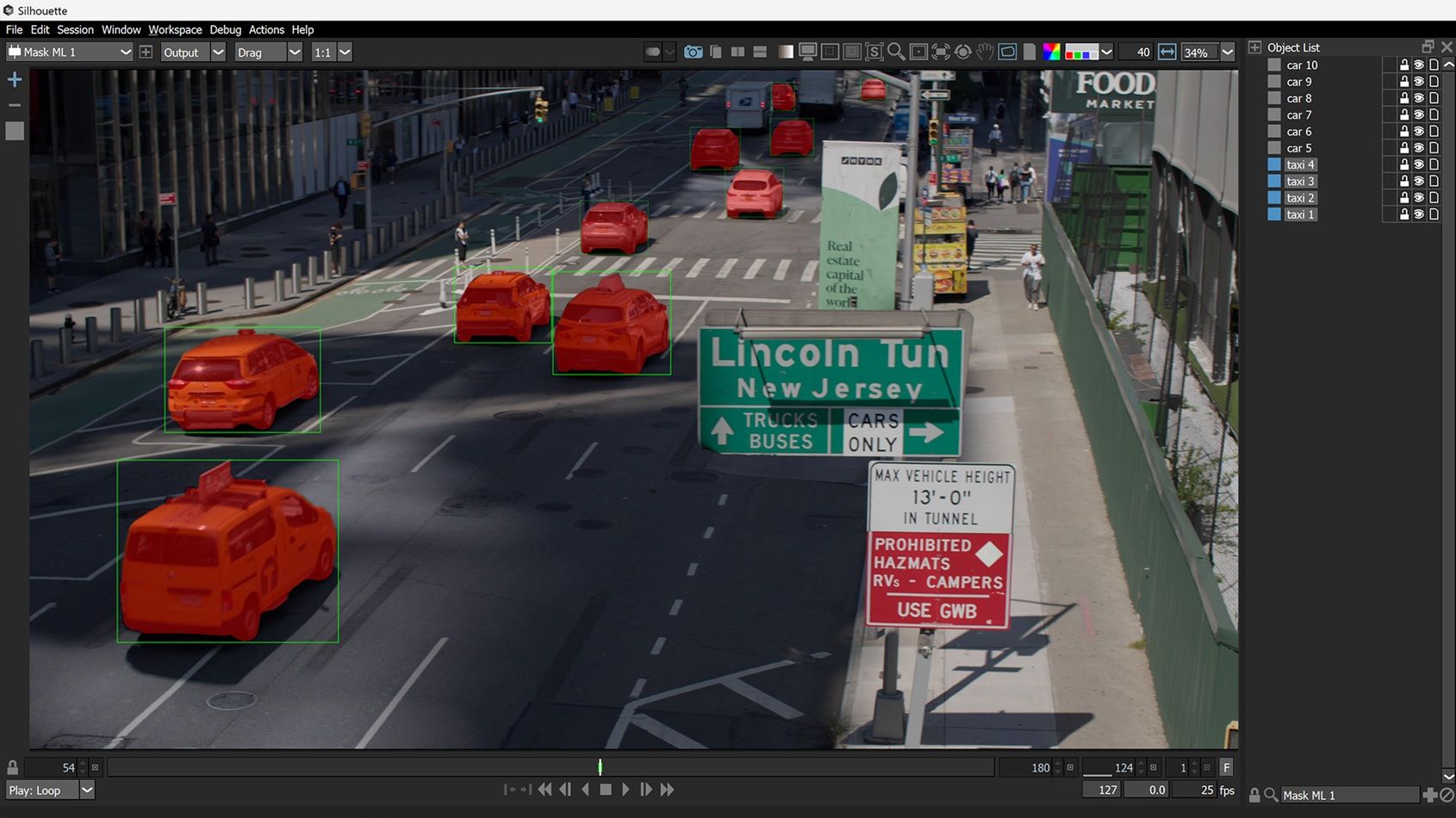
Boris FX Silhouette 2025.5.1 is a professional non-destructive paint, rotoscoping, and compositing application used extensively in high-end VFX and post-production pipelines. Known for its Academy Award–winning tools, Silhouette offers unmatched precision for visual effects artists working on feature films, television, and advanced digital restoration.

The 2025.5.1 release enhances performance, introduces updated brush systems, improves GPU acceleration, refines roto workflows, and adds new tracking capabilities that streamline detailed VFX tasks.

Features of Boris FX Silhouette 2025.5.1

1. Advanced Rotoscoping Tools
Create highly detailed matte shapes with improved point controls, bezier editing, motion blur support, and advanced shape management for complex sequences.

2. High-Precision Node-Based Compositing
Work inside a flexible node-based environment for keying, color correction, transforms, and multi-layer composites with full procedural control.

3. Industry-Leading Paint System
Silhouette’s paint tools allow frame-by-frame or auto-paint strokes with cloning, healing, vector paint, and non-destructive workflows suitable for cleanup and restoration.

4. GPU-Accelerated Performance
The 2025.5.1 version delivers improved GPU processing for faster playback, smoother interaction, and reduced rendering times.

5. Planar and Mocha Tracking Integration
Enhanced planar tracking and seamless integration with Mocha Pro provide unmatched accuracy for roto, object isolation, and paint stabilization.

6. Advanced Keying and Matte Tools
Use power keyers, matte blurs, spill suppression, and blending modes to generate clean composites for VFX pipelines.

7. Stereoscopic and Multi-View Support
Tools for stereo alignment, depth management, and multi-view workflows support demanding stereoscopic production requirements.

8. Timeline and Review Enhancements
Improved timeline navigation and playback help artists manage long sequences and complex node trees efficiently.

9. File Format and Pipeline Compatibility
Supports OpenEXR, DPX, TIFF, multi-layer files, and integration with Nuke, After Effects, Fusion, Flame, and other professional VFX applications.

10. Stability, UI, and Workflow Improvements
Version 2025.5.1 includes refined UI elements, more responsive controls, improved caching, and better handling of large visual effects projects.

If you want to download Boris FX Silhouette 2025.5.1 full license, please click to DOWNLOAD button to download.
CLICKDOWN.ORG Download CAD CAM CNC software
Inside package Boris FX Silhouette 2025.5.1, already have cracked files and instruction how to install Boris FX Silhouette 2025.5.1 step by step. I guarantee you can install Boris FX Silhouette 2025.5.1 successfully if you follow that instruction.
If you also can’t install it or get any problems, please contact to me by email: clickdown.org@gmail.com, then I will help you to install software by teamviewer or Ultraviewer or Anydesk.
Thanks a lot
SOFTWARES

Download Deep Excavation GeoBase 2024 v24.0.0.6 full license

Download Deep Excavation GeoBase 2024 v24.0.0.6 full license

Link download Deep Excavation GeoBase 2024 v24.0.0.6 full activated

Working with GeoBase 2024 v24.0.0.6 full license

Description of Deep Excavation GeoBase 2024 v24.0.0.6

Deep Excavation GeoBase 2024 v24.0.0.6 is a powerful geotechnical database and soil profile management system designed to help engineers organize, visualize, and analyze subsurface information with accuracy and efficiency. As part of the Deep Excavation software ecosystem, GeoBase delivers a centralized platform for storing borehole logs, soil layers, laboratory test results, stratigraphy, and engineering parameters used in excavation and foundation design.

The 2024 release introduces improved data structuring, enhanced visualization tools, better compatibility with design software, and upgraded reporting features, making it an essential resource for geotechnical engineers, consultants, and construction professionals.

Features of Deep Excavation GeoBase 2024 v24.0.0.6

1. Centralized Geotechnical Data Management
Store and organize borehole logs, CPT data, soil classifications, groundwater levels, and geological profiles in a structured and accessible database.

2. Advanced Soil Layer Visualization
Generate clear cross sections, soil layer profiles, and stratigraphic diagrams with customizable colors, labels, and depth representations.

3. Import and Integration Tools
Easily import data from CSV, Excel, and industry-standard geotechnical formats. GeoBase integrates smoothly with Deep Excavation tools such as DeepEX and SiteMaster.

4. Detailed Soil Parameter Control
Manage engineering properties including cohesion, friction angle, density, modulus values, permeability, and stress parameters with full edit control.

5. Mapping and GIS Support
View borehole locations on map layouts, overlay project boundaries, and connect geotechnical data with GIS-based workflows.

6. Groundwater and Seepage Data Management
Record groundwater elevations, seasonal variations, and seepage characteristics for accurate foundation and excavation design.

7. Laboratory Testing Database
Store results from Atterberg limits, triaxial tests, consolidation tests, shear strength tests, and other laboratory measurements.

8. Export Tools for Design Integration
Export profiles, soil parameters, and borehole logs into formats used by design programs for excavation, retaining wall, and foundation analysis.

9. Automated Reporting
Generate professional geotechnical reports, soil profiles, log summaries, and project documentation with customizable layouts.

10. Improved Performance and UI Enhancements
Version 24.0.0.6 offers smoother navigation, faster data loading, updated interface styling, and improved stability for large datasets.

If you want to download Deep Excavation GeoBase 2024 v24.0.0.6 full license, please click to DOWNLOAD button to download.
CLICKDOWN.ORG Download CAD CAM CNC software
Inside package Deep Excavation GeoBase 2024 v24.0.0.6, already have cracked files and instruction how to install Deep Excavation GeoBase 2024 v24.0.0.6 step by step. I guarantee you can install Deep Excavation GeoBase 2024 v24.0.0.6 successfully if you follow that instruction.
If you also can’t install it or get any problems, please contact to me by email: clickdown.org@gmail.com, then I will help you to install software by teamviewer or Ultraviewer or Anydesk.
Thanks a lot
SOFTWARES

Download Artifact Interactive Garden Planner 3.8.79 full

Download Artifact Interactive Garden Planner 3.8.79 full license

Link download Artifact Interactive Garden Planner 3.8.79 full activated

Working with Artifact Interactive Garden Planner 3.8.79 ful

Description of Artifact Interactive Garden Planner 3.8.79

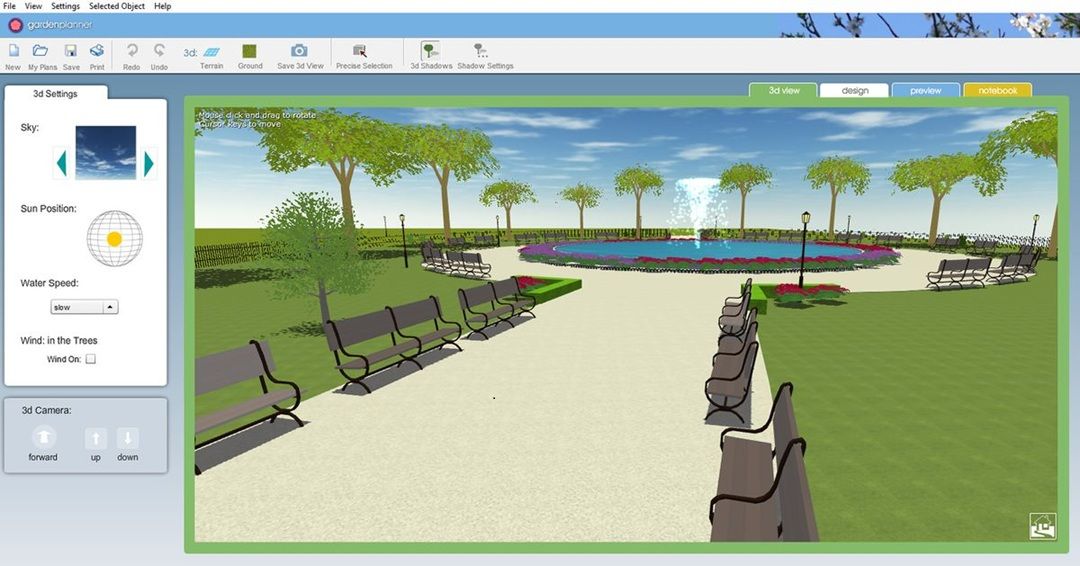
Artifact Interactive Garden Planner 3.8.79 is an intuitive landscape and garden design software that allows users to create detailed outdoor layouts with ease. Designed for homeowners, gardeners, landscapers, and planning professionals, this version offers improved drawing tools, an expanded plant library, customizable templates, and enhanced rendering performance.

With drag and drop functionality, flexible editing, and high-quality visual outputs, Garden Planner 3.8.79 makes it simple to plan gardens, patios, backyard spaces, vegetable plots, and landscaping projects of any size.

Features of Artifact Interactive Garden Planner 3.8.79

1. Easy Drag and Drop Design
Arrange plants, trees, garden beds, paths, fences, buildings, furniture, and water features using an intuitive drag-and-drop interface.

2. Expanded Plant and Object Library
Includes hundreds of customizable plants, shrubs, flowers, containers, outdoor structures, and landscape elements for more realistic planning.

3. Customizable Plant Details
Update plant names, spacing, growth notes, descriptions, and categories to suit your project specifications or regional requirements.

4. Flexible Layout and Measurement Tools
Use scalable grids, rulers, and dimension tools to plan garden spaces with precision and ensure accurate measurements.

5. 2D Planning and Visual Style Options
Switch between various visual styles including shaded, outline, and textured views for clear plan presentations.

6. Garden Notes and Planning Sheets
Add notes, plant lists, and customizable data sheets to keep track of garden maintenance, planting schedules, and seasonal tasks.

7. High-Quality Printouts and Reports
Generate printable layouts, shopping lists, and project summaries for clients, contractors, or personal garden planning.

8. Improved Performance and Stability
Version 3.8.79 offers smoother navigation, faster loading times, and better handling of large garden projects.

9. Custom Structures and Shapes
Design custom shapes, raised beds, irrigation lines, pathways, and outdoor zones with easy-to-edit drawing tools.

10. Save, Export, and Share Designs
Export designs as images or PDFs and save project files for updates, revisions, or sharing with collaborators.

If you want to download Artifact Interactive Garden Planner 3.8.79 full license, please click to DOWNLOAD button to download.
CLICKDOWN.ORG Download CAD CAM CNC software
Inside package Artifact Interactive Garden Planner 3.8.79, already have cracked files and instruction how to install Artifact Interactive Garden Planner 3.8.79 step by step. I guarantee you can install Artifact Interactive Garden Planner 3.8.79 successfully if you follow that instruction.
If you also can’t install it or get any problems, please contact to me by email: clickdown.org@gmail.com, then I will help you to install software by teamviewer or Ultraviewer or Anydesk.
Thanks a lot
SOFTWARES

Download Ableton Live 12 Suite v12.3 full license forever

Download Ableton Live 12 Suite v12.3 x64 full license forever

Link download Ableton Live 12 Suite v12.3 win64 full activated

Ableton Live 12 Suite v12.3 x64 full activated

Working with Ableton Live 12 Suite v12.3 full license

Description of Ableton Live 12 Suite v12.3

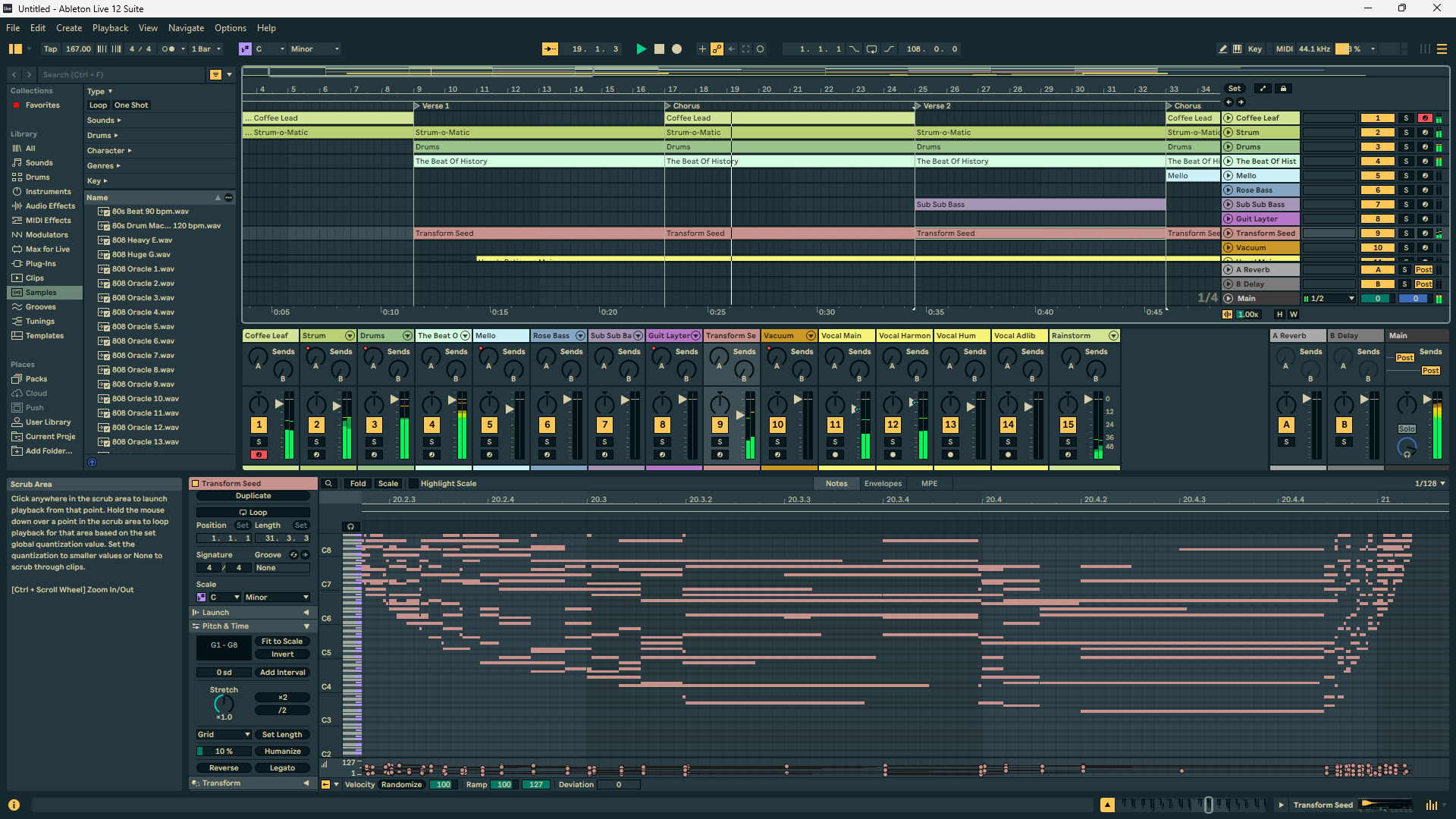
Ableton Live 12 Suite v12.3 is the flagship version of Ableton’s renowned music production environment, offering a complete toolkit for composing, recording, arranging, mixing, mastering, and performing. Designed for producers, sound designers, and live performers, this edition expands creativity through enhanced instruments, improved workflow tools, next-gen MIDI features, and a more flexible audio engine.

Version 12.3 delivers upgraded performance, refined UI improvements, new sound packs, and advanced modulation capabilities, making it one of the most powerful digital audio workstations for modern music production.

Features of Ableton Live 12 Suite v12.3

1. Enhanced MIDI Tools
Live 12.3 introduces improved MIDI editing, advanced quantization, MIDI transform tools, probability settings, and expanded generative MIDI features for creative sequencing.

2. New and Updated Instruments
Includes the full Suite library with Wavetable, Operator, Sampler, Analog, Collision, Electric, and Drum Synth. Several instruments receive upgraded interfaces and improved presets.

3. Audio Editing Improvements
Refined time-stretching algorithms, better transient handling, clip manipulation upgrades, and more flexible audio warping for detailed sound shaping.

4. MPE and Expression Enhancements
Full MPE support with smoother expression control enabling realistic articulations, rich modulation, and more expressive performances.

5. Advanced Effects and Audio Devices
Features Suite-exclusive effects such as Hybrid Reverb, Echo, Saturator, Drum Buss, Resonators, Convolution Reverb, and improved multiband processing tools.

6. Max for Live Integration
Seamless Max for Live integration allows users to create custom devices, expand modulation, build generators, and access the vast Max community library.

7. Performance and Stability Update
Live 12.3 offers better engine performance, reduced latency, GPU-optimized graphics, and improved handling of large sets and plug-ins.

8. Browser and Workflow Upgrades
A redesigned browser includes faster search, tag-based organization, improved device categorization, and quicker access to sample libraries.

9. Sound Packs and Libraries
Suite includes thousands of samples, loops, presets, drum kits, acoustic instruments, electronic textures, orchestral sounds, and creative effect racks.

10. Live Performance Tools
Session View offers unmatched real-time control for triggering clips, loops, MIDI patterns, and effects, making it ideal for stage performances and DJ workflows.

If you want to download Ableton Live 12 Suite v12.3 full license, please click to DOWNLOAD button to download.
CLICKDOWN.ORG Download CAD CAM CNC software
Inside package Ableton Live 12 Suite v12.3, already have cracked files and instruction how to install Ableton Live 12 Suite v12.3 step by step. I guarantee you can install Ableton Live 12 Suite v12.3 successfully if you follow that instruction.
If you also can’t install it or get any problems, please contact to me by email: clickdown.org@gmail.com, then I will help you to install software by teamviewer or Ultraviewer or Anydesk.
Thanks a lot

error: Content is protected !!
Scroll to Top