Archicad 29

SOFTWARES

Download Ci Tools for ArchiCAD 29 x64 full license forever

Download Ci Tools for ArchiCAD 29 x64 full license forever

Link download Ci Tools for ArchiCAD 29 win64 full activated
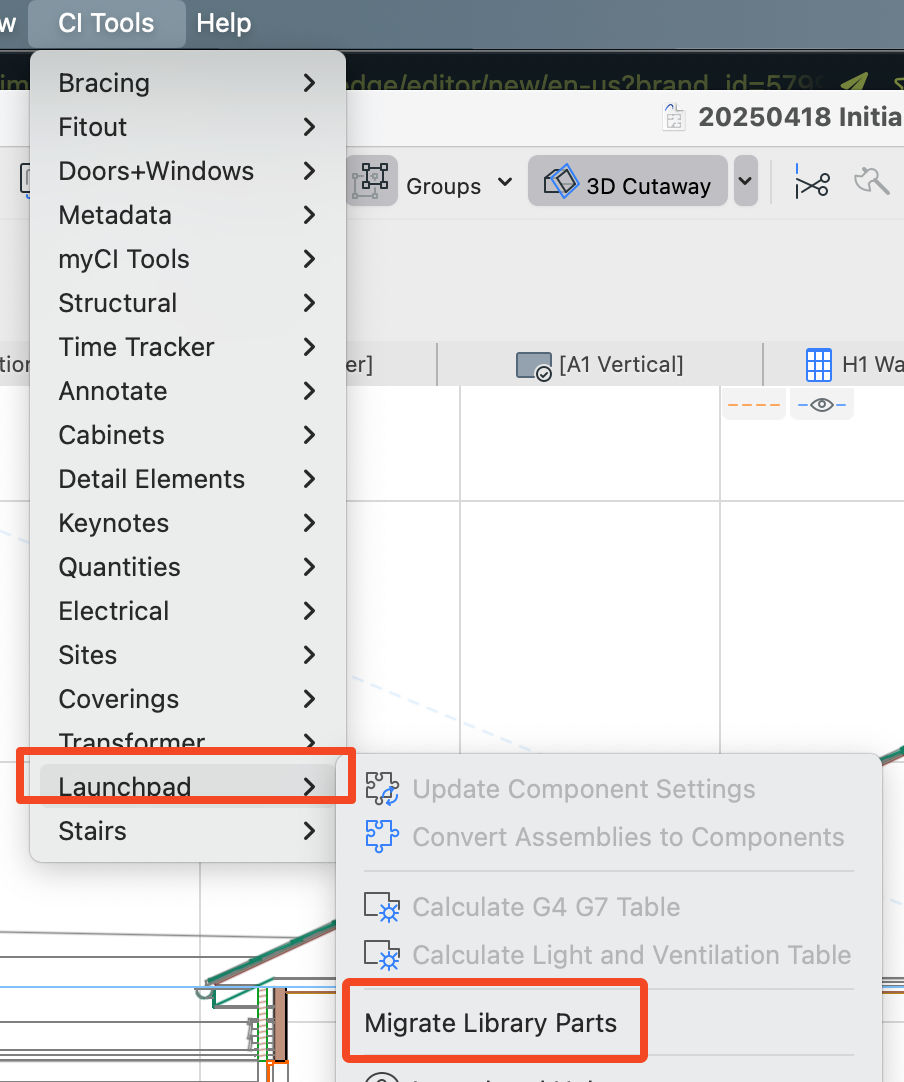
Working with Ci Tools for ArchiCAD 29 full license
Includes :
CI Tools Annotate.apx
CI Tools Bracing.apx
CI Tools Cabinets.apx
CI Tools Coverings.apx
CI Tools Detail Elements.apx
CI Tools Doors+Windows.apx
CI Tools Electrical.apx
CI Tools Fitout.apx
CI Tools Keynotes.apx
Ci Tools Launchpad.apx
CI Tools Metadata.apx
CI Tools Quantities.apx
CI Tools Sites.apx
CI Tools Stairs.apx
CI Tools Structural.apx
CI Tools Timer.apx
CI Tools Transformer.apx
CI Tools Update.apx

Description of Ci Tools for ArchiCAD 29

Ci Tools for ArchiCAD 29 is a powerful suite of professional add-ons developed to enhance workflow, accuracy, and productivity for architects, designers, and BIM technicians. Fully optimized for ArchiCAD 29, Ci Tools delivers advanced modeling features, intelligent annotations, improved documentation, and automation tools that streamline complex design tasks. It enables users to create more detailed, data-rich, and construction-ready BIM models with less time and effort.

Features of Ci Tools for ArchiCAD 29

1. Door and Window Tool
Create highly customizable door and window configurations with extensive parameters, frame options, opening types, trim settings, and schedule-ready information.

2. Coverings Tool
Apply claddings, panels, and finishes to walls, slabs, and roofs using smart covering presets. Automatically generate accurate quantities, cut details, and material lists.

3. Objective Tool
A multifunction modeling tool that allows precise editing of geometry, including Boolean operations, splitting, merging, and transforming complex objects.

4. Keynotes Tool
Maintain consistent annotations by linking Keynotes to elements. Automatically update documentation across sheets for accurate project-wide labeling.

5. Site Tool
Create detailed terrain models, contours, platforms, retaining walls, and site features. Perfect for urban planning, grading, and landscape visualization.

6. Electrical Tool
Add power points, switches, lighting fixtures, and electrical symbols using local industry standards. Generate accurate electrical schedules and layout plans.

7. ArchiCAD 29 Optimization
Ci Tools takes advantage of ArchiCAD 29’s improved performance, offering faster model generation, better compatibility, enhanced BIM data management, and smoother rendering.

8. Automated Documentation
Produce plans, sections, elevations, legends, and schedules automatically synchronized with the BIM model, reducing manual editing and errors.

9. Enhanced BIM Data Control
Add metadata, classify elements, and manage building components more efficiently. Improved IFC support ensures smoother collaboration with consultants.

10. Productivity Workflow Enhancements
Preset libraries, reusable templates, and parametric objects help accelerate project startup while ensuring consistent design standards.

If you want to download Ci Tools for ArchiCAD 29 full license, please click to DOWNLOAD button to download.
CLICKDOWN.ORG Download CAD CAM CNC software
Inside package Ci Tools for ArchiCAD 29, already have cracked files and instruction how to install Ci Tools for ArchiCAD 29 step by step. I guarantee you can install Ci Tools for ArchiCAD 29 successfully if you follow that instruction.
If you also can’t install it or get any problems, please contact to me by email: clickdown.org@gmail.com, then I will help you to install software by teamviewer or Ultraviewer or Anydesk.
Thanks a lot

SOFTWARES

Download GRAPHISOFT ArchiCAD 29.0.1.3100 x64 full activated

Download GRAPHISOFT ArchiCAD 29.0.1.3100 x64 full activated

Link download GRAPHISOFT ArchiCAD 29.0.1.3100 win64 full license

Working with GRAPHISOFT ArchiCAD 29.0.1.3100 full activated

Description of GRAPHISOFT ArchiCAD 29.0.1.3100

GRAPHISOFT Archicad 29.0.1.3100 is the latest generation of Building Information Modeling (BIM) software designed to empower architects, engineers, and construction professionals with advanced tools for design, visualization, documentation, and collaboration. This version introduces significant performance improvements, smarter modeling workflows, and deeper integration with cloud-based collaboration systems.

Archicad 29 enhances productivity through improved design automation, real-time collaboration, and AI-driven tools that streamline project workflows from concept to construction. With its robust BIM engine and open data compatibility, Archicad 29 allows teams to create highly detailed 3D models, manage complex projects, and deliver accurate documentation faster than ever.

Key Features of Archicad 29.0.1.3100

Next-Generation BIM Performance
Experience faster model loading, smoother navigation, and improved responsiveness, even in large and complex BIM projects.

AI-Powered Design Assistance
New AI-driven suggestions and parametric modeling help optimize layouts, materials, and energy performance with intelligent automation.

Enhanced Teamwork Integration
Collaborate in real time with BIMcloud and Teamwork features, ensuring seamless data exchange among architects, engineers, and consultants.

Improved 3D Modeling Tools
Advanced geometry editing, enhanced object libraries, and better handling of parametric elements make complex modeling more efficient.

High-Fidelity Visualization
Create photorealistic renderings with improved materials, lighting, and shadows powered by Redshift and CineRender rendering engines.

Sustainability and Energy Analysis
Built-in environmental tools support energy modeling, carbon impact assessment, and sustainable building design directly within the BIM workflow.

Accurate Documentation and Annotation
Automatically generate detailed 2D drawings, schedules, and documentation that update dynamically with model changes.

Interoperability and OpenBIM
Full support for IFC, BCF, DWG, DXF, and Revit file exchange ensures compatibility across major AEC platforms.

Smart Parametric Objects
Utilize customizable GDL-based objects that adapt automatically to design changes, improving model consistency and efficiency.

Real-Time Collaboration with BIMx
Use BIMx for immersive project presentations, allowing clients and stakeholders to explore 3D models and documentation from any device.

Enhanced Structural and MEP Coordination
Better integration with structural and MEP tools for clash detection, model comparison, and data synchronization.

Automation and Customization
Automate repetitive tasks with Python scripting, Grasshopper integration, and customizable workflow templates.

Updated Interface and Usability
A refined user interface with dark mode, intuitive tool organization, and faster search capabilities enhances the overall design experience.

Cloud-Based Workflow Integration
Access projects remotely through Graphisoft Cloud, enabling version tracking, design sharing, and secure collaboration.

New in Version 29.0.1.3100
Improved Redshift rendering, faster Teamwork synchronization, better Revit interoperability, and expanded material libraries for realistic visualization.

GRAPHISOFT Archicad 29.0.1.3100 continues to set the standard in BIM innovation by combining powerful design tools, intelligent automation, and collaborative capabilities. It is an ideal solution for architects and design professionals seeking precision, efficiency, and performance in their BIM workflows.

If you want to download GRAPHISOFT ArchiCAD 29.0.1.3100 full license, please click to DOWNLOAD button to download.
CLICKDOWN.ORG Download CAD CAM CNC software
Inside package GRAPHISOFT ArchiCAD 29.0.1.3100, already have cracked files and instruction how to install GRAPHISOFT ArchiCAD 29.0.1.3100 step by step. I guarantee you can install GRAPHISOFT ArchiCAD 29.0.1.3100 successfully if you follow that instruction.
If you also can’t install it or get any problems, please contact to me by email: clickdown.org@gmail.com, then I will help you to install software by teamviewer or Ultraviewer or Anydesk.
Thanks a lot

error: Content is protected !!
Scroll to Top