August 2026

AUTODESK

Download Autodesk AutoCAD Civil 3D 2027.1 x64 full license

Download Autodesk AutoCAD Civil 3D 2027.1 x64 full license

Link download Autodesk AutoCAD Civil 3D 2027.1 win64 full activated
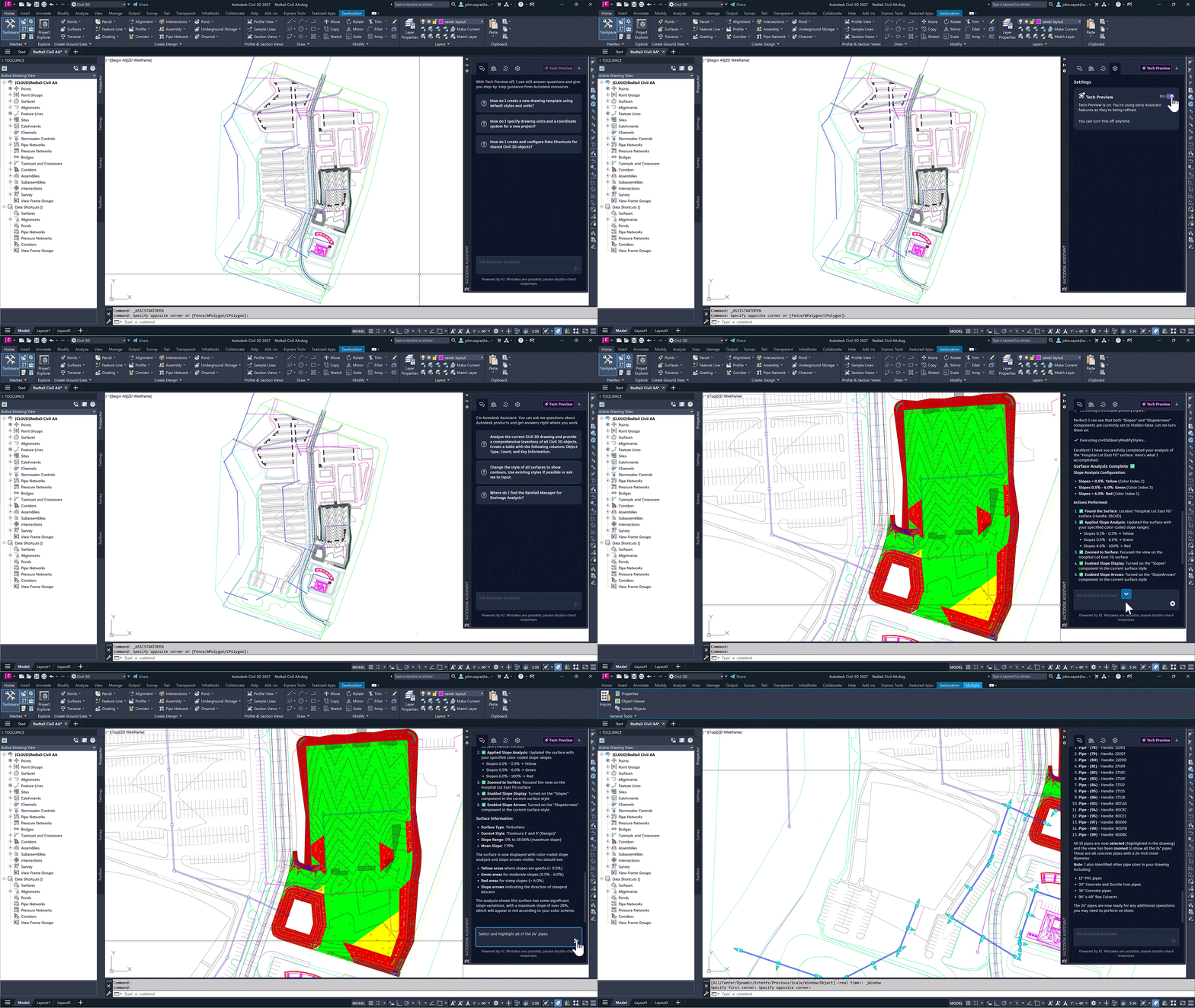
Working with Autodesk AutoCAD Civil 3D 2027.1 full license

Description of Autodesk AutoCAD Civil 3D 2027.1

Autodesk AutoCAD Civil 3D 2027.1 is a professional civil engineering design and infrastructure documentation software developed for civil engineers, surveyors, transportation planners, and land development professionals. Built on the AutoCAD platform, Civil 3D provides an intelligent, model-based environment for designing roads, highways, railways, land developments, drainage systems, grading, and utility networks.

Version 2027.1 introduces improved performance, enhanced corridor modeling, optimized surface management, better BIM collaboration, and increased stability for large infrastructure projects. The software streamlines every phase of the civil engineering workflow, from survey data processing and terrain modeling to construction documentation and project delivery.

With dynamic design capabilities, integrated analysis tools, and support for BIM workflows, AutoCAD Civil 3D helps engineering teams improve productivity, minimize design errors, and accelerate project completion.

Features of Autodesk AutoCAD Civil 3D 2027.1

Intelligent model-based civil engineering design tools.
Create and manage terrain surfaces and digital elevation models (DEM).
Advanced road, highway, railway, and corridor design.
Site grading, parcel layout, and land development tools.
Stormwater, drainage, and utility network design.
Survey data processing and point cloud integration.
Dynamic profiles, alignments, and cross-section generation.
Quantity takeoff and earthwork volume calculations.
BIM collaboration and Autodesk Construction Cloud compatibility.
Automated documentation and construction drawing production.
Support for pressure pipe and gravity pipe network design.
Data shortcuts and project collaboration features.
Enhanced performance and stability in version 2027.1.
Seamless integration with AutoCAD and Autodesk workflows.
Compatible with Windows 10 and Windows 11 (64-bit).

Why Choose Autodesk AutoCAD Civil 3D 2027.1?
Autodesk AutoCAD Civil 3D is one of the industry’s leading civil infrastructure design solutions, combining intelligent modeling, survey processing, corridor design, grading, and documentation in a single platform. It enables engineering professionals to deliver accurate, efficient, and BIM-ready infrastructure projects from concept through construction.

If you want to download Autodesk AutoCAD Civil 3D 2027.1 full license, please click to DOWNLOAD button to download.
CLICKDOWN.ORG Download CAD CAM CNC software
Inside package Autodesk AutoCAD Civil 3D 2027.1, already have cracked files and instruction how to install Autodesk AutoCAD Civil 3D 2027.1 step by step. I guarantee you can install Autodesk AutoCAD Civil 3D 2027.1 successfully if you follow that instruction.
If you also can’t install it or get any problems, please contact to me by email: clickdown.org@gmail.com, then I will help you to install software by teamviewer or Ultraviewer or Anydesk.
Thanks a lot
SOFTWARES

Download Chaos Enscape 4.19.0.2748 x64 full license

Download Chaos Enscape 4.19.0.2748 x64 full license

Link download Chaos Enscape 4.19.0.2748 win64 full activated

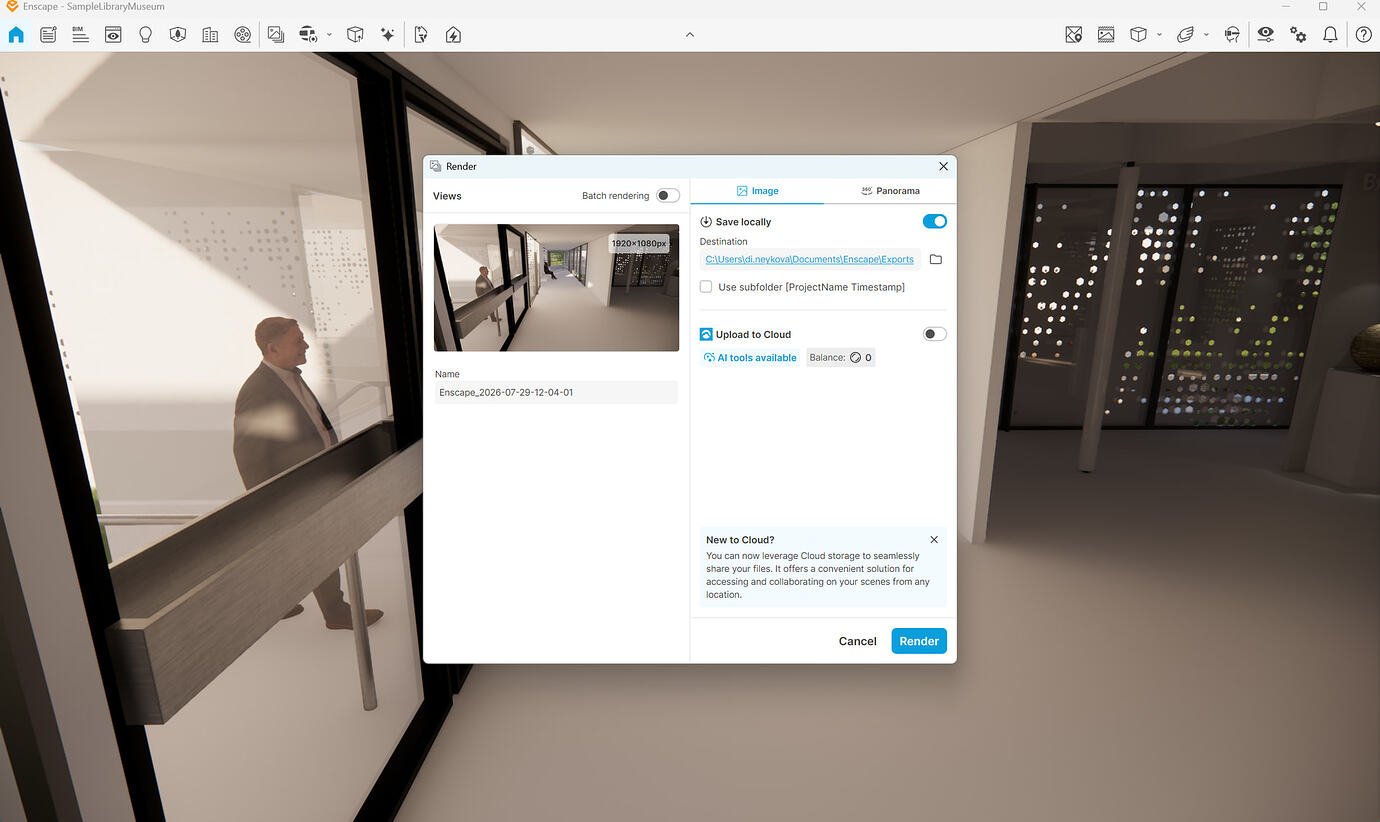
Working with Chaos Enscape 4.19.0.2748 full activated

Description of Chaos Enscape 4.19.0.2748

Chaos Enscape 4.19.0.2748 is a real-time rendering and virtual reality visualization software designed for architects, interior designers, engineers, and BIM professionals. Seamlessly integrating with popular CAD and BIM applications such as Revit, SketchUp, Rhino, Archicad, and Vectorworks, Enscape enables users to create stunning photorealistic renderings, walkthroughs, animations, and immersive VR experiences directly from their design models.

Version 4.19.0.2748 delivers improved rendering quality, enhanced ray tracing performance, optimized GPU utilization, updated asset libraries, and increased workflow stability. Its intuitive real-time rendering engine allows users to visualize design changes instantly, accelerating decision-making and improving communication with clients and project stakeholders.

Whether you’re presenting architectural concepts, designing interiors, or developing commercial and residential projects, Chaos Enscape provides a fast, efficient, and professional visualization workflow.

Features of Chaos Enscape 4.19.0.2748

Real-time rendering with instant design visualization.
Create photorealistic architectural renderings and animations.
Live synchronization with BIM and CAD software.
Virtual Reality (VR) support for immersive project presentations.
High-quality ray tracing and realistic lighting effects.
Extensive library of vegetation, furniture, people, and materials.
One-click rendering without complex setup.
Interactive walkthroughs and fly-through animations.
Panorama and 360° image generation.
Physically based materials and realistic reflections.
Cloud sharing for client collaboration and presentations.
Optimized GPU acceleration for faster rendering performance.
Improved stability and rendering quality in version 4.19.0.2748.
Compatible with Revit, SketchUp, Rhino, Archicad, and Vectorworks.
Supports Windows 10 and Windows 11 (64-bit).

Why Choose Chaos Enscape 4.19.0.2748?
Chaos Enscape is trusted by architects and designers for its fast real-time rendering, intuitive workflow, and seamless BIM integration. It enables users to transform design models into immersive visual experiences, helping improve client presentations, design reviews, and project collaboration while significantly reducing rendering time.

If you want to download Chaos Enscape 4.19.0.2748 full license, please click to DOWNLOAD button to download.
CLICKDOWN.ORG Download CAD CAM CNC software
Inside package Chaos Enscape 4.19.0.2748, already have cracked files and instruction how to install Chaos Enscape 4.19.0.2748 step by step. I guarantee you can install Chaos Enscape 4.19.0.2748 successfully if you follow that instruction.
If you also can’t install it or get any problems, please contact to me by email: clickdown.org@gmail.com, then I will help you to install software by teamviewer or Ultraviewer or Anydesk.
Thanks a lot
SOFTWARES

Download Nitro PDF Pro 26.1.6 full license forever

Download Nitro PDF Pro 26.1.6 full license forever

Link download Nitro PDF Pro 26.1.6 full activated

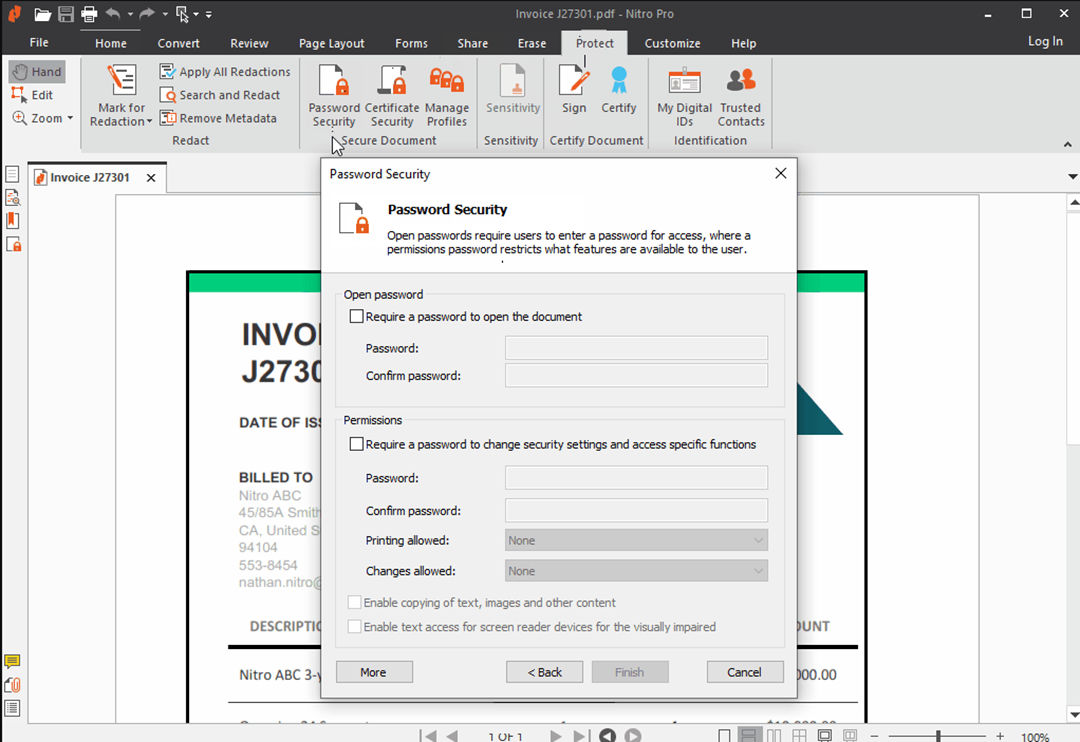
Working with Nitro PDF Pro 26.1.6 full license

Description of Nitro PDF Pro 26.1.6

Nitro PDF Pro 26.1.6 is a professional PDF editing and document management solution designed for businesses, students, and professionals. It provides a comprehensive set of tools to create, edit, convert, merge, annotate, sign, secure, and share PDF documents with ease. Its intuitive interface and powerful features make it an excellent alternative for managing digital documents in both personal and enterprise environments.

Version 26.1.6 introduces improved performance, enhanced PDF rendering, optimized OCR accuracy, expanded file format support, and greater stability. Users can easily convert PDFs to Microsoft Word, Excel, PowerPoint, and image formats while preserving the original layout and formatting.

With advanced collaboration tools, electronic signatures, and document security features, Nitro PDF Pro streamlines document workflows and improves productivity across a wide range of industries.

Features of Nitro PDF Pro 26.1.6

Create, edit, and organize PDF documents.
Convert PDFs to Word, Excel, PowerPoint, HTML, and images.
Convert Microsoft Office documents into high-quality PDFs.
Optical Character Recognition (OCR) for scanned documents.
Merge, split, compress, and rearrange PDF pages.
Add comments, highlights, stamps, and annotations.
Fill, create, and manage interactive PDF forms.
Apply password protection, encryption, and document permissions.
Digital signatures and electronic signing support.
Batch processing for multiple PDF files.
Fast document search and advanced navigation tools.
Cloud storage integration and document sharing.
Improved performance, stability, and bug fixes in version 26.1.6.
User-friendly interface with Microsoft Office-style ribbon.
Compatible with Windows 10 and Windows 11 (64-bit).

Why Choose Nitro PDF Pro 26.1.6?
Nitro PDF Pro is a reliable PDF productivity solution that combines powerful editing, conversion, OCR, and security features in an intuitive interface. Whether you’re creating business documents, editing contracts, converting files, or collaborating with colleagues, Nitro PDF Pro 26.1.6 delivers the speed, flexibility, and professional tools needed for efficient document management.

If you want to download Nitro PDF Pro 26.1.6 full license, please click to DOWNLOAD button to download.
CLICKDOWN.ORG Download CAD CAM CNC software
Inside package Nitro PDF Pro 26.1.6, already have cracked files and instruction how to install Nitro PDF Pro 26.1.6 step by step. I guarantee you can install Nitro PDF Pro 26.1.6 successfully if you follow that instruction.
If you also can’t install it or get any problems, please contact to me by email: clickdown.org@gmail.com, then I will help you to install software by teamviewer or Ultraviewer or Anydesk.
Thanks a lot
PTC SOFTWARES

Download PTC Creo 10.0.11.0 + HelpCenter Win64 full license

Download PTC Creo 10.0.11.0 x64 full license

Link download PTC Creo 10.0.11.0 win64 full activated

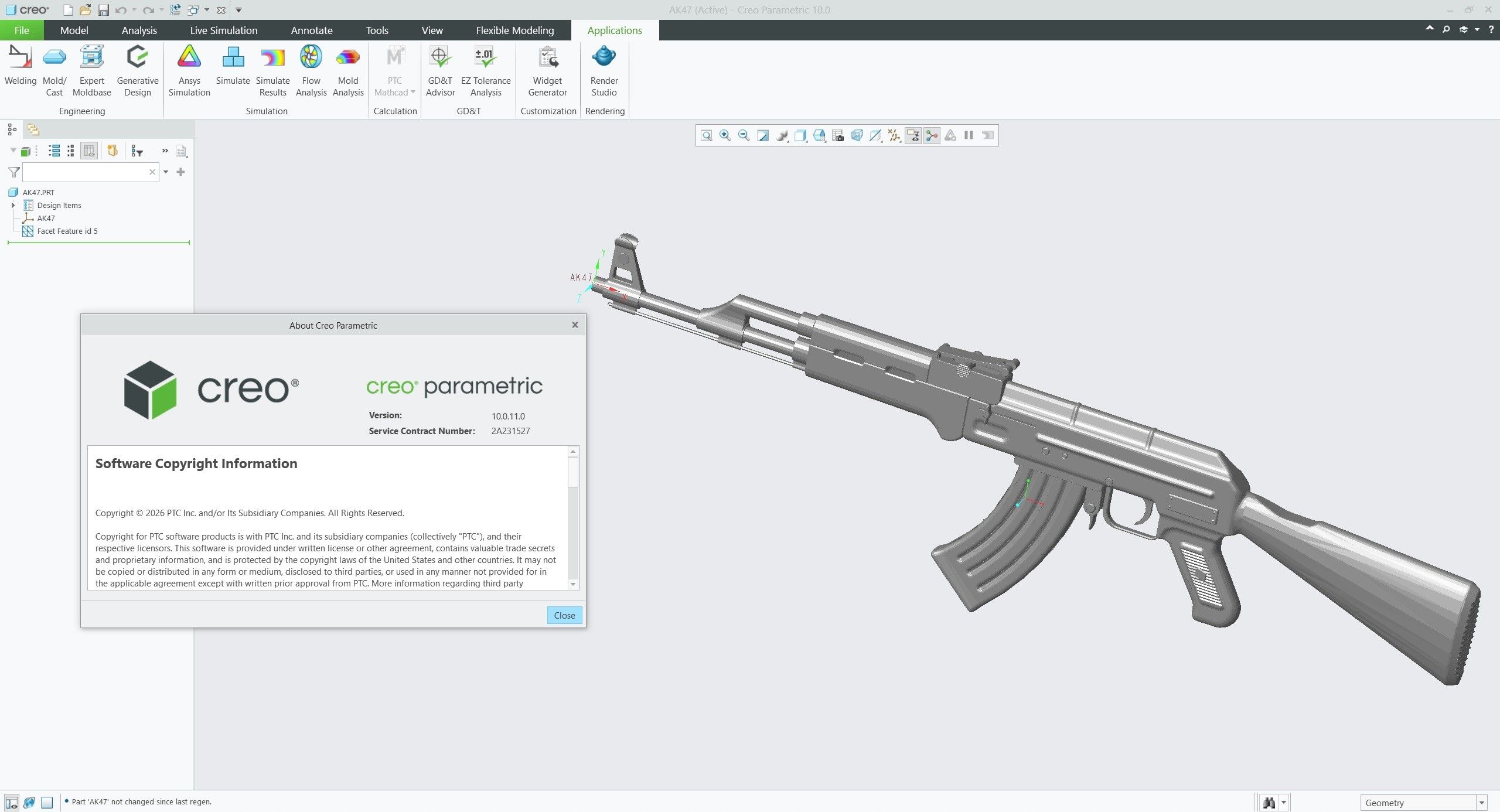
Working with PTC Creo 10.0.11.0 full license

Description of PTC Creo 10.0.11.0

PTC Creo 10.0.11.0 is a leading 3D CAD software solution for product design, mechanical engineering, and manufacturing. Developed by PTC, Creo provides a comprehensive suite of tools for parametric modeling, direct modeling, assembly design, simulation, sheet metal, additive manufacturing, and CAM. It is widely used by engineers and product designers to develop innovative products with greater speed and precision.

Version 10.0.11.0 delivers enhanced modeling performance, improved usability, expanded simulation capabilities, and better interoperability with industry-standard CAD formats. The software also includes advanced generative design, model-based definition (MBD), real-time rendering, and integrated manufacturing tools to streamline the entire product development process.

Whether you’re designing consumer products, industrial machinery, automotive components, aerospace systems, or precision mechanical parts, PTC Creo 10.0.11.0 offers the powerful tools needed for efficient engineering and production workflows.

Features of PTC Creo 10.0.11.0

Professional 3D parametric and direct modeling tools.
Advanced assembly design for complex mechanical products.
Integrated sheet metal design and weldment features.
Simulation and finite element analysis (FEA).
Generative design for optimized engineering solutions.
Model-Based Definition (MBD) and GD&T support.
Built-in CAM tools for CNC manufacturing workflows.
Additive manufacturing and 3D printing preparation.
Real-time rendering and realistic product visualization.
Reverse engineering and topology optimization tools.
Import and export support for major CAD file formats.
Improved collaboration with Windchill integration.
Enhanced performance and stability in version 10.0.11.0.
Automation through relations, parameters, and scripting.
Compatible with Windows 10 and Windows 11 (64-bit).

Why Choose PTC Creo 10.0.11.0?
PTC Creo is one of the industry’s most trusted CAD platforms for product development, offering advanced design, simulation, manufacturing, and collaboration capabilities in a single integrated environment. Its powerful modeling tools, engineering analysis, and production-ready workflows make it an excellent choice for professionals working in mechanical engineering and industrial design.

If you want to download PTC Creo 10.0.11.0 full license, please click to DOWNLOAD button to download.
CLICKDOWN.ORG Download CAD CAM CNC software
Inside package PTC Creo 10.0.11.0, already have cracked files and instruction how to install PTC Creo 10.0.11.0 step by step. I guarantee you can install PTC Creo 10.0.11.0 successfully if you follow that instruction.
If you also can’t install it or get any problems, please contact to me by email: clickdown.org@gmail.com, then I will help you to install software by teamviewer or Ultraviewer or Anydesk.
Thanks a lot
SOFTWARES

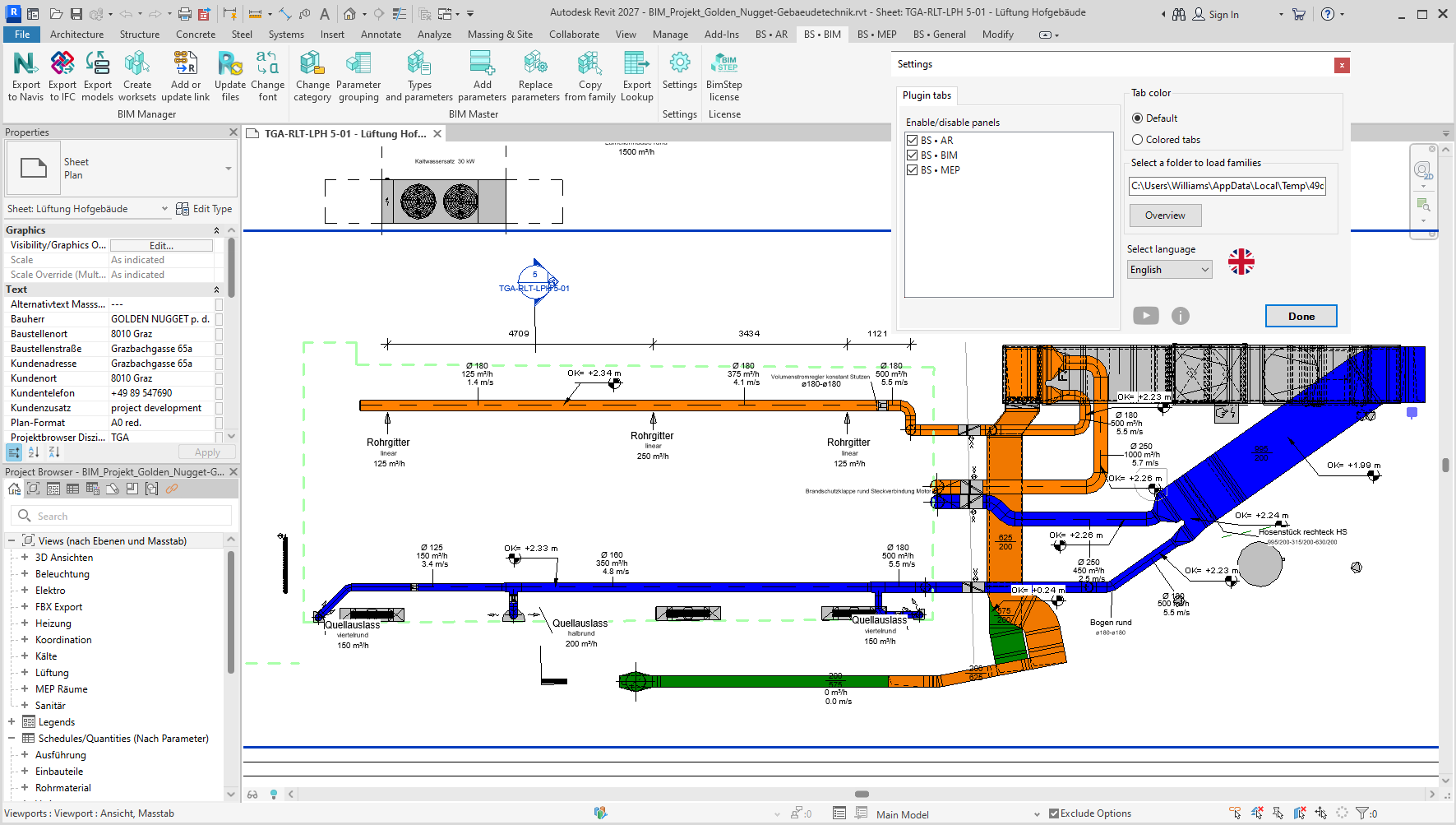
Download BimStep Architecture BIM General MEP 2027 x64 full

BimStep Architecture, BIM, General, MEP for Autodesk Revit 2027

Download BimStep Architecture BIM General MEP 2027 full license

Link download BimStep Architecture BIM General MEP 2027 full activated

Working with BimStep Architecture BIM General MEP 2027 full

Description of BimStep Architecture BIM General MEP 2027

BimStep Architecture BIM General MEP 2027 is a professional Building Information Modeling (BIM) solution designed for architects, engineers, designers, and construction professionals. It provides powerful tools for architectural design, structural coordination, and mechanical, electrical, and plumbing (MEP) system planning within an integrated BIM environment.

The software helps users create accurate 3D building models, manage complex MEP installations, coordinate multidisciplinary projects, and improve collaboration throughout the entire building lifecycle. With intelligent BIM workflows, BimStep enables efficient design development, clash detection, documentation generation, and project visualization.

Version 2027 introduces enhanced modeling capabilities, improved MEP components, optimized project coordination tools, and better performance for large-scale building projects. It is suitable for residential, commercial, industrial, and infrastructure design workflows.

Features of BimStep Architecture BIM General MEP 2027

BimStep Architecture – tools for automating the work of professional architects, speeding up the creation of finishes, calculations and drawings.
Simulation of interior decoration with the generation of statements and specifications.
Automatic arrangement of jumpers over window and doorways.
Calculation of insolation and apartmentography.
Separation of multi-layer walls into separate layers or elements, checking mirror elements.

BimStep BIM is a specialized toolkit for BIM masters and content developers, standardizing the project environment.
Massive font change throughout the project.
Convenient addition and replacement of common parameters in families.
Setting up templates and managing internal model standards.

BimStep General is a universal set of commands for the daily work of any specialist in Revit, delivering from manual labor when designing.
Quick copying of species, sheets with specifications and sizes.
Search, text replacement, package renaming of species and work with suffixes/premps.
Counting the sum of numerical parameters and the total length of the selected lines, pipes or ducts.
Recording rooms in the parameters of the elements (including communications) and the cleaning manager for unnecessary DWG-fible files.

BimStep MEP is a set of functions for internal systems design engineers, which simplifies the work with tracks and insulation.
Creating spaces based on premises from a related architectural file with their height.
Control of insulation of ducts and pipes (quick removal in one click, convenient manager).
Recording the parameters of the systems into the insulation and filtering of elements by the name of the system.
Preparation of floor plans and 3D species for specific engineering systems with autofiltration.

If you want to download BimStep Architecture BIM General MEP 2027 full license, please click to DOWNLOAD button to download.
CLICKDOWN.ORG Download CAD CAM CNC software
Inside package BimStep Architecture BIM General MEP 2027, already have cracked files and instruction how to install BimStep Architecture BIM General MEP 2027 step by step. I guarantee you can install BimStep Architecture BIM General MEP 2027 successfully if you follow that instruction.
If you also can’t install it or get any problems, please contact to me by email: clickdown.org@gmail.com, then I will help you to install software by teamviewer or Ultraviewer or Anydesk.
Thanks a lot
SOFTWARES

Download Adobe Media Encoder 2026 v26.3.2 x64 full license

Download Adobe Media Encoder 2026 v26.3.2 x64 full license

Link download Adobe Media Encoder 2026 v26.3.2 full activated

Working with Adobe Media Encoder 2026 v26.3.2 full license

Description of Adobe Media Encoder 2026 v26.3.2

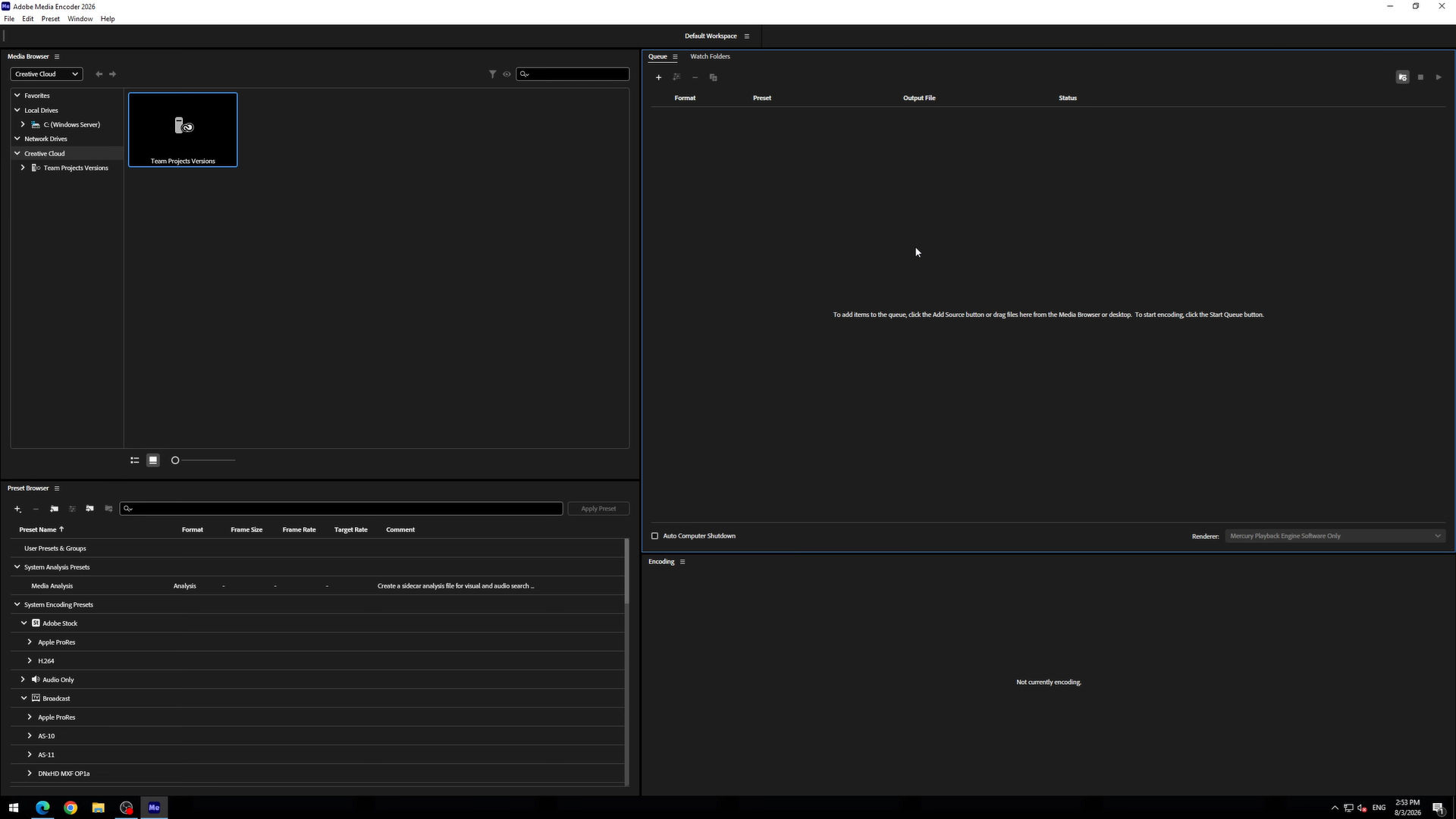
Adobe Media Encoder 2026 v26.3.2 is Adobe’s professional media encoding and video transcoding software designed for video editors, filmmakers, broadcasters, and content creators. It enables users to efficiently encode, convert, compress, and export video and audio files into a wide range of formats for web, broadcast, social media, and mobile platforms.

Version 26.3.2 introduces improved encoding performance, enhanced GPU acceleration, optimized rendering workflows, and greater stability. Integrated seamlessly with Adobe Premiere Pro, After Effects, Audition, and other Creative Cloud applications, Media Encoder allows users to queue multiple projects, process files in the background, and export content without interrupting editing workflows.

Whether you’re producing 4K or 8K videos, streaming content, or delivering media for professional broadcast, Adobe Media Encoder 2026 provides fast, reliable, and high-quality encoding for virtually any production environment.

Features of Adobe Media Encoder 2026 v26.3.2

Professional video and audio encoding solution.
Fast transcoding for 4K, 8K, HDR, and HD media.
Support for a wide range of video and audio formats.
GPU-accelerated encoding and rendering performance.
Background rendering while continuing creative work.
Batch processing and encoding queue management.
Create custom export presets for different platforms.
Seamless integration with Premiere Pro, After Effects, and Audition.
Optimized exports for YouTube, Vimeo, Facebook, and other platforms.
Automatic watch folders for streamlined media processing.
High-quality H.264, H.265 (HEVC), ProRes, DNxHD, and AV1 export support.
Adaptive bitrate encoding for efficient streaming delivery.
Improved performance, reliability, and bug fixes in version 26.3.2.
Hardware-accelerated encoding for faster exports.
Compatible with Windows 10 and Windows 11 (64-bit).

Why Choose Adobe Media Encoder 2026 v26.3.2?
Adobe Media Encoder is an essential tool for professionals who need fast, reliable media encoding and export capabilities. Its powerful batch processing, extensive format support, hardware acceleration, and seamless integration with Adobe Creative Cloud applications make it the ideal solution for efficient video production and content delivery.

If you want to download Adobe Media Encoder 2026 v26.3.2 full license, please click to DOWNLOAD button to download.
CLICKDOWN.ORG Download CAD CAM CNC software
Inside package Adobe Media Encoder 2026 v26.3.2, already have cracked files and instruction how to install Adobe Media Encoder 2026 v26.3.2 step by step. I guarantee you can install Adobe Media Encoder 2026 v26.3.2 successfully if you follow that instruction.
If you also can’t install it or get any problems, please contact to me by email: clickdown.org@gmail.com, then I will help you to install software by teamviewer or Ultraviewer or Anydesk.
Thanks a lot
SOFTWARES

Download Topaz Gigapixel Pro 1.3.3 x64 full license forever

Download Topaz Gigapixel Pro 1.3.3 x64 full license forever

Link download Topaz Gigapixel Pro 1.3.3 win64 full activated

Working with Topaz Gigapixel 1.3.3 Pro full license

Description of Topaz Gigapixel Pro 1.3.3

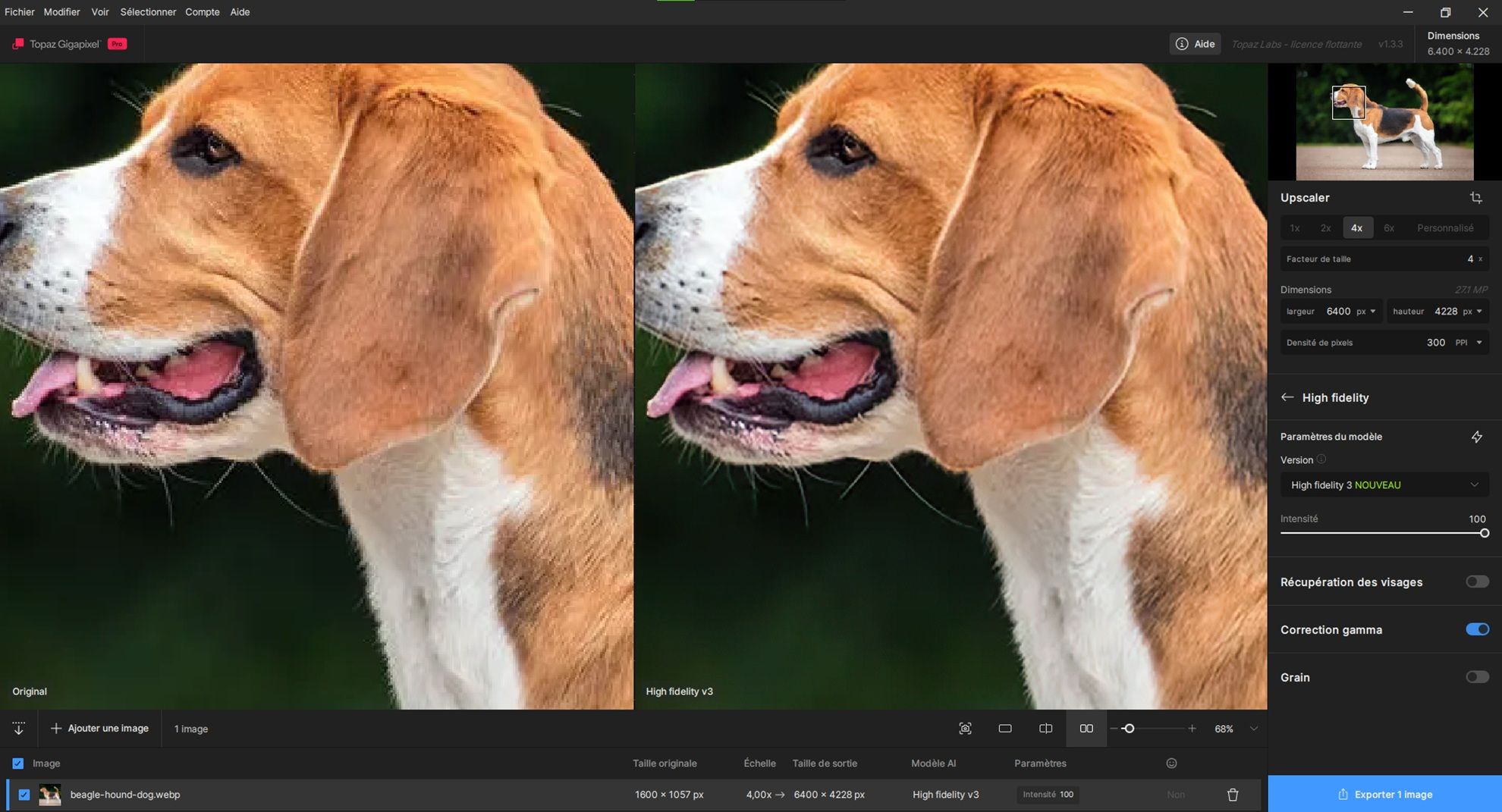
Topaz Gigapixel Pro 1.3.3 is an advanced AI-powered image upscaling and enhancement software designed for photographers, graphic designers, digital artists, and creative professionals. Using cutting-edge artificial intelligence, it enlarges images while preserving fine details, improving sharpness, and reducing noise, making it ideal for high-resolution printing, digital publishing, and professional photo restoration.

Version 1.3.3 delivers improved AI models, faster image processing, enhanced GPU acceleration, better face recovery, and optimized workflow performance. Whether you’re enlarging low-resolution photos, restoring old images, or preparing graphics for large-format printing, Gigapixel Pro produces natural-looking results with exceptional detail.

The software supports standalone operation as well as integration with popular photo editing applications, providing a seamless workflow for professional image enhancement.

Features of Topaz Gigapixel Pro 1.3.3

AI-powered image upscaling with exceptional detail preservation.
Enlarge images up to 16× while maintaining high quality.
Intelligent sharpening and detail enhancement.
Advanced noise reduction during image enlargement.
Face recovery technology for clearer portraits.
Batch processing for multiple images simultaneously.
GPU acceleration for faster AI image processing.
Support for JPEG, PNG, TIFF, RAW, and other image formats.
Standalone application and plugin workflow support.
High-quality output for print, web, and commercial projects.
Automatic optimization using advanced AI models.
Simple and intuitive user interface.
Improved processing speed and stability in version 1.3.3.
Compatible with modern Windows operating systems.
Ideal for photography, restoration, graphic design, and digital art.

Why Choose Topaz Gigapixel Pro 1.3.3?
Topaz Gigapixel Pro is a trusted solution for AI-based image enlargement, helping users transform low-resolution photos into sharp, high-quality images suitable for professional printing and digital media. Its intelligent enhancement technology, fast processing, and easy-to-use interface make it an excellent choice for photographers, designers, and creative professionals.

If you want to download Topaz Gigapixel Pro 1.3.3 full license, please click to DOWNLOAD button to download.
CLICKDOWN.ORG Download CAD CAM CNC software
Inside package Topaz Gigapixel Pro 1.3.3, already have cracked files and instruction how to install Topaz Gigapixel Pro 1.3.3 step by step. I guarantee you can install Topaz Gigapixel Pro 1.3.3 successfully if you follow that instruction.
If you also can’t install it or get any problems, please contact to me by email: clickdown.org@gmail.com, then I will help you to install software by teamviewer or Ultraviewer or Anydesk.
Thanks a lot
SOFTWARES

Download Adobe Lightroom 9.5 multilingual x64 full license

Download Adobe Lightroom 9.5 multilingual x64 full license

Link download Adobe Lightroom 9.5 win64 full activated

Working with Adobe Lightroom 9.5 multilingual

Description of Adobe Lightroom 9.5

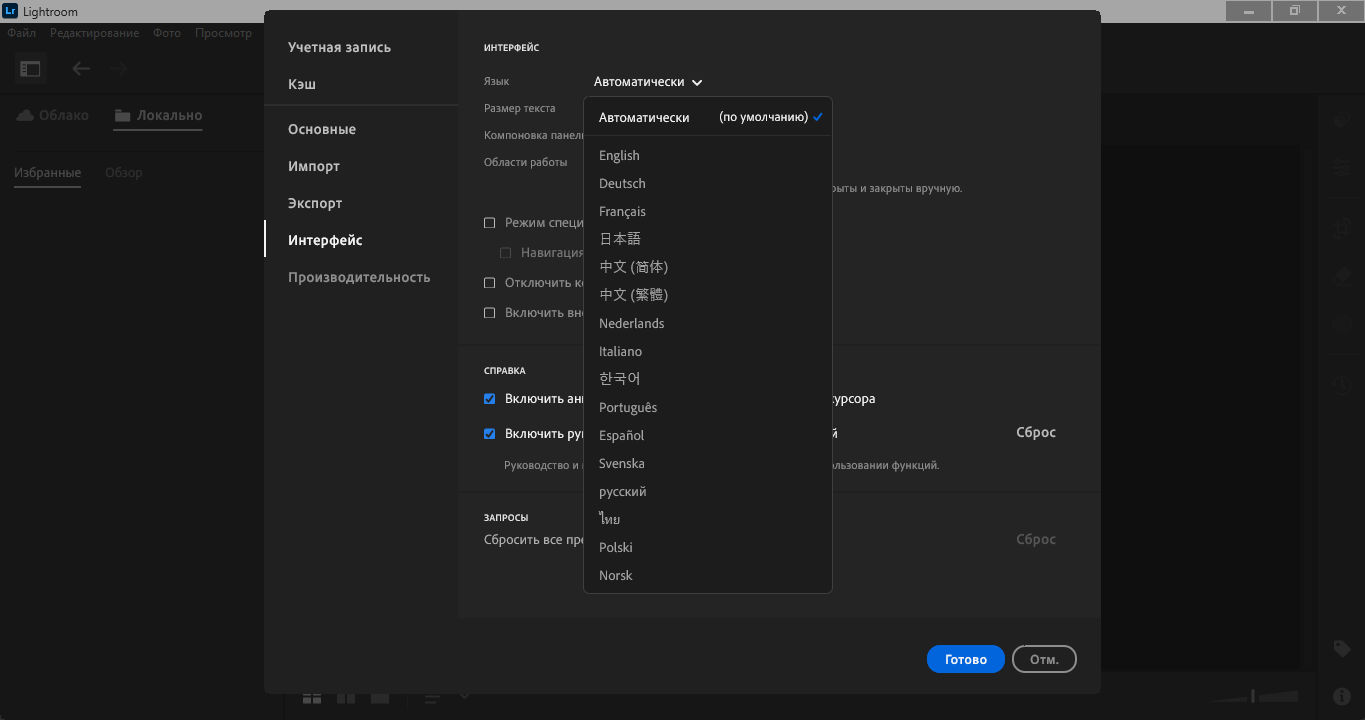
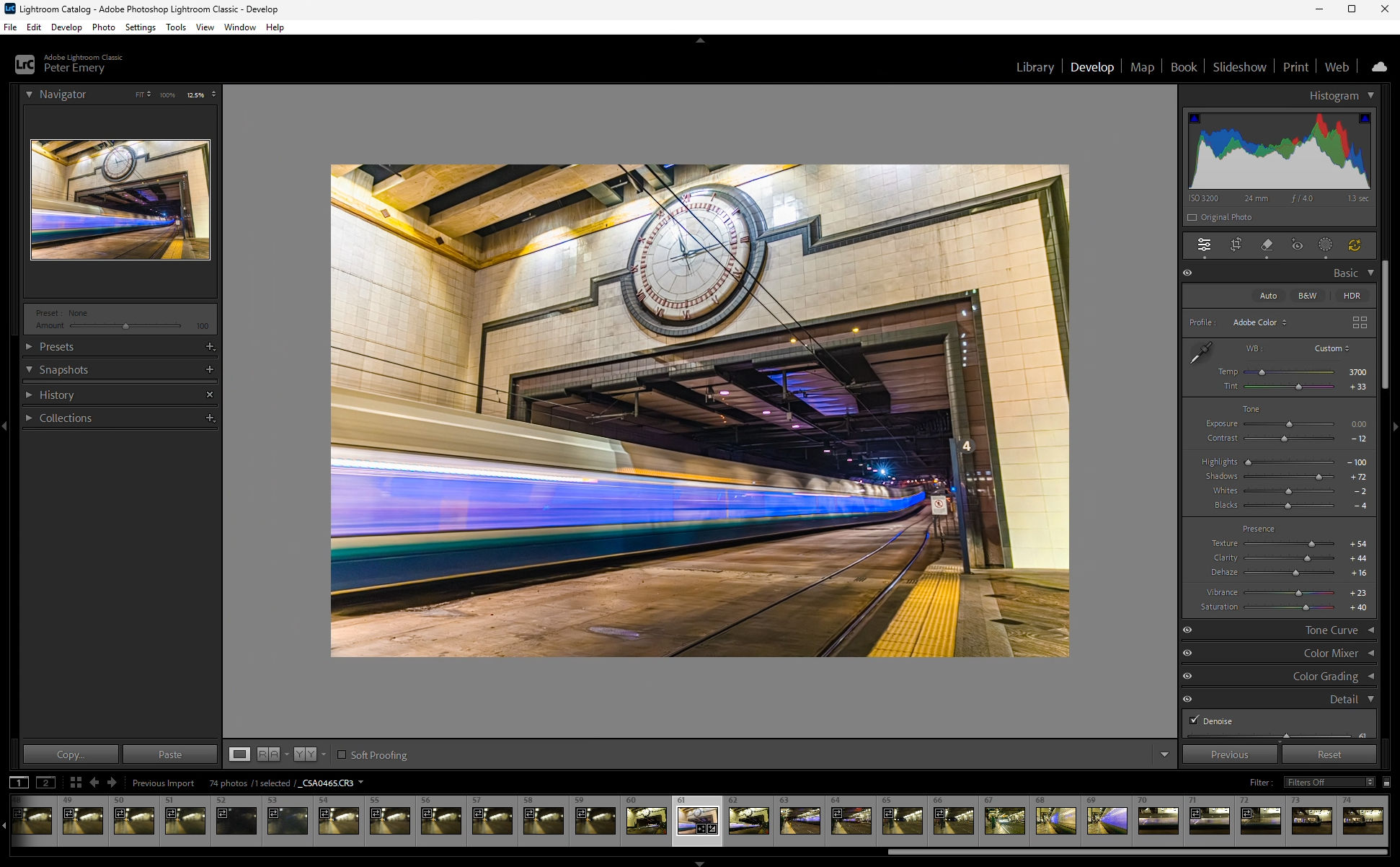
Adobe Lightroom 9.5 is a modern cloud-based photo editing and management application designed for photographers, creators, and photography enthusiasts. It provides an intuitive workflow for importing, organizing, editing, and sharing photos across desktop, mobile, and web devices. With powerful AI-driven editing tools and seamless cloud synchronization, Lightroom enables users to access and edit their photo library from virtually anywhere.

Version 9.5 introduces enhanced AI-powered masking, improved object removal, faster RAW image processing, optimized GPU acceleration, and expanded camera and lens support. Its non-destructive editing workflow ensures every adjustment remains fully reversible while maintaining the highest image quality.

Whether you’re editing portraits, landscapes, travel photography, or social media content, Adobe Lightroom 9.5 offers professional-grade tools in a streamlined and easy-to-use interface.

Features of Adobe Lightroom 9.5

Cloud-based photo editing and management.
Professional RAW image editing with non-destructive workflow.
AI-powered masking and intelligent subject selection.
Advanced color grading and lighting adjustments.
Automatic photo organization and cloud synchronization.
Object removal and content-aware healing tools.
Presets for quick editing and consistent results.
HDR editing and advanced tone mapping.
Batch editing for multiple photos simultaneously.
Lens correction and perspective adjustment tools.
GPU acceleration for faster image processing.
Export optimized images for print, web, and social media.
Cross-platform support for Windows, macOS, Android, iOS, and web.
Improved stability, performance, and bug fixes in version 9.5.
Seamless integration with Adobe Creative Cloud applications.

Why Choose Adobe Lightroom 9.5?
Adobe Lightroom 9.5 is an excellent choice for photographers seeking a fast, cloud-connected editing solution with professional-quality tools. Its AI-powered enhancements, seamless synchronization, and intuitive interface make it ideal for managing and editing photos across multiple devices while maintaining a consistent creative workflow.

If you want to download Adobe Lightroom 9.5 full license, please click to DOWNLOAD button to download.
CLICKDOWN.ORG Download CAD CAM CNC software
Inside package Adobe Lightroom 9.5, already have cracked files and instruction how to install Adobe Lightroom 9.5 step by step. I guarantee you can install Adobe Lightroom 9.5 successfully if you follow that instruction.
If you also can’t install it or get any problems, please contact to me by email: clickdown.org@gmail.com, then I will help you to install software by teamviewer or Ultraviewer or Anydesk.
Thanks a lot
SOFTWARES

Download Adobe Lightroom Classic 2026 v15.5.0 full license

Download Adobe Lightroom Classic 2026 v15.5.0 full license

Link download Adobe Lightroom Classic 2026 v15.5.0 full activated

Description of Adobe Lightroom Classic 2026 v15.5.0

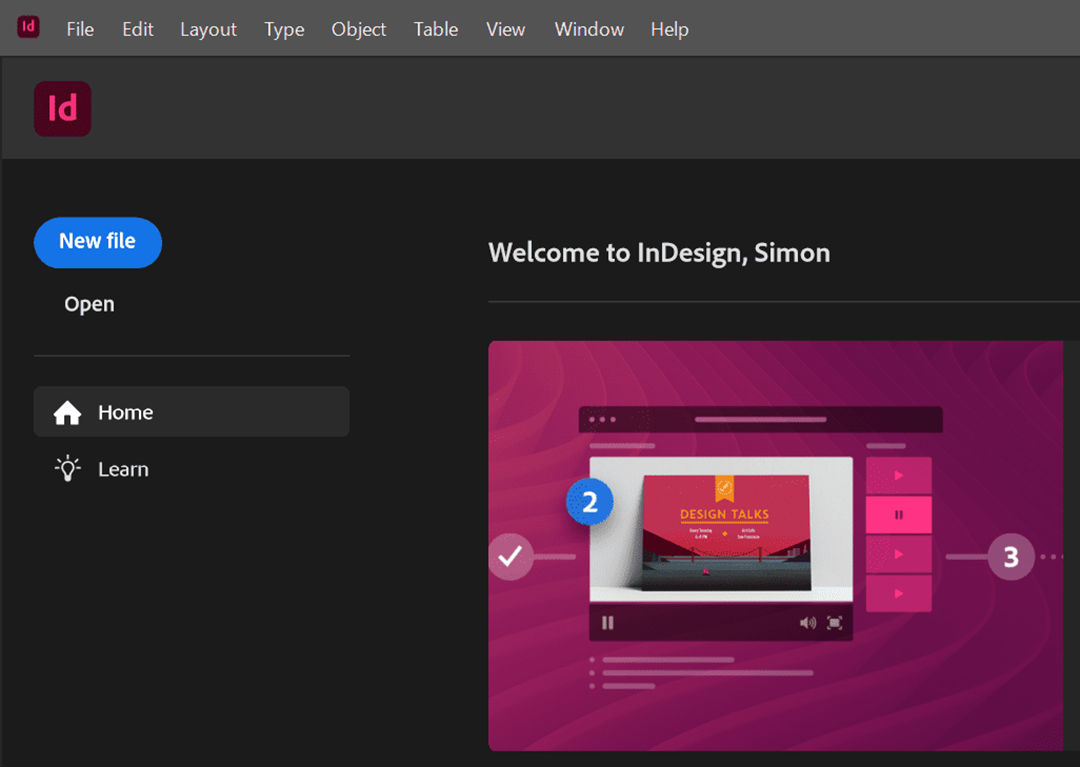
Adobe Lightroom Classic 2026 v15.5.0 is Adobe’s professional photo management and RAW image editing software, designed for photographers, content creators, and digital imaging professionals. It offers a complete workflow for importing, organizing, editing, enhancing, and exporting large photo collections while preserving image quality through non-destructive editing.

Version 15.5.0 introduces improved AI-powered masking, enhanced RAW processing performance, faster GPU acceleration, refined noise reduction, and better catalog management. With powerful color grading, lens correction, HDR merging, panorama stitching, and seamless Adobe Creative Cloud integration, Lightroom Classic enables photographers to produce stunning images with maximum efficiency.

Whether you’re editing wedding photos, landscapes, portraits, wildlife photography, or commercial projects, Adobe Lightroom Classic 2026 provides professional tools to streamline every stage of your photography workflow.

Features of Adobe Lightroom Classic 2026 v15.5.0

Professional RAW photo editing and image enhancement.
Non-destructive editing with complete workflow flexibility.
AI-powered masking and intelligent subject selection.
Advanced color grading and tone curve adjustments.
Professional noise reduction and image sharpening.
HDR merge and panorama stitching capabilities.
Lens correction and perspective adjustment tools.
Powerful catalog management for large photo libraries.
Batch editing and preset synchronization.
GPU acceleration for faster editing performance.
Export optimized images for web, print, and social media.
Seamless integration with Adobe Photoshop and Creative Cloud.
Enhanced stability and performance improvements in version 15.5.0.
Support for the latest cameras and RAW file formats.
Compatible with Windows 10 and Windows 11 (64-bit).

Why Choose Adobe Lightroom Classic 2026 v15.5.0?
Adobe Lightroom Classic is the preferred photo editing solution for professional photographers thanks to its powerful RAW processing engine, advanced organizational tools, and AI-assisted editing features. From importing thousands of photos to delivering polished final images, Lightroom Classic 2026 v15.5.0 provides a fast, efficient, and reliable photography workflow.

If you want to download Adobe Lightroom Classic 2026 v15.5.0 full license, please click to DOWNLOAD button to download.
CLICKDOWN.ORG Download CAD CAM CNC software
Inside package Adobe Lightroom Classic 2026 v15.5.0, already have cracked files and instruction how to install Adobe Lightroom Classic 2026 v15.5.0 step by step. I guarantee you can install Adobe Lightroom Classic 2026 v15.5.0 successfully if you follow that instruction.
If you also can’t install it or get any problems, please contact to me by email: clickdown.org@gmail.com, then I will help you to install software by teamviewer or Ultraviewer or Anydesk.
Thanks a lot
SOFTWARES

Download Adobe InDesign 2026 v21.5 win64 full license

Download Adobe InDesign 2026 v21.5 win64 full license

Link download Adobe InDesign 2026 v21.5 x64 full activated

Working with Adobe InDesign 2026 v21.5 full license

Description of Adobe InDesign 2026 v21.5

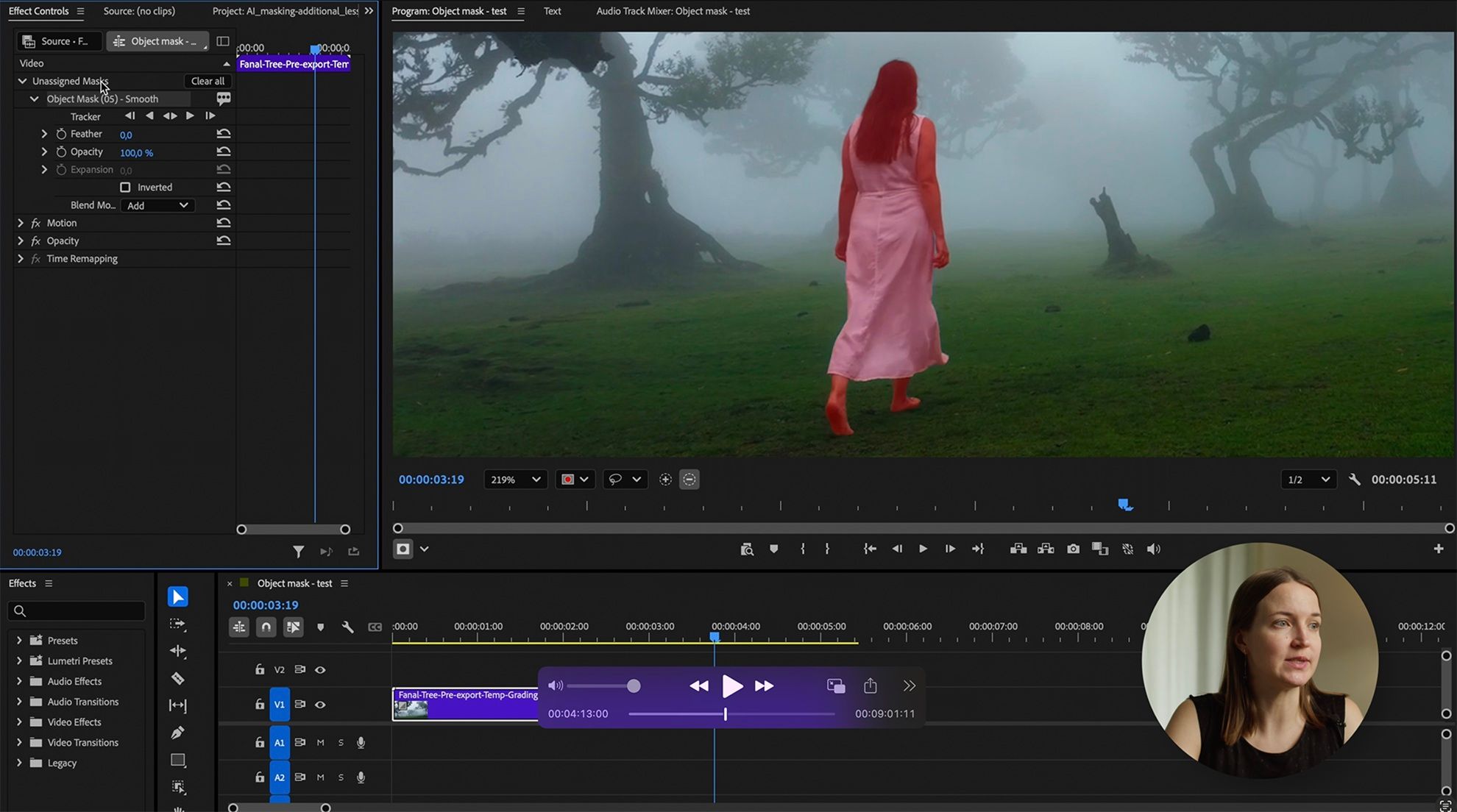
Adobe InDesign 2026 v21.5 is Adobe’s professional desktop publishing (DTP) software designed for creating high-quality print and digital publications. Trusted by graphic designers, publishers, marketing professionals, and creative agencies, InDesign provides powerful layout tools for designing magazines, books, brochures, flyers, catalogs, newspapers, posters, interactive PDFs, and eBooks.

Version 21.5 introduces enhanced performance, improved AI-powered layout assistance, smoother text handling, optimized GPU acceleration, and greater workflow stability. With advanced typography controls, master pages, paragraph styles, and seamless integration with Adobe Creative Cloud applications, users can efficiently produce visually stunning publications for both print and digital distribution.

Whether you’re designing marketing materials, publishing books, or creating interactive digital documents, Adobe InDesign 2026 delivers the precision, flexibility, and productivity required by professional publishing workflows.

Features of Adobe InDesign 2026 v21.5

Professional desktop publishing and page layout tools.
Create magazines, books, brochures, catalogs, and flyers.
Advanced typography with OpenType font support.
AI-assisted layout and productivity enhancements.
Master Pages, Paragraph Styles, and Object Styles.
Precision text formatting and multi-column layouts.
Interactive PDF and EPUB export for digital publishing.
GPU-accelerated rendering for smoother performance.
Seamless integration with Photoshop, Illustrator, and Acrobat.
Preflight tools for print-ready document validation.
Professional color management and CMYK workflow.
Automatic table of contents, indexing, and footnotes.
Support for large multi-page publications.
Improved performance, stability, and bug fixes in version 21.5.
Compatible with Windows 10 and Windows 11 (64-bit).

Why Choose Adobe InDesign 2026 v21.5?
Adobe InDesign is the industry-standard solution for desktop publishing, offering comprehensive page layout, typography, and publishing tools for both print and digital media. Its seamless Creative Cloud integration, professional design capabilities, and efficient workflow make it the preferred choice for publishers, designers, and content creators worldwide.

If you want to download Adobe InDesign 2026 v21.5 full license, please click to DOWNLOAD button to download.
CLICKDOWN.ORG Download CAD CAM CNC software
Inside package Adobe InDesign 2026 v21.5, already have cracked files and instruction how to install Adobe InDesign 2026 v21.5 step by step. I guarantee you can install Adobe InDesign 2026 v21.5 successfully if you follow that instruction.
If you also can’t install it or get any problems, please contact to me by email: clickdown.org@gmail.com, then I will help you to install software by teamviewer or Ultraviewer or Anydesk.
Thanks a lot
SOFTWARES

Download Adobe Premiere Pro 2026 v26.3.2 x64 full license

Download Adobe Premiere Pro 2026 v26.3.2 x64 full license

Link download Adobe Premiere Pro 2026 v26.3.2 win64 full activated

Working with Adobe Premiere Pro 2026 v26.3.2 full license

Description of Adobe Premiere Pro 2026 v26.3.2

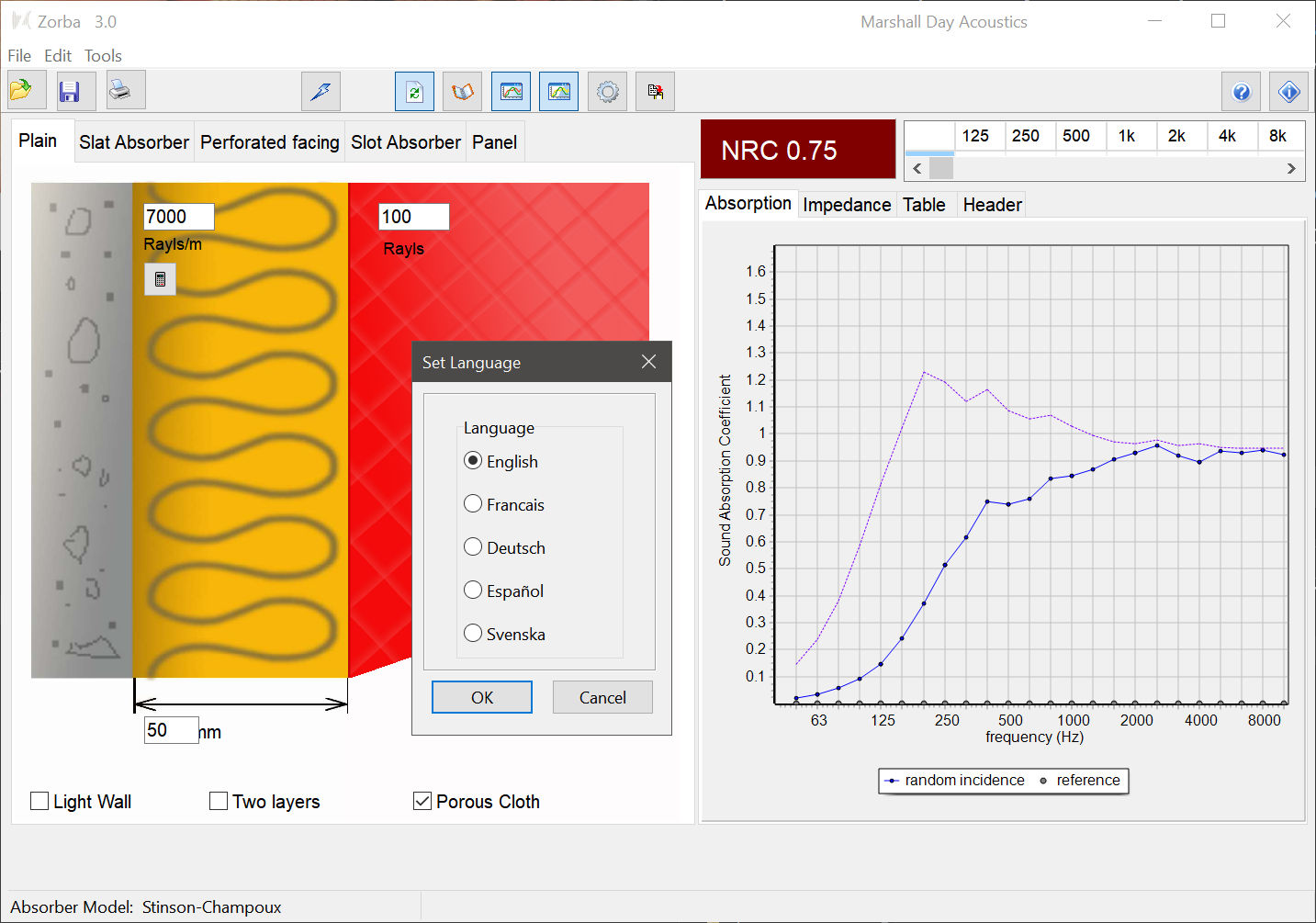
Adobe Premiere Pro 2026 v26.3.2 is the latest version of Adobe’s professional video editing software, trusted by filmmakers, YouTubers, broadcasters, and content creators worldwide. It offers a complete non-linear editing (NLE) environment for producing high-quality videos, documentaries, commercials, films, and social media content with exceptional speed and precision.

Version 26.3.2 introduces improved AI-powered editing tools, enhanced GPU acceleration, smoother timeline performance, refined color grading workflows, and increased stability for demanding editing projects. With seamless integration across Adobe Creative Cloud applications, Premiere Pro enables efficient collaboration with Photoshop, After Effects, Audition, and Media Encoder for a streamlined production pipeline.

Whether you’re editing 4K/8K footage, creating cinematic productions, or producing content for YouTube, TikTok, and other platforms, Adobe Premiere Pro 2026 delivers the professional tools needed to bring creative ideas to life.

Features of Adobe Premiere Pro 2026 v26.3.2

Professional non-linear video editing (NLE).
AI-powered editing and automatic scene detection.
Multi-track timeline with advanced trimming tools.
GPU-accelerated rendering and playback performance.
Professional color correction and Lumetri Color tools.
Multi-camera editing for complex productions.
Advanced audio editing and Adobe Audition integration.
Support for 4K, 8K, HDR, VR, and high-frame-rate video.
Motion graphics templates and Essential Graphics panel.
Seamless integration with After Effects, Photoshop, and Media Encoder.
Intelligent speech enhancement and automatic transcription.
Export optimized videos for YouTube, social media, broadcast, and cinema.
Proxy workflow for smooth editing of large media files.
Improved stability, performance, and bug fixes in version 26.3.2.
Compatible with Windows 10 and Windows 11 (64-bit).

Why Choose Adobe Premiere Pro 2026 v26.3.2?
Adobe Premiere Pro remains one of the world’s leading video editing applications thanks to its powerful editing engine, AI-assisted features, extensive format support, and seamless Creative Cloud integration. Whether you’re producing films, online content, corporate videos, or broadcast projects, Premiere Pro 2026 v26.3.2 provides the speed, flexibility, and creative control professionals demand.

If you want to download Adobe Premiere Pro 2026 v26.3.2 full license, please click to DOWNLOAD button to download.
CLICKDOWN.ORG Download CAD CAM CNC software
Inside package Adobe Premiere Pro 2026 v26.3.2, already have cracked files and instruction how to install Adobe Premiere Pro 2026 v26.3.2 step by step. I guarantee you can install Adobe Premiere Pro 2026 v26.3.2 successfully if you follow that instruction.
If you also can’t install it or get any problems, please contact to me by email: clickdown.org@gmail.com, then I will help you to install software by teamviewer or Ultraviewer or Anydesk.
Thanks a lot
SOFTWARES

Download ZORBA 3.0.4 win64 full license 100% working

Download ZORBA 3.0.4 win64 full license 100% working

Link download ZORBA 3.0.4 x64 full activated

Working with ZORBA 3.0.4 full license

Description of ZORBA 3.0.4

ZORBA 3.0.4 is a professional geostatistical analysis and resource estimation software developed for mining engineers, geologists, and exploration professionals. It provides advanced tools for geological data analysis, spatial modeling, variography, block modeling, interpolation, and mineral resource estimation. The software enables users to transform exploration data into reliable geological models that support informed mine planning and resource evaluation.

Version 3.0.4 introduces improved computational performance, enhanced modeling accuracy, updated estimation algorithms, and a more streamlined workflow. With comprehensive visualization tools and support for large geological datasets, ZORBA helps users efficiently analyze drillhole information, estimate ore bodies, and generate detailed technical reports.

Designed for both exploration and production environments, ZORBA offers a reliable solution for mineral resource modeling, grade estimation, and geological decision-making.

Features of ZORBA 3.0.4

Advanced geostatistical analysis and mineral resource estimation.
Variography and spatial continuity modeling tools.
Block modeling for geological and mining projects.
Multiple interpolation methods, including kriging techniques.
Drillhole database analysis and validation.
Grade estimation and ore body modeling.
2D and 3D geological visualization tools.
Comprehensive statistical analysis and reporting.
Support for large exploration and mining datasets.
Flexible import and export of industry-standard data formats.
Scenario comparison and resource evaluation tools.
Optimized calculation performance and workflow improvements.
Improved stability and enhanced estimation accuracy in version 3.0.4.
User-friendly interface for efficient geological modeling.
Compatible with modern Windows operating systems.

Why Choose ZORBA 3.0.4?
ZORBA provides mining and geology professionals with powerful geostatistical modeling and resource estimation capabilities in an easy-to-use environment. Its advanced analytical tools, accurate estimation methods, and efficient data management help improve exploration confidence and support better mining investment decisions.

If you want to download ZORBA 3.0.4 full license, please click to DOWNLOAD button to download.
CLICKDOWN.ORG Download CAD CAM CNC software
Inside package ZORBA 3.0.4, already have cracked files and instruction how to install ZORBA 3.0.4 step by step. I guarantee you can install ZORBA 3.0.4 successfully if you follow that instruction.
If you also can’t install it or get any problems, please contact to me by email: clickdown.org@gmail.com, then I will help you to install software by teamviewer or Ultraviewer or Anydesk.
Thanks a lot
SOFTWARES

Download Foundry Nuke 17.0v2 win64 full license forever

Download Foundry Nuke 17.0v2 win64 full license forever

Link download Foundry Nuke 17.0v2 x64 full activated

Working with Foundry Nuke 17.0v2 full license

Description of Foundry Nuke 17.0v2

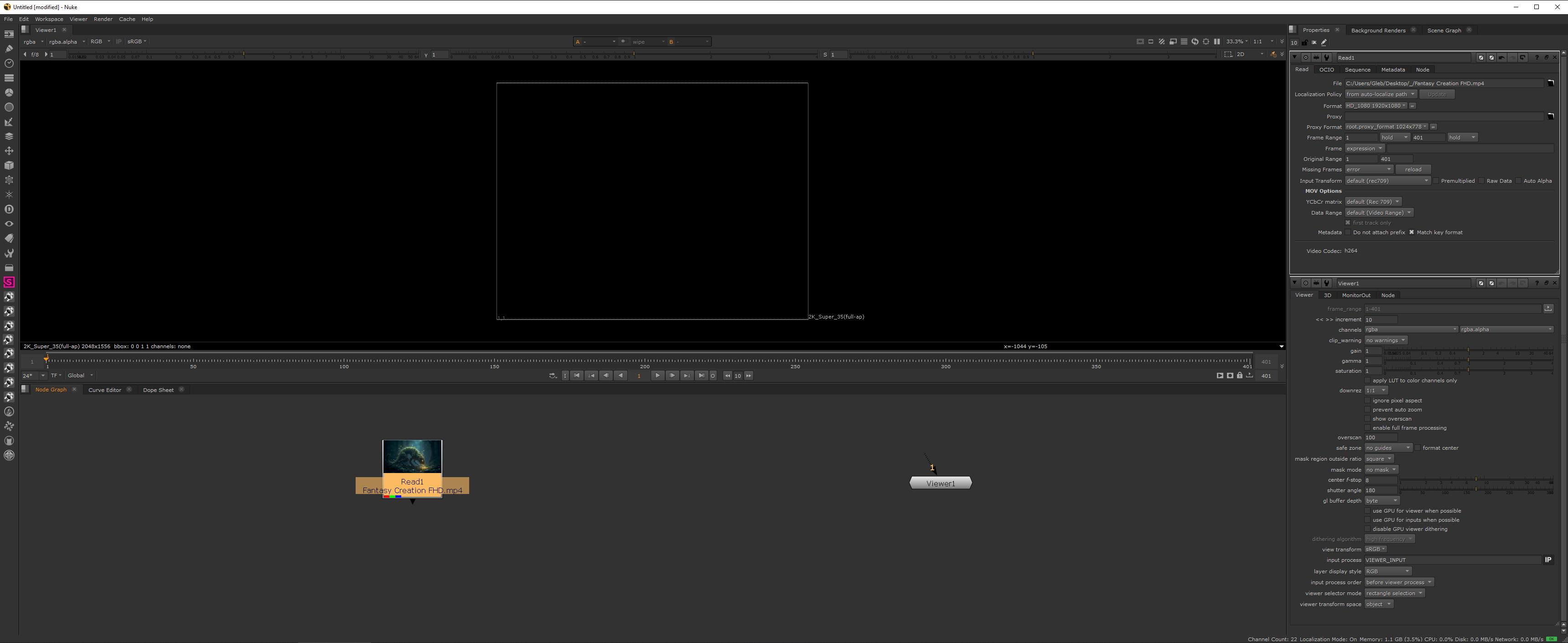
Foundry Nuke 17.0v2 is a professional node-based compositing and visual effects (VFX) software widely used by film studios, television productions, animation companies, and post-production professionals. Renowned for its powerful compositing engine and scalable workflow, Nuke enables artists to create high-quality visual effects, digital compositing, motion graphics, and CGI integration for projects of any size.

Version 17.0v2 delivers performance improvements, enhanced GPU acceleration, updated machine learning tools, improved 3D compositing workflows, and greater stability. The software provides advanced color management, deep compositing, camera tracking, rotoscoping, keying, and scripting capabilities, making it an essential solution for professional VFX pipelines.

With seamless integration into modern production environments, Foundry Nuke helps artists efficiently manage complex visual effects while maintaining exceptional image quality and creative flexibility.

Features of Foundry Nuke 17.0v2

Professional node-based compositing workflow.
Advanced visual effects creation for film and television.
Powerful keying, rotoscoping, and matte generation tools.
Deep compositing for complex CGI and live-action integration.
3D compositing environment with camera and geometry support.
AI-assisted tools for masking and image enhancement.
High-performance GPU acceleration for faster rendering.
Industry-standard color management with OCIO support.
Integrated camera tracking and lens distortion correction.
Python scripting and pipeline automation support.
Multi-channel EXR workflow for professional productions.
Flexible timeline and playback optimization.
Improved stability and performance enhancements in version 17.0v2.
Compatible with leading 3D applications and rendering pipelines.
Supports Windows 10 and Windows 11 (64-bit).

Why Choose Foundry Nuke 17.0v2?
Foundry Nuke is the preferred compositing software for professional VFX artists thanks to its robust node-based workflow, powerful compositing tools, and scalable production capabilities. Whether you’re creating feature films, television commercials, animation, or digital content, Nuke 17.0v2 delivers the performance, flexibility, and precision required for high-end visual effects production.

If you want to download Foundry Nuke 17.0v2 full license, please click to DOWNLOAD button to download.
CLICKDOWN.ORG Download CAD CAM CNC software
Inside package Foundry Nuke 17.0v2, already have cracked files and instruction how to install Foundry Nuke 17.0v2 step by step. I guarantee you can install Foundry Nuke 17.0v2 successfully if you follow that instruction.
If you also can’t install it or get any problems, please contact to me by email: clickdown.org@gmail.com, then I will help you to install software by teamviewer or Ultraviewer or Anydesk.
Thanks a lot
SOFTWARES

Download Datamine Supervisor 9.2.6.0 win64 full license

Download Datamine Supervisor 9.2.6.0 win64 full license

Link download Datamine Supervisor 9.2.6.0 x64 full activated

Working with Datamine Supervisor 9.2.6.0 full license

Description of Datamine Supervisor 9.2.6.0

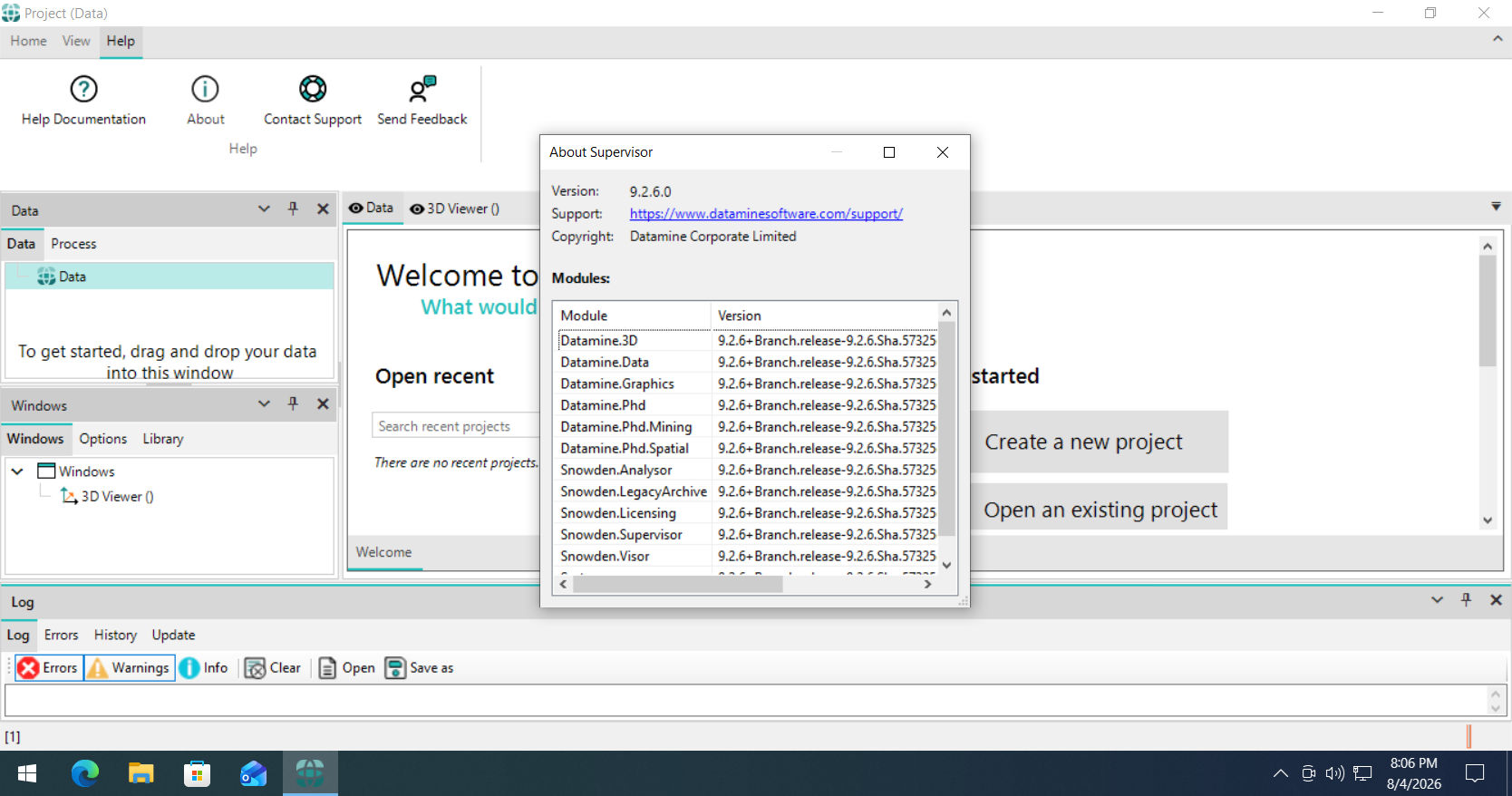
Datamine Supervisor 9.2.6.0 is a professional mine planning and scheduling software designed for mining engineers, geologists, and production managers. It provides powerful tools for short-term and long-term mine scheduling, resource allocation, production forecasting, and operational optimization. The software helps mining companies improve productivity, reduce operational costs, and maximize resource utilization through intelligent planning and data-driven decision-making.

Version 9.2.6.0 introduces performance enhancements, improved scheduling algorithms, better project management capabilities, and increased compatibility with other Datamine mining solutions. Users can efficiently create production schedules, analyze mining scenarios, optimize equipment utilization, and generate comprehensive reports to support strategic planning.

With an intuitive interface and advanced scheduling engine, Datamine Supervisor is an ideal solution for open-pit and underground mining operations seeking greater operational efficiency and planning accuracy.

Features of Datamine Supervisor 9.2.6.0

Advanced mine production scheduling and planning tools.
Support for short-term, medium-term, and long-term mine scheduling.
Resource allocation and equipment utilization optimization.
Production forecasting and scenario analysis.
Integrated mine planning and operational management.
Interactive Gantt charts and scheduling visualization.
Constraint-based scheduling for realistic production plans.
Comprehensive reporting and data analysis tools.
Import and export compatibility with Datamine mining solutions.
Improve operational efficiency and reduce production costs.
Multi-project management and workflow organization.
Enhanced calculation performance and scheduling accuracy.
Stable and user-friendly interface for mining professionals.
Optimized performance and bug fixes in version 9.2.6.0.
Compatible with modern Windows operating systems.

Why Choose Datamine Supervisor 9.2.6.0?
Datamine Supervisor helps mining operations streamline production planning, optimize resource utilization, and improve scheduling accuracy. Its comprehensive planning tools, powerful analytics, and seamless integration with the Datamine ecosystem make it an excellent choice for mining companies aiming to enhance productivity and operational performance.

If you want to download Datamine Supervisor 9.2.6.0 full license, please click to DOWNLOAD button to download.
CLICKDOWN.ORG Download CAD CAM CNC software
Inside package Datamine Supervisor 9.2.6.0, already have cracked files and instruction how to install Datamine Supervisor 9.2.6.0 step by step. I guarantee you can install Datamine Supervisor 9.2.6.0 successfully if you follow that instruction.
If you also can’t install it or get any problems, please contact to me by email: clickdown.org@gmail.com, then I will help you to install software by teamviewer or Ultraviewer or Anydesk.
Thanks a lot
SOFTWARES

Download Adobe Photoshop 2026 v27.9.1 x64 full license forever

Download Adobe Photoshop 2026 v27.9.1 x64 full license

Link download Adobe Photoshop 2026 v27.9.1 win64 full activated

Working with Adobe Photoshop 2026 v27.9.1 full license

Description of Adobe Photoshop 2026 v27.9.1

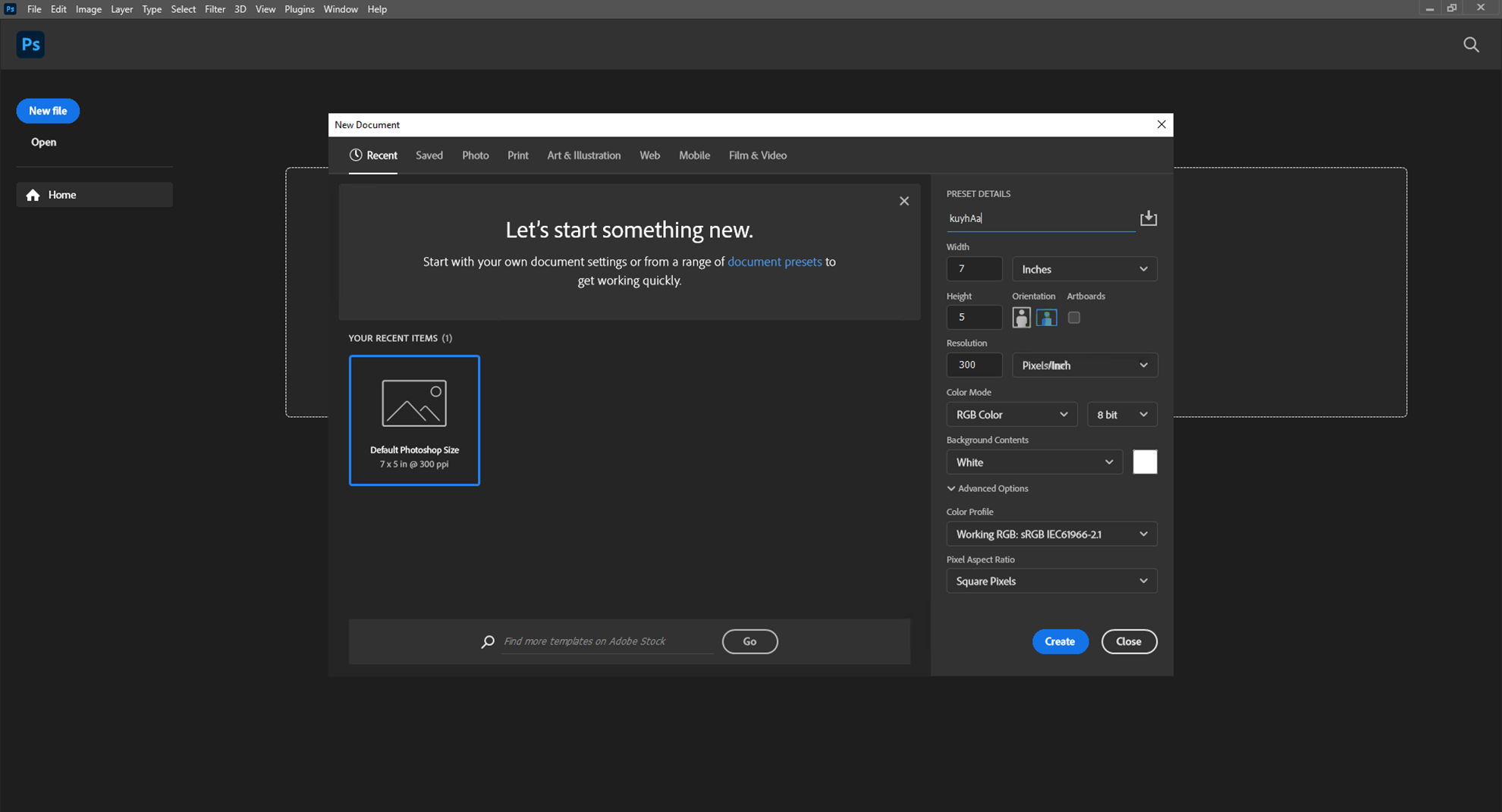
Adobe Photoshop 2026 v27.9.1 is the latest release of Adobe’s industry-leading image editing and graphic design software. Trusted by photographers, graphic designers, digital artists, marketers, and content creators worldwide, Photoshop offers a complete set of professional tools for photo retouching, digital painting, compositing, web design, and AI-powered image enhancement.

Version 27.9.1 delivers improved performance, enhanced AI-assisted editing features, faster GPU acceleration, refined selection tools, and increased stability for demanding creative workflows. With seamless integration across Adobe Creative Cloud applications, users can efficiently edit, organize, and publish high-quality visual content for print, web, mobile, and social media.

Whether you’re restoring photographs, creating digital artwork, designing marketing materials, or producing professional photo composites, Adobe Photoshop 2026 provides the precision, flexibility, and performance required for modern creative projects.

Features of Adobe Photoshop 2026 v27.9.1

Professional photo editing and image manipulation tools.
AI-powered selection, masking, and object removal features.
Advanced layers, masks, blending modes, and smart objects.
Non-destructive editing for flexible creative workflows.
High-performance GPU acceleration for faster editing.
Professional RAW image processing and Camera Raw support.
Intelligent retouching and content-aware editing tools.
Create digital paintings, illustrations, and graphic designs.
Advanced typography and text formatting capabilities.
Batch processing and workflow automation with Actions.
Export optimized images for web, print, and mobile platforms.
Seamless integration with Adobe Illustrator, Lightroom, and InDesign.
Improved stability, performance, and bug fixes in version 27.9.1.
Extensive plugin support and customizable workspace.
Compatible with Windows 10 and Windows 11 (64-bit).

Why Choose Adobe Photoshop 2026 v27.9.1?
Adobe Photoshop remains the industry standard for professional image editing thanks to its powerful AI tools, advanced retouching capabilities, and comprehensive creative features. Whether you’re editing photos, designing graphics, creating digital art, or producing marketing content, Photoshop 2026 v27.9.1 offers a fast, reliable, and feature-rich environment for every creative workflow.

If you want to download Adobe Photoshop 2026 v27.9.1 full license, please click to DOWNLOAD button to download.
CLICKDOWN.ORG Download CAD CAM CNC software
Inside package Adobe Photoshop 2026 v27.9.1, already have cracked files and instruction how to install Adobe Photoshop 2026 v27.9.1 step by step. I guarantee you can install Adobe Photoshop 2026 v27.9.1 successfully if you follow that instruction.
If you also can’t install it or get any problems, please contact to me by email: clickdown.org@gmail.com, then I will help you to install software by teamviewer or Ultraviewer or Anydesk.
Thanks a lot
SOFTWARES

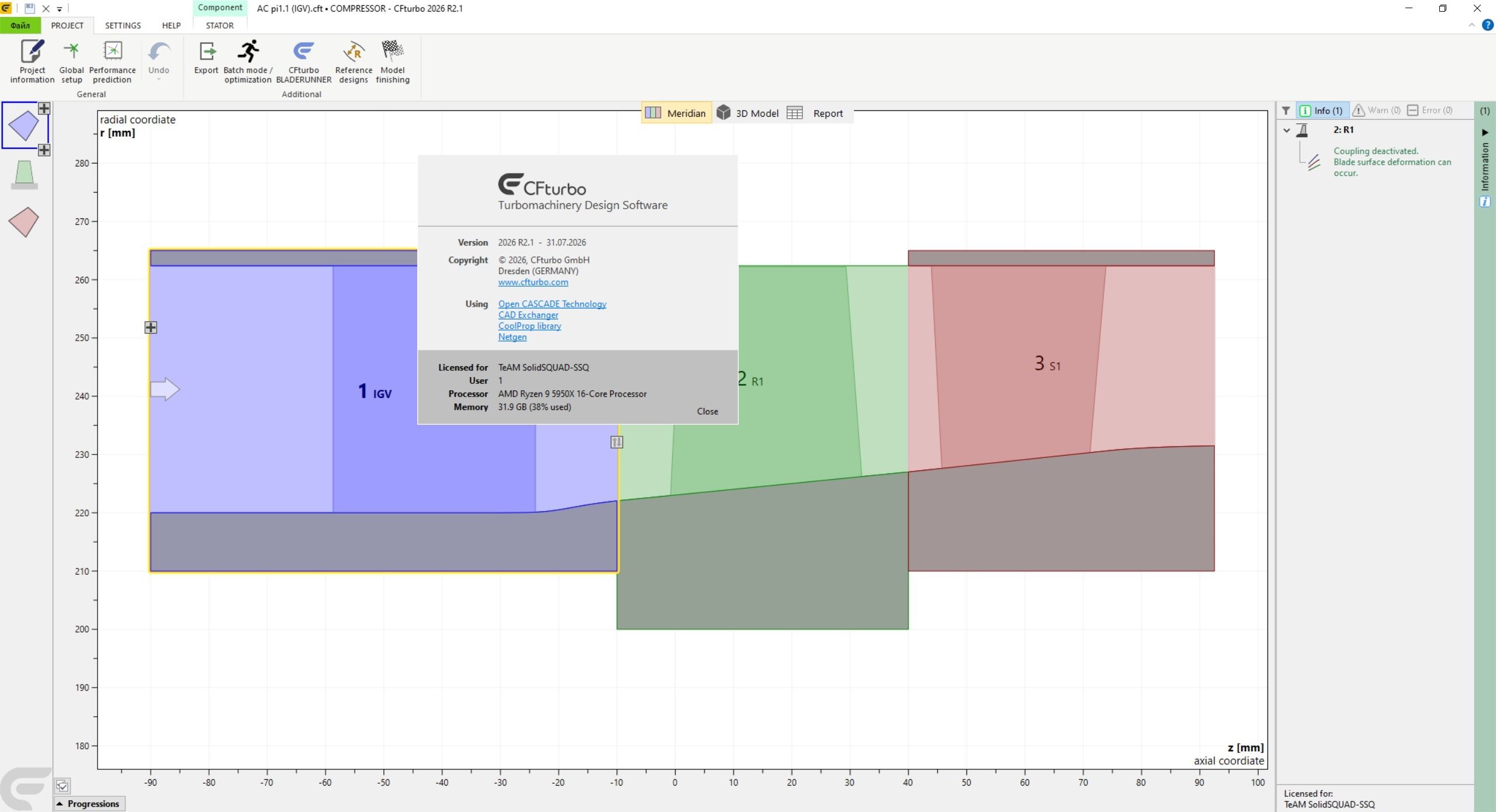
Download CFTurbo BladeRunner 2026 R2.1 x64 full license

Download CFTurbo BladeRunner 2026 R2.1 x64 full license

Link download CFTurbo BladeRunner 2026 R2.1 win64 full activated

Working with CFTurbo BladeRunner 2026 R2.1 full license

Description of CFTurbo BladeRunner 2026 R2.1

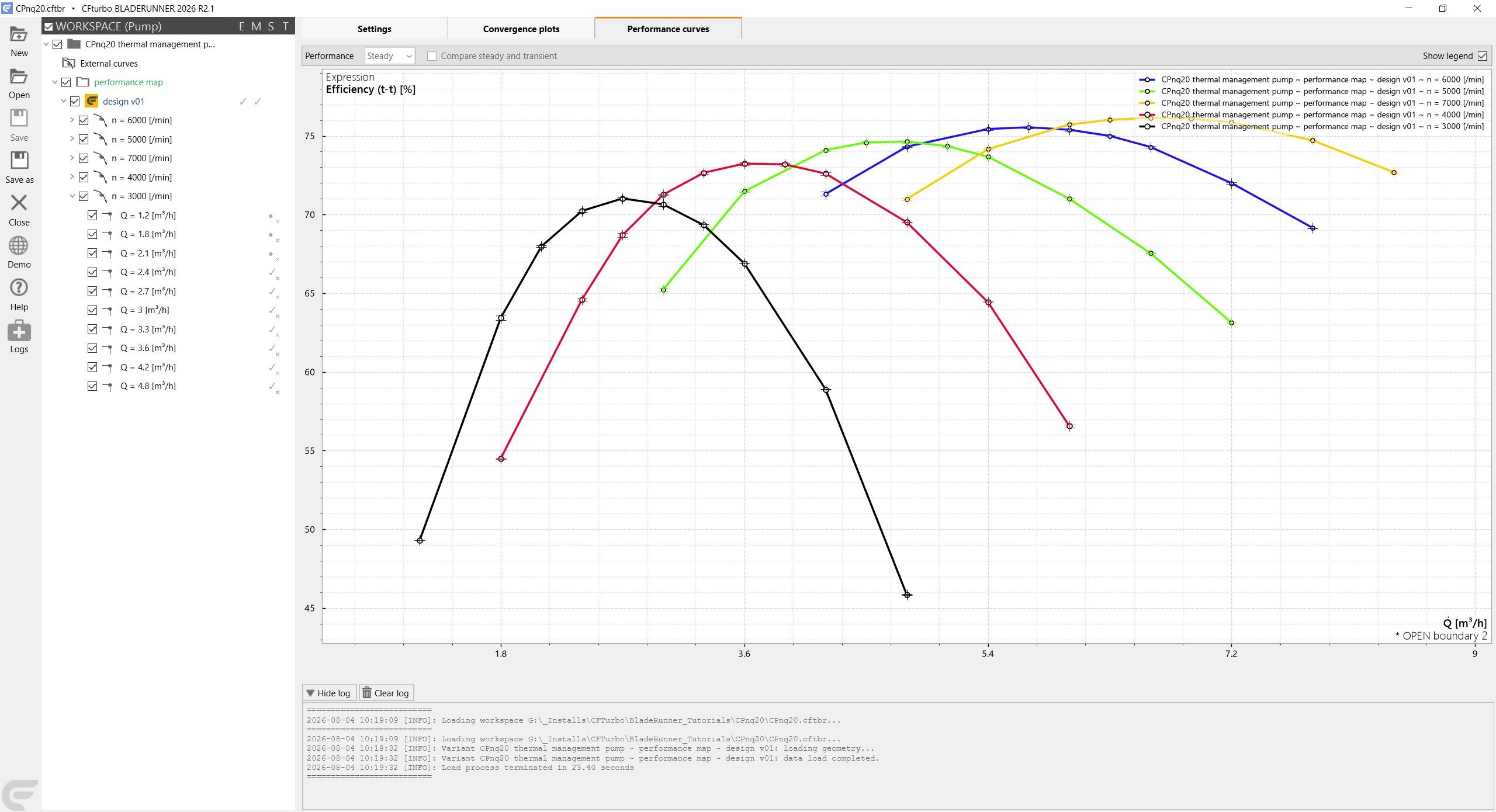
CFTurbo BladeRunner 2026 R2.1 is an advanced blade design and optimization solution for turbomachinery engineers, CFD specialists, and mechanical designers. It extends the capabilities of CFTurbo by providing specialized tools for creating, refining, and optimizing impeller, compressor, turbine, pump, and fan blade geometries with exceptional precision.

Version 2026 R2.1 introduces enhanced blade parameterization, improved optimization algorithms, faster geometry processing, and expanded compatibility with leading CAD and CFD software. Engineers can efficiently evaluate blade performance, modify complex blade profiles, and generate manufacturing-ready 3D models while reducing development time.

BladeRunner integrates seamlessly into turbomachinery design workflows, enabling rapid iteration, aerodynamic refinement, and accurate export of optimized blade geometries for simulation, analysis, and production.

Features of CFTurbo BladeRunner 2026 R2.1

Advanced blade design and optimization for turbomachinery.
Create impeller, compressor, turbine, pump, and fan blade geometries.
Parametric blade profiling with real-time design updates.
Powerful aerodynamic blade optimization tools.
High-quality 3D geometry generation for manufacturing.
Smooth blade surface editing and refinement.
Seamless integration with CFTurbo workflows.
Export models to leading CAD and CFD applications.
Support for STEP, IGES, Parasolid, and other industry-standard formats.
Built-in geometry validation and quality checking.
Improved optimization speed and processing performance.
Enhanced compatibility with modern engineering software.
User-friendly interface for rapid design iterations.
Increased stability and workflow improvements in version 2026 R2.1.
Compatible with Windows 10 and Windows 11 (64-bit).

Why Choose CFTurbo BladeRunner 2026 R2.1?
CFTurbo BladeRunner provides engineers with specialized tools for designing and optimizing high-performance turbomachinery blades. Its advanced parameterization, CAD/CFD integration, and efficient optimization capabilities help reduce development time while improving aerodynamic performance and manufacturing quality.

If you want to download CFTurbo BladeRunner 2026 R2.1 full license, please click to DOWNLOAD button to download.
CLICKDOWN.ORG Download CAD CAM CNC software
Inside package CFTurbo BladeRunner 2026 R2.1, already have cracked files and instruction how to install CFTurbo BladeRunner 2026 R2.1 step by step. I guarantee you can install CFTurbo BladeRunner 2026 R2.1 successfully if you follow that instruction.
If you also can’t install it or get any problems, please contact to me by email: clickdown.org@gmail.com, then I will help you to install software by teamviewer or Ultraviewer or Anydesk.
Thanks a lot
SOFTWARES

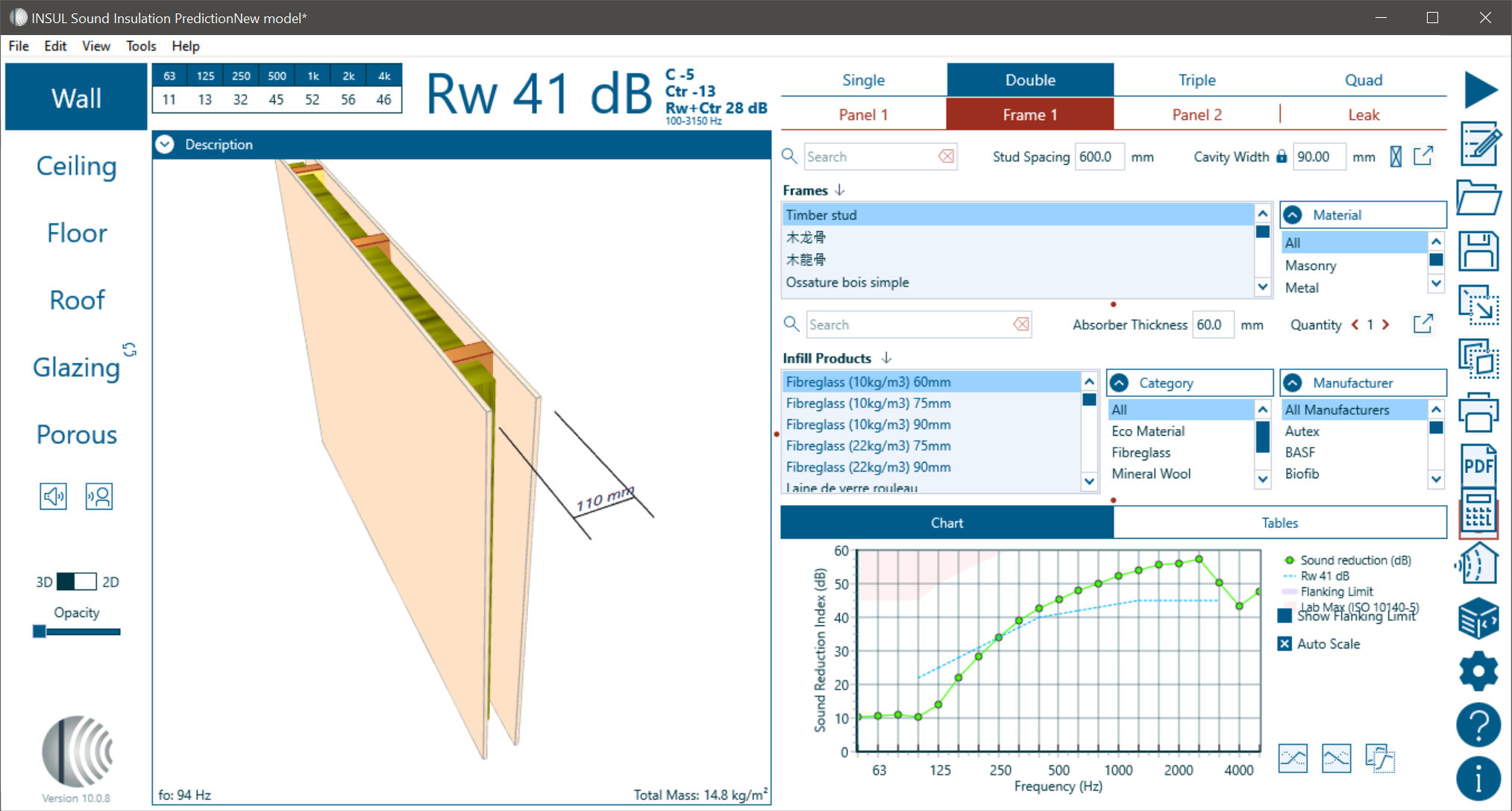
Download CFTurbo 2026 R2.1 win64 full license forever

Download CFTurbo 2026 R2.1 x64 full license

Link download CFTurbo 2026 R2.1 win64 full activated

Working with CFTurbo 2026 R2.1 full license

Description of CFTurbo 2026 R2.1

CFTurbo 2026 R2.1 is a professional turbomachinery design software developed for mechanical engineers, CFD specialists, and product designers. It enables the rapid design and optimization of pumps, compressors, turbines, fans, blowers, impellers, and other rotating fluid machinery through an intuitive parametric modeling environment.

Version 2026 R2.1 introduces improved blade design tools, enhanced geometry generation, optimized workflows, and better compatibility with leading CAD and CFD applications. Engineers can quickly generate high-quality 3D models, perform preliminary performance evaluations, and export accurate geometries for detailed simulation and manufacturing.

CFTurbo integrates seamlessly with popular engineering software, allowing users to streamline the entire turbomachinery development process from conceptual design to computational fluid dynamics (CFD) analysis and production-ready models.

Features of CFTurbo 2026 R2.1

Design centrifugal, axial, mixed-flow, and radial turbomachinery.
Create pumps, compressors, turbines, fans, blowers, and impellers.
Advanced parametric blade and meridional contour design.
Automatic geometry generation with real-time design updates.
Integrated performance estimation and optimization tools.
Export models to major CAD and CFD software platforms.
Support for STEP, IGES, Parasolid, and other standard formats.
Flexible blade profiling and hub/shroud configuration.
Built-in design validation and geometry checking.
High-quality 3D model generation for manufacturing workflows.
Improved interface for faster engineering productivity.
Enhanced compatibility with modern CAD and CFD environments.
Optimized calculation performance and stability.
Comprehensive project management and export options.
Compatible with Windows 10 and Windows 11 (64-bit).

Why Choose CFTurbo 2026 R2.1?
CFTurbo is widely trusted in the turbomachinery industry for its fast parametric design capabilities and seamless integration with CAD and CFD software. Whether you’re developing high-efficiency pumps, industrial compressors, gas turbines, or cooling fans, CFTurbo 2026 R2.1 provides the precision, flexibility, and performance required to accelerate engineering workflows and improve product quality.

If you want to download CFTurbo 2026 R2.1 full license, please click to DOWNLOAD button to download.
CLICKDOWN.ORG Download CAD CAM CNC software
Inside package CFTurbo 2026 R2.1, already have cracked files and instruction how to install CFTurbo 2026 R2.1 step by step. I guarantee you can install CFTurbo 2026 R2.1 successfully if you follow that instruction.
If you also can’t install it or get any problems, please contact to me by email: clickdown.org@gmail.com, then I will help you to install software by teamviewer or Ultraviewer or Anydesk.
Thanks a lot
SOFTWARES

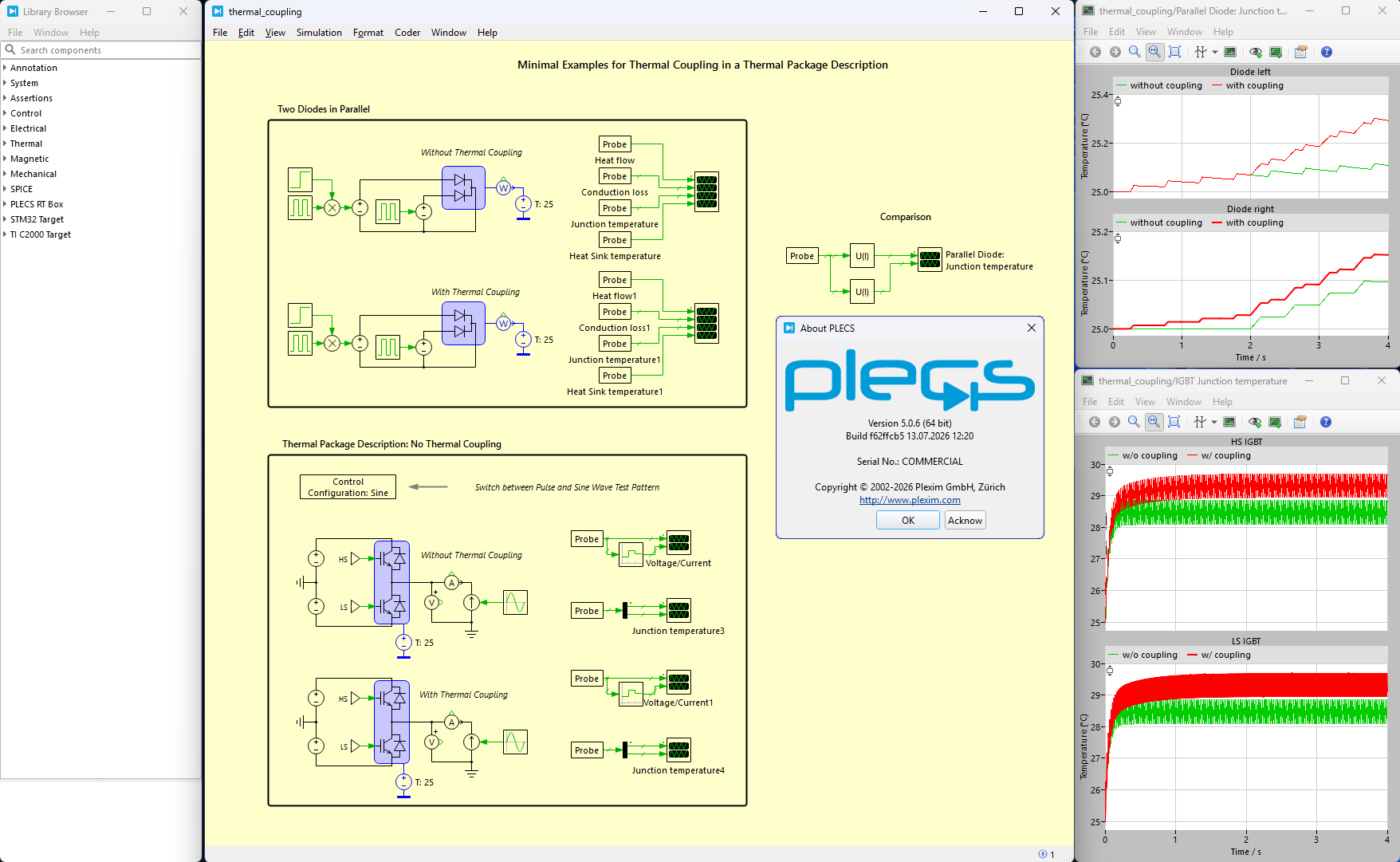
Download INSUL 2026 v10.0.8 win64 full license 100% working

Download INSUL 2026 v10.0.8 x64 full license

Link download INSUL 2026 v10.0.8 win64 full activated

Working with Plexim PLECS 2026 v5.0.6 full license

Description of INSUL 2026 v10.0.8

INSUL 2026 v10.0.8 is a professional thermal analysis software developed for engineers, architects, building consultants, and energy specialists. It is widely used to calculate heat transfer, thermal bridges, condensation risk, insulation performance, and overall building envelope efficiency. The software helps users design energy-efficient structures that comply with modern building regulations and thermal performance standards.

Version 10.0.8 introduces enhanced calculation accuracy, improved material libraries, better project management tools, optimized performance, and increased compatibility with the latest Windows operating systems. Its intuitive interface allows users to model complex wall, roof, floor, and window assemblies while generating detailed reports for construction and energy certification projects.

INSUL is suitable for residential, commercial, and industrial building design, providing reliable thermal simulations that assist in reducing energy consumption and improving occupant comfort.

Features of INSUL 2026 v10.0.8

Accurate thermal conductivity and heat transfer calculations.
Analyze building envelopes for energy-efficient design.
Evaluate thermal bridges and insulation performance.
Calculate U-values for walls, roofs, floors, and windows.
Condensation and moisture risk assessment tools.
Extensive material database with customizable properties.
Support for multi-layer construction assemblies.
Detailed graphical analysis and calculation reports.
Compare multiple insulation materials and design options.
User-friendly interface for fast project setup.
Improved calculation engine for faster processing.
Enhanced reporting and export capabilities.
Optimized performance and stability improvements.
Suitable for residential, commercial, and industrial buildings.
Compatible with modern Windows operating systems.

Why Choose INSUL 2026 v10.0.8?
INSUL is a trusted solution for thermal analysis and insulation design, offering engineers and building professionals accurate calculations, comprehensive material databases, and efficient reporting tools. Whether you’re designing energy-efficient buildings or evaluating insulation systems, INSUL 2026 v10.0.8 delivers the precision and performance required for modern construction projects.

If you want to download INSUL 2026 v10.0.8 full license, please click to DOWNLOAD button to download.
CLICKDOWN.ORG Download CAD CAM CNC software
Inside package INSUL 2026 v10.0.8, already have cracked files and instruction how to install INSUL 2026 v10.0.8 step by step. I guarantee you can install INSUL 2026 v10.0.8 successfully if you follow that instruction.
If you also can’t install it or get any problems, please contact to me by email: clickdown.org@gmail.com, then I will help you to install software by teamviewer or Ultraviewer or Anydesk.
Thanks a lot
SOFTWARES

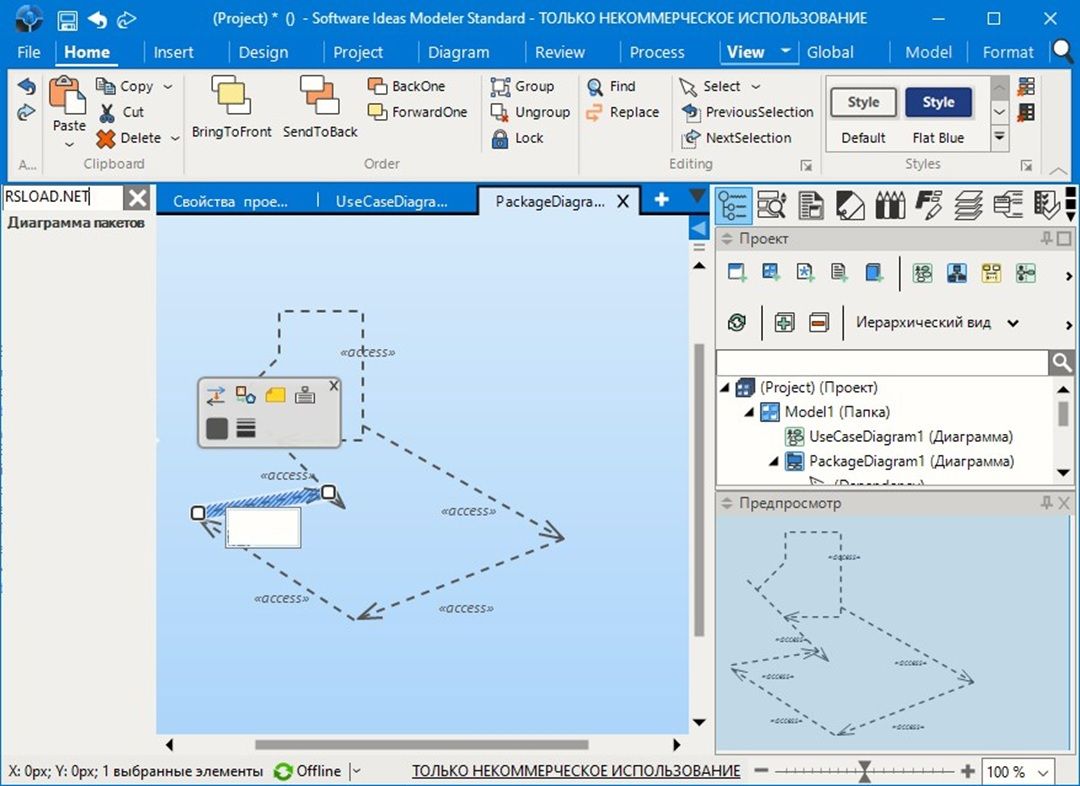
Download Plexim PLECS 2026 v5.0.6 x64 full license forever

Download Plexim PLECS 2026 v5.0.6 x64 full license forever

Link download Plexim PLECS 2026 v5.0.6 win64 full activated

Working with Plexim PLECS 2026 v5.0.6 full license

Description of Plexim PLECS 2026 v5.0.6

Plexim PLECS 2026 v5.0.6 is an advanced simulation software designed for power electronics, electrical drives, renewable energy systems, and control engineering. Widely used by engineers, researchers, and educators, PLECS provides an intuitive environment for modeling and simulating converters, motor drives, batteries, inverters, and complete electromechanical systems with high accuracy and speed.

Version 5.0.6 introduces performance improvements, enhanced simulation stability, expanded component libraries, and improved compatibility with the latest MATLAB®/Simulink® and Standalone workflows. Its efficient simulation engine enables users to analyze switching behavior, thermal performance, and control algorithms while significantly reducing simulation time for complex systems.

PLECS supports rapid prototyping, hardware-in-the-loop (HIL) development, code generation, and detailed system analysis, making it an ideal solution for developing modern power conversion and energy management applications.

Features of Plexim PLECS 2026 v5.0.6

High-performance simulation for power electronic systems.
Model converters, inverters, rectifiers, and DC-DC converters.
Design and simulate electric motor drives and control systems.
Support for renewable energy applications, including solar and wind power.
Comprehensive electrical, mechanical, thermal, and magnetic component libraries.
Fast event-based simulation engine for switching circuits.
MATLAB®/Simulink® integration and PLECS Standalone support.
Thermal modeling and efficiency analysis tools.
Hardware-in-the-loop (HIL) and real-time simulation compatibility.
Advanced control algorithm development and testing.
Parameter sweeps, scripting, and automation capabilities.
Improved solver performance and simulation accuracy.
Flexible plotting, waveform visualization, and data analysis.
Enhanced stability and workflow improvements in version 5.0.6.
Compatible with modern Windows operating systems.

Why Choose Plexim PLECS 2026 v5.0.6?
Plexim PLECS is trusted by power electronics engineers for its fast simulation engine, intuitive modeling environment, and comprehensive analysis tools. Whether developing motor drives, renewable energy converters, battery management systems, or industrial power supplies, PLECS 2026 v5.0.6 provides the accuracy, flexibility, and performance needed for professional engineering projects.

If you want to download Plexim PLECS 2026 v5.0.6 full license, please click to DOWNLOAD button to download.
CLICKDOWN.ORG Download CAD CAM CNC software
Inside package Plexim PLECS 2026 v5.0.6, already have cracked files and instruction how to install Plexim PLECS 2026 v5.0.6 step by step. I guarantee you can install Plexim PLECS 2026 v5.0.6 successfully if you follow that instruction.
If you also can’t install it or get any problems, please contact to me by email: clickdown.org@gmail.com, then I will help you to install software by teamviewer or Ultraviewer or Anydesk.
Thanks a lot

SOFTWARES

Download Software Ideas Modeler Ultimate 15.51 full license

Download Software Ideas Modeler Ultimate 15.51 x64 full license

Link download Software Ideas Modeler Ultimate 15.51 win64 full activated

Working with Software Ideas Modeler Ultimate 15.51 full

Description of Software Ideas Modeler Ultimate 15.51

Software Ideas Modeler Ultimate 15.51 is a powerful modeling and diagramming tool designed for software developers, system architects, business analysts, and database designers. It provides a comprehensive environment for creating UML, BPMN, ERD, SysML, ArchiMate, flowcharts, wireframes, and many other types of technical diagrams.

Version 15.51 delivers improved performance, enhanced diagram editing capabilities, better model validation, expanded code engineering features, and increased compatibility with modern development workflows. Its intuitive interface and extensive modeling support help teams visualize software architecture, document business processes, and streamline project planning with greater efficiency.

Software Ideas Modeler Ultimate also supports reverse engineering, code generation, documentation export, collaboration features, and numerous import/export formats, making it an ideal solution for professional software design and enterprise architecture projects.

Features of Software Ideas Modeler Ultimate 15.51

Create UML 2.x diagrams for software design and documentation.
Design BPMN business process models with advanced editing tools.
Build Entity Relationship Diagrams (ERD) for database design.
Support for SysML, ArchiMate, flowcharts, wireframes, and mind maps.
Forward and reverse code engineering for multiple programming languages.
Automatic model validation and consistency checking.
Generate professional documentation and reports.
Customizable templates, symbols, and diagram styles.
Import and export projects in multiple industry-standard formats.
Advanced search, navigation, and model organization tools.
Collaboration features for development teams.
Improved performance, stability, and usability enhancements in version 15.51.
Support for large and complex enterprise projects.
Flexible printing and high-quality image/PDF export.
Compatible with modern Windows operating systems.

Why Choose Software Ideas Modeler Ultimate 15.51?
Software Ideas Modeler Ultimate is an excellent choice for professionals who need a feature-rich modeling platform for software engineering, business analysis, and enterprise architecture. Its extensive diagram support, code engineering capabilities, and documentation tools help simplify complex projects while improving collaboration and productivity.

If you want to download Software Ideas Modeler Ultimate 15.51 full license, please click to DOWNLOAD button to download.
CLICKDOWN.ORG Download CAD CAM CNC software
Inside package Software Ideas Modeler Ultimate 15.51, already have cracked files and instruction how to install Software Ideas Modeler Ultimate 15.51 step by step. I guarantee you can install Software Ideas Modeler Ultimate 15.51 successfully if you follow that instruction.
If you also can’t install it or get any problems, please contact to me by email: clickdown.org@gmail.com, then I will help you to install software by teamviewer or Ultraviewer or Anydesk.
Thanks a lot

error: Content is protected !!
Scroll to Top