August 2026

SOFTWARES

Download Adobe Illustrator 2026 v30.7 x64 full license

Download Adobe Illustrator 2026 v30.7 x64 full license

Link download Adobe Illustrator 2026 v30.7 win64 full activated
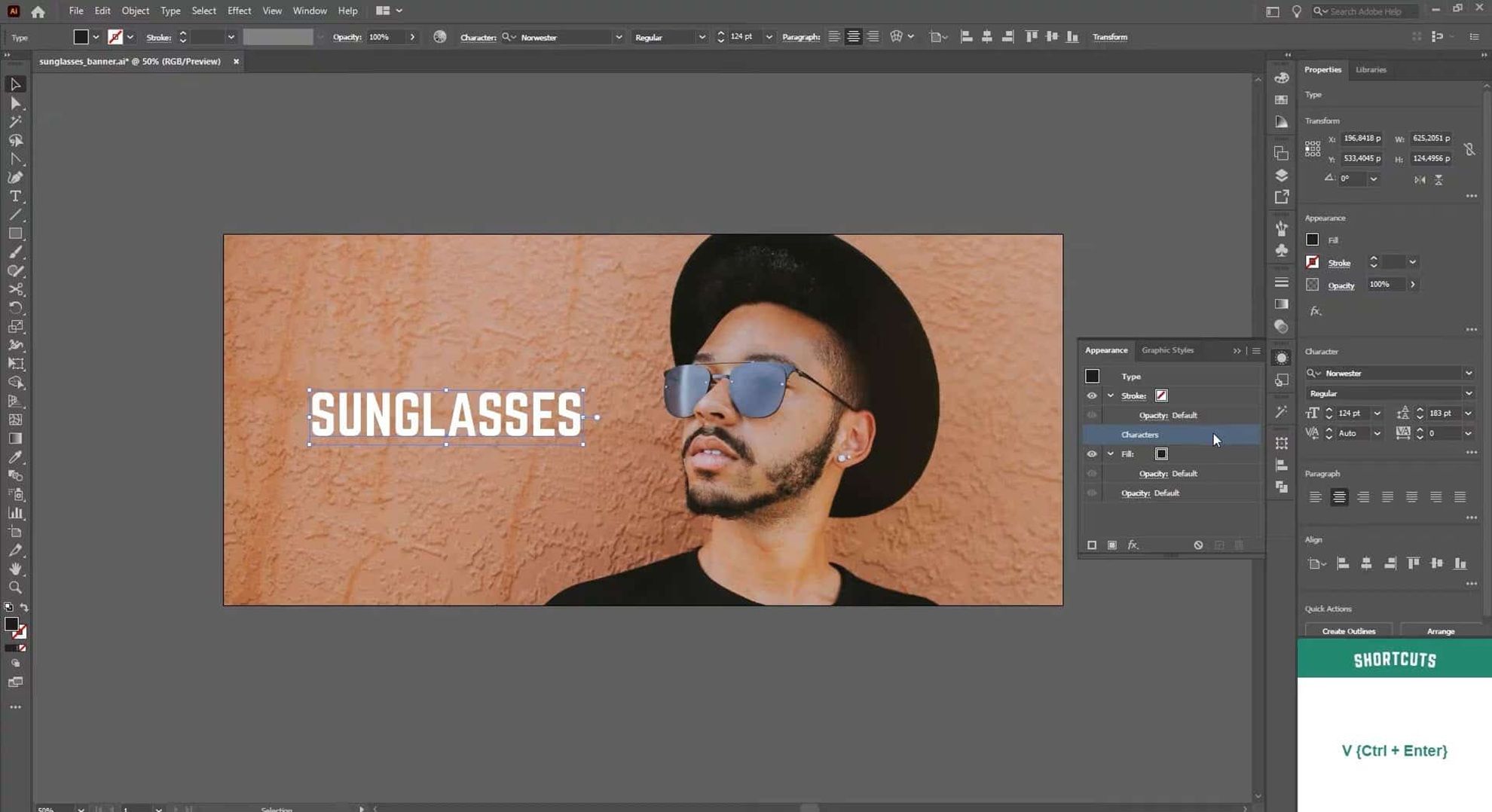
Working with Adobe Illustrator 2026 v30.7 full license

Description of Adobe Illustrator 2026 v30.7

Adobe Illustrator 2026 v30.7 is the latest version of Adobe’s industry-leading vector graphics design software, trusted by graphic designers, illustrators, branding experts, and digital artists worldwide. It provides a comprehensive set of professional tools for creating logos, icons, illustrations, typography, packaging, web graphics, social media content, and large-format artwork with unmatched precision.

Version 30.7 introduces performance enhancements, improved AI-powered creative tools, better GPU acceleration, smoother handling of complex vector files, and enhanced compatibility with the latest Creative Cloud ecosystem. Whether you’re designing marketing materials, creating digital illustrations, or producing print-ready artwork, Illustrator 2026 delivers a fast, reliable, and highly productive workflow.

The software supports seamless integration with Adobe Photoshop, InDesign, After Effects, Acrobat, and Adobe Fonts, allowing creative professionals to move effortlessly between projects while maintaining high-quality vector graphics.

Features of Adobe Illustrator 2026 v30.7

Industry-leading vector illustration and graphic design tools.
Create scalable logos, icons, illustrations, and branding assets.
Improved AI-assisted design and creative automation.
Faster GPU rendering and smoother navigation.
Enhanced performance with large and complex artwork.
Advanced Pen, Shape Builder, and Curvature tools.
Professional typography with OpenType font support.
Multiple artboards for managing large design projects.
Gradient meshes, transparency, and advanced blending modes.
Precision alignment, snapping, and measurement tools.
Export optimized graphics for web, mobile, print, and social media.
Native support for SVG, PDF, EPS, AI, PSD, PNG, JPG, and many other formats.
Better Creative Cloud synchronization and collaboration.
Improved stability, bug fixes, and workflow optimizations.
Compatible with the latest Windows operating systems.

Why Choose Adobe Illustrator 2026 v30.7?
Adobe Illustrator remains the preferred solution for professional vector graphics because of its precision, reliability, and powerful creative features. Whether you’re designing corporate branding, digital illustrations, UI assets, packaging, or print materials, Illustrator 2026 v30.7 offers everything needed to produce high-quality artwork efficiently.

If you want to download Adobe Illustrator 2026 v30.7 full license, please click to DOWNLOAD button to download.
CLICKDOWN.ORG Download CAD CAM CNC software
Inside package Adobe Illustrator 2026 v30.7, already have cracked files and instruction how to install Adobe Illustrator 2026 v30.7 step by step. I guarantee you can install Adobe Illustrator 2026 v30.7 successfully if you follow that instruction.
If you also can’t install it or get any problems, please contact to me by email: clickdown.org@gmail.com, then I will help you to install software by teamviewer or Ultraviewer or Anydesk.
Thanks a lot
SOFTWARES

Download Adobe Acrobat Pro DC 2026 v26.1.21771 win64 full

Download Adobe Acrobat Pro DC 2026 v26.1.21771 win64 full

Link download Adobe Acrobat Pro DC 2026 v26.1.21771 x64 full activated

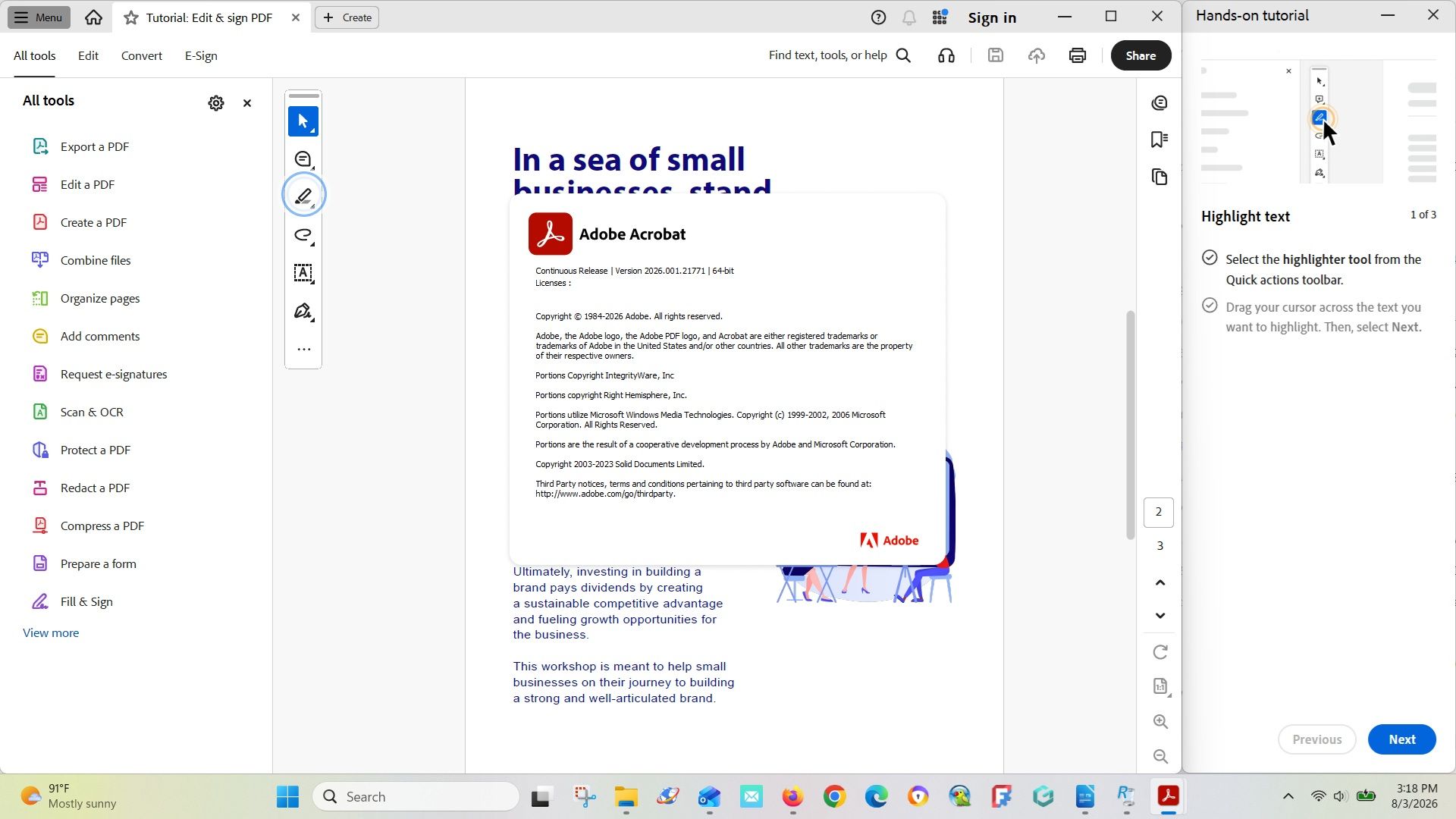
Working with Adobe Acrobat Pro DC 2026 v26.1.21771 x64 full license

Description of Adobe Acrobat Pro DC 2026 v26.1.21771

Adobe Acrobat Pro DC 2026 v26.1.21771 is a professional PDF editing and document management solution designed for businesses, educators, legal professionals, government agencies, and individual users. It provides a comprehensive set of tools to create, edit, convert, organize, secure, sign, and share PDF documents while maintaining compatibility with industry standards.

With Adobe Acrobat Pro DC, users can modify PDF text and images, convert files between PDF and Microsoft Office formats, perform Optical Character Recognition (OCR) on scanned documents, create fillable forms, apply digital signatures, protect sensitive information, and collaborate efficiently using advanced commenting and review tools. The software is trusted worldwide for its reliability, security, and seamless integration with Adobe Document Cloud services.

Version 2026 v26.1.21771 introduces enhanced PDF editing performance, improved OCR accuracy, optimized document conversion, updated security features, better collaboration tools, improved cloud integration, and numerous stability and performance enhancements.

Features of Adobe Acrobat Pro DC 2026 v26.1.21771

Professional PDF editing tools.
Create PDF documents from multiple file formats.
Edit PDF text, images, and layouts.
Convert PDF to Microsoft Word.
Convert PDF to Excel and PowerPoint.
Convert Office documents to PDF.
Optical Character Recognition (OCR).
Scan paper documents to searchable PDFs.
Merge multiple PDF files.
Split large PDF documents.
Rearrange, rotate, and extract pages.
Compress PDF files.
Password protection and encryption.
Redaction tools for sensitive information.
Digital signature support.
Electronic document signing.
Create fillable PDF forms.
Form data collection.
PDF annotation and commenting.
Highlight, underline, and markup tools.
Stamp and watermark support.
Header and footer editing.
Bates numbering.
Compare PDF documents.
Batch processing tools.
Print optimization.
Adobe Document Cloud integration.
Cloud document sharing.
Cross-device synchronization.
AI-assisted productivity features.
Advanced search functionality.
Fast PDF rendering engine.
Microsoft Office integration.
Browser compatibility.
Windows 10 and Windows 11 support.
Optimized memory usage.
Enhanced workflow automation.
Improved software stability.
Faster document processing.
Enterprise-grade security.

What’s New in Adobe Acrobat Pro DC 2026 v26.1.21771
The latest version delivers several improvements for PDF professionals:
Enhanced PDF editing performance.
Improved OCR recognition accuracy.
Faster document conversion.
Better Microsoft Office compatibility.
Updated document security features.
Improved cloud synchronization.
Enhanced collaboration and review tools.
Optimized application responsiveness.
Better handling of large PDF files.
Bug fixes and stability improvements.

Why Choose Adobe Acrobat Pro DC 2026 v26.1.21771?
Adobe Acrobat Pro DC remains the industry standard for PDF creation and document management. Its powerful editing capabilities, advanced security tools, intelligent OCR, electronic signature support, and seamless cloud integration make it an ideal solution for professionals who work with digital documents every day.

Whether you’re editing contracts, preparing reports, creating interactive forms, reviewing technical documentation, or securely sharing business files, Adobe Acrobat Pro DC delivers a complete and efficient PDF workflow.

Applications
Adobe Acrobat Pro DC 2026 v26.1.21771 is ideal for:
PDF Editing
Document Management
Business Documentation
Legal Document Processing
Office Productivity
OCR Processing
PDF Conversion
Electronic Signatures
Form Creation
Digital Document Archiving
Contract Management
Educational Materials
Technical Documentation
Government Workflows
Enterprise Collaboration

Conclusion
Adobe Acrobat Pro DC 2026 v26.1.21771 is a comprehensive PDF editing and document management solution that combines powerful editing tools, OCR technology, document security, digital signatures, and cloud collaboration into a single professional platform. With enhanced performance and improved productivity features, it remains the preferred choice for individuals and organizations requiring reliable PDF workflows.

If you want to download Adobe Acrobat Pro DC 2026 v26.1.21771 full license, please click to DOWNLOAD button to download.
CLICKDOWN.ORG Download CAD CAM CNC software
Inside package Adobe Acrobat Pro DC 2026 v26.1.21771, already have cracked files and instruction how to install Adobe Acrobat Pro DC 2026 v26.1.21771 step by step. I guarantee you can install Adobe Acrobat Pro DC 2026 v26.1.21771 successfully if you follow that instruction.
If you also can’t install it or get any problems, please contact to me by email: clickdown.org@gmail.com, then I will help you to install software by teamviewer or Ultraviewer or Anydesk.
Thanks a lot
SOFTWARES

Download FL Studio Producer Edition 26.1.3 Build 5570 x64

Download FL Studio Producer Edition 26.1.3 full license

Link download FL Studio Producer Edition 26.1.3 full activated

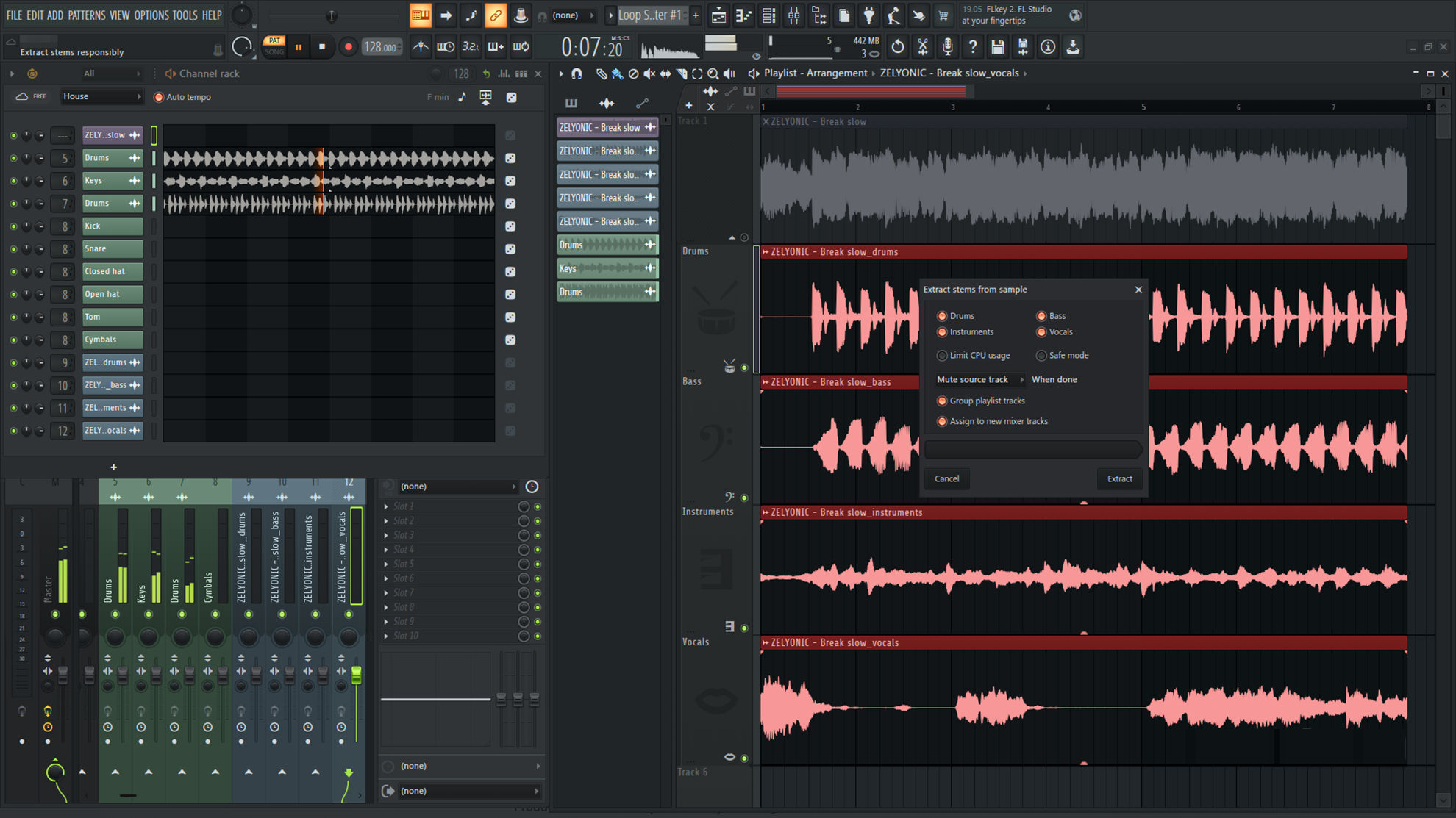
Working with FL Studio Producer Edition 26.1.3 Build 5570 full activated

Description of FL Studio Producer Edition 26.1.3

FL Studio Producer Edition 26.1.3 is a professional digital audio workstation (DAW) developed by Image-Line for music production, audio recording, beat making, mixing, mastering, and sound design. Used by producers, DJs, composers, musicians, podcasters, and audio engineers worldwide, FL Studio provides a complete production environment with powerful sequencing tools, virtual instruments, effects plugins, and advanced audio editing capabilities.

The Producer Edition includes everything needed to create professional-quality music, including unlimited audio recording, advanced Playlist editing, Piano Roll composition, automation clips, mixer routing, VST plugin support, real-time effects processing, and a comprehensive library of synthesizers and audio effects. Whether you’re producing EDM, hip-hop, pop, rock, orchestral music, or film scores, FL Studio offers a flexible workflow suitable for beginners and professionals alike.

Version 26.1.3 introduces performance optimizations, enhanced audio processing, improved plugin compatibility, workflow refinements, updated native instruments and effects, bug fixes, and increased overall stability.

Features of FL Studio Producer Edition 26.1.3

Professional digital audio workstation (DAW).
Multi-track audio recording.
Advanced Piano Roll editor.
Pattern-based music sequencing.
Flexible Playlist arrangement.
Professional Mixer with unlimited routing.
Automation clips and parameter control.
MIDI recording and editing.
VST2, VST3, and AU plugin support.
Native FL Studio plugins.
High-quality synthesizers.
Sampler and Drum Machine.
Audio clip editing.
Time stretching and pitch shifting.
Audio recording with low latency.
Edison audio editor.
Gross Beat creative effects.
Harmor synthesizer support.
FLEX instrument integration.
Sytrus FM synthesizer.
DirectWave sampler.
Vocoder and vocal processing.
Parametric EQ and dynamics processing.
Reverb, delay, chorus, flanger, and distortion effects.
Sidechain routing.
Automation recording.
Stem export.
WAV, MP3, FLAC, OGG, and MIDI export.
High-resolution audio rendering.
ASIO audio support.
Multi-core CPU optimization.
64-bit audio engine.
Plugin delay compensation.
Live performance mode.
Customizable workspace.
Cloud project support.
Windows 10 and Windows 11 compatibility.
Faster project loading.
Improved software stability.
Enhanced production workflow.

What’s New in FL Studio Producer Edition 26.1.3
The latest release includes several enhancements for music producers:
Improved audio engine performance.
Better VST plugin compatibility.
Enhanced mixer responsiveness.
Faster project loading times.
Optimized CPU utilization.
Improved MIDI workflow.
Updated native plugins.
Better stability during recording sessions.
Enhanced user interface responsiveness.
Bug fixes and performance improvements.

Why Choose FL Studio Producer Edition 26.1.3?
FL Studio has become one of the world’s most popular music production platforms thanks to its intuitive workflow, powerful sequencing tools, and extensive collection of virtual instruments and effects. The Producer Edition offers everything required to produce professional recordings, electronic music, podcasts, and soundtracks without additional software.

Whether you’re creating beats, recording vocals, mixing albums, composing orchestral arrangements, producing electronic dance music, or designing sound effects, FL Studio provides a reliable and highly customizable production environment.

Applications
FL Studio Producer Edition 26.1.3 is ideal for:
Music Production
Beat Making
Audio Recording
Mixing and Mastering
Electronic Dance Music (EDM)
Hip-Hop Production
Podcast Production
Film Scoring
MIDI Composition
Sound Design
Audio Editing
DJ Production
Vocal Recording
Live Performance
Professional Music Creation

Conclusion
FL Studio Producer Edition 26.1.3 is a powerful and versatile digital audio workstation that combines advanced recording, sequencing, mixing, and sound design tools into a single production environment. With an optimized audio engine, comprehensive plugin support, professional effects, and an intuitive workflow, it remains one of the best DAWs for musicians and producers of every skill level.

If you want to download FL Studio Producer Edition 26.1.3 full license, please click to DOWNLOAD button to download.
CLICKDOWN.ORG Download CAD CAM CNC software
Inside package FL Studio Producer Edition 26.1.3, already have cracked files and instruction how to install FL Studio Producer Edition 26.1.3 step by step. I guarantee you can install FL Studio Producer Edition 26.1.3 successfully if you follow that instruction.
If you also can’t install it or get any problems, please contact to me by email: clickdown.org@gmail.com, then I will help you to install software by teamviewer or Ultraviewer or Anydesk.
Thanks a lot
SOFTWARES

Download RecoveryFox AI Data Recovery Premium 2.5 full

Download RecoveryFox AI Data Recovery Premium 2.5 full license

Link download RecoveryFox AI Data Recovery Premium 2.5 full activated

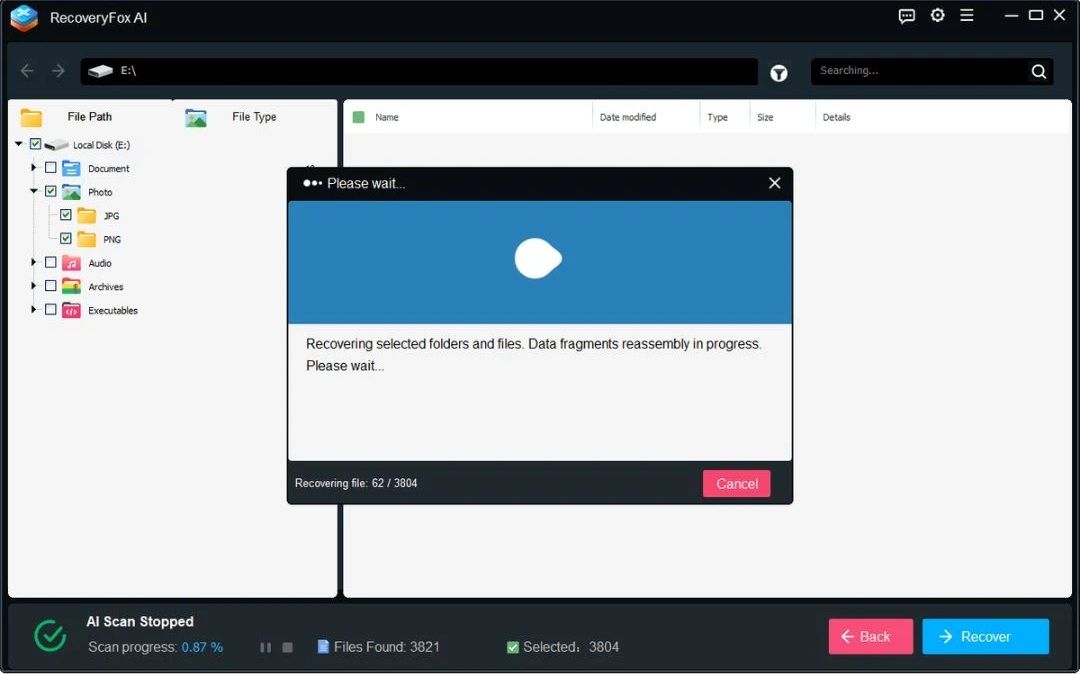
Working with RecoveryFox AI Data Recovery Premium 2.5 full license

Description of RecoveryFox AI Data Recovery Premium 2.5

RecoveryFox AI Data Recovery Premium 2.5 is an advanced data recovery solution designed to help users recover deleted, formatted, corrupted, or lost files from various storage devices. Powered by intelligent AI-assisted scanning technology, the software can restore documents, photos, videos, audio files, emails, archives, and other valuable data from hard drives, SSDs, USB flash drives, memory cards, external storage devices, and other removable media.

Designed for home users, IT professionals, businesses, photographers, and digital content creators, RecoveryFox AI Data Recovery Premium provides both quick and deep scanning modes to maximize recovery success. Its intuitive interface makes recovering lost files simple, while advanced algorithms improve detection accuracy and support recovery from accidental deletion, disk formatting, partition loss, virus attacks, and system crashes.

Version 2.5 introduces enhanced AI-powered recovery algorithms, faster scanning performance, expanded file system compatibility, improved recovery accuracy, optimized preview capabilities, and numerous stability and usability improvements.

Features of RecoveryFox AI Data Recovery Premium 2.5

AI-powered data recovery engine.
Recover permanently deleted files.
Restore formatted drives.
Partition recovery.
RAW partition recovery.
Deep scan mode.
Quick scan mode.
Intelligent file detection.
Recover photos, videos, and audio files.
Restore Word, Excel, PowerPoint, and PDF documents.
Email recovery support.
Archive recovery (ZIP, RAR, 7Z).
External hard drive recovery.
SSD recovery.
HDD recovery.
USB flash drive recovery.
SD card and microSD recovery.
Memory card recovery.
Digital camera storage recovery.
Recycle Bin recovery.
Virus attack recovery.
System crash recovery.
File preview before recovery.
File filtering by type and date.
Selective file recovery.
Multiple file system support.
NTFS, FAT32, exFAT, and other file systems.
Fast AI-assisted scanning.
High recovery success rate.
Read-only recovery process.
Batch file recovery.
Large storage device support.
Easy recovery wizard.
User-friendly interface.
Windows 10 and Windows 11 compatibility.
Optimized scanning speed.
Improved recovery performance.
Enhanced stability.
Safe and secure recovery workflow.
Professional-grade recovery tools.

What’s New in RecoveryFox AI Data Recovery Premium 2.5
The latest version includes several improvements for data recovery:
Enhanced AI recovery algorithms.
Faster deep scanning performance.
Improved deleted file detection.
Better recovery accuracy for formatted drives.
Expanded file format support.
Improved storage device compatibility.
Faster file preview generation.
Optimized recovery workflow.
Enhanced user interface responsiveness.
Bug fixes and stability improvements.

Why Choose RecoveryFox AI Data Recovery Premium 2.5?
RecoveryFox AI Data Recovery Premium combines intelligent scanning technology with an easy-to-use interface, making it suitable for both beginners and experienced users. Its advanced recovery engine can locate lost files in challenging recovery scenarios while maintaining a safe, read-only process that helps prevent further data loss.

Whether you’ve accidentally deleted important documents, formatted a storage device, experienced a system crash, or lost valuable photos and videos, RecoveryFox AI Data Recovery Premium provides a reliable solution for recovering your data quickly and efficiently.

Applications
RecoveryFox AI Data Recovery Premium 2.5 is ideal for:
Deleted File Recovery
Hard Drive Recovery
SSD Recovery
USB Flash Drive Recovery
Memory Card Recovery
Partition Recovery
Photo Recovery
Video Recovery
Document Recovery
System Crash Recovery
Virus Data Recovery
Digital Camera Recovery
Business Data Recovery
Personal File Recovery
Professional Data Restoration

Conclusion
RecoveryFox AI Data Recovery Premium 2.5 is a reliable and intelligent data recovery solution that helps users recover lost files from a wide range of storage devices. With AI-powered scanning, deep recovery capabilities, broad file system support, and an intuitive interface, it offers an effective solution for restoring important personal and professional data with confidence.

If you want to download RecoveryFox AI Data Recovery Premium 2.5 full license, please click to DOWNLOAD button to download.
CLICKDOWN.ORG Download CAD CAM CNC software
Inside package RecoveryFox AI Data Recovery Premium 2.5, already have cracked files and instruction how to install RecoveryFox AI Data Recovery Premium 2.5 step by step. I guarantee you can install RecoveryFox AI Data Recovery Premium 2.5 successfully if you follow that instruction.
If you also can’t install it or get any problems, please contact to me by email: clickdown.org@gmail.com, then I will help you to install software by teamviewer or Ultraviewer or Anydesk.
Thanks a lot
SOFTWARES

Download ANSYS Products 2026 R1.03 (SP3) x64 full license

Download ANSYS Products 2026 R1.03 (SP3) x64 full license

Link download ANSYS Products 2026 R1.03 (SP3) win64 full activated

Working with ANSYS Products 2026 R1.03 (SP3) full activated

Description of ANSYS Products 2026 R1.03 (SP3)

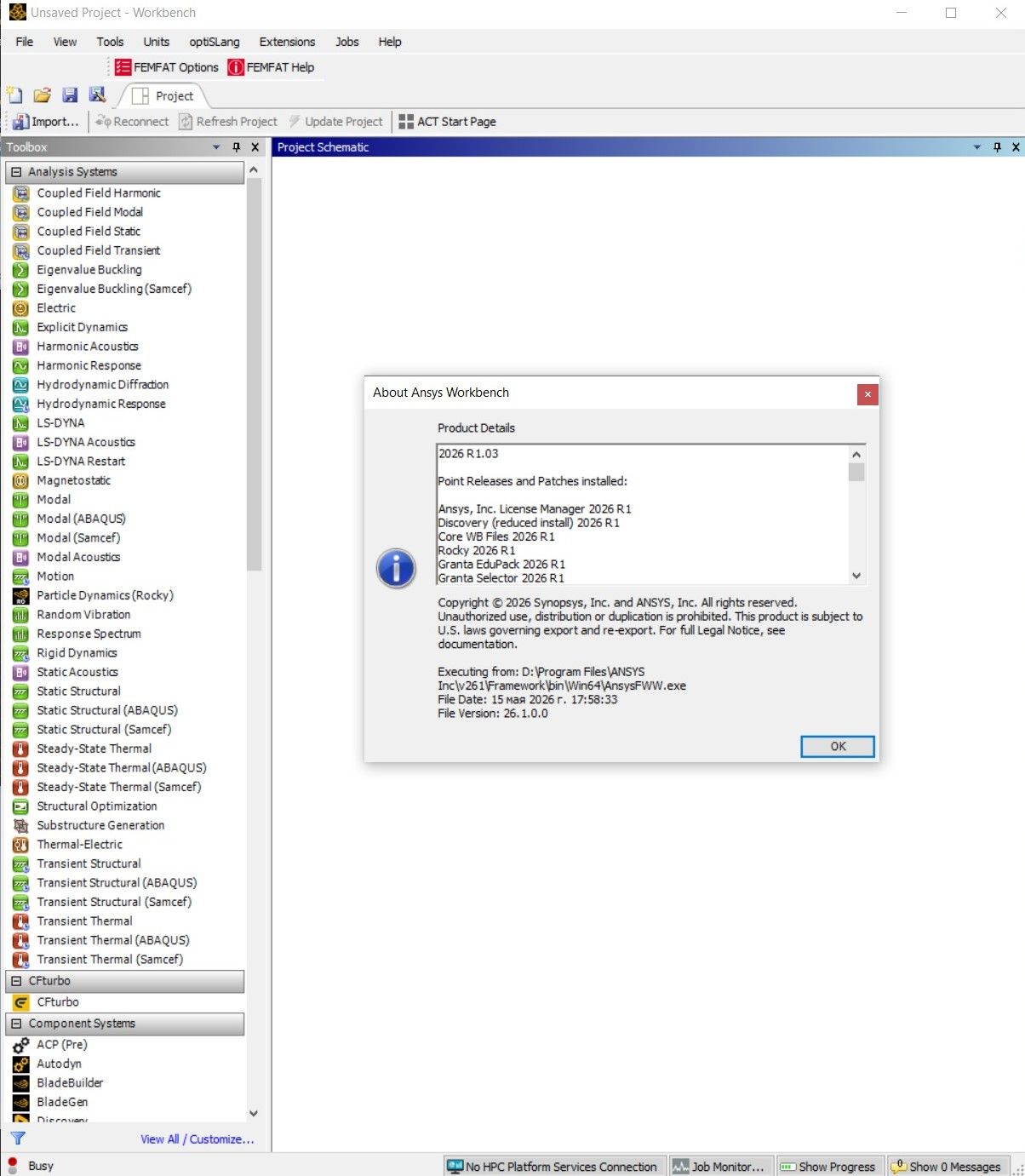
ANSYS Products 2026 R1.03 (SP3) is a comprehensive engineering simulation suite that enables engineers, researchers, and product designers to perform advanced multiphysics analysis across structural mechanics, computational fluid dynamics (CFD), electromagnetics, optics, electronics, embedded software, additive manufacturing, and system simulation. Trusted by leading organizations in aerospace, automotive, energy, electronics, healthcare, and manufacturing, ANSYS delivers high-fidelity simulations that accelerate product development while reducing physical prototyping costs.

The ANSYS portfolio includes industry-leading applications such as Mechanical, Fluent, CFX, Maxwell, HFSS, Icepak, LS-DYNA, Discovery, SpaceClaim, Rocky, SPEOS, Granta, Motion, Aqwa, Twin Builder, and other integrated engineering solutions. These applications work together through a unified simulation environment, allowing users to validate designs, optimize performance, improve reliability, and solve complex engineering challenges.

Version 2026 R1.03 (SP3) provides the latest service pack updates with enhanced solver performance, improved GPU acceleration, expanded CAD interoperability, better meshing technology, optimized workflow automation, enhanced cloud capabilities, and numerous bug fixes for improved stability and productivity.

Features of ANSYS Products 2026 R1.03 (SP3)

Comprehensive multiphysics simulation platform.
Structural analysis with ANSYS Mechanical.
Computational Fluid Dynamics (CFD).
ANSYS Fluent integration.
ANSYS CFX simulation.
Explicit dynamics with LS-DYNA.
Electromagnetic simulation using HFSS.
Low-frequency electromagnetic analysis with Maxwell.
Thermal and heat transfer analysis.
Fatigue and durability simulation.
Static and dynamic structural analysis.
Nonlinear finite element analysis.
Modal and harmonic response analysis.
Topology optimization.
Design optimization tools.
Motion and multibody dynamics simulation.
Fluid-structure interaction (FSI).
Additive manufacturing simulation.
Electronics cooling analysis with Icepak.
Optical simulation with SPEOS.
Particle dynamics using Rocky.
Material intelligence with Granta.
Digital twin development with Twin Builder.
CAD model preparation with SpaceClaim.
High-quality automatic meshing.
HPC and distributed computing support.
GPU acceleration for supported solvers.
Python scripting and workflow automation.
Parametric design studies.
Cloud-enabled engineering workflows.
Integrated result visualization.
Report generation tools.
CAD interoperability with major formats.
Team collaboration features.
Multi-core CPU optimization.
Enterprise license management.
Windows 10 and Windows 11 compatibility.
Improved solver performance.
Enhanced application stability.
Optimized engineering workflows.

What’s New in ANSYS Products 2026 R1.03 (SP3)
The latest service pack introduces numerous improvements across the ANSYS portfolio:
Enhanced solver speed and numerical accuracy.
Improved GPU computing performance.
Better CAD import and interoperability.
Faster meshing for complex assemblies.
Optimized workflow automation.
Enhanced cloud collaboration support.
Improved user interface responsiveness.
Better memory utilization for large simulations.
Updated engineering libraries.
Bug fixes and stability improvements.

Why Choose ANSYS Products 2026 R1.03 (SP3)?
ANSYS is recognized worldwide as one of the most advanced engineering simulation platforms available. Its integrated multiphysics environment allows engineers to simulate real-world product behavior with exceptional accuracy, reducing development time, lowering costs, and improving product quality before manufacturing begins.

Whether you’re designing aircraft structures, electric vehicles, electronic devices, renewable energy systems, medical equipment, industrial machinery, or consumer products, ANSYS provides the powerful simulation tools needed to innovate with confidence.

Applications
ANSYS Products 2026 R1.03 (SP3) is ideal for:
Finite Element Analysis (FEA)
Computational Fluid Dynamics (CFD)
Structural Engineering
Thermal Analysis
Electromagnetic Simulation
Aerospace Engineering
Automotive Engineering
Electronics Cooling
Additive Manufacturing
Product Design Optimization
Mechanical Engineering
Multiphysics Simulation
Renewable Energy Systems
Digital Twin Development
Industrial Research and Development

Conclusion
ANSYS Products 2026 R1.03 (SP3) is a complete engineering simulation suite that combines industry-leading tools for structural analysis, fluid dynamics, electromagnetics, thermal simulation, and multiphysics modeling. With improved performance, enhanced interoperability, advanced automation, and powerful optimization capabilities, it remains one of the best solutions for engineers developing next-generation products across virtually every industry.

If you want to download ANSYS Products 2026 R1.03 (SP3) full license, please click to DOWNLOAD button to download.
CLICKDOWN.ORG Download CAD CAM CNC software
Inside package ANSYS Products 2026 R1.03 (SP3), already have cracked files and instruction how to install ANSYS Products 2026 R1.03 (SP3) step by step. I guarantee you can install ANSYS Products 2026 R1.03 (SP3) successfully if you follow that instruction.
If you also can’t install it or get any problems, please contact to me by email: clickdown.org@gmail.com, then I will help you to install software by teamviewer or Ultraviewer or Anydesk.
Thanks a lot
SOFTWARES

Download ProfiCAD 14.0.0 win64 full license forever

Download ProfiCAD 14.0.0 win64 full license forever

Link download ProfiCAD 14.0.0 x64 full activated

Working with ProfiCAD 14.0.0 full license

Description of ProfiCAD 14.0.0

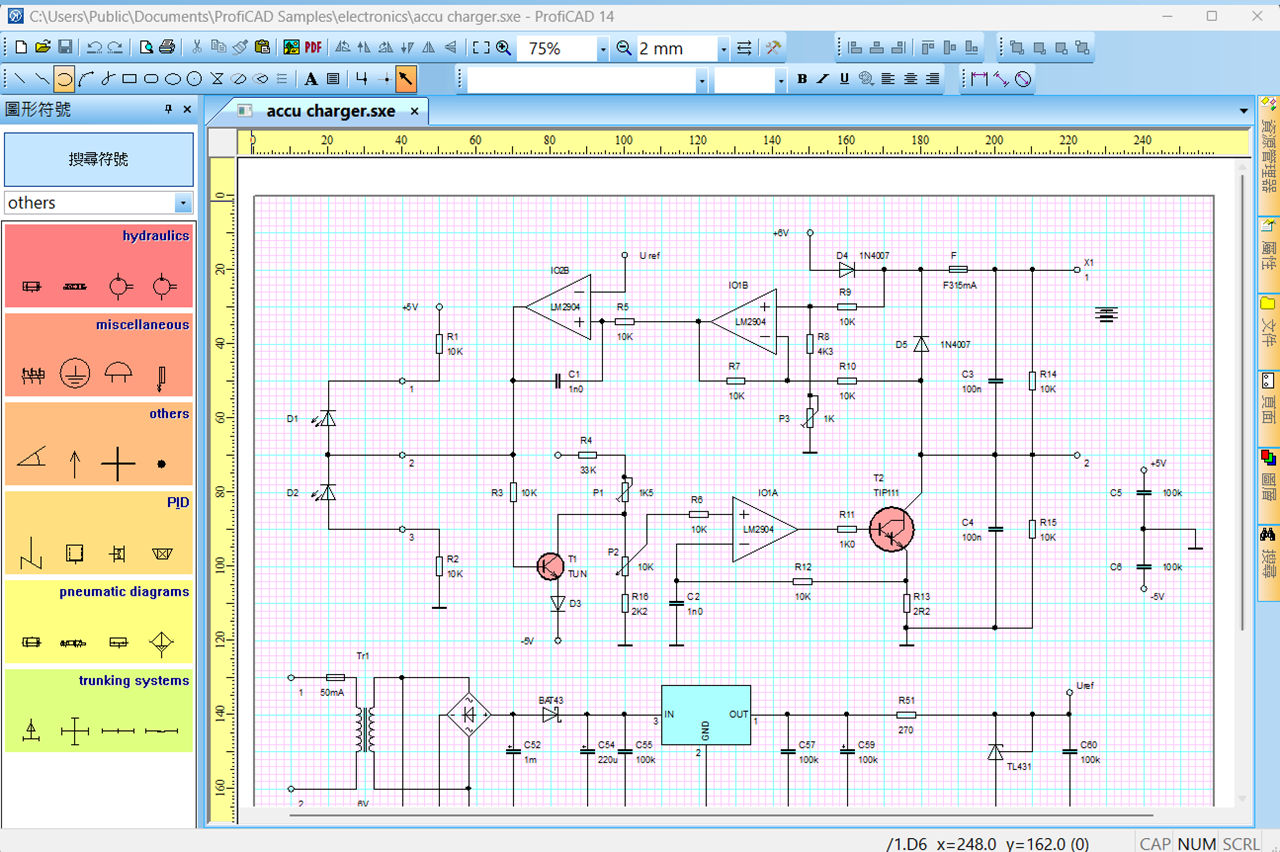
ProfiCAD 14.0.0 is a professional CAD software designed for creating electrical, electronic, control, pneumatic, and hydraulic schematics. It is widely used by electrical engineers, automation specialists, panel builders, maintenance technicians, educators, and industrial designers to develop accurate wiring diagrams, circuit documentation, and technical drawings with maximum efficiency.

The software provides an intuitive drawing environment with a comprehensive library of electrical symbols, automatic wire numbering, cable management, bill of materials generation, and customizable templates. ProfiCAD supports both simple electrical diagrams and complex industrial control systems while ensuring compliance with industry documentation standards.

Version 14.0.0 introduces enhanced drawing performance, expanded symbol libraries, improved project management, optimized printing and PDF export, better compatibility with modern Windows systems, and numerous stability and usability improvements.

Features of ProfiCAD 14.0.0

Professional electrical schematic design.
Electronic circuit diagram creation.
Control system documentation.
Pneumatic schematic design.
Hydraulic circuit diagrams.
Extensive electrical symbol library.
IEC and ANSI symbol support.
Automatic wire numbering.
Cable labeling tools.
Terminal block management.
Bill of Materials (BOM) generation.
Cross-reference management.
Custom symbol creation.
Reusable project templates.
Drag-and-drop component placement.
Intelligent connection tools.
Multi-page project support.
Automatic component numbering.
Cable list generation.
Device tagging.
Title block customization.
Layer management.
PDF export.
DXF export support.
Image export.
High-quality printing.
Fast schematic editing.
Search and replace tools.
Project organization features.
Component database management.
Custom libraries.
Zoom and navigation tools.
Multi-document interface.
Lightweight application.
Multi-core CPU optimization.
Windows 10 and Windows 11 compatibility.
Fast startup and low resource usage.
Improved drawing performance.
Enhanced workflow efficiency.
Greater software stability.

What’s New in ProfiCAD 14.0.0
The latest version includes several enhancements for electrical design professionals:
Improved schematic drawing performance.
Expanded electrical component libraries.
Faster project loading.
Better PDF and DXF export quality.
Enhanced symbol editing tools.
Improved wire management.
Optimized interface responsiveness.
Better printing accuracy.
Increased software reliability.
Bug fixes and stability improvements.

Why Choose ProfiCAD 14.0.0?
ProfiCAD is an excellent solution for engineers and technicians who need a fast, reliable, and easy-to-use application for electrical documentation. Its intuitive interface, comprehensive symbol libraries, automatic documentation features, and lightweight architecture make it suitable for both small projects and large industrial automation systems.

Whether you’re designing electrical panels, PLC control systems, wiring diagrams, hydraulic circuits, or pneumatic schematics, ProfiCAD provides the tools needed to create professional documentation quickly and accurately.

Applications
ProfiCAD 14.0.0 is ideal for:
Electrical Schematic Design
Electronic Circuit Diagrams
Industrial Automation
PLC Wiring Diagrams
Control Panel Design
Hydraulic Schematics
Pneumatic Systems
Electrical Documentation
Maintenance Engineering
Industrial Electrical Design
Cable Documentation
Manufacturing Engineering
Technical Drawings
Engineering Education
Process Control Systems

Conclusion
ProfiCAD 14.0.0 is a feature-rich electrical CAD solution for creating professional schematics, wiring diagrams, and industrial control documentation. With extensive symbol libraries, automatic numbering, BOM generation, and efficient project management tools, it is an excellent choice for electrical engineers, automation professionals, and technical designers.

If you want to download ProfiCAD 14.0.0 full license, please click to DOWNLOAD button to download.
CLICKDOWN.ORG Download CAD CAM CNC software
Inside package ProfiCAD 14.0.0, already have cracked files and instruction how to install ProfiCAD 14.0.0 step by step. I guarantee you can install ProfiCAD 14.0.0 successfully if you follow that instruction.
If you also can’t install it or get any problems, please contact to me by email: clickdown.org@gmail.com, then I will help you to install software by teamviewer or Ultraviewer or Anydesk.
Thanks a lot
AUTODESK

Download Autodesk AutoCAD Plant 3D 2027.1 x64 full license

Download Autodesk AutoCAD Plant 3D 2027.1 x64 full license

Link download Autodesk AutoCAD Plant 3D 2027.1 win64 full activated

Working with Autodesk AutoCAD Plant 3D 2027.1 full license

Description of Autodesk AutoCAD Plant 3D 2027.1

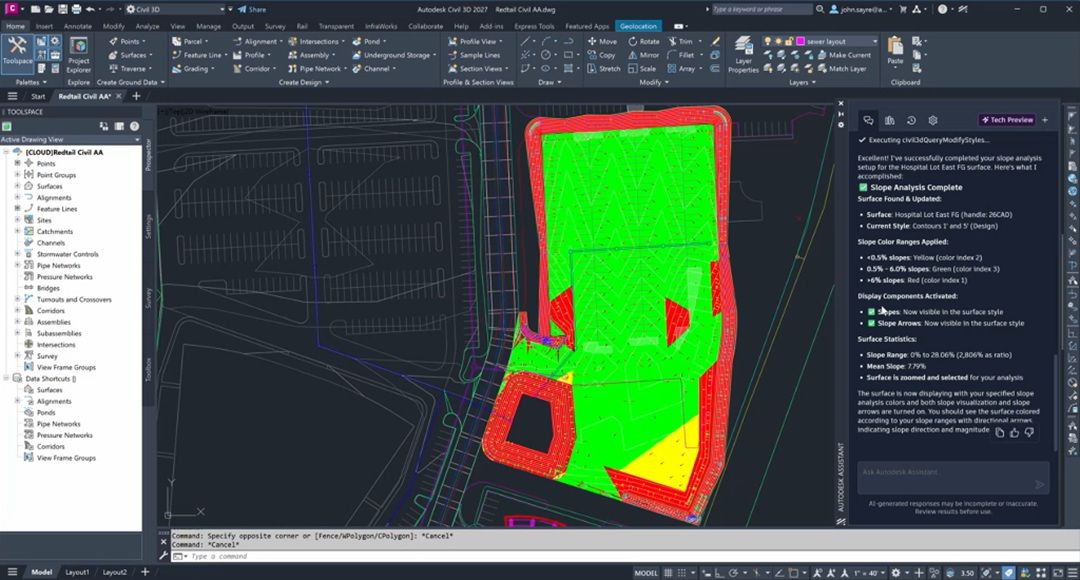
Autodesk AutoCAD Plant 3D 2027.1 is a professional plant design and process engineering software built on the trusted AutoCAD platform. It enables engineers, designers, EPC contractors, and plant operators to efficiently design, model, document, and manage industrial process plants, including oil & gas facilities, chemical plants, power stations, water treatment plants, pharmaceutical facilities, and manufacturing plants.

The software combines intelligent 3D plant modeling with industry-standard P&ID (Piping and Instrumentation Diagram) creation, piping design, equipment modeling, isometric generation, orthographic drawing production, and automated documentation. With comprehensive project collaboration and data management capabilities, AutoCAD Plant 3D helps reduce design errors, improve coordination, and accelerate project delivery.

Version 2027.1 introduces enhanced modeling performance, improved collaboration tools, optimized project workflows, expanded equipment libraries, better interoperability with Autodesk solutions, and numerous stability and productivity improvements.

Features of Autodesk AutoCAD Plant 3D 2027.1

Intelligent 3D plant design.
Native AutoCAD integration.
Piping and Instrumentation Diagram (P&ID) creation.
Intelligent piping modeling.
Parametric equipment design.
Steel structure modeling.
Pipe routing tools.
Valve and fitting libraries.
Industry-standard component catalogs.
Automatic isometric drawing generation.
Orthographic drawing creation.
Pipe specification management.
Data consistency validation.
Project-wide collaboration.
Automatic bill of materials (BOM).
Equipment tagging.
Line numbering management.
Instrumentation documentation.
Clash detection support.
Design rule validation.
Custom component creation.
Spec-driven piping design.
Report generation.
Project Manager integration.
Autodesk Docs compatibility.
DWG file support.
Navisworks interoperability.
Revit interoperability.
IFC data exchange.
SQL project database support.
Cloud collaboration workflows.
API and automation support.
Multi-user project environment.
Large project optimization.
Multi-core CPU performance.
Windows 10 and Windows 11 compatibility.
Enhanced graphics performance.
Improved workflow automation.
Better application stability.
Optimized productivity.

What’s New in Autodesk AutoCAD Plant 3D 2027.1
The latest release includes several improvements for plant design professionals:
Improved 3D modeling performance.
Faster project loading and saving.
Enhanced P&ID productivity.
Better piping specification management.
Optimized collaboration workflows.
Improved equipment modeling.
Enhanced interoperability with Autodesk products.
Faster drawing generation.
Improved user interface responsiveness.
Bug fixes and stability improvements.

Why Choose Autodesk AutoCAD Plant 3D 2027.1?
AutoCAD Plant 3D is trusted by engineering firms worldwide for delivering accurate and intelligent plant design workflows. Its seamless integration of P&ID design, 3D modeling, automated documentation, and collaboration tools helps teams reduce project risks, improve design quality, and shorten engineering schedules.

Whether you’re designing oil refineries, chemical processing facilities, water treatment systems, food production plants, pharmaceutical facilities, or industrial manufacturing sites, AutoCAD Plant 3D provides the specialized tools required for efficient and accurate plant engineering.

Applications
Autodesk AutoCAD Plant 3D 2027.1 is ideal for:
Process Plant Design
Piping Design
P&ID Development
Oil & Gas Engineering
Chemical Plant Engineering
Water Treatment Facilities
Power Plant Design
Industrial Manufacturing
Pharmaceutical Plant Design
Mechanical Engineering
Equipment Layout
Process Engineering
Plant Documentation
Industrial BIM
EPC Project Design

Conclusion
Autodesk AutoCAD Plant 3D 2027.1 is a comprehensive plant design solution that combines intelligent 3D modeling, advanced P&ID creation, automated documentation, and collaborative engineering workflows. With enhanced performance, improved interoperability, and specialized tools for industrial facilities, it remains one of the leading software platforms for modern process plant design.

If you want to download Autodesk AutoCAD Plant 3D 2027.1 full license, please click to DOWNLOAD button to download.
CLICKDOWN.ORG Download CAD CAM CNC software
Inside package Autodesk AutoCAD Plant 3D 2027.1, already have cracked files and instruction how to install Autodesk AutoCAD Plant 3D 2027.1 step by step. I guarantee you can install Autodesk AutoCAD Plant 3D 2027.1 successfully if you follow that instruction.
If you also can’t install it or get any problems, please contact to me by email: clickdown.org@gmail.com, then I will help you to install software by teamviewer or Ultraviewer or Anydesk.
Thanks a lot
SOFTWARES

Download Environment 15.2 for Revit 2027 full license

Download Environment 15.2 for Revit 2027 full license

Link download Environment 15.2 for Revit 2027 full activated

Environment 15.2 for Revit 2027 full license

Working with Environment 15.2 for Revit 2027 full activated

Description of Environment 15.2 for Revit 2027

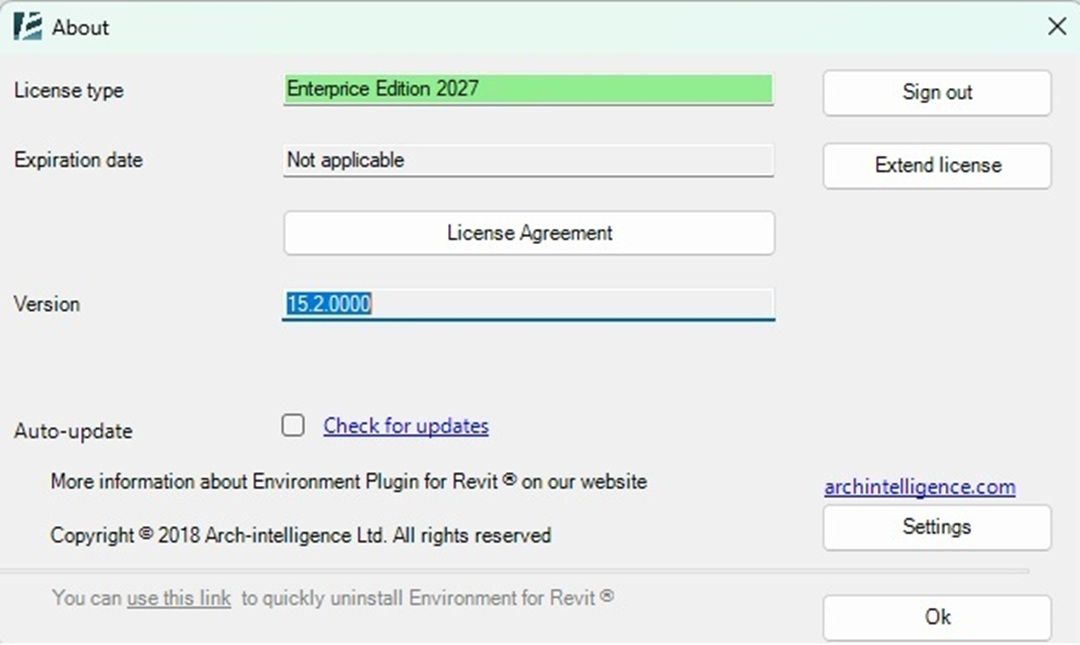
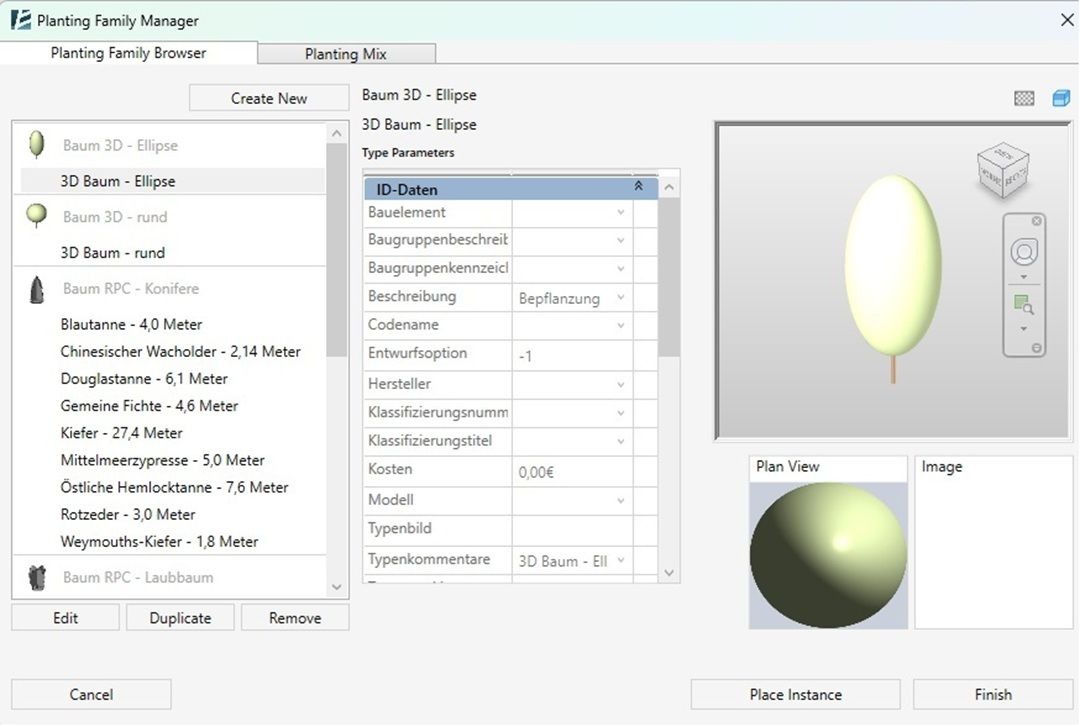
Environment 15.2 for Revit 2027 is a powerful BIM site design and landscape modeling plugin developed specifically for Autodesk Revit. It enables architects, landscape architects, civil engineers, urban planners, and BIM professionals to create realistic terrain models, site layouts, roads, parking areas, retaining walls, vegetation, and outdoor environments directly within the Revit environment.

The plugin enhances Autodesk Revit by providing advanced terrain editing tools, grading capabilities, topographic surface creation, hardscape design, site object libraries, and intelligent landscape modeling features. With seamless BIM integration, Environment helps users improve project visualization, streamline site planning workflows, and produce accurate construction documentation for residential, commercial, and infrastructure projects.

Version 15.2 delivers full compatibility with Autodesk Revit 2027, improved terrain processing performance, enhanced grading tools, expanded object libraries, optimized BIM workflows, and numerous stability and usability improvements.

Features of Environment 15.2 for Revit 2027

Native integration with Autodesk Revit 2027.
Professional BIM site design tools.
Intelligent terrain modeling.
Topographic surface creation.
Terrain grading and editing.
Cut and fill analysis.
Road and pathway design.
Parking lot creation.
Sidewalk and pavement modeling.
Retaining wall design.
Site furniture placement.
Landscape object library.
Tree and vegetation placement.
Plant scheduling.
Site contour generation.
Surface modification tools.
Earthwork calculations.
Property boundary creation.
Site annotation tools.
Automatic quantity calculations.
BIM-based documentation.
Parametric site components.
Material assignment tools.
Real-time 3D visualization.
Project phasing support.
Section and elevation compatibility.
Construction documentation.
CAD data import support.
IFC workflow compatibility.
Collaboration with multidisciplinary BIM projects.
Custom object creation.
Batch editing tools.
Multi-core CPU optimization.
Improved graphics performance.
Large project support.
Windows 10 and Windows 11 compatibility.
Faster terrain regeneration.
Enhanced workflow automation.
Improved software stability.
Optimized productivity tools.

What’s New in Environment 15.2 for Revit 2027
The latest version includes several enhancements for BIM and landscape professionals:
Full compatibility with Autodesk Revit 2027.
Faster terrain generation and updates.
Enhanced grading workflow.
Improved earthwork calculation accuracy.
Expanded landscape object library.
Better BIM collaboration.
Improved project performance.
Enhanced visualization quality.
Optimized user interface responsiveness.
Bug fixes and stability improvements.

Why Choose Environment 15.2 for Revit 2027?
Environment extends Autodesk Revit with professional-grade site planning and landscape design capabilities, eliminating the need to switch between multiple applications. Its intelligent terrain tools, BIM-based workflows, automated documentation, and realistic visualization features help design professionals create accurate site models while improving productivity and collaboration.

Whether you’re planning residential developments, commercial complexes, parks, campuses, public spaces, or infrastructure projects, Environment provides a comprehensive toolkit for efficient BIM-based site and landscape design.

Applications
Environment 15.2 for Revit 2027 is ideal for:
BIM Site Design
Landscape Architecture
Terrain Modeling
Topographic Design
Urban Planning
Civil Engineering
Site Planning
Road and Parking Design
Earthwork Analysis
Outdoor Environment Modeling
Construction Documentation
Commercial Development
Residential Development
Infrastructure Projects
Autodesk Revit Workflows

Conclusion
Environment 15.2 for Revit 2027 is a feature-rich BIM site design and landscape modeling solution that significantly enhances Autodesk Revit with advanced terrain creation, grading, landscape design, and construction documentation tools. With optimized performance, intelligent BIM workflows, and seamless Revit integration, it is an excellent choice for architects, landscape designers, and engineering professionals working on modern site development projects.

If you want to download Environment 15.2 for Revit 2027 full license, please click to DOWNLOAD button to download.
CLICKDOWN.ORG Download CAD CAM CNC software
Inside package Environment 15.2 for Revit 2027, already have cracked files and instruction how to install Environment 15.2 for Revit 2027 step by step. I guarantee you can install Environment 15.2 for Revit 2027 successfully if you follow that instruction.
If you also can’t install it or get any problems, please contact to me by email: clickdown.org@gmail.com, then I will help you to install software by teamviewer or Ultraviewer or Anydesk.
Thanks a lot
SOFTWARES

Download PDFgear 2.1.18 win64 full license 100% working

Download PDFgear 2.1.18 win64 full license 100% working

Link download PDFgear 2.1.18 x64 full activated

Working with PDFgear 2.1.18 full license

Description of PDFgear 2.1.18

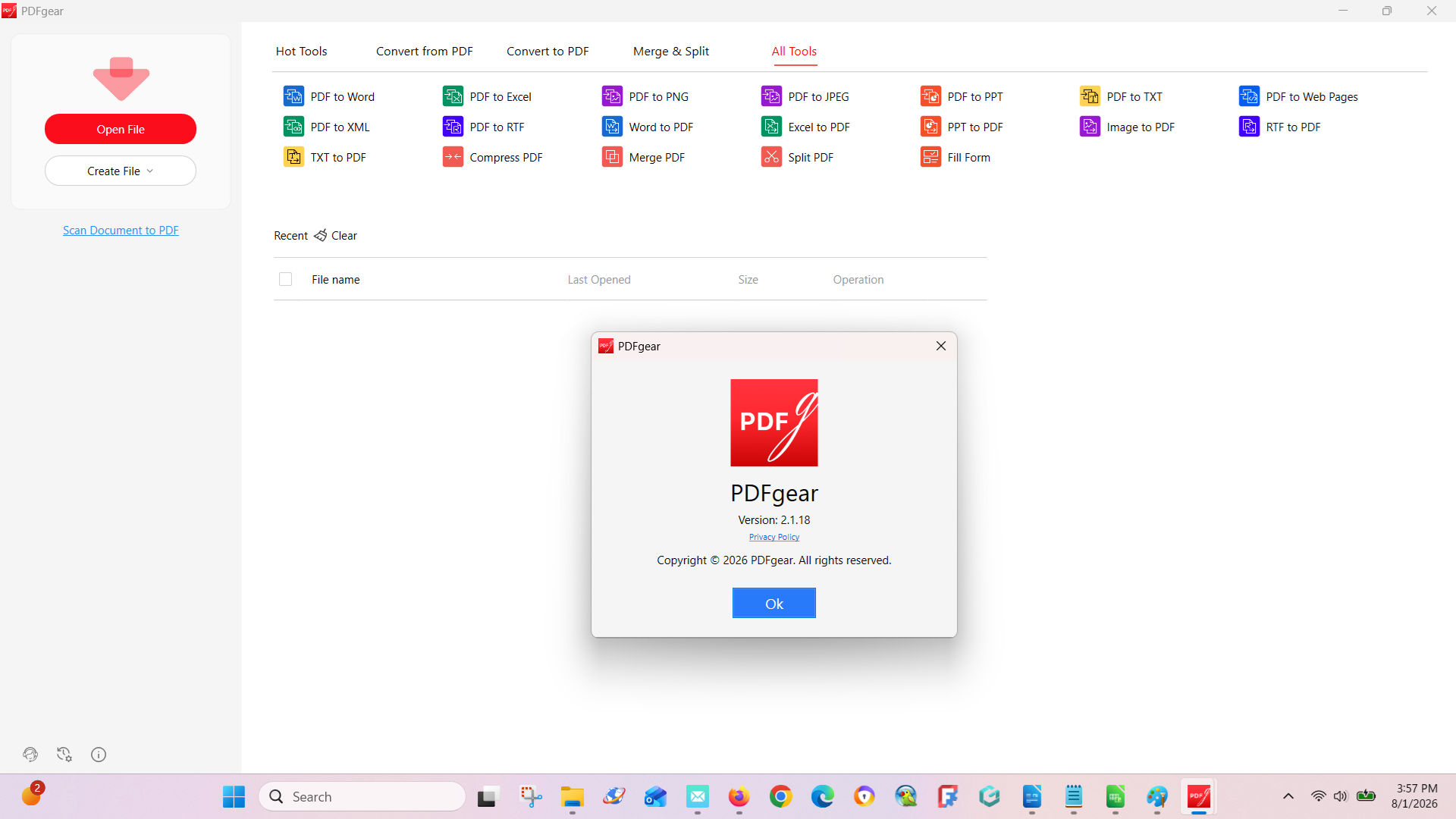
PDFgear 2.1.18 is a comprehensive PDF management and editing software designed to help users create, edit, convert, annotate, organize, and manage PDF documents efficiently. Suitable for students, business professionals, educators, legal teams, and office users, PDFgear provides an intuitive interface combined with powerful document editing and productivity tools, making it an excellent alternative to traditional PDF editors.

The software supports a complete range of PDF operations, including editing text and images, converting PDFs to Microsoft Office formats, merging and splitting files, compressing documents, adding annotations, filling forms, applying passwords, performing OCR on scanned documents, and signing PDFs digitally. With fast processing and a clean user interface, PDFgear simplifies everyday document workflows for both personal and professional use.

Version 2.1.18 introduces improved editing performance, enhanced OCR accuracy, faster PDF conversion, optimized file compression, expanded annotation tools, better compatibility with Microsoft Office documents, and numerous bug fixes and stability improvements.

Features of PDFgear 2.1.18

Professional PDF editor.
Create PDF documents.
Edit PDF text and images.
Convert PDF to Word.
Convert PDF to Excel.
Convert PDF to PowerPoint.
Convert PDF to JPG and PNG.
Convert Office files to PDF.
Merge multiple PDF files.
Split PDF documents.
Rearrange PDF pages.
Rotate and delete pages.
Extract PDF pages.
Compress PDF files.
Optical Character Recognition (OCR).
Scan to searchable PDF.
Fill interactive PDF forms.
Create custom forms.
Digital signature support.
Password protection and encryption.
Remove PDF passwords (authorized files).
Highlight, underline, and comment tools.
Sticky notes and annotations.
Add stamps and shapes.
Watermark management.
Header and footer editing.
Bates numbering.
Batch PDF processing.
Search and replace text.
Print optimization.
Cloud file integration.
Drag-and-drop support.
Multi-tab document viewing.
Fast rendering engine.
Windows 10 and Windows 11 compatibility.
Optimized memory usage.
High-speed document processing.
User-friendly interface.
Enhanced software stability.
Improved workflow efficiency.

What’s New in PDFgear 2.1.18
The latest release includes several enhancements for PDF users:
Improved editing accuracy.
Faster PDF conversion speed.
Enhanced OCR recognition quality.
Better Microsoft Office compatibility.
Improved document compression.
Optimized annotation tools.
Enhanced PDF rendering performance.
Better handling of large documents.
Improved interface responsiveness.
Bug fixes and stability improvements.

Why Choose PDFgear 2.1.18?
PDFgear offers a complete PDF productivity solution for users who need advanced editing, document conversion, annotation, OCR, and security features without a steep learning curve. Its intuitive interface, fast performance, and extensive document management capabilities make it suitable for daily office work, education, legal documentation, and business collaboration.
Whether you’re editing contracts, converting reports, organizing documents, preparing presentations, or creating searchable PDFs from scanned files, PDFgear provides an efficient and reliable workflow.

Applications
PDFgear 2.1.18 is ideal for:
PDF Editing
Document Conversion
PDF to Word Conversion
OCR Processing
Business Documentation
Office Productivity
Contract Management
Educational Documents
Digital Signatures
Form Creation
Document Annotation
PDF Compression
File Management
Legal Documentation
Professional PDF Workflows

Conclusion
PDFgear 2.1.18 is a feature-rich PDF editing and document management solution that combines powerful editing tools, OCR technology, fast file conversion, and comprehensive document organization features in a user-friendly package. Whether for business, education, or personal productivity, PDFgear is an excellent choice for handling virtually every PDF-related task efficiently.

If you want to download PDFgear 2.1.18 full license, please click to DOWNLOAD button to download.
CLICKDOWN.ORG Download CAD CAM CNC software
Inside package PDFgear 2.1.18, already have cracked files and instruction how to install PDFgear 2.1.18 step by step. I guarantee you can install PDFgear 2.1.18 successfully if you follow that instruction.
If you also can’t install it or get any problems, please contact to me by email: clickdown.org@gmail.com, then I will help you to install software by teamviewer or Ultraviewer or Anydesk.
Thanks a lot
SOFTWARES

Download 3DF Zephyr 9.005 win64 full license forever

Download 3DF Zephyr 9.005 win64 full license forever

Link download 3DF Zephyr 9.005 x64 full activated

Working with 3DF Zephyr 9.005 full license

Description of 3DF Zephyr 9.005

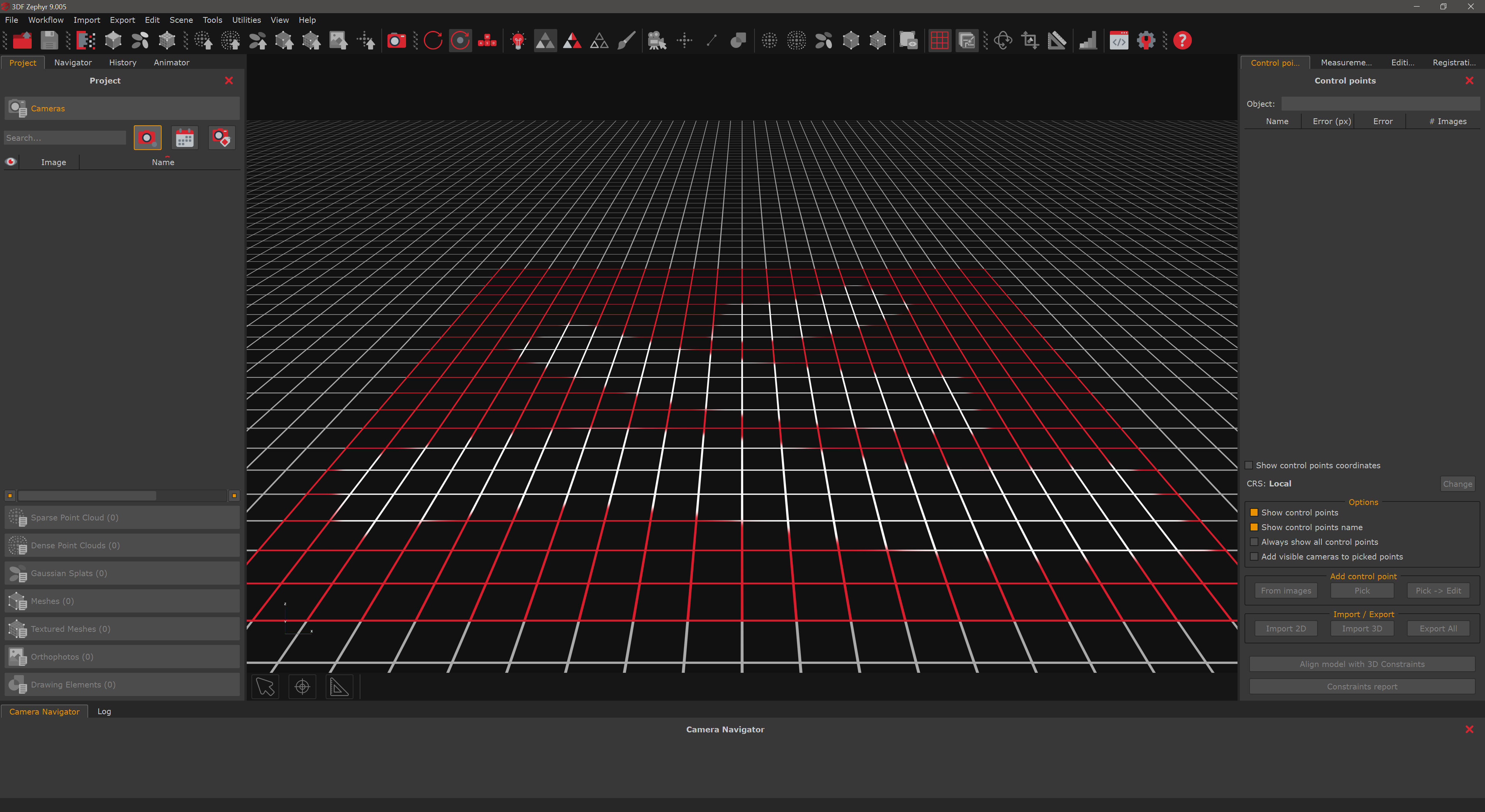
3DF Zephyr 9.005 is a professional photogrammetry and 3D reconstruction software designed to automatically generate highly accurate 3D models from photographs. Developed by 3Dflow, the software is widely used by surveyors, architects, engineers, archaeologists, drone operators, GIS professionals, forensic investigators, VFX artists, game developers, and researchers for creating detailed digital models, textured meshes, orthophotos, and point clouds.

Using advanced Structure from Motion (SfM) and Multi-View Stereo (MVS) technologies, 3DF Zephyr transforms ordinary images captured by cameras, smartphones, drones, or UAVs into complete 3D scenes with minimal manual intervention. The software offers an end-to-end workflow that includes image alignment, dense point cloud generation, mesh creation, texture mapping, measurement tools, and export to industry-standard formats.

Version 9.005 introduces improved reconstruction algorithms, enhanced GPU acceleration, optimized processing speed, better mesh generation, updated camera support, improved accuracy, and numerous stability and workflow enhancements.

Features of 3DF Zephyr 9.005

Professional photogrammetry software.
Automatic 3D reconstruction from photographs.
Structure from Motion (SfM) processing.
Multi-View Stereo (MVS) reconstruction.
Dense point cloud generation.
High-resolution textured mesh creation.
Digital surface model (DSM) generation.
Digital terrain model (DTM) support.
Orthophoto generation.
True orthomosaic creation.
Camera calibration tools.
Automatic image alignment.
Drone and UAV image processing.
LiDAR data integration.
Point cloud editing.
Mesh editing and optimization.
Texture refinement.
Georeferencing support.
Ground control point (GCP) management.
Coordinate system support.
Distance, area, and volume measurements.
Contour line generation.
Section and profile creation.
Image masking tools.
Automatic noise filtering.
Batch project processing.
GPU acceleration.
Multi-core CPU optimization.
Support for OBJ, FBX, STL, PLY, LAS, DXF, and other formats.
CAD and GIS workflow compatibility.
3D visualization tools.
Animation and fly-through creation.
High-resolution export.
Report generation.
Project comparison tools.
Large dataset handling.
Windows 10 and Windows 11 compatibility.
Improved workflow automation.
Enhanced software performance.
Greater application stability.

What’s New in 3DF Zephyr 9.005
The latest release offers several improvements for photogrammetry professionals:
Faster image alignment algorithms.
Improved dense point cloud quality.
Enhanced textured mesh generation.
Better GPU processing performance.
Improved drone image workflows.
Optimized large project handling.
Enhanced LiDAR integration.
Better export compatibility.
Improved user interface responsiveness.
Bug fixes and stability improvements.

Why Choose 3DF Zephyr 9.005?
3DF Zephyr provides a complete photogrammetry workflow without requiring multiple software packages. Its automated processing, powerful reconstruction algorithms, accurate measurement tools, and broad export compatibility make it an excellent solution for professionals working in surveying, mapping, engineering, cultural heritage preservation, and visual effects.

Whether you’re creating digital twins, terrain models, construction surveys, archaeological documentation, forensic reconstructions, or game-ready 3D assets, 3DF Zephyr delivers reliable results with exceptional accuracy and efficiency.

Applications
3DF Zephyr 9.005 is ideal for:
Photogrammetry
3D Reconstruction
Drone Mapping
UAV Surveying
GIS Applications
Land Surveying
Architecture
Civil Engineering
Archaeology
Cultural Heritage Documentation
Forensic Investigation
Construction Documentation
Digital Twin Creation
VFX and Game Development
Point Cloud Processing

Conclusion
3DF Zephyr 9.005 is a comprehensive photogrammetry and 3D reconstruction solution that transforms photographs into highly detailed digital models with outstanding accuracy. Featuring advanced SfM and MVS technologies, GPU acceleration, precise measurement tools, and extensive export options, it remains one of the best choices for professionals involved in surveying, engineering, mapping, and 3D content creation.

If you want to download 3DF Zephyr 9.005 full license, please click to DOWNLOAD button to download.
CLICKDOWN.ORG Download CAD CAM CNC software
Inside package 3DF Zephyr 9.005, already have cracked files and instruction how to install 3DF Zephyr 9.005 step by step. I guarantee you can install 3DF Zephyr 9.005 successfully if you follow that instruction.
If you also can’t install it or get any problems, please contact to me by email: clickdown.org@gmail.com, then I will help you to install software by teamviewer or Ultraviewer or Anydesk.
Thanks a lot
SOFTWARES

Download nTop nTopology 5.52.2 win64 full license forever

Download nTop nTopology 5.52.2 win64 full license forever

Link download nTop nTopology 5.52.2 x64 full activated

Working with nTop nTopology 5.52.2 full license

Description of nTop nTopology 5.52.2

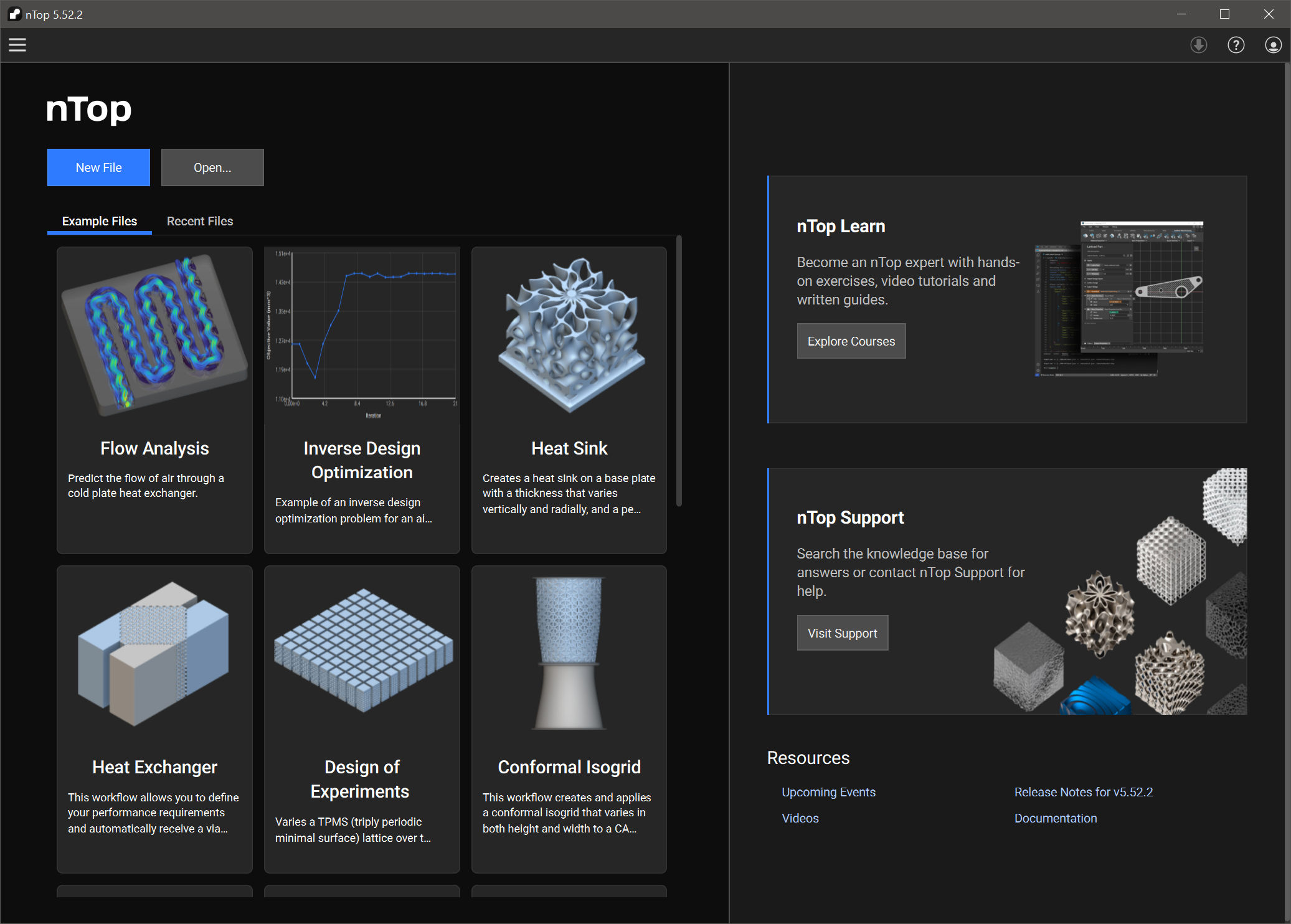
nTop nTopology 5.52.2 is an advanced engineering design software platform for computational design, lattice generation, topology optimization, and Design for Additive Manufacturing (DfAM). Developed by nTop, the software enables engineers, product designers, aerospace manufacturers, automotive companies, medical device developers, and research organizations to create highly optimized components that are impossible to design using traditional CAD software.

Unlike conventional CAD applications, nTopology uses an implicit modeling engine that allows users to work with complex geometry, field-driven designs, lightweight lattice structures, conformal cooling channels, and simulation-driven workflows without sacrificing performance. Its node-based workflow automates repetitive design tasks and accelerates product development for additive manufacturing and advanced engineering applications.

Version 5.52.2 introduces enhanced computational performance, improved implicit modeling capabilities, expanded lattice design tools, better workflow automation, updated simulation integrations, and numerous usability and stability improvements.

Features of nTop nTopology 5.52.2

Advanced implicit modeling engine.
Computational engineering design.
Design for Additive Manufacturing (DfAM).
Topology optimization tools.
Lightweight lattice generation.
TPMS lattice structures.
Conformal lattice creation.
Implicit geometry modeling.
Field-driven design workflows.
Parametric engineering design.
Node-based workflow automation.
CAD geometry import.
STL, STEP, Parasolid, and 3MF support.
Mesh repair and optimization.
Surface reconstruction.
Conformal cooling channel design.
Heat exchanger optimization.
Simulation-driven design.
Finite Element Analysis (FEA) integration.
Structural optimization.
Thermal optimization.
Lightweight component design.
Medical implant design.
Aerospace component optimization.
Automotive lightweighting.
Generative design tools.
Custom reusable blocks.
Batch workflow processing.
High-resolution mesh generation.
Manufacturing constraint management.
API and scripting support.
Data-driven engineering workflows.
Multi-core CPU optimization.
GPU-accelerated visualization.
Enterprise collaboration features.
Large model handling.
Windows 10 and Windows 11 compatibility.
Improved application performance.
Enhanced software stability.
Modern engineering workflow.

What’s New in nTop nTopology 5.52.2
The latest release includes several enhancements for engineering professionals:
Faster implicit geometry calculations.
Improved lattice generation performance.
Enhanced workflow automation.
Better CAD interoperability.
Optimized simulation integration.
Improved mesh processing.
Faster handling of complex models.
Enhanced user interface responsiveness.
Better visualization performance.
Bug fixes and stability improvements.

Why Choose nTop nTopology 5.52.2?
nTop nTopology is one of the industry’s leading engineering design platforms for additive manufacturing and advanced product development. Its powerful implicit modeling engine enables engineers to create highly optimized geometries that dramatically reduce weight, improve structural performance, and shorten product development cycles.

Whether you’re designing aerospace brackets, orthopedic implants, heat exchangers, lightweight automotive components, or high-performance industrial parts, nTopology provides the computational tools required to transform engineering concepts into manufacturable products.

Applications
nTop nTopology 5.52.2 is ideal for:
Additive Manufacturing
Topology Optimization
Computational Design
Lattice Structure Design
Aerospace Engineering
Automotive Engineering
Medical Device Design
Heat Exchanger Design
Generative Design
Mechanical Engineering
Lightweight Component Design
Industrial Product Development
Simulation-Driven Design
Engineering Optimization
Advanced Manufacturing

Conclusion
nTop nTopology 5.52.2 is a cutting-edge computational engineering platform that empowers engineers to create optimized products using implicit modeling, topology optimization, and advanced lattice generation. With enhanced performance, improved automation, robust CAD interoperability, and comprehensive additive manufacturing workflows, it remains one of the best solutions for next-generation engineering design.

If you want to download nTop nTopology 5.52.2 full license, please click to DOWNLOAD button to download.
CLICKDOWN.ORG Download CAD CAM CNC software
Inside package nTop nTopology 5.52.2, already have cracked files and instruction how to install nTop nTopology 5.52.2 step by step. I guarantee you can install nTop nTopology 5.52.2 successfully if you follow that instruction.
If you also can’t install it or get any problems, please contact to me by email: clickdown.org@gmail.com, then I will help you to install software by teamviewer or Ultraviewer or Anydesk.
Thanks a lot
SOFTWARES

Download Nomad Sculpt 2.9.22 win64 full license forever

Download Nomad Sculpt 2.9.22 win64 full license forever

Link download Nomad Sculpt 2.9.22 x64 full activated

Working with Nomad Sculpt 2.9.22 full license

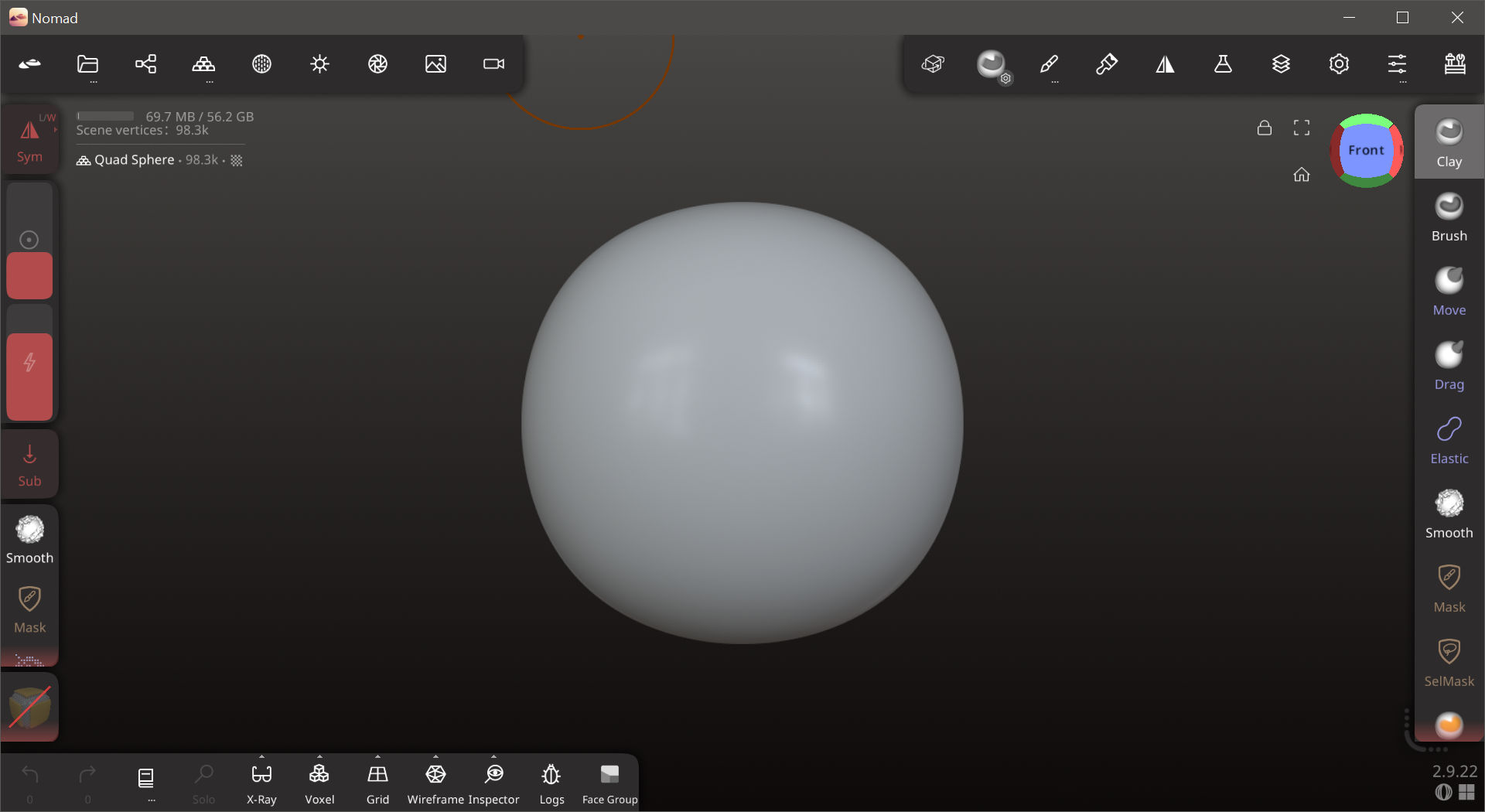
Description of Nomad Sculpt 2.9.22

Nomad Sculpt 2.9.22 is a powerful digital sculpting and 3D modeling application designed for artists, illustrators, game developers, product designers, and 3D enthusiasts. Known for its intuitive interface and professional sculpting tools, Nomad Sculpt enables users to create highly detailed characters, creatures, hard-surface models, concept art, and digital sculptures on supported mobile devices and tablets.

The software combines dynamic topology, voxel remeshing, multiresolution sculpting, PBR painting, masking, layering, and advanced brush customization into a streamlined workflow. Its responsive performance and modern rendering engine allow artists to sculpt, paint, and render high-quality 3D models wherever they work.

Version 2.9.22 introduces improved sculpting performance, enhanced brush behavior, optimized rendering quality, better topology management, expanded painting tools, and numerous bug fixes for a smoother modeling experience.

Features of Nomad Sculpt 2.9.22

Professional digital sculpting tools.
High-resolution 3D sculpting.
Dynamic topology (Dyntopo).
Voxel remeshing.
Multiresolution sculpting workflow.
Advanced sculpting brushes.
Clay, Crease, Inflate, Flatten, Move, and Smooth brushes.
Custom brush settings.
Masking tools.
Face group management.
Sculpt layers support.
Boolean modeling operations.
Symmetry sculpting.
Radial symmetry.
Primitive object creation.
Hard-surface modeling tools.
PBR material painting.
Vertex painting.
Smart material system.
HDR environment lighting.
Real-time physically based rendering.
Ambient occlusion.
Screen-space reflections.
Depth of Field effects.
MatCap rendering.
Decimation tools.
Mesh optimization.
OBJ, STL, and GLTF import/export.
FBX export support.
UV support.
Texture baking.
Camera bookmarks.
Turntable rendering.
High-resolution image export.
Fast GPU rendering.
Touch-optimized interface.
Cross-device workflow support.
Improved application performance.
Enhanced stability.
Modern sculpting workflow.

What’s New in Nomad Sculpt 2.9.22
The latest version introduces several improvements for digital artists:
Improved sculpting responsiveness.
Better dynamic topology performance.
Enhanced voxel remeshing quality.
Improved PBR rendering.
Faster brush processing.
Optimized memory usage.
Better mesh editing tools.
Improved export compatibility.
Enhanced interface responsiveness.
Bug fixes and stability improvements.

Why Choose Nomad Sculpt 2.9.22?
Nomad Sculpt has become one of the most popular mobile sculpting applications thanks to its professional-quality tools and intuitive interface. It allows artists to create detailed 3D models without requiring a desktop workstation, making it an excellent solution for creative professionals and hobbyists who need flexibility and portability.

Whether you’re sculpting game characters, designing collectibles, creating concept art, preparing models for 3D printing, or producing digital artwork, Nomad Sculpt offers an efficient and enjoyable workflow with impressive rendering capabilities.

Applications
Nomad Sculpt 2.9.22 is ideal for:
Digital Sculpting
Character Modeling
Creature Design
Hard Surface Modeling
Concept Art
Game Asset Creation
3D Illustration
Product Design
3D Printing Preparation
Digital Art
Mobile 3D Modeling
PBR Painting
Animation Asset Creation
VR Content Development
Artistic Visualization

Conclusion
Nomad Sculpt 2.9.22 is a feature-rich digital sculpting application that delivers professional 3D modeling and sculpting capabilities in a mobile-friendly environment. With advanced sculpting tools, dynamic topology, voxel remeshing, PBR rendering, and optimized performance, it is an outstanding choice for artists seeking a portable yet powerful 3D creation solution.
If you want to download Nomad Sculpt 2.9.22 full license, please click to DOWNLOAD button to download.
CLICKDOWN.ORG Download CAD CAM CNC software
Inside package Nomad Sculpt 2.9.22, already have cracked files and instruction how to install Nomad Sculpt 2.9.22 step by step. I guarantee you can install Nomad Sculpt 2.9.22 successfully if you follow that instruction.
If you also can’t install it or get any problems, please contact to me by email: clickdown.org@gmail.com, then I will help you to install software by teamviewer or Ultraviewer or Anydesk.
Thanks a lot
SOFTWARES

Download Chaos Corona 15 Hotfix 1 for 3ds Max 2018 – 2027

Download Chaos Corona 15 Hotfix 1 for 3ds Max 2018 – 2027 full license

Link download Chaos Corona 15 Hotfix 1 for 3ds Max 2018 – 2027 full activated

Working with Chaos Corona 15 Hotfix 1 for 3ds Max 2018 - 2027 full

Description of Chaos Corona 15 Hotfix 1 for 3ds Max 2018 – 2027

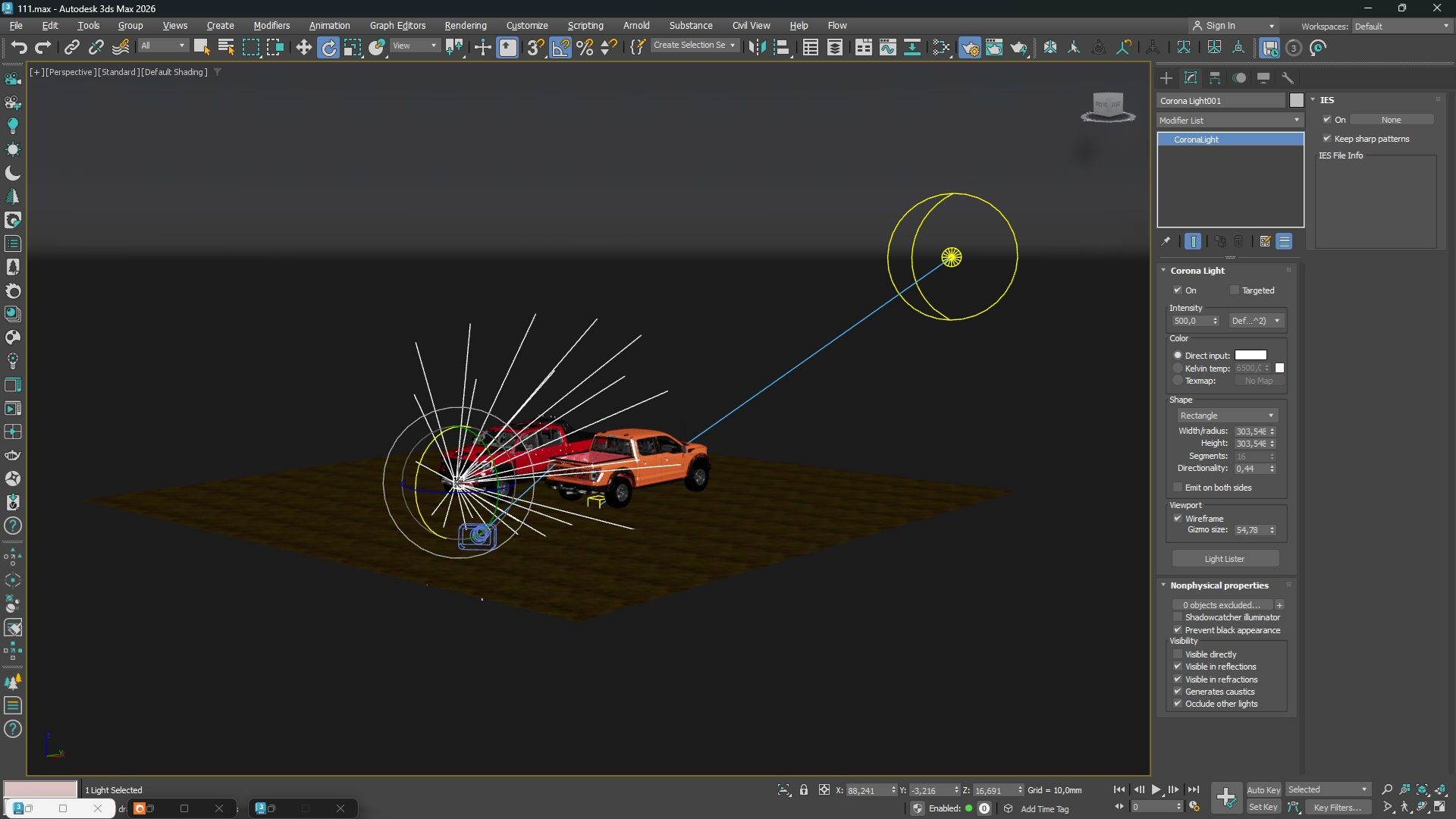
Chaos Corona 15 Hotfix 1 for 3ds Max 2018–2027 is a high-performance photorealistic rendering engine designed for Autodesk 3ds Max. Developed by Chaos, Corona Renderer is widely used by architects, interior designers, product designers, visualization studios, and CG artists to create stunning, physically accurate images and animations with an intuitive and artist-friendly workflow.

Corona seamlessly integrates with Autodesk 3ds Max, providing interactive rendering, realistic materials, advanced lighting tools, distributed rendering, denoising, and powerful scene optimization features. Whether creating architectural visualizations, product renders, furniture catalogs, or cinematic scenes, Corona delivers exceptional image quality with minimal setup.

Version 15 Hotfix 1 introduces performance optimizations, improved rendering stability, updated compatibility with Autodesk 3ds Max 2018 through 2027, enhanced material handling, bug fixes, and workflow improvements that increase productivity for professional rendering projects.

Features of Chaos Corona 15 Hotfix 1 for 3ds Max 2018 – 2027

Fully integrated with Autodesk 3ds Max 2018–2027.
Physically based rendering engine.
Photorealistic image generation.
Interactive Rendering (IR).
Real-time scene updates.
Advanced Global Illumination (GI).
Path tracing technology.
High-quality ray tracing.
Corona Physical Material.
Corona Layered Material.
Extensive material library.
Chaos Cosmos asset integration.
HDRI environment lighting.
Sun and Sky system.
Advanced camera controls.
Depth of Field (DOF).
Motion Blur rendering.
AI-powered denoising.
Intel Open Image Denoise support.
Distributed rendering.
Render region support.
Adaptive Light Solver.
Caustics rendering.
Volume materials and fog effects.
Scatter object support.
Proxy object optimization.
High-resolution rendering.
Animation rendering.
Batch rendering workflow.
Multi-core CPU optimization.
Efficient memory management.
Fast scene loading.
VFB (Virtual Frame Buffer).
LUT and tone mapping controls.
Render elements support.
Compatible with Chaos Phoenix.
Chaos Scatter integration.
Windows 10 and Windows 11 compatibility.
Improved rendering performance.
Enhanced software stability.

What’s New in Chaos Corona 15 Hotfix 1
The latest hotfix includes several enhancements for rendering professionals:
Improved compatibility with Autodesk 3ds Max 2027.
Faster rendering performance.
Optimized memory usage.
Enhanced material processing.
Improved interactive rendering responsiveness.
Better stability during complex rendering tasks.
Updated Chaos Cosmos integration.
Improved denoising quality.
Performance optimizations across large scenes.
Bug fixes and reliability improvements.

Why Choose Chaos Corona 15 Hotfix 1?
Chaos Corona is one of the industry’s most popular rendering solutions thanks to its balance of simplicity, speed, and outstanding image quality. Artists can achieve realistic lighting and materials without complicated render settings, allowing them to focus on creativity instead of technical configuration.

Whether you’re producing architectural visualizations, luxury interiors, product presentations, furniture catalogs, advertising images, or animated walkthroughs, Corona provides professional-grade rendering tools that deliver impressive results efficiently.

Applications
Chaos Corona 15 Hotfix 1 is ideal for:
Architectural Visualization
Interior Rendering
Exterior Rendering
Product Visualization
Furniture Rendering
Commercial Advertising
Real Estate Marketing
Animation Rendering
CGI Production
Industrial Design
Concept Visualization
Virtual Staging
Lighting Simulation
Marketing Images
Professional 3D Rendering

Conclusion
Chaos Corona 15 Hotfix 1 for 3ds Max 2018–2027 is a powerful photorealistic rendering solution that combines outstanding visual quality with an intuitive workflow. Featuring physically accurate lighting, advanced materials, interactive rendering, distributed rendering, and seamless integration with Autodesk 3ds Max, it remains one of the best rendering engines for architectural visualization and professional CGI production.

If you want to download Chaos Corona 15 Hotfix 1 for 3ds Max 2018 – 2027 full license, please click to DOWNLOAD button to download.
CLICKDOWN.ORG Download CAD CAM CNC software
Inside package Chaos Corona 15 Hotfix 1 for 3ds Max 2018 – 2027, already have cracked files and instruction how to install Chaos Corona 15 Hotfix 1 for 3ds Max 2018 – 2027 step by step. I guarantee you can install Chaos Corona 15 Hotfix 1 for 3ds Max 2018 – 2027 successfully if you follow that instruction.
If you also can’t install it or get any problems, please contact to me by email: clickdown.org@gmail.com, then I will help you to install software by teamviewer or Ultraviewer or Anydesk.
Thanks a lot
SOFTWARES

Download MiniTAB Workspace 1.5.3 full license forever

Download MiniTAB Workspace 1.5.3 full license forever

Link download MiniTAB Workspace 1.5.3 full activated

Working with MiniTAB Workspace 1.5.3 full license

Description of MiniTAB Workspace 1.5.3

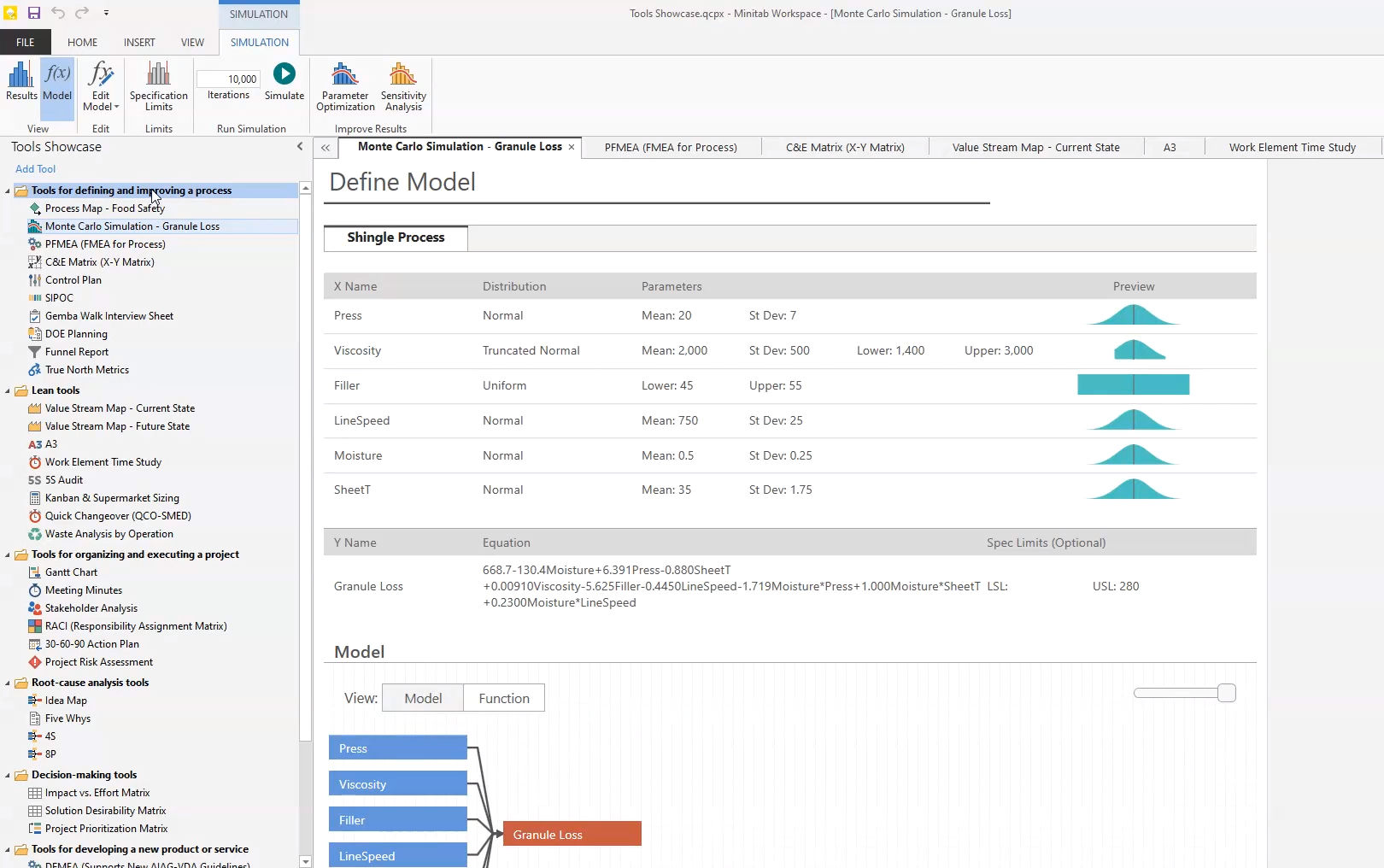
Minitab Workspace 1.5.3 is a professional visual process improvement and project management software designed to help organizations streamline problem-solving, process mapping, quality improvement, and Lean Six Sigma initiatives. Developed by Minitab, the software provides an intuitive environment for creating process maps, brainstorming diagrams, value stream maps, fishbone diagrams, SIPOC diagrams, and project planning tools that support continuous improvement across various industries.

Minitab Workspace enables engineers, quality managers, manufacturing professionals, business analysts, healthcare organizations, and project teams to organize ideas, analyze workflows, identify root causes, and document improvement projects using proven quality management methodologies. Its collaborative tools and standardized templates make it easier to manage projects while improving communication and operational efficiency.

Version 1.5.3 includes enhanced diagram creation tools, improved template libraries, optimized project workflows, better collaboration capabilities, performance enhancements, and numerous stability improvements.

Features of MiniTAB Workspace 1.5.3

Professional process improvement platform.
Lean Six Sigma project management.
Process mapping tools.
Value Stream Mapping (VSM).
SIPOC diagram creation.
Fishbone (Ishikawa) diagrams.
Cause-and-effect analysis.
Brainstorming maps.
Mind mapping tools.
Flowchart creation.
Project roadmap templates.
DMAIC project support.
Root cause analysis.
Decision tree diagrams.
SWOT analysis templates.
FMEA workflow support.
Process documentation.
Standardized project templates.
Team collaboration features.
Task tracking tools.
Visual project planning.
Workflow optimization.
Continuous improvement management.
Quality management documentation.
Custom diagram templates.
Drag-and-drop editing.
Microsoft Office integration.
Export to PDF and image formats.
Report generation.
Cloud collaboration support.
Enterprise project management.
Easy template customization.
Multi-project organization.
Multi-core CPU optimization.
Fast diagram rendering.
Windows 10 and Windows 11 compatibility.
User-friendly interface.
Improved workflow automation.
Enhanced productivity.
Better software stability.

What’s New in Minitab Workspace 1.5.3
The latest release introduces several improvements for quality professionals:
Enhanced process mapping tools.
Improved template collection.
Faster project loading.
Better collaboration workflow.
Optimized diagram editing performance.
Improved export quality.
Enhanced user interface responsiveness.
Better project organization.
Increased software reliability.
Bug fixes and stability improvements.

Why Choose Minitab Workspace 1.5.3?
Minitab Workspace is an excellent solution for organizations focused on operational excellence, continuous improvement, and quality management. By combining visual process mapping with structured problem-solving tools, it helps teams identify inefficiencies, standardize workflows, improve collaboration, and successfully execute Lean Six Sigma projects.

Whether you’re documenting business processes, analyzing root causes, planning quality initiatives, or managing process improvement projects, Minitab Workspace provides an intuitive and comprehensive platform to support better decision-making.

Applications
Minitab Workspace 1.5.3 is ideal for:
Lean Six Sigma Projects
Process Improvement
Business Process Mapping
Quality Management
Root Cause Analysis
Manufacturing Optimization
Healthcare Process Improvement
Project Planning
Workflow Documentation
Continuous Improvement
Operational Excellence
Business Analysis
Team Collaboration
Process Engineering
Quality Assurance

Conclusion
Minitab Workspace 1.5.3 is a comprehensive visual process improvement and project management solution that helps organizations streamline workflows, improve quality, and support continuous improvement initiatives. With powerful diagramming tools, standardized templates, Lean Six Sigma support, and collaborative project management features, it is an excellent choice for businesses seeking to optimize operations and drive organizational excellence.

If you want to download MiniTAB Workspace 1.5.3 full license, please click to DOWNLOAD button to download.
CLICKDOWN.ORG Download CAD CAM CNC software
Inside package MiniTAB Workspace 1.5.3, already have cracked files and instruction how to install MiniTAB Workspace 1.5.3 step by step. I guarantee you can install MiniTAB Workspace 1.5.3 successfully if you follow that instruction.
If you also can’t install it or get any problems, please contact to me by email: clickdown.org@gmail.com, then I will help you to install software by teamviewer or Ultraviewer or Anydesk.
Thanks a lot
SOFTWARES

Download Datamine Isatis.neo Mining 2026.1 x64 full license

Download Datamine Isatis.neo Mining 2026.1 x64 full license

Link download Datamine Isatis.neo Mining 2026.1 win64 full activated

Working with Datamine Isatis.neo Mining 2026.1 full license

Description of Datamine Isatis.neo Mining 2026.1

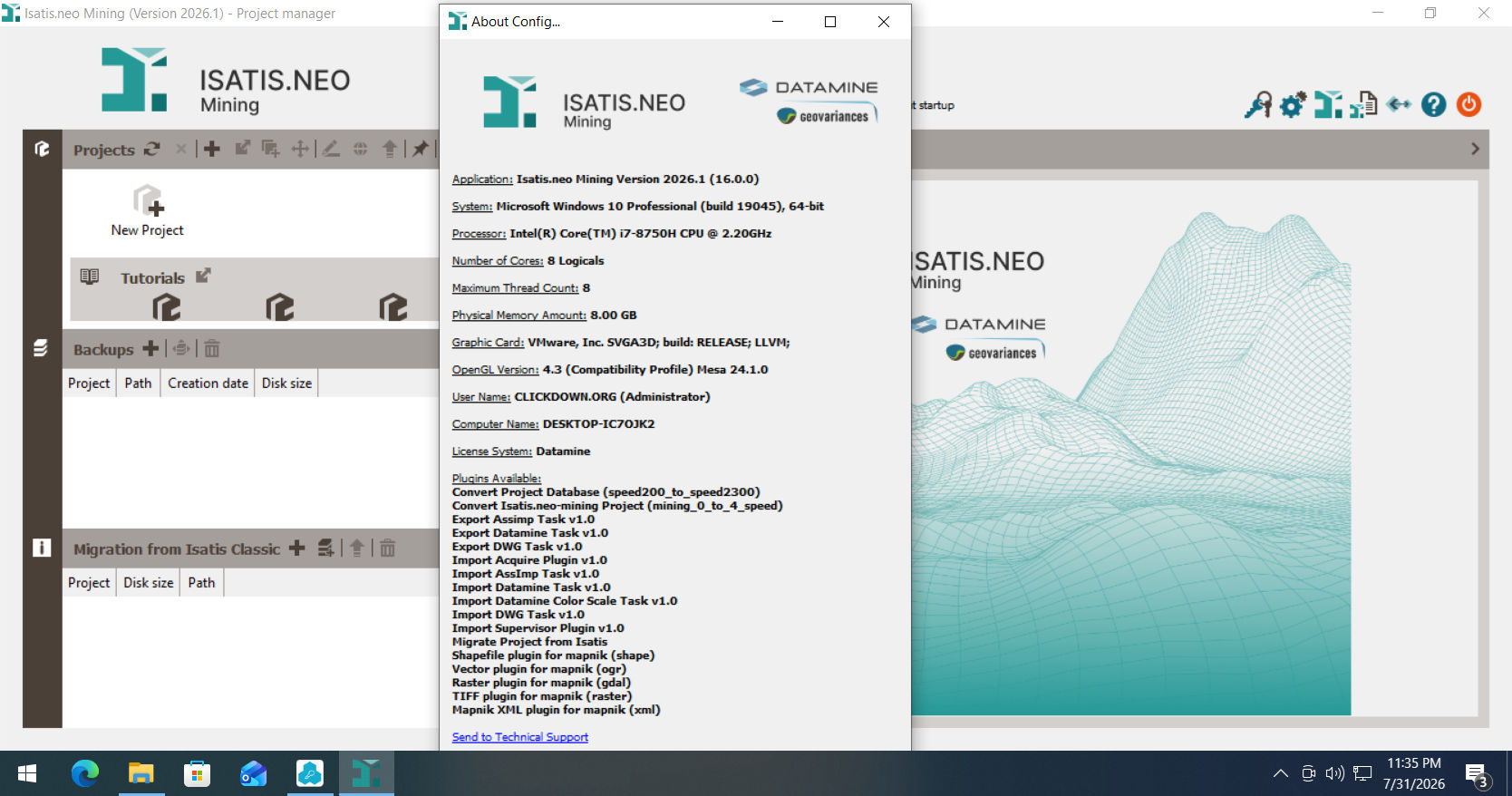
Datamine Isatis.neo Mining 2026.1 is a professional geostatistical modeling and resource estimation software developed specifically for the mining industry. It enables geologists, mining engineers, resource modelers, exploration teams, and geoscientists to analyze geological data, estimate mineral resources, model ore deposits, and support informed mine planning decisions using advanced geostatistical techniques.

Built on the powerful Isatis.neo platform, the Mining Edition provides specialized workflows for mineral exploration, block model estimation, variography, interpolation, uncertainty analysis, and grade control. The software integrates geological databases, drillhole information, and spatial data into a comprehensive environment for resource evaluation and reserve modeling.

Version 2026.1 introduces enhanced geostatistical algorithms, improved resource estimation workflows, optimized large dataset processing, expanded visualization capabilities, better interoperability with Datamine mining solutions, and numerous performance and stability improvements.

Features of Datamine Isatis.neo Mining 2026.1

Professional geostatistical modeling.
Advanced mineral resource estimation.
Geological data analysis.
Drillhole database management.
Variography analysis tools.
Experimental variogram generation.
Variogram modeling.
Ordinary kriging.
Universal kriging.
Indicator kriging.
Co-kriging support.
Conditional simulation.
Block model estimation.
Grade interpolation.
Resource classification.
Ore body modeling.
Geological domain modeling.
Grade control analysis.
Spatial statistical analysis.
Declustering tools.
Compositing workflows.
Uncertainty and risk analysis.
Cross-validation tools.
Data transformation functions.
2D and 3D visualization.
Interactive geological mapping.
Large dataset optimization.
Integration with Datamine Studio products.
Import and export of industry-standard formats.
Drillhole visualization.
Section and plan generation.
Reporting and charting tools.
Workflow automation.
Batch processing.
Multi-core CPU optimization.
High-performance calculation engine.
Windows 10 and Windows 11 compatibility.
Enterprise-ready mining workflows.
Improved software performance.
Enhanced application stability.

What’s New in Datamine Isatis.neo Mining 2026.1
The latest release includes several enhancements for mining professionals:
Improved geostatistical estimation algorithms.
Faster block model calculations.
Enhanced variogram modeling tools.
Better visualization of geological data.
Optimized processing of large exploration datasets.
Improved interoperability with Datamine software.
Enhanced reporting capabilities.
Better workflow automation.
Improved user interface responsiveness.
Bug fixes and stability improvements.

Why Choose Datamine Isatis.neo Mining 2026.1?
Datamine Isatis.neo Mining is one of the industry’s most advanced geostatistical solutions for mineral resource evaluation. Its specialized mining workflows, robust statistical methods, and seamless integration with exploration and mine planning software help professionals produce accurate resource models while reducing uncertainty in decision-making.

Whether you’re estimating mineral resources, analyzing exploration drilling, validating geological models, or supporting long-term mine planning, Isatis.neo Mining delivers the analytical tools required for efficient and reliable resource evaluation.

Applications
Datamine Isatis.neo Mining 2026.1 is ideal for:
Mineral Resource Estimation
Geostatistical Modeling
Geological Modeling
Mining Engineering
Ore Body Analysis
Drillhole Data Analysis
Variography
Block Model Estimation
Grade Control
Resource Classification
Exploration Geology
Mine Planning
Spatial Statistics
Geological Interpretation
Mining Project Evaluation

Conclusion
Datamine Isatis.neo Mining 2026.1 is a comprehensive geostatistical modeling and mineral resource estimation solution for modern mining operations. Featuring advanced interpolation methods, robust variography tools, high-performance processing, and seamless integration with Datamine workflows, it is an excellent choice for geologists and mining engineers seeking accurate, efficient, and reliable resource evaluation.

If you want to download Datamine Isatis.neo Mining 2026.1 full license, please click to DOWNLOAD button to download.
CLICKDOWN.ORG Download CAD CAM CNC software
Inside package Datamine Isatis.neo Mining 2026.1, already have cracked files and instruction how to install Datamine Isatis.neo Mining 2026.1 step by step. I guarantee you can install Datamine Isatis.neo Mining 2026.1 successfully if you follow that instruction.
If you also can’t install it or get any problems, please contact to me by email: clickdown.org@gmail.com, then I will help you to install software by teamviewer or Ultraviewer or Anydesk.
Thanks a lot

error: Content is protected !!
Scroll to Top