SOFTWARES

SOFTWARES

Download CyberLink AudioDirector Ultra 2026 v16.0 win64 full

Download CyberLink AudioDirector Ultra 2026 v16.0 full license

Link download CyberLink AudioDirector Ultra 2026 v16.0 full activated

CyberLink AudioDirector Ultra 2026 v16.0.5822.10 x64 full license

Working with CyberLink AudioDirector Ultra 2026 v16.0.5822.10 full

Description of CyberLink AudioDirector Ultra 2026 v16.0

CyberLink AudioDirector Ultra 2026 v16.0 is a professional audio editing and sound design software built for video creators, filmmakers, and content producers. It provides advanced tools for audio repair, enhancement, mixing, and mastering, helping users achieve studio quality sound for videos, podcasts, and multimedia projects.

Designed to integrate seamlessly with video editing workflows, AudioDirector Ultra allows precise control over audio tracks while maintaining speed, clarity, and creative flexibility.

Features of CyberLink AudioDirector Ultra 2026 v16.0

Professional Audio Editing Tools
AudioDirector Ultra offers multi track editing, waveform and spectral views, and precise timeline controls for detailed audio adjustments.

Advanced Noise Reduction and Restoration
Remove background noise, hum, wind, reverb, and unwanted sounds with intelligent audio restoration tools designed for clean and natural results.

AI Powered Audio Enhancement
Smart AI features help enhance dialogue clarity, balance audio levels, and improve overall sound quality with minimal manual effort.

Audio Mixing and Mastering
Fine tune volume, EQ, dynamics, and effects across multiple tracks to create polished and balanced audio mixes.

Seamless Video Editing Integration
AudioDirector Ultra works smoothly with CyberLink video editing software, enabling round trip editing and efficient post production workflows.

High Quality Audio Effects
Apply professional grade effects such as reverb, compression, chorus, and delay to add depth and character to audio tracks.

Support for Modern Audio Formats
The software supports a wide range of audio formats and high resolution audio, ensuring compatibility with modern production standards.

Why Choose CyberLink AudioDirector Ultra 2026 v16.0
CyberLink AudioDirector Ultra 2026 v16.0 is ideal for creators who demand professional audio quality without complex workflows. Its powerful restoration tools, AI enhancements, and seamless video integration make it a reliable solution for modern audio post production.

If you want to download CyberLink AudioDirector Ultra 2026 v16.0 full license, please click to DOWNLOAD button to download.
CLICKDOWN.ORG Download CAD CAM CNC software
Inside package CyberLink AudioDirector Ultra 2026 v16.0, already have cracked files and instruction how to install CyberLink AudioDirector Ultra 2026 v16.0 step by step. I guarantee you can install CyberLink AudioDirector Ultra 2026 v16.0 successfully if you follow that instruction.
If you also can’t install it or get any problems, please contact to me by email: clickdown.org@gmail.com, then I will help you to install software by teamviewer or Ultraviewer or Anydesk.
Thanks a lot

SOFTWARES

Download Office Timeline Pro+ 13.17.00.00 full license

Download Office Timeline Pro+ 13.17.00.00 full license

Link download Office Timeline Pro+ 13.17.00.00 full activated

Working with Office Timeline Pro+ 13.17.00.00 full license

Description of Office Timeline Pro+ 13.17.00.00

Office Timeline Pro+ 13.17.00.00 is a powerful project visualization add in for Microsoft PowerPoint designed to help professionals create clear and compelling timelines, roadmaps, and Gantt charts. It is widely used by project managers, consultants, executives, and teams who need to communicate plans and progress in a visual and easy to understand format.

With its intuitive interface and automation features, Office Timeline Pro+ transforms complex project data into polished visuals directly inside PowerPoint.

Features of Office Timeline Pro+ 13.17.00.00

Professional Timelines and Roadmaps
Create high quality timelines and roadmaps optimized for presentations, reports, and executive briefings with precise control over layout and design.

Gantt Chart Creation
Quickly build detailed Gantt charts that clearly display tasks, milestones, dependencies, and durations for effective project planning.

Seamless PowerPoint Integration
Office Timeline Pro+ works natively inside Microsoft PowerPoint, allowing users to edit, customize, and present timelines without switching applications.

Data Import and Synchronization
Import project data from Excel, Microsoft Project, Smartsheet, and other sources to save time and ensure accuracy.

Automatic Updates and Automation
Timelines can be refreshed automatically when data changes, reducing manual work and maintaining consistency across presentations.

Custom Templates and Styling
Access a library of professionally designed templates and customize colors, shapes, and styles to match corporate branding.

Collaboration Friendly Output
Create visuals that are easy to share and understand, helping teams and stakeholders align on project goals and timelines.

Why Choose Office Timeline Pro+ 13.17.00.00
Office Timeline Pro+ 13.17.00.00 is an ideal solution for professionals who need fast, accurate, and visually appealing project timelines. Its automation, PowerPoint integration, and data import capabilities make it a valuable tool for clear project communication.

If you want to download Office Timeline Pro+ 13.17.00.00 full license, please click to DOWNLOAD button to download.
CLICKDOWN.ORG Download CAD CAM CNC software
Inside package Office Timeline Pro+ 13.17.00.00, already have cracked files and instruction how to install Office Timeline Pro+ 13.17.00.00 step by step. I guarantee you can install Office Timeline Pro+ 13.17.00.00 successfully if you follow that instruction.
If you also can’t install it or get any problems, please contact to me by email: clickdown.org@gmail.com, then I will help you to install software by teamviewer or Ultraviewer or Anydesk.
Thanks a lot
SOFTWARES

Download Microsoft Office 365 2025 full license forever

Download Microsoft Office 365 2025 full license forever

Link download Microsoft Office 365 2025 full activated

Microsoft Office 365 2025 full license

Description of Microsoft Office 365 2025

Microsoft Office 365 2025 is a comprehensive productivity and collaboration suite designed to support modern work environments across business, education, and personal use. It combines powerful desktop applications with cloud based services, enabling users to work efficiently from anywhere and on any device.

Office 365 2025 delivers familiar tools such as Word, Excel, PowerPoint, Outlook, and OneNote, enhanced with intelligent features, secure cloud storage, and seamless collaboration through Microsoft Teams and OneDrive.

Features of Microsoft Office 365 2025

Complete Office Application Suite
Microsoft Office 365 2025 includes the latest versions of Word, Excel, PowerPoint, Outlook, and Access, providing professional tools for document creation, data analysis, presentations, and communication.

Cloud Based Collaboration
Users can collaborate in real time by co authoring documents, sharing files, and managing projects through OneDrive and Microsoft Teams, improving teamwork and productivity.

AI Powered Productivity Tools
Built in AI features help users write better documents, analyze data faster, and create impactful presentations with smart suggestions and automation.

Anywhere Access and Device Flexibility
Office 365 2025 allows access to files and applications across desktop, web, and mobile devices, ensuring consistent workflows wherever users work.

Advanced Security and Compliance
The platform includes enterprise grade security features such as data encryption, identity protection, and compliance controls to safeguard sensitive information.

Automatic Updates and Improvements
Subscribers receive continuous updates with new features, performance enhancements, and security improvements without manual upgrades.

Email and Calendar Management
Outlook provides powerful email, calendar, and contact management tools to keep communication organized and efficient.

Why Choose Microsoft Office 365 2025
Microsoft Office 365 2025 is an ideal solution for individuals and organizations seeking a reliable and scalable productivity platform. Its combination of powerful applications, cloud collaboration, and advanced security supports efficient work in today’s digital environment.

If you want to download Microsoft Office 365 2025 full license, please click to DOWNLOAD button to download.
CLICKDOWN.ORG Download CAD CAM CNC software
Inside package Microsoft Office 365 2025, already have cracked files and instruction how to install Microsoft Office 365 2025 step by step. I guarantee you can install Microsoft Office 365 2025 successfully if you follow that instruction.
If you also can’t install it or get any problems, please contact to me by email: clickdown.org@gmail.com, then I will help you to install software by teamviewer or Ultraviewer or Anydesk.
Thanks a lot

SOFTWARES

Download Capture One 23 Enterprise 16.7.2.3273 x64 full

Download Capture One 23 Enterprise 16.7.2.3273 full license

Link download Capture One 23 Enterprise 16.7.2.3273 full activated

Working with Capture One 23 Enterprise 16.7.2.3273 full license

Description of Capture One 23 Enterprise 16.7.2.3273

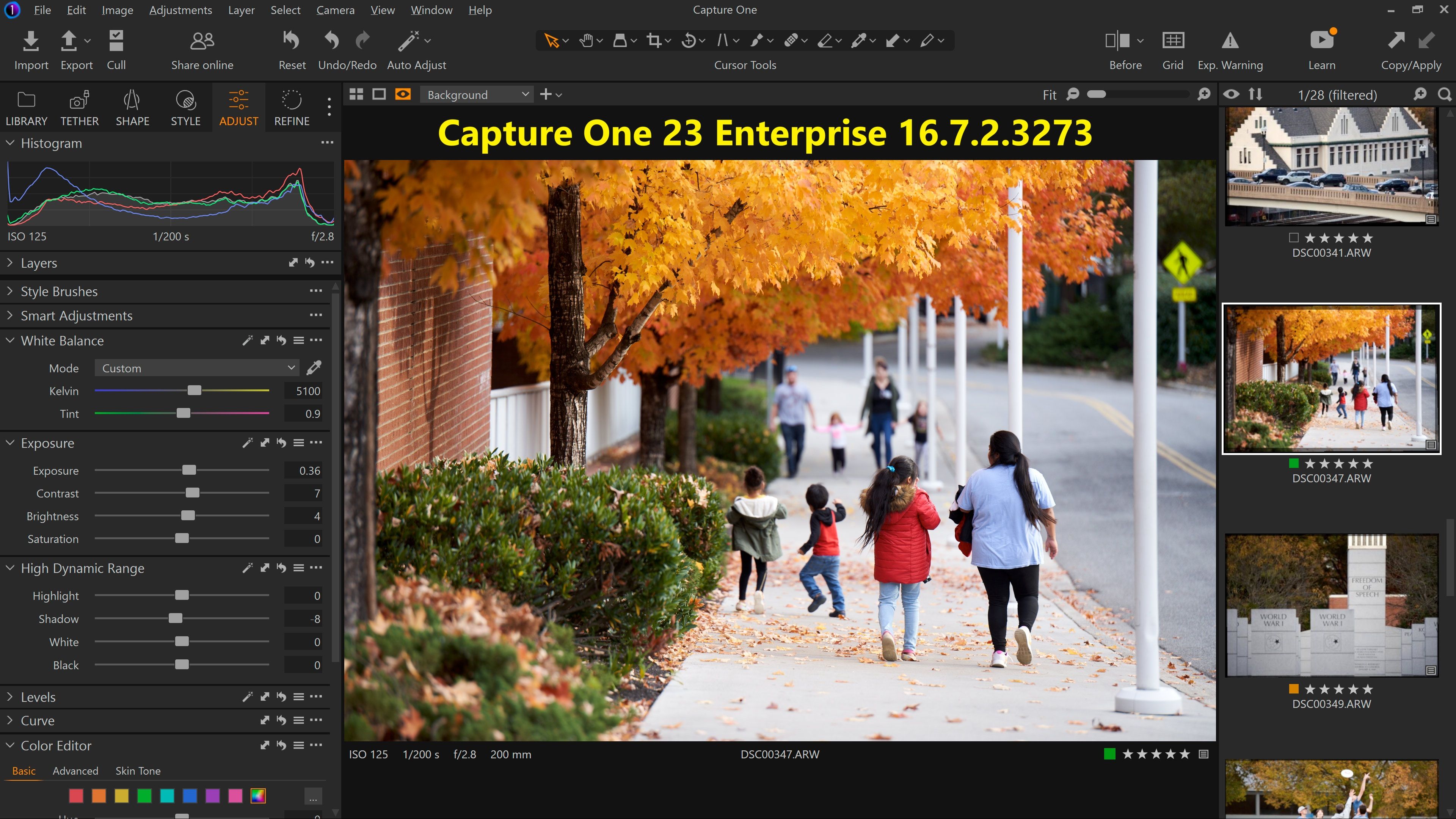
Capture One 23 Enterprise 16.7.2.3273 is a professional grade photo editing and workflow management solution designed for large studios, production teams, and enterprise level photography operations. It combines industry leading RAW image quality with advanced collaboration, automation, and asset management tools to support high volume and mission critical workflows.

Built for scalability and performance, Capture One 23 Enterprise is widely used in fashion, commercial, product, and studio photography where consistency, speed, and control are essential across teams and locations.

Features of Capture One 23 Enterprise 16.7.2.3273

Industry Leading RAW Processing
Capture One delivers exceptional image quality with precise color accuracy, superior detail rendering, and advanced tonal control, ensuring consistent professional results.

Advanced Tethered Capture
The software offers fast and stable tethered shooting with real time image review, live adjustments, overlays, and camera control, ideal for studio and on set production.

Enterprise Collaboration Tools
Capture One Enterprise supports collaborative workflows with shared sessions, standardized styles, and controlled access, enabling teams to work efficiently and consistently.

Custom Styles and Presets
Users can create, manage, and deploy custom styles across teams to maintain brand consistency and speed up post production.

High Performance Asset Management
Powerful catalog and session tools allow efficient organization, filtering, and searching of large image libraries using metadata, ratings, and keywords.

Workflow Automation and Efficiency
Enterprise features enable automation of repetitive tasks, streamlining ingestion, editing, and output processes for high volume environments.

Secure and Scalable Deployment
Designed for enterprise use, the software supports scalable deployment and controlled workflows suitable for large organizations and production pipelines.

Why Choose Capture One 23 Enterprise 16.7.2.3273
Capture One 23 Enterprise 16.7.2.3273 is the ideal solution for professional teams that demand top tier image quality and reliable collaboration. Its combination of advanced RAW processing, tethered capture, and enterprise level workflow tools makes it a trusted platform for high end photography operations.

If you want to download Capture One 23 Enterprise 16.7.2.3273 full license, please click to DOWNLOAD button to download.
CLICKDOWN.ORG Download CAD CAM CNC software
Inside package Capture One 23 Enterprise 16.7.2.3273, already have cracked files and instruction how to install Capture One 23 Enterprise 16.7.2.3273 step by step. I guarantee you can install Capture One 23 Enterprise 16.7.2.3273 successfully if you follow that instruction.
If you also can’t install it or get any problems, please contact to me by email: clickdown.org@gmail.com, then I will help you to install software by teamviewer or Ultraviewer or Anydesk.
Thanks a lot
SOFTWARES

Download DxO FilmPack Elite 7.19.0.15 full license forever

Download DxO FilmPack Elite 7.19.0.15 x64 full license forever

Link download DxO FilmPack Elite 7.19.0.15 full activated

Working with DxO FilmPack Elite 7.19.0.15 full license

Description of DxO FilmPack Elite 7.19.0.15

DxO FilmPack Elite 7.19.0.15 is a professional photo editing software designed to recreate the authentic look and feel of classic analog film. It allows photographers to apply realistic film renderings, creative effects, and precise color grading to digital images while maintaining full control over image quality.

Used by professionals and enthusiasts alike, DxO FilmPack Elite transforms modern digital photos with timeless film aesthetics. It works seamlessly as a standalone application or as a plugin for popular photo editors, making it a flexible addition to any photography workflow.

Features of DxO FilmPack Elite 7.19.0.15

Authentic Film Renderings
DxO FilmPack Elite includes a large library of faithfully reproduced color and black and white film stocks, based on scientific calibration for accurate tonal and color response.

Advanced Grain Simulation
The software applies realistic film grain that adapts naturally to image resolution and tonal areas, delivering a true analog appearance without degrading detail.

Creative Color and Tone Controls
Users can fine tune contrast, saturation, color balance, and tone curves to craft unique styles or precisely match classic photographic looks.

Black and White Conversion Tools
FilmPack Elite provides advanced black and white rendering tools with filters, channel mixing, and contrast control for expressive monochrome photography.

Non Destructive Editing Workflow
All adjustments are applied non destructively, allowing photographers to experiment freely and refine results at any stage of editing.

Presets and Custom Styles
The software includes ready to use presets and allows users to create and save custom looks for consistent results across photo collections.

Seamless Integration
DxO FilmPack Elite integrates smoothly with major photo editing software, enabling efficient workflows without disrupting existing editing processes.

Why Choose DxO FilmPack Elite 7.19.0.15
DxO FilmPack Elite 7.19.0.15 is the ideal choice for photographers who want authentic film aesthetics combined with modern digital precision. Its accurate film simulations, creative flexibility, and professional tools make it a powerful solution for expressive photo editing.

If you want to download DxO FilmPack Elite 7.19.0.15 full license, please click to DOWNLOAD button to download.
CLICKDOWN.ORG Download CAD CAM CNC software
Inside package DxO FilmPack Elite 7.19.0.15, already have cracked files and instruction how to install DxO FilmPack Elite 7.19.0.15 step by step. I guarantee you can install DxO FilmPack Elite 7.19.0.15 successfully if you follow that instruction.
If you also can’t install it or get any problems, please contact to me by email: clickdown.org@gmail.com, then I will help you to install software by teamviewer or Ultraviewer or Anydesk.
Thanks a lot

SOFTWARES

Download Coolmuster PDF Password Remover 2.3.2 full license

Download Coolmuster PDF Password Remover 2.3.2 full license

Link download Coolmuster PDF Password Remover 2.3.2 full activated

Working with Coolmuster PDF Password Remover 2.3.2 full license

Description of Coolmuster PDF Password Remover 2.3.2

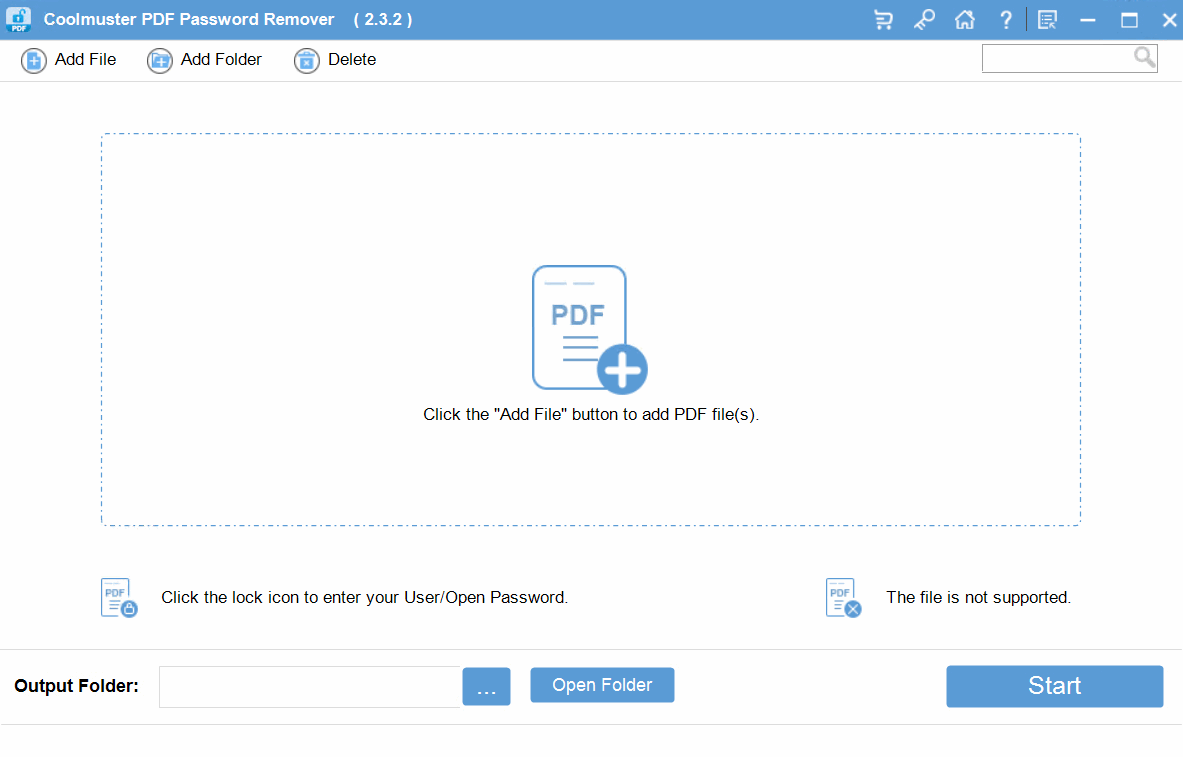
Coolmuster PDF Password Remover 2.3.2 is a dedicated utility designed to remove security restrictions from protected PDF files quickly and efficiently. It helps users regain full access to PDF documents that are limited by owner passwords, allowing editing, copying, and printing without altering the original content.

This software is ideal for office users, students, and professionals who work with secured PDF files and need a simple solution to unlock usage restrictions while maintaining document integrity.

Features of Coolmuster PDF Password Remover 2.3.2

Remove PDF Usage Restrictions
Coolmuster PDF Password Remover can instantly remove restrictions that prevent printing, copying, editing, or annotating PDF documents when owner permissions are applied.

Fast and Reliable Processing
The software uses an optimized unlocking engine that processes PDF files quickly, saving time when working with multiple secured documents.

Batch PDF Unlocking
Users can remove restrictions from multiple PDF files at once, improving productivity in document heavy workflows.

Preserve Original File Quality
Unlocked PDF files retain their original layout, text, images, and formatting, ensuring no data loss during the process.

Simple and User Friendly Interface
The intuitive interface makes it easy for users of all experience levels to unlock PDFs with just a few steps.

Standalone PDF Tool
Coolmuster PDF Password Remover works independently without requiring additional PDF software, making it a lightweight and efficient solution.

Why Choose Coolmuster PDF Password Remover 2.3.2
Coolmuster PDF Password Remover 2.3.2 provides a straightforward and effective way to remove PDF restrictions and restore full document usability. Its speed, accuracy, and ease of use make it a reliable choice for everyday PDF management tasks.

If you want to download Coolmuster PDF Password Remover 2.3.2 full license, please click to DOWNLOAD button to download.
CLICKDOWN.ORG Download CAD CAM CNC software
Inside package Coolmuster PDF Password Remover 2.3.2, already have cracked files and instruction how to install Coolmuster PDF Password Remover 2.3.2 step by step. I guarantee you can install Coolmuster PDF Password Remover 2.3.2 successfully if you follow that instruction.
If you also can’t install it or get any problems, please contact to me by email: clickdown.org@gmail.com, then I will help you to install software by teamviewer or Ultraviewer or Anydesk.
Thanks a lot
SOFTWARES

Download PicPick Professional 7.4.1 win64 full license

Download PicPick Professional 7.4.1 win64 full license

Link download PicPick Professional 7.4.1 full activated

Working with PicPick Professional 7.4.1 full license

Description of PicPick Professional 7.4.1

PicPick Professional 7.4.1 is a powerful all in one screen capture and image editing software designed for designers, developers, educators, and technical professionals. It combines advanced screenshot tools with a built in image editor, color utilities, and screen measurement features in a lightweight and efficient application.

Ideal for creating tutorials, documentation, presentations, and design assets, PicPick Professional 7.4.1 helps users capture, edit, and share visual content quickly and accurately.

Features of PicPick Professional 7.4.1

Advanced Screen Capture
PicPick Professional supports multiple capture modes including full screen, active window, scrolling window, region selection, and fixed region capture for complete flexibility.

Built In Image Editor
The integrated image editor allows users to annotate, crop, resize, rotate, and enhance screenshots using drawing tools, text, shapes, and effects.

Color Picker and Palette Tools
Users can easily pick colors from anywhere on the screen, generate color palettes, and convert color values between RGB, HEX, HSV, and other formats.

Screen Ruler and Measurement Tools
PicPick includes pixel ruler, protractor, crosshair, and magnifier tools to accurately measure screen elements and align visual components.

Hotkey and Workflow Customization
Customizable keyboard shortcuts and settings help streamline repetitive tasks and improve productivity.

Multi Language and Multi Monitor Support
The software supports multiple languages and works seamlessly across multi monitor setups, making it suitable for global and professional environments.

Lightweight and High Performance
PicPick Professional is optimized for fast startup and smooth operation without consuming excessive system resources.

Why Choose PicPick Professional 7.4.1
PicPick Professional 7.4.1 offers a complete toolkit for screen capture and visual editing in one compact solution. Its versatility, accuracy, and ease of use make it a reliable choice for professionals who work with visual content every day.

If you want to download PicPick Professional 7.4.1 full license, please click to DOWNLOAD button to download.
CLICKDOWN.ORG Download CAD CAM CNC software
Inside package PicPick Professional 7.4.1, already have cracked files and instruction how to install PicPick Professional 7.4.1 step by step. I guarantee you can install PicPick Professional 7.4.1 successfully if you follow that instruction.
If you also can’t install it or get any problems, please contact to me by email: clickdown.org@gmail.com, then I will help you to install software by teamviewer or Ultraviewer or Anydesk.
Thanks a lot
SOFTWARES

Download PLC-Lab Pro 3.3.0 full license full license forever

Download PLC-Lab Pro 3.3.0 full license full license forever

Link download PLC-Lab Pro 3.3.0 full activated

Working with PLC-Lab Pro 3.3.0 full license

Description of PLC-Lab Pro 3.3.0

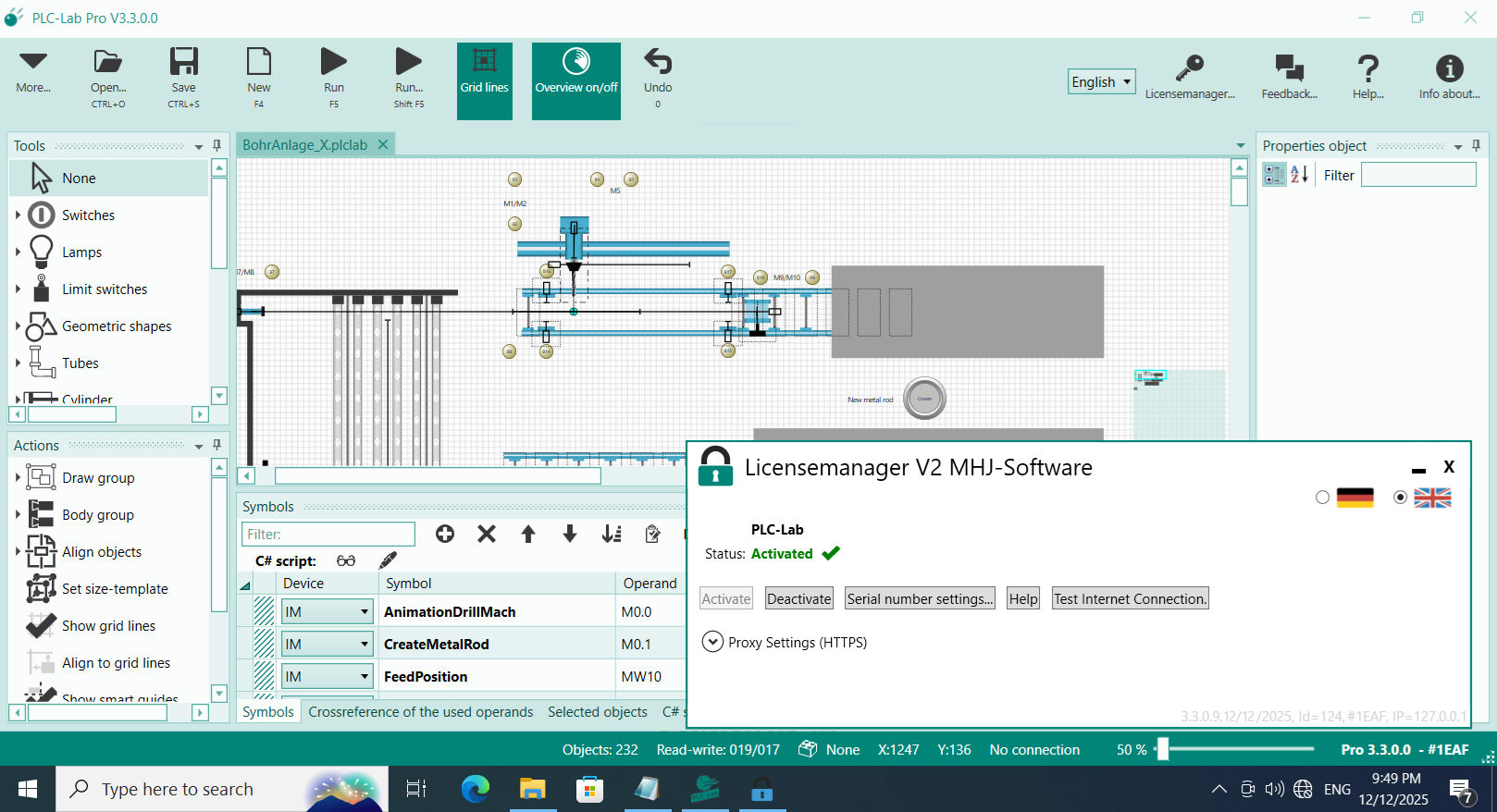
PLC-Lab Pro 3.3.0 is a professional PLC simulation and testing software designed for automation engineers, educators, and students who want to develop and validate PLC programs without physical hardware. It provides a realistic virtual environment to test control logic, visualize machine behavior, and improve programming accuracy.

Widely used in industrial automation training and development, PLC-Lab Pro 3.3.0 helps reduce commissioning risks, shorten development cycles, and enhance understanding of PLC controlled systems.

Features of PLC-Lab Pro 3.3.0

Realistic PLC Simulation
PLC-Lab Pro allows users to simulate real industrial machines and processes, enabling accurate testing of PLC programs under realistic operating conditions.

Support for Multiple PLC Platforms
The software supports integration with popular PLC programming environments, making it suitable for testing ladder logic and control programs used in real world automation projects.

Interactive Visualization
Users can create animated visual models such as conveyors, cylinders, sensors, motors, and valves to clearly see how PLC logic affects machine behavior.

Safe Offline Testing
PLC-Lab Pro enables offline testing and debugging of PLC programs, helping identify logic errors before deploying code to real hardware.

Ideal for Training and Education
The software is widely used for PLC training, allowing students and technicians to practice automation concepts in a safe and cost effective environment.

Flexible Scenario Design
Users can build custom simulation scenarios and fault conditions to test different operating states and improve troubleshooting skills.

Time Saving and Cost Efficient
By eliminating the need for physical test setups, PLC-Lab Pro reduces hardware costs and accelerates automation development workflows.

Why Choose PLC-Lab Pro 3.3.0
PLC-Lab Pro 3.3.0 is an essential tool for anyone involved in PLC programming and automation training. Its realistic simulation, visualization, and offline testing capabilities help improve code quality, safety, and learning efficiency.

If you want to download PLC-Lab Pro 3.3.0 full license, please click to DOWNLOAD button to download.
CLICKDOWN.ORG Download CAD CAM CNC software
Inside package PLC-Lab Pro 3.3.0, already have cracked files and instruction how to install PLC-Lab Pro 3.3.0 step by step. I guarantee you can install PLC-Lab Pro 3.3.0 successfully if you follow that instruction.
If you also can’t install it or get any problems, please contact to me by email: clickdown.org@gmail.com, then I will help you to install software by teamviewer or Ultraviewer or Anydesk.
Thanks a lot
SOFTWARES

Download ON1 Photo RAW 2026.2 v20.2.0.17850 x64 full license

Download ON1 Photo RAW 2026.2 v20.2.0.17850 full license

Link download ON1 Photo RAW 2026.2 v20.2.0.17850 full activated

Working with ON1 Photo RAW 2026.2 v20.2.0.17850 full license

Description of ON1 Photo RAW 2026.2 v20.2.0.17850

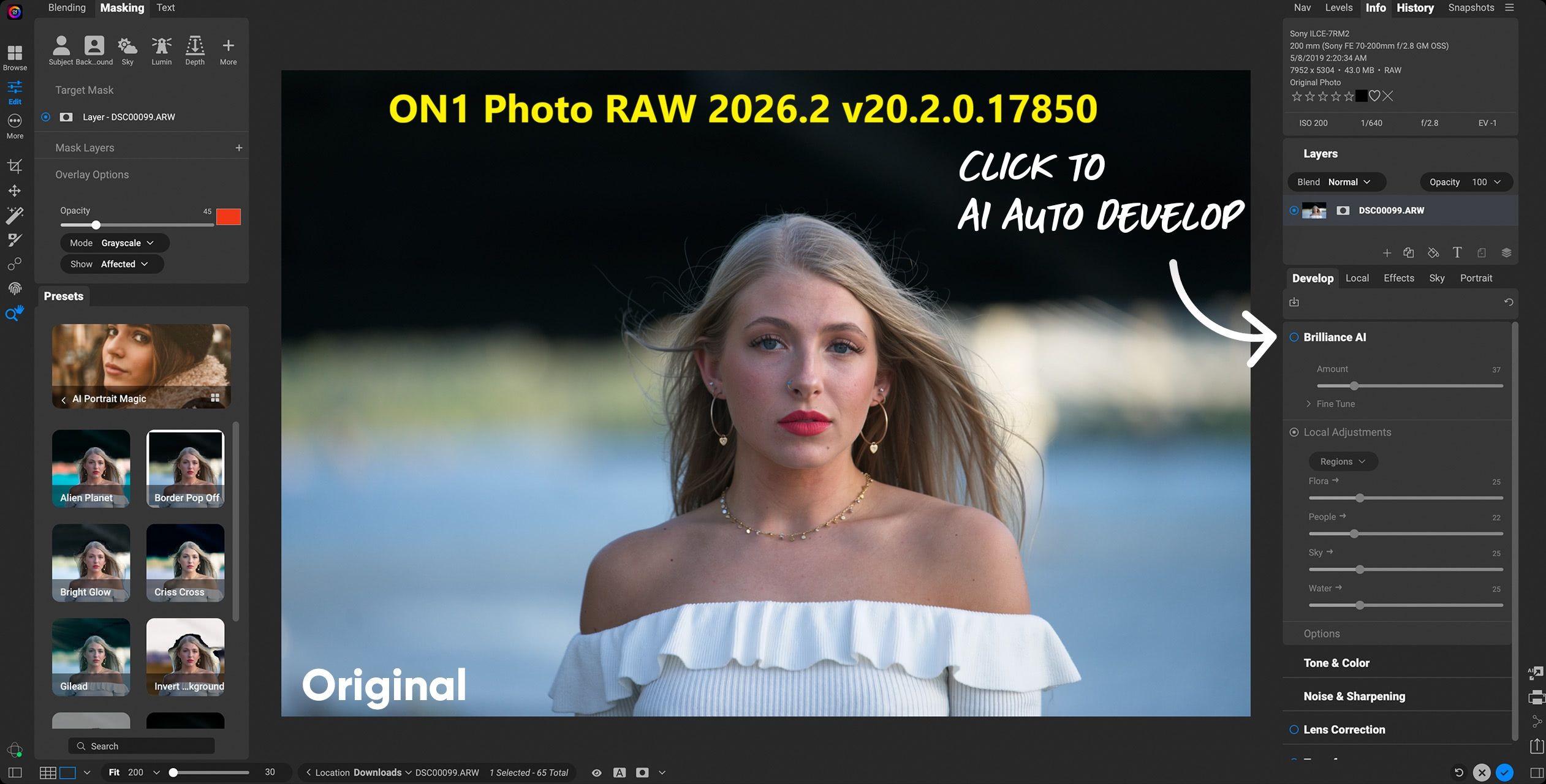
ON1 Photo RAW 2026.2 v20.2.0.17850 is a professional all in one photo editing and management software designed for photographers who want powerful tools without a subscription based workflow. It combines advanced RAW processing, AI powered editing, and photo organization in a single fast and flexible application.

Built for efficiency and image quality, ON1 Photo RAW 2026.2 supports modern photography workflows, allowing users to manage large photo libraries, perform precise edits, and deliver professional results with full creative control.

Features of ON1 Photo RAW 2026.2 v20.2.0.17850

Advanced RAW Processing
ON1 Photo RAW delivers high quality RAW image processing with accurate color, tone, and detail control, supporting a wide range of camera formats.

AI Powered Editing Tools
The software includes AI based features for masking, subject detection, sky replacement, and automatic adjustments, significantly reducing manual editing time.

Non Destructive Editing Workflow
All edits are applied non destructively, allowing photographers to experiment freely and revise changes at any stage without affecting original files.

Professional Photo Management
ON1 Photo RAW provides powerful photo organization tools including catalogs, browsing, ratings, keywords, and metadata for efficient library management.

High Performance Editing Engine
Optimized performance ensures smooth editing, fast previews, and responsive workflows even with high resolution images and large photo collections.

Layer Based Editing
The software supports layers and blending modes, enabling advanced compositing and creative editing directly within the photo editor.

Seamless Plugin and Standalone Use
ON1 Photo RAW works as a standalone application and integrates with popular photo editors, fitting easily into existing workflows.

Why Choose ON1 Photo RAW 2026.2 v20.2.0.17850
ON1 Photo RAW 2026.2 v20.2.0.17850 is ideal for photographers seeking a complete editing and management solution with no subscription requirements. Its combination of AI powered tools, professional RAW processing, and efficient photo organization makes it a strong choice for modern photography.

If you want to download ON1 Photo RAW 2026.2 v20.2.0.17850 full license, please click to DOWNLOAD button to download.
CLICKDOWN.ORG Download CAD CAM CNC software
Inside package ON1 Photo RAW 2026.2 v20.2.0.17850, already have cracked files and instruction how to install ON1 Photo RAW 2026.2 v20.2.0.17850 step by step. I guarantee you can install ON1 Photo RAW 2026.2 v20.2.0.17850 successfully if you follow that instruction.
If you also can’t install it or get any problems, please contact to me by email: clickdown.org@gmail.com, then I will help you to install software by teamviewer or Ultraviewer or Anydesk.
Thanks a lot

SOFTWARES

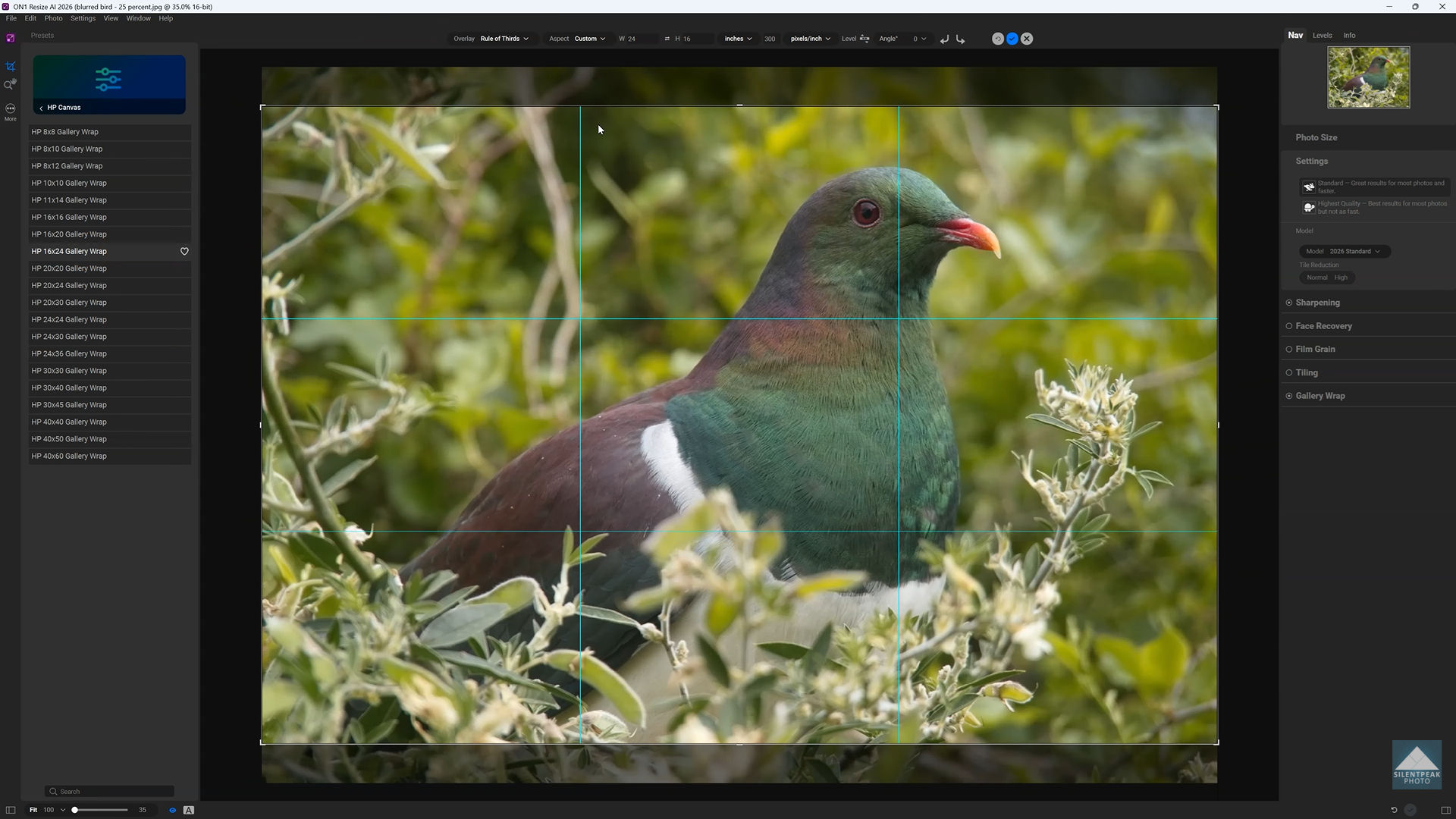
Download ON1 Resize AI 2026.2 v20.2.0.17850 x64 full license

Download ON1 Resize AI 2026.2 v20.2.0.17850 x64 full license

Link download ON1 Resize AI 2026.2 v20.2.0.17850 full activated

Working with ON1 Resize AI 2026.2 v20.2.0.17850 full license

Description of ON1 Resize AI 2026.2 v20.2.0.17850

ON1 Resize AI 2026.2 v20.2.0.17850 is a professional image upscaling and resizing software designed to enlarge photos while preserving fine details and natural sharpness. Powered by advanced artificial intelligence, it analyzes image content to intelligently add detail, making it ideal for high quality printing and large format output.

This software is widely used by photographers, designers, and print professionals who require precise control over image size, resolution, and print quality without introducing blur or artifacts.

Features of ON1 Resize AI 2026.2 v20.2.0.17850

AI Powered Image Upscaling
ON1 Resize AI uses machine learning technology to intelligently upscale images, producing sharper edges and realistic textures compared to traditional resizing methods.

Exceptional Detail Preservation
The software enhances fine details such as textures, edges, and patterns, ensuring images remain clear and natural even at large enlargement ratios.

Noise Reduction and Artifact Control
Built in noise reduction minimizes grain and compression artifacts during upscaling, delivering clean and professional results.

Print Focused Output Tools
ON1 Resize AI includes tools specifically designed for printing, such as gallery wrap, tiling, and print size presets for accurate and consistent output.

Batch Processing Support
Users can resize and process multiple images at once, saving time and improving productivity for high volume workflows.

Flexible Resize Options
The software supports resizing by percentage, dimensions, resolution, or print size, giving users full control over final output requirements.

Standalone and Plugin Workflow
ON1 Resize AI works as a standalone application and integrates with popular photo editing software, fitting easily into existing editing pipelines.

Why Choose ON1 Resize AI 2026.2 v20.2.0.17850
ON1 Resize AI 2026.2 v20.2.0.17850 delivers reliable and high quality image enlargement for professional use. Its AI driven technology, print focused tools, and efficient workflow make it a trusted solution for producing large, detailed, and print ready images.

If you want to download ON1 Resize AI 2026.2 v20.2.0.17850 full license, please click to DOWNLOAD button to download.
CLICKDOWN.ORG Download CAD CAM CNC software
Inside package ON1 Resize AI 2026.2 v20.2.0.17850, already have cracked files and instruction how to install ON1 Resize AI 2026.2 v20.2.0.17850 step by step. I guarantee you can install ON1 Resize AI 2026.2 v20.2.0.17850 successfully if you follow that instruction.
If you also can’t install it or get any problems, please contact to me by email: clickdown.org@gmail.com, then I will help you to install software by teamviewer or Ultraviewer or Anydesk.
Thanks a lot

SOFTWARES

Download Pixologic Zbrush 2026.1.1 x64 full license forever

Download Pixologic Zbrush 2026.1.1 x64 full license forever

Link download Pixologic Zbrush 2026.1.1 full activated

Working with Pixologic Zbrush 2026.1.1 full license

Description of Pixologic Zbrush 2026.1.1

Pixologic ZBrush 2026.1.1 is an industry leading digital sculpting and painting software used by artists and studios worldwide for creating highly detailed 3D models. It is widely adopted in film, game development, animation, concept art, and 3D printing due to its ability to handle millions of polygons while maintaining smooth and responsive performance.

ZBrush 2026.1.1 continues to refine the sculpting workflow with enhanced performance, precision tools, and creative flexibility, enabling artists to bring complex characters, creatures, and assets to life with unmatched detail.

Features of Pixologic Zbrush 2026.1.1

Advanced Digital Sculpting
ZBrush provides powerful sculpting tools that allow artists to shape, carve, and refine digital clay with natural and intuitive brush behavior, even on extremely high resolution models.

Dynamic Subdivision and Geometry Control
The software offers flexible subdivision workflows, enabling artists to switch between low and high resolution levels seamlessly while maintaining full control over surface details.

Extensive Brush System
ZBrush includes a vast library of customizable brushes for sculpting, detailing, and surface texturing, supporting both organic and hard surface modeling.

High Resolution Detailing
Artists can sculpt and paint fine surface details such as skin pores, wrinkles, and fabric textures, making it ideal for realistic and cinematic quality assets.

Polypainting and Texture Creation
ZBrush allows users to paint color directly onto models without UVs, streamlining the texturing process and accelerating concept development.

Non Destructive Workflow
Layer based sculpting enables artists to experiment freely, make adjustments, and iterate designs without permanently altering base geometry.

Pipeline Integration and Export
ZBrush integrates smoothly with major 3D applications and game engines, supporting efficient export of models, normal maps, and displacement maps.

Why Choose Pixologic ZBrush 2026.1.1
Pixologic ZBrush 2026.1.1 remains the standard for high end digital sculpting. Its ability to handle extreme detail, combined with intuitive tools and efficient workflows, makes it an essential solution for professional 3D artists and studios.

If you want to download Pixologic Zbrush 2026.1.1 full license, please click to DOWNLOAD button to download.
CLICKDOWN.ORG Download CAD CAM CNC software
Inside package Pixologic Zbrush 2026.1.1, already have cracked files and instruction how to install Pixologic Zbrush 2026.1.1 step by step. I guarantee you can install Pixologic Zbrush 2026.1.1 successfully if you follow that instruction.
If you also can’t install it or get any problems, please contact to me by email: clickdown.org@gmail.com, then I will help you to install software by teamviewer or Ultraviewer or Anydesk.
Thanks a lot

SOFTWARES

Download Rhinoceros 8.26.25349.19001 full license forever

Download Rhinoceros 8.26.25349.19001 full license

Link download Rhinoceros 8.26.25349.19001 full activated

Working with Rhinoceros 8.26.25349.19001 full license

Description of Rhinoceros 8.26.25349.19001

Rhinoceros 8.26.25349.19001, commonly known as Rhino 8, is a powerful 3D modeling software widely used for industrial design, architecture, engineering, jewelry design, and digital fabrication. It is built around precise NURBS based modeling, allowing users to create, edit, analyze, and translate complex geometry with exceptional accuracy.

Rhino is trusted by professionals because it handles both simple and highly complex models with stability and flexibility. Version 8.26 further enhances performance, modeling tools, and workflow efficiency, making it suitable for concept design, detailed modeling, and production ready geometry.

Features of Rhinoceros 8.26.25349.19001

Advanced NURBS Modeling
Rhinoceros provides industry leading NURBS tools for creating accurate curves, surfaces, and solids. This ensures precise geometry suitable for engineering, manufacturing, and fabrication.

SubD Modeling Workflow
Rhino 8 includes robust SubD tools that allow users to create smooth, organic forms while maintaining editability. SubD geometry can be seamlessly converted to NURBS when needed.

Grasshopper Parametric Design
Grasshopper integration enables visual programming and parametric modeling, allowing designers to create flexible, algorithm driven designs and automate complex workflows.

High Performance and Stability
Rhinoceros 8.26 improves overall performance with faster display, smoother navigation, and efficient handling of large and complex models.

Extensive File Format Support
Rhino supports a wide range of 2D and 3D file formats, making it easy to import and export data between different CAD, CAM, and visualization software.

Precision Analysis and Documentation
Built in analysis tools help users evaluate curvature, surface quality, and geometry accuracy, while layout tools support technical drawings and documentation.

Customization and Extensibility
Rhino supports scripting and plugins, allowing users to customize workflows and extend functionality for specialized design and engineering tasks.

Why Choose Rhinoceros 8.26.25349.19001
Rhinoceros 8.26.25349.19001 offers a flexible and precise modeling environment suitable for a wide range of industries. Its combination of NURBS accuracy, SubD modeling, parametric design, and strong performance makes it a reliable solution for professional 3D design and fabrication workflows.

If you want to download Rhinoceros 8.26.25349.19001 full license, please click to DOWNLOAD button to download.
CLICKDOWN.ORG Download CAD CAM CNC software
Inside package Rhinoceros 8.26.25349.19001, already have cracked files and instruction how to install Rhinoceros 8.26.25349.19001 step by step. I guarantee you can install Rhinoceros 8.26.25349.19001 successfully if you follow that instruction.
If you also can’t install it or get any problems, please contact to me by email: clickdown.org@gmail.com, then I will help you to install software by teamviewer or Ultraviewer or Anydesk.
Thanks a lot

SOFTWARES

Download Keyshot Network Rendering 2025.3 v14.2.1.3 full

Download Keyshot Network Rendering 2025.3 full license

Link download Keyshot Network Rendering 2025.3 full activated

Working with Keyshot Network Rendering 2025.3 v14.2.1.3 full

Description of Keyshot Network Rendering 2025.3

KeyShot Network Rendering 2025.3 is an advanced distributed rendering solution designed to dramatically accelerate 3D rendering workflows by leveraging multiple computers on a network. It allows teams and studios to render complex scenes faster by offloading rendering tasks from a single workstation to dedicated render nodes.

Ideal for product designers, engineers, and visualization professionals, KeyShot Network Rendering 2025.3 improves productivity, reduces rendering time, and maximizes hardware utilization while maintaining the high visual quality KeyShot is known for.

Features of Keyshot Network Rendering 2025.3

Distributed Rendering Across Network
KeyShot Network Rendering enables multiple computers to work together on rendering tasks, significantly reducing render times for high resolution images and animations.

Efficient Resource Utilization
Idle machines on the network can be used as render nodes, ensuring maximum use of available hardware without disrupting primary design workstations.

Centralized Render Management
Users can submit, monitor, pause, and manage rendering jobs from a central interface, making it easy to control and prioritize workloads across teams.

Scalable Rendering Performance
The system scales efficiently as more render nodes are added, allowing studios to expand rendering capacity without changing existing workflows.

Seamless KeyShot Integration
Network Rendering integrates smoothly with KeyShot, requiring minimal setup and allowing users to send jobs directly from the KeyShot interface.

Support for High Quality Outputs
KeyShot Network Rendering maintains full support for advanced materials, lighting, textures, and animations, ensuring consistent visual fidelity.

Ideal for Team and Studio Environments
The solution supports collaborative workflows, enabling multiple users to submit render jobs simultaneously without performance bottlenecks.

Why Choose KeyShot Network Rendering 2025.3
KeyShot Network Rendering 2025.3 is an essential solution for professionals who need faster turnaround times and efficient rendering pipelines. By distributing workloads across multiple systems, it helps teams deliver high quality visuals on time while optimizing hardware investments.

If you want to download Keyshot Network Rendering 2025.3 full license, please click to DOWNLOAD button to download.
CLICKDOWN.ORG Download CAD CAM CNC software
Inside package Keyshot Network Rendering 2025.3, already have cracked files and instruction how to install Keyshot Network Rendering 2025.3 step by step. I guarantee you can install Keyshot Network Rendering 2025.3 successfully if you follow that instruction.
If you also can’t install it or get any problems, please contact to me by email: clickdown.org@gmail.com, then I will help you to install software by teamviewer or Ultraviewer or Anydesk.
Thanks a lot

SOFTWARES

Download Tecplot FieldView 2025 build 12.02.2025 x64 full

Download Tecplot FieldView 2025 build 12.02.2025 full license

Link download Tecplot FieldView 2025 build 12.02.2025 full activated

Working with Tecplot FieldView 2025 build 12.02.2025 full license

Description of Tecplot FieldView 2025 build 12.02.2025

Tecplot FieldView 2025 is a high performance post processing and visualization software designed for computational fluid dynamics analysis. It enables engineers and researchers to explore, analyze, and communicate complex CFD results with speed, accuracy, and clarity.

Widely used in aerospace, automotive, energy, marine, and industrial engineering, Tecplot FieldView 2025 is optimized to handle very large datasets and unstructured grids. It helps users gain deeper insight into flow behavior, improve simulation understanding, and make confident engineering decisions.

Features of Tecplot FieldView 2025 build 12.02.2025

Advanced CFD Visualization
FieldView 2025 provides high quality visualization tools including contours, vectors, streamlines, pathlines, iso surfaces, and volume rendering to clearly interpret complex flow phenomena.

Large Dataset Handling
The software is optimized for high performance computing environments and can efficiently load, process, and visualize extremely large CFD datasets with millions of cells.

Accurate Flow Analysis Tools
Tecplot FieldView offers advanced analysis functions such as force and moment calculations, surface and volume integrals, vortex identification, and turbulence analysis.

Multi Format CFD Data Support
FieldView 2025 supports a wide range of CFD solver formats, enabling seamless post processing across different simulation platforms and workflows.

Interactive Probing and Measurement
Users can interactively probe flow variables, extract data along lines or surfaces, and perform detailed inspections directly within the visualization environment.

Automation and Scripting
The software includes scripting and automation capabilities that allow repetitive post processing tasks to be standardized, saving time and improving consistency.

Professional Presentation Quality
FieldView enables users to generate publication ready images and animations for technical reports, design reviews, and presentations.

Why Choose Tecplot FieldView 2025
Tecplot FieldView 2025 is a trusted solution for advanced CFD post processing and visualization. Its ability to handle large datasets, combined with powerful analysis and visualization tools, makes it an essential platform for engineers working with complex flow simulations.

If you want to download Tecplot FieldView 2025 build 12.02.2025 full license, please click to DOWNLOAD button to download.
CLICKDOWN.ORG Download CAD CAM CNC software
Inside package Tecplot FieldView 2025 build 12.02.2025, already have cracked files and instruction how to install Tecplot FieldView 2025 build 12.02.2025 step by step. I guarantee you can install Tecplot FieldView 2025 build 12.02.2025 successfully if you follow that instruction.
If you also can’t install it or get any problems, please contact to me by email: clickdown.org@gmail.com, then I will help you to install software by teamviewer or Ultraviewer or Anydesk.
Thanks a lot
SOFTWARES

Download Keil MDK 5.43a x64 full license 100% working

Download Keil MDK 5.43a x64 full license 100% working

Link download Keil MDK 5.43a full activated

Working with Keil MDK 5.43a full license

Description of Keil MDK 5.43a

Keil MDK 5.43a is a comprehensive software development environment for ARM Cortex microcontroller based applications. It is widely used by embedded developers and engineers to design, build, debug, and optimize firmware for a broad range of ARM based devices.

Developed to support professional embedded workflows, Keil MDK combines powerful development tools with an integrated IDE, enabling faster development cycles and reliable embedded software design for industrial, automotive, IoT, and consumer electronics applications.

Features of Keil MDK 5.43a

Integrated Development Environment
Keil MDK 5.43a includes the uVision IDE, providing a complete environment for writing, compiling, and debugging embedded C and C plus plus applications with an intuitive workflow.

ARM Optimized Compiler
The software features a highly optimized ARM compiler that delivers efficient code size and performance, helping developers maximize microcontroller resources.

Advanced Debugging Tools
Keil MDK offers powerful debugging capabilities including breakpoints, memory inspection, register views, and real time execution analysis for precise fault detection.

CMSIS and Device Support
The development kit supports CMSIS standards and provides extensive device support packs, ensuring compatibility with thousands of ARM Cortex based microcontrollers.

RTOS Integration
Keil MDK 5.43a includes integrated support for real time operating systems, enabling developers to build and debug multitasking embedded applications efficiently.

Simulation and Analysis
The built in simulator allows testing and validation of applications without physical hardware, supporting early development and functional verification.

Scalable and Professional Workflow
Keil MDK adapts to both small projects and large scale embedded systems, supporting version control, modular design, and long term maintainability.

Why Choose Keil MDK 5.43a
Keil MDK 5.43a is a trusted solution for professional embedded development on ARM platforms. Its optimized tools, broad device support, and robust debugging features make it an essential choice for developing high quality embedded software.

If you want to download Keil MDK 5.43a full license, please click to DOWNLOAD button to download.
CLICKDOWN.ORG Download CAD CAM CNC software
Inside package Keil MDK 5.43a, already have cracked files and instruction how to install Keil MDK 5.43a step by step. I guarantee you can install Keil MDK 5.43a successfully if you follow that instruction.
If you also can’t install it or get any problems, please contact to me by email: clickdown.org@gmail.com, then I will help you to install software by teamviewer or Ultraviewer or Anydesk.
Thanks a lot
SOFTWARES

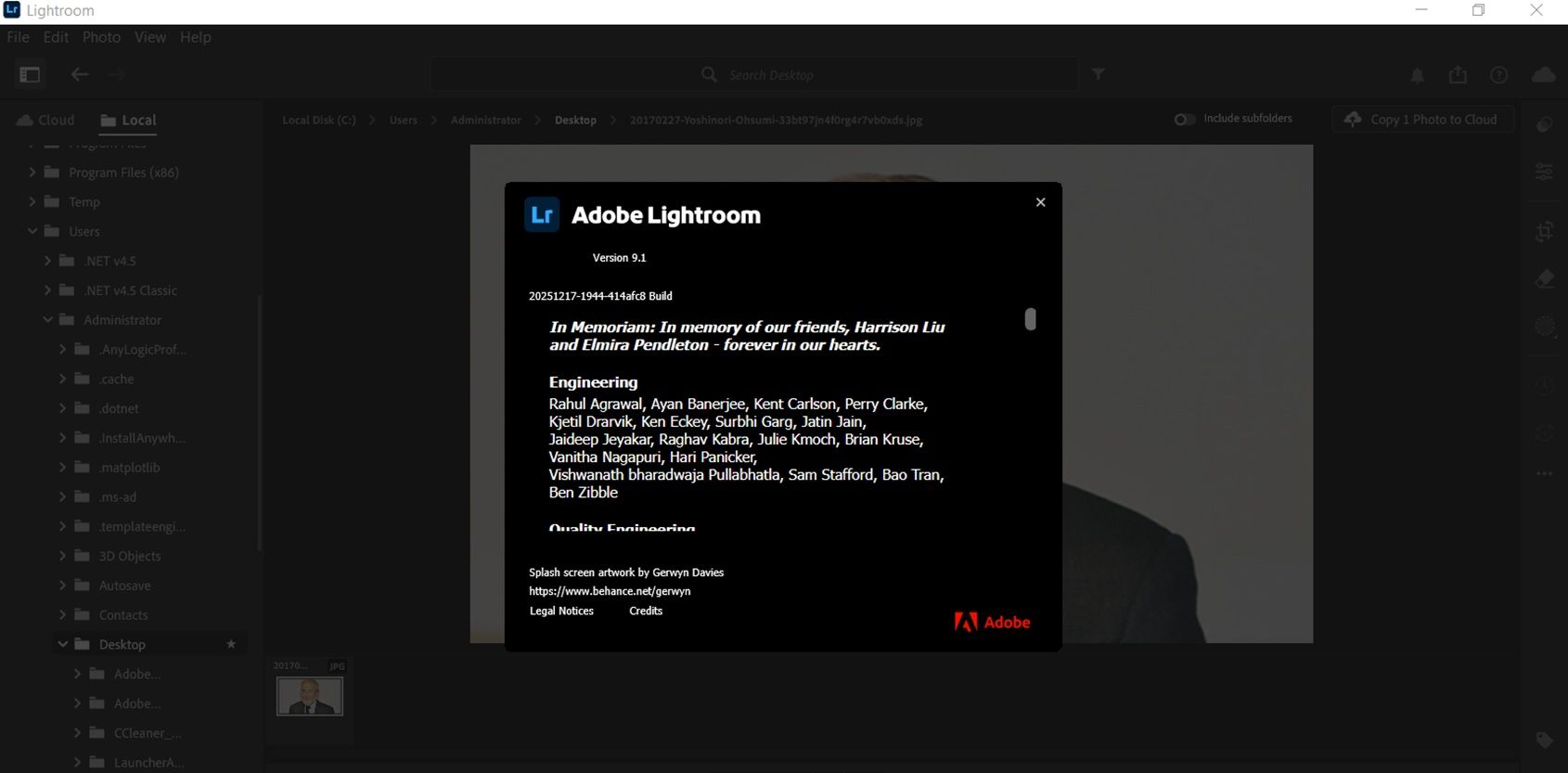
Download Adobe Lightroom 9.1 win64 full license forever

Download Adobe Lightroom 9.1 full license

Link download Adobe Lightroom 9.1 full activated

Working with Adobe Lightroom 9.1 full license

Description of Adobe Lightroom 9.1

Adobe Lightroom 9.1 is a modern cloud based photo editing and organization software designed for photographers and content creators who want flexibility, speed, and consistency across devices. It combines powerful editing tools with seamless cloud synchronization, allowing users to access and edit photos from desktop, mobile, and web platforms.

Lightroom 9.1 is ideal for professionals and enthusiasts who prefer a simplified workflow without sacrificing image quality. Its intuitive interface and intelligent editing features make it easy to enhance photos, manage libraries, and share results efficiently.

Features of Adobe Lightroom 9.1

Cloud Based Photo Editing
Lightroom 9.1 stores photos securely in the cloud, enabling automatic syncing across devices. Users can start editing on one device and continue seamlessly on another.

AI Powered Editing Tools
The software includes AI driven tools that help enhance photos quickly, including intelligent adjustments for light, color, and detail, improving efficiency and creative results.

Non Destructive Editing
All edits in Lightroom are non destructive, allowing users to experiment freely and revert changes at any time without affecting original image files.

Presets and Profiles
Lightroom 9.1 supports presets and profiles that enable consistent styling across photos. Users can create custom looks or apply built in presets instantly.

Advanced Color and Light Controls
Photographers can fine tune exposure, contrast, highlights, shadows, and color balance to achieve professional quality results with precision.

Smart Organization and Search
The software uses intelligent tagging and metadata to help users organize and find photos quickly, even within large libraries.

Easy Sharing and Export
Lightroom 9.1 makes it simple to export images in various formats and share them directly to social platforms or client galleries.

Why Choose Adobe Lightroom 9.1
Adobe Lightroom 9.1 offers a streamlined and flexible photo editing experience focused on cloud connectivity and ease of use. It is an excellent choice for photographers who want powerful editing tools combined with mobility and efficient photo management.

If you want to download Adobe Lightroom 9.1 full license, please click to DOWNLOAD button to download.
CLICKDOWN.ORG Download CAD CAM CNC software
Inside package Adobe Lightroom 9.1, already have cracked files and instruction how to install Adobe Lightroom 9.1 step by step. I guarantee you can install Adobe Lightroom 9.1 successfully if you follow that instruction.
If you also can’t install it or get any problems, please contact to me by email: clickdown.org@gmail.com, then I will help you to install software by teamviewer or Ultraviewer or Anydesk.
Thanks a lot
SOFTWARES

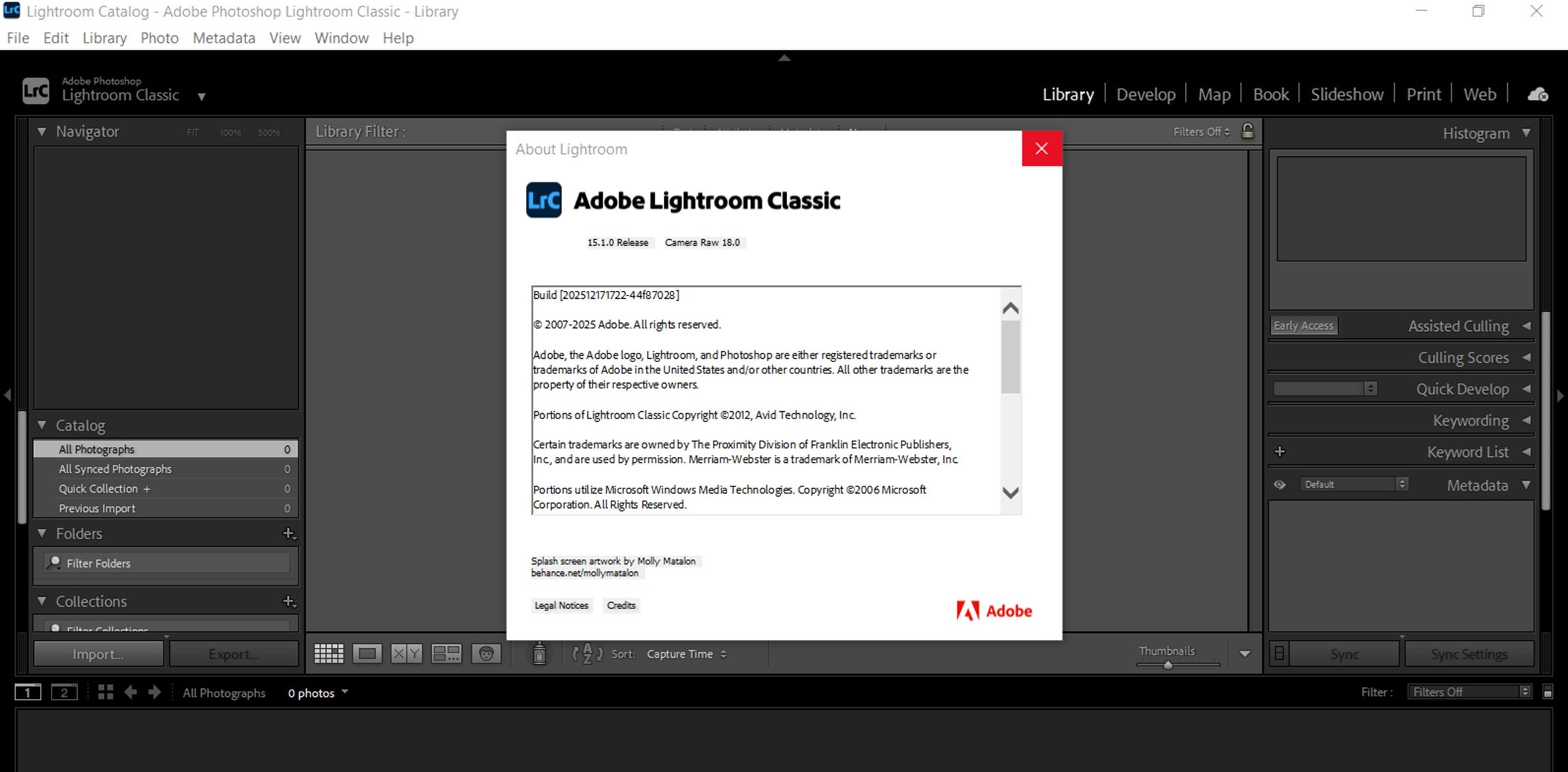
Download Adobe Lightroom Classic 2026 v15.1 x64 full license

Download Adobe Lightroom Classic 2026 v15.1 full license

Link download Adobe Lightroom Classic 2026 v15.1 full activated

Working with Adobe Lightroom Classic 2026 v15.1 full license

Description of Adobe Lightroom Classic 2026 v15.1

Adobe Lightroom Classic 2026 v15.1 is a professional photo editing and management software designed for photographers who require powerful editing tools combined with advanced catalog based workflows. It is optimized for handling large photo libraries while delivering precise control over image quality and color.

Built for desktop focused workflows, Lightroom Classic 2026 v15.1 enables photographers to import, organize, edit, and export photos efficiently. It is widely used by professional photographers, studios, and advanced enthusiasts who need speed, consistency, and high quality results.

Features of Adobe Lightroom Classic 2026 v15.1

Professional Photo Editing Tools
Lightroom Classic 2026 v15.1 provides advanced controls for exposure, contrast, highlights, shadows, color correction, and tone curves, enabling precise image adjustments with non destructive editing.

AI Powered Masking and Selection
The software includes intelligent masking tools powered by AI, allowing accurate selection of subjects, skies, backgrounds, and specific objects for targeted edits.

Advanced Color Grading
Photographers can fine tune colors using professional color grading tools, including hue saturation luminance adjustments and color wheels for creative and cinematic looks.

Catalog Based Photo Management
Lightroom Classic uses a powerful catalog system to organize large photo libraries with folders, collections, keywords, ratings, and metadata for fast searching and sorting.

High Performance Workflow
The 2026 v15.1 release improves performance for importing, preview generation, and editing, ensuring smooth operation even with high resolution RAW files.

Presets and Batch Editing
Users can apply presets and batch edits across multiple images, saving time and ensuring consistent results across entire photo sessions.

Seamless Integration with Adobe Ecosystem
Lightroom Classic integrates smoothly with Photoshop and other Adobe applications, supporting flexible post production workflows.

Why Choose Adobe Lightroom Classic 2026 v15.1
Adobe Lightroom Classic 2026 v15.1 remains the preferred choice for photographers who want complete control over their editing and photo organization. Its combination of professional tools, AI assistance, and efficient catalog management supports high quality photography workflows.

If you want to download Adobe Lightroom Classic 2026 v15.1 full license, please click to DOWNLOAD button to download.
CLICKDOWN.ORG Download CAD CAM CNC software
Inside package Adobe Lightroom Classic 2026 v15.1, already have cracked files and instruction how to install Adobe Lightroom Classic 2026 v15.1 step by step. I guarantee you can install Adobe Lightroom Classic 2026 v15.1 successfully if you follow that instruction.
If you also can’t install it or get any problems, please contact to me by email: clickdown.org@gmail.com, then I will help you to install software by teamviewer or Ultraviewer or Anydesk.
Thanks a lot

SOFTWARES

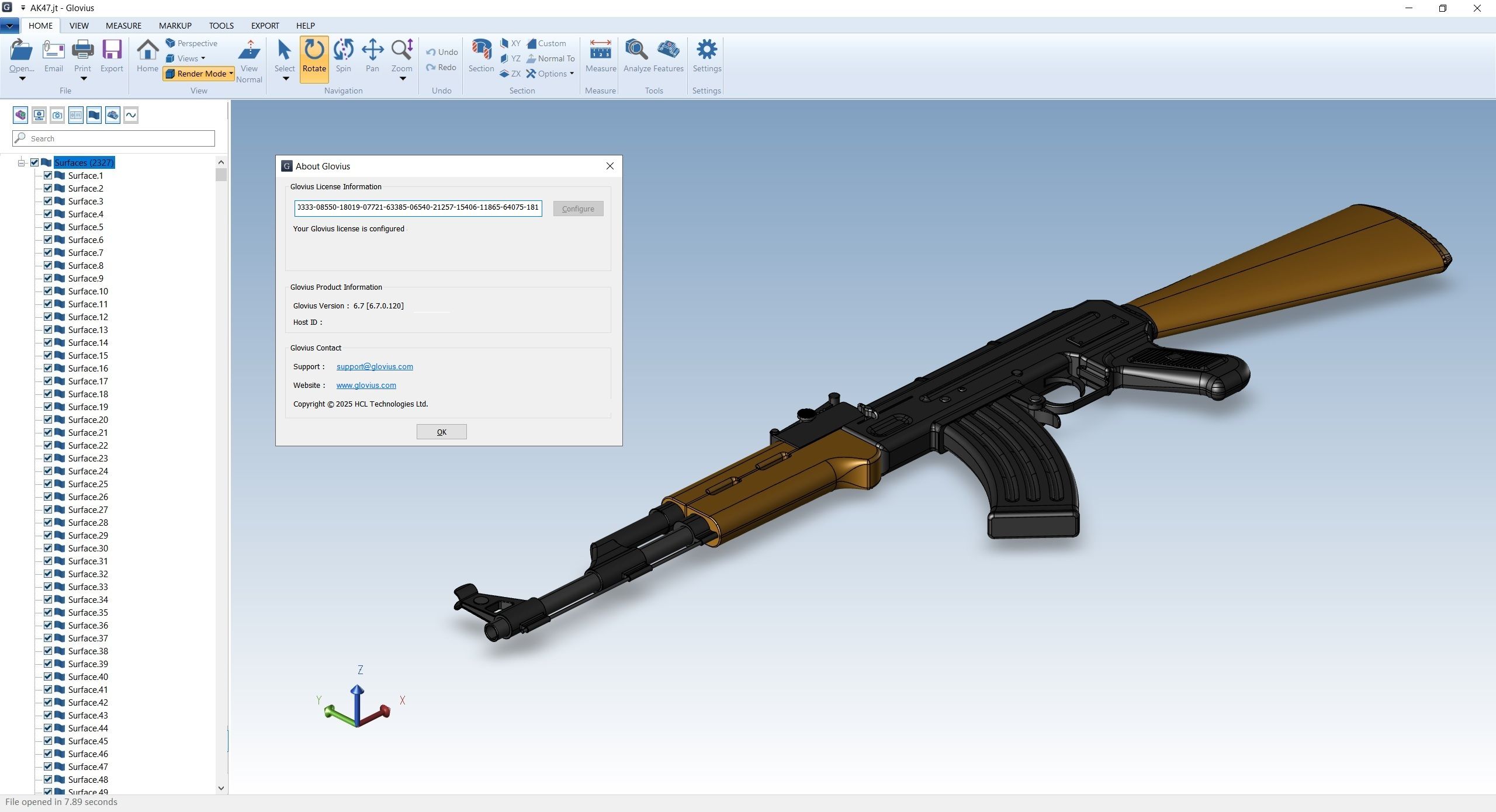
Download Geometric Glovius Prime 6.7.0.120 x64 full license

Download Geometric Glovius Prime 6.7.0.120 x64 full license

Link download Geometric Glovius Prime 6.7.0.120 win64 full activated

Working with Geometric Glovius Prime 6.7.0.120 full license

Description of Geometric Glovius Prime 6.7.0.120

Geometric Glovius Prime 6.7.0.120 is a professional CAD viewer and analysis software developed for engineers, designers, and manufacturing teams who need to inspect and review 3D CAD models and 2D drawings without using native CAD systems. It supports accurate visualization, measurement, and validation of product data across the design and production lifecycle.

Glovius Prime is widely used in mechanical engineering, automotive, aerospace, and manufacturing industries where fast and reliable access to CAD data is essential for design reviews, collaboration, and quality assurance.

Features of Geometric Glovius Prime 6.7.0.120

Multi CAD File Support
Glovius Prime supports a wide range of native and neutral CAD formats, allowing users to open and review models from different CAD systems without data conversion.

Advanced 3D Model Visualization
The software provides high quality rendering, sectioning, explode views, and model navigation tools to help users understand complex assemblies clearly and efficiently.

PMI and GD and T Inspection
Glovius Prime enables inspection of Product Manufacturing Information including dimensions tolerances and annotations, ensuring accurate design intent validation.

Measurement and Analysis Tools
Users can perform precise distance angle radius and clearance measurements directly on 3D models and 2D drawings for design verification and manufacturing checks.

Assembly Structure and BOM Review
The software allows detailed exploration of assembly hierarchies and bill of materials data, supporting effective design reviews and production planning.

Cross Section and Comparison Tools
Engineers can create dynamic cross sections and compare different model versions to identify design changes and potential issues quickly.

Lightweight and High Performance
Glovius Prime is optimized for fast loading and smooth performance even with large and complex CAD assemblies.

Why Choose Geometric Glovius Prime 6.7.0.120
Geometric Glovius Prime 6.7.0.120 provides a cost effective and powerful solution for CAD visualization and analysis. It enables broader access to CAD data, improves collaboration, and reduces dependency on expensive native CAD licenses.

If you want to download Geometric Glovius Prime 6.7.0.120 full license, please click to DOWNLOAD button to download.
CLICKDOWN.ORG Download CAD CAM CNC software
Inside package Geometric Glovius Prime 6.7.0.120, already have cracked files and instruction how to install Geometric Glovius Prime 6.7.0.120 step by step. I guarantee you can install Geometric Glovius Prime 6.7.0.120 successfully if you follow that instruction.
If you also can’t install it or get any problems, please contact to me by email: clickdown.org@gmail.com, then I will help you to install software by teamviewer or Ultraviewer or Anydesk.
Thanks a lot

SOFTWARES

Download Superace UPDF 2.1.0 full license 100% working

Download Superace UPDF 2.1.0 full license 100% working

Link download Superace UPDF 2.1.0 full activated

Working with Superace UPDF 2.1.0 full license

Description of Superace UPDF 2.1.0

Superace UPDF 2.1.0 is a modern and lightweight PDF editor designed to simplify document creation, editing, and management across multiple platforms. It delivers a clean user experience combined with powerful PDF tools, making it suitable for professionals, students, and businesses that require efficient digital document workflows.

With cross platform support and high performance optimization, Superace UPDF 2.1.0 enables users to work seamlessly with PDF files on desktop and mobile devices while maintaining accuracy and security.

Features of Superace UPDF 2.1.0

Powerful PDF Editing
UPDF 2.1.0 allows users to edit text, images, links, and layouts directly within PDF documents, providing full control over content without reformatting issues.

Annotation and Markup Tools
The software includes comprehensive annotation tools such as highlighting, comments, shapes, stamps, and drawing features to support document review and collaboration.

PDF Creation and Conversion
Users can create PDFs from various file formats and convert PDFs to Word, Excel, PowerPoint, and image formats while preserving original formatting and structure.

OCR for Scanned Documents
Built in OCR technology enables scanned PDFs to become searchable and editable, improving productivity when handling paper based documents.

Strong Security and Protection
UPDF provides document protection features including passwords, permissions, encryption, and redaction to help safeguard sensitive information.

Cross Platform Compatibility
Superace UPDF 2.1.0 works across multiple operating systems, allowing users to access and manage PDF files consistently on different devices.

Fast Performance and Clean Interface
The lightweight design ensures smooth performance, quick loading, and an intuitive interface that reduces learning time and boosts efficiency.

Why Choose Superace UPDF 2.1.0
Superace UPDF 2.1.0 offers an ideal balance of simplicity and advanced functionality. Its editing, annotation, conversion, and security features make it a reliable PDF solution for everyday and professional document management needs.

If you want to download Superace UPDF 2.1.0 full license, please click to DOWNLOAD button to download.
CLICKDOWN.ORG Download CAD CAM CNC software
Inside package Superace UPDF 2.1.0, already have cracked files and instruction how to install Superace UPDF 2.1.0 step by step. I guarantee you can install Superace UPDF 2.1.0 successfully if you follow that instruction.
If you also can’t install it or get any problems, please contact to me by email: clickdown.org@gmail.com, then I will help you to install software by teamviewer or Ultraviewer or Anydesk.
Thanks a lot

SOFTWARES

Download Altair PSIM 2026.0 win64 full license forever

Download Altair PSIM 2026.0 win64 full license forever

Link download Altair PSIM 2026.0 full activated

Working with Altair PSIM 2026.0 full license

Description of Altair PSIM 2026.0

Altair PSIM 2026.0 is a powerful and efficient simulation software dedicated to power electronics, motor drives, and control systems. It is widely used by engineers and researchers to design, analyze, and optimize power conversion and electric drive systems with high speed and accuracy.

Known for its fast simulation engine and intuitive schematic based interface, Altair PSIM 2026.0 enables users to validate system behavior early in the design process. It is an ideal solution for applications in renewable energy, electric vehicles, industrial drives, power supplies, and power management systems.

Features of Altair PSIM 2026.0

High Speed Power Electronics Simulation
PSIM 2026.0 is optimized for rapid simulation of power electronic circuits, allowing engineers to analyze complex switching behavior and system dynamics with minimal computation time.

Comprehensive Power Electronics Libraries
The software includes extensive libraries for power semiconductors, converters, inverters, and passive components, supporting accurate modeling of real world power systems.

Advanced Motor Drive Modeling
Altair PSIM supports detailed modeling of AC and DC motors, including PMSM, BLDC, and induction motors, making it suitable for electric vehicle and industrial drive applications.

Integrated Control System Design
Users can design and simulate control algorithms alongside power circuits, enabling complete system level validation within a single environment.

System Level Simulation and Analysis
PSIM 2026.0 allows engineers to perform system level analysis, evaluate efficiency, study transient behavior, and optimize overall performance.

Seamless Integration with Other Tools
The software integrates well with other Altair solutions and external tools, supporting co simulation and advanced workflows for digital engineering.

User Friendly Interface
The intuitive schematic based interface makes PSIM easy to learn and use, helping engineers focus on design and analysis rather than complex setup.

Why Choose Altair PSIM 2026.0
Altair PSIM 2026.0 provides a reliable and efficient platform for power electronics and motor drive development. Its speed, accuracy, and comprehensive feature set help engineers reduce development time, improve system performance, and deliver robust designs.

If you want to download Altair PSIM 2026.0 full license, please click to DOWNLOAD button to download.
CLICKDOWN.ORG Download CAD CAM CNC software
Inside package Altair PSIM 2026.0, already have cracked files and instruction how to install Altair PSIM 2026.0 step by step. I guarantee you can install Altair PSIM 2026.0 successfully if you follow that instruction.
If you also can’t install it or get any problems, please contact to me by email: clickdown.org@gmail.com, then I will help you to install software by teamviewer or Ultraviewer or Anydesk.
Thanks a lot

error: Content is protected !!
Scroll to Top