SOFTWARES

SOFTWARES

Download Foxit PDF Editor Pro 14.0.2.33402 full license

Download Foxit PDF Editor Pro 14.0.2.33402 full license

Link download Foxit PDF Editor Pro 14.0.2.33402 full activated

Working with Foxit PDF Editor Pro 14.0.2.33402 full license

Description of Foxit PDF Editor Pro 14.0.2.33402

Foxit PDF Editor Pro 14.0.2.33402 is a professional PDF editing solution designed for businesses and individual users who need fast, secure, and flexible document management. It provides powerful tools to create, edit, convert, and protect PDF files while maintaining high performance and accuracy.

Trusted by professionals worldwide, Foxit PDF Editor Pro combines advanced editing capabilities with collaboration and security features, making it an ideal choice for modern document workflows in office, legal, education, and enterprise environments.

Features of Foxit PDF Editor Pro 14.0.2.33402

Advanced PDF Editing
Foxit PDF Editor Pro allows users to edit text, images, and layouts directly within PDF documents. This ensures complete control over content without the need to convert files back to other formats.

OCR and Document Recognition
The built in OCR technology converts scanned documents into searchable and editable PDFs, improving productivity and accuracy when working with paper based files.

PDF Creation and Conversion
Users can create PDFs from various file formats and convert PDFs to Word, Excel, PowerPoint, and image formats while preserving layout and formatting.

Robust Security and Protection
Foxit PDF Editor Pro includes advanced security features such as password protection, encryption, redaction, and digital signatures to safeguard sensitive information.

Collaboration and Review Tools
The software supports comments, annotations, shared reviews, and version tracking, enabling efficient teamwork and clear communication across documents.

Form Creation and Management
Users can create, edit, and manage interactive PDF forms with ease, supporting data collection and digital workflows.

High Performance and Lightweight Design
Foxit PDF Editor Pro is optimized for speed and low system resource usage, ensuring smooth performance even with large and complex PDF files.

Why Choose Foxit PDF Editor Pro 14.0.2.33402
Foxit PDF Editor Pro 14.0.2.33402 delivers a complete PDF solution with powerful editing, strong security, and efficient collaboration tools. It is a reliable alternative for professionals seeking advanced PDF functionality with excellent performance and value.

If you want to download Foxit PDF Editor Pro 14.0.2.33402 full license, please click to DOWNLOAD button to download.
CLICKDOWN.ORG Download CAD CAM CNC software
Inside package Foxit PDF Editor Pro 14.0.2.33402, already have cracked files and instruction how to install Foxit PDF Editor Pro 14.0.2.33402 step by step. I guarantee you can install Foxit PDF Editor Pro 14.0.2.33402 successfully if you follow that instruction.
If you also can’t install it or get any problems, please contact to me by email: clickdown.org@gmail.com, then I will help you to install software by teamviewer or Ultraviewer or Anydesk.
Thanks a lot
SOFTWARES

Download VectorStyler 1.3.003 full license 100% working

Download VectorStyler 1.3.003 full license 100% working

Link download VectorStyler 1.3.003 full activated

Working with VectorStyler 1.3.003 full license

Description of VectorStyler 1.3.003

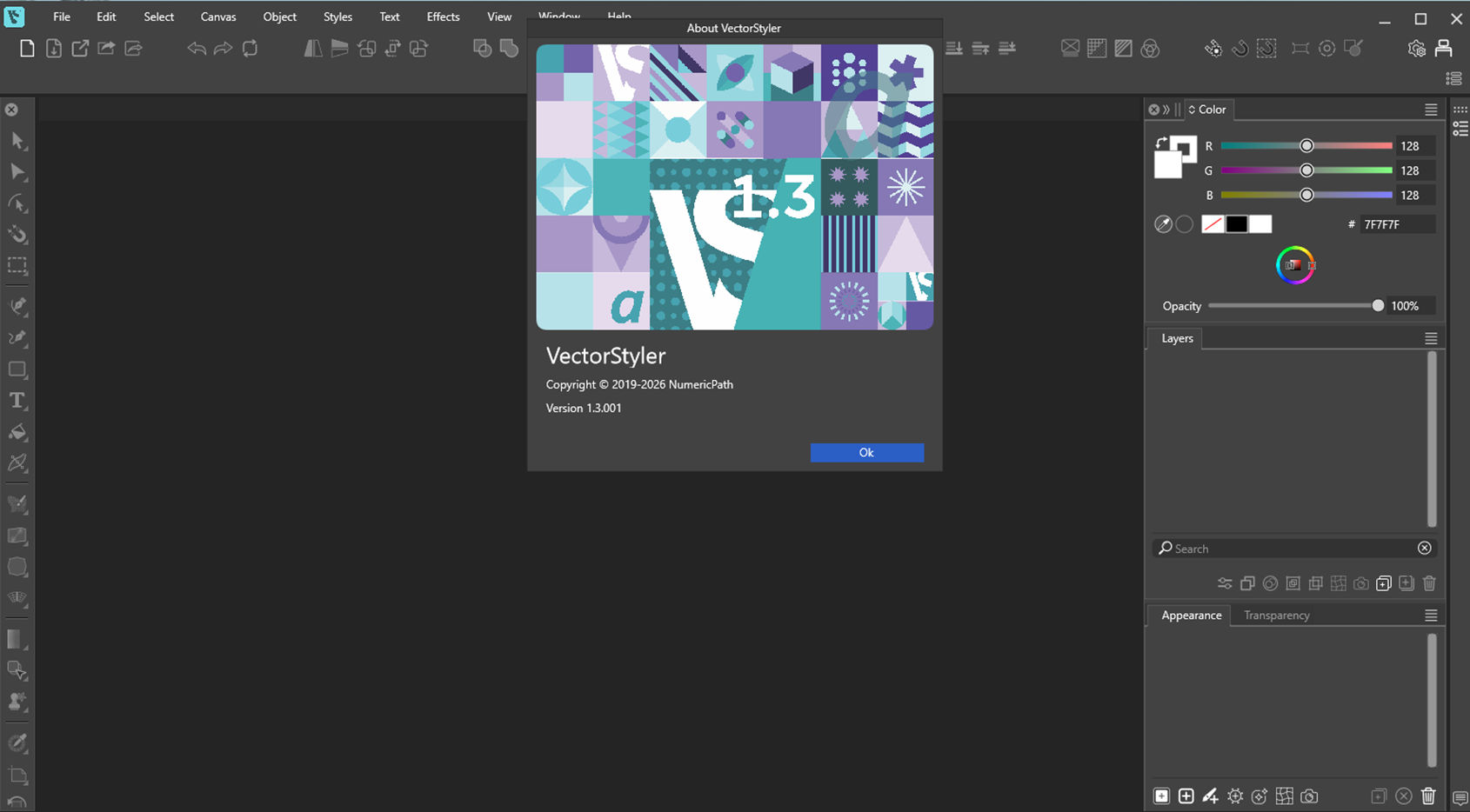
VectorStyler 1.3.003 is a powerful professional vector graphics editor designed for illustrators, graphic designers, and digital artists who require precision, flexibility, and creative freedom. It provides a modern alternative to traditional vector design tools by offering advanced non destructive editing, extensive styling options, and high performance rendering.

With its focus on creative control and efficiency, VectorStyler 1.3.003 supports complex illustrations, branding projects, UI design, and print ready artwork within a streamlined and customizable workflow.

Features of VectorStyler 1.3.003

Non Destructive Editing Workflow
VectorStyler allows users to apply effects, strokes, fills, and transformations non destructively. This enables easy adjustments at any stage of the design process without permanently altering the original artwork.

Advanced Styling and Effects
The software includes powerful vector effects such as shadows, blurs, distortions, envelopes, and pattern effects that can be stacked and edited dynamically for complex designs.

Professional Brush System
VectorStyler features an advanced brush engine with support for vector brushes, texture brushes, and custom brush creation, enabling expressive and detailed illustrations.

Precision Typography Tools
Comprehensive text and typography tools allow fine control over spacing, alignment, and styling, making it suitable for logo design, branding, and editorial graphics.

Flexible Layer and Object Management
Users can manage complex projects efficiently using advanced layer controls, object grouping, symbols, and reusable styles.

High Performance Rendering
Optimized performance ensures smooth zooming, panning, and editing even with complex vector artwork and detailed effects.

Customizable User Interface
The interface is fully customizable, allowing designers to adapt the workspace to their preferred workflow and improve productivity.

Why Choose VectorStyler 1.3.003
VectorStyler 1.3.003 is ideal for professionals seeking a modern vector design solution with powerful styling, non destructive editing, and creative flexibility. It enables designers to work faster, experiment freely, and produce high quality vector artwork with confidence.

If you want to download VectorStyler 1.3.003 full license, please click to DOWNLOAD button to download.
CLICKDOWN.ORG Download CAD CAM CNC software
Inside package VectorStyler 1.3.003, already have cracked files and instruction how to install VectorStyler 1.3.003 step by step. I guarantee you can install VectorStyler 1.3.003 successfully if you follow that instruction.
If you also can’t install it or get any problems, please contact to me by email: clickdown.org@gmail.com, then I will help you to install software by teamviewer or Ultraviewer or Anydesk.
Thanks a lot
SOFTWARES

Download Muni Animation MotionMuse 1.1.8 x64 full license

Download Muni Animation MotionMuse 1.1.8 x64 full license

Link download Muni Animation MotionMuse 1.1.8 full activated

Working with Muni Animation MotionMuse 1.1.8 full license

Description of Muni Animation MotionMuse 1.1.8

Muni Animation MotionMuse 1.1.8 is an AI driven animation software designed to generate high quality character motion quickly and efficiently. It enables animators and digital artists to create natural, expressive animations using intelligent motion generation instead of traditional manual keyframing.

MotionMuse is well suited for animation studios, game developers, content creators, and independent artists who want to accelerate production while maintaining creative control. By combining artificial intelligence with animation workflows, it significantly reduces time spent on repetitive motion tasks.

Features of Muni Animation MotionMuse 1.1.8

AI Powered Motion Generation
MotionMuse 1.1.8 uses advanced AI models to generate realistic character motion from simple inputs or prompts, helping animators produce smooth and believable animations faster.

Natural and Expressive Animations
The software focuses on motion realism, ensuring fluid transitions, accurate timing, and lifelike movement suitable for storytelling, games, and cinematic content.

Efficient Animation Workflow
By reducing the need for manual keyframe animation, MotionMuse allows artists to focus on creativity and refinement rather than repetitive technical work.

Character Motion Customization
Users can refine and adjust generated animations to match specific styles, pacing, or artistic direction, ensuring flexibility for different projects.

Compatible with Animation Pipelines
MotionMuse 1.1.8 is designed to integrate into modern animation and 3D production pipelines, supporting efficient collaboration and asset reuse.

Fast Iteration and Experimentation
Animators can quickly test different motion ideas and variations, making it easier to explore creative options and finalize animations sooner.

User Friendly Interface
The intuitive interface makes MotionMuse accessible to both experienced animators and beginners looking to enhance their animation projects with AI assistance.

Why Choose Muni Animation MotionMuse 1.1.8
Muni Animation MotionMuse 1.1.8 is an excellent solution for creators who want to speed up animation production without sacrificing quality. Its AI based approach to motion generation helps teams deliver polished animations efficiently while supporting creative flexibility.

If you want to download Muni Animation MotionMuse 1.1.8 full license, please click to DOWNLOAD button to download.
CLICKDOWN.ORG Download CAD CAM CNC software
Inside package Muni Animation MotionMuse 1.1.8, already have cracked files and instruction how to install Muni Animation MotionMuse 1.1.8 step by step. I guarantee you can install Muni Animation MotionMuse 1.1.8 successfully if you follow that instruction.
If you also can’t install it or get any problems, please contact to me by email: clickdown.org@gmail.com, then I will help you to install software by teamviewer or Ultraviewer or Anydesk.
Thanks a lot

SOFTWARES

Download Topaz Gigapixel Pro 1.0.6 x64 full license forever

Download Topaz Gigapixel Pro 1.0.6 x64 full license forever

Link download Topaz Gigapixel Pro 1.0.6 full activated

Working with Topaz Gigapixel Pro 1.0.6 full license

Description of Topaz Gigapixel Pro 1.0.6

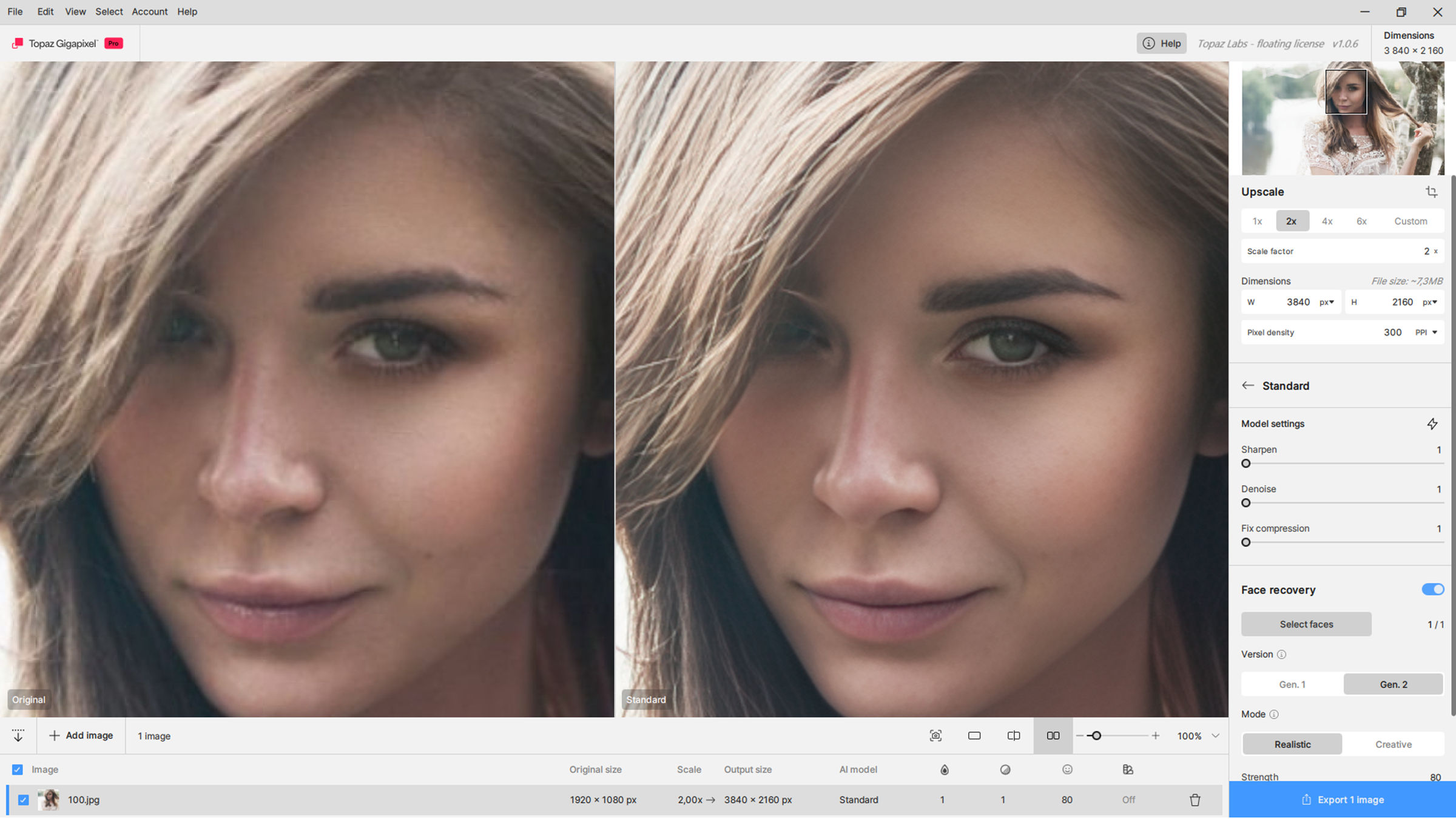
Topaz Gigapixel Pro 1.0.6 is an AI-powered image upscaling software designed to enlarge photos while preserving sharp details and natural textures. Unlike traditional resizing tools, Gigapixel Pro uses deep learning models trained to understand image content, allowing it to increase resolution with minimal artifacts and superior clarity.

This software is widely used by photographers, designers, digital artists, and content creators who need to upscale images for print, web, and professional media without sacrificing quality.

Features of Topaz Gigapixel Pro 1.0.6

AI-Based Image Upscaling
Gigapixel Pro 1.0.6 uses advanced artificial intelligence to intelligently add detail when enlarging images. It delivers sharper edges, realistic textures, and cleaner results compared to standard interpolation methods.

High Quality Detail Preservation
The software enhances fine details such as hair, fabric, and architectural lines while minimizing blur and pixelation, even at large scaling factors.

Noise and Artifact Reduction
Built-in noise suppression and artifact reduction help produce clean and natural-looking images, especially when upscaling low-resolution or compressed files.

Multiple Scaling Options
Users can upscale images by fixed factors or set custom output dimensions, making it suitable for printing, digital publishing, and large-format displays.

Batch Processing Support
Gigapixel Pro allows batch processing of multiple images, saving time and improving productivity for professional workflows.

Simple and Intuitive Interface
The clean user interface makes it easy for beginners and professionals to preview results, adjust settings, and export high-resolution images quickly.

Broad Image Format Compatibility
The software supports common image formats, enabling seamless integration into existing photo editing and design workflows.

Why Choose Topaz Gigapixel Pro 1.0.6
Topaz Gigapixel Pro 1.0.6 is an ideal solution for anyone who needs reliable image enlargement without quality loss. Its AI-driven technology delivers consistent, professional results, making it a trusted tool for high-resolution image enhancement.

If you want to download Topaz Gigapixel Pro 1.0.6 full license, please click to DOWNLOAD button to download.
CLICKDOWN.ORG Download CAD CAM CNC software
Inside package Topaz Gigapixel Pro 1.0.6, already have cracked files and instruction how to install Topaz Gigapixel Pro 1.0.6 step by step. I guarantee you can install Topaz Gigapixel Pro 1.0.6 successfully if you follow that instruction.
If you also can’t install it or get any problems, please contact to me by email: clickdown.org@gmail.com, then I will help you to install software by teamviewer or Ultraviewer or Anydesk.
Thanks a lot
SOFTWARES

Download Altair PollEx 2026.0 win64 full license forever

Download Altair PollEx 2026.0 win64 full license forever

Link download Altair PollEx 2026.0 full activated

Working with Altair PollEx 2026.0 full license

Description of Altair PollEx 2026.0

Altair PollEx 2026.0 is a comprehensive PCB analysis and verification software designed to improve the quality, reliability, and manufacturability of electronic designs. It enables engineers to analyze PCB layouts in detail, detect potential issues early, and ensure compliance with electrical, manufacturing, and assembly requirements.

Widely used in electronics and semiconductor industries, Altair PollEx 2026.0 supports efficient collaboration between PCB designers, electrical engineers, and manufacturing teams. By identifying design risks before production, it helps reduce costly rework and accelerates product development cycles.

Features of Altair PollEx 2026.0

Advanced PCB Design Rule Checking
PollEx 2026.0 provides powerful rule checking capabilities to identify violations related to spacing, connectivity, stackup, and electrical constraints, ensuring designs meet industry and company standards.

Signal Integrity and Power Integrity Analysis
The software helps engineers evaluate signal quality, impedance, crosstalk, and power distribution behavior, supporting reliable high-speed and high-density PCB designs.

Design for Manufacturing and Assembly
Altair PollEx includes DFM and DFA analysis tools that detect manufacturing and assembly risks early, improving yield and reducing production issues.

Layout Visualization and Cross Probing
Engineers can easily inspect PCB layouts with advanced visualization tools and cross-probing between schematics and layouts for faster issue identification.

Support for Multiple CAD Formats
PollEx 2026.0 supports a wide range of PCB CAD data formats, enabling seamless data exchange and collaboration across different design environments.

Component and Net Analysis
The software provides detailed analysis of components, nets, vias, and layers, helping engineers validate complex PCB structures with confidence.

Early Design Validation
By enabling early-stage PCB analysis, PollEx 2026.0 helps teams detect errors before layout finalization, reducing development time and overall cost.

Improved Collaboration and Review
PollEx simplifies design reviews by providing clear analysis results and reports that can be shared across engineering and manufacturing teams.

Why Choose Altair PollEx 2026.0
Altair PollEx 2026.0 is an essential solution for organizations focused on high-quality PCB development. Its powerful analysis capabilities, broad CAD support, and manufacturing-focused checks make it a valuable tool for reducing risk and improving electronic product reliability.

If you want to download Altair PollEx 2026.0 full license, please click to DOWNLOAD button to download.
CLICKDOWN.ORG Download CAD CAM CNC software
Inside package Altair PollEx 2026.0, already have cracked files and instruction how to install Altair PollEx 2026.0 step by step. I guarantee you can install Altair PollEx 2026.0 successfully if you follow that instruction.
If you also can’t install it or get any problems, please contact to me by email: clickdown.org@gmail.com, then I will help you to install software by teamviewer or Ultraviewer or Anydesk.
Thanks a lot
SOFTWARES

Download Altair Twin Activate 2026.0 win64 full license

Download Altair Twin Activate 2026.0 x64 full license forever

Link download Altair Twin Activate 2026.0 full activated

Working with Altair Twin Activate 2026.0 full license

Description of Altair Twin Activate 2026.0

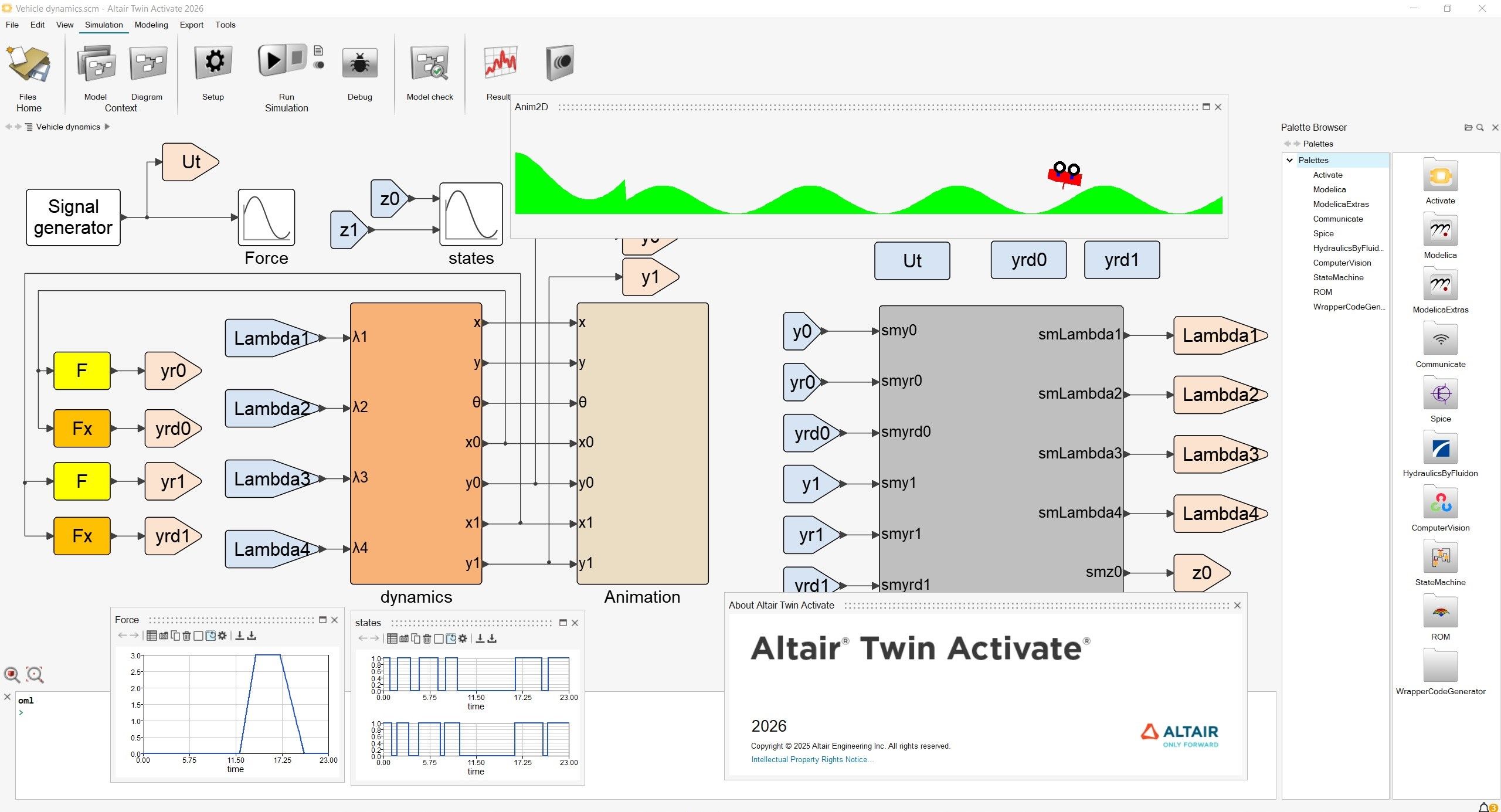
Altair Twin Activate 2026.0 is an advanced model based system simulation platform designed for the development, validation, and deployment of digital twins and control systems. It enables engineers to model complex multi-domain systems using an intuitive block-diagram environment combined with powerful mathematical modeling capabilities.

With its focus on real time simulation and executable digital twins, Altair Twin Activate 2026.0 supports the entire system lifecycle, from concept design and virtual prototyping to control validation and embedded system deployment. The software is widely used in industries such as automotive, aerospace, industrial machinery, energy, and electronics.

Features of Altair Twin Activate 2026.0

Model Based System Design
Twin Activate 2026.0 provides a flexible environment for building system models using block diagrams, signal flows, state machines, and physical components. This supports clear system architecture definition and early performance validation.

Digital Twin Development
The software enables the creation of high fidelity digital twins that mirror real-world system behavior. These models can be used for performance monitoring, predictive maintenance, and operational optimization.

Real Time Simulation and Execution
Altair Twin Activate supports real time simulation, allowing engineers to test control strategies and system responses under realistic operating conditions before physical implementation.

Integrated Control System Design
Engineers can design, simulate, and validate control algorithms within the same environment. This reduces development risk and improves control performance before deployment to hardware.

FMI and Co-Simulation Support
Twin Activate 2026.0 supports the Functional Mock-up Interface standard, enabling seamless co-simulation and model exchange with other CAE and system simulation tools.

Multi-Domain Modeling
The platform supports electrical, mechanical, hydraulic, thermal, and signal-based modeling, making it suitable for complex mechatronic and cyber-physical systems.

Fast Design Iteration and Validation
Engineers can quickly evaluate design alternatives, tune parameters, and run what-if scenarios to improve system behavior and reliability early in development.

Scalable and Open Architecture
Altair Twin Activate integrates well with other Altair tools and third-party software, enabling scalable workflows for enterprise-level digital engineering initiatives.

Why Choose Altair Twin Activate 2026.0
Altair Twin Activate 2026.0 helps organizations adopt model based engineering and digital twin strategies with confidence. Its combination of real time simulation, control design, and system modeling accelerates development, improves system reliability, and reduces overall engineering costs.

If you want to download Altair Twin Activate 2026.0 full license, please click to DOWNLOAD button to download.
CLICKDOWN.ORG Download CAD CAM CNC software
Inside package Altair Twin Activate 2026.0, already have cracked files and instruction how to install Altair Twin Activate 2026.0 step by step. I guarantee you can install Altair Twin Activate 2026.0 successfully if you follow that instruction.
If you also can’t install it or get any problems, please contact to me by email: clickdown.org@gmail.com, then I will help you to install software by teamviewer or Ultraviewer or Anydesk.
Thanks a lot

SOFTWARES

Download Altair SimSolid 2026.0 Win64 full license forever

Download Altair SimSolid 2026.0 Win64 full license forever

Link download Altair SimSolid 2026.0 full activated

Working with Altair SimSolid 2026.0 full license

Description of Altair SimSolid 2026.0

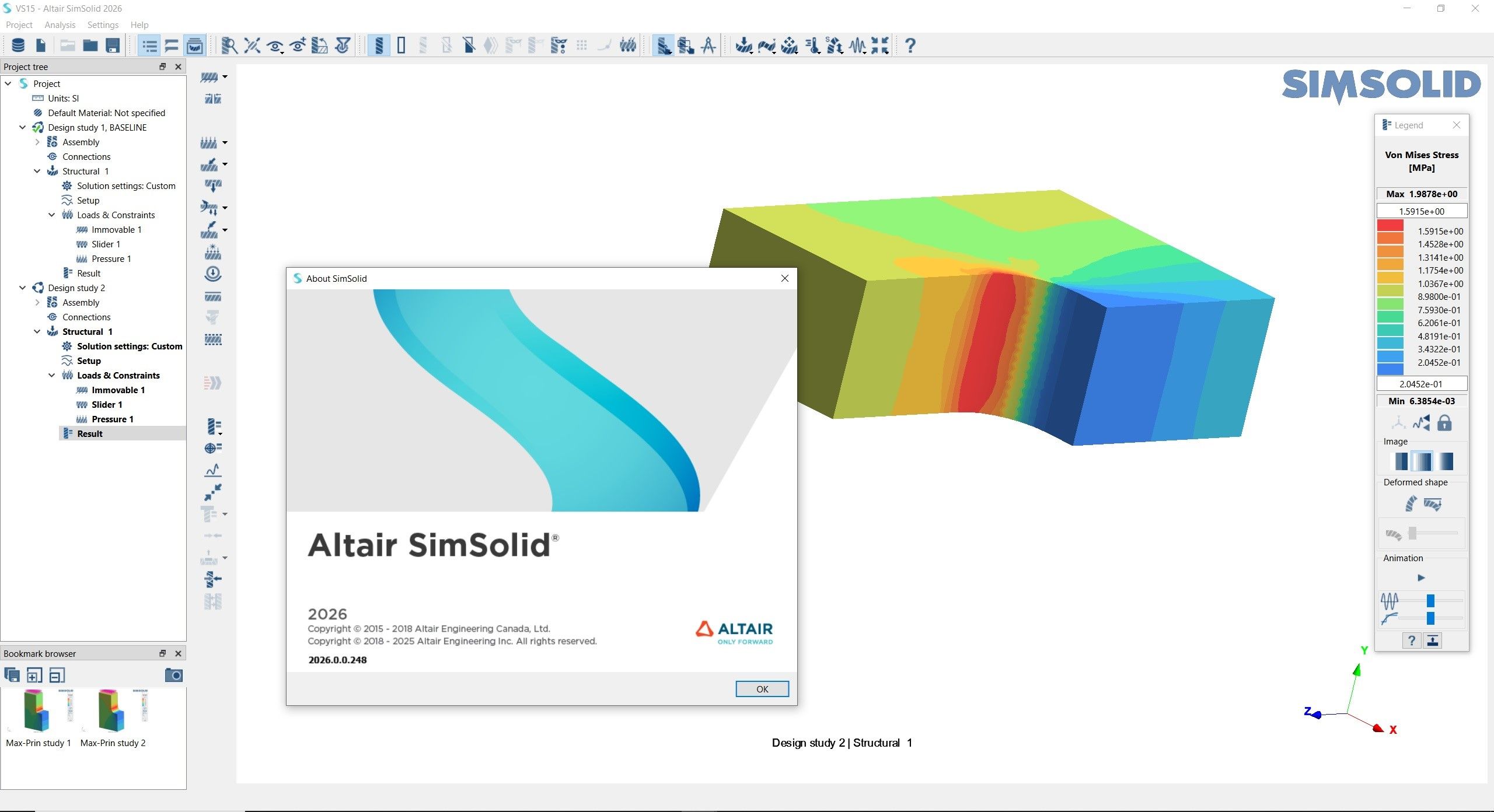
Altair SimSolid 2026.0 is an advanced structural simulation software that enables fast and accurate analysis of complex assemblies without traditional meshing. It allows engineers and designers to validate structural performance directly on CAD geometry, dramatically reducing simulation setup time.

This release delivers improved solver performance, enhanced accuracy, and expanded capabilities for large and complex mechanical assemblies.

Features of Altair SimSolid 2026.0

Meshless Structural Analysis
Altair SimSolid performs structural analysis without the need for meshing, allowing users to run simulations directly on CAD assemblies.

Fast Linear and Nonlinear Analysis
The software supports linear static, nonlinear, and thermal stress analysis for rapid evaluation of structural behavior.

Complex Assembly Simulation
SimSolid can analyze large assemblies with hundreds or thousands of parts, including bolts, welds, and contacts.

Automatic Contact and Connection Detection
The software automatically detects contacts, fasteners, and connections, simplifying model setup.

CAD Native Workflow
Users can work directly with native CAD files, enabling seamless design updates and rapid reanalysis.

Material Library and Custom Properties
Built in material libraries support accurate definition of metals and other materials, with options for custom material data.

Visualization and Result Interpretation
Clear visualization tools display stresses, displacements, and load paths for confident engineering decisions.

Design Comparison and What If Studies
Users can compare multiple design variants to evaluate performance improvements quickly.

Performance and Solver Enhancements
Version 2026.0 includes performance improvements that increase calculation speed and stability for complex assemblies.

Why Choose Altair SimSolid 2026.0
Altair SimSolid 2026.0 is ideal for early stage design validation and rapid engineering decision making. Its meshless technology, speed, and ease of use help teams reduce development time while maintaining accurate structural analysis.

If you want to download Altair SimSolid 2026.0 full license, please click to DOWNLOAD button to download.
CLICKDOWN.ORG Download CAD CAM CNC software
Inside package Altair SimSolid 2026.0, already have cracked files and instruction how to install Altair SimSolid 2026.0 step by step. I guarantee you can install Altair SimSolid 2026.0 successfully if you follow that instruction.
If you also can’t install it or get any problems, please contact to me by email: clickdown.org@gmail.com, then I will help you to install software by teamviewer or Ultraviewer or Anydesk.
Thanks a lot
SOFTWARES

Download Altair SimLab 2026.0 win64 full license forever

Download Altair SimLab 2026.0 win64 full license forever

Link download Altair SimLab 2026.0 full activated

Working with Altair SimLab 2026.0 full license

Description of Altair SimLab 2026.0

Altair SimLab 2026.0 is an advanced multiphysics simulation software designed to simplify complex engineering analyses. It provides an intuitive, geometry centric environment that enables engineers to perform structural, thermal, motion, and electromagnetic simulations efficiently within a single platform.

This release focuses on improved solver integration, enhanced automation, and better performance to support faster and more reliable simulation workflows.

Features of Altair SimLab 2026.0

Multiphysics Simulation Environment
Altair SimLab supports structural, thermal, nonlinear, motion, and electromagnetic analyses, allowing comprehensive evaluation of engineering designs.

Geometry Centric Modeling
The software uses a geometry based approach that simplifies model preparation, meshing, and setup, reducing preprocessing time.

Automated Meshing and Model Setup
Advanced meshing tools automatically generate high quality meshes and apply simulation settings with minimal user input.

Integration with Altair Solvers
SimLab integrates seamlessly with Altair solvers such as OptiStruct, Radioss, and Flux for accurate and scalable simulation results.

Design Modification and Parameterization
Users can easily modify geometry and parameters to study design changes and performance impact.

Electromagnetic and Motion Analysis
The software supports electromagnetic simulation and motion driven analysis for electromechanical and dynamic system studies.

Visualization and Result Analysis
Clear visualization tools allow users to analyze stresses, temperatures, deformation, and field distributions effectively.

Workflow Automation and Reusability
SimLab enables creation of reusable simulation workflows to improve consistency and reduce repetitive tasks.

Performance and Stability Enhancements
Version 2026.0 includes improvements that increase calculation speed and stability for large and complex models.

Why Choose Altair SimLab 2026.0
Altair SimLab 2026.0 is an ideal solution for engineers who need powerful multiphysics simulation without complex setup. Its automation, solver integration, and intuitive workflow help reduce simulation time and improve engineering productivity.

If you want to download Altair SimLab 2026.0 full license, please click to DOWNLOAD button to download.
CLICKDOWN.ORG Download CAD CAM CNC software
Inside package Altair SimLab 2026.0, already have cracked files and instruction how to install Altair SimLab 2026.0 step by step. I guarantee you can install Altair SimLab 2026.0 successfully if you follow that instruction.
If you also can’t install it or get any problems, please contact to me by email: clickdown.org@gmail.com, then I will help you to install software by teamviewer or Ultraviewer or Anydesk.
Thanks a lot
SOFTWARES

Download Altair Inspire 2026.0 win64 full license forever

Download Altair Inspire 2026.0 win64 full license forever

Link download Altair Inspire 2026.0 full activated

Working with Altair Inspire 2026.0 full license

Description of Altair Inspire 2026.0

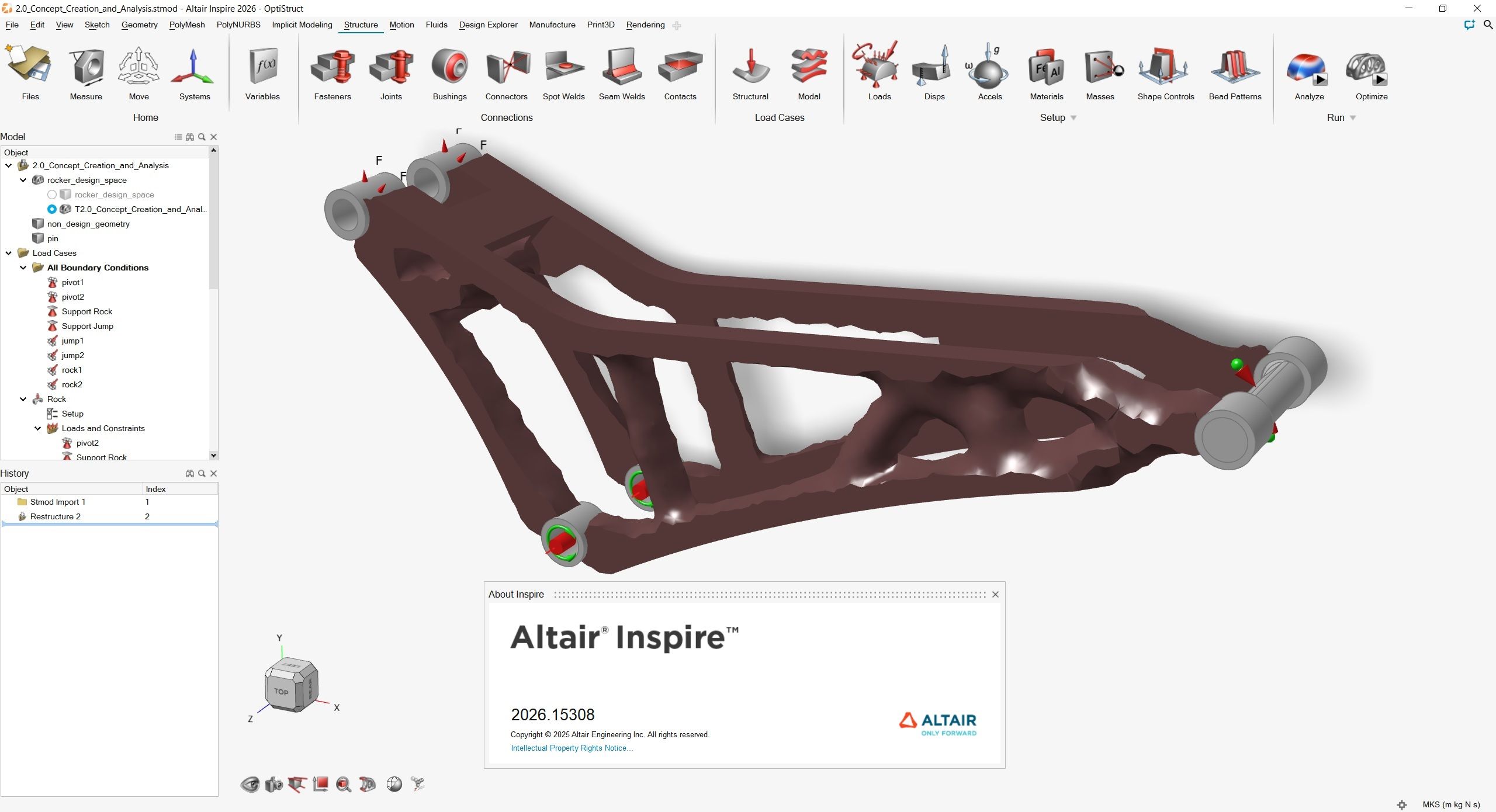
Altair Inspire 2026.0 is a powerful simulation driven design software that enables engineers and product designers to create lightweight, efficient, and manufacturable products. It combines topology optimization, structural analysis, and manufacturing simulation in an intuitive environment that supports rapid design exploration and validation.

This release improves solver performance, expands manufacturing workflows, and enhances usability, making it easier to move from concept to production ready designs.

Features of Altair Inspire 2026.0

Topology Optimization
Altair Inspire allows users to generate lightweight and high performance structures by defining loads, constraints, and manufacturing targets early in the design process.

Structural Analysis and Validation
The software provides fast linear static analysis to validate structural performance and identify stress, displacement, and safety factors.

Manufacturing Process Integration
Altair Inspire supports manufacturing oriented design workflows including casting, molding, extrusion, forming, and additive manufacturing.

Design Exploration and Rapid Iteration
Users can quickly explore multiple design concepts and compare performance results to make informed engineering decisions.

Intuitive and User Friendly Interface
The clean interface allows both beginners and experienced engineers to perform simulation driven design without deep analysis expertise.

CAD Geometry Editing and Cleanup
Built in geometry tools enable fast design modifications and preparation of models for simulation and manufacturing studies.

Material Library and Custom Materials
A comprehensive material database allows accurate definition of metals, plastics, and composites, with support for custom material data.

Visualization and Result Interpretation
Clear visualization tools display stress contours, deformation, and optimization results for effective communication and analysis.

Performance and Solver Enhancements
Version 2026.0 includes solver optimizations that improve calculation speed and stability for complex design studies.

Why Choose Altair Inspire 2026.0
Altair Inspire 2026.0 is ideal for organizations seeking to reduce development time and improve product performance. Its combination of optimization, simulation, and manufacturability analysis supports smarter design decisions early in the product development process.

If you want to download Altair Inspire 2026.0 full license, please click to DOWNLOAD button to download.
CLICKDOWN.ORG Download CAD CAM CNC software
Inside package Altair Inspire 2026.0, already have cracked files and instruction how to install Altair Inspire 2026.0 step by step. I guarantee you can install Altair Inspire 2026.0 successfully if you follow that instruction.
If you also can’t install it or get any problems, please contact to me by email: clickdown.org@gmail.com, then I will help you to install software by teamviewer or Ultraviewer or Anydesk.
Thanks a lot
SOFTWARES

Download Altair Inspire PolyFoam 2026.0 x64 full license

Download Altair Inspire PolyFoam 2026.0 x64 full license

Link download Altair Inspire PolyFoam 2026.0 full activated

Working with Altair Inspire PolyFoam 2026.0 full license

Description of Altair Inspire PolyFoam 2026.0

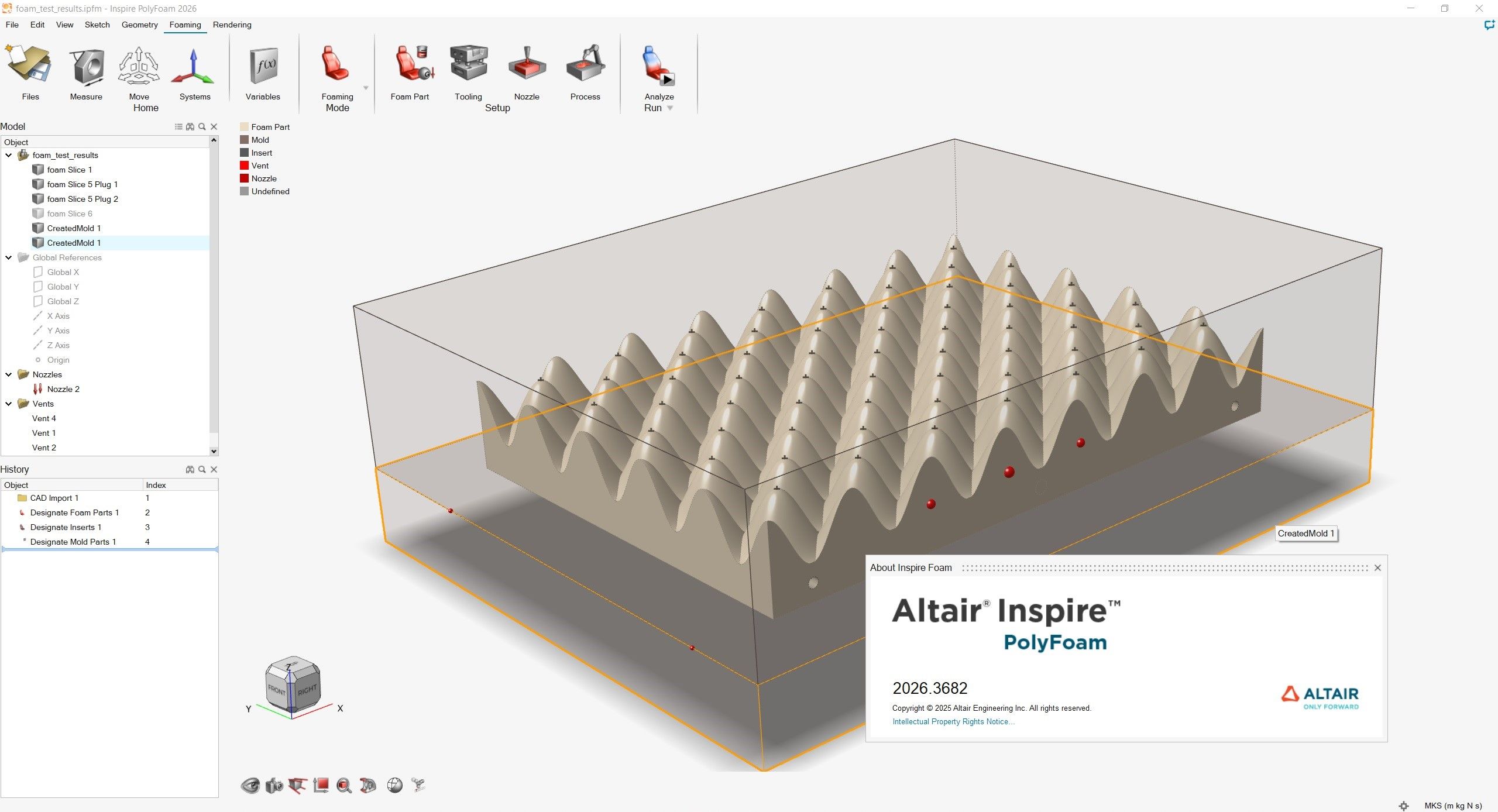
Altair Inspire PolyFoam 2026.0 is advanced manufacturing simulation software for polyurethane foam molding and dispensing process analysis. It is designed to help engineers and manufacturers predict foam flow, expansion, curing behavior, and final part quality before physical production.

This version delivers improved solver performance, enhanced accuracy, and a more streamlined workflow for reliable foam process simulation.

Features of Altair Inspire PolyFoam 2026.0

Polyurethane Foam Process Simulation
Inspire PolyFoam provides detailed simulation of foam injection, flow, expansion, and curing within molds and cavities.

Foam Expansion and Density Prediction
The software accurately predicts foam expansion behavior, density distribution, and cell structure development.

Mold Filling and Air Entrapment Analysis
Users can analyze mold filling patterns and identify air traps to reduce voids and incomplete filling issues.

Material Modeling and Chemical Reaction Analysis
Altair Inspire PolyFoam includes advanced material models that simulate chemical reactions, heat generation, and curing processes.

Process Parameter Optimization
Users can evaluate parameters such as injection speed, temperature, and material ratios to optimize foam quality and cycle time.

Simplified User Friendly Workflow
The intuitive interface allows fast setup and execution of foam simulations without extensive simulation expertise.

Visualization and Result Analysis
Clear visualization tools display foam flow, temperature fields, density distribution, and curing progress.

CAD Integration
The software integrates directly with CAD geometry, allowing seamless transition from design to foam process simulation.

Performance and Solver Enhancements
Version 2026.0 includes solver improvements that increase calculation speed and stability for complex foam models.

Why Choose Altair Inspire PolyFoam 2026.0
Altair Inspire PolyFoam 2026.0 is an effective solution for improving foam part quality and reducing production risks. Its accurate predictions, intuitive workflow, and powerful optimization tools make it ideal for modern foam manufacturing applications.

If you want to download Altair Inspire PolyFoam 2026.0 full license, please click to DOWNLOAD button to download.
CLICKDOWN.ORG Download CAD CAM CNC software
Inside package Altair Inspire PolyFoam 2026.0, already have cracked files and instruction how to install Altair Inspire PolyFoam 2026.0 step by step. I guarantee you can install Altair Inspire PolyFoam 2026.0 successfully if you follow that instruction.
If you also can’t install it or get any problems, please contact to me by email: clickdown.org@gmail.com, then I will help you to install software by teamviewer or Ultraviewer or Anydesk.
Thanks a lot
SOFTWARES

Download Altair Inspire Mold 2026.0 x64 full license forever

Download Altair Inspire Mold 2026.0 x64 full license forever

Link download Altair Inspire Mold 2026.0 full activated

Working with Altair Inspire Mold 2026.0 full license

Description of Altair Inspire Mold 2026.0

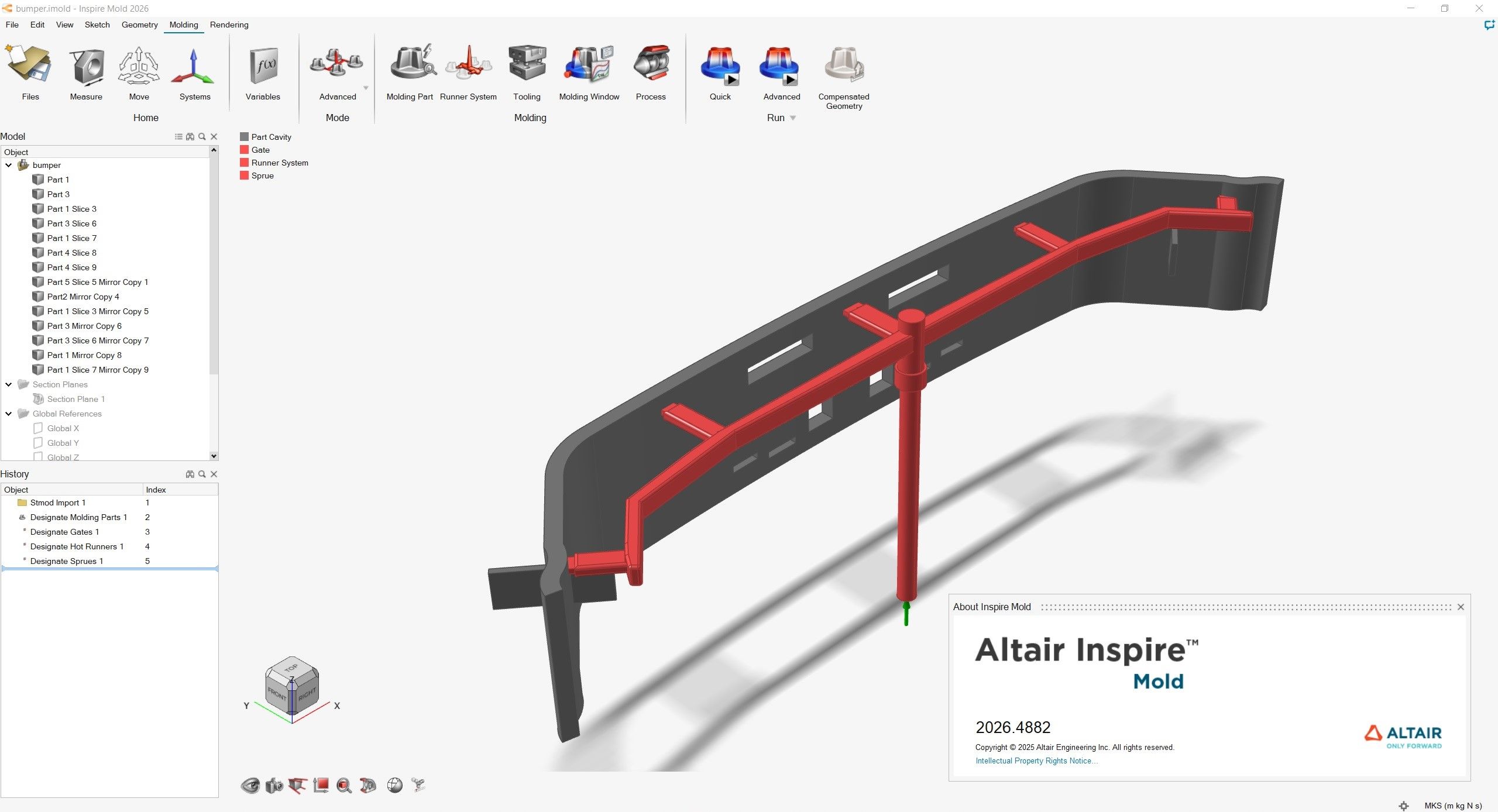
Altair Inspire Mold 2026.0 is advanced manufacturing simulation software for injection molding analysis and optimization. It helps engineers and product designers evaluate mold designs, predict defects, and improve plastic part quality before physical tooling and production.

This release delivers improved solver performance, enhanced accuracy, and a more efficient workflow for reliable injection molding simulations.

Features of Altair Inspire Mold 2026.0

Injection Molding Simulation
Inspire Mold provides detailed simulation of plastic injection molding processes, including mold filling, packing, cooling, and warpage analysis.

Defect Prediction and Analysis
The software predicts common injection molding defects such as weld lines, air traps, sink marks, and warpage, enabling early design improvements.

Mold and Part Design Optimization
Users can optimize gate locations, runner systems, and cooling channels to improve part quality and reduce cycle time.

Support for Multiple Materials
Altair Inspire Mold supports a wide range of thermoplastic materials with accurate material property data for reliable simulations.

Simplified and Intuitive Workflow
The user friendly interface allows fast setup of molding simulations without requiring extensive simulation experience.

Cooling and Cycle Time Analysis
Advanced cooling analysis tools help optimize temperature distribution and reduce production cycle times.

Visualization and Result Interpretation
Clear visualization tools display flow patterns, pressure distribution, and deformation results for informed engineering decisions.

CAD Integration
The software integrates seamlessly with CAD geometry, allowing direct import of part and mold designs.

Performance and Solver Enhancements
Version 2026.0 includes performance improvements that increase simulation speed and stability for complex molding projects.

Why Choose Altair Inspire Mold 2026.0
Altair Inspire Mold 2026.0 is an effective solution for improving injection molding quality and efficiency. Its accurate predictions, intuitive workflow, and powerful optimization tools make it ideal for modern plastic manufacturing environments.

If you want to download Altair Inspire Mold 2026.0 full license, please click to DOWNLOAD button to download.
CLICKDOWN.ORG Download CAD CAM CNC software
Inside package Altair Inspire Mold 2026.0, already have cracked files and instruction how to install Altair Inspire Mold 2026.0 step by step. I guarantee you can install Altair Inspire Mold 2026.0 successfully if you follow that instruction.
If you also can’t install it or get any problems, please contact to me by email: clickdown.org@gmail.com, then I will help you to install software by teamviewer or Ultraviewer or Anydesk.
Thanks a lot
SOFTWARES

Download Altair Inspire Form 2026.0 win64 full license

Download Altair Inspire Form 2026.0 win64 full license

Link download Altair Inspire Form 2026.0 full activated

Working with Altair Inspire Form 2026.0 full license

Description of Altair Inspire Form 2026.0

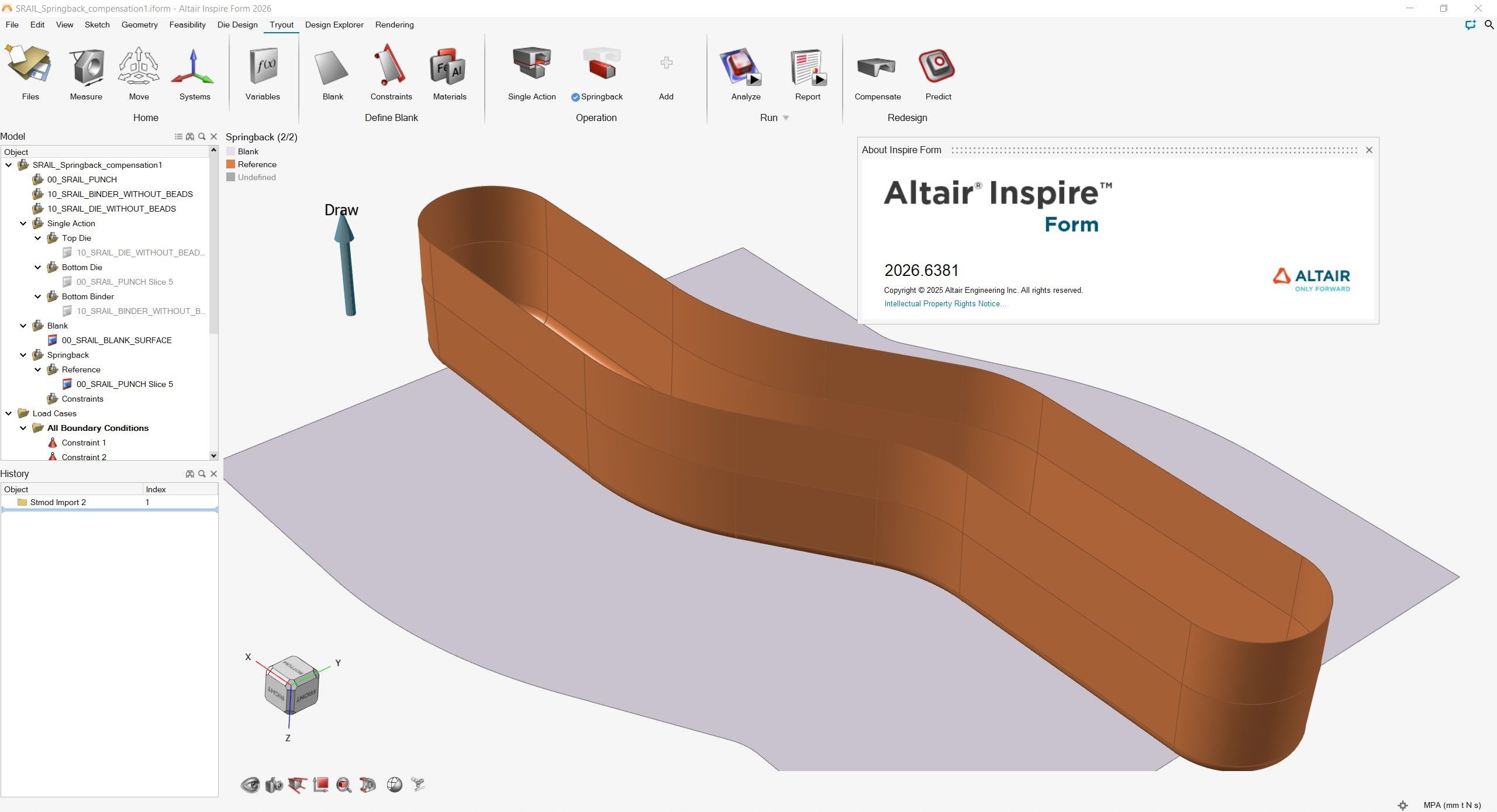
Altair Inspire Form 2026.0 is advanced manufacturing simulation software focused on sheet metal forming analysis and process validation. It helps engineers and manufacturers evaluate formability, predict defects, and optimize tooling and process parameters before physical production.

This version introduces performance enhancements, improved accuracy, and refined workflows that support faster and more reliable sheet metal forming simulations.

Features of Altair Inspire Form 2026.0

Sheet Metal Forming Simulation
Inspire Form provides detailed simulation of stamping and forming processes, allowing users to analyze material deformation and forming behavior.

Formability and Failure Prediction
The software predicts common sheet metal defects such as thinning, tearing, wrinkling, and springback, enabling early design corrections.

Support for Multiple Forming Processes
Altair Inspire Form supports stamping, deep drawing, and other sheet metal forming operations used in automotive and industrial manufacturing.

Tooling and Process Optimization
Users can evaluate die design, blank shape, and process parameters to improve part quality and reduce manufacturing issues.

Simplified User Friendly Workflow
The intuitive interface allows quick setup and execution of forming simulations without extensive simulation expertise.

Material Models and Databases
Built in material libraries support accurate definition of metal properties and forming behavior.

Visualization and Result Analysis
Clear visualization tools display strain, thickness distribution, and stress results for better decision making.

CAD Integration
The software integrates with CAD geometry, enabling seamless transition from part design to forming simulation.

Performance and Solver Improvements
Version 2026.0 includes solver optimizations that improve calculation speed and stability for complex forming analyses.

Why Choose Altair Inspire Form 2026.0
Altair Inspire Form 2026.0 is a powerful solution for improving sheet metal manufacturability and reducing production risks. Its accurate predictions, intuitive workflow, and robust optimization tools make it ideal for modern manufacturing environments.

If you want to download Altair Inspire Form 2026.0 full license, please click to DOWNLOAD button to download.
CLICKDOWN.ORG Download CAD CAM CNC software
Inside package Altair Inspire Form 2026.0, already have cracked files and instruction how to install Altair Inspire Form 2026.0 step by step. I guarantee you can install Altair Inspire Form 2026.0 successfully if you follow that instruction.
If you also can’t install it or get any problems, please contact to me by email: clickdown.org@gmail.com, then I will help you to install software by teamviewer or Ultraviewer or Anydesk.
Thanks a lot

SOFTWARES

Download Axialis IconGenerator 2.10 win64 full license

Download Axialis IconGenerator 2.10 win64 full license

Link download Axialis IconGenerator 2.10 full activated

Working with Axialis IconGenerator 2.10 full license

Description of Axialis IconGenerator 2.10

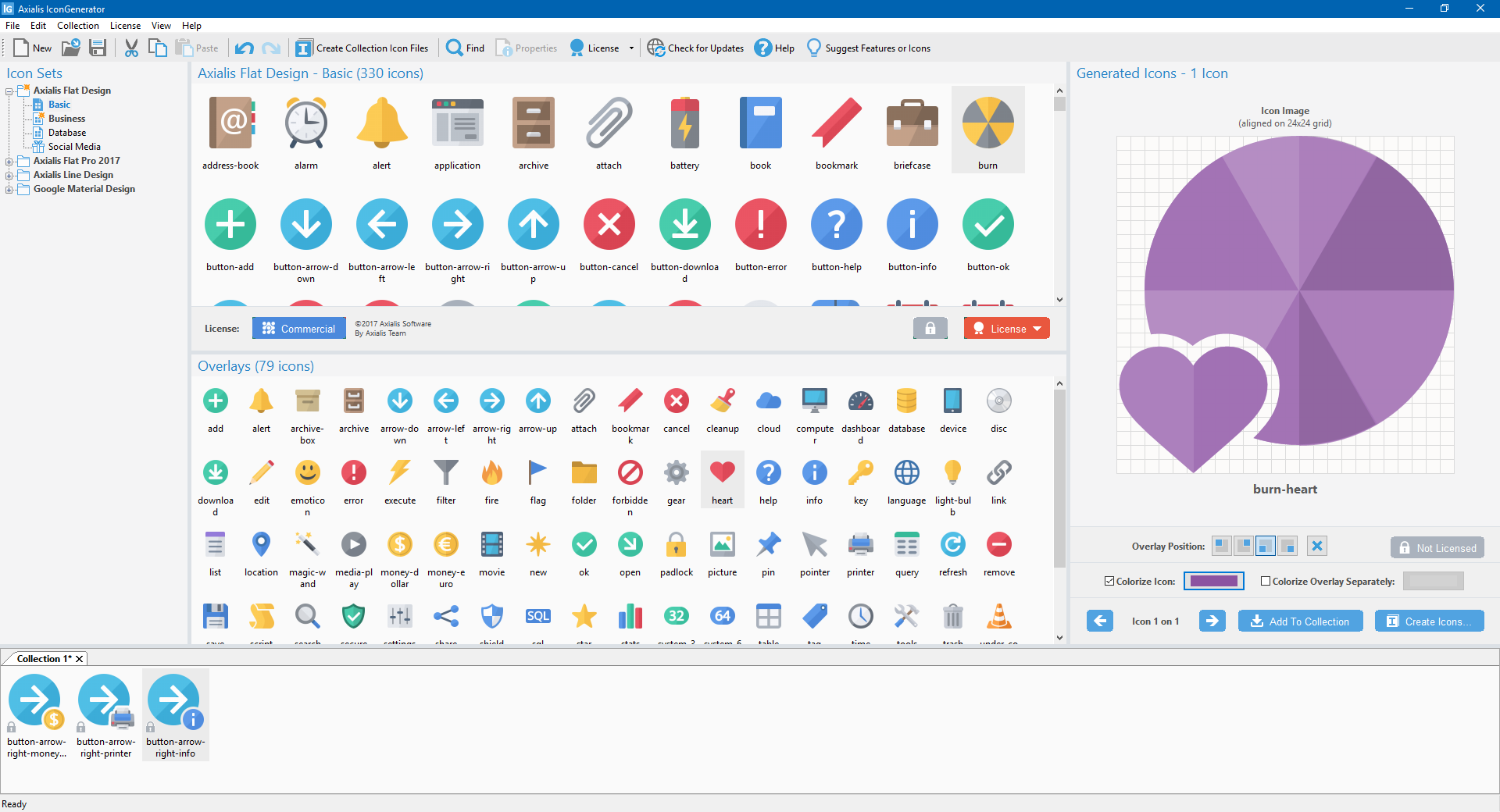
Axialis IconGenerator 2.10 is a professional icon creation and management software designed for developers, UI designers, and graphic professionals. It allows users to generate high quality icons for desktop, web, and mobile applications from images, vector graphics, and icon libraries with speed and precision.

This version improves compatibility, output quality, and workflow efficiency, making it a reliable solution for modern icon design requirements.

Features of Axialis IconGenerator 2.10

Professional Icon Creation Tools
Axialis IconGenerator provides powerful tools to create icons in multiple formats and resolutions suitable for Windows, macOS, iOS, Android, and web applications.

Multi Format Icon Generation
The software supports generation of icons in ICO, PNG, SVG, ICNS, and other popular formats, ensuring compatibility across platforms and devices.

Batch Icon Generation
Users can generate multiple icon sizes and formats automatically from a single source image, saving time and ensuring consistency.

High Quality Image Scaling
Advanced scaling algorithms preserve image clarity and sharpness when generating icons at different resolutions.

Icon Library and Asset Management
Axialis IconGenerator includes access to icon libraries and allows easy management of icon assets within projects.

Import from Vector and Bitmap Sources
Users can import icons from vector graphics and bitmap images, enabling flexible icon design workflows.

Preview and Quality Control
Real time preview options allow users to review icons at various sizes to ensure visual accuracy before export.

Easy to Use Interface
The intuitive interface makes icon creation accessible to beginners while providing advanced control for professionals.

Performance and Stability Improvements
Version 2.10 includes optimizations that improve application responsiveness and reliability during batch processing.

Why Choose Axialis IconGenerator 2.10
Axialis IconGenerator 2.10 is an efficient solution for creating professional quality icons quickly and consistently. Its batch generation capabilities, multi format support, and high quality output make it ideal for software development and UI design projects.

If you want to download Axialis IconGenerator 2.10 full license, please click to DOWNLOAD button to download.
CLICKDOWN.ORG Download CAD CAM CNC software
Inside package Axialis IconGenerator 2.10, already have cracked files and instruction how to install Axialis IconGenerator 2.10 step by step. I guarantee you can install Axialis IconGenerator 2.10 successfully if you follow that instruction.
If you also can’t install it or get any problems, please contact to me by email: clickdown.org@gmail.com, then I will help you to install software by teamviewer or Ultraviewer or Anydesk.
Thanks a lot
SOFTWARES

Download Altair Inspire Extrude 2026.0 x64 full license

Download Altair Inspire Extrude 2026.0 x64 full license

Link download Altair Inspire Extrude 2026.0 win64 full activated

Altair Inspire Extrude 2026.0 Win64 full license

Working with Altair Inspire Extrude 2026.0 full license

Description of Altair Inspire Extrude 2026.0

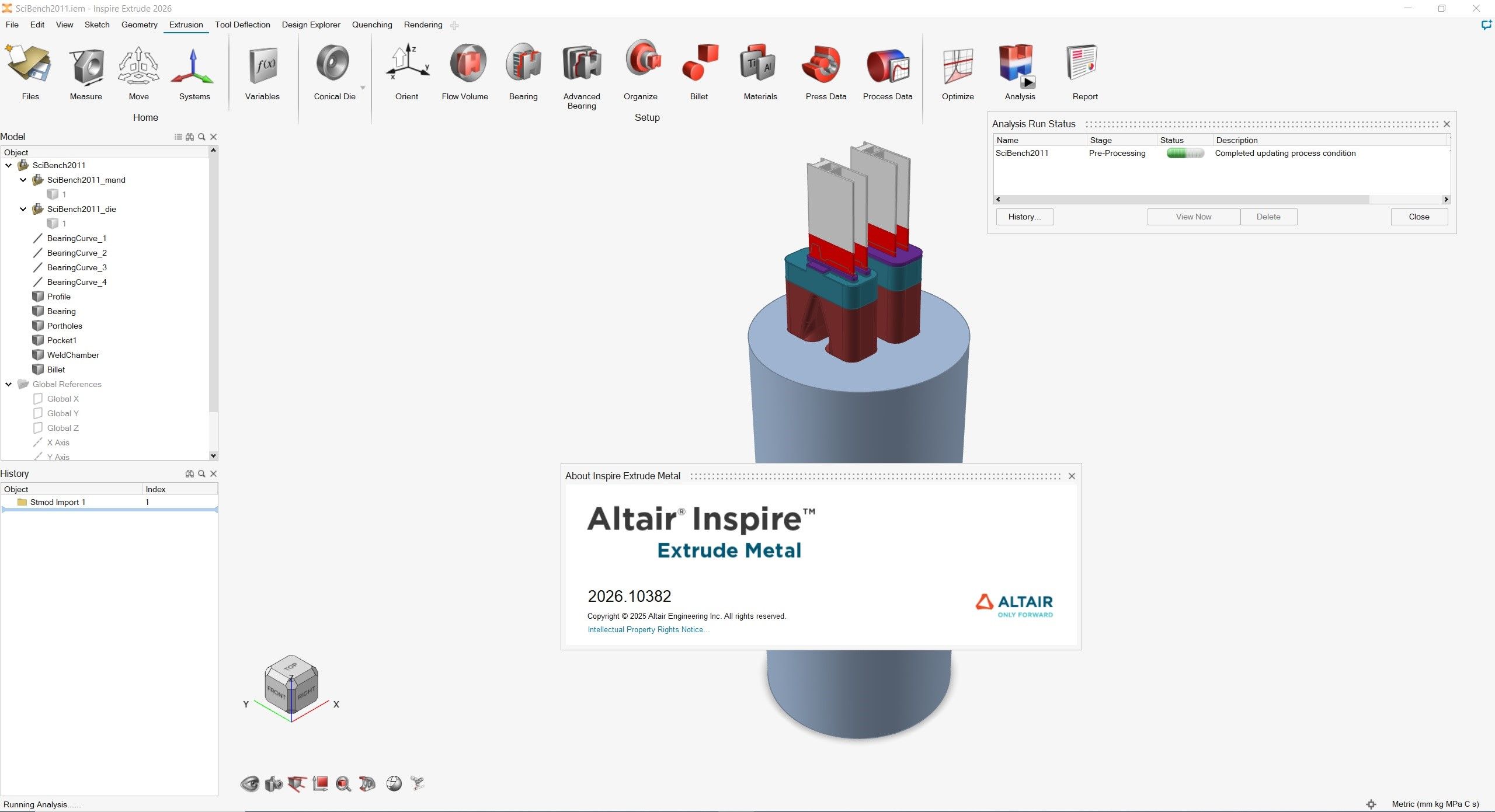
Altair Inspire Extrude 2026.0 is a specialized manufacturing simulation software for extrusion process analysis and optimization. It is designed for engineers and manufacturers working with metal, polymer, and composite extrusion processes, helping them predict material flow, optimize die design, and improve product quality before production.

This release enhances solver accuracy, workflow efficiency, and visualization tools, enabling faster and more reliable extrusion design decisions.

Features of Altair Inspire Extrude 2026.0

Extrusion Process Simulation
Inspire Extrude provides detailed simulation of material flow through extrusion dies, allowing users to analyze velocity, pressure, and temperature distribution.

Die Design and Optimization
The software helps optimize die geometry to achieve uniform flow and consistent product dimensions, reducing defects and production scrap.

Support for Multiple Materials
Altair Inspire Extrude supports metals, polymers, and advanced materials, making it suitable for a wide range of extrusion applications.

Weld Line and Flow Imbalance Analysis
Users can identify potential weld lines, flow imbalance, and surface defects early in the design phase.

Simplified Setup and User Friendly Workflow
The intuitive interface allows engineers to set up extrusion simulations quickly without extensive simulation expertise.

Visualization and Result Interpretation
Clear visualization tools display flow patterns, velocity contours, and pressure maps, supporting informed engineering decisions.

Integration with CAD Data
The software integrates seamlessly with CAD models, allowing direct import of extrusion dies and profiles for simulation.

Process Parameter Evaluation
Users can evaluate the impact of process parameters such as temperature, speed, and material properties on final product quality.

Performance and Stability Improvements
Version 2026.0 includes solver optimizations that improve calculation speed and stability for complex extrusion models.

Why Choose Altair Inspire Extrude 2026.0
Altair Inspire Extrude 2026.0 is an effective solution for improving extrusion process efficiency and product quality. Its accurate simulations, intuitive workflow, and powerful die optimization tools make it ideal for modern extrusion engineering and manufacturing environments.

If you want to download Altair Inspire Extrude 2026.0 full license, please click to DOWNLOAD button to download.
CLICKDOWN.ORG Download CAD CAM CNC software
Inside package Altair Inspire Extrude 2026.0, already have cracked files and instruction how to install Altair Inspire Extrude 2026.0 step by step. I guarantee you can install Altair Inspire Extrude 2026.0 successfully if you follow that instruction.
If you also can’t install it or get any problems, please contact to me by email: clickdown.org@gmail.com, then I will help you to install software by teamviewer or Ultraviewer or Anydesk.
Thanks a lot
SOFTWARES

Download Altair Inspire Cast 2026.0 x64 full license forever

Download Altair Inspire Cast 2026.0 x64 full license forever

Link download Altair Inspire Cast 2026.0 full activated

Working with Altair Inspire Cast 2026.0 full license

Description of Altair Inspire Cast 2026.0

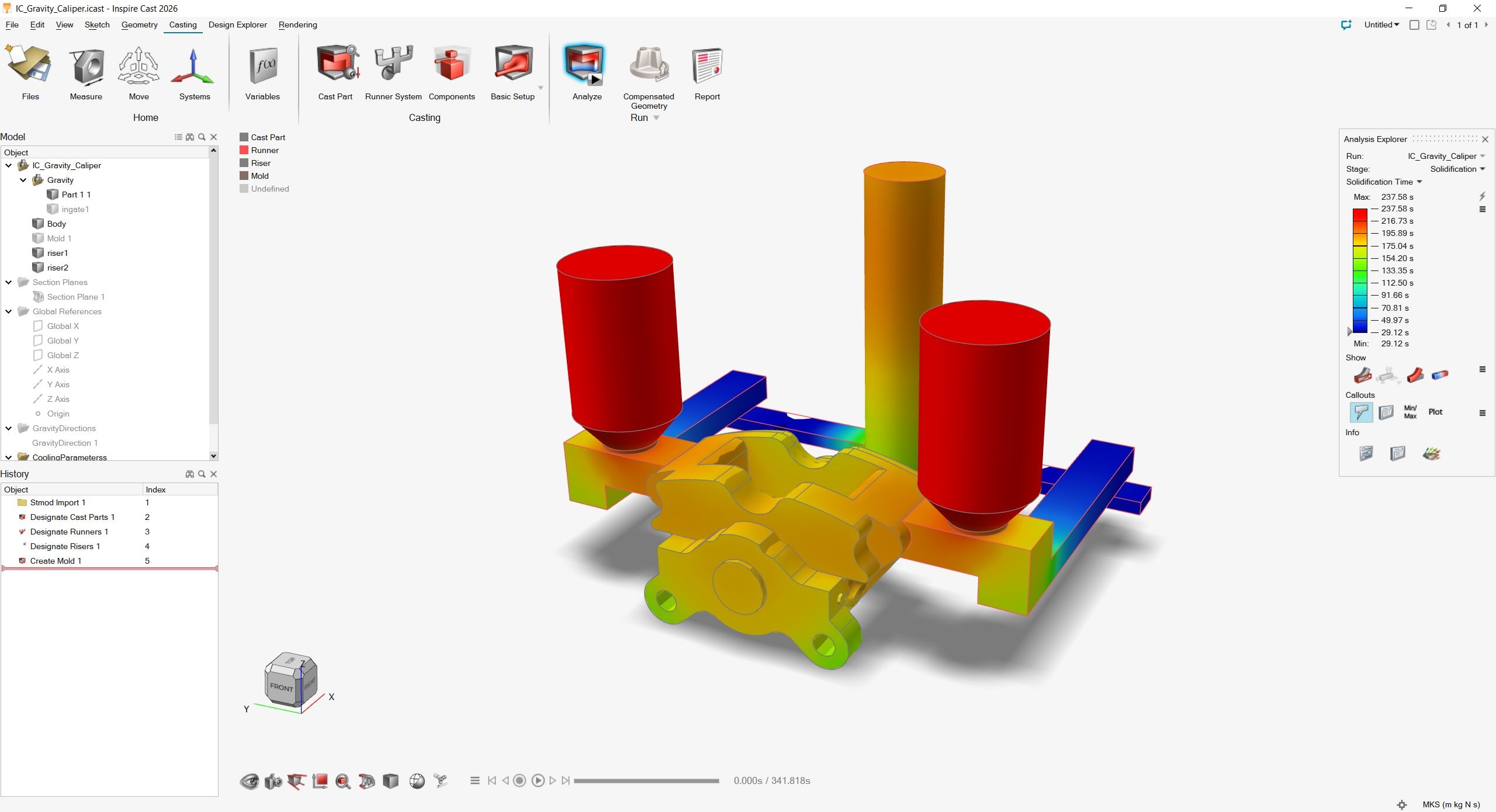
Altair Inspire Cast 2026.0 is a specialized manufacturing simulation software designed for metal casting process analysis and optimization. It enables engineers and foundry professionals to simulate casting workflows, predict defects, and improve product quality before physical production.

This release focuses on improved simulation accuracy, faster solver performance, and enhanced usability, helping manufacturers reduce trial and error, material waste, and production costs.

Features of Altair Inspire Cast 2026.0

Casting Process Simulation
Inspire Cast provides advanced tools to simulate mold filling, solidification, and cooling processes, allowing users to evaluate casting quality early in the design stage.

Defect Prediction and Prevention
The software predicts common casting defects such as porosity, shrinkage, cold shuts, and misruns, enabling proactive design and process improvements.

Support for Multiple Casting Methods
Altair Inspire Cast supports sand casting, die casting, gravity casting, and low pressure casting, making it suitable for a wide range of manufacturing applications.

Intuitive Setup and Workflow
The software features a simplified and user friendly workflow that allows engineers to set up simulations quickly without deep expertise in numerical methods.

Material and Process Database
Built in databases provide access to casting materials and process parameters, helping users define accurate and realistic simulation conditions.

Design Optimization for Manufacturability
Users can evaluate gating systems, risers, and mold designs to optimize metal flow and reduce defects, improving overall manufacturability.

Visualization and Result Analysis
Clear visualization tools display temperature distribution, flow behavior, and solidification patterns, supporting informed engineering decisions.

Integration with CAD Workflows
Altair Inspire Cast integrates with CAD data, allowing direct import of part geometry for seamless transition from design to manufacturing simulation.

Performance and Stability Enhancements
Version 2026.0 includes solver optimizations that improve calculation speed and stability for complex casting simulations.

Why Choose Altair Inspire Cast 2026.0
Altair Inspire Cast 2026.0 is an effective solution for manufacturers seeking to improve casting quality and reduce development time. Its accurate simulations, intuitive workflow, and powerful defect prediction tools make it ideal for modern casting engineering environments.

If you want to download Altair Inspire Cast 2026.0 full license, please click to DOWNLOAD button to download.
CLICKDOWN.ORG Download CAD CAM CNC software
Inside package Altair Inspire Cast 2026.0, already have cracked files and instruction how to install Altair Inspire Cast 2026.0 step by step. I guarantee you can install Altair Inspire Cast 2026.0 successfully if you follow that instruction.
If you also can’t install it or get any problems, please contact to me by email: clickdown.org@gmail.com, then I will help you to install software by teamviewer or Ultraviewer or Anydesk.
Thanks a lot
SOFTWARES

Download Aquaveo GMS 10.9.1 win64 full license forever

Download Aquaveo GMS 10.9.1 win64 full license forever

Link download Aquaveo GMS 10.9.1 full activated

Working with Aquaveo GMS 10.9.1 full license

Description of Aquaveo GMS 10.9.1

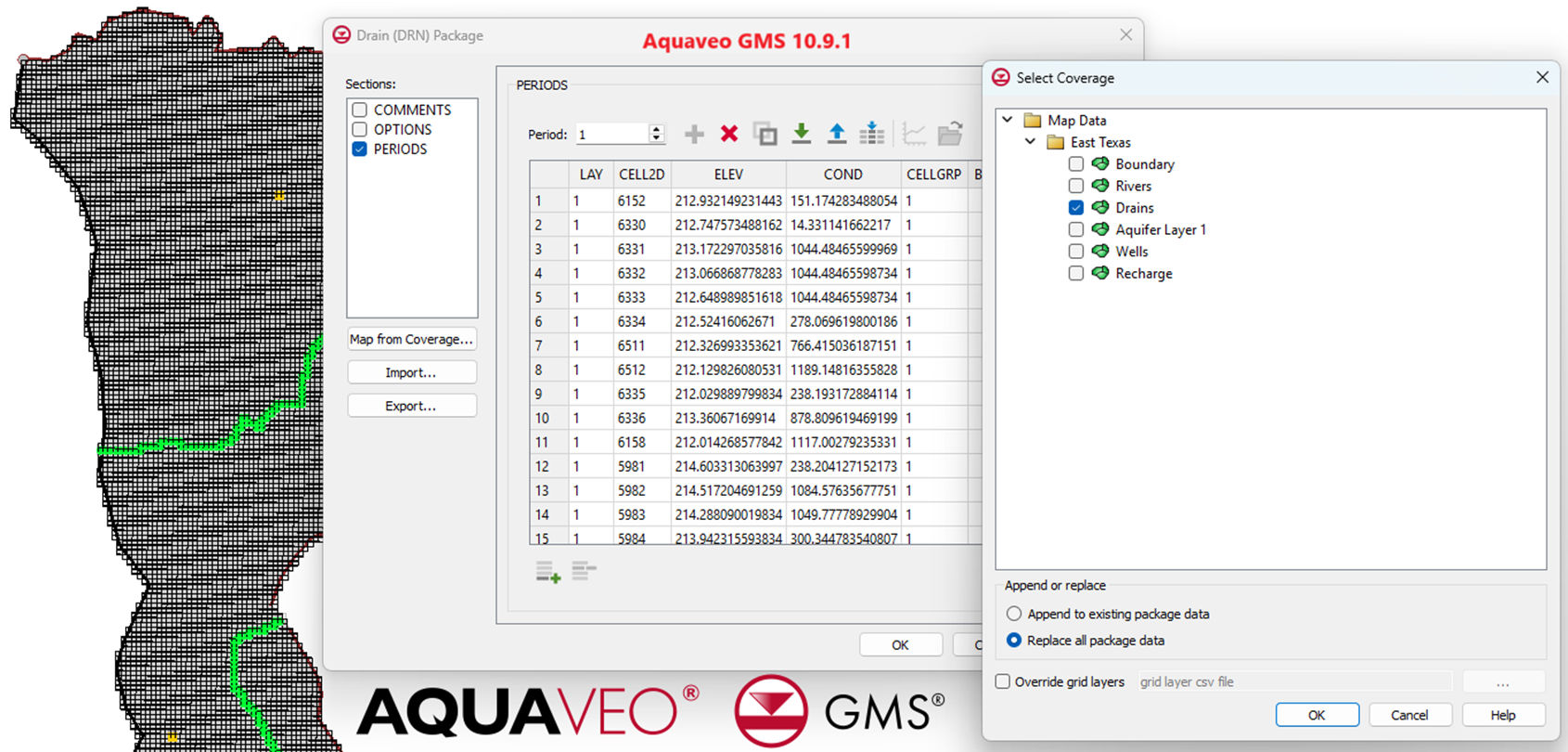
Aquaveo GMS 10.9.1, also known as the Groundwater Modeling System, is a comprehensive software environment for simulating groundwater flow and contaminant transport. It is widely used by hydrogeologists, environmental engineers, and researchers for groundwater resource assessment, remediation planning, and environmental impact studies.

This version enhances modeling workflows, improves solver stability, and refines visualization tools to support accurate and efficient groundwater analysis.

Features of Aquaveo GMS 10.9.1

Integrated Groundwater Modeling Environment
GMS provides a unified interface for building, running, and analyzing groundwater models, reducing complexity and improving productivity.

Support for Multiple Groundwater Models
The software supports industry standard numerical models such as MODFLOW, MT3DMS, and RT3D, enabling simulation of groundwater flow and solute transport.

Conceptual Model Based Workflow
Users can develop conceptual site models using maps and data layers, then automatically convert them into numerical models for simulation.

Mesh and Grid Generation Tools
GMS includes powerful tools for generating structured grids and unstructured meshes that accurately represent complex hydrogeologic conditions.

Parameter Estimation and Calibration
The software supports model calibration and parameter estimation to improve simulation accuracy and reliability.

Advanced Visualization and Result Analysis
Users can visualize heads, drawdown, concentration plumes, and flow paths using contour maps, cross sections, and 3D views.

Data Import and GIS Integration
Aquaveo GMS integrates with GIS data and common file formats, enabling efficient use of spatial datasets in groundwater modeling projects.

Scenario Management and What If Analysis
The software allows users to compare multiple scenarios, supporting evaluation of remediation strategies and resource management plans.

Performance and Stability Improvements
Version 10.9.1 includes enhancements that improve calculation stability and handling of large and complex groundwater models.

Why Choose Aquaveo GMS 10.9.1
Aquaveo GMS 10.9.1 is a trusted solution for professional groundwater modeling and environmental analysis. Its comprehensive toolset, flexible workflows, and strong visualization capabilities make it ideal for scientific research and real world hydrogeological projects.

If you want to download Aquaveo GMS 10.9.1 full license, please click to DOWNLOAD button to download.
CLICKDOWN.ORG Download CAD CAM CNC software
Inside package Aquaveo GMS 10.9.1, already have cracked files and instruction how to install Aquaveo GMS 10.9.1 step by step. I guarantee you can install Aquaveo GMS 10.9.1 successfully if you follow that instruction.
If you also can’t install it or get any problems, please contact to me by email: clickdown.org@gmail.com, then I will help you to install software by teamviewer or Ultraviewer or Anydesk.
Thanks a lot
SOFTWARES

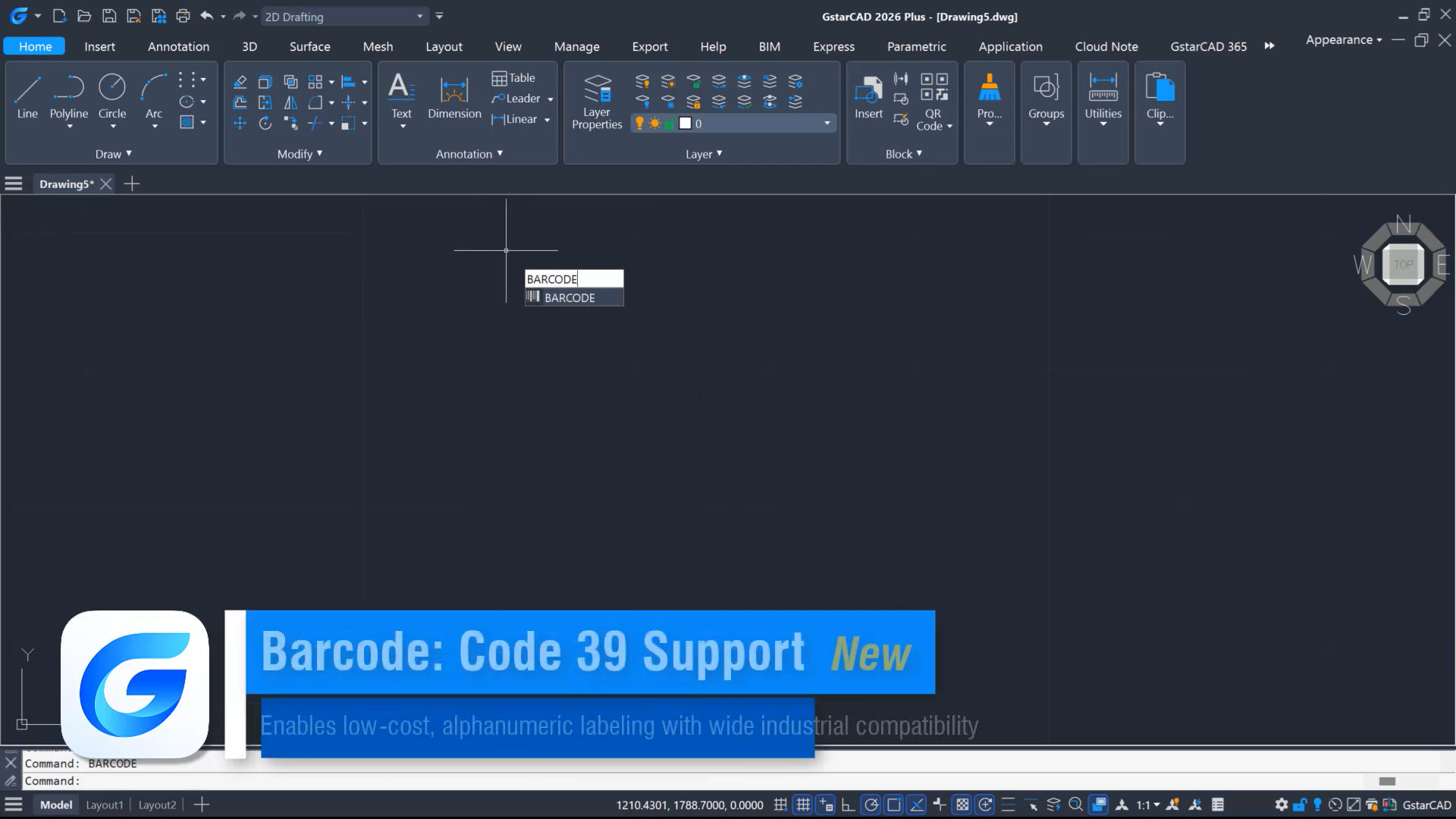
Download GstarCAD 2026.1 Professional full license forever

Download GstarCAD 2026.1 Professional x64 full license

Link download GstarCAD 2026.1 Professional win64 full activated

Working with GstarCAD 2026.1 Professional full license

Description of GstarCAD 2026.1 Professional

GstarCAD 2026.1 Professional is a high performance CAD software designed for professional drafting, design, and technical documentation. It provides a familiar interface and full compatibility with DWG and DXF file formats, making it an efficient alternative for architects, engineers, and construction professionals.

This release focuses on performance optimization, enhanced drafting tools, and improved stability, helping users complete design tasks faster and more accurately.

Features of GstarCAD 2026.1 Professional

Full DWG and DXF Compatibility
GstarCAD ensures complete compatibility with industry standard DWG and DXF files, allowing seamless file exchange without data loss or conversion issues.

Advanced 2D Drafting Tools
The software offers a comprehensive set of precision drafting tools for creating and editing technical drawings, layouts, and construction documents.

Professional Layer and Block Management
Users can efficiently manage layers, blocks, and external references to keep drawings organized and easy to update.

Dynamic Blocks and Parametric Constraints
GstarCAD Professional supports dynamic blocks and parametric constraints, enabling smarter and more flexible design modifications.

API and Automation Support
The software supports APIs such as LISP, COM, and VBA, allowing users to automate workflows and develop custom tools to increase productivity.

PDF Import and Export
Users can import PDF files into editable CAD drawings and export drawings to high quality PDF formats for sharing and printing.

Performance and Stability Enhancements
Version 2026.1 improves startup speed, command responsiveness, and overall system stability, even when working with large and complex drawings.

Familiar User Interface
The interface is designed to be intuitive for CAD professionals, reducing the learning curve and allowing quick adoption.

Professional License and Cost Efficiency
GstarCAD Professional provides advanced CAD functionality with flexible licensing options, making it a cost effective solution for professional use.

Why Choose GstarCAD 2026.1 Professional
GstarCAD 2026.1 Professional is an ideal choice for professionals who need a reliable and compatible CAD solution without the complexity of heavier platforms. Its performance, compatibility, and professional features make it suitable for daily drafting and design work.

If you want to download GstarCAD 2026.1 Professional full license, please click to DOWNLOAD button to download.
CLICKDOWN.ORG Download CAD CAM CNC software
Inside package GstarCAD 2026.1 Professional, already have cracked files and instruction how to install GstarCAD 2026.1 Professional step by step. I guarantee you can install GstarCAD 2026.1 Professional successfully if you follow that instruction.
If you also can’t install it or get any problems, please contact to me by email: clickdown.org@gmail.com, then I will help you to install software by teamviewer or Ultraviewer or Anydesk.
Thanks a lot
SOFTWARES

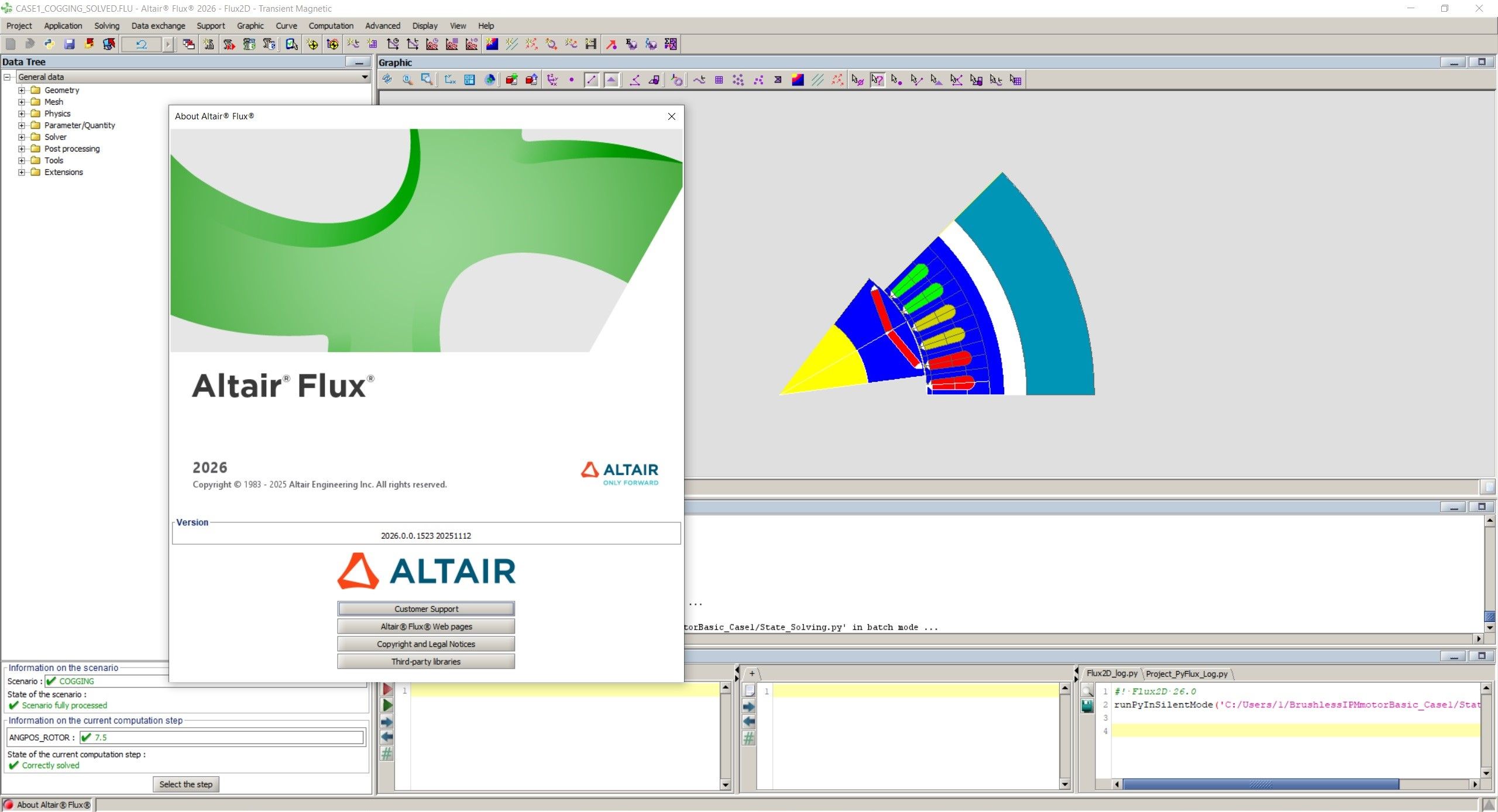
Download Altair Flux & FluxMotor 2026.0 win64 full license

Download Altair Flux & FluxMotor 2026.0 full license

Link download Altair Flux & FluxMotor 2026.0 full activated

Working with Altair Flux 2026.0 full license

Working with Altair FluxMotor 2026.0 full activated

Description of Altair Flux & FluxMotor 2026.0

Altair Flux and FluxMotor 2026.0 are advanced electromagnetic simulation tools designed for the analysis, design, and optimization of electric machines and electromagnetic devices. They are widely used in automotive, energy, industrial equipment, and renewable energy sectors for developing efficient electric motors, generators, transformers, and actuators.

This release enhances solver accuracy, electric machine design workflows, and performance for complex electromagnetic simulations.

Features of Altair Flux & FluxMotor 2026.0

Electromagnetic Field Simulation
Altair Flux provides accurate 2D and 3D electromagnetic field analysis for steady state and transient operating conditions.

Electric Motor and Generator Design
FluxMotor offers dedicated workflows for rapid design and evaluation of electric motors and generators, including performance maps and efficiency analysis.

Support for Multiple Machine Types
The software supports induction motors, permanent magnet motors, synchronous machines, and switched reluctance motors.

Multiphysics and Thermal Coupling
Altair Flux integrates electromagnetic analysis with thermal and structural simulations to evaluate real world operating conditions.

Loss and Efficiency Analysis
Users can calculate core losses, copper losses, torque ripple, and efficiency to optimize electric machine performance.

Advanced Material Modeling
The platform includes detailed magnetic material models, including nonlinear and anisotropic properties.

Optimization and Design Exploration
Built in optimization tools help engineers explore design variations and improve machine performance and reliability.

High Performance Computing Support
The solvers are optimized for parallel processing, enabling faster analysis of complex electromagnetic models.

Integration with Altair Ecosystem
Altair Flux and FluxMotor integrate seamlessly with other Altair simulation and optimization tools for end to end engineering workflows.

Why Choose Altair Flux and FluxMotor 2026.0
Altair Flux and FluxMotor 2026.0 provide powerful and reliable solutions for electric machine and electromagnetic device design. Their advanced physics modeling, optimization capabilities, and multiphysics integration make them ideal for modern electrification projects.

If you want to download Altair Flux & FluxMotor 2026.0 full license, please click to DOWNLOAD button to download.
CLICKDOWN.ORG Download CAD CAM CNC software
Inside package Altair Flux & FluxMotor 2026.0, already have cracked files and instruction how to install Altair Flux & FluxMotor 2026.0 step by step. I guarantee you can install Altair Flux & FluxMotor 2026.0 successfully if you follow that instruction.
If you also can’t install it or get any problems, please contact to me by email: clickdown.org@gmail.com, then I will help you to install software by teamviewer or Ultraviewer or Anydesk.
Thanks a lot
SOFTWARES

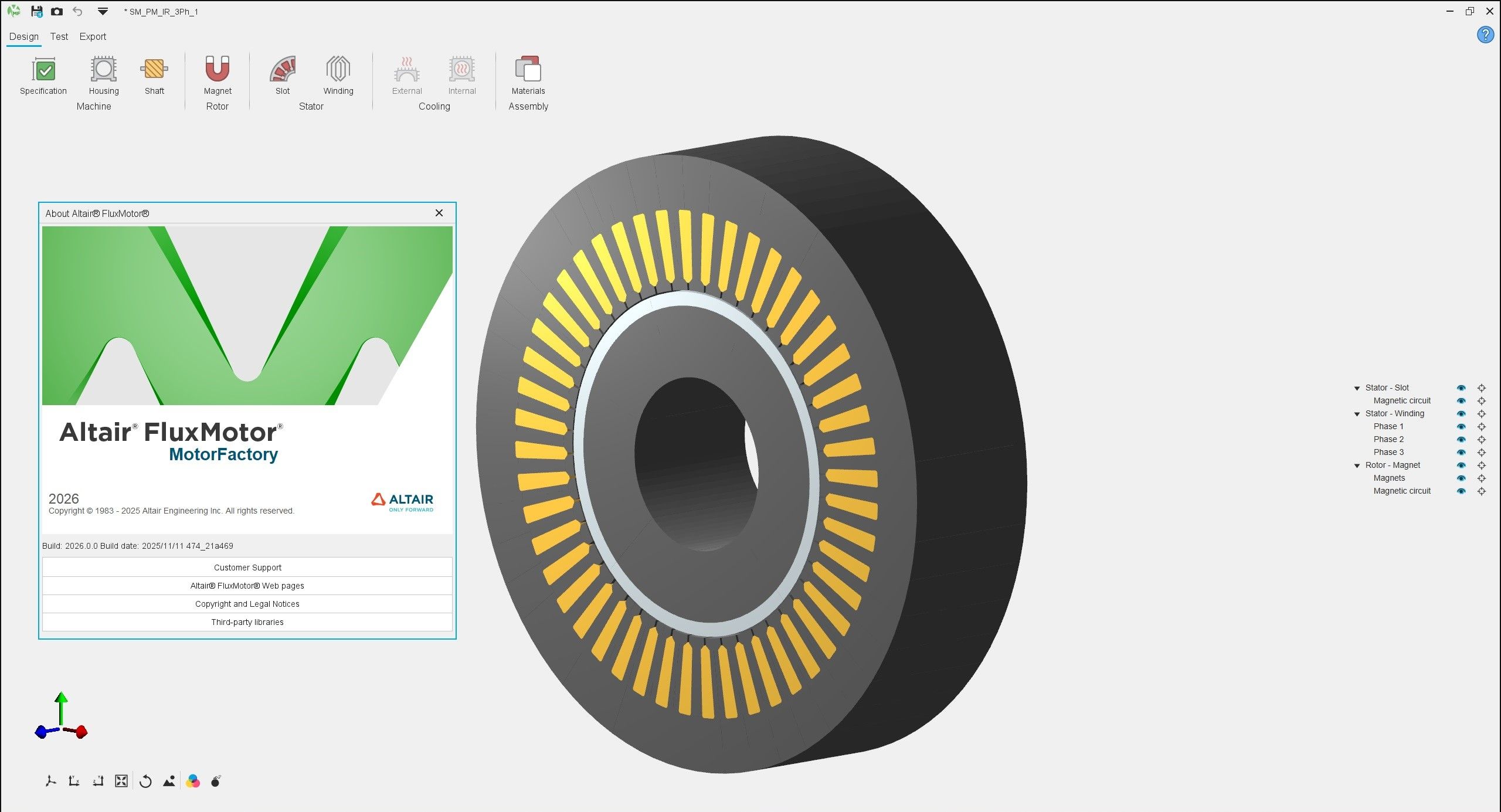
Download Altair Flow Simulator 2026.0 win64 full license

Download Altair Flow Simulator 2026.0 win64 full license

Link download Altair Flow Simulator 2026.0 full activated

Working with Altair Flow Simulator 2026.0 full license

Description of Altair Flow Simulator 2026.0

Altair Flow Simulator 2026.0 is an advanced computational fluid dynamics software designed for fast and accurate analysis of internal and external fluid flow. It enables engineers and designers to evaluate airflow, liquid flow, and thermal behavior early in the product development process with minimal setup effort.

This version improves solver speed, user experience, and simulation accuracy, supporting efficient simulation driven design across multiple industries.

Features of Altair Flow Simulator 2026.0

Fast CFD Simulation
Altair Flow Simulator is optimized for rapid simulation, allowing users to obtain reliable flow and thermal results in significantly reduced time.

Automated Meshing Technology
The software includes automatic meshing capabilities that reduce manual preprocessing and simplify model preparation.

Internal and External Flow Analysis
Engineers can simulate airflow and liquid flow for internal channels, ducts, and external aerodynamic applications.

Thermal and Heat Transfer Simulation
Altair Flow Simulator supports conjugate heat transfer analysis for thermal management and cooling performance evaluation.

Transient and Steady State Analysis
The platform supports both steady state and transient simulations to capture time dependent flow behavior.

User Friendly Interface
Designed for ease of use, the software enables quick setup and execution of CFD simulations without extensive CFD expertise.

Design Exploration and Comparison
Users can compare multiple design variants to evaluate performance differences and optimize flow related characteristics.

Integration with Altair Ecosystem
Altair Flow Simulator integrates with Altair simulation and optimization tools, enabling seamless data exchange and workflow continuity.

Performance and Stability Enhancements
Version 2026.0 introduces solver improvements that enhance numerical stability and overall simulation performance.

Why Choose Altair Flow Simulator 2026.0
Altair Flow Simulator 2026.0 is ideal for engineers who need fast and accessible CFD analysis for design evaluation. Its automated workflows, speed, and reliable results make it a valuable tool for simulation driven product development.

If you want to download Altair Flow Simulator 2026.0 full license, please click to DOWNLOAD button to download.
CLICKDOWN.ORG Download CAD CAM CNC software
Inside package Altair Flow Simulator 2026.0, already have cracked files and instruction how to install Altair Flow Simulator 2026.0 step by step. I guarantee you can install Altair Flow Simulator 2026.0 successfully if you follow that instruction.
If you also can’t install it or get any problems, please contact to me by email: clickdown.org@gmail.com, then I will help you to install software by teamviewer or Ultraviewer or Anydesk.
Thanks a lot
SOFTWARES

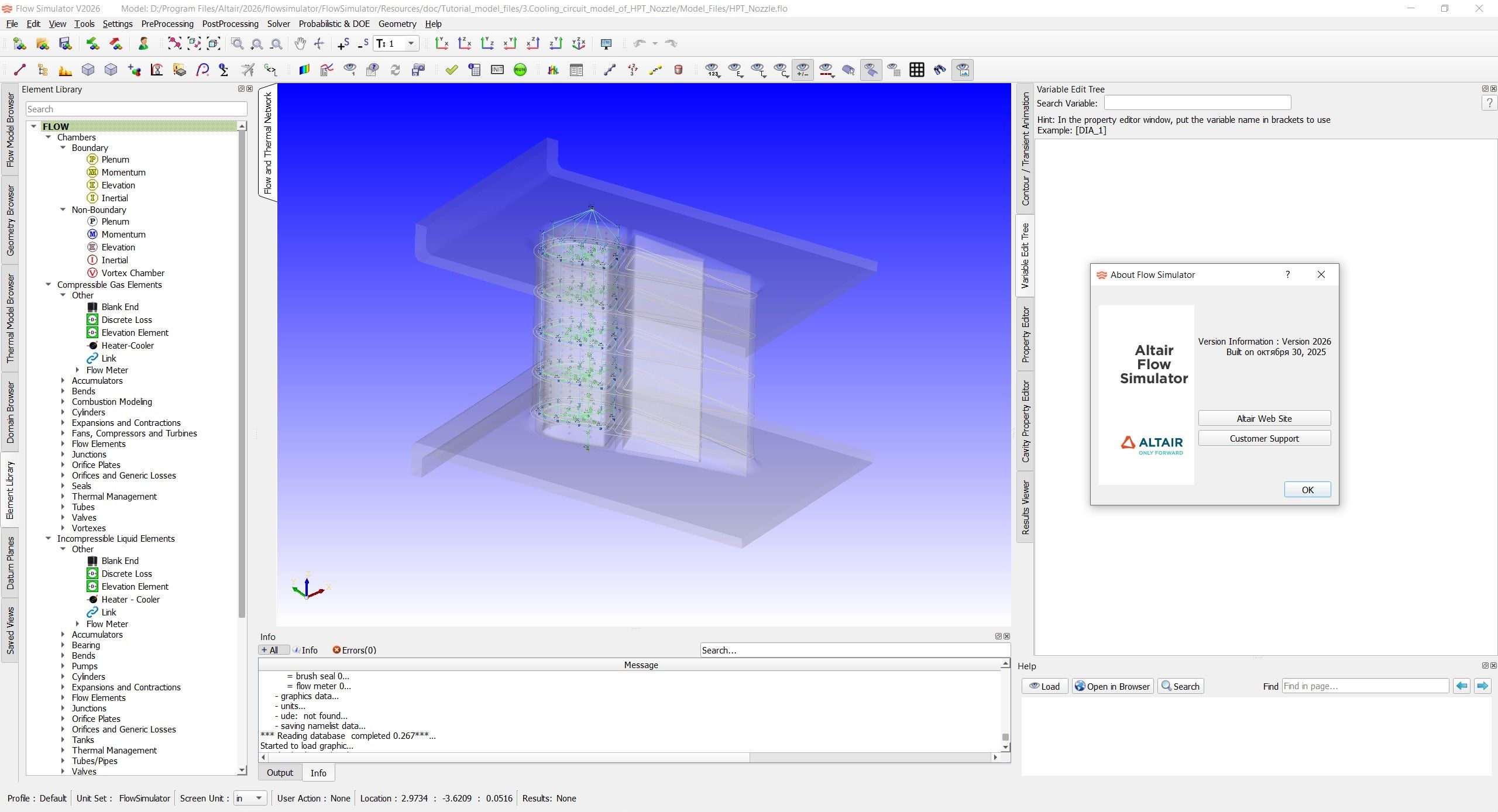
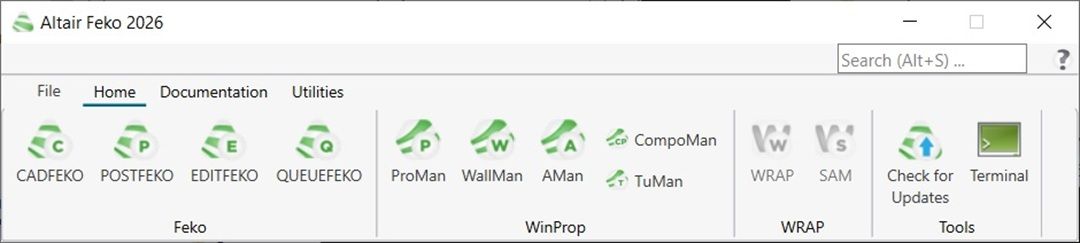
Download Altair HW FEKO 2026.0 win64 full license forever

Download Altair HW FEKO 2026.0 win64 full license forever

Link download Altair HW FEKO 2026.0 full activated

Working with Altair HW FEKO 2026.0 full license

Description of Altair HW FEKO 2026.0

Altair HW FEKO 2026.0 is a comprehensive electromagnetic simulation software suite used for the analysis and design of antennas, antenna arrays, RF components, and electromagnetic compatibility systems. It is widely applied in telecommunications, aerospace, defense, automotive, and electronics industries for accurate electromagnetic performance prediction.

This release improves solver efficiency, modeling flexibility, and workflow integration for complex electromagnetic simulations.

Features of Altair HW FEKO 2026.0

Full Wave Electromagnetic Simulation
Altair HW FEKO provides advanced full wave solvers for accurate analysis of electromagnetic radiation, scattering, and coupling.

Antenna and Antenna Array Design
The software supports detailed design and optimization of antennas and antenna arrays across a wide frequency range.

Hybrid Solver Technology
FEKO combines multiple numerical methods, enabling efficient simulation of electrically large and complex structures.

RF and Microwave Component Analysis
Users can analyze RF circuits, waveguides, and microwave components for performance and signal integrity evaluation.

Electromagnetic Compatibility and Interference
The platform supports EMC and EMI analysis to help engineers identify and mitigate electromagnetic interference issues.

Radar Cross Section and Scattering Analysis
FEKO enables radar cross section simulation and electromagnetic scattering analysis for aerospace and defense applications.

Multiphysics and System Integration
The software integrates with other Altair tools, enabling multiphysics workflows and system level electromagnetic analysis.

High Performance Computing Support
Altair HW FEKO is optimized for parallel processing, delivering faster simulation results for large scale EM models.

Improved Accuracy and Stability
Version 2026.0 introduces solver enhancements that improve numerical accuracy and solution stability.

Why Choose Altair HW FEKO 2026.0
Altair HW FEKO 2026.0 delivers reliable and scalable electromagnetic simulation for advanced RF and antenna design. Its hybrid solver approach and industry proven accuracy make it a trusted solution for complex EM engineering challenges.

If you want to download Altair HW FEKO 2026.0 full license, please click to DOWNLOAD button to download.
CLICKDOWN.ORG Download CAD CAM CNC software
Inside package Altair HW FEKO 2026.0, already have cracked files and instruction how to install Altair HW FEKO 2026.0 step by step. I guarantee you can install Altair HW FEKO 2026.0 successfully if you follow that instruction.
If you also can’t install it or get any problems, please contact to me by email: clickdown.org@gmail.com, then I will help you to install software by teamviewer or Ultraviewer or Anydesk.
Thanks a lot
error: Content is protected !!
Scroll to Top