SOFTWARES

SOFTWARES

Download EPTAR Tiling 3.8.0.130 for ArchiCAD 26-27-28 full

Download EPTAR Tiling 3.8.0.130 for ArchiCAD 26-27-28 full license

Link download EPTAR Tiling 3.8.0.130 for ArchiCAD 26-27-28 full activated

Working with EPTAR Tiling 3.8.0.130 for ArchiCAD 26-27-28 full activated

Description of EPTAR Tiling 3.8.0.130 for ArchiCAD 26-27-28

EPTAR Tiling 3.8.0.130 is a professional ArchiCAD add-on designed to simplify tile design, planning, and documentation for interior and architectural projects. It enables architects, designers, and engineers to efficiently create detailed tiling layouts for walls, floors, and complex surfaces directly within ArchiCAD. The latest version supports ArchiCAD 26, 27, and 28, offering enhanced precision, automation, and visualization tools for tile-based designs.

EPTAR Tiling streamlines the entire workflow from layout creation to quantity calculation and documentation. It provides realistic 2D and 3D visualizations, customizable tile patterns, and automatic quantity take-offs, making it an essential plugin for efficient and accurate project delivery.

Key Features of EPTAR Tiling 3.8.0.130

Comprehensive Tile Layout Design
Create and customize detailed wall and floor tile layouts directly in ArchiCAD with various patterns, alignments, and tile shapes.

Automatic Quantity Calculation
Automatically calculates the number of tiles, grout lines, and necessary materials, reducing errors and saving time in project estimation.

Flexible Tile Libraries
Includes extensive pre-defined tile libraries with customizable materials, textures, and dimensions to match real-world products.

Advanced 2D and 3D Visualization
Visualize tiled surfaces in both 2D and 3D views, allowing designers to evaluate aesthetic and functional aspects of the layout.

Seamless ArchiCAD Integration
Integrates smoothly with ArchiCAD 26, 27, and 28, enabling native BIM compatibility and streamlined project workflows.

Pattern and Direction Control
Supports flexible tile orientation, rotation, and pattern adjustments to achieve complex design effects and surface treatments.

Grout and Joint Definition
Define grout color, width, and spacing for realistic and accurate tiling visualizations.

Material and Cost Reports
Generates detailed reports with material quantities, costs, and layout diagrams for construction documentation.

Area and Surface Analysis
Automatically calculates surface areas and tile coverage, optimizing material usage and minimizing waste.

Improved Performance and Interface
Version 3.8.0.130 enhances usability with faster rendering, better layout handling, and compatibility with the latest ArchiCAD BIM tools.

EPTAR Tiling 3.8.0.130 is the ideal ArchiCAD extension for professional tiling design, delivering efficiency, accuracy, and visual control in every step of your workflow.

If you want to download EPTAR Tiling 3.8.0.130 for ArchiCAD 26-27-28 full license, please click to DOWNLOAD button to download.
CLICKDOWN.ORG Download CAD CAM CNC software
Inside package EPTAR Tiling 3.8.0.130 for ArchiCAD 26-27-28, already have cracked files and instruction how to install EPTAR Tiling 3.8.0.130 for ArchiCAD 26-27-28 step by step. I guarantee you can install EPTAR Tiling 3.8.0.130 for ArchiCAD 26-27-28 successfully if you follow that instruction.
If you also can’t install it or get any problems, please contact to me by email: clickdown.org@gmail.com, then I will help you to install software by teamviewer or Ultraviewer or Anydesk.
Thanks a lot
SOFTWARES

Download modri planet doo 3Dsurvey 4.0 x64 full license

Download modri planet doo 3Dsurvey 4.0 x64 full license

Link download modri planet doo 3Dsurvey 4.0 win64 full activated

Working with modri planet doo 3Dsurvey 4.0 full license

Description of modri planet doo 3Dsurvey 4.0

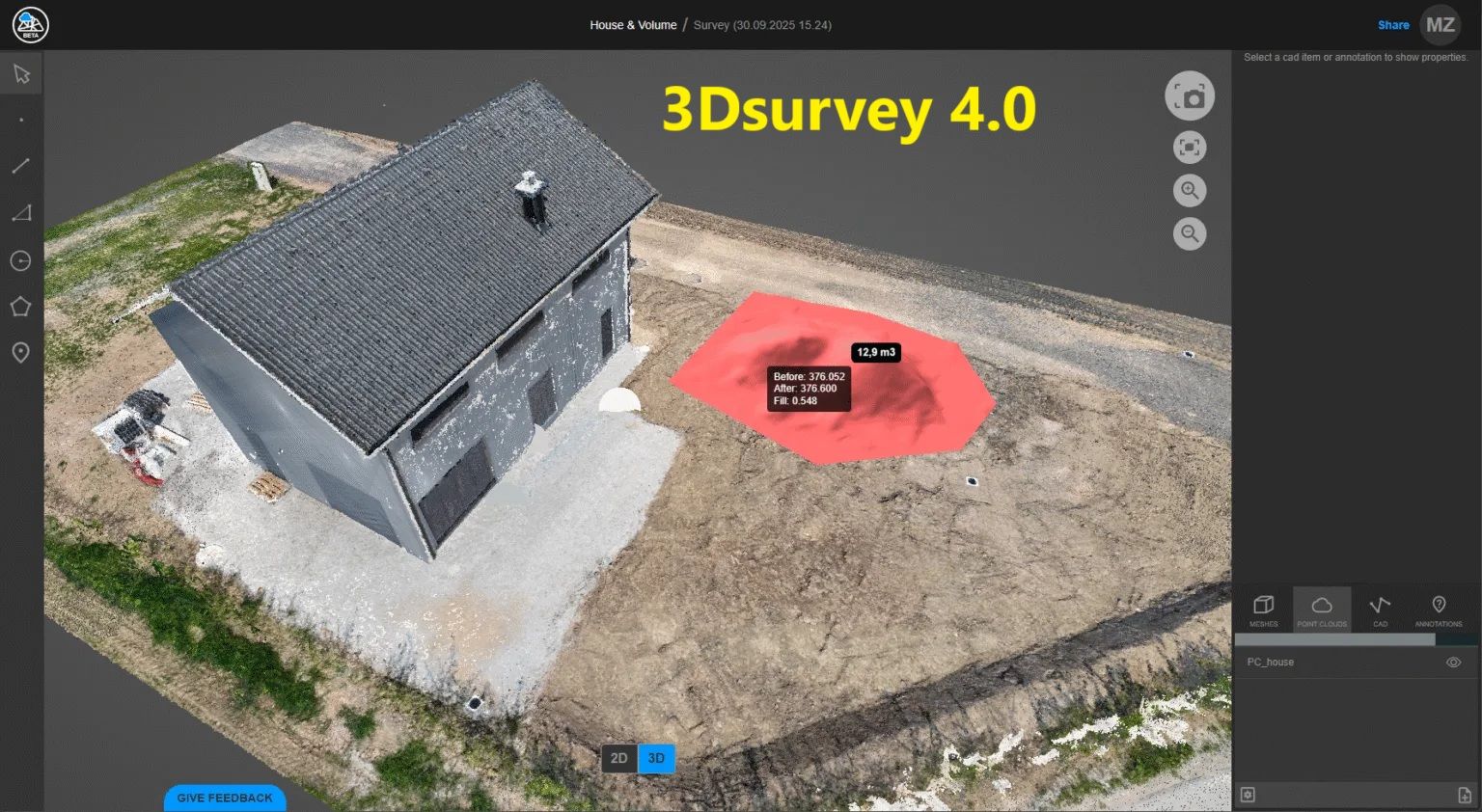
Modri Planet doo 3Dsurvey 4.0 is a professional photogrammetry and surveying software designed for engineers, land surveyors, and GIS professionals. It transforms aerial and terrestrial imagery into accurate 3D models, point clouds, orthophotos, and digital terrain models (DTMs). The new 4.0 release enhances processing performance, automation, and integration capabilities, enabling faster and more precise mapping workflows.

3Dsurvey 4.0 combines simplicity with powerful data processing, making it ideal for drone mapping, topographic surveys, volume calculations, and infrastructure analysis. With advanced algorithms for data reconstruction and measurement, it ensures reliable outputs for construction, mining, and environmental projects.

Key Features of Modri Planet doo 3Dsurvey 4.0

High-Precision Photogrammetry
Converts drone or camera images into accurate 3D surface models, orthomosaics, and digital elevation models with centimeter-level precision.

Automated Point Cloud Generation
Automatically generates dense, colorized point clouds from aerial or ground images, supporting large-scale datasets and complex terrains.

3D Mesh and Orthophoto Creation
Produces high-resolution orthophotos and detailed 3D meshes for mapping, inspection, and visualization applications.

Volume and Area Calculations
Offers fast, reliable tools for measuring cut and fill volumes, surface areas, and material stockpiles, ideal for mining and construction management.

Survey-Grade Coordinate System Support
Supports global and local coordinate systems for accurate georeferencing and alignment with GNSS data or total station measurements.

Ground Control Point (GCP) Integration
Enhances project accuracy with flexible GCP and checkpoint management, ensuring survey-level reliability in all outputs.

Cross-Section and Profile Analysis
Allows users to extract and analyze cross-sections and elevation profiles for infrastructure and terrain studies.

Multi-Platform Image Compatibility
Works seamlessly with images captured from drones, DSLR cameras, or mobile mapping systems, ensuring flexible project input.

Advanced Measurement Tools
Includes distance, height, area, and angle measurement functions directly within the 3D environment for on-the-spot analysis.

Improved Performance and Workflow
Version 4.0 introduces faster processing speeds, GPU acceleration, and optimized memory handling for large photogrammetric datasets.

Modri Planet doo 3Dsurvey 4.0 empowers professionals with an all-in-one solution for drone mapping, surveying, and 3D modeling. Its balance of automation, accuracy, and usability makes it a top choice for modern geospatial and construction projects.

If you want to download modri planet doo 3Dsurvey 4.0 full license, please click to DOWNLOAD button to download.
CLICKDOWN.ORG Download CAD CAM CNC software
Inside package modri planet doo 3Dsurvey 4.0, already have cracked files and instruction how to install modri planet doo 3Dsurvey 4.0 step by step. I guarantee you can install modri planet doo 3Dsurvey 4.0 successfully if you follow that instruction.
If you also can’t install it or get any problems, please contact to me by email: clickdown.org@gmail.com, then I will help you to install software by teamviewer or Ultraviewer or Anydesk.
Thanks a lot
SOFTWARES

Download Siemens Solid Edge 2026.2510 win64 full license

Download Siemens Solid Edge 2026.2510 win64 full license

Link download Siemens Solid Edge 2026.2510 x64 full activated

Working with Siemens Solid Edge 2026.2510 full activated
Language: Chinese Simplified, Chinese Traditional, Czech, English, French, German, Hungarian, Italian, Japanese, Korean, Polish, Portuguese-Brazilian, Spanish

Description of Siemens Solid Edge 2026.2510

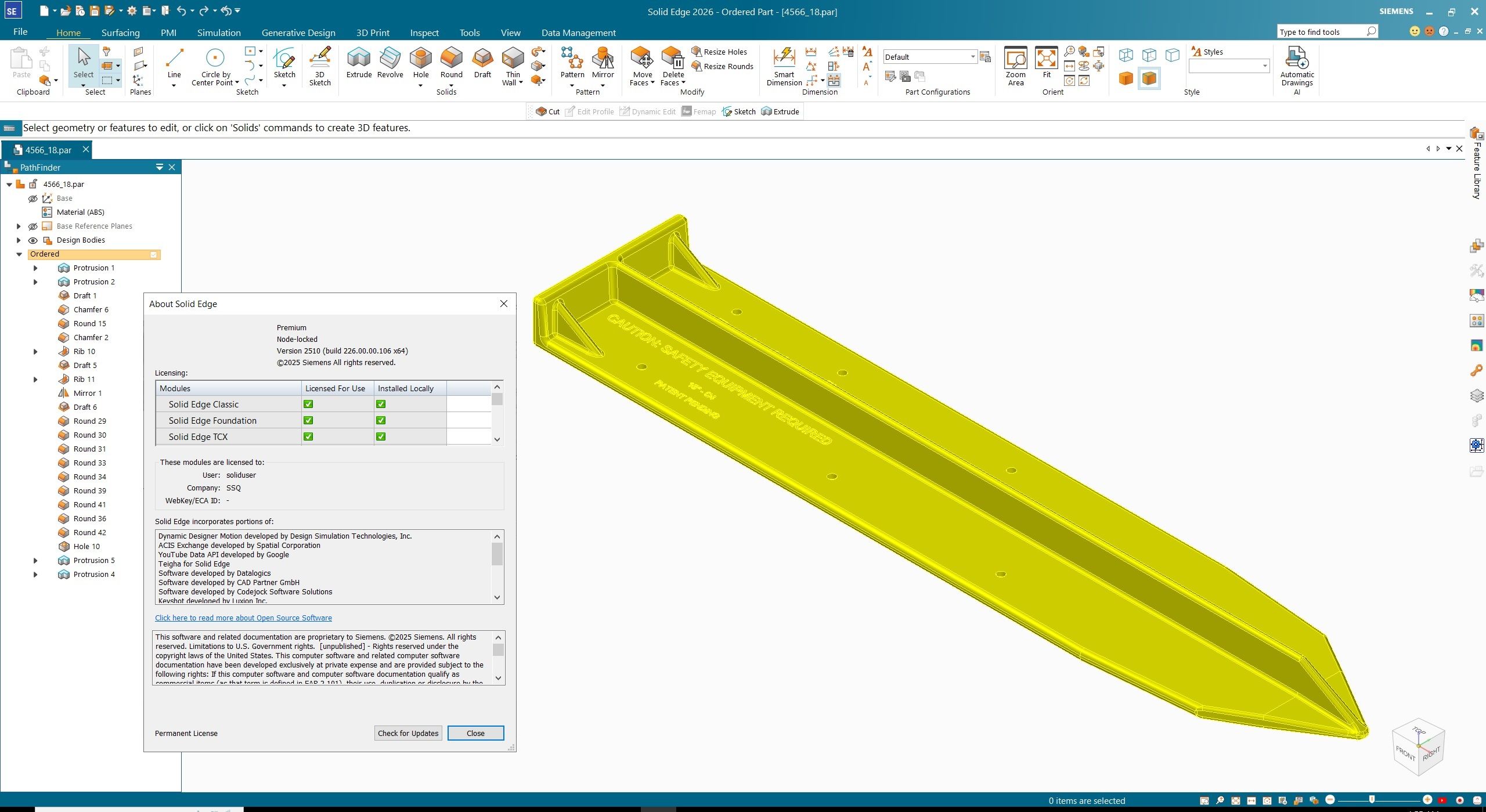
Siemens Solid Edge 2026.2510 is a comprehensive 3D CAD, simulation, and product development solution that empowers engineers and designers to create high-quality, innovative products faster. Developed by Siemens Digital Industries Software, this version integrates advanced modeling, simulation, manufacturing, and collaboration tools to streamline the entire product lifecycle.

The 2026.2510 release enhances performance, introduces improved user experience, and integrates cutting-edge technologies such as AI-assisted design, cloud-based collaboration, and advanced generative design tools. Whether for mechanical design, electrical routing, or simulation, Solid Edge 2026.2510 offers unmatched flexibility, precision, and productivity.

Key Features of Siemens Solid Edge 2026.2510

Next-Generation 3D Modeling
Combines synchronous and parametric modeling technologies for faster and more flexible design creation and modification.

AI-Driven Design Assistance
Integrates artificial intelligence tools to automate repetitive tasks, suggest design improvements, and optimize workflows.

Advanced Simulation and Analysis
Includes enhanced finite element analysis (FEA) and flow simulation for structural, thermal, and dynamic performance validation.

Generative Design Optimization
Automatically generates lightweight, high-strength structures based on load conditions and material constraints.

Electrical and PCB Design Integration
Provides seamless integration between mechanical and electrical design workflows to ensure design consistency.

Cloud Collaboration Tools
Enables real-time design sharing and version control via Siemens Teamcenter Share and other cloud platforms.

CAM and Manufacturing Tools
Supports 2.5-axis to 5-axis machining, sheet metal cutting, and additive manufacturing for efficient production.

Improved User Interface
Features a modernized, customizable UI for better navigation, faster access to tools, and enhanced user productivity.

Data Management and PLM Integration
Offers tight integration with Teamcenter for secure data management and full traceability across the product lifecycle.

Enhanced Import and Export Capabilities
Provides compatibility with multiple CAD formats including STEP, IGES, Parasolid, and SolidWorks for seamless data exchange.

Siemens Solid Edge 2026.2510 delivers a future-ready CAD platform combining intuitive design, powerful simulation, and efficient manufacturing tools. It helps teams accelerate innovation, improve product quality, and reduce time-to-market.

If you want to download Siemens Solid Edge 2026.2510 full license, please click to DOWNLOAD button to download.
CLICKDOWN.ORG Download CAD CAM CNC software
Inside package Siemens Solid Edge 2026.2510, already have cracked files and instruction how to install Siemens Solid Edge 2026.2510 step by step. I guarantee you can install Siemens Solid Edge 2026.2510 successfully if you follow that instruction.
If you also can’t install it or get any problems, please contact to me by email: clickdown.org@gmail.com, then I will help you to install software by teamviewer or Ultraviewer or Anydesk.
Thanks a lot
SOFTWARES

Download Datamine Supervisor 9.0.3.0 x64 full license

Download Datamine Supervisor 9.0.3.0 x64 full license

Link download Datamine Supervisor 9.0.3.0 win64 full activated

Working with Datamine Supervisor 9.0.3.0 full license

Description of Datamine Supervisor 9.0.3.0

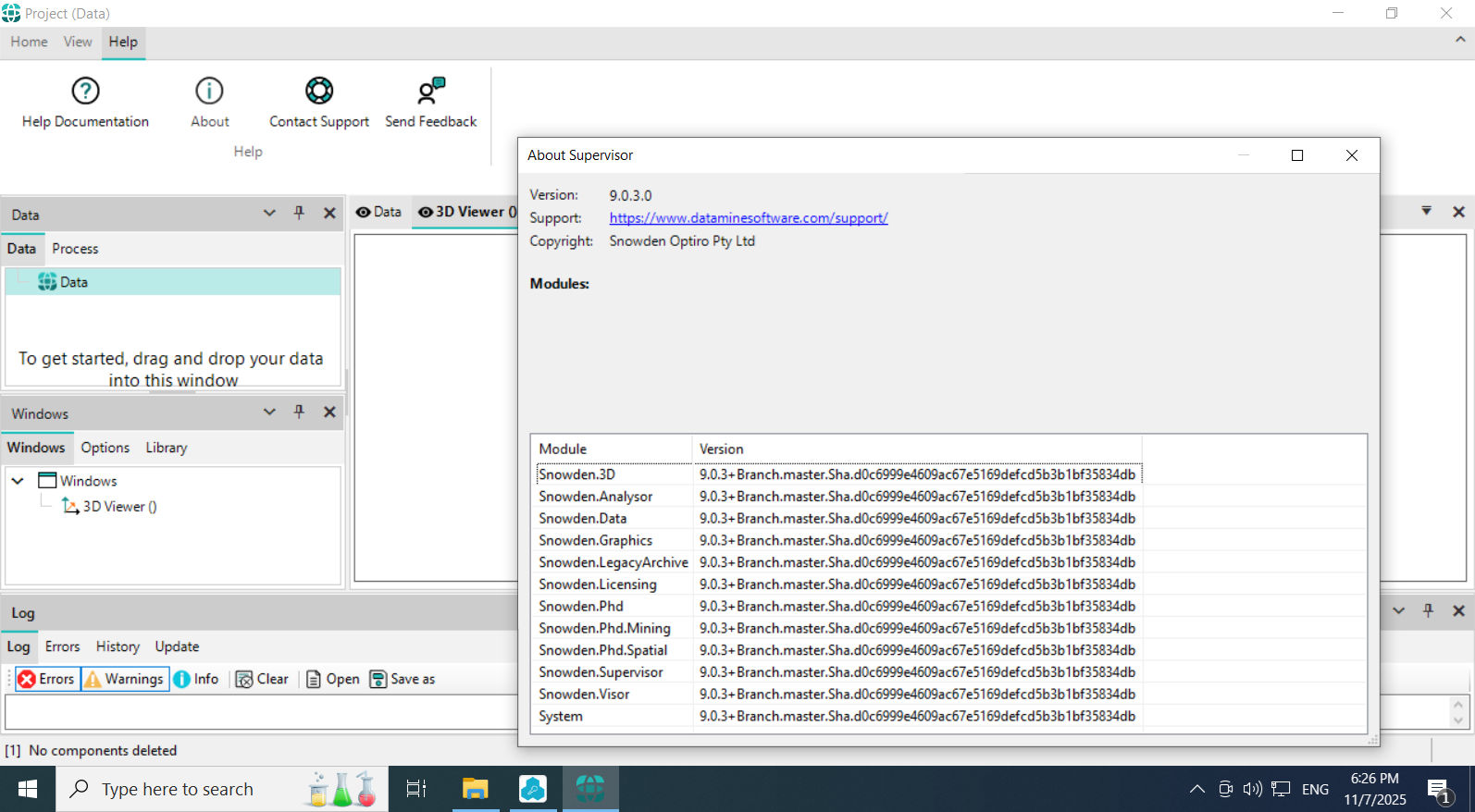
Datamine Supervisor 9.0.3.0 is a leading geostatistical modeling and resource estimation software trusted by mining professionals worldwide. It provides advanced tools for data analysis, variography, and grade estimation, enabling accurate geological modeling and reliable resource evaluations. Designed for exploration geologists, mining engineers, and resource estimators, Supervisor 9.0.3.0 combines statistical rigor with powerful visualization to deliver confidence in geological decision-making.

This latest version enhances performance, improves workflow efficiency, and introduces new statistical tools to simplify complex geostatistical analyses. With intuitive data validation, real-time visualization, and advanced reporting capabilities, Supervisor 9.0.3.0 helps users achieve precise, auditable, and reproducible results in resource estimation.

Key Features of Datamine Supervisor 9.0.3.0

Advanced Variography Tools
Offers comprehensive variogram modeling with automatic fitting and 3D visualization to understand spatial relationships in data.

Robust Data Validation
Detects and corrects data errors before modeling to ensure the highest quality and accuracy in resource estimation.

Grade Estimation Methods
Supports kriging, inverse distance weighting, and other estimation techniques for accurate orebody modeling.

Uncertainty and Risk Analysis
Provides statistical tools for quantifying geological uncertainty and supporting reliable decision-making.

Multi-domain Modeling
Handles complex geological domains and boundaries with precision and flexibility.

Integration with Datamine Suite
Seamlessly connects with Datamine Studio, MineScape, and other tools for a complete geological modeling workflow.

Customizable Reporting and Visualization
Generates high-quality reports, charts, and 3D graphics to communicate geological findings effectively.

Automated Workflows
Simplifies repetitive tasks with automated processes that improve efficiency and consistency.

Comprehensive Scripting Support
Allows advanced users to extend capabilities using Python for custom analysis and automation.

Improved Performance and Stability
Delivers faster processing, optimized memory management, and enhanced stability for large datasets.

Datamine Supervisor 9.0.3.0 is the trusted solution for modern mining operations, offering accuracy, transparency, and efficiency in geological data analysis and resource estimation. It empowers users to make data-driven decisions with confidence.

If you want to download Datamine Supervisor 9.0.3.0 full license, please click to DOWNLOAD button to download.
CLICKDOWN.ORG Download CAD CAM CNC software
Inside package Datamine Supervisor 9.0.3.0, already have cracked files and instruction how to install Datamine Supervisor 9.0.3.0 step by step. I guarantee you can install Datamine Supervisor 9.0.3.0 successfully if you follow that instruction.
If you also can’t install it or get any problems, please contact to me by email: clickdown.org@gmail.com, then I will help you to install software by teamviewer or Ultraviewer or Anydesk.
Thanks a lot
SOFTWARES

Download Graitec PowerPack 2026.1 for Advance Steel x64 full

Download Graitec PowerPack 2026.1 for Advance Steel x64 full

Link download Graitec PowerPack 2026.1 for Advance Steel win64

Working with Graitec PowerPack 2026.1 for Advance Steel full license

Description of Graitec PowerPack 2026.1 for Advance Steel

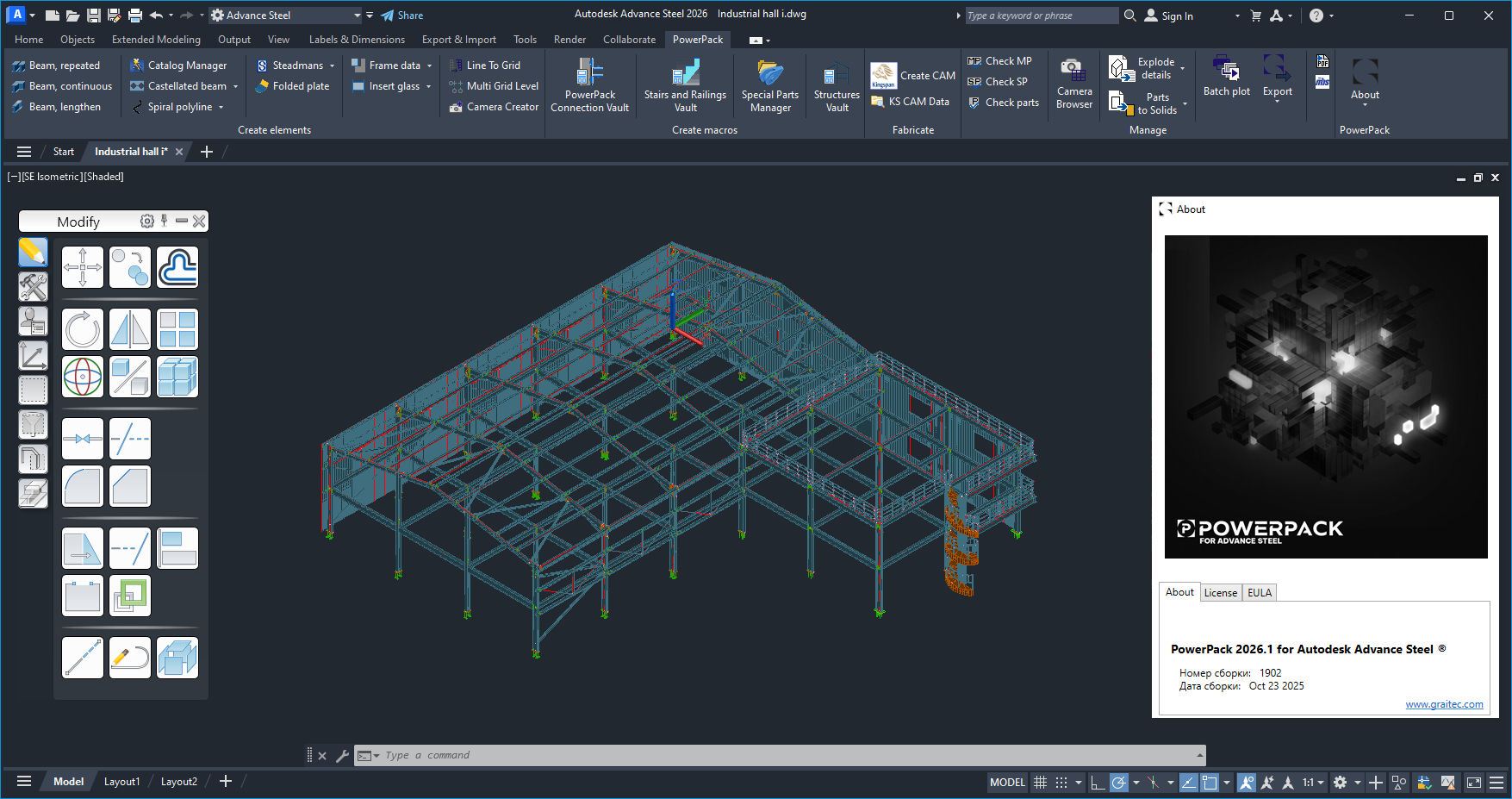
Graitec PowerPack 2026.1 for Advance Steel is an advanced productivity extension designed to enhance Autodesk Advance Steel workflows. This version delivers a comprehensive set of powerful tools and automated features that accelerate steel detailing, modeling, and documentation. It provides enhanced connection libraries, improved modeling commands, and efficient drawing automation tools, helping structural engineers, fabricators, and detailers work faster and more accurately.

This release focuses on improved usability, advanced automation, and compatibility with Autodesk Advance Steel 2026. Whether creating complex steel connections, managing large projects, or producing detailed fabrication drawings, Graitec PowerPack 2026.1 ensures higher precision and productivity.

Key Features of Graitec PowerPack 2026.1 for Advance Steel

Enhanced Modeling Tools
Introduces intelligent modeling commands that simplify repetitive tasks and boost the accuracy of steel detailing workflows.

Extended Connection Library
Adds new types of structural connections with customizable parameters for improved design flexibility.

Automated Drawing Production
Automatically generates fabrication and assembly drawings with annotations, dimensions, and part lists.

Stairs and Railings Enhancements
Provides new tools for creating customized stairs, railings, and ladders that comply with international standards.

Sheet and View Management
Streamlines the creation and organization of drawing sheets and views for better documentation efficiency.

BIM Data Management
Integrates smoothly with BIM workflows, ensuring accurate model data exchange between Advance Steel and Revit.

Material and Section Library Updates
Expands the database with new international steel profiles and materials for enhanced global project support.

Connection Design Check
Includes improved structural analysis capabilities for verifying connection strength and code compliance.

Batch Process Automation
Supports batch numbering, drawing updates, and revision control to save time on large-scale projects.

Cloud Collaboration
Integrates with Graitec and Autodesk cloud services, allowing efficient data sharing and project coordination.

Graitec PowerPack 2026.1 for Advance Steel
is the ultimate companion for structural engineers and detailers, offering unmatched automation, precision, and BIM integration. It enhances productivity, reduces manual input, and ensures seamless project execution from design to fabrication.

If you want to download Graitec PowerPack 2026.1 for Advance Steel full license, please click to DOWNLOAD button to download.
CLICKDOWN.ORG Download CAD CAM CNC software
Inside package Graitec PowerPack 2026.1 for Advance Steel, already have cracked files and instruction how to install Graitec PowerPack 2026.1 for Advance Steel step by step. I guarantee you can install Graitec PowerPack 2026.1 for Advance Steel successfully if you follow that instruction.
If you also can’t install it or get any problems, please contact to me by email: clickdown.org@gmail.com, then I will help you to install software by teamviewer or Ultraviewer or Anydesk.
Thanks a lot
SOFTWARES

Download Jetbrains IntelliJ IDEA Ultimate 2025.2 win64 full

Download Jetbrains IntelliJ IDEA Ultimate 2025.2 x64 full license

Link download Jetbrains IntelliJ IDEA Ultimate 2025.2 win64 full activated

Working with Jetbrains IntelliJ IDEA Ultimate 2025.2 full activated

Description of Jetbrains IntelliJ IDEA Ultimate 2025.2

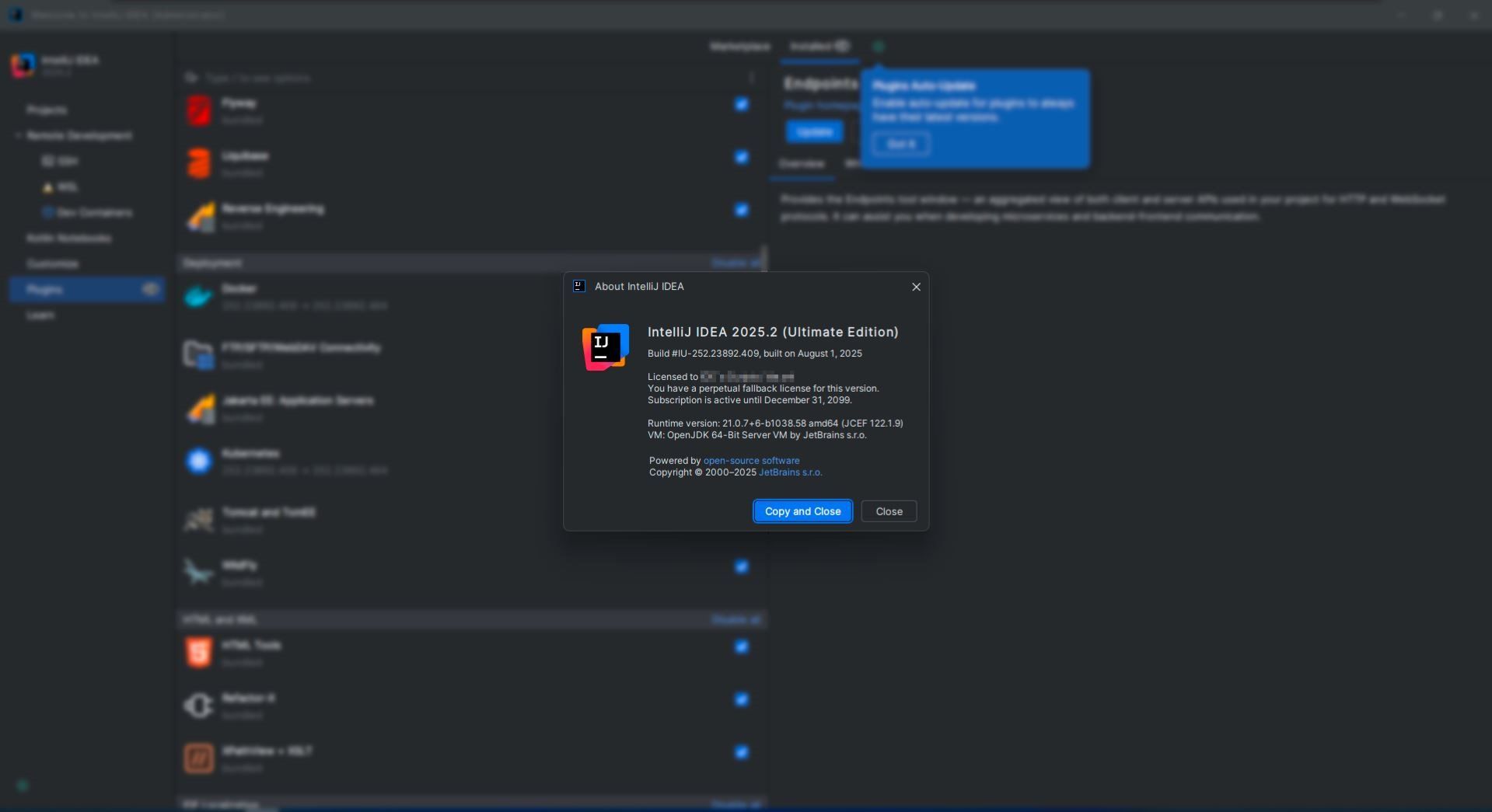
JetBrains IntelliJ IDEA Ultimate 2025.2 is the world’s most intelligent IDE for professional developers, offering advanced tools for Java, Kotlin, Python, JavaScript, and more. Built to enhance productivity and streamline coding workflows, this latest release introduces smarter code assistance, AI-powered development features, and improved performance across all supported languages and frameworks.

With a refined interface, faster indexing, and deep framework integration, IntelliJ IDEA Ultimate 2025.2 ensures seamless development from coding to deployment. The IDE provides comprehensive support for web, enterprise, and mobile development, making it a top choice for modern software engineers.

Key Features of IntelliJ IDEA Ultimate 2025.2

AI-Powered Coding Assistant: Context-aware code completion, smart suggestions, and intelligent refactoring.

Enhanced Performance:
Faster indexing and startup with optimized memory usage for large-scale projects.

Advanced Debugging & Testing: Built-in debugger, profiler, and unit testing tools for accurate diagnostics.

Framework Integration: Full support for Spring, Hibernate, React, Angular, Node.js, and more.

Database Tools: Connect, query, and manage databases directly from the IDE.

Version Control Integration: Built-in Git, GitHub, and CI/CD tools for streamlined team collaboration.

Customizable Workspaces: Personalized themes, shortcuts, and plugin support for tailored development.

Cross-Platform Compatibility: Runs smoothly on Windows, macOS, and Linux systems.

Whether you’re developing enterprise backends, modern web apps, or mobile solutions, IntelliJ IDEA Ultimate 2025.2 delivers unmatched coding intelligence, efficiency, and scalability for professionals.

If you want to download Jetbrains IntelliJ IDEA Ultimate 2025.2 full license, please click to DOWNLOAD button to download.
CLICKDOWN.ORG Download CAD CAM CNC software
Inside package Jetbrains IntelliJ IDEA Ultimate 2025.2, already have cracked files and instruction how to install Jetbrains IntelliJ IDEA Ultimate 2025.2 step by step. I guarantee you can install Jetbrains IntelliJ IDEA Ultimate 2025.2 successfully if you follow that instruction.
If you also can’t install it or get any problems, please contact to me by email: clickdown.org@gmail.com, then I will help you to install software by teamviewer or Ultraviewer or Anydesk.
Thanks a lot
SOFTWARES

Download Affinity Studio 3.0.0.3791 x64 full license forever

Download Affinity Studio 3.0.0.3791 x64 full license forever

Link download Affinity Studio 3.0.0.3791 win64 full activated

Working with Affinity Studio 3.0.0.3791 full activated

Description of Affinity Studio 3.0.0.3791

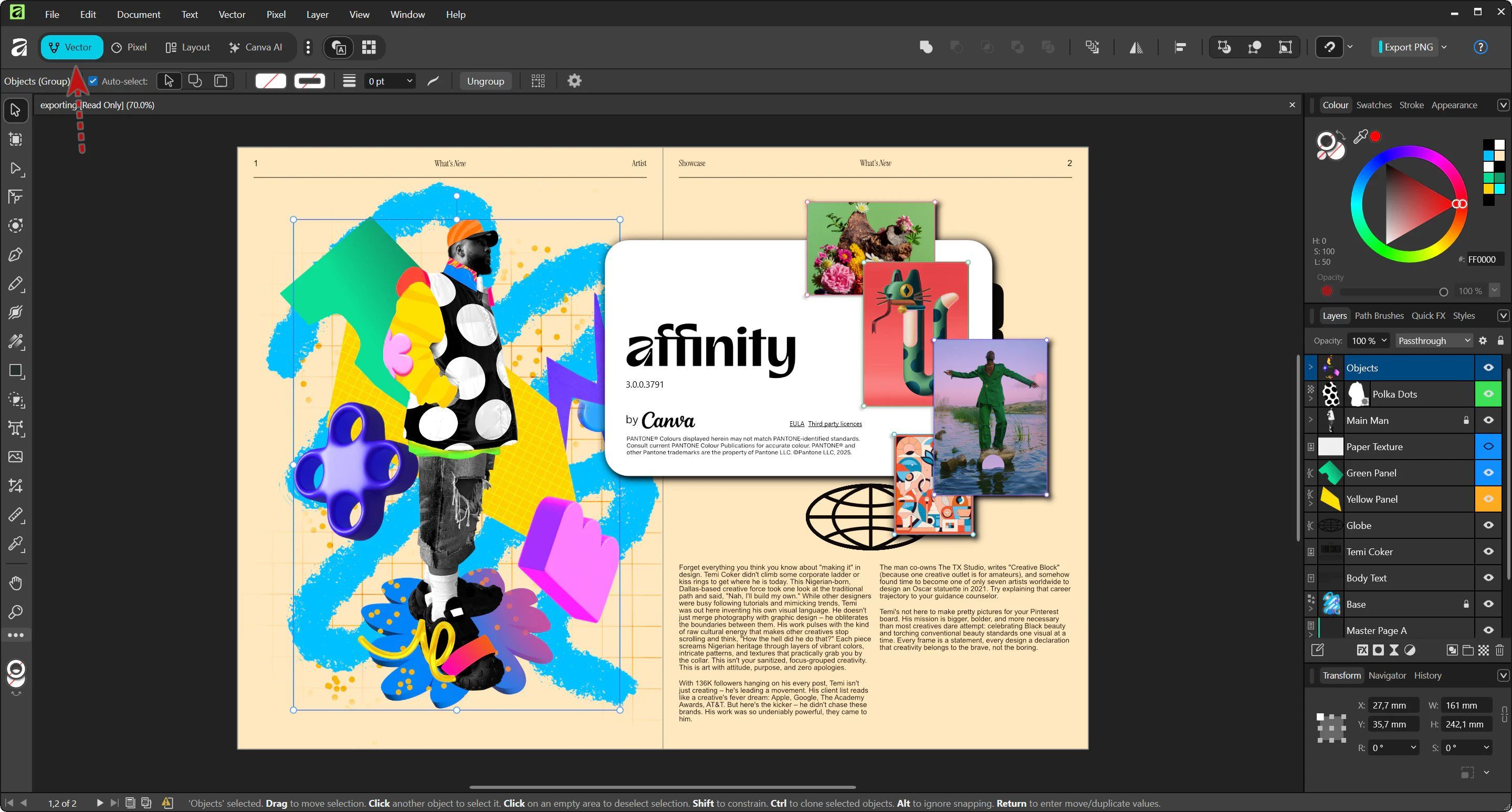
Affinity Studio 3.0.0.3791 is the ultimate creative suite from Serif, combining the power of Affinity Designer, Affinity Photo, and Affinity Publisher into a seamless, unified environment. Built for designers, photographers, and digital artists, this latest version delivers professional-grade performance, advanced creative tools, and a faster, more fluid workflow across all design disciplines.

The 3.0.0.3791 release introduces major upgrades in multi-app integration, enhanced brush dynamics, vector and raster editing, and real-time collaboration. Whether you’re designing brand assets, editing high-resolution photos, or creating complex page layouts, Affinity Studio provides a complete end-to-end solution with precise control and unmatched speed.

Key Features of Affinity Studio 3.0.0.3791

Unified Creative Workflow: Switch instantly between Designer, Photo, and Publisher without exporting or losing layers.

Enhanced Performance: GPU acceleration and improved memory handling for smoother multitasking.

Professional Editing Tools: Advanced vector and raster design capabilities with full color and effects control.

Real-Time Collaboration: Work simultaneously with team members across projects and devices.

Expanded Format Support: Import and export PSD, AI, PDF, SVG, EPS, and more with perfect fidelity.

Advanced Typography: Professional text control for precise layout design and publishing.

AI-Powered Tools: Smart object selection, auto-retouching, and AI-driven masking for faster editing.

Cross-Platform Compatibility: Fully optimized for Windows, macOS, and iPad.

With Affinity Studio 3.0.0.3791, creators get a next-generation design suite that rivals Adobe’s ecosystem — offering speed, precision, and full creative freedom without subscription limits.

If you want to download Affinity Studio 3.0.0.3791 full license, please click to DOWNLOAD button to download.
CLICKDOWN.ORG Download CAD CAM CNC software
Inside package Affinity Studio 3.0.0.3791, already have cracked files and instruction how to install Affinity Studio 3.0.0.3791 step by step. I guarantee you can install Affinity Studio 3.0.0.3791 successfully if you follow that instruction.
If you also can’t install it or get any problems, please contact to me by email: clickdown.org@gmail.com, then I will help you to install software by teamviewer or Ultraviewer or Anydesk.
Thanks a lot

SOFTWARES

Download Office Timeline 12.00.00.00 win64 full activated

Download Office Timeline 12.00.00.00 win64 full activated

Link download Office Timeline 12.00.00.00 x64 full license

Working with Office Timeline 12.00.00.00 full activated
System Requirements
Microsoft Office 365, 2024, 2021, 2019, 2016, 2013, or 2010 and 2007 (SP3). (x86 / x64)
Windows Vista / 7 / 8 / 8.1 / 10 / 11 (x86 / x64)
.NET Framework 4.5.2 or greater

Description of Office Timeline 12.00.00.00

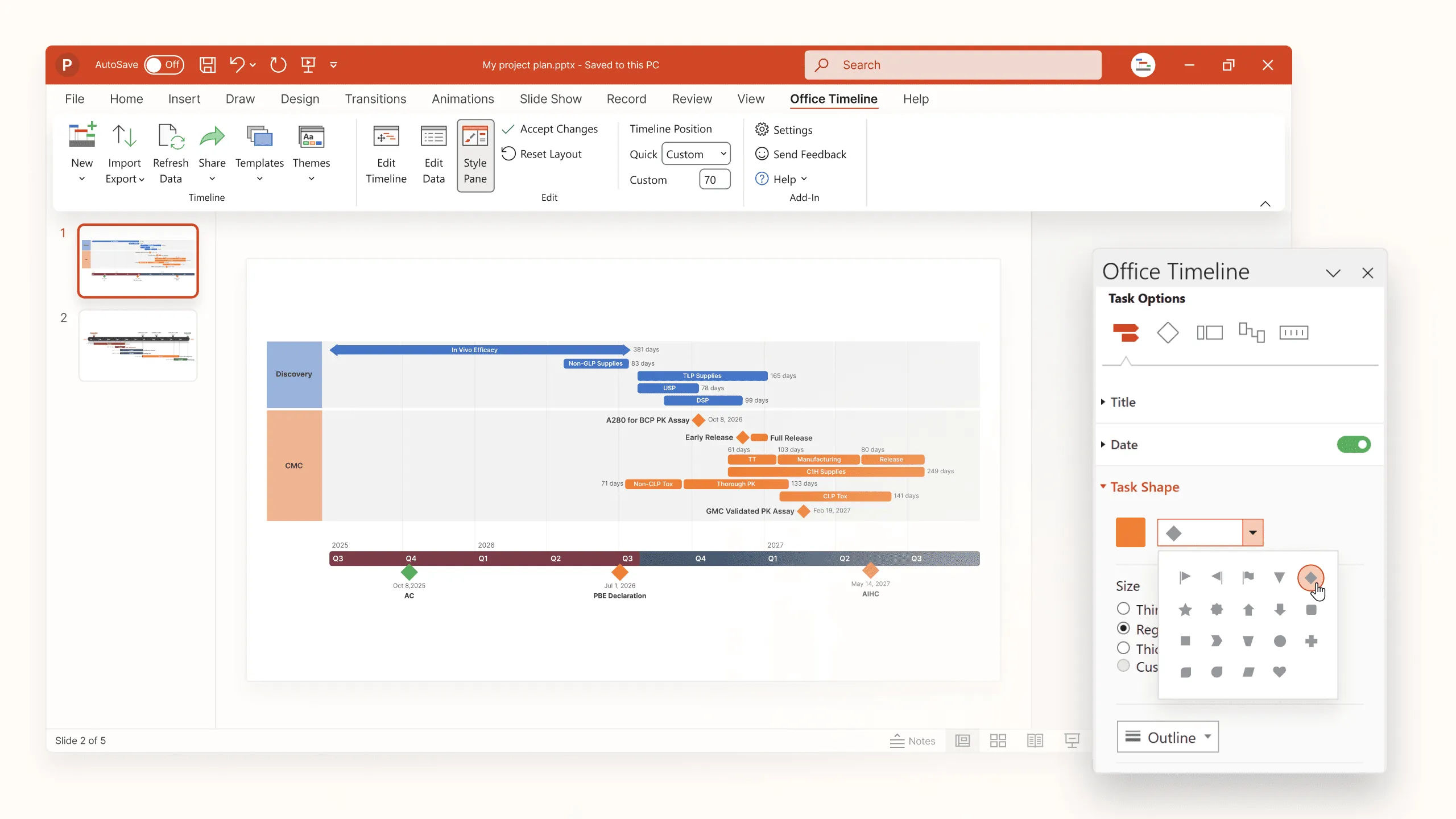
Office Timeline 12.00.00.00 is a powerful timeline maker and project management tool designed to create visually stunning timelines, Gantt charts, and roadmaps directly inside Microsoft PowerPoint. Tailored for professionals, project managers, and business leaders, this latest version enhances productivity and communication with improved templates, automation features, and real-time customization.

With Office Timeline 12.00.00.00, users can quickly turn complex project data into clear and engaging visuals suitable for executive meetings, stakeholder presentations, and strategic planning sessions. The software offers a simple drag-and-drop interface, integration with Microsoft Project, Excel, and other tools, ensuring seamless data synchronization and faster workflow management.

Key Features of Office Timeline 12.00.00.00

Professional Timelines: Create elegant project timelines, roadmaps, and Gantt charts in minutes.

Integration with Office Apps: Import data from Excel or Microsoft Project for automatic timeline creation.

Customizable Templates: Access a wide library of templates designed for project and portfolio visualization.

Automation Tools: Update timelines automatically when project data changes.

Milestone & Task Management: Add milestones, dependencies, and critical path indicators easily.

PowerPoint Integration: Build timelines directly in PowerPoint for ready-to-present visuals.

Improved Performance: Faster rendering, smoother editing, and enhanced compatibility with Office 365 and PowerPoint 2025.

Collaboration Ready: Easily share timelines and reports with team members or clients.

Whether for project updates, executive reviews, or client reports, Office Timeline 12.00.00.00 helps professionals communicate complex project schedules with clarity, precision, and visual impact.

If you want to download Office Timeline 12.00.00.00 full license, please click to DOWNLOAD button to download.
CLICKDOWN.ORG Download CAD CAM CNC software
Inside package Office Timeline 12.00.00.00, already have cracked files and instruction how to install Office Timeline 12.00.00.00 step by step. I guarantee you can install Office Timeline 12.00.00.00 successfully if you follow that instruction.
If you also can’t install it or get any problems, please contact to me by email: clickdown.org@gmail.com, then I will help you to install software by teamviewer or Ultraviewer or Anydesk.
Thanks a lot

SOFTWARES

Download Schlumberger Symmetry 2025.3.147 win64 full license

Download Schlumberger Symmetry 2025.3.147 win64 full license

Link download Schlumberger Symmetry 2025.3.147 x64 full activated

Working with Schlumberger Symmetry 2025.3.147 full license

Description of Schlumberger Symmetry 2025.3.147

Schlumberger Symmetry 2025.3.147 is a cutting-edge process simulation and modeling platform designed for the oil, gas, and chemical industries. It delivers an integrated environment for steady-state and dynamic simulations, enabling engineers to optimize plant performance, design efficiency, and energy utilization. Symmetry provides advanced thermodynamic modeling, fluid characterization, and unit operation simulation to support upstream, midstream, and downstream process design and optimization.

This release enhances performance, improves model accuracy, and introduces new workflows for carbon capture, LNG, hydrogen production, and refinery processes. Symmetry 2025.3.147 ensures faster decision-making through robust analytics, intuitive visualization, and seamless data integration across engineering disciplines.

Key Features of Schlumberger Symmetry 2025.3.147

Comprehensive Process Simulation
Supports steady-state and dynamic modeling for the entire oil and gas value chain, from reservoir to refinery.

Advanced Thermodynamics Engine
Incorporates a wide range of equations of state and property packages for accurate fluid behavior prediction under various conditions.

Fluid Characterization and PVT Analysis
Models complex fluids, hydrocarbons, and chemical systems with detailed phase behavior and compositional tracking.

Carbon Capture and Sustainability Modeling
Includes dedicated tools for CO₂ capture, storage, and utilization simulations to support energy transition goals.

LNG and Gas Processing
Provides specialized models for liquefied natural gas systems, gas dehydration, compression, and NGL recovery.

Hydrogen and Biofuel Process Design
Enables modeling of hydrogen production, biofuels, and renewable gas processes for cleaner energy systems.

Pipeline and Midstream Operations
Simulates transport networks, pressure management, and transient flow for midstream system optimization.

Refining and Petrochemical Processes
Offers detailed unit operation libraries for distillation, reaction kinetics, and heat integration studies.

Dynamic Simulation and Safety Analysis
Conducts start-up, shutdown, and upset condition simulations to improve plant safety and operability.

Data Integration and Interoperability
Connects seamlessly with Petrel, OLGA, and other Schlumberger tools for unified asset modeling.

Advanced Visualization and Reporting
Provides customizable dashboards, charts, and 3D visualization tools for insightful performance analysis.

High-Performance Computing Support
Accelerates simulation runs and enhances scalability for complex multi-phase process networks.

Schlumberger Symmetry 2025.3.147 offers a unified simulation environment for optimizing energy processes and advancing digital transformation in process engineering. It empowers professionals to design more efficient, sustainable, and cost-effective operations across the energy sector.

If you want to download Schlumberger Symmetry 2025.3.147 full license, please click to DOWNLOAD button to download.
CLICKDOWN.ORG Download CAD CAM CNC software
Inside package Schlumberger Symmetry 2025.3.147, already have cracked files and instruction how to install Schlumberger Symmetry 2025.3.147 step by step. I guarantee you can install Schlumberger Symmetry 2025.3.147 successfully if you follow that instruction.
If you also can’t install it or get any problems, please contact to me by email: clickdown.org@gmail.com, then I will help you to install software by teamviewer or Ultraviewer or Anydesk.
Thanks a lot

SOFTWARES

Download Chaos Enscape 4.13.0.619 x64 full activated forever

Download Chaos Enscape 4.13.0.619 x64 full activated forever

Link download Chaos Enscape 4.13.0.619 win64 full license

Working with Chaos Enscape 4.13.0.619 full activated

Description of Chaos Enscape 4.13.0.619

Chaos Enscape 4.13.0.619 is an advanced real-time rendering and virtual reality plugin designed for architects, designers, and visualization professionals. Fully integrated with leading design software such as Revit, SketchUp, Rhino, Archicad, and Vectorworks, Enscape allows users to instantly transform 3D models into high-quality, immersive visualizations. This version enhances performance, realism, and interactivity, helping users communicate design intent with precision and impact.

With Enscape 4.13.0.619, Chaos continues to bridge the gap between design and visualization, offering tools for real-time feedback, photorealistic results, and effortless collaboration across design teams.

Key Features of Chaos Enscape 4.13.0.619

Real-Time Rendering Engine
Delivers instant visual feedback by syncing design changes directly from modeling software into high-quality rendered views.

Photorealistic Visualization
Advanced lighting, shadows, reflections, and material effects create realistic renderings that mirror real-world conditions.

VR and 360° Experiences
Supports immersive virtual reality walkthroughs with devices such as Oculus Rift, HTC Vive, and Meta Quest for interactive client presentations.

Global Illumination and Ray Tracing
Improved light behavior simulation and ray-traced reflections ensure more accurate illumination and environmental depth.

Enhanced Material Library
Expanded material catalog with customizable textures and PBR materials, enabling realistic surfaces and finishes.

Dynamic Asset Library
Includes thousands of 3D assets such as people, vegetation, furniture, and vehicles to populate scenes quickly and realistically.

Collaborative Annotations
Enables designers and clients to add notes, comments, and markups directly within rendered scenes for smoother review workflows.

Batch Rendering and Export Options
Supports batch rendering of multiple views, panoramas, and videos with consistent lighting and exposure settings.

Visual Settings Presets
Save and reuse custom rendering presets for consistency across multiple projects and team members.

Improved Performance and Stability
Optimized GPU utilization, faster scene loading, and improved memory handling for large architectural models.

Time of Day and Weather Control
Adjust sunlight, sky conditions, and atmosphere for realistic environmental visualization of building designs.

Seamless BIM Integration
Maintains full integration with BIM software, supporting real-time visualization of data-rich 3D models.

Chaos Enscape 4.13.0.619 offers architects and designers an intuitive way to visualize, explore, and communicate designs in real time. Its balance of speed, realism, and usability makes it one of the most efficient tools for design presentation and client engagement.

If you want to download Chaos Enscape 4.13.0.619 full license, please click to DOWNLOAD button to download.
CLICKDOWN.ORG Download CAD CAM CNC software
Inside package Chaos Enscape 4.13.0.619, already have cracked files and instruction how to install Chaos Enscape 4.13.0.619 step by step. I guarantee you can install Chaos Enscape 4.13.0.619 successfully if you follow that instruction.
If you also can’t install it or get any problems, please contact to me by email: clickdown.org@gmail.com, then I will help you to install software by teamviewer or Ultraviewer or Anydesk.
Thanks a lot

SOFTWARES

Download Stellar Data Recovery 12.3.0.2 full license forever

Download Stellar Data Recovery 12.3.0.2 full license forever

Link download Stellar Data Recovery 12.3.0.2 full activated

Working with Stellar Data Recovery 12.3.0.2 full activated

Description of Stellar Data Recovery 12.3.0.2

Stellar Data Recovery 12.3.0.2 is a comprehensive and powerful data recovery software designed to restore lost, deleted, or inaccessible files from all types of storage devices. Whether data loss occurs due to accidental deletion, drive formatting, corruption, or system crashes, Stellar provides a reliable and user-friendly solution for individuals and IT professionals.

This version enhances performance, adds support for the latest Windows and macOS updates, and introduces advanced recovery algorithms for improved accuracy and faster scanning. With its intuitive interface and wide file format compatibility, Stellar Data Recovery 12.3.0.2 ensures successful recovery in both simple and complex data loss scenarios.

Key Features of Stellar Data Recovery 12.3.0.2

Comprehensive File Recovery
Recovers documents, photos, videos, emails, and compressed files from hard drives, SSDs, USB drives, SD cards, and other media.

Advanced Scan Modes
Offers Quick Scan for fast recovery and Deep Scan for locating and restoring files from severely corrupted or formatted drives.

Partition Recovery
Detects and recovers lost or deleted partitions on internal and external drives with full folder structure restoration.

RAW Data Recovery
Retrieves files from formatted or severely damaged drives even when no file system information is available.

Support for Multiple File Systems
Compatible with NTFS, exFAT, FAT16, FAT32, APFS, and HFS+ file systems for both Windows and macOS users.

Preview Before Recovery
Displays recoverable files with preview options for images, documents, and videos before final recovery.

Encrypted Drive Recovery
Recovers data from BitLocker-encrypted drives after entering the correct password or recovery key.

Optical Media Recovery
Recovers data from scratched or damaged CDs, DVDs, and Blu-ray discs with maximum accuracy.

Drive Health Monitoring
Includes S.M.A.R.T. drive monitoring tools to analyze disk health, detect bad sectors, and predict potential failures.

Bootable Recovery Media
Creates a bootable USB or DVD to recover data from unbootable systems caused by OS failure or corruption.

Email and RAID Recovery
Supports recovery of emails from Outlook PST files and RAID 0, 5, and 6 configurations with advanced RAID reconstruction tools.

User-Friendly Interface
Simplified navigation and step-by-step recovery process suitable for beginners and professionals alike.

Stellar Data Recovery 12.3.0.2 combines deep scanning technology, advanced file system support, and fast recovery speed to deliver an all-in-one solution for data recovery needs. From personal documents to business-critical data, this software ensures reliability, precision, and peace of mind in every recovery scenario.

If you want to download Stellar Data Recovery 12.3.0.2 full license, please click to DOWNLOAD button to download.
CLICKDOWN.ORG Download CAD CAM CNC software
Inside package Stellar Data Recovery 12.3.0.2, already have cracked files and instruction how to install Stellar Data Recovery 12.3.0.2 step by step. I guarantee you can install Stellar Data Recovery 12.3.0.2 successfully if you follow that instruction.
If you also can’t install it or get any problems, please contact to me by email: clickdown.org@gmail.com, then I will help you to install software by teamviewer or Ultraviewer or Anydesk.
Thanks a lot

SOFTWARES

Download Ekahau AI Pro 11.8.7.1 x64 full license forever

Download Ekahau AI Pro 11.8.7.1 x64 full license forever

Link download Ekahau AI Pro 11.8.7.1 win64 full activated

Working with Ekahau AI Pro 11.8.7.1 x64 full license

Description of Ekahau AI Pro 11.8.7.1

Ekahau AI Pro 11.8.7.1 is a powerful wireless network design and analysis software tailored for Wi-Fi professionals. It enables users to plan, optimize, and troubleshoot high-performance wireless networks with precision. Ideal for enterprises, system integrators, and network engineers, this version offers enhanced AI-driven insights, faster performance, and improved integration with Ekahau Connect tools.

The software provides accurate predictive modeling and real-world validation of Wi-Fi coverage, capacity, and performance. With intelligent automation and advanced heatmapping, Ekahau AI Pro ensures networks are optimized for maximum reliability and throughput.

Key Features of Ekahau AI Pro 11.8.7.1

AI-Driven Network Design
Automatically generates optimized Wi-Fi layouts using advanced algorithms that ensure ideal coverage, capacity, and channel planning.

Predictive Site Surveys
Simulate and visualize wireless performance before deployment, minimizing costly redesigns and ensuring predictable results.

Advanced Heatmaps and Visualization
Create real-time heatmaps for signal strength, interference, channel overlap, and throughput for precise network analysis.

Fast Site Survey Data Processing
Analyze large-scale survey data efficiently with multi-threaded processing and GPU acceleration for faster insights.

Automatic Channel Optimization
Suggests optimal channel plans to reduce interference and improve wireless stability in dense environments.

Network Health Diagnostics
Detects configuration issues, roaming inefficiencies, and performance bottlenecks using intelligent diagnostic tools.

Integration with Ekahau Sidekick and Cloud
Seamlessly connects with Ekahau Sidekick hardware for accurate measurements and synchronizes data via Ekahau Cloud for team collaboration.

Customizable Reporting Tools
Generate detailed reports with network statistics, visual heatmaps, and design recommendations for stakeholders or clients.

Multi-Band and Multi-Floor Support
Supports 2.4GHz, 5GHz, and 6GHz Wi-Fi design, including large-scale, multi-floor environments such as campuses, hospitals, and warehouses.

Wi-Fi 6 and 6E Optimization
Fully supports the latest wireless standards to help organizations prepare for next-generation connectivity.

Enhanced Collaboration and Sharing
Teams can collaborate remotely, share projects, and co-edit designs in real time through cloud-based workflows.

Ekahau AI Pro 11.8.7.1 is the ultimate solution for modern wireless network design, ensuring efficient Wi-Fi planning and performance management. With its AI-powered tools, predictive modeling, and seamless integrations, it helps network professionals deliver top-quality connectivity across any environment.

If you want to download Ekahau AI Pro 11.8.7.1 full license, please click to DOWNLOAD button to download.
CLICKDOWN.ORG Download CAD CAM CNC software
Inside package Ekahau AI Pro 11.8.7.1, already have cracked files and instruction how to install Ekahau AI Pro 11.8.7.1 step by step. I guarantee you can install Ekahau AI Pro 11.8.7.1 successfully if you follow that instruction.
If you also can’t install it or get any problems, please contact to me by email: clickdown.org@gmail.com, then I will help you to install software by teamviewer or Ultraviewer or Anydesk.
Thanks a lot
SOFTWARES

Download Enfocus PitStop Pro 2025 v25.11.1637955 x64 full

Download Enfocus PitStop Pro 2025 v25.11.1637955 x64 full license

Link download Enfocus PitStop Pro 2025 v25.11.1637955 win64 full activated

Enfocus PitStop Pro 2025 v25.11.1637955 x64 full license

Description of Enfocus PitStop Pro 2025 v25.11.1637955

Enfocus PitStop Pro 2025 v25.11.1637955 is the industry-leading plug-in for Adobe Acrobat, providing powerful preflighting, editing, and correction tools for PDF files. Designed for print professionals, graphic designers, and publishers, it ensures that every PDF meets production standards before printing. This version offers enhanced automation, faster performance, and expanded compatibility with the latest Adobe Acrobat and operating systems.

PitStop Pro 2025 allows users to inspect, fix, and optimize PDFs efficiently, reducing prepress errors and saving time. Whether you need to verify colors, embed fonts, adjust transparencies, or repair damaged elements, PitStop Pro delivers precise control and professional results.

Key Features of Enfocus PitStop Pro 2025 v25.11.1637955

Comprehensive Preflight Checks
Automatically detect and correct common PDF issues such as missing fonts, low-resolution images, incorrect colors, and transparency errors.

Advanced PDF Editing Tools
Edit text, images, vector graphics, and color spaces directly within the PDF without requiring access to the source files.

Action Lists Automation
Create and apply automated sequences of corrections, allowing batch processing of large document sets to save time and improve consistency.

Color Management and Conversion
Convert between RGB, CMYK, and spot colors while maintaining precision across different devices and printing conditions.

Transparency and Overprint Control
Inspect and fix transparency flattening issues to ensure accurate print output and avoid visual discrepancies.

Object Inspector Tool
Provides deep visibility into every object’s properties, including fonts, colors, resolutions, and embedded ICC profiles.

PDF Fixup Library
Includes a comprehensive collection of prebuilt fixups for common PDF issues, customizable to meet production-specific needs.

Variable Data and Barcodes
Supports barcode creation, variable data elements, and metadata handling for high-volume print and packaging workflows.

Integration with Enfocus Switch
Seamlessly connects with Enfocus Switch for full workflow automation and centralized job management.

Enhanced Performance and Compatibility
Optimized for the latest Adobe Acrobat versions, macOS, and Windows platforms, offering improved stability and faster processing.

Detailed Reporting and Analytics
Generates complete preflight reports that highlight detected issues, applied corrections, and overall document quality for client assurance.

Enfocus PitStop Pro 2025 v25.11.1637955 remains the definitive PDF quality control solution in the print and publishing industry. With robust editing features, powerful automation, and reliable preflighting, it ensures flawless PDF output for print production and digital publishing workflows.

If you want to download Enfocus PitStop Pro 2025 v25.11.1637955 full license, please click to DOWNLOAD button to download.
CLICKDOWN.ORG Download CAD CAM CNC software
Inside package Enfocus PitStop Pro 2025 v25.11.1637955, already have cracked files and instruction how to install Enfocus PitStop Pro 2025 v25.11.1637955 step by step. I guarantee you can install Enfocus PitStop Pro 2025 v25.11.1637955 successfully if you follow that instruction.
If you also can’t install it or get any problems, please contact to me by email: clickdown.org@gmail.com, then I will help you to install software by teamviewer or Ultraviewer or Anydesk.
Thanks a lot
SOFTWARES

Download Carrier SDL 6.3 full license 100% working forever

Download Carrier SDL 6.3 full license 100% working forever

Link download Carrier SDL 6.3 full activated permanent

Working with Carrier SDL 6.3 full license

Description of Carrier SDL 6.3

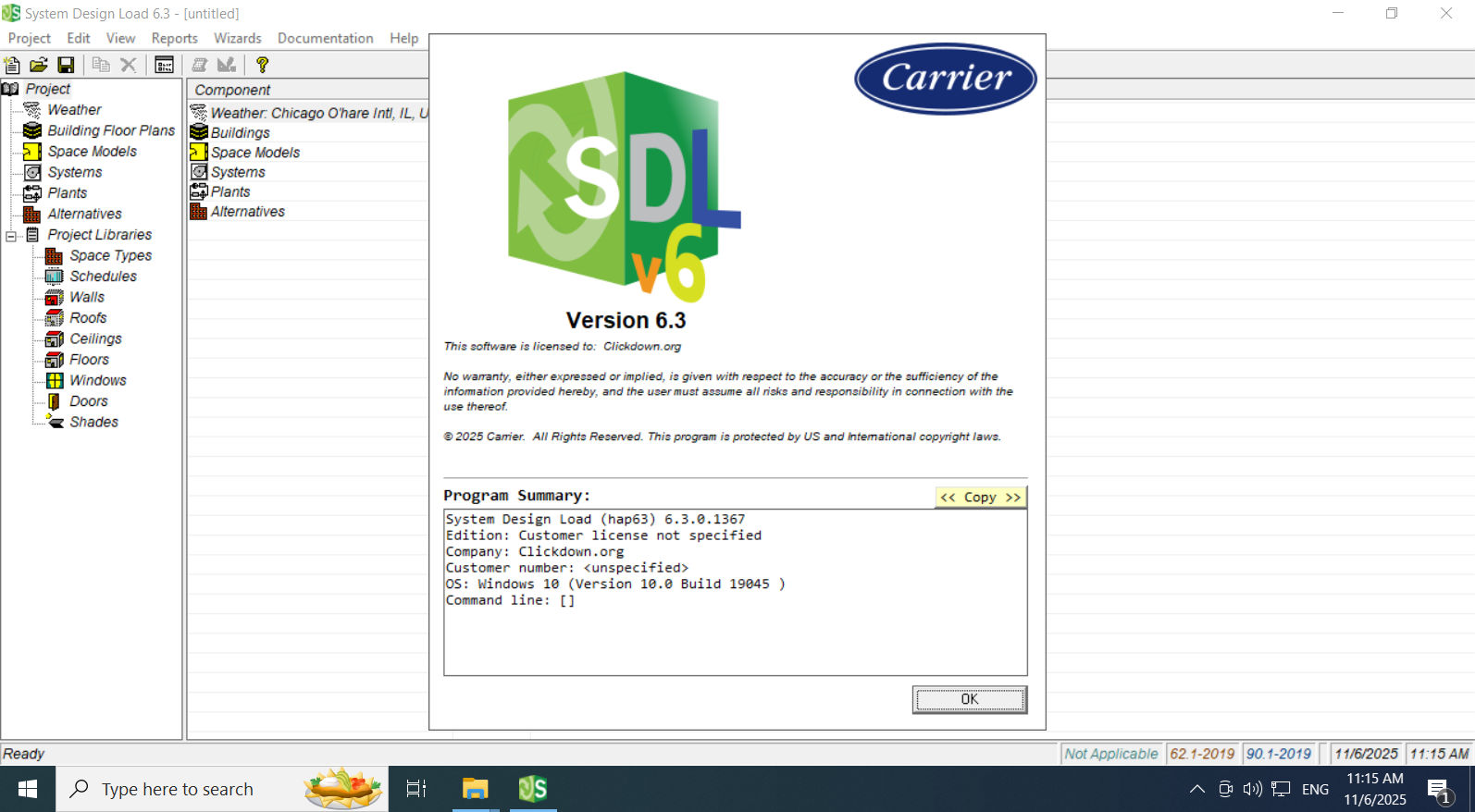
Carrier SDL 6.3 (System Design Load) is a specialized HVAC software developed by Carrier Corporation for performing detailed system design and load calculations. It is tailored for engineers, designers, and HVAC professionals who need accurate tools to analyze building thermal loads, size equipment, and design energy-efficient mechanical systems. Carrier SDL 6.3 streamlines the process of calculating heating and cooling loads using ASHRAE-approved methods, ensuring reliability and precision in every design phase.

This release introduces enhanced computational accuracy, improved usability, and broader compatibility with modern HVAC system types. By integrating Carrier’s engineering expertise, SDL 6.3 helps users create optimized HVAC solutions that balance performance, energy efficiency, and comfort.

Key Features of Carrier SDL 6.3

Accurate Load Calculations
Uses advanced algorithms and ASHRAE-based methods to calculate heating and cooling loads for various building types and system configurations.

System Design and Equipment Sizing
Provides tools to accurately size air distribution systems, chillers, boilers, and air handlers to meet specific project requirements.

Comprehensive Zone Analysis
Supports multi-zone modeling with detailed control over occupancy, internal gains, lighting, and ventilation for precise system performance evaluation.

Weather Data Integration
Includes extensive global weather databases for accurate climate-based load calculations across different geographic regions.

Carrier Equipment Integration
Links directly to Carrier product databases for streamlined equipment selection and compatibility checks.

Improved User Interface
Features an intuitive layout and step-by-step input screens that simplify setup, data entry, and design iteration.

Detailed Reporting and Output
Generates comprehensive load summaries, psychrometric data, and formatted engineering reports suitable for design documentation and client presentations.

Energy Efficiency Analysis
Assesses energy performance, equipment efficiency, and operating costs to support sustainable and cost-effective HVAC designs.

Customizable Project Templates
Enables users to save and reuse project templates, reducing setup time and maintaining consistency across multiple projects.

Compliance with Industry Standards
Supports design methods aligned with ASHRAE and other international HVAC standards for regulatory compliance and professional accuracy.

Enhanced Compatibility
Works seamlessly with other Carrier tools such as HAP and E20-II, offering a complete HVAC system design workflow.

Carrier SDL 6.3 remains an essential tool for HVAC professionals seeking accuracy, compliance, and efficiency in load estimation and system design. It combines Carrier’s decades of engineering expertise with modern computational tools to deliver superior design performance for any building project.

If you want to download Carrier SDL 6.3 full license, please click to DOWNLOAD button to download.
CLICKDOWN.ORG Download CAD CAM CNC software
Inside package Carrier SDL 6.3, already have cracked files and instruction how to install Carrier SDL 6.3 step by step. I guarantee you can install Carrier SDL 6.3 successfully if you follow that instruction.
If you also can’t install it or get any problems, please contact to me by email: clickdown.org@gmail.com, then I will help you to install software by teamviewer or Ultraviewer or Anydesk.
Thanks a lot
SOFTWARES

Download Carrier HAP 6.3 full license 100% working forever

Download Carrier HAP 6.3 full license 100% working forever

Link download Carrier HAP 6.3 full activated permanent

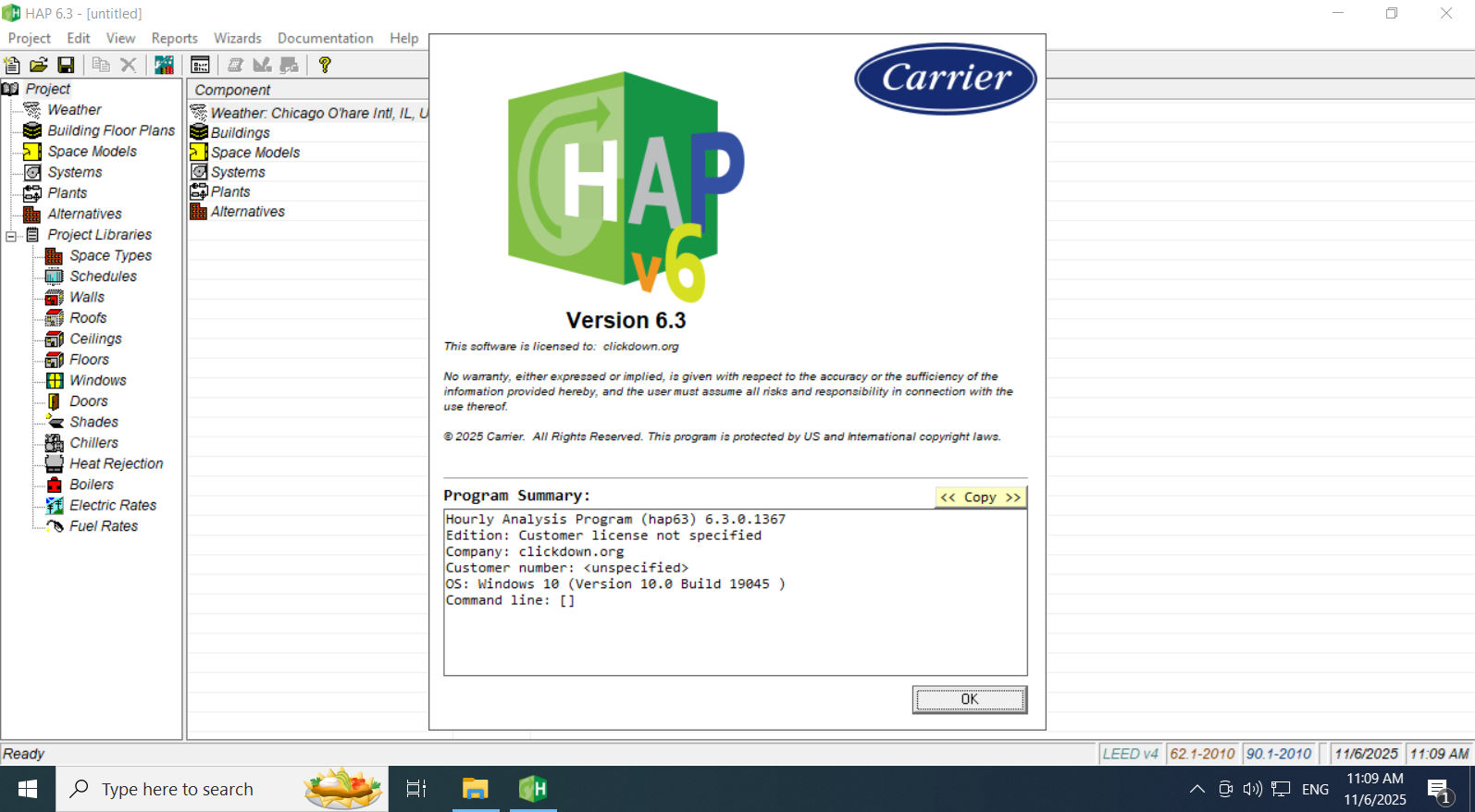
Download Hourly Analysis Program 6.3 full cracked

Working with Carrier HAP 6.3 full license

Description of Carrier HAP 6.3

Carrier HAP 6.3 (Hourly Analysis Program) is a powerful HVAC system design and energy modeling software developed by Carrier for engineers and building professionals. It provides comprehensive tools for sizing heating, ventilating, and air conditioning equipment, as well as performing detailed building load and energy consumption analysis. HAP 6.3 integrates modern simulation methods with Carrier’s proven calculation standards to ensure accuracy, compliance, and performance optimization in HVAC design.

This latest release enhances speed, usability, and data accuracy, making it easier to model complex building systems, evaluate performance, and select optimal Carrier equipment. Designed for both new constructions and retrofit projects, Carrier HAP 6.3 helps engineers design energy-efficient systems that meet ASHRAE and LEED standards.

Key Features of Carrier HAP 6.3

Comprehensive Load Calculation
Performs precise cooling and heating load calculations based on ASHRAE standards for both residential and commercial buildings.

HVAC System Design and Sizing
Accurately sizes air conditioning, ventilation, and heating equipment to ensure optimal system performance and comfort.

Energy Simulation and Analysis
Simulates annual building energy use to evaluate the efficiency and operating costs of HVAC systems throughout the year.

Equipment Selection and Optimization
Integrates Carrier’s extensive product database for easy equipment comparison, selection, and cost optimization.

Building Modeling Flexibility
Supports detailed multi-zone, multi-story building models, enabling complex system configurations and energy performance studies.

Weather and Climate Data Integration
Includes global weather datasets for precise local climate-based calculations and accurate energy predictions.

LEED and ASHRAE Compliance

Provides tools for sustainability analysis and compliance with key energy standards such as ASHRAE 90.1 and LEED certification.

User-Friendly Interface
Enhanced graphical tools and intuitive navigation streamline project setup, input editing, and report generation.

Detailed Reporting and Documentation
Generates professional-grade reports, charts, and system documentation suitable for client presentations and regulatory submissions.

System Optimization Tools
Offers advanced features for system comparison, part-load performance analysis, and lifecycle cost evaluation.

Database and Project Management
Improved data handling and project management capabilities allow multiple users to collaborate and maintain organized project files.

Carrier HAP 6.3
delivers a complete and efficient solution for HVAC design, load analysis, and energy modeling, empowering engineers to create sustainable, cost-effective, and high-performance building systems.

If you want to download Carrier HAP 6.3 full license, please click to DOWNLOAD button to download.
CLICKDOWN.ORG Download CAD CAM CNC software
Inside package Carrier HAP 6.3, already have cracked files and instruction how to install Carrier HAP 6.3 step by step. I guarantee you can install Carrier HAP 6.3 successfully if you follow that instruction.
If you also can’t install it or get any problems, please contact to me by email: clickdown.org@gmail.com, then I will help you to install software by teamviewer or Ultraviewer or Anydesk.
Thanks a lot
SOFTWARES

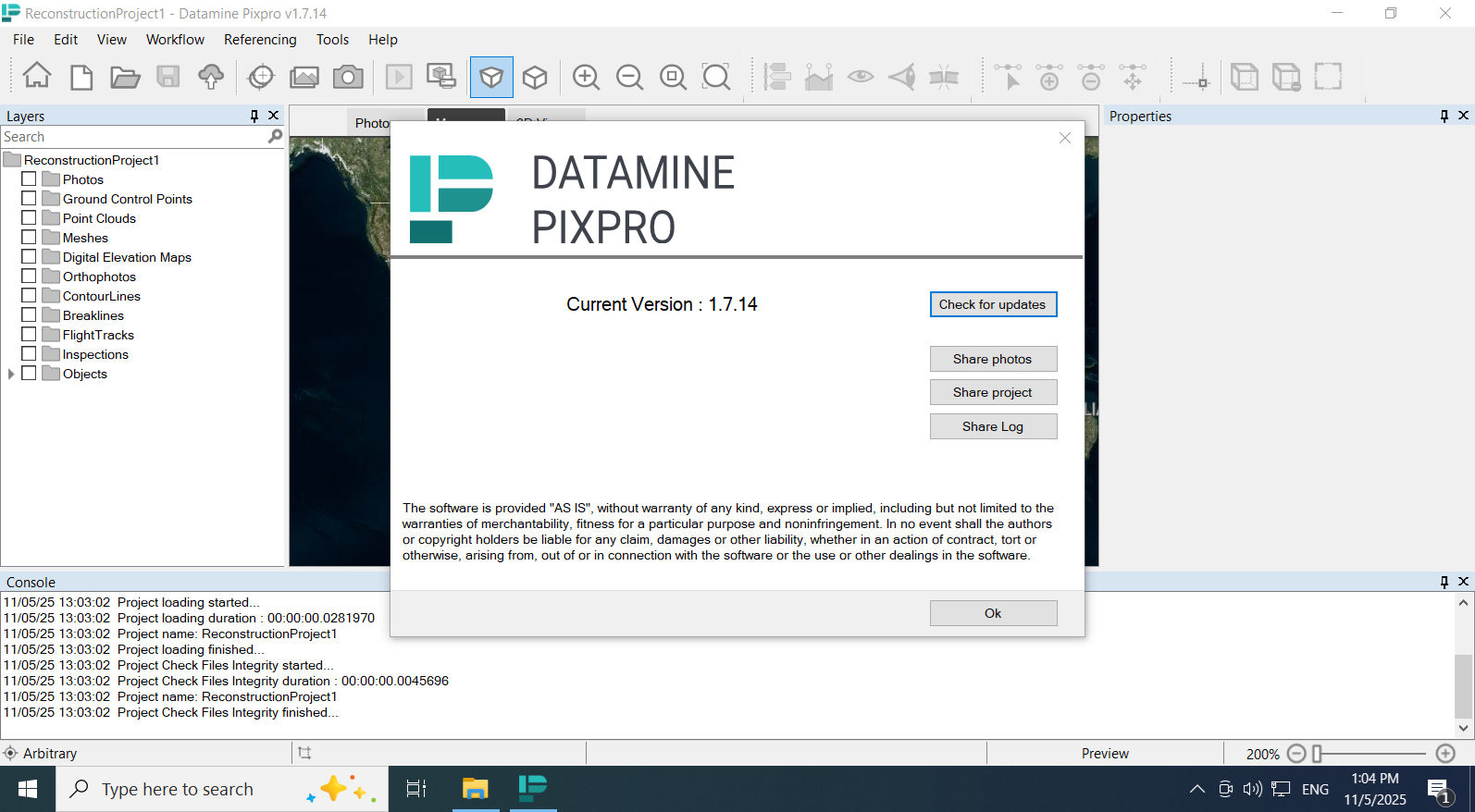
Download Datamine Pixpro 1.7.14 full license 100% working

Download Datamine Pixpro 1.7.14 full license 100% working

Link download Datamine Pixpro 1.7.14 win64 full activated

Working with Datamine Pixpro 1.7.14 full license

Description of Datamine Pixpro 1.7.14

Datamine PixPro 1.7.14 is an advanced photogrammetry and 3D mapping software designed for geospatial, mining, and civil engineering professionals. It enables users to transform drone-captured imagery into high-quality 3D models, point clouds, and orthomosaics with exceptional precision. This latest version enhances data processing speed, improves accuracy in surface modeling, and introduces new visualization tools for detailed terrain and structure analysis.

PixPro integrates seamlessly with Datamine’s mining software suite, making it an essential tool for surveyors, engineers, and geologists who require reliable topographic and volumetric data. Whether used for open-pit mine surveys, construction site monitoring, or infrastructure planning, Datamine PixPro ensures powerful data insights and efficient project management.

Key Features of Datamine PixPro 1.7.14

High-Accuracy 3D Reconstruction
Converts aerial and terrestrial images into detailed 3D models, meshes, and point clouds with centimeter-level accuracy.

Automated Photogrammetry Workflow
Offers fully automated processing from image alignment to model generation, reducing manual workload.

Orthomosaic and DSM Generation
Produces georeferenced orthophotos and digital surface models (DSM) for precise terrain analysis and mapping.

Volumetric and Topographic Analysis
Calculates volumes, cuts, and fills for mining, earthworks, and civil projects with advanced surface comparison tools.

Multi-Sensor Data Integration
Supports data from drones, UAVs, and cameras, enabling flexible input options for a wide range of projects.

Improved Accuracy and Calibration
Enhanced camera calibration and ground control point (GCP) management ensure superior model fidelity.

Powerful Visualization Tools
Interactive 3D viewer for examining terrain, structures, and elevation data in real time with customizable rendering options.

Seamless Integration with Datamine Suite
Works efficiently with Datamine Studio and other Datamine tools for geological modeling and resource estimation.

Enhanced Processing Performance
Optimized multi-core processing and GPU acceleration for faster project completion without compromising quality.

Reporting and Export Options
Generate detailed project reports and export outputs in common geospatial formats, including LAS, OBJ, GeoTIFF, and DXF.

Cloud and Collaboration Support
New sharing and collaboration tools make it easier to distribute results across teams and stakeholders.

Datamine PixPro 1.7.14 delivers a complete solution for professional photogrammetry, drone mapping, and 3D terrain modeling, ensuring accurate and efficient data analysis for modern engineering projects.

If you want to download Datamine Pixpro 1.7.14 full license, please click to DOWNLOAD button to download.
CLICKDOWN.ORG Download CAD CAM CNC software
Inside package Datamine Pixpro 1.7.14, already have cracked files and instruction how to install Datamine Pixpro 1.7.14 step by step. I guarantee you can install Datamine Pixpro 1.7.14 successfully if you follow that instruction.
If you also can’t install it or get any problems, please contact to me by email: clickdown.org@gmail.com, then I will help you to install software by teamviewer or Ultraviewer or Anydesk.
Thanks a lot
SOFTWARES

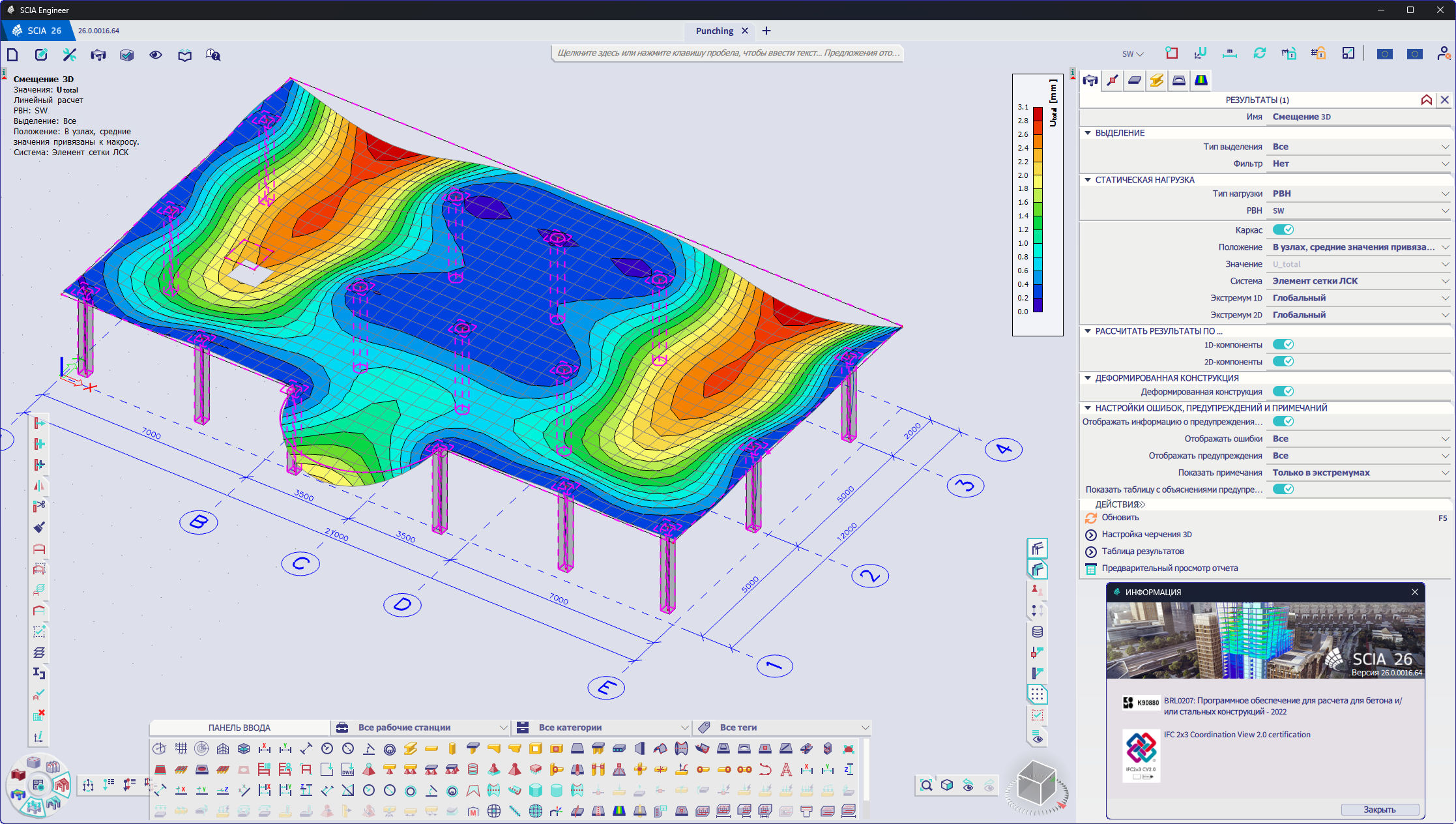
Download Nemetschek SCIA Engineer 2026 v26.0 full license

Download Nemetschek SCIA Engineer 2026 v26.0 x64 full license

Link download Nemetschek SCIA Engineer 2026 v26.0.0016.64 win64

Working with Nemetschek SCIA Engineer 2026 v26.0.0016.64
Language: Multilingual

Description of Nemetschek SCIA Engineer 2026 v26.0

Nemetschek SCIA Engineer 2026 v26.0 is a cutting-edge structural analysis and design software that delivers exceptional performance for engineers, architects, and construction professionals. With its intuitive interface, robust analysis tools, and BIM-integrated workflow, SCIA Engineer 2026 empowers users to design, analyze, and optimize complex structures with precision and efficiency. This version enhances modeling speed, improves interoperability with Revit and Tekla Structures, and introduces new automation tools for smarter engineering workflows.

SCIA Engineer supports a wide range of structures, including buildings, bridges, industrial facilities, and infrastructures, with comprehensive analysis features for steel, concrete, timber, and composite materials. Its advanced finite element analysis (FEA) engine ensures accurate results, making it a trusted solution for modern structural engineering projects.

Key Features of Nemetschek SCIA Engineer 2026 v26.0

Enhanced BIM Integration
Improved interoperability with Autodesk Revit, Tekla Structures, and other BIM platforms for seamless data exchange and collaboration.

Advanced Finite Element Analysis (FEA)
Powerful FEA engine for static, dynamic, and nonlinear analyses, delivering reliable structural performance evaluations.

Automated Load Generation
Automatic wind, snow, and seismic load generation according to global standards, minimizing manual setup time.

Comprehensive Material Support
Design and analyze structures using steel, concrete, timber, aluminum, and composite materials with code-based verification.

New Design Codes and Standards
Includes updated Eurocode, AISC, and international design codes to ensure compliance with the latest engineering regulations.

3D Modeling and Visualization Tools
Enhanced 3D modeling environment with intuitive controls, real-time rendering, and better visualization of results.

Nonlinear and Dynamic Analysis
Advanced capabilities for analyzing complex behaviors such as large deformations, plasticity, and dynamic loading conditions.

Structural Optimization Tools
Smart design optimization to minimize material usage while maintaining strength and performance standards.

Connection Design Enhancements
Improved steel connection design module with new templates, automated checks, and visualization tools.

Automation and Scripting
Integrated scripting environment for automating repetitive analysis tasks and customizing workflows.

Enhanced Report Generation
Dynamic and customizable reporting tools for clear presentation of analysis results and documentation.

Cloud Collaboration
New cloud connectivity features allow teams to share models and results securely across multiple locations.

SCIA Engineer 2026 v26.0 combines advanced analysis power with modern design automation and BIM integration, helping engineers deliver faster, safer, and more efficient structural designs.

If you want to download Nemetschek SCIA Engineer 2026 v26.0 full license, please click to DOWNLOAD button to download.
CLICKDOWN.ORG Download CAD CAM CNC software
Inside package Nemetschek SCIA Engineer 2026 v26.0, already have cracked files and instruction how to install Nemetschek SCIA Engineer 2026 v26.0 step by step. I guarantee you can install Nemetschek SCIA Engineer 2026 v26.0 successfully if you follow that instruction.
If you also can’t install it or get any problems, please contact to me by email: clickdown.org@gmail.com, then I will help you to install software by teamviewer or Ultraviewer or Anydesk.
Thanks a lot

SOFTWARES

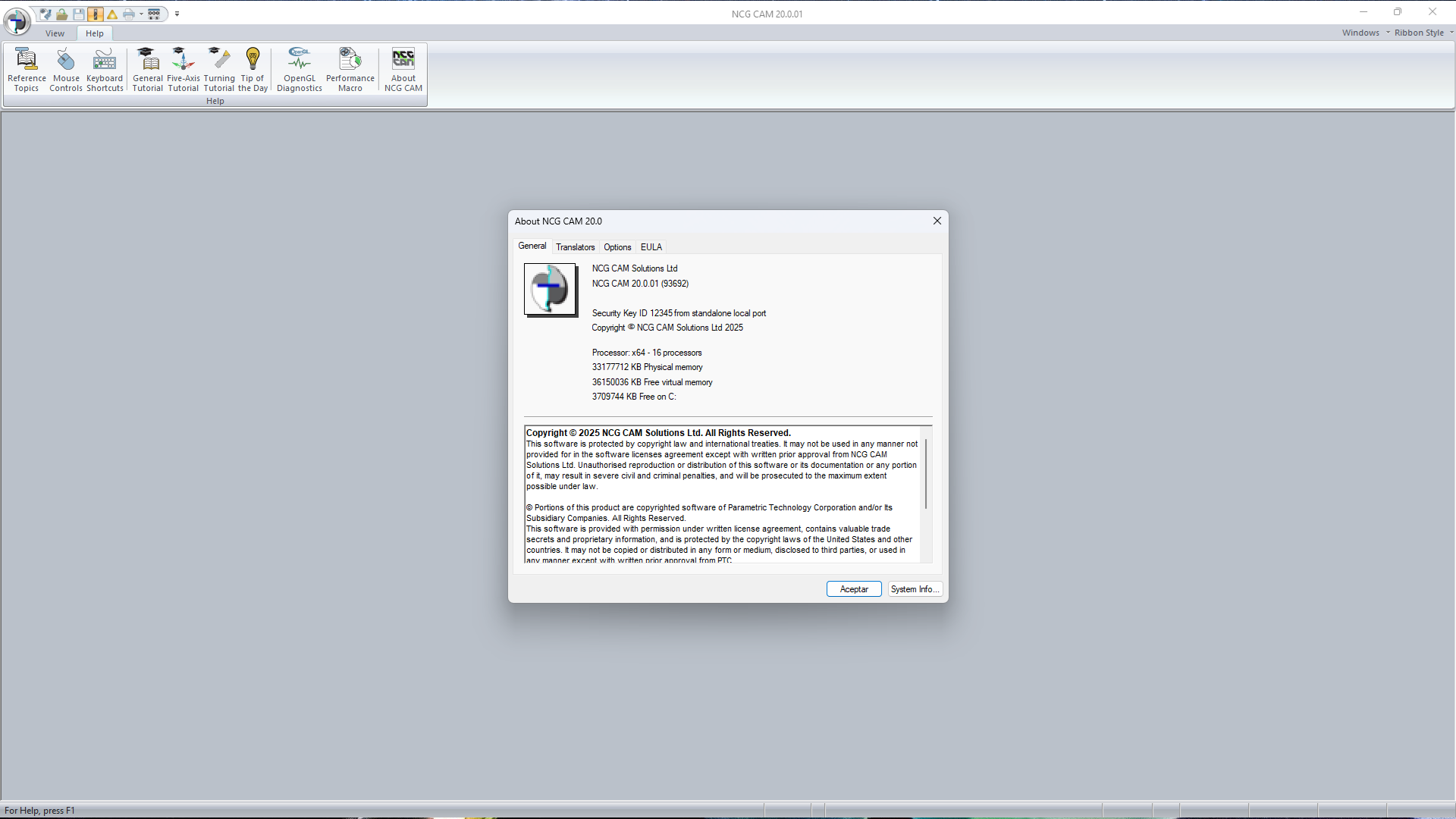
Download NCG Cam 20.0.01 win64 full license forever

Download NCG Cam 20.0.01 win64 full license forever

Link download NCG Cam 20.0.01 x64 full activated permanent

Working with NCG Cam 20.0.01 full activated

NCG CAM 20.0.01 Description

NCG CAM 20.0.01 is a powerful and user-friendly CAM software designed for advanced 3D HSM (High-Speed Machining) and efficient toolpath generation. It offers precision, speed, and reliability for mold, die, and complex part manufacturing. With its intuitive interface and robust toolpath control, NCG CAM provides high-quality surface finishes, reduced machining time, and optimized tool life. The 20.0.01 release includes enhanced machining algorithms, improved automation features, and better integration with leading CAD systems, making it an ideal choice for professional CNC programmers and manufacturers.

NCG CAM is widely used in industries such as aerospace, automotive, medical device production, and precision engineering. Its advanced features help users generate clean, collision-free toolpaths and achieve excellent machining accuracy, even for complex geometries.

Key Features of NCG CAM 20.0.01

High-Speed Machining (HSM) Optimization
Generates smooth, efficient toolpaths that maintain consistent tool engagement for superior surface finish and reduced wear.

3D and 5-Axis Toolpath Support
Offers advanced 3D machining and 5-axis roughing and finishing operations for intricate component designs.

Improved Roughing and Rest Machining
Adaptive roughing strategies remove material efficiently while preserving part integrity and minimizing cycle times.

Enhanced Finishing Strategies
Provides advanced finishing options including constant cusp height, raster, spiral, and pencil machining for high precision.

Automatic Toolpath Linking
Automatically connects toolpaths to minimize air-cutting time and enhance productivity.

Collision Detection and Avoidance
Intelligent algorithms prevent collisions between tool, holder, and workpiece during machining operations.

CAD System Integration
Seamless import of models from systems like SolidWorks, CATIA, Siemens NX, and Creo for efficient workflow management.

Stock Model Management
Simulates real-time material removal and updates stock conditions dynamically throughout the machining process.

Tool Library and Database
Comprehensive tool management for quick selection and optimization of cutting tools.

Macro and Automation Tools
Enables users to automate repetitive programming tasks, improving productivity and consistency.

Fast Calculation and Processing Speed
Optimized algorithms deliver faster toolpath calculations without compromising precision or surface quality.

NCG CAM 20.0.01 delivers precision, flexibility, and superior performance for CNC programming, helping manufacturers achieve faster machining cycles and higher part quality.

If you want to download NCG Cam 20.0.01 full license, please click to DOWNLOAD button to download.
CLICKDOWN.ORG Download CAD CAM CNC software
Inside package NCG Cam 20.0.01, already have cracked files and instruction how to install NCG Cam 20.0.01 step by step. I guarantee you can install NCG Cam 20.0.01 successfully if you follow that instruction.
If you also can’t install it or get any problems, please contact to me by email: clickdown.org@gmail.com, then I will help you to install software by teamviewer or Ultraviewer or Anydesk.
Thanks a lot

SOFTWARES

Download Graitec Advance Design Suite 2026.1 full activated

Download Graitec Advance Design Suite 2026.1 full activated

Link download Graitec Advance Design Suite 2026.1 win64 full license

Working with Graitec Advance Design Suite 2026.1 full activated

Description of Graitec Advance Design Suite 2026.1

Graitec Advance Design Suite 2026.1 is a comprehensive structural analysis and design software developed for engineers who demand precision, performance, and seamless BIM integration. Designed to handle complex projects across steel, concrete, and timber structures, this version delivers powerful tools for modeling, analysis, and code-based design according to the latest international standards.

The 2026.1 release enhances productivity with improved computational speed, automated load combinations, and advanced interoperability with Autodesk Revit, Advance Steel, and other Graitec solutions. Its intuitive interface, coupled with high-end analytical solvers and dynamic simulation tools, makes it a preferred solution for structural engineers and design firms seeking accuracy and efficiency.

Key Features of Graitec Advance Design Suite 2026.1

Advanced Structural Analysis
Perform 1D, 2D, and 3D structural analysis for concrete, steel, and timber structures with high computational accuracy.

Enhanced BIM Integration
Seamless data exchange with Autodesk Revit, Advance Steel, and Graitec BIM workflows for coordinated model management.

Updated Design Codes
Supports the latest Eurocodes, American, and Canadian design standards for global compliance.

Automated Load Generation
Automatically applies wind, seismic, snow, and thermal loads based on project location and building geometry.

Improved Performance and Stability
Optimized calculation algorithms significantly reduce analysis time for large and complex models.

Dynamic and Nonlinear Analysis
Includes advanced solvers for time-history, pushover, and modal analysis, ensuring realistic structural behavior evaluation.

Steel and Concrete Design Modules
Provides comprehensive tools for member verification, reinforcement detailing, and automatic report generation.

Integrated Report Management
Generate detailed design documentation with customizable templates for professional presentation.

Cloud Collaboration Tools
Enables team collaboration and project sharing across different locations for efficient coordination.

Enhanced User Interface
Modernized design environment with customizable toolbars and improved visualization options.

Graitec Advance Design Suite 2026.1 sets a new benchmark in structural engineering software, delivering robust design automation, superior BIM compatibility, and industry-standard analysis for engineering professionals.

If you want to download Graitec Advance Design Suite 2026.1 full license, please click to DOWNLOAD button to download.
CLICKDOWN.ORG Download CAD CAM CNC software
Inside package Graitec Advance Design Suite 2026.1, already have cracked files and instruction how to install Graitec Advance Design Suite 2026.1 step by step. I guarantee you can install Graitec Advance Design Suite 2026.1 successfully if you follow that instruction.
If you also can’t install it or get any problems, please contact to me by email: clickdown.org@gmail.com, then I will help you to install software by teamviewer or Ultraviewer or Anydesk.
Thanks a lot

SOFTWARES

Download Wondershare recoverit 14.0.3.9 full license forever

Download Wondershare recoverit 14.0.3.9 full license forever

Link download Wondershare recoverit 14.0.3.9 full activated

Working with Wondershare Recoverit 14.0.3.9 full activated

Description of Wondershare recoverit 14.0.3.9

Wondershare Recoverit 14.0.3.9 is a professional data recovery solution designed to restore deleted, lost, or inaccessible files from computers, external drives, USBs, SD cards, and other storage devices. With advanced scanning algorithms and AI-driven recovery technology, Recoverit offers one of the highest success rates in the industry. Whether data loss is due to accidental deletion, formatting, system crashes, or malware, Recoverit ensures complete recovery of photos, videos, documents, and archives with precision and ease.

The 2024 version delivers improved performance, a redesigned interface, and deeper system-level recovery tools. It supports over 1000 file formats and is compatible with FAT, NTFS, exFAT, APFS, HFS+, and other file systems. With powerful video recovery and repair functions, Recoverit 14.0.3.9 helps professionals and individuals restore critical data quickly and securely.

Key Features of Wondershare Recoverit 14.0.3.9

Comprehensive Data Recovery
Recovers deleted or lost files from PC, Mac, hard drives, USB flash drives, SD cards, and external devices.

AI-Powered Deep Scan
Uses advanced AI algorithms to locate and restore deeply hidden or fragmented files with high accuracy.

Video Recovery and Repair
Specialized module to recover and repair corrupted or unplayable HD, 4K, and 8K video files.

Supports 1000+ File Formats
Compatible with all major document, photo, video, audio, and archive file types across multiple platforms.

Formatted and Corrupted Disk Recovery
Retrieves data from formatted, damaged, or inaccessible partitions and drives.

Crash Computer Recovery
Create bootable media to recover data from systems that fail to start or experience OS crashes.

Preview Before Recovery
Allows users to preview files before restoration to ensure accuracy and save time.

Faster Scanning Engine
Optimized deep scan engine enhances recovery speed and improves large-file detection.

Safe and Secure Process
Maintains data integrity during recovery without overwriting or compromising existing files.

Modern and Intuitive Interface
Streamlined design for smoother navigation and efficient file searching and recovery.

Wondershare Recoverit 14.0.3.9 remains a leading data recovery tool for home users, businesses, and IT professionals. Its advanced recovery engine, cross-platform compatibility, and video repair capabilities make it a trusted choice for retrieving lost data securely and efficiently.

If you want to download Wondershare recoverit 14.0.3.9 full license, please click to DOWNLOAD button to download.
CLICKDOWN.ORG Download CAD CAM CNC software
Inside package Wondershare recoverit 14.0.3.9, already have cracked files and instruction how to install Wondershare recoverit 14.0.3.9 step by step. I guarantee you can install Wondershare recoverit 14.0.3.9 successfully if you follow that instruction.
If you also can’t install it or get any problems, please contact to me by email: clickdown.org@gmail.com, then I will help you to install software by teamviewer or Ultraviewer or Anydesk.
Thanks a lot

error: Content is protected !!
Scroll to Top