SOFTWARES

SOFTWARES

Download ANSYS EMA3D Cable and Charge 2025 R2 x64 full

Download ANSYS EMA3D Cable and Charge 2025 R2 x64 full license

Link download ANSYS EMA3D Cable and Charge 2025 R2 win64 full activated
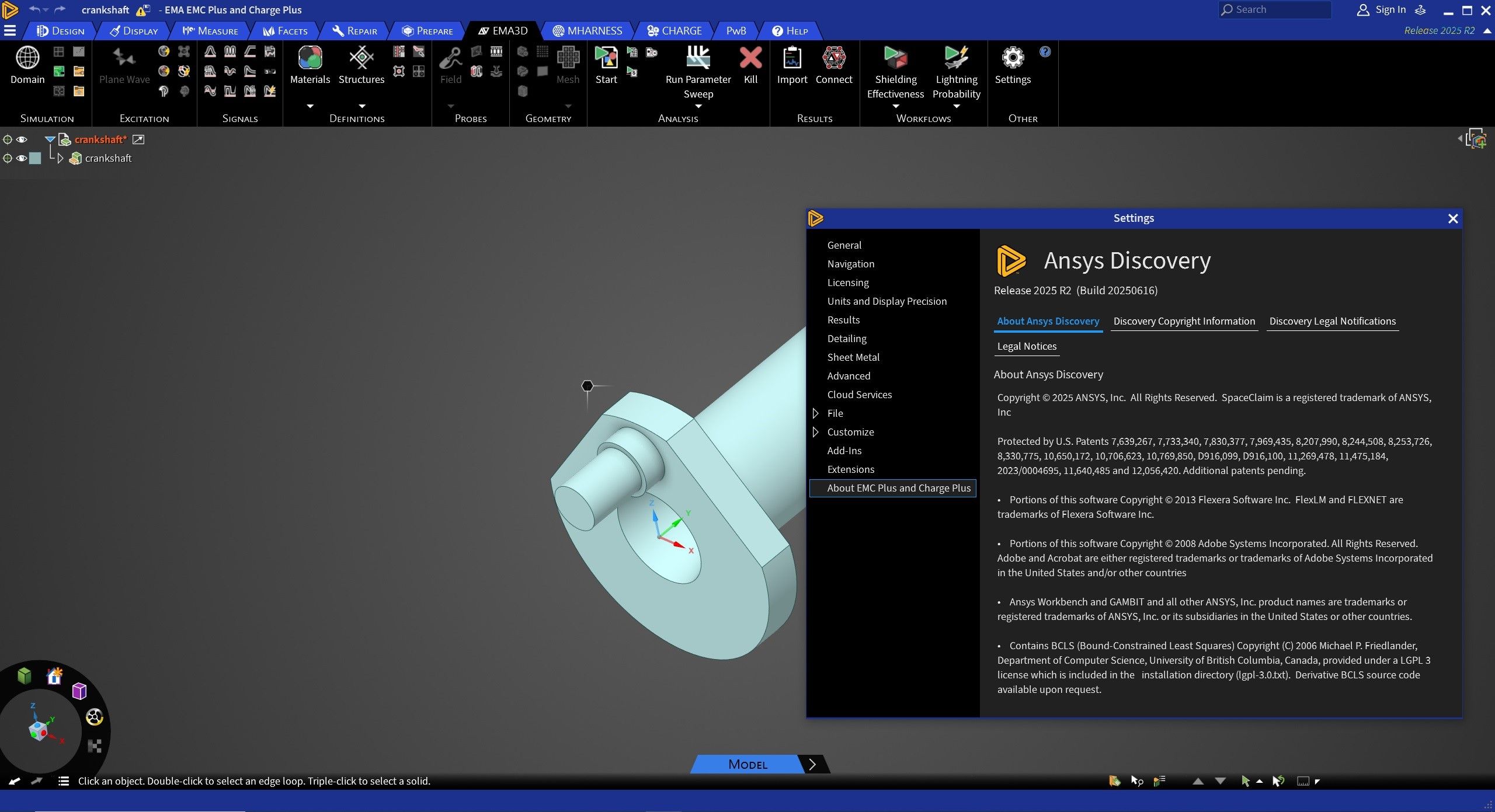
Working with ANSYS EMA3D Cable and Charge 2025 R2 full

Description of ANSYS EMA3D Cable and Charge 2025 R2

ANSYS EMA3D Cable 2025 R2 is an advanced electromagnetic simulation tool designed for modeling and analyzing complex cable harnesses within large-scale 3D systems. It combines a full-wave 3D Finite-Difference Time-Domain (FDTD) solver with a multi-conductor transmission line solver (MHARNESS) to simulate electromagnetic interference (EMI), compatibility (EMC), and electrical effects from various sources such as lightning, RF exposure, or internal system emissions.

Key Capabilities of ANSYS EMA3D Cable 2025 R2
High-fidelity EMC and E3 simulation of cable harnesses in aircraft, spacecraft, vehicles, and industrial platforms.

Supports Lightning-Induced Transients, HIRF, radiated susceptibility, and conducted emissions.

Full integration with Ansys HFSS, Ansys Discovery, and CAD/EDA tools.

Efficient meshing and hybrid modeling for large environments like fuselages or control cabinets.

Validated for DO-160 and MIL-STD-461 compliance workflows.

ANSYS EMA3D Charge 2025 R2 is a multiphysics platform for simulating charging and discharging events in aerospace, automotive, and high-voltage environments. It couples 3D FDTD electromagnetic simulation with particle-in-cell (PIC) and chemistry models to simulate electrostatic buildup, arc discharge, and plasma phenomena in real-world systems.

Key Capabilities of ANSYS EMA3D Charge 2025 R2
Models surface charging, internal dielectric charging, and electrostatic discharge (ESD).

Simulates high-voltage breakdown, vacuum arcs, and space plasma charging.

Critical for spacecraft design, high-voltage insulation, and HV electrical safety analysis.

Predicts electron transport, ionization, and arc initiation in dielectric breakdown events.

Supports compliance and mitigation strategies for ESD and dielectric failure.

If you want to download ANSYS EMA3D Cable and Charge 2025 R2 full license, please click to DOWNLOAD symbol and complete check out a little help my website is maintained. The download link is appeared automatically after you complete check out.
CLICKDOWN.ORG Download CAD CAM CNC software
Inside package ANSYS EMA3D Cable and Charge 2025 R2, already have cracked’s files and instruction how to install ANSYS EMA3D Cable and Charge 2025 R2 step by step. I guarantee you can install ANSYS EMA3D Cable and Charge 2025 R2 successfully if you follow that instruction.
If you also can’t install it or any problems, please contact to me by email: clickdown.org@gmail.com, then I will help you to install software by teamviewer or Ultraviewer or Anydesk.
Thanks a lot

SOFTWARES

Download MATLAB R2025a Update 1 win64 full license

Download MATLAB R2025a Update 1 win64 full license

Link download MATLAB R2025a Update 1 full activated

Working with MATLAB R2025a Update 1 full license

Description of MATLAB R2025a Update 1

MATLAB R2025a Update 1 (short for MATrix LABoratory) is a high-level programming language and interactive environment developed by MathWorks. It is widely used by engineers, scientists, and researchers for numerical computation, data analysis, algorithm development, visualization, and simulation.

🖥️ MATLAB R2025a Update 1 – Major Innovation in Desktop & Graphics
Rebuilt Desktop Architecture: The classic Java-based desktop has been replaced with a modern interface built on JavaScript and HTML, aligning desktop MATLAB with MATLAB Online and simplifying cross-platform development
Customizable Sidebars & Themes: Flexible floating/movable side panels (Debugger, Source Control, Projects etc.) and UI themes (Light, Dark, System) enhance workflow personalization
Tabbed Figure Container: Figures are now docked in a tabbed container by default. A new figure toolstrip replaces older menus and toolbars for easier annotation, export, and layout control
Unified Code Base: The platform now shares nearly one code base across Windows, macOS, Linux, and MATLAB Online for faster or more frequent updates

🧠 Productivity, Accessibility & Coding Tools
Live Editor Enhancements: Section-level debugging, drag‑and‑drop plot editing, and automatic code formatting refine authoring workflows
Coding UI Panels: Panels like Code Outline, Test Browser, Code Issues, Projects, and Source Control streamline project-based and software dev workflows
Screen Reader Friendly: Accessibility support now includes command window, figure interactions, and file editing with full keyboard navigation and screen-reader compatibility

🚀 AI, GPU Acceleration & Enhanced Performance
MATLAB Copilot: Integrated generative AI assistant for code suggestions, task automation, and prompt-based workflows
Expanded AI/ML Tooling: Support for foundation models, AutoML workflows (feature engineering, auto-tuning), and enhanced deep learning performance on modern GPU hardware (e.g. NVIDIA Ampere/Hopper)
Performance Boosts: Improved BLAS routines, faster gpuArray operations, parallel Python workflows, and smoother large-scale computing across clusters

🛠️ Simulink & System Modeling Enhancements
Layout‑as‑You‑Go in Simulink: Auto‑straightening signal lines simplify model readability during block movements
Advanced Scope UI: Dockable multi-threaded Simulink scopes with real-time data inspector integration, auto-scaling, and cursor tracking
Faster Simulation Workflows: Enables Fast Restart for Rapid Accelerator and independent/fixed-step solvers for referenced subsystems

🧰 Domain Toolboxes & Specialized Updates
From signal processing to robotics, each toolbox includes tailored improvements:
Antenna & Radar Toolboxes: AI‑based design via SADEA API, expanded support for phased-array, bistatic, multistatic, and NTN analyses
Auto & Tracking Systems: Enhanced tools in Sensor Fusion & Tracking and RoadRunner with improved import, scenario scripting, and planner algorithms
Reinforcement Learning & Control Systems: Multi-agent learning support, extended robustness analysis and LFT modeling capabilities
Robotics & ROS 2: Introduces Simscape Multibody with real-time ROS2 simulation and new trajectory planner options
Collaboration Tools & Big Data: Improved integration with MATLAB Online—including GPU training, GitHub syncing, MATLAB Grader updates, and shared cloud workflows

If you want to download MATLAB R2025a Update 1 full license, please click to DOWNLOAD symbol and complete check out a little help my website is maintained. The download link is appeared automatically after you complete check out.
CLICKDOWN.ORG Download CAD CAM CNC software
Inside package MATLAB R2025a Update 1, already have cracked’s files and instruction how to install MATLAB R2025a Update 1 step by step. I guarantee you can install MATLAB R2025a Update 1 successfully if you follow that instruction.
If you also can’t install it or any problems, please contact to me by email: clickdown.org@gmail.com, then I will help you to install software by teamviewer or Ultraviewer or Anydesk.
Thanks a lot
SOFTWARES

Download Sante DICOM Editor 10.2.4 x64 full license

Download Sante DICOM Editor 10.2.4 x64 full license

Link download Sante DICOM Editor 10.2.4 win64 full activated

Working with Sante DICOM Editor 10.2.4 full license

Description of Sante DICOM Editor 10.2.4

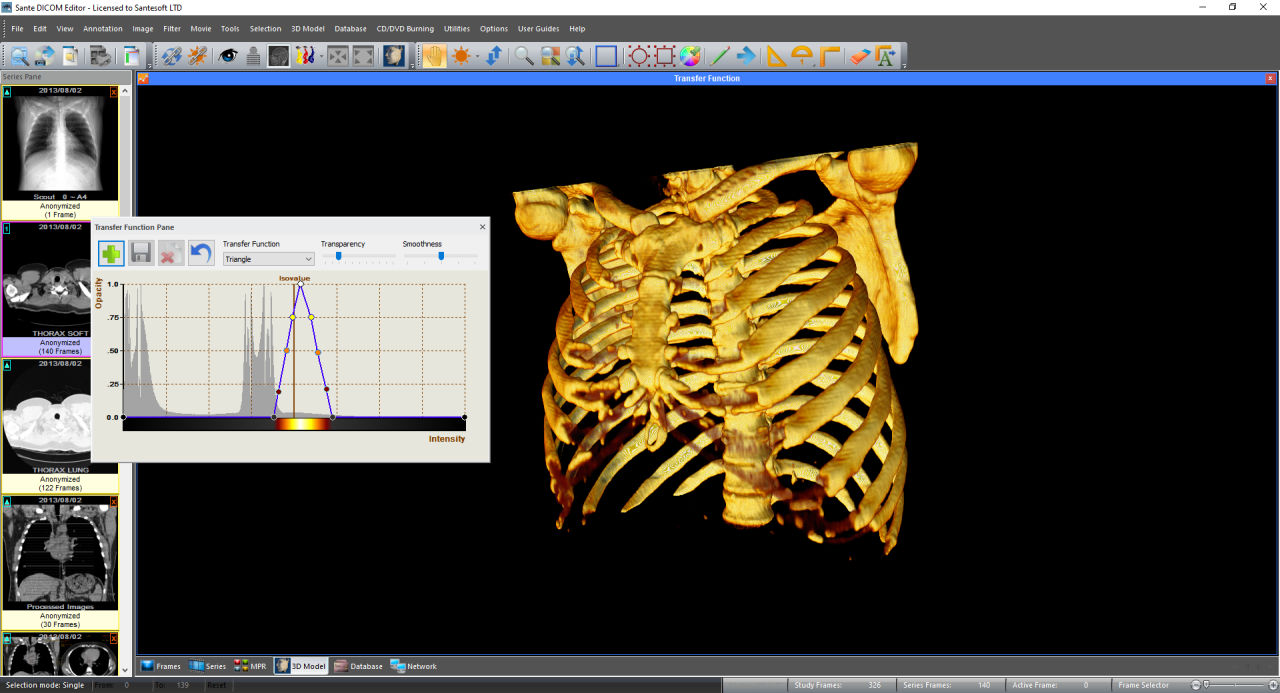
Sante DICOM Editor 10.2.4 is a professional-grade DICOM editing and viewing workstation for Windows. It serves as a full-featured 2D‑3D viewer, anonymizer, converter, PACS client and mini‑server, with built-in CD/DVD burning and batch processing capabilities.

🔄 Key Enhancements in Sante DICOM Editor 10.2.4

Direct2D Graphics Engine: Replaces GDI+ for much faster rendering when viewing and editing DICOM files, especially in 3D modes

Secure DICOM Networking with TLS: Adds encrypted DICOM protocol support (C‑STORE, C‑FIND, C‑MOVE, etc.) to protect patient data during network transfers

OHIF Web Viewer Support: Enables viewing of studies through an OHIF-based web interface, useful for browser-based diagnostics without local installation

Export of MPR Planes: Reconstructed MPR slices can be exported as DICOM series for downstream analysis or archiving

CSV Export of Search Results: Results from PACS or database searches can be exported in CSV format for report generation or integration with other tools

UID Management in Anonymization: Users may generate new Study, Series, and SOP Instance UIDs during anonymizing for enhanced privacy protection

Performance Optimizations: Ongoing memory and speed improvements ensure smoother handling of large datasets

🛠️ Core Features of Sante DICOM Editor 10.2.4

Advanced Viewing & Editing

Supports viewing all DICOM modalities (CT, MR, US, XA, CR, MG, NM, etc.).

Provides 2D/3D visualization: MPR, volume rendering, MIP, isosurface.

Full editing support including metadata and sequence attributes, with batch editing across studies
PACS and Standalone Mode

Full PACS client capabilities: C‑FIND, C‑STORE, C‑MOVE, C‑GET, and C‑ECHO.

Can function as a mini PACS server limited only by disk space
DICOM Data Conversion & Editing Tools

Import/export images or frames to/from DICOM. Remove or replace frames, adjust transfer syntax, reorder frames, and convert color depth.

Built-in Dicomizer converts video files (AVI, WMV) and images (JPEG, TIFF, PNG, BMP) into DICOM format
Anonymization & Batch Processing

Powerful anonymizer for removing PHI from large datasets; supports burned-in annotation removal, GDPR compliance, and batch operations
Reporting & Output Tools

Supports Structured Report (SR) and Presentation State editing.

Attach PDFs to studies, create DICOMDIR, burn CDs/DVDs with viewer, print to DICOM or Windows printers, export to WMV video
Analysis & Measurement Tools

Tools for ROI analysis: distance, area, volume, Cobb angle, statistics.

Dual-monitor support and side-by-side study comparison with synchronized visualization and metadata inspection
Localization & Compatibility

Built-in support for global character sets (Latin, Cyrillic, Arabic, Chinese, Japanese, etc.).

Compatible with Windows Vista, 7, 8/8.1, 10, and 11

🎯 Conclusion
Sante DICOM Editor 10.2.4 offers a comprehensive toolkit for medical imaging professionals—combining fast and secure DICOM editing, PACS connectivity, visualization, anonymization, and reporting. With improved graphics, flexible batch tools, and optional UID regeneration, it’s well suited for clinical and research workflows that demand high performance and privacy.

If you want to download Sante DICOM Editor 10.2.4 full license, please click to DOWNLOAD symbol and complete check out a little help my website is maintained. The download link is appeared automatically after you complete check out.
CLICKDOWN.ORG Download CAD CAM CNC software
Inside package Sante DICOM Editor 10.2.4, already have cracked’s files and instruction how to install Sante DICOM Editor 10.2.4 step by step. I guarantee you can install Sante DICOM Editor 10.2.4 successfully if you follow that instruction.
If you also can’t install it or any problems, please contact to me by email: clickdown.org@gmail.com, then I will help you to install software by teamviewer or Ultraviewer or Anydesk.
Thanks a lot
SOFTWARES

Download Siemens SIMOTION SCOUT 5.7 SP1 x64 full license

Download Siemens SIMOTION SCOUT 5.7 SP1 x64 full license

Link download Siemens SIMOTION SCOUT 5.7 SP1 win64 full activated

Working with Siemens SIMOTION SCOUT 5.7 SP1 full license

Description of Siemens SIMOTION SCOUT 5.7 SP1

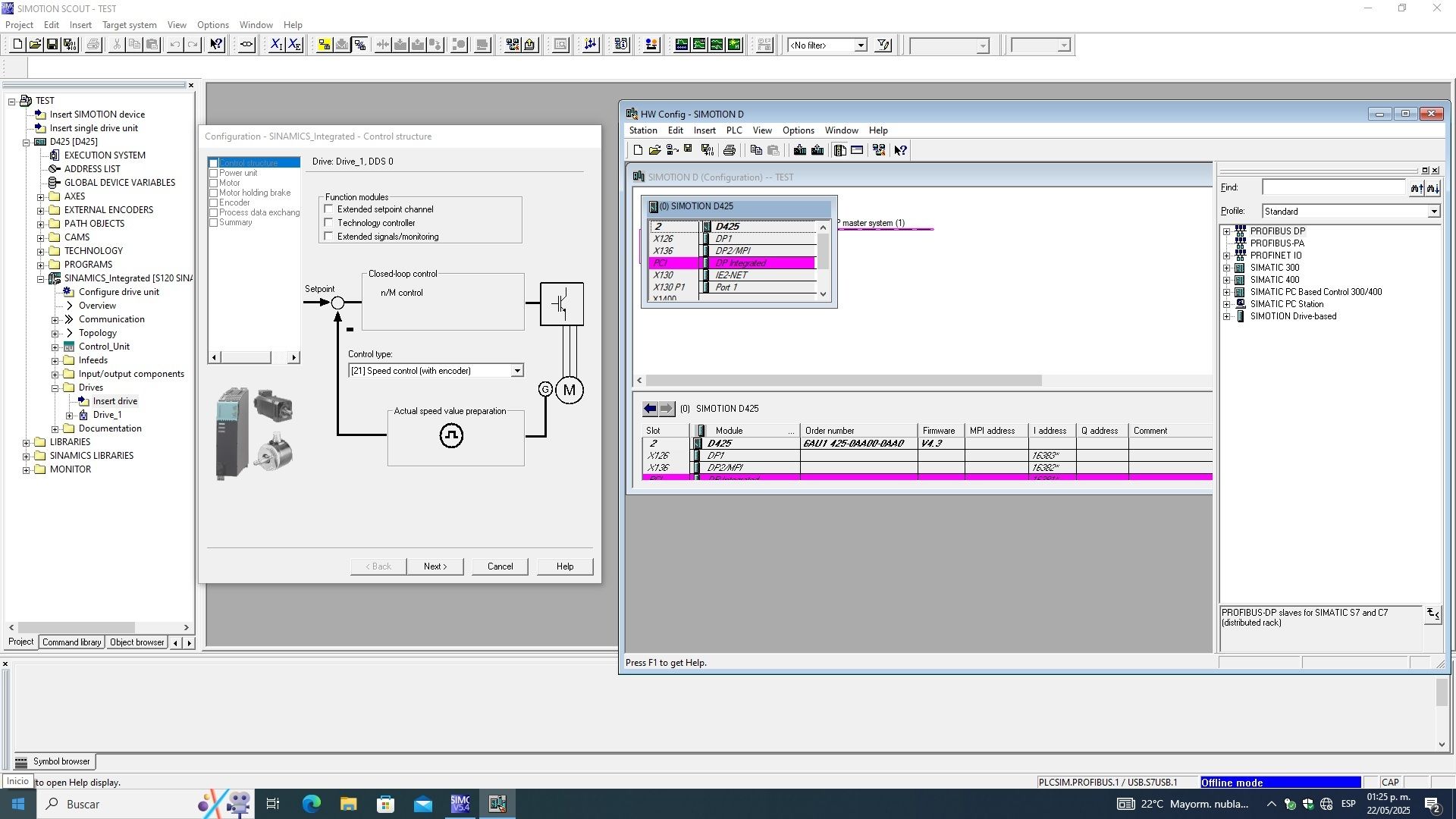
Siemens SIMOTION SCOUT 5.7 SP1 is the integrated engineering environment for Siemens’ SIMOTION motion control system. It works either stand-alone or within the SIMATIC STEP 7 framework (via SCOUT TIA) and provides tools for hardware and network configuration, motion programming, diagnostics, testing, and commissioning. It supports programming languages like Structured Text (ST), Motion Control Chart (MCC), Ladder/FBD, and includes optional tools such as CamTool and DCC for advanced cam and drive sequence control.

🔄 Key Updates in Siemens SIMOTION SCOUT 5.7 SP1

Compatibility & Platform Support
Supports Windows 10 and Windows 11 (both starting with 22H2) for both SCOUT Stand‑alone and SCOUT TIA versions.

SCOUT 5.7 SP1 Stand‑alone includes STEP 7 V5.7 SP3 components; if using SCOUT within TIA Portal framework (TIA V20), SCOUT TIA V5.7 SP1 is fully compatible

Broad Compatibility with Hardware and Software Ecosystem
Validated for controllers such as SIMOTION C240, D4xx‑2 (D410‑2, D425‑2, D435‑2, D445‑2, D455‑2) and P320‑4 variants.

Compatible with technology packages like CAM_EXT V5.7 SP1, TControl V5.7 SP1, and simulation environments SIMOSIM V5.7 SP1, plus CamTool V4.7 SP1 for graphical cam editing.

Works with SINAMICS drive systems and can run side‑by‑side with STEP 7 up to TIA Portal V20 updates

🔧 Core Functionality & Engineering Tools
Motion Control Configuration: Configure SIMOTION controllers, network topology, axes, cams, and technology objects (e.g., MCC, DCC) with full parameter authoring and simulator support
High‑Level Programming & Diagnostics: Provides programming via ST, MCC, LAD/FBD, full diagnostics, testing, and commissioning interfaces.
Optional Extensions:

CamTool (graphical cam creation),

SIMOSIM for offline simulation,

DCC (Drive Control Chart) for advanced drive sequences (not supported in SCOUT TIA variant)

Project Migration Support: Offers a Migration Tool plug‑in to convert existing STEP 7 classic SIMOTION projects into the TIA Portal environment (with SCOUT TIA)

🎯 Final Thoughts
SIMOTION SCOUT 5.7 SP1 represents a mature and highly compatible engineering platform, offering full support for current Siemens controllers and software stacks. Whether deployed stand-alone or within TIA Portal, it delivers robust tools for motion-control configuration, programming, and diagnostics, and integrates well with optional modules for specialized tasks such as cam editing and offline simulation.

If you want to download Siemens SIMOTION SCOUT 5.7 SP1 full license, please click to DOWNLOAD symbol and complete check out a little help my website is maintained. The download link is appeared automatically after you complete check out.
CLICKDOWN.ORG Download CAD CAM CNC software
Inside package Siemens SIMOTION SCOUT 5.7 SP1, already have cracked’s files and instruction how to install Siemens SIMOTION SCOUT 5.7 SP1 step by step. I guarantee you can install Siemens SIMOTION SCOUT 5.7 SP1 successfully if you follow that instruction.
If you also can’t install it or any problems, please contact to me by email: clickdown.org@gmail.com, then I will help you to install software by teamviewer or Ultraviewer or Anydesk.
Thanks a lot
SOFTWARES

Download Sante DICOM Viewer Pro 14.2.4 x64 full license

Download Sante DICOM Viewer Pro 14.2.4 x64 full license

Link download Sante DICOM Viewer Pro 14.2.4 win64 full activated

Working with Sante DICOM Viewer Pro 14.2.4 full license

Description of Sante DICOM Viewer Pro 14.2.4

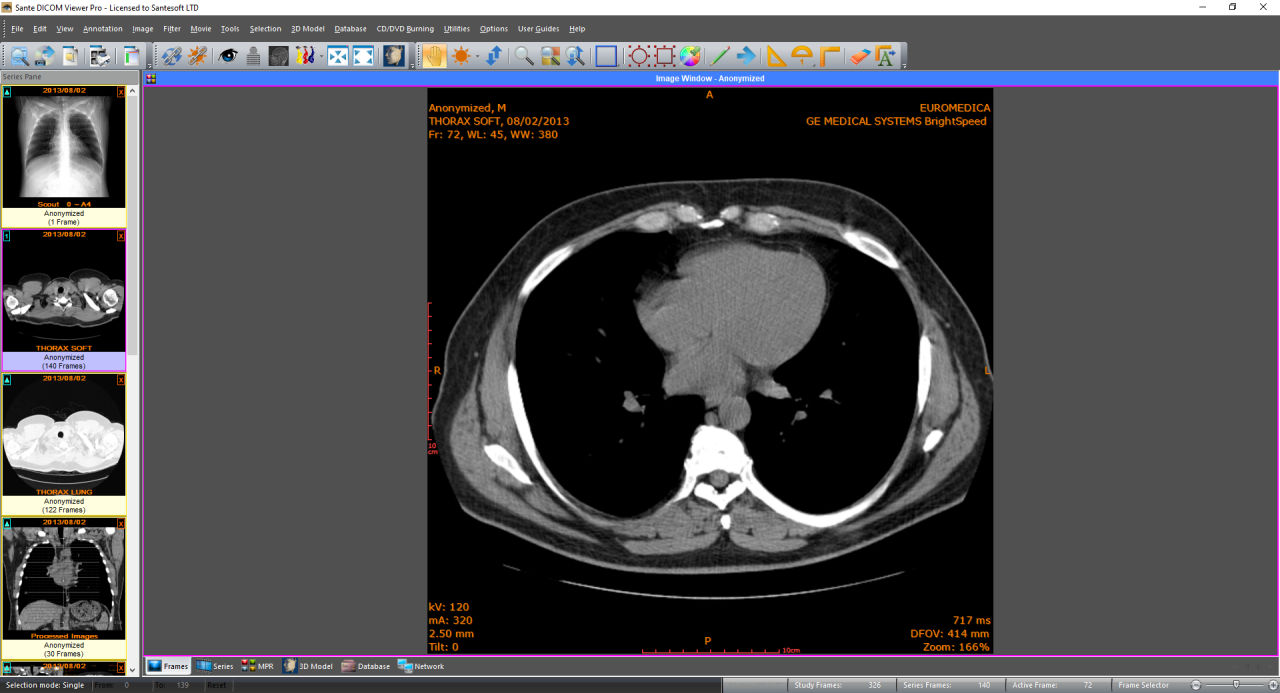
Sante DICOM Viewer Pro 14.2.4 is a full-featured, professional-grade DICOM viewer and PACS workstation designed for radiologists, imaging centers, and hospitals. The software allows advanced visualization, analysis, and management of medical imaging data compliant with DICOM standards. Version 14.2.4 brings key performance improvements, updated security features, and workflow enhancements.

🔄 What’s New in Sante DICOM Viewer Pro 14.2.4

1. Direct2D Graphics Engine

Replaces the legacy GDI+ engine with Direct2D for significantly faster rendering and smoother performance when viewing 2D and 3D DICOM images.

2. TLS Support for Secure DICOM Networking

Adds Transport Layer Security (TLS) encryption for DICOM communications (e.g., C-STORE, C-FIND, C-MOVE), improving data protection across networks.

3. Integrated OHIF Web Viewer

Enables remote, browser-based viewing of studies via OHIF (Open Health Imaging Foundation) viewer without the need for local installation.

4. Export Search Results to CSV

PACS/database search results can now be exported directly to CSV format for easy analysis and reporting.

5. New UID Assignment for Anonymization

Users can assign new Study, Series, and SOP Instance UIDs during anonymization for stronger patient data de-identification and traceability.

6. Memory and Performance Optimizations

Several backend improvements allow faster loading, processing, and rendering of large imaging datasets.

🛠️ Core Features

Advanced 2D/3D Viewing: CT, MRI, X-Ray, Ultrasound, PET, and other modalities supported with multiplanar reconstruction (MPR), volume rendering, MIP, and isosurface views.

Mini PACS Server & Full DICOM Node: Supports C-STORE, C-FIND, C-MOVE, C-GET, and C-ECHO for seamless PACS integration.

DICOM Editing & Batch Tools: Modify DICOM metadata, convert formats, and anonymize in batch mode for large datasets.

Comprehensive ROI Tools: Supports measurements (distance, angle, volume, area), statistics, Cobb angle, and custom-shaped ROI analysis.

Comparison Mode: Compare studies side-by-side with synchronized scrolling, zooming, and metadata comparison.

Burn CDs/DVDs with Viewer: Create patient discs with an embedded DICOM viewer for standalone review.

Export to WMV & Print: Save DICOM images as video or print using DICOM or Windows printing systems.

Database & File System Mode: Organize, archive, and retrieve studies using built-in database or file directory mode.

✅ Conclusion

Sante DICOM Viewer Pro 14.2.4 is a robust, secure, and user-friendly solution for comprehensive medical image management. With powerful DICOM networking, efficient batch processing, anonymization, and modern 2D/3D visualization tools, it is ideal for professionals seeking a reliable and fast DICOM viewer with built-in PACS capabilities.

If you want to download Sante DICOM Viewer Pro 14.2.4 full license, please click to DOWNLOAD symbol and complete check out a little help my website is maintained. The download link is appeared automatically after you complete check out.
CLICKDOWN.ORG Download CAD CAM CNC software
Inside package Sante DICOM Viewer Pro 14.2.4, already have cracked’s files and instruction how to install Sante DICOM Viewer Pro 14.2.4 step by step. I guarantee you can install Sante DICOM Viewer Pro 14.2.4 successfully if you follow that instruction.
If you also can’t install it or any problems, please contact to me by email: clickdown.org@gmail.com, then I will help you to install software by teamviewer or Ultraviewer or Anydesk.
Thanks a lot

SOFTWARES

Download Splunk Enterprise 10.0.0 x64 full license

Download Splunk Enterprise 10.0.0 x64 full license

Link download Splunk Enterprise 10.0.0 win64 full activated

Working with Splunk Enterprise 10.0.0 full license

Descriotion of Splunk Enterprise 10.0.0

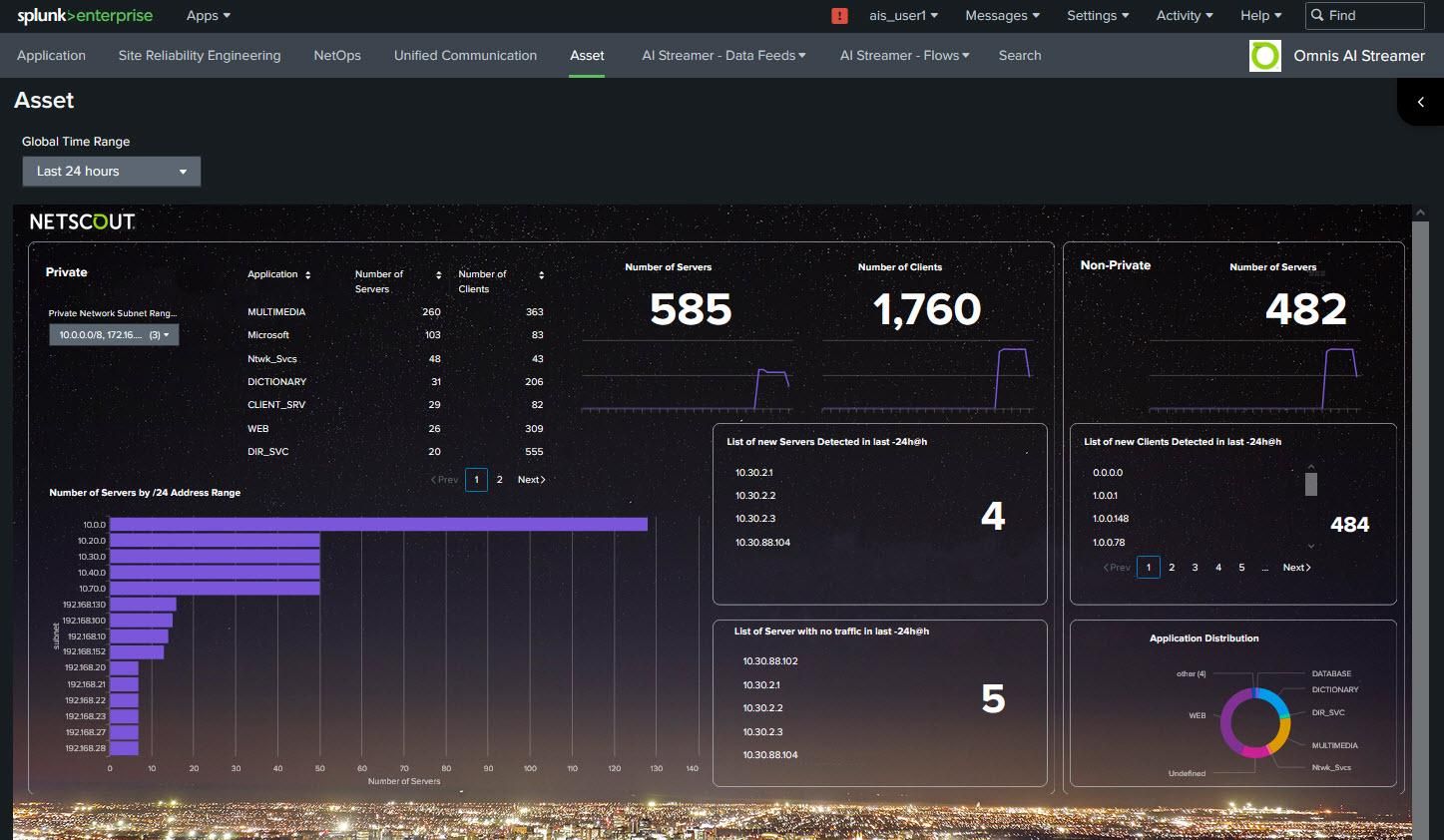
Splunk Enterprise 10.0.0 is a powerful data analytics platform designed to collect, index, and analyze machine-generated data from a wide variety of sources in real time. With version 10, Splunk continues to empower organizations with improved performance, smarter analytics, and greater flexibility for hybrid and cloud environments.

🔍 Key Features of Splunk Enterprise 10.0.0

1. Enhanced Search and Performance
Faster search performance with improved indexing and query optimization.

Smart Assist: AI-powered search suggestions for building more effective SPL queries.

Optimized for large-scale data sets and distributed deployments.

2. Scalability and Storage Enhancements
SmartStore enhancements: Efficient use of cloud object storage (e.g., Amazon S3, Azure Blob, Google Cloud Storage).

Better storage tiering and data lifecycle management.

Supports hybrid deployments (on-prem + cloud) with Federated Search improvements.

3. Modernized Dashboard Studio
Advanced visualization tools with interactive dashboards.

Drag-and-drop interface, real-time filtering, and support for custom UI components.

Responsive design suitable for desktops, tablets, and mobile devices.

4. Machine Learning and Anomaly Detection
Integrated with Machine Learning Toolkit (MLTK).

Prebuilt models and guided workflows for forecasting, clustering, and anomaly detection.

Supports time series and categorical data analysis.

5. Security and Compliance
Improved role-based access control (RBAC).

Native SAML, SCIM, and SSO support for secure user management.

Expanded audit logging for user actions and data access.

6. Open and Extensible Ecosystem
Over 1,000 apps and integrations via Splunkbase (e.g., AWS, Azure, Kubernetes, Cisco, ServiceNow).

Full REST API for automation and custom development.

Easily integrates with SIEM, SOAR, ITSM, and DevOps tools.

✅ Common Use Cases

IT Operations: Infrastructure monitoring, incident detection, uptime analysis.

Security (SIEM): Threat detection, compliance reporting, SOC workflows.

DevOps: Log analysis, release monitoring, and CI/CD observability.

Business Analytics: Customer behavior tracking, KPI dashboards.

If you want to download Splunk Enterprise 10.0.0 full license, please click to DOWNLOAD symbol and complete check out a little help my website is maintained. The download link is appeared automatically after you complete check out.
CLICKDOWN.ORG Download CAD CAM CNC software
Inside package Splunk Enterprise 10.0.0, already have cracked’s files and instruction how to install Splunk Enterprise 10.0.0 step by step. I guarantee you can install Splunk Enterprise 10.0.0 successfully if you follow that instruction.
If you also can’t install it or any problems, please contact to me by email: clickdown.org@gmail.com, then I will help you to install software by teamviewer or Ultraviewer or Anydesk.
Thanks a lot
SOFTWARES

Download AutoRebar 2026 v3.3.2 for Autodesk AutoCAD 2015-2026 full

Download AutoRebar 2026 v3.3.2 for Autodesk AutoCAD 2015-2026 full

Link download AutoRebar 2026 v3.3.2 for Autodesk AutoCAD 2015-2026

Working with AutoRebar 2026 v3.3.2 for Autodesk AutoCAD 2015-2026 full

Description of AutoRebar 2026

AutoRebar 2026 is a specialized plugin for AutoCAD, designed to streamline the process of creating, editing, and managing reinforcement detailing in 2D CAD drawings. Widely used by structural engineers and detailers, AutoRebar automates the production of rebar schedules, bar marks, and bending lists, making reinforced concrete drafting faster and less error-prone.

🧱 Key Features of AutoRebar 2026

1. 🔄 Seamless AutoCAD Integration
Works natively inside AutoCAD 2026, maintaining familiar workflows.

Lightweight plugin that adds rebar-specific toolbars, ribbon panels, and commands.

2. 📐 Smart Parametric Rebar Tools
Create parametric rebar shapes like straight bars, stirrups, hooks, U-bars, L-bars, etc.

Modify rebar length, bend angles, spacing, and dimensions dynamically.

Rebar elements automatically update with changes in design parameters.

3. 📝 Automatic Bar Marking and Numbering
Auto-numbering of bars with customizable bar marks and styles.

Consistent bar labeling across multiple views (plan, section, elevation).

Supports automatic updates when rebar configurations change.

4. 📋 Dynamic Bending Schedules
Generate bar bending schedules (BBS) in a few clicks.

Tables are automatically extracted from drawing data and are always up-to-date.

Fully customizable schedules to meet local or project-specific standards.

5. 🧮 Automatic Quantity Take-Off
Real-time calculation of rebar lengths, quantities, and weights.

Supports exporting to Excel or CSV for cost estimation and procurement.

6. 🧰 Rebar Annotations & Detailing Tools
Annotation tools for bar tags, callouts, and hook details.

Advanced tools for bar grouping, array placement, and concrete cover checking.

Intelligent snapping and dimensioning adapted to rebar geometry.

7. 🌍 International Standards Support
Compatible with various reinforcement standards (e.g., ACI, BS, Eurocode).

Configurable settings for bar diameters, bending radii, and schedule formatting.

✅ Benefits of AutoRebar 2026:

Greatly reduces manual drafting time for reinforced concrete designs.

Minimizes errors in rebar placement, scheduling, and quantity take-offs.

Allows accurate, editable, and parametric rebar details without switching to 3D modeling tools.

💡 Use Cases:
Structural drawings for buildings, bridges, slabs, foundations, columns, and beams.

Bar bending schedule generation for contractors and site execution teams.

Quantity take-off and cost estimation for reinforced concrete works.

If you want to download AutoRebar 2026 v3.3.2 for Autodesk AutoCAD 2015-2026 full license, please click to DOWNLOAD symbol and complete check out a little help my website is maintained. The download link is appeared automatically after you complete check out.
CLICKDOWN.ORG Download CAD CAM CNC software
Inside package AutoRebar 2026 v3.3.2 for Autodesk AutoCAD 2015-2026, already have cracked’s files and instruction how to install AutoRebar 2026 v3.3.2 for Autodesk AutoCAD 2015-2026 step by step. I guarantee you can install AutoRebar 2026 v3.3.2 for Autodesk AutoCAD 2015-2026 successfully if you follow that instruction.
If you also can’t install it or any problems, please contact to me by email: clickdown.org@gmail.com, then I will help you to install software by teamviewer or Ultraviewer or Anydesk.
Thanks a lot
SOFTWARES

Download Advanced Design System (ADS) 2026 x64 full license

Download Advanced Design System (ADS) 2026 x64 full license

Link download Advanced Design System (ADS) 2026 win64 full activated

Working with Advanced Design System (ADS) 2026 x64 full license

Description of Advanced Design System (ADS) 2026

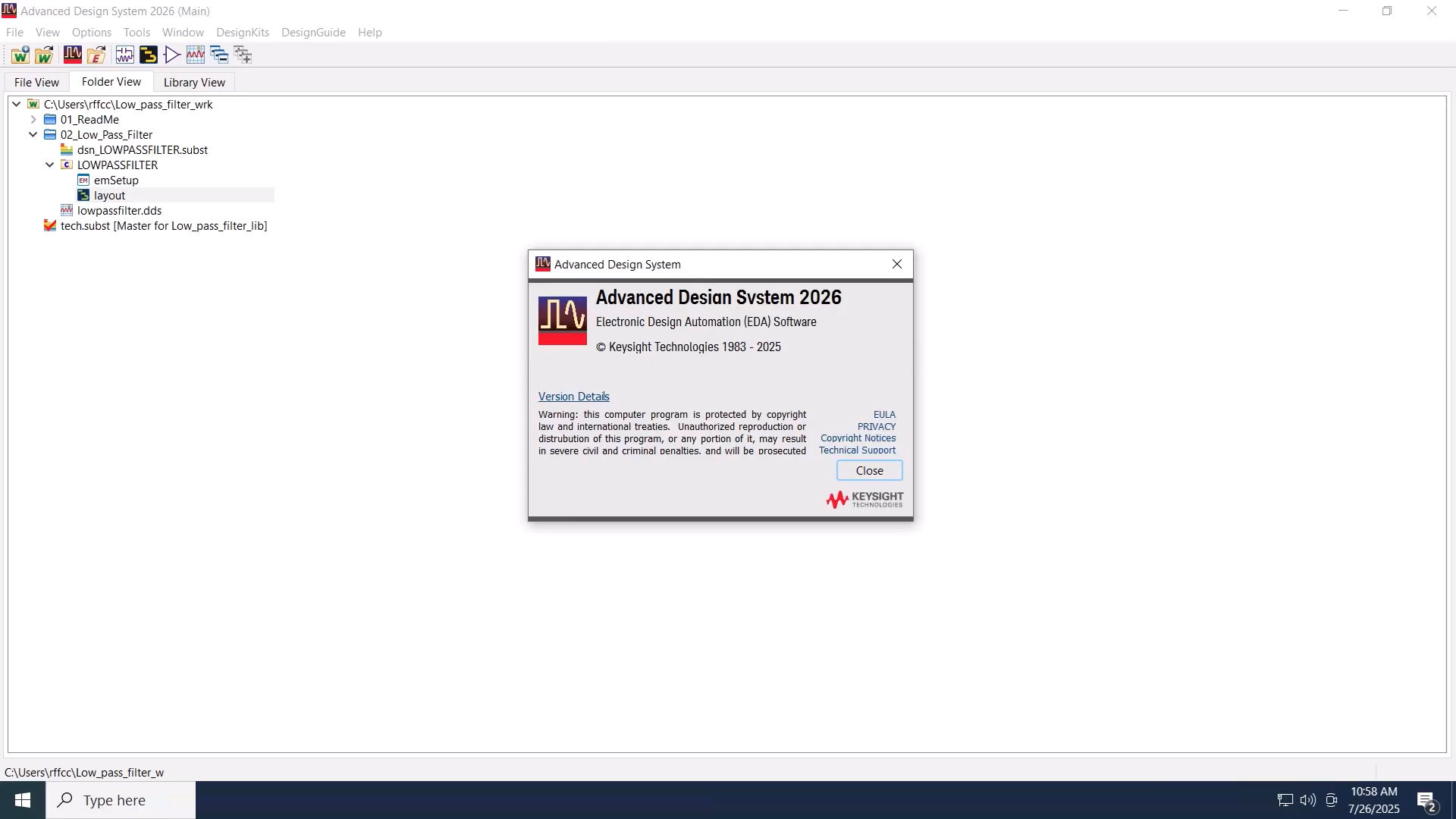
Advanced Design System (ADS) 2026 by Keysight Technologies is a powerful and comprehensive electronic design automation (EDA) software suite tailored for RF, microwave, high-speed digital, and power electronics design. The 2026 version introduces several enhancements that boost simulation accuracy, workflow efficiency, and integration across design stages.

🔧 Key Features and Enhancements in Advanced Design System (ADS) 2026

1. Improved User Interface and Workflow Efficiency
Modernized GUI with streamlined layout and customizable workspace.

Enhanced design navigation tools and interactive layout/schematic synchronization.

Faster access to common tasks through updated menus and command search.

2. Expanded Simulation Capabilities
RFPro Enhancements:

Improved EM-circuit co-simulation with better accuracy and speed.

Advanced solver control and mesh refinement features.

Transient-Convolution Simulation:

More robust handling of complex nonlinear circuits with memory effects.

X-Parameters and S-Parameters:

Enhanced large-signal modeling accuracy and more flexible parameter extraction tools.

3. Advanced Modeling and Components
Updated libraries of RF/MMIC components with new vendor models.

Improved support for GaN, CMOS, and SiGe technologies.

Integration with Modelithics® component libraries for greater simulation realism.

4. High-Speed Digital Design Tools
New SI/PI analysis features for DDR5/LPDDR5, PCIe Gen6, and USB4 standards.

Eye diagram and jitter simulation improvements for more accurate compliance testing.

5. Enhanced Layout and EM Tools
Better 3D EM integration and faster layout-driven simulation.

Improvements in Momentum and FEM solvers for faster and more accurate results.

6. Improved Data Analytics and Visualization
More powerful data post-processing tools and customizable plotting.

Enhanced support for statistical analysis and Monte Carlo simulations.

7. Design Ecosystem and Interoperability
Improved co-design capabilities with PathWave System Design (SystemVue).

Tight integration with Keysight’s test equipment and hardware platforms.

Expanded support for import/export of industry-standard formats (e.g., IPC2581, ODB++, GDSII).

Use Cases:

RF/microwave circuit design (e.g., filters, power amplifiers)

MMIC and module design

Signal integrity and power integrity analysis

Antenna and EM simulation

High-speed PCB and interconnect design

If you want to download Advanced Design System (ADS) 2026 full license, please click to DOWNLOAD symbol and complete check out a little help my website is maintained. The download link is appeared automatically after you complete check out.
CLICKDOWN.ORG Download CAD CAM CNC software
Inside package Advanced Design System (ADS) 2026, already have cracked’s files and instruction how to install Advanced Design System (ADS) 2026 step by step. I guarantee you can install Advanced Design System (ADS) 2026 successfully if you follow that instruction.
If you also can’t install it or any problems, please contact to me by email: clickdown.org@gmail.com, then I will help you to install software by teamviewer or Ultraviewer or Anydesk.
Thanks a lot
SOFTWARES

Download ProgeCAD Professional 2026 v26.0.2.14 x64 full license

Download ProgeCAD Professional 2026 v26.0.2.14 x64 full license

Link download ProgeCAD Professional 2026 v26.0.2.14 win64 full activated

Working with ProgeCAD Professional 2026 v26.0.2.14 full license

Description of ProgeCAD Professional 2026 v26.0.2.14

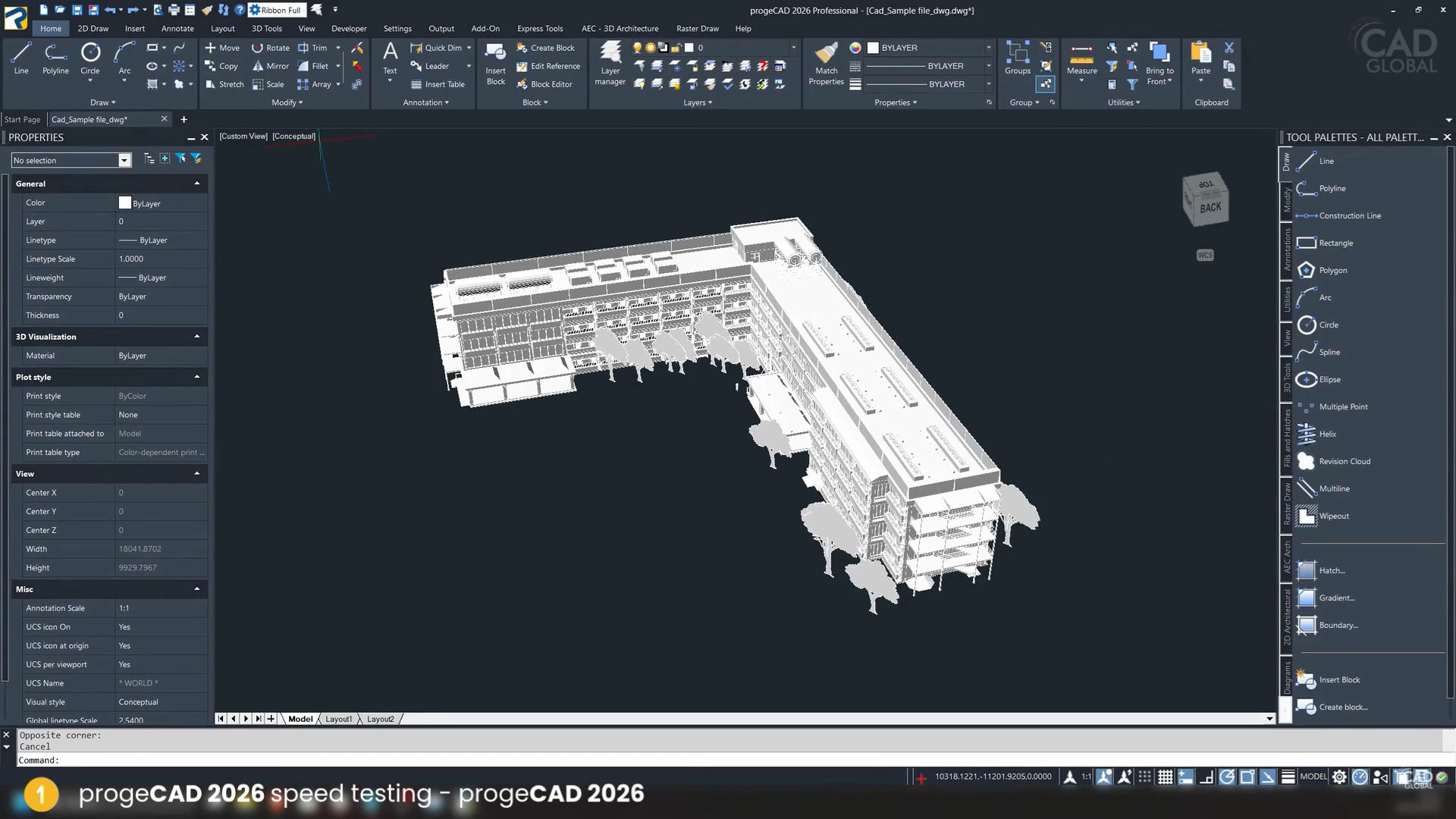
ProgeCAD Professional 2026 v26.0.2.14 is a full-featured AutoCAD-compatible 2D/3D CAD application for Windows, offering native DWG/DXF support up to AutoCAD 2026, powerful BIM and Raster tools, and a familiar interface for seasoned AutoCAD users—all with perpetual licensing and no annual fees

🚀 Notable Improvements in the 2026 Release

🔧 Performance Enhancements
IntelliCAD 13.1 engine boosts overall performance, making drawing updates 2× faster, opening files with 3D solids up to 10× faster, and regenerations up to 1.5× faster
Smoother and more responsive UI: improved viewport navigation, grip behavior, boundary specification, and hatch operations
AI-based AI Raster Draw enables rapid raster-to-vector cleanup and conversion within drawings, akin to AutoCAD Raster Design
LISP interpreter refactored for better scripting performance; improved IcARX, .NET, and VBA support

🧰 Productivity Tools & Smart Workflow
Quick Calculator available in the Properties palette or command line for fast math, unit conversion, and variable use
Extract Data command completely refactored: faster performance, richer filtering, preview, and reporting for large datasets
Streamlined Geo-location by address, enabling seamless insertion of Bing aerial, road, or hybrid maps into drawings

🏗 BIM & Industry Integrations
RVX/RFA to IFC conversion, IFC validation, layer control in BIM property pane, panel railings, corner window features, and data extraction from BIM formats like .ifc, .rvt, .rfa
Support for Aplitop tcpMDT and SPCAD plugins tailored for surveying, civil engineering, and topographic workflows

🖌 UI & Usability Improvements
Redesigned Start Page, advanced Options dialog with search functionality, and improved CUI customization tools including View Manager, layout tab reordering, and tool palette enhancements
Enhanced grip-based editing and UI interaction via Dynamic input on grips, new array grips, and animations for smoother panning and zooming

✅ Why Choose progeCAD 2026?

AutoCAD-compatible workflow with minimized learning curve and high DWG fidelity.

Substantial performance gains for working with large or complex 3D drawings.

AI-powered tools streamline the conversion of raster or legacy drawings.

Built-in BIM and surveying integrations, including advanced terrain and plugin support.

Cost-effective perpetual licensing—targeted at firms that want CAD power without subscription lock-in.

If you want to download ProgeCAD Professional 2026 v26.0.2.14 full license, please click to DOWNLOAD symbol and complete check out a little help my website is maintained. The download link is appeared automatically after you complete check out.
CLICKDOWN.ORG Download CAD CAM CNC software
Inside package ProgeCAD Professional 2026 v26.0.2.14, already have cracked’s files and instruction how to install ProgeCAD Professional 2026 v26.0.2.14 step by step. I guarantee you can install ProgeCAD Professional 2026 v26.0.2.14 successfully if you follow that instruction.
If you also can’t install it or any problems, please contact to me by email: clickdown.org@gmail.com, then I will help you to install software by teamviewer or Ultraviewer or Anydesk.
Thanks a lot

SOFTWARES

Download Valentin PVSOL premium 2025 R8 full license

Download Valentin PVSOL premium 2025 R8 full license

Link download Valentin PVSOL premium 2025 R8 full activated

Working with Valentin PVSOL premium 2025 R8 full license

Description of Valentin PVSOL premium 2025 R8

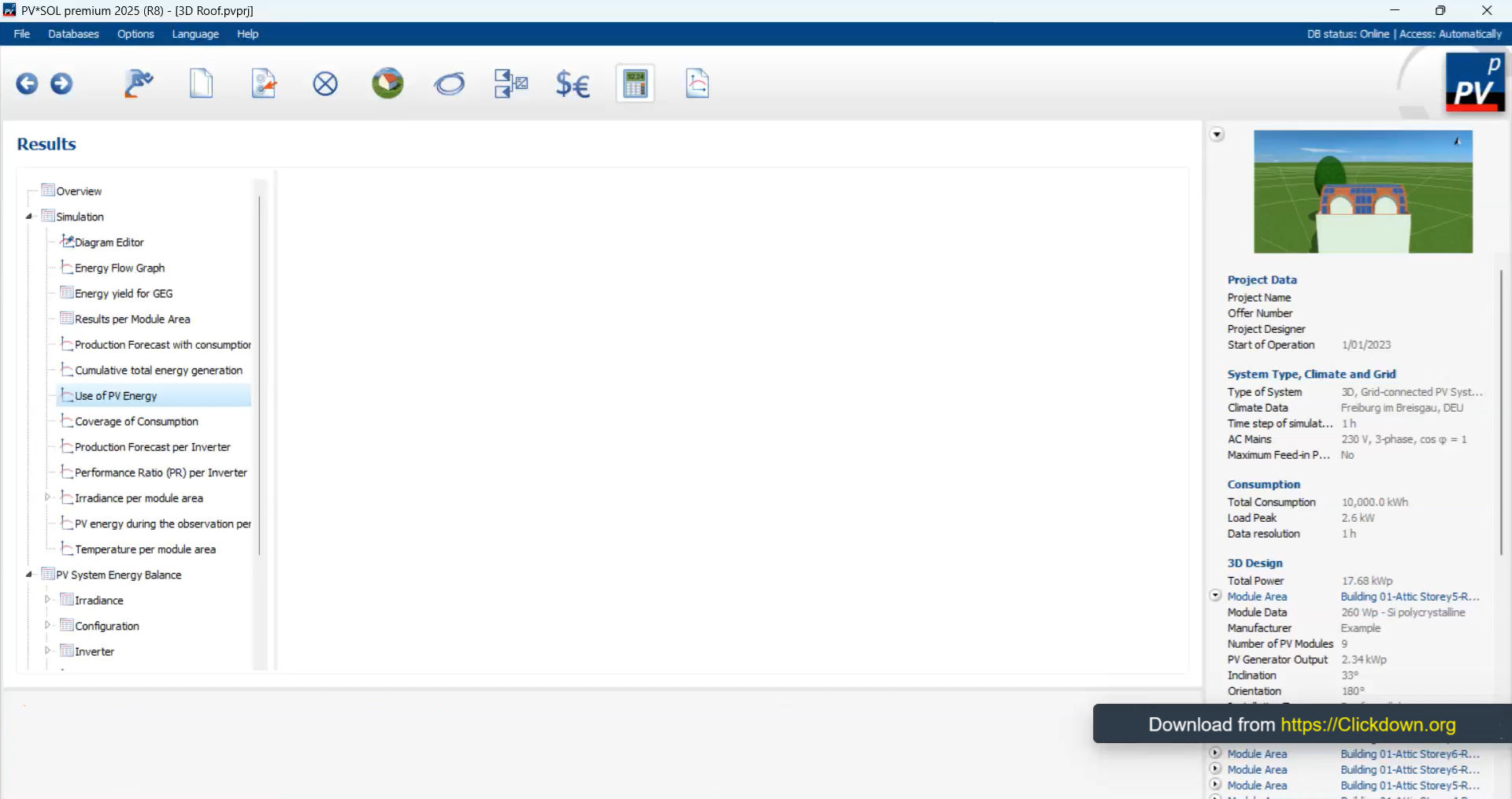
PV*SOL premium 2025 R8 continues to refine the major 2025 features and incremental improvements from R6 and R7. With user-based licensing, export/import integration with Renusol, enhanced energy visualization, and simulation accuracy, this release is geared towards engineers, EPCs, and solar investors who require precision, financial detail, and robust reports.

📌 About PV*SOL premium 2025 R8

This is the latest minor update (R8) released following the major 2025 launch. It refines key features introduced in earlier R6 and R7 releases in 2025.

🎯 Why Choose PV*SOL premium 2025 R8?

Professional-grade simulation precision via hourly yield modeling, module/inverter clipping, and high-fidelity shading analysis.
Streamlined high-quality reporting: dynamic Sankey diagram, customizable CSV exports, export of user data profiles—all ideal for stakeholders and financing workflows.
Modern license flexibility: trade perpetual device-bound licenses for flexible usage across your own devices.
Improved interoperability with structural/back‑framing planning via Renusol. Integration reduces manual reentry and speeds workflow.

🚧 Considerations
Windows only: no native macOS or Linux support. Use virtualization if necessary.
Steep learning curve: interface complexity and detailed configuration options require initial training (~5‑10 hours).
Resource-intensive for large projects: Simulation of large arrays (>7,000 modules) may slow down without high RAM/GPU systems.
Cost structure: premium licensing and maintenance fees remain significant compared to browser-based or freemium alternatives.

If you want to download Valentin PVSOL premium 2025 R8 full license, please click to DOWNLOAD symbol and complete check out a little help my website is maintained. The download link is appeared automatically after you complete check out.
CLICKDOWN.ORG Download CAD CAM CNC software
Inside package Valentin PVSOL premium 2025 R8, already have cracked’s files and instruction how to install Valentin PVSOL premium 2025 R8 step by step. I guarantee you can install Valentin PVSOL premium 2025 R8 successfully if you follow that instruction.
If you also can’t install it or any problems, please contact to me by email: clickdown.org@gmail.com, then I will help you to install software by teamviewer or Ultraviewer or Anydesk.
Thanks a lot
SOFTWARES

Download Skyline TerraExplorer Pro 8.1.0 build 41223 full

Download Skyline TerraExplorer Pro 8.1.0 build 41223 full

Link download Skyline TerraExplorer Pro 8.1.0 build 41223 activated

Working with Skyline TerraExplorer Pro 8.1.0 build 41223 full

Description of Skyline TerraExplorer Pro 8.1.0 build 41223

Skyline TerraExplorer Pro 8.1.0 build 41223 is Skyline’s flagship desktop 3D GIS application for interactive visualization, terrain analysis, content creation, and publishing. Designed for professional-grade work, it enables users to overlay multiple datasets, model geospatial environments, analyze terrain, create presentations, and syndicate projects to web or mobile platforms.

🔧 Key Features in Skyline TerraExplorer Pro 8.1.0 build 41223

Visualization & Navigation
Combine unlimited map layers, 3D objects, and virtual elements for high-resolution geospatial environments.

Multiple navigation modes: free flight, predefined flight paths, GPS tracking, geocoding/georeverse, even underground navigation.

Terrain Analysis Tools
Measure and analyze terrain features with tools like distance, area, volume, contour lines, terrain profiles, and slope.

Visual Exposure Analysis
Evaluate visibility using 2D and 3D viewshed, viewshed queries, line-of-sight, viewshed along a route, and threat dome tools.

Creation & Content Integration
Import and overlay a wide variety of spatial data:

Terrain, imagery, GIS feature layers, and urban model layers

Formats including WFS/WFS‑T, DAE, 3DS, FBX, FLT, WMS/WMTS, TIFF, JPEG, MrSID, ECW, Shapefile, KML/KMZ, SQLite.

Editing Capabilities
Edit spatial features using queries, geometry modification, attribute editing, and feature addition or removal. Changes can be saved back to the source or exported as new files.

Presentation & Sharing
Produce guided visual presentations with custom flight routes.

Collaborate via remote guided tours.

Publish projects for consumption via web browsers, standalone desktop packages, or Skyline mobile apps.

Visual Effects & Realism
Enhance realism with dynamic sunlight and shadows, animated objects, and embedded video-on-terrain overlays.

✅ Why TerraExplorer Pro 8.1.0?

Professional users get full feature access—from editing, modeling, and analysis to publishing and collaboration.

A robust platform for urban planning, environmental assessment, asset inspection, or defense mapping workflows.

Seamless integration with Skyline’s PhotoMesh, SkylineGlobe Server, and mobile/web tools streamlines 3D GIS pipelines.

If you want to download Skyline TerraExplorer Pro 8.1.0 build 41223 full license, please click to DOWNLOAD symbol and complete check out a little help my website is maintained. The download link is appeared automatically after you complete check out.
CLICKDOWN.ORG Download CAD CAM CNC software
Inside package Skyline TerraExplorer Pro 8.1.0 build 41223, already have cracked’s files and instruction how to install Skyline TerraExplorer Pro 8.1.0 build 41223 step by step. I guarantee you can install Skyline TerraExplorer Pro 8.1.0 build 41223 successfully if you follow that instruction.
If you also can’t install it or any problems, please contact to me by email: clickdown.org@gmail.com, then I will help you to install software by teamviewer or Ultraviewer or Anydesk.
Thanks a lot
SOFTWARES

Download Skyline PhotoMesh – PhotoMesh Fuser 8.0.2 build 41012

Download Skyline PhotoMesh – PhotoMesh Fuser 8.0.2 build 41012

Link download Skyline PhotoMesh – PhotoMesh Fuser 8.0.2 build 41012

Working with Skyline PhotoMesh - PhotoMesh Fuser v8.0.2 build 41012

Descriotion of Skyline PhotoMesh – PhotoMesh Fuser v8.0.2 build 41012

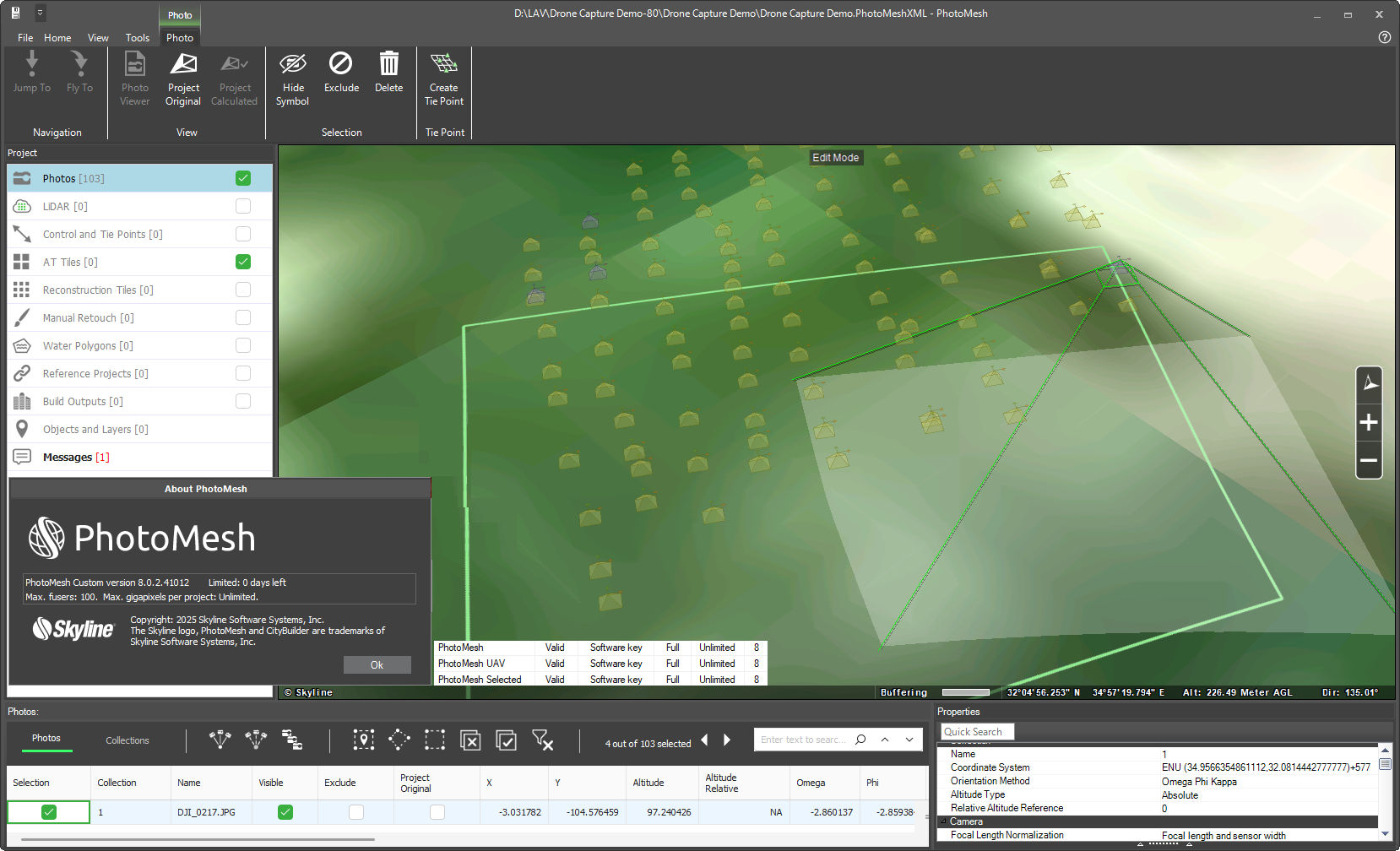
Skyline PhotoMesh – PhotoMesh Fuser v8.0.2 build 41012 is a scalable, automated photogrammetry solution that turns standard aerial, drone, ground, or video imagery into highly detailed geospatial outputs like textured 3D meshes, orthophotos, point clouds, DSMs, and DTMs. It powers digital twins, urban mapping, infrastructure modelling, and asset inspection workflows

🔍 Core Features & Workflow of Skyline PhotoMesh – PhotoMesh Fuser v8.0.2 build 41012

1. Inputs & Project Setup

Accepts common photo formats (JPEG, TIFF, Phase One IIQ), video files (WMV, MP4), CSV/Excel lists, and LiDAR (LAS, LAZ, E57)

Import existing AT metadata (e.g. Inpho, VisionMap) for enhanced alignment accuracy

2. Building Process

PhotoMesh uses a tiled build mechanism and supports local, pool, or AWS fuser compute architectures to distribute processing across machines or cloud services

Build steps include aerotriangulation, point cloud generation, mesh construction, and texture mapping, all outputting in standard formats like OBJ, 3D Tiles, SLPK, 3DML, orthophoto, DSM, DTM, and LAS/LAZ

3. Quality & Automation Enhancements

Automatic GCP detection templates (e.g. checkerboard, cross) for streamlined control point marking

Data validation checks flag missing or inconsistent metadata before build

Support for “dynamic tiles” that float vertically for reconstruction of towers or facades

In‑build options like “remove moving cars” to exclude motion artifacts

Sophisticated viewer UI allowing toggling of feature matches, match quality, and mode changes like “Dim” mode to highlight feature markers

4. Output Quality & Reporting

High-fidelity textured meshes optimized to reduce size without compromising quality

Output colorized point clouds based on photo correlation count

Quality Report (PDF) includes accuracy stats, level-of-detail analysis, mesh warnings, and other diagnostic graphics

🚀 Performance & Scalability

Designed for city-scale or infrastructure-level mapping projects

Handles projects with hundreds of thousands of images via tiling and distributed fuser pools

Efficient parallel processing using multi-core CPUs, GPUs, and optionally point‑to‑cloud clusters or cloud instances for large-scale builds

🧭 Workflow Summary
Acquire imagery with good overlap and metadata

Start a PhotoMesh project, import photos/LiDAR/videos

Run data validation, configure control points, water bodies, preview AT area

Configure fusers (local pool or AWS) for project acceleration

Execute build, reviewing tiles as they complete—AT, point cloud, mesh, texture

Review outputs in the 3D window, retouch or rebuild individual tiles as needed

Export outputs to formats compatible with GIS tools or Skyline platforms

✅ Why Choose PhotoMesh?

Scalable architecture: Handles small projects with a single desktop or major builds across hundreds of machines or AWS fusers

High output quality: Survey-grade aerotriangulation, photorealistic textures, clean models even in noisy or diverse terrains

Broad interoperability: Supports GIS-standard formats and 3D Tiles optimized for consumption in TerraExplorer, Cesium, Esri and more

Automation & control: REST API support, configurable build presets, and data validation ensure repeatable and reliable workflows

Usability: Intuitive GUI with wizards, preview features, and retouch tools reduce entry barriers and speed up iterations

If you want to download Skyline PhotoMesh – PhotoMesh Fuser 8.0.2 build 41012 full license, please click to DOWNLOAD symbol and complete check out a little help my website is maintained. The download link is appeared automatically after you complete check out.
CLICKDOWN.ORG Download CAD CAM CNC software
Inside package Skyline PhotoMesh – PhotoMesh Fuser 8.0.2 build 41012, already have cracked’s files and instruction how to install Skyline PhotoMesh – PhotoMesh Fuser 8.0.2 build 41012 step by step. I guarantee you can install Skyline PhotoMesh – PhotoMesh Fuser 8.0.2 build 41012 successfully if you follow that instruction.
If you also can’t install it or any problems, please contact to me by email: clickdown.org@gmail.com, then I will help you to install software by teamviewer or Ultraviewer or Anydesk.
Thanks a lot
SOFTWARES

Download Hydrology Studio Suite 2025 v3.0.0.38 full license

Download Hydrology Studio Suite 2025 v3.0.0.38 full license

Link download Hydrology Studio Suite 2025 v3.0.0.38 full crack

Working with Hydrology Studio Suite 2025 v3.0.0.38 full

Description of Hydrology Studio Suite 2025 v3.0.0.38

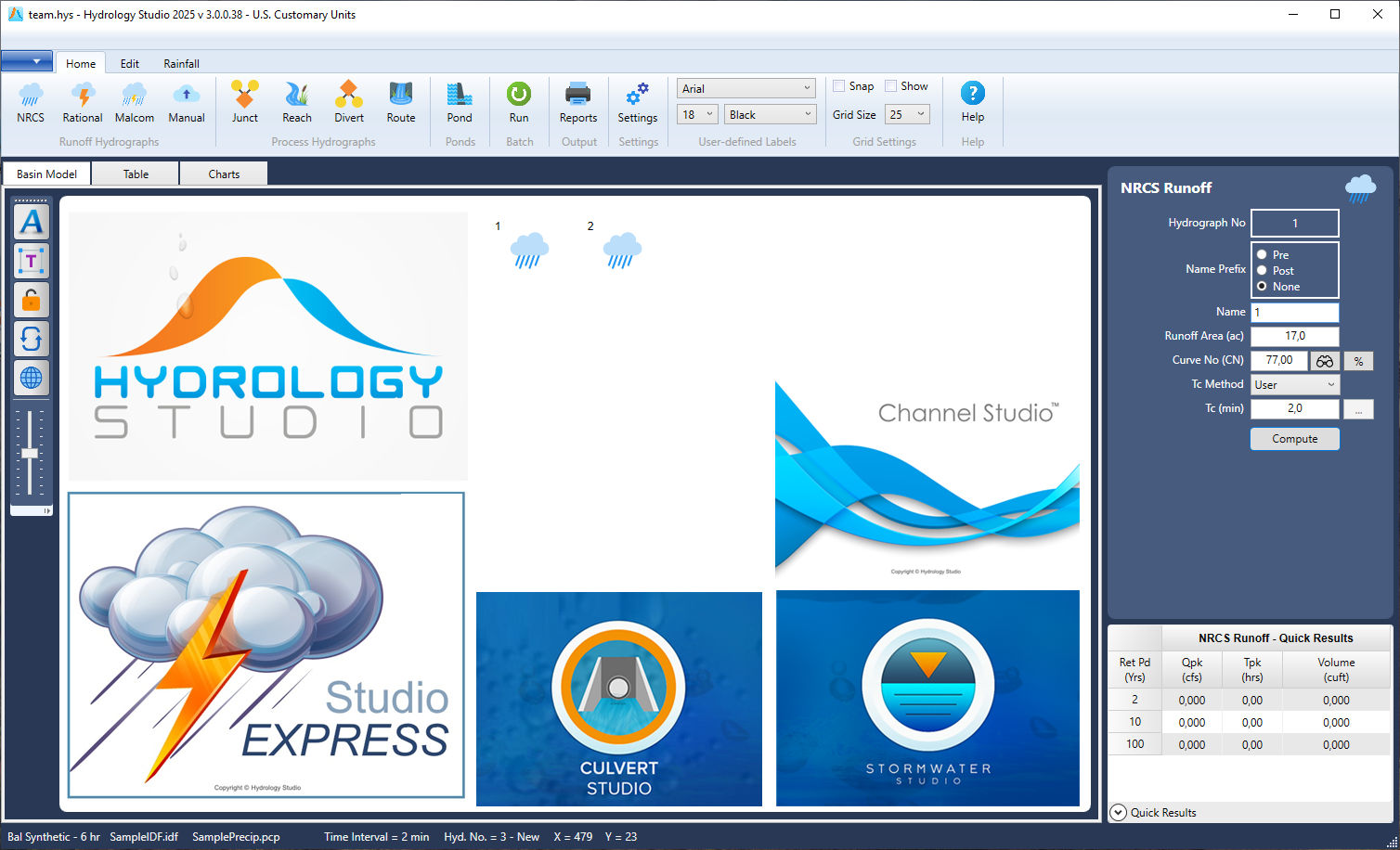
Hydrology Studio Suite 2025 v3.0.0.38 is a comprehensive desktop software bundle (Windows-based) that combines five powerful modules tailored to civil and environmental engineers. It delivers consistent workflows, professional reports, and agency‑ready designs at a lower price compared to individual licenses.

📦 Included Modules
Culvert Studio v2.0.0.27
Channel Studio v2.0.0.30
Hydrology Studio v3.0.0.38
Stormwater Studio v3.0.0.38
Studio Express v1.0.0.18

Hydrology Studio — Detention pond and watershed modeling using NRCS TR‑20/TR‑55, Rational, Modified Rational, and the recently added Malcolm Small method. Supports detailed hydrograph routing, synthetic storms, multi-stage outlets, and multiple return periods.

Stormwater Studio
— Storm sewer system design with HEC‑22 inlet libraries, energy-based hydraulic grade line (HGL) computation, graphic-rich surface and profile plots, and seamless import/export with Civil 3D.

Culvert Studio — Models single and multi-barrel culverts of various shapes, inlet configurations, and overtopping scenarios.

Channel Studio — Open‑channel hydraulic modeling including water surface profiles, bridge scour, inline weirs, and HEC‑RAS GIS file import.

Studio Express — A lightweight tool for rapid calculations on pipes, channels, detention sizing, hydrographs, weirs, orifices, and storage—all in one interface.

🎯 Who It’s Best For

Civil/environmental engineers working on stormwater infrastructure design.

Teams needing consistent, accurate, and agency-compliant hydraulic reports.

Firms seeking lower total cost via bundled licensing.

Projects relying on multi-return period analyses, detention pond operations, sewer networks, or culvert/channel hydraulics.

If you want to download Hydrology Studio Suite 2025 v3.0.0.38 full license, please click to DOWNLOAD symbol and complete check out a little help my website is maintained. The download link is appeared automatically after you complete check out.
CLICKDOWN.ORG Download CAD CAM CNC software
Inside package Hydrology Studio Suite 2025 v3.0.0.38, already have cracked’s files and instruction how to install Hydrology Studio Suite 2025 v3.0.0.38 step by step. I guarantee you can install Hydrology Studio Suite 2025 v3.0.0.38 successfully if you follow that instruction.
If you also can’t install it or any problems, please contact to me by email: clickdown.org@gmail.com, then I will help you to install software by teamviewer or Ultraviewer or Anydesk.
Thanks a lot

SOFTWARES

Download Skyline SkylineGlobe Server 8.2.1 build 50720 full

Download Skyline SkylineGlobe Server 8.2.1 build 50720 full

Link download Skyline SkylineGlobe Server 8.2.1 full activated

Working with Skyline SkylineGlobe Server 8.2.1 build 50720 full

Description of Skyline SkylineGlobe Server 8.2.1

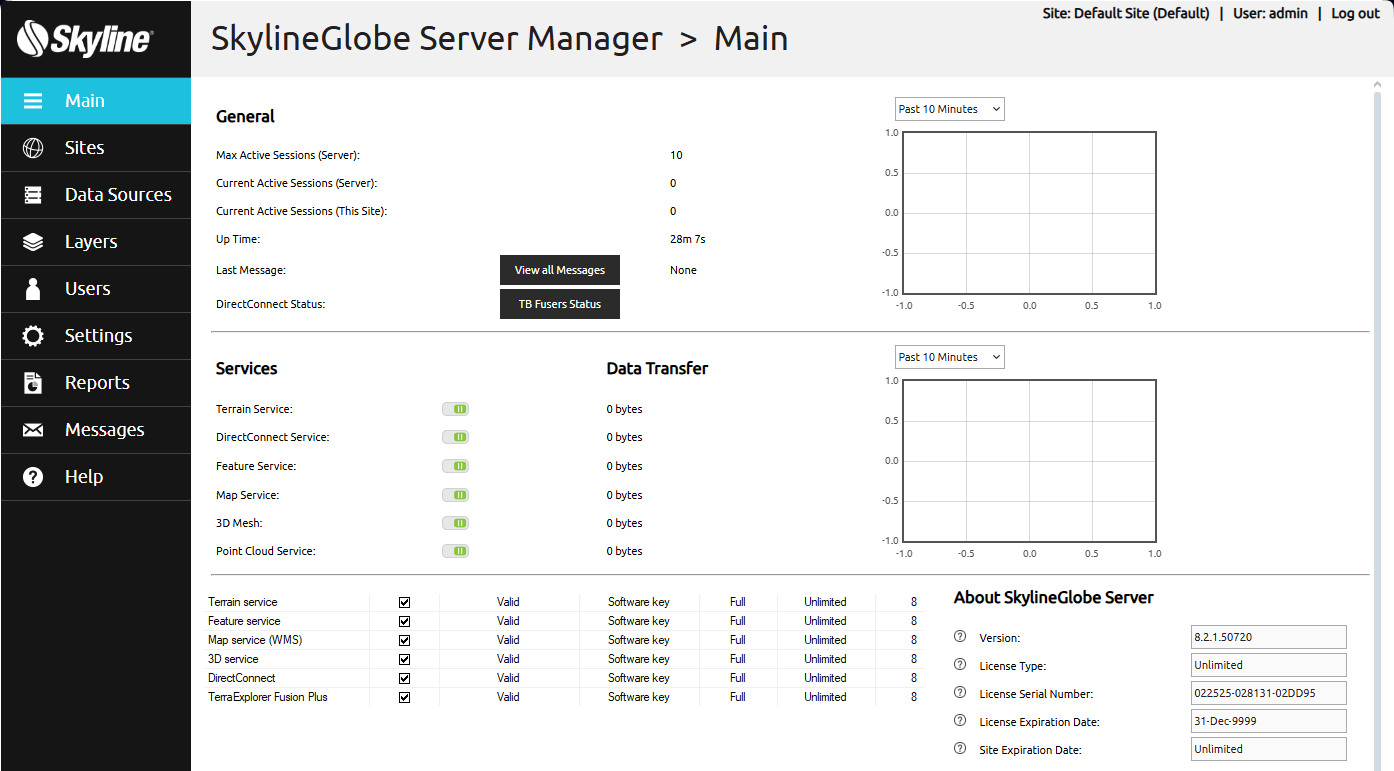
SkylineGlobe Server (SGS) is a private-cloud solution designed to reliably publish, store, manage, and stream 2D and 3D spatial data. It powers workflows across TerraExplorer Desktop, Fusion (Web), Mobile, and compatible third-party geospatial applications like QGIS, Esri, Cesium, and ATAK/WinTAK

🔹 Key Enhancements in Skyline SkylineGlobe Server 8.2.1

1. Stability, Bug Fixes & Installation Improvements
Fixed an issue blocking fresh installations on clean machines.

Upgrading from version 8.1.0 now works reliably even if the latest Visual C++ Redistributable isn’t installed. SGS now initializes correctly after upgrade
Improved support for 4K displays: pointer sensitivity adjusted, tooltips are positioned correctly.
TerraExplorer Fusion properly identifies touch-enabled laptops/PCs and avoids incorrect mobile mode fallback.

Solved rendering issue involving Google 3D Tiles within projects.

Removed misleading error message when creating a viewshed preview

2. Database & Reporting
Introduced a Database Upgrade Tool to streamline catalog migrations across SGS versions.

Optimized database structure for reports and messaging to improve responsiveness and lower system load

3. Security Improvements
Added SSL support for PostgreSQL backend connections, enabling encrypted database communications.

Introduced API access tokens—users can attach tokens to each network request for enhanced security

4. Performance & Interoperability
Faster handling of large photo uploads via the Photo Inspector tool.

WMTS support for ATAK/WinTAK tactical applications now enabled, allowing Lat/Lon globe layer streaming.

Enhanced mobile access: TerraExplorer Fusion now lets mobile users reach login and layer-loading pages more smoothly

5. Mobile Device Support (via TerraExplorer Fusion v8.2.1)
Full support for Android and iOS, bringing robust 3D viewing and analysis to smartphones and tablets.

Mobile GUI redesign ensures intuitiveness and responsiveness.

Most Viewer and Plus version features are available on mobile—except viewshed analysis, volume measurement, and environment settings.

GPS-based “My Location” feature enables quick zoom to your current location.

Localization now includes: English, French, German, Korean, Hebrew, Norwegian, Spanish, Japanese, and Traditional Chinese

6. Viewshed Query Enhancements
Increased maximum query range up to 8 km (5 miles) with maintained visibility accuracy.

New click-to-view line-of-sight capability lets users click any result point to visualize the specific vantage from the observer location

7. Developer Tools & Customization

Expanded REST API/URL options, enabling more automation and integration flexibility.

Added an interactive tutorial to help developers quickly integrate TerraExplorer Fusion features.

New customization options: add startup scripts, custom UI via CSS/JavaScript, and more

If you want to download Skyline SkylineGlobe Server 8.2.1 full license, please click to DOWNLOAD symbol and complete check out a little help my website is maintained. The download link is appeared automatically after you complete check out.
CLICKDOWN.ORG Download CAD CAM CNC software
Inside package Skyline SkylineGlobe Server 8.2.1, already have cracked’s files and instruction how to install Skyline SkylineGlobe Server 8.2.1 step by step. I guarantee you can install Skyline SkylineGlobe Server 8.2.1 successfully if you follow that instruction.
If you also can’t install it or any problems, please contact to me by email: clickdown.org@gmail.com, then I will help you to install software by teamviewer or Ultraviewer or Anydesk.
Thanks a lot

SOFTWARES

Download JangaFX GeoGen 0.5.0 x64 full activated

Download JangaFX GeoGen 0.5.0 x64 full activated

Link download JangaFX GeoGen 0.5.0 win64 full activated

Working with JangaFX GeoGen 0.5.0 full activated

Description of JangaFX GeoGen 0.5.0

JangaFX GeoGen 0.5.0 is a real-time procedural terrain creation tool developed by JangaFX, the same team behind EmberGen (for volumetric fire/smoke) and LiquiGen (for fluid simulation). GeoGen is currently in beta and designed to allow artists to create complex terrain assets interactively and quickly.

🔧 Key Features of JangaFX GeoGen 0.5.0

1. Real-Time Procedural Terrain Generation

Create, edit, and visualize terrain in real time using a node-based workflow.

Instantly see the effects of erosion, noise layers, blending, and terrain shaping.

2. Non-Destructive Workflow

Use nodes for heightmap manipulation, texture blending, erosion simulation, and biome design.

Easily tweak any step in the pipeline without losing work.

3. Advanced Erosion Simulation

Simulate realistic hydraulic and thermal erosion processes for lifelike terrain features like valleys, rivers, and sediment flow.

4. Multi-Resolution Output

Export high-resolution heightmaps, normal maps, masks, and mesh geometry suitable for integration into Unity, Unreal Engine, or custom engines.

5. Cross-Compatible with JangaFX Tools

Designed to work alongside EmberGen and LiquiGen for a full-featured real-time VFX and world-building pipeline.

6. Real-Time Preview

View terrain in 3D with lighting, texture preview, and water bodies, all rendered in real time using GPU acceleration.

If you want to download JangaFX GeoGen 0.5.0 full license, please click to DOWNLOAD symbol and complete check out a little help my website is maintained. The download link is appeared automatically after you complete check out.
CLICKDOWN.ORG Download CAD CAM CNC software
Inside package JangaFX GeoGen 0.5.0, already have cracked’s files and instruction how to install JangaFX GeoGen 0.5.0 step by step. I guarantee you can install JangaFX GeoGen 0.5.0 successfully if you follow that instruction.
If you also can’t install it or any problems, please contact to me by email: clickdown.org@gmail.com, then I will help you to install software by teamviewer or Ultraviewer or Anydesk.
Thanks a lot

SOFTWARES

Download Adobe Photoshop 2025 v26.9.0 x64 full license

Download Adobe Photoshop 2025 v26.9.0 x64 full license

Link download Adobe Photoshop 2025 v26.9.0 win64 full activated

Working with Adobe Photoshop 2025 v26.9.0 full license
Interface language: Multilingual

Description of Adobe Photoshop 2025 v26.9.0

Adobe Photoshop 2025 v26.9.0 is the latest release of Adobe’s industry-leading image editing software, designed for professional photographers, designers, digital artists, and creatives. This version builds on the AI-powered enhancements introduced in previous updates, offering new features, performance improvements, and workflow enhancements.

🔍 Key Features of Adobe Photoshop 2025 v26.9.0

1. Adobe Firefly Integration (Advanced AI Tools) (require account in adobe)

Seamless integration with Adobe Firefly for text-to-image generation, generative fill, and object expansion.

Generative Remove: Instantly erase unwanted elements with near-perfect context-aware AI filling.

Improved Generative Expand to seamlessly enlarge images with AI-generated background content.

2. Live Collaboration & Cloud Editing

Enhanced cloud document support, allowing real-time collaboration and version tracking.

Simultaneous editing by multiple team members.

Smart sync across devices and Adobe Creative Cloud apps.

3. Performance & UI Enhancements

Faster startup and improved performance on Apple Silicon (M1/M2/M3) and Windows ARM devices.

Customizable toolbar and intuitive contextual taskbars for easier access to tools based on workflow.

Enhanced support for HDR displays and expanded color management options.

4. 3D and AI-Powered Design Tools

Reintroduction of basic 3D tools with Firefly-driven enhancements.

AI-powered pattern generation, object replacement, and style transfer features.

Automatic depth mapping and lighting estimation.

5. Smarter Selection & Masking Tools

AI-enhanced Select Subject and Select Sky with better edge detection, hair refinement, and transparency.

Improved Remove Tool, now supports batch processing and works better with complex backgrounds.

6. Mobile & Web Photoshop Enhancements

Expanded feature set in Photoshop on the Web, including Generative Fill, layers, and advanced retouching.

iPad version now supports smart objects, curves, and more filters.

If you want to download Adobe Photoshop 2025 v26.9.0 full license, please click to DOWNLOAD symbol and complete check out a little help my website is maintained. The download link is appeared automatically after you complete check out.
CLICKDOWN.ORG Download CAD CAM CNC software
Inside package Adobe Photoshop 2025 v26.9.0, already have cracked’s files and instruction how to install Adobe Photoshop 2025 v26.9.0 step by step. I guarantee you can install Adobe Photoshop 2025 v26.9.0 successfully if you follow that instruction.
If you also can’t install it or any problems, please contact to me by email: clickdown.org@gmail.com, then I will help you to install software by teamviewer or Ultraviewer or Anydesk.
Thanks a lot

SOFTWARES

Download KISSsoft 2025 SP1 v25.0.0.1 x64 full license

Download KISSsoft 2025 SP1 v25.0.0.1 x64 full license

Link download KISSsoft 2025 SP1 v25.0.0.1 win64 full activated

Working with KISSsoft 2025 SP1 v25.0.0.1 full license
System requirement: windows 10, 11 with security before 7/2025

Description of KISSsoft 2025 SP1 v25.0.0.1

KISSsoft 2025 SP1 v25.0.0.1 is a comprehensive update of the mechanical engineering design and analysis software, primarily used for the calculation of gears, shafts, bearings, and complete power transmission systems. This release introduces new modules, refined workflows, and enhanced CAD integrations to support the evolving needs of mechanical designers.

🔍 KISSsoft 2025 SP1 – Key Updates & Enhancements

▸ General Improvements
Gear facewidth correction in the 3D viewer: face width now displayed correctly for multi‑mesh gearsets
Operating temperature impact on gear safety now properly factored into endurance and yield limit calculations
“Save” button added to all data representation tables for easier exportability
User-defined material data for snap rings is now retained properly
Resistance limit (σFlim) for Delrin 100 updated, based on accurate experimental data from Delrin 100 CPE
▸ System Module & 3D Viewer
Improved automatic zoom behavior in the sketcher for floating tabs
DEL key now deletes selected group views in the sketcher
Fixed cases where 3D shaft‑elements would disappear in editing mode
Enhanced visibility of planet bearings in 3D views
Power loss table size display improved for better readability
▸ Sketcher & Annotations
Individually controllable annotation visibility within the sketcher environment
▸ Housing Deformation & Dynamics
Iterative updates for shaft calculations in housing deformation scenarios improved
(Campbell Diagram) UI and graphics property list can now be controlled independently—greater flexibility in eigenfrequency analysis
▸ Forced Response & Shaft Analysis
3D deformation computed correctly across all excitation frequencies
Bearing force outputs for carrier shafts are now present in forced response analysis
Shaft damping effects refined: for certain dynamic cases only torsional damping is considered
Idle gear pairs no longer disrupt active-pair forced response results
▸ Shaft Module
Forced response curves can now be saved when using “Reference position” in the shaft module
Diametral pitch switching works properly when changing units between metric and imperial
Radio buttons for selecting tooth thickness allowance restored
Re‑enabled ability to set driving gear for beveloid, face, bevel, worm, and crossed helical gears
▸ Cylindrical & Crossed Helical Gear Enhancements
Wöhler curve graphics corrected when SN curves are sourced from DAT files (calculations unaffected)
Backlash calculation now properly accounts for actual tooth form modifications, including flank line adjustments
Improved accuracy for dFf and dFa when using pinion type cutter
Conversion dialog for haP0/hfP0 corrected for pinion type cutters; tip diameter calculation based on topping pinions fixed
Enhanced algorithm for time‑optimized hob selection, adjusting step size by diameter
Tab tooth form profile shift now correctly calculated in pre‑machining operations
▸ Bevel Gears & CAD Interfaces
EPG export to GEMS restored for nominal calculations
Correct warning for ZKP factor when user‑defined
Meshing power loss refined when reference gear ≠ driving gear in crossed helical gears
▸ Shafts, Bearings & Connections
3D animation in shaft calculations now appears correctly when launched from the system module
Access to shaft element parameters via scripting or COM interface expanded through Meta functions
Fixed free cross-section input for tip and root diameters
Speed arrows now visible in shaft 3D views
For small-speed load spectrum cases, variable amplitude factor KBK is set to 1—not zero—to yield valid safety factors
Support stiffness flag retains correct state when switching elements
▸ Bearings & Pressure Curves
Accurate color bar legends in 3D bearing pressure graphics
Pressure curve graphs for roller bearings now differentiate rollers by color/line-style
Rolling bearings with zero rpm in a spectrum now correctly set to 0.0001 rpm, not mis-assigned to speed ratio
Sizing clearance calculation now properly accounts for oil outlet temperature across methods
▸ Shaft‑Hub & Bolt Features
Corner distance h calculation improved when abutment edges are not sharp
Correct diametral measurement over pins reinstated for actual values
Groove load capacity FN′ now calculated correctly per Seeger catalogue rules (p factor, t′/t ratio)
Bolt mounting force/torque with operating temperature input now references mounting temp, not operating temp, for correct utilization
Tolerance order of 7H/8H for D1max corrected in database
▸ FEM Calculations
2D root stress results display improved; slight numeric differences may occur vs earlier versions
3D root stress FEM robustness enhanced, potentially altering outcomes compared to earlier runs
Contact force application and mesher reliability for 3D FEM models improved for greater simulation accuracy
▸ Scripting & Data Exchange
Support for array literals in scripts: e.g. number[][] array = [[0,1,2],[2,3,4]]
Floating script editor now updates automatically
STEP export of shaft systems with worm gears oriented correctly
CAD Interfaces:
New support: Autodesk Inventor 2026 interface
SolidWorks rack generation interface fixed
Right‑handed helical gears in NX now generated as expected
GDE import/export now supports modifications for tip/root relief, crowning, helix/pressure angle tweaks etc. in versions 3.1–3.3

KISSsoft 2025 SP1 v25.0.0.1 is chiefly a maintenance and polish update, resolving minor bugs and improving accuracy, usability, and data exchange across modules. If you’re using any gear, shaft, bearing, CAD, or scripting features in KISSsoft 2025 SP1 v25.0.0.1 ensures more reliable results and smoother workflows.

If you want to download KISSsoft 2025 SP1 v25.0.0.1 full license, please click to DOWNLOAD symbol and complete check out a little help my website is maintained. The download link is appeared automatically after you complete check out.
CLICKDOWN.ORG Download CAD CAM CNC software
Inside package KISSsoft 2025 SP1 v25.0.0.1, already have cracked’s files and instruction how to install KISSsoft 2025 SP1 v25.0.0.1 step by step. I guarantee you can install KISSsoft 2025 SP1 v25.0.0.1 successfully if you follow that instruction.
If you also can’t install it or any problems, please contact to me by email: clickdown.org@gmail.com, then I will help you to install software by teamviewer or Ultraviewer or Anydesk.
Thanks a lot

SOFTWARES

Download Maxon Cinema 4D Studio 2025.3.2 x64 full license

Download Maxon Cinema 4D Studio 2025.3.2 x64 full license

Link download Maxon Cinema 4D Studio 2025.3.2 win64 full activated

Working with Maxon Cinema 4D Studio 2025.3.2 full license

Description of Maxon Cinema 4D Studio 2025.3.2

Maxon Cinema 4D Studio 2025.3.2 is Maxon’s flagship edition—the most complete version—tailored for professionals doing advanced 3D modeling, animation, motion graphics, VFX, character and physics simulations, and network rendering

🌟 Core Highlights & Performance
Redshift GPU Renderer Included: Redshift fully integrated into every Cinema 4D subscription—no separate purchase needed—enabling high-speed creative rendering on GPU or CPU
Highly Customizable Interface: The UI is polished and flexible with tabbed project workflows, layout presets, and easy workspace switching—though changes are more evolutionary than radical in this release
Scene Performance Profiling: Built-in profiling tools help diagnose bottlenecks quickly by showing how much time each scene element takes to process

🧱 Modeling, Procedural & Animation Enhancements
Procedural Modeling & Animation: Improved Field Driver tag enables animation control via fields and vertex maps. Rocket Lasso Spline Modifier Capsules (e.g., Electric Spline, Constellations, fabric generators) are now built-in
Expanded Particle Simulation: Cinema 4D 2025 includes robust particle tools with manipulator-based control and advanced emitter options

💧 Cutting-Edge Simulation: Version 2025.3
GPU‑Accelerated Liquid Simulation: The standout feature of 2025.3—particles can now be turned into realistic liquids via the Liquify modifier and Liquid Fill emitter, with a Liquid Mesher to generate refined surfaces
UDIM & Texel Density Support: UV workflows improved with infinite UV grid, precise tile coordinates, texel density tools, and seamless UDIM packing
AI Search in Asset Browser: Local AI-powered search lets you find assets using keywords, images, or viewport content—with no data sent externally
Laubwerk Plant Integration: Native support for Laubwerk plant assets streamlines vegetation workflows

🛠 Workflow & Stability Improvements
Cinema 4D 2025.2 and 2025.3 introduce many enhancements and bug fixes focused on usability and precision—Maxon’s mission for reliability and efficiency continues in each update cycle
2025.3.1 and 2025.3.2 ensure backward compatibility with older plugins and simplify installation by replacing previous builds, easing migration and version management

🧠 Final Thoughts
Cinema 4D Studio 2025 builds on Maxon’s legacy of speed, stability, and usability. While the UI shift is elegant and the additions are incremental, the major leaps are in simulations (especially liquid), procedural workflows, and rendering performance.

If you want to download Maxon Cinema 4D Studio 2025.3.2 full license, please click to DOWNLOAD symbol and complete check out a little help my website is maintained. The download link is appeared automatically after you complete check out.
CLICKDOWN.ORG Download CAD CAM CNC software
Inside package Maxon Cinema 4D Studio 2025.3.2, already have cracked’s files and instruction how to install Maxon Cinema 4D Studio 2025.3.2 step by step. I guarantee you can install Maxon Cinema 4D Studio 2025.3.2 successfully if you follow that instruction.
If you also can’t install it or any problems, please contact to me by email: clickdown.org@gmail.com, then I will help you to install software by teamviewer or Ultraviewer or Anydesk.
Thanks a lot
SOFTWARES

Download GRAPHISOFT ArchiCAD 29.0.0.2001 x64 full license

Download GRAPHISOFT ArchiCAD 29.0.0.2001 x64 full license

Link download GRAPHISOFT ArchiCAD 29.0.0.2001 win64 full activated

Working with GRAPHISOFT ArchiCAD 29.0.0.2001 full license

Description of GRAPHISOFT ArchiCAD 29.0.0.2001

GRAPHISOFT ArchiCAD 29.0.0.2001 is a leading Building Information Modeling (BIM) software developed by Graphisoft, designed primarily for architects, urban planners, and designers. It’s known for enabling both 2D drafting and 3D modeling within a single integrated workflow, making it a powerful tool for designing, documenting, and visualizing architectural projects from concept to construction.

✨ Expected Features & Enhancements
As of now, detailed official feature descriptions are pending. However, based on Graphisoft’s roadmap and previous cycles, ArchiCAD 29 is expected to include:
Augmented AI-driven tools, such as cloud‑based AI functionalities integrated within the application (similar to AI Visualizer in ArchiCAD 28 TP)
Continued improvements to parametric modeling, performance, and large‑model handling.

Enhanced collaboration workflows and deeper Open BIM interoperability (e.g. updated IFC/BCF formats, better Revit/exchange support)

Advances in documentation and publishing workflows, including enhancements to BIMx export and lifecycle assessment functions (per ArchiCAD 28 history and roadmap continuation)

🔎 What GRAPHISOFT ArchiCAD 29.0 Is (General Overview)
ArchiCAD (now in its 29th generation) is Graphisoft’s flagship BIM (Building Information Modeling) software, available on Windows and macOS
Some key strengths:
Smart parametric objects (walls, slabs, doors, windows, furniture etc.) and seamless creation of 2D and 3D views — plans, elevations, sections — all derived from a single virtual model
Built‑in teamwork and collaboration infrastructure, including BIMcloud, enabling real‑time remote multi‑user editing, versioning, and model coordination across disciplines
Integration with Grasshopper for visual programming and algorithmic design workflows
Full open‑standards support including DWG, DXF, IFC, BCF, and exports to BIMx for on‑site/mobile presentation
High marks for usability: intuitive workspace, smooth navigation, strong rendering, expression-based property logic, façade tools, and overall workflow efficiency

If you want to download GRAPHISOFT ArchiCAD 29.0.0.2001 full license, please click to DOWNLOAD symbol and complete check out a little help my website is maintained. The download link is appeared automatically after you complete check out.
CLICKDOWN.ORG Download CAD CAM CNC software
Inside package GRAPHISOFT ArchiCAD 29.0.0.2001, already have cracked’s files and instruction how to install GRAPHISOFT ArchiCAD 29.0.0.2001 step by step. I guarantee you can install GRAPHISOFT ArchiCAD 29.0.0.2001 successfully if you follow that instruction.
If you also can’t install it or any problems, please contact to me by email: clickdown.org@gmail.com, then I will help you to install software by teamviewer or Ultraviewer or Anydesk.
Thanks a lot

SOFTWARES

Download HydroCAD 10.20-7a full activated working forever

Download HydroCAD 10.20-7a full activated working forever

Link download HydroCAD 10.20-7a full license full

Working with HydroCAD 10.20-7a full activated

Description of HydroCAD 10.20‑7a

HydroCAD 10.20‑7a (release 7a) represented a major platform upgrade—the largest to date, adding a suite of advanced hydrology/hydraulics tools without sacrificing ease of use.

Core Capabilities of HydroCAD 10.20‑7a (release 7a)

Combines support for SCS/TR-20, TR-55 typical hydrograph, and SBUH (Santa Barbara Urban Hydrograph) methods within one interface
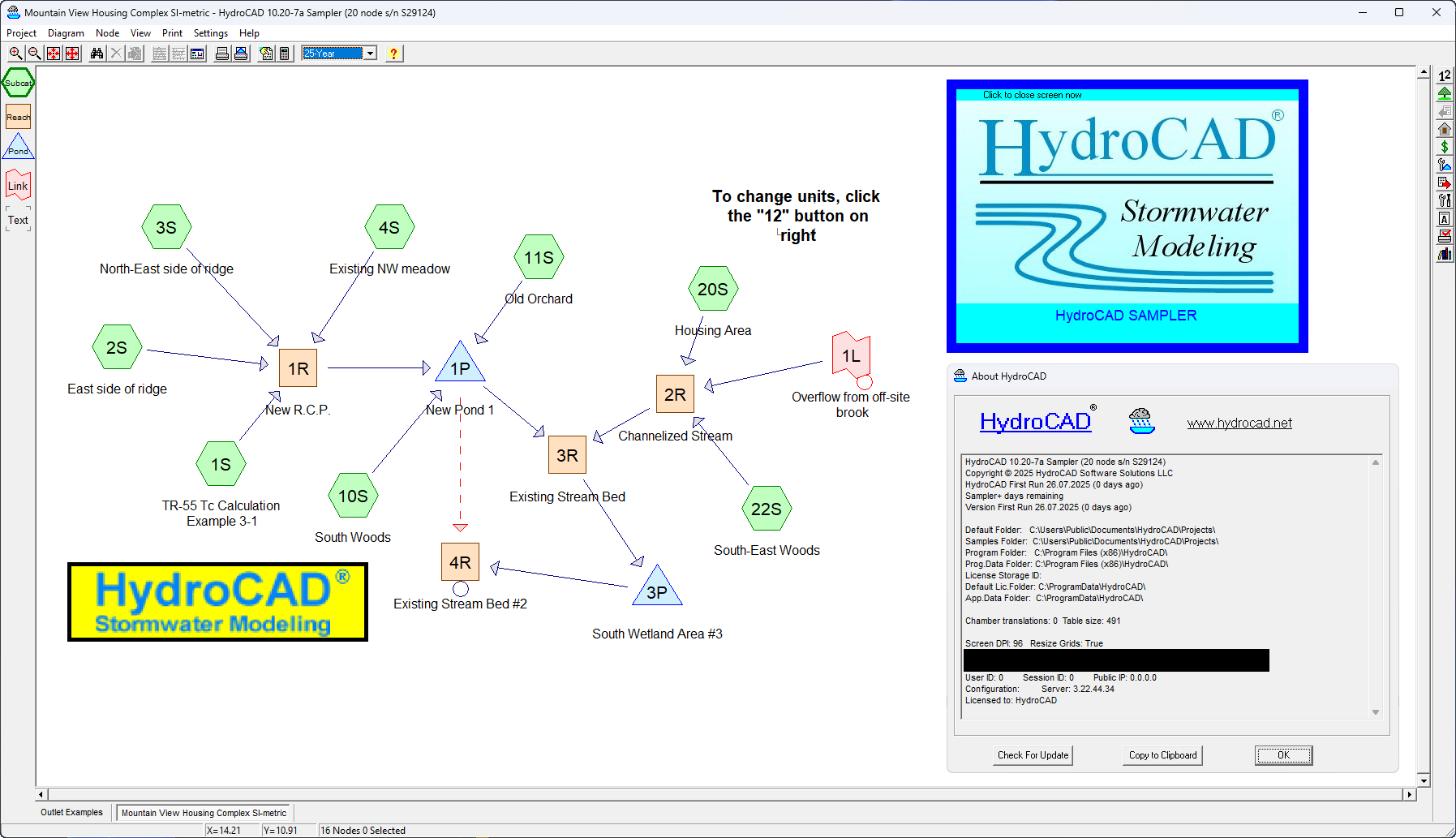
Provides on-screen routing diagrams—a visual schematic of subcatchments, reaches, ponds, and diversions facilitating quick edits and automatic recalculation

🛠️ Key New Features Introduced in HydroCAD 10.20‑7a

Rainfall & Hydrograph Enhancements:
Download or enter local NOAA, NRCC, and other rainfall data.
Generate synthetic rainfall distributions and create custom IDF and TR-20 files.
Built-in rainfall library with lookup events and an improved editor

CAD Integration & Watershed Data:
Direct import of subcatchment data from AutoCAD drawings—map soil groups, land use, image or CSV formats in one click

Outlet Device Options:
Expanded set of device types: siphons, tubes, float‑activated valves, skimmers, constant‑flow devices, asymmetrical weirs.
Feature to model progressive dam breach behavior based on time or hydraulic elevation

Storage Chamber & Pond Modeling:
Expanded chamber library; automatic layout including end-cap and header handling.
Automatic storage-side calculations with elevation-hydrograph linking, supporting embedded chambers and pond storage features

Reporting & Diagram Enhancements:
Enhanced node and routing reports.
Custom text/image nodes to annotate diagrams visually.
Arch pipe lookup tables and updated documentation support

🧠 What Else to Know
HydroCAD 10.1 and 10.2 built on this foundation through dozens of incremental builds—adding undo‑redo history, Tc procedures, new chambers and outlets, delay valves, and CAD support enhancements (e.g., BricsCAD imports)
Users report that HydroCAD 10 remained extremely stable and intuitive, with upgrades preserving workflow and output consistency

🎯 Practical Use Cases
HydroCAD 10.20‑7a (release 7a) is ideal for:
Standard hydrology modeling using SCS, TR‑20, TR‑55, or SBUH methods.
Projects requiring imported watershed geometry from CAD tools.
Complex outlet device modeling (e.g. skewed weirs, siphons, staged dam breach).
Modeling stormwater detention/underground chamber systems with elevation‑storage calculations.
High‑quality routing diagrams, reporting, and professional layout presentations.

In Summary
HydroCAD 10.20‑7a (release 7a) is the most advanced and hyper‑up‑to‑date version currently available. Released in May 2025, it brings critical compatibility with AutoCAD 2026, adds new stormwater chamber models, and improves output and licensing workflows significantly.

If you want to download HydroCAD 10.20-7a full license, please click to DOWNLOAD symbol and complete check out a little help my website is maintained. The download link is appeared automatically after you complete check out.
CLICKDOWN.ORG Download CAD CAM CNC software
Inside package HydroCAD 10.20-7a, already have cracked’s files and instruction how to install HydroCAD 10.20-7a step by step. I guarantee you can install HydroCAD 10.20-7a successfully if you follow that instruction.
If you also can’t install it or any problems, please contact to me by email: clickdown.org@gmail.com, then I will help you to install software by teamviewer or Ultraviewer or Anydesk.
Thanks a lot

error: Content is protected !!
Scroll to Top