SOFTWARES

SOFTWARES

Download Foxit PDF Editor Pro 2026.1.0.36452 full license

Download Foxit PDF Editor Pro 2026.1.0.36452 full license

Link download Foxit PDF Editor Pro 2026.1.0.36452 full activated
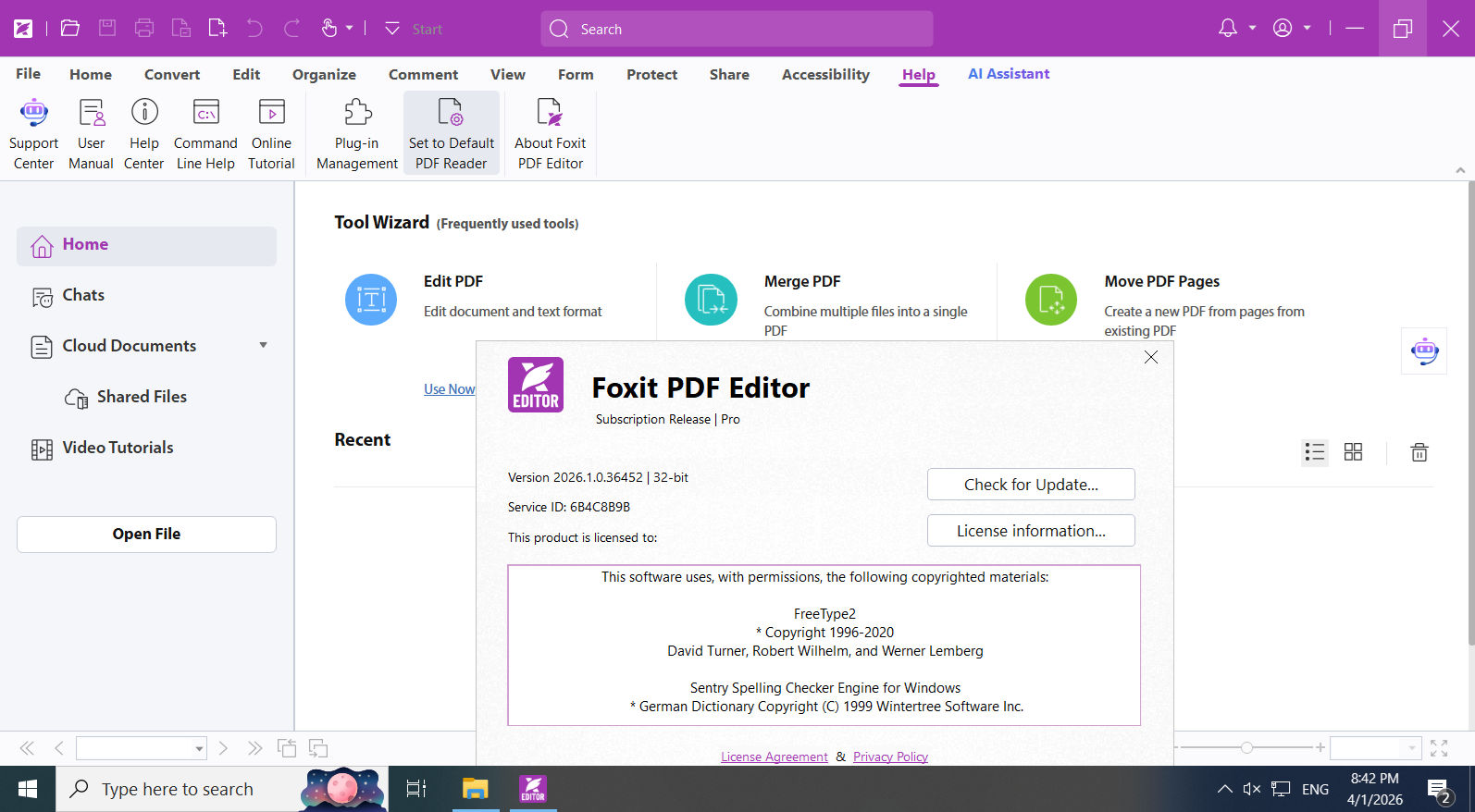
Working with Foxit PDF Editor Pro 2026.1.0.36452 Multilingual full

Description of Foxit PDF Editor Pro 2026.1.0.36452

Foxit PDF Editor Pro 2026.1.0.36452 is a powerful and lightweight PDF editing solution developed by Foxit Software. Designed for professionals and businesses, it provides advanced tools to create, edit, convert, and secure PDF documents with speed and efficiency.

This latest version introduces improved performance, enhanced collaboration features, and advanced security tools, making it a strong alternative to traditional PDF editors.

Features of Foxit PDF Editor Pro 2026.1.0.36452

1. Advanced PDF Editing
Edit text, images, and objects directly in PDF files
Modify fonts, layouts, and formatting easily
Professional-grade editing tools

2. PDF Creation & Conversion
Create PDFs from Word, Excel, PowerPoint, and images
Convert PDFs to editable formats (DOCX, XLSX, PPT)
Maintain original formatting and layout

3. OCR (Optical Character Recognition)
Convert scanned documents into searchable text
High accuracy text recognition
Ideal for digitizing paper documents

4. Annotation & Collaboration Tools
Add comments, highlights, stamps, and notes
Share documents for team collaboration
Track changes and feedback efficiently

5. PDF Security & Protection
Password protection and encryption
Redaction tools to remove sensitive information
Digital signatures for secure document approval

6. Form Creation & Filling
Create interactive PDF forms
Fill, sign, and manage forms easily
Automate data collection workflows

7. Cloud Integration
Sync files with Foxit Cloud and other cloud platforms
Access documents from anywhere
Enable remote collaboration

8. AI-Powered Features
Smart document recognition and suggestions
Improve workflow efficiency with automation
Faster document processing

9. Lightweight & Fast Performance
Quick startup and low resource usage
Smooth handling of large PDF files
Optimized for productivity

10. Cross-Platform Support
Available for Windows, macOS, iOS, and Android
Seamless experience across devices
Flexible work environment

💻 System Requirements
OS: Windows 10 / 11 (64-bit) or macOS
CPU: 1.3 GHz or faster processor
RAM: 4 GB minimum (8 GB recommended)
Storage: 2 GB free disk space
Display: 1024×768 resolution or higher

🚀 Why Choose Foxit PDF Editor Pro 2026?
Foxit PDF Editor Pro 2026.1.0.36452 stands out because it:
Offers a complete set of PDF editing and management tools
Provides strong security and document protection features
Supports fast and lightweight performance
Enhances productivity with collaboration and AI tools

It is an ideal solution for individuals and businesses looking for a reliable, cost-effective, and feature-rich PDF editor.

If you want to download Foxit PDF Editor Pro 2026.1.0.36452 full license, please click to DOWNLOAD button to download.
CLICKDOWN.ORG Download CAD CAM CNC software
Inside package Foxit PDF Editor Pro 2026.1.0.36452, already have cracked files and instruction how to install Foxit PDF Editor Pro 2026.1.0.36452 step by step. I guarantee you can install Foxit PDF Editor Pro 2026.1.0.36452 successfully if you follow that instruction.
If you also can’t install it or get any problems, please contact to me by email: clickdown.org@gmail.com, then I will help you to install software by teamviewer or Ultraviewer or Anydesk.
Thanks a lot
SOFTWARES

Download GRAPHISOFT ArchiCAD 29.1.0 Build 4006 win64 full

Download GRAPHISOFT ArchiCAD 29.1.0 full license

Link download GRAPHISOFT ArchiCAD 29.1.0 full activated

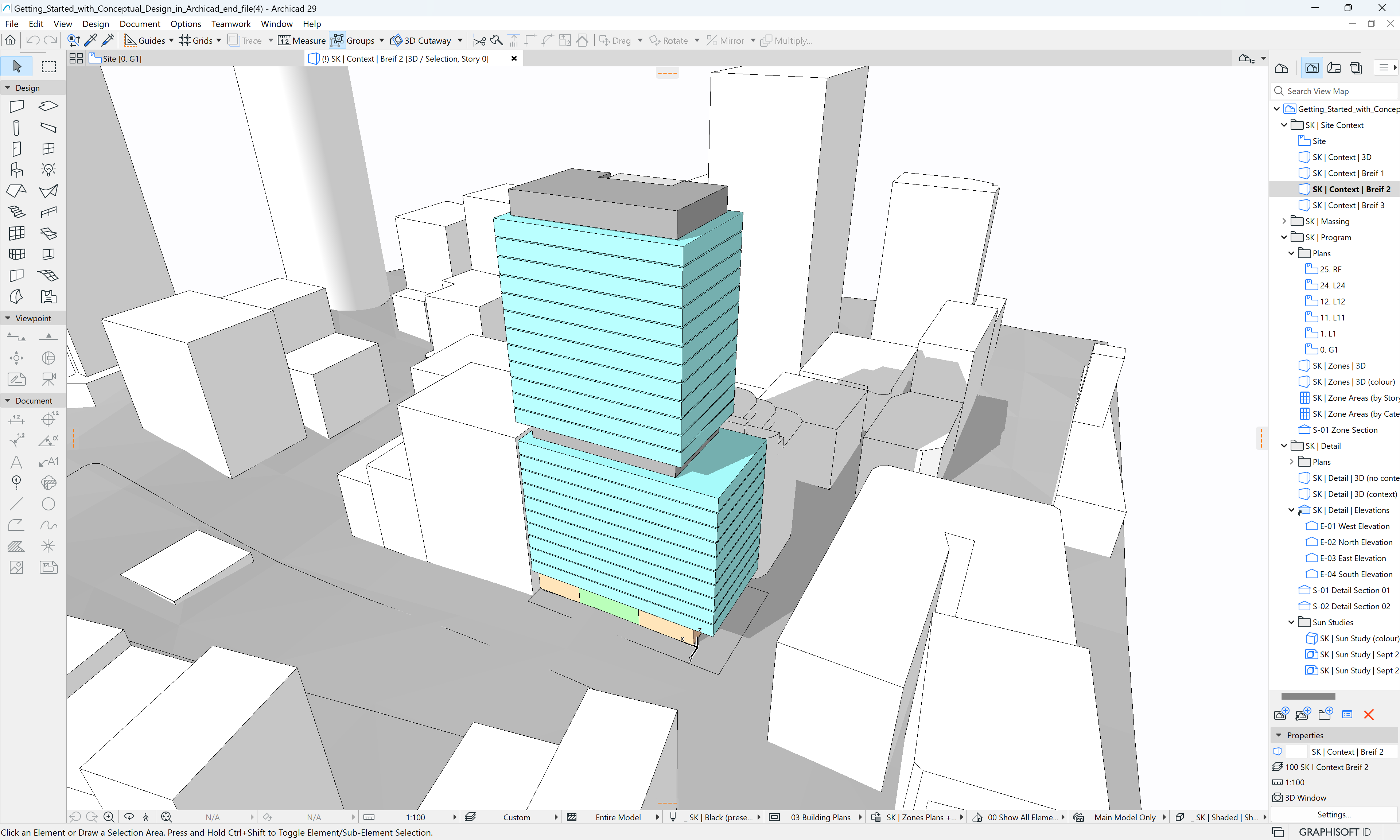
Working with GRAPHISOFT ArchiCAD 29.1.0 Build 4006 full

Description of GRAPHISOFT ArchiCAD 29.1.0

GRAPHISOFT Archicad 29.1.0 Build 4006 is a leading BIM (Building Information Modeling) software developed by Graphisoft, part of the Nemetschek Group. It is widely used by architects, designers, and construction professionals to design, visualize, and document building projects with precision and efficiency.

This latest version brings performance enhancements, improved collaboration tools, and advanced design capabilities, making it an essential solution for modern architectural workflows.

Features of GRAPHISOFT ArchiCAD 29.1.0

1. Powerful BIM Workflow
Intelligent building modeling with parametric elements
Automatically generate plans, sections, and elevations
Centralized project data for improved accuracy

2. Advanced Architectural Design Tools
Create complex building designs with ease
Parametric walls, doors, windows, and roofs
Flexible modeling for both conceptual and detailed design

3. Real-Time Visualization
Built-in rendering tools for realistic project views
Seamless integration with visualization engines
Enhanced presentation capabilities for clients

4. Teamwork & Collaboration
Real-time collaboration via BIMcloud
Multiple users can work on the same project simultaneously
Efficient project sharing and version control

5. Open BIM & Interoperability
Full support for IFC and open standards
Smooth collaboration with other BIM tools
Exchange data with software like Autodesk Revit

6. Documentation & Annotation
Automated documentation generation
Smart dimensions, labels, and schedules
Consistent and accurate project drawings

7. Performance Improvements
Faster model processing and navigation
Optimized handling of large and complex projects
Improved stability in version 29.1.0

8. Parametric Design & Automation
Use parametric tools for flexible design changes
Automate repetitive tasks
Increase efficiency and reduce manual work

9. Integrated Rendering & Visualization
High-quality rendering directly within Archicad
Supports advanced visualization workflows
Ideal for architectural presentations

10. Cross-Platform Support
Available for Windows and macOS
Smooth performance across systems
Flexible workflow for different environments

💻 System Requirements
OS: Windows 10 / 11 (64-bit) or macOS
CPU: Multi-core Intel/AMD processor
RAM: 8 GB minimum (16 GB+ recommended)
GPU: OpenGL-compatible graphics card
Storage: 10 GB free disk space

🚀 Why Choose GRAPHISOFT Archicad 29.1.0?
GRAPHISOFT Archicad 29.1.0 Build 4006 stands out because it:
Delivers a complete BIM solution for architects
Supports real-time collaboration and teamwork
Provides powerful visualization and documentation tools
Ensures interoperability with open BIM standards

It is an ideal choice for architecture and construction professionals who want a reliable and efficient BIM platform for designing and managing building projects.

If you want to download GRAPHISOFT ArchiCAD 29.1.0 full license, please click to DOWNLOAD button to download.
CLICKDOWN.ORG Download CAD CAM CNC software
Inside package GRAPHISOFT ArchiCAD 29.1.0, already have cracked files and instruction how to install GRAPHISOFT ArchiCAD 29.1.0 step by step. I guarantee you can install GRAPHISOFT ArchiCAD 29.1.0 successfully if you follow that instruction.
If you also can’t install it or get any problems, please contact to me by email: clickdown.org@gmail.com, then I will help you to install software by teamviewer or Ultraviewer or Anydesk.
Thanks a lot
SOFTWARES

Download Adobe Photoshop 2026 v27.5.0 win64 full license

Download Adobe Photoshop 2026 v27.5.0 win64 full license

Link download Adobe Photoshop 2026 v27.5.0 full activated

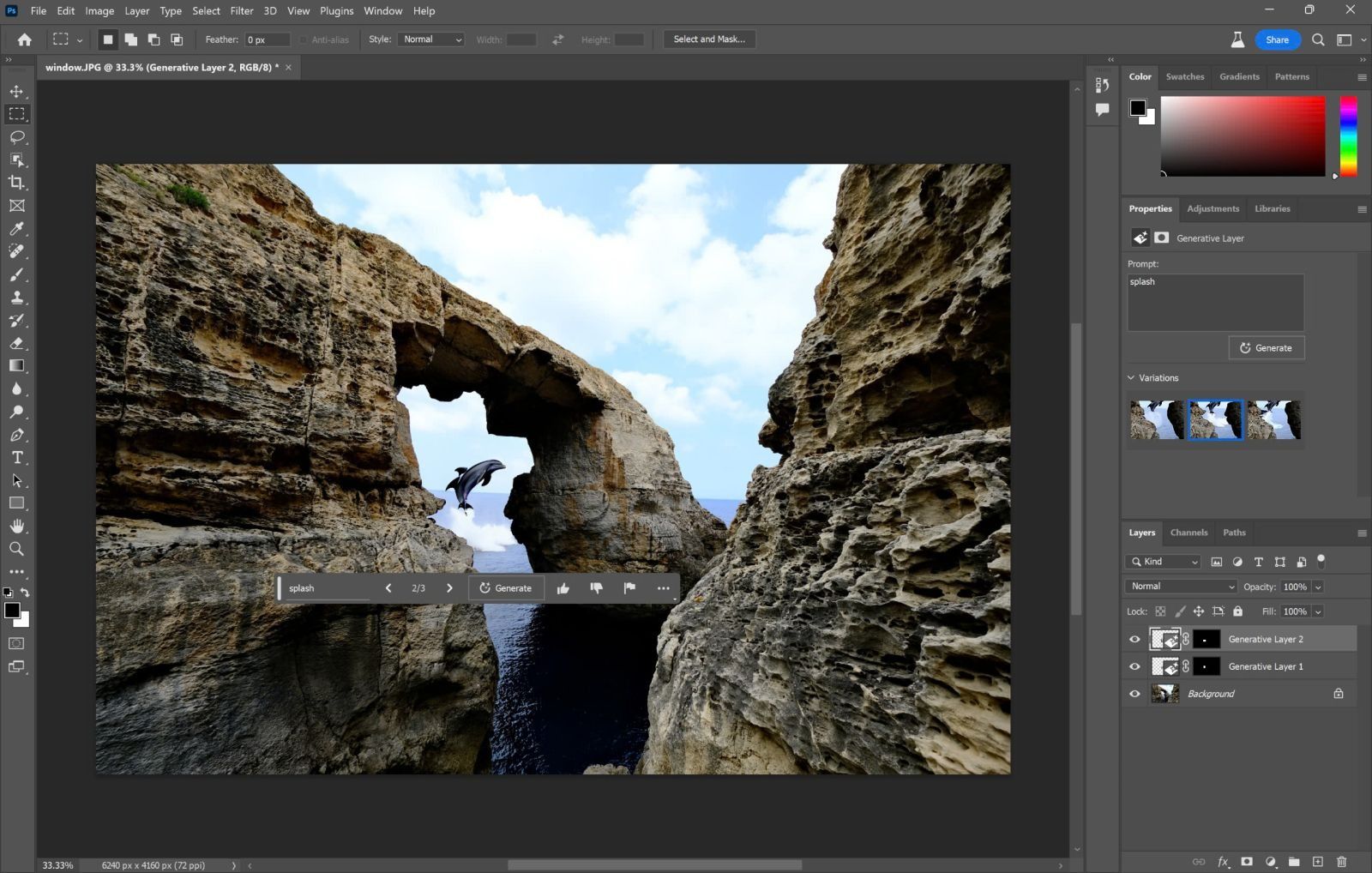
Working with Adobe Photoshop 2026 v27.5.0 full license

Description of Adobe Photoshop 2026 v27.5.0

Adobe Photoshop 2026 v27.5.0 is the latest version of the world’s leading image editing software developed by Adobe. Known for its powerful editing capabilities, Photoshop is widely used by photographers, designers, and digital artists for creating stunning visuals, retouching images, and producing professional graphics.

The 2026 release introduces enhanced AI tools, improved performance, and new creative features that streamline workflows and boost productivity.

Features of Adobe Photoshop 2026 v27.5.0

1. Advanced Photo Editing Tools
Professional-grade tools for image retouching and manipulation
Precise control over color, lighting, and composition
Non-destructive editing with layers and masks

2. AI-Powered Editing (Adobe Sensei)
Smart object selection and background removal
Automatic enhancements with AI assistance
Faster and more accurate editing workflows

3. Generative Fill & Content-Aware Tools
Add, remove, or extend elements in images seamlessly
Intelligent content-aware fill for realistic results
AI-driven creative possibilities

4. Layer-Based Workflow
Work with unlimited layers, blending modes, and effects
Organize complex projects efficiently
Advanced masking and adjustment layers

5. Digital Painting & Drawing
Wide range of brushes and drawing tools
Support for graphics tablets and stylus input
Create concept art, illustrations, and designs

6. Typography & Text Tools
Advanced text editing with fonts and styles
Create professional layouts and graphics
Full control over typography design

7. Camera RAW Integration
Edit RAW images with high precision
Adjust exposure, color grading, and details
Seamless workflow for photographers

8. Cloud Integration & Collaboration
Sync projects via Adobe Creative Cloud
Access files from multiple devices
Share and collaborate with team members

9. Video & Animation Support
Basic video editing and timeline animations
Create GIFs and motion graphics
Combine images, text, and effects

10. Enhanced Performance & Stability
Faster startup and improved responsiveness
Optimized GPU acceleration
Smooth handling of large files

💻 System Requirements
OS: Windows 10 / 11 (64-bit) or macOS
CPU: Intel or AMD multi-core processor
RAM: 8 GB minimum (16 GB recommended)
GPU: DirectX 12 compatible graphics card
Storage: 10 GB free disk space

🚀 Why Choose Adobe Photoshop 2026?
Adobe Photoshop 2026 v27.5.0 stands out because it:
Offers industry-leading image editing tools
Integrates AI for faster and smarter workflows
Supports a wide range of creative projects
Works seamlessly with the Adobe ecosystem

It is the ultimate solution for professionals and creatives who want to produce high-quality digital images, artwork, and designs.

If you want to download Adobe Photoshop 2026 v27.5.0 full license, please click to DOWNLOAD button to download.
CLICKDOWN.ORG Download CAD CAM CNC software
Inside package Adobe Photoshop 2026 v27.5.0, already have cracked files and instruction how to install Adobe Photoshop 2026 v27.5.0 step by step. I guarantee you can install Adobe Photoshop 2026 v27.5.0 successfully if you follow that instruction.
If you also can’t install it or get any problems, please contact to me by email: clickdown.org@gmail.com, then I will help you to install software by teamviewer or Ultraviewer or Anydesk.
Thanks a lot
SOFTWARES

Download ARES Commander 2027 v27.0.1.1128 x64 full license

Download ARES Commander 2027 v27.0.1.1128 x64 full license

Link download ARES Commander 2027 v27.0.1.1128 win64 full activated

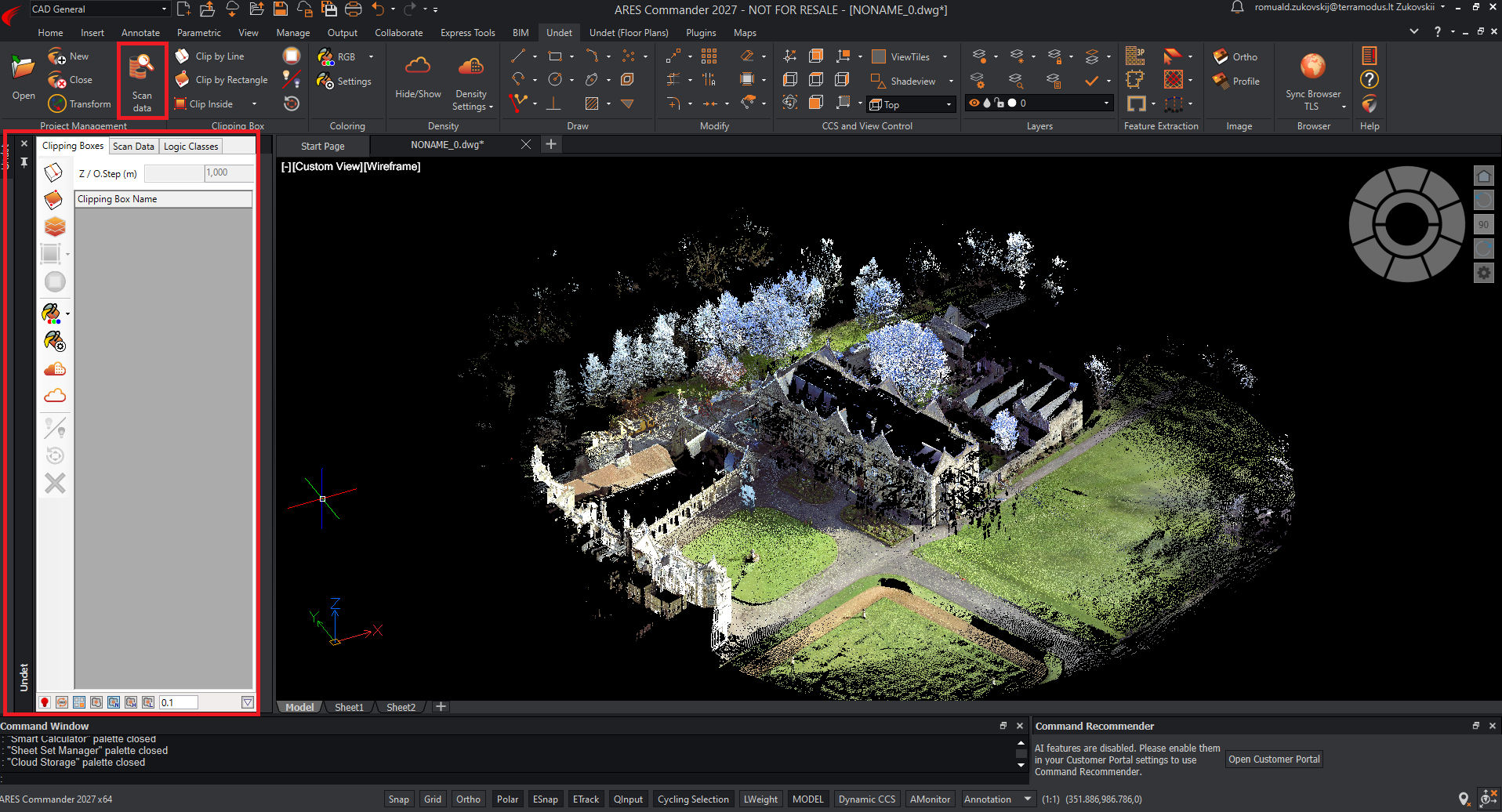
Working with ARES Commander 2027 v27.0.1.1128 full license

Description of ARES Commander 2027 v27.0.1.1128

ARES Commander 2027 v27.0.1.1128 is a professional CAD software developed by Graebert. It offers powerful 2D drafting and 3D modeling tools with full DWG compatibility, making it a strong alternative to traditional CAD solutions.

Designed for architects, engineers, and construction professionals, ARES Commander provides a modern, flexible, and cost-effective environment for creating, editing, and managing technical drawings across multiple platforms.

Features of ARES Commander 2027 v27.0.1.1128

1. Advanced 2D Drafting Tools
Create precise technical drawings with professional tools
Full support for layers, blocks, annotations, and dimensions
Ideal for architectural and engineering documentation

2. 3D Modeling Capabilities
Solid, surface, and mesh modeling tools
Generate 3D designs for visualization and prototyping
Convert 2D drawings into 3D models easily

3. Full DWG Compatibility
Native support for DWG file format
Seamless file exchange with other CAD software
No conversion required

4. Cross-Platform Support
Available on Windows, macOS, and Linux
Flexible licensing options
Work across multiple operating systems

5. Cloud & Mobile Integration
Sync drawings via ARES Touch and ARES Kudo
Access and edit files from anywhere
Real-time collaboration across devices

6. Customization & Automation
Supports LISP scripting and API customization
Automate repetitive tasks and workflows
Extend functionality to meet project needs

7. Dynamic Blocks & Parametric Design
Create reusable and flexible design components
Modify geometry dynamically
Improve design efficiency and consistency

8. PDF Import & Export
Import PDF files and convert them into editable drawings
Export drawings to PDF with high quality
Useful for documentation and sharing

9. User-Friendly Interface
Familiar CAD interface similar to AutoCAD
Easy learning curve for new users
Customizable workspace for productivity

10. High Performance & Stability
Optimized performance for large drawings
Fast loading and smooth navigation
Stable environment for professional use

💻 System Requirements
OS: Windows 10 / 11 (64-bit), macOS, or Linux
CPU: Multi-core Intel/AMD processor
RAM: 8 GB minimum (16 GB recommended)
Storage: 5 GB free disk space
GPU: OpenGL-compatible graphics card

🚀 Why Choose ARES Commander 2027?
ARES Commander 2027 v27.0.1.1128 stands out because it:
Offers powerful CAD tools with full DWG compatibility
Supports cross-platform workflows and cloud integration
Provides cost-effective alternative to traditional CAD software
Enhances productivity with automation and customization

It is an excellent choice for professionals in architecture, engineering, and construction who need a flexible and efficient CAD solution.

If you want to download ARES Commander 2027 v27.0.1.1128 full license, please click to DOWNLOAD button to download.
CLICKDOWN.ORG Download CAD CAM CNC software
Inside package ARES Commander 2027 v27.0.1.1128, already have cracked files and instruction how to install ARES Commander 2027 v27.0.1.1128 step by step. I guarantee you can install ARES Commander 2027 v27.0.1.1128 successfully if you follow that instruction.
If you also can’t install it or get any problems, please contact to me by email: clickdown.org@gmail.com, then I will help you to install software by teamviewer or Ultraviewer or Anydesk.
Thanks a lot
SOFTWARES

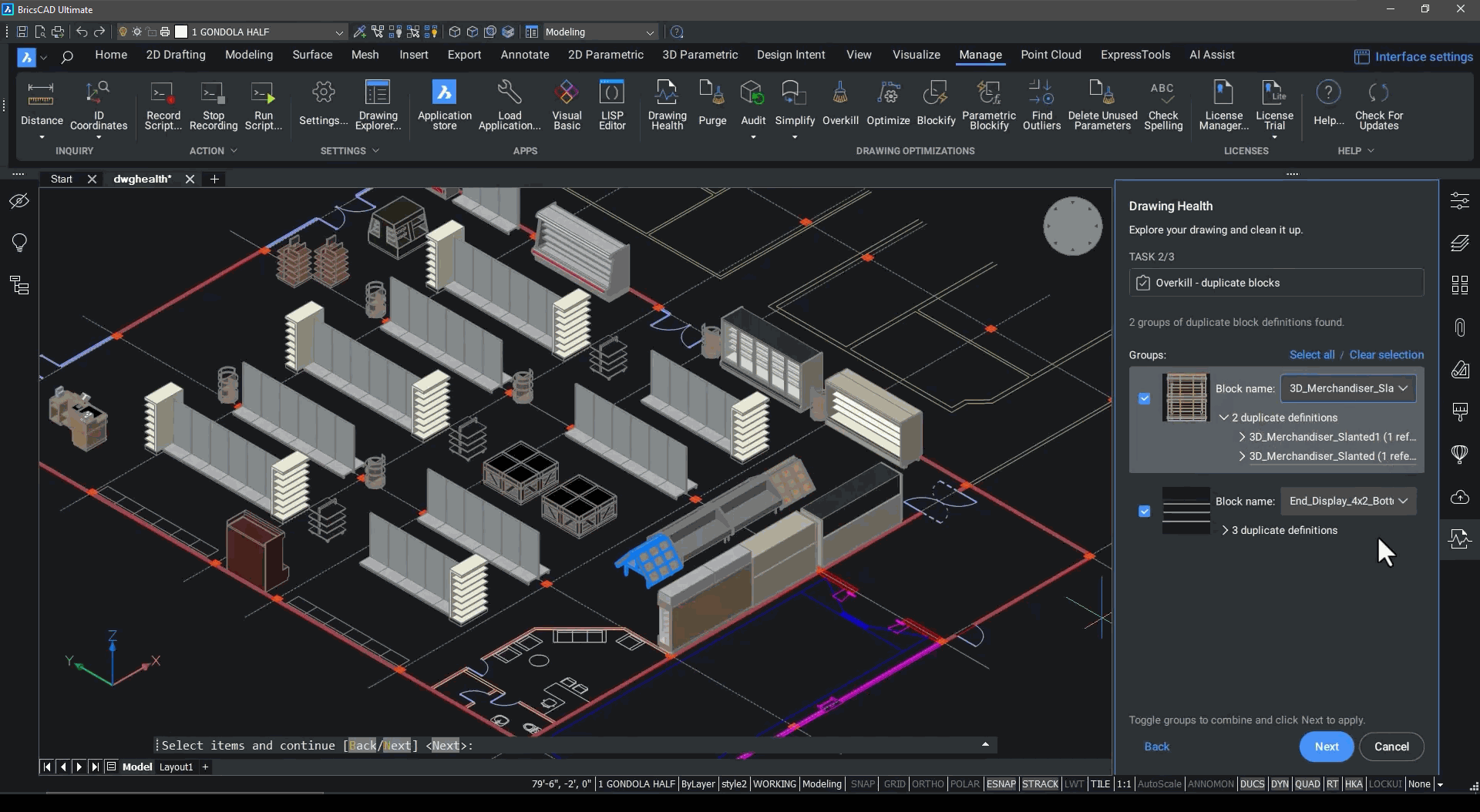
Download BricsCad Ultimate 26.2.03 x64 full license forever

Download BricsCad Ultimate 26.2.03 x64 full license

Link download BricsCad Ultimate 26.2.03 win64 full activated

Working with BricsCad Ultimate 26.2.03 full license

Description of BricsCad Ultimate 26.2.03

BricsCAD Ultimate 26.2.03 is a comprehensive CAD software suite developed by Bricsys, part of the Hexagon AB group. It combines 2D drafting, 3D modeling, BIM, and mechanical design tools into a single platform, offering a powerful alternative to traditional CAD solutions.

This latest version enhances performance, improves AI-driven features, and streamlines workflows for architects, engineers, and designers working across multiple disciplines.

Features of BricsCad Ultimate 26.2.03

1. All-in-One CAD Platform
Combines 2D drafting, 3D modeling, BIM, and mechanical tools
Eliminates the need for multiple software solutions
Unified workflow for design and documentation

2. Advanced 2D Drafting
Full DWG compatibility for seamless file exchange
Powerful drafting tools for precise technical drawings
Ideal for architectural and engineering documentation

3. 3D Direct Modeling
Flexible modeling without complex history trees
Edit geometry quickly and efficiently
Supports complex solid and surface modeling

4. BIM (Building Information Modeling)
Integrated BIM tools for building design
Automatic classification of BIM elements
Generate sections, plans, and schedules easily

5. Mechanical Design Tools
Sheet metal design and assembly modeling
Parametric components and constraints
Bill of Materials (BOM) generation

6. AI-Powered Automation
Uses AI to automate repetitive design tasks
Smart suggestions for improving workflows
Reduces manual effort and increases productivity

7. Point Cloud & Scan-to-BIM
Import and process point cloud data
Convert scanned data into BIM models
Ideal for renovation and reconstruction projects

8. Sheet Metal & Assembly Design
Create complex sheet metal parts
Automatic unfolding and flat pattern generation
Assembly tools for mechanical design

9. Customization & LISP Support
Supports LISP, VBA, and .NET customization
Automate workflows and extend functionality
Compatible with many existing CAD scripts

10. High Performance & Cross-Platform
Fast performance with optimized engine
Available on Windows, macOS, and Linux
Efficient handling of large and complex drawings

💻 System Requirements
OS: Windows 10 / 11 (64-bit), macOS, or Linux
CPU: Multi-core Intel/AMD processor
RAM: 8 GB minimum (16 GB recommended)
GPU: OpenGL-compatible graphics card
Storage: 5 GB free disk space

🚀 Why Choose BricsCAD Ultimate 26.2.03?
BricsCAD Ultimate 26.2.03 stands out because it:
Combines multiple CAD disciplines in one platform
Offers strong DWG compatibility
Uses AI to improve productivity and automation
Provides cost-effective alternative to other CAD software

It is an ideal solution for professionals in architecture, engineering, construction, and manufacturing who need a flexible and powerful CAD environment.

If you want to download BricsCad Ultimate 26.2.03 full license, please click to DOWNLOAD button to download.
CLICKDOWN.ORG Download CAD CAM CNC software
Inside package BricsCad Ultimate 26.2.03, already have cracked files and instruction how to install BricsCad Ultimate 26.2.03 step by step. I guarantee you can install BricsCad Ultimate 26.2.03 successfully if you follow that instruction.
If you also can’t install it or get any problems, please contact to me by email: clickdown.org@gmail.com, then I will help you to install software by teamviewer or Ultraviewer or Anydesk.
Thanks a lot
SOFTWARES

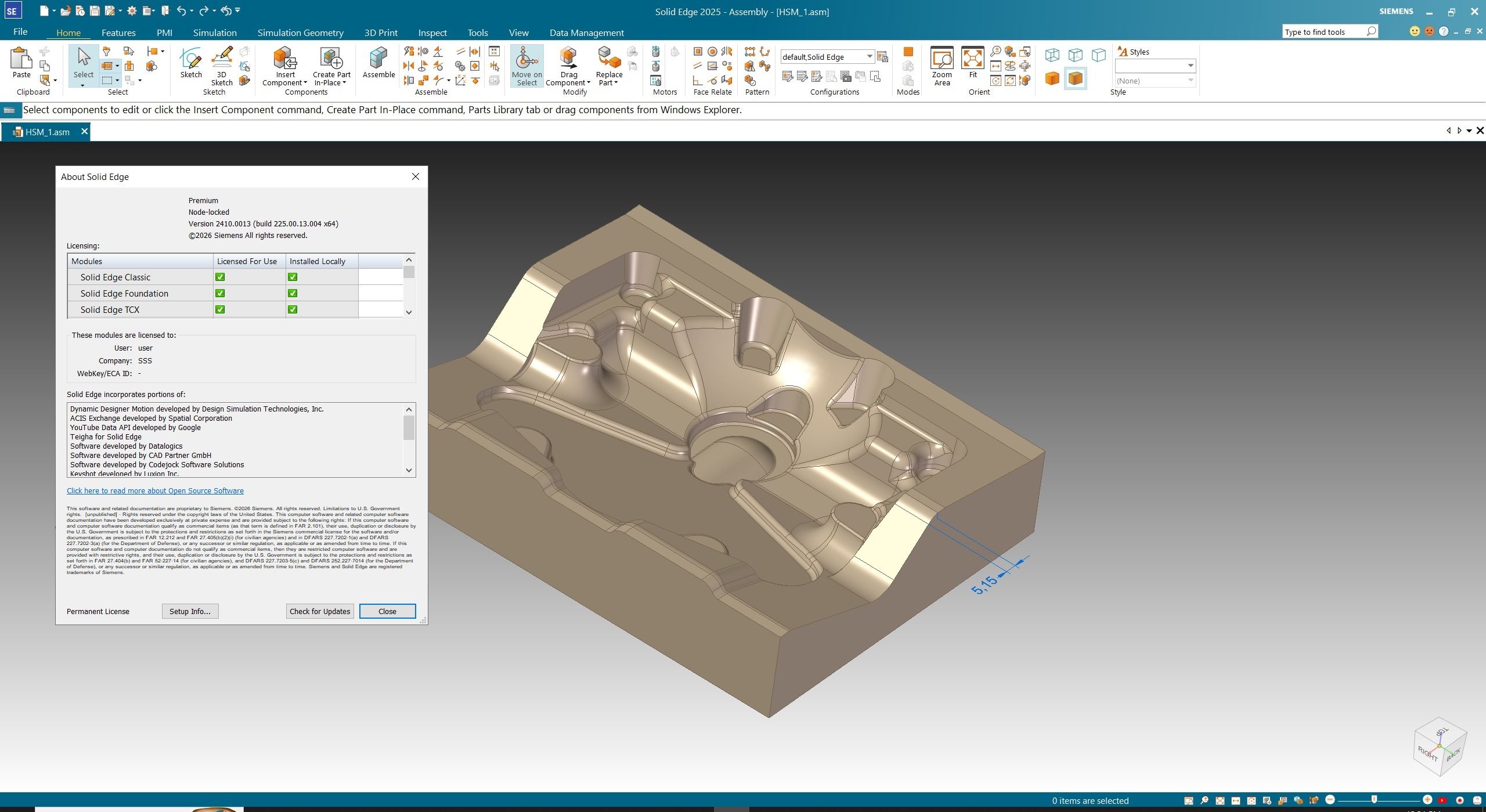
Download Siemens Solid Edge 2025 MP13 win64 full license

Download Siemens Solid Edge 2025 MP13 x64 full license

Link download Siemens Solid Edge 2025 MP13 win64 full activated

Working with Siemens Solid Edge 2025 MP13 full license

Description of Siemens Solid Edge 2025 MP13

Siemens Solid Edge 2025 MP13 is a powerful CAD software solution developed by Siemens under its digital industries software portfolio. It provides a comprehensive suite of tools for 3D design, simulation, manufacturing, and data management, making it a preferred choice for engineers and product designers worldwide.

This maintenance pack (MP13) enhances system stability, improves performance, and refines existing features to ensure a smoother and more efficient design workflow.

Features of Siemens Solid Edge 2025 MP13

1. Advanced 3D CAD Modeling
Create precise 3D models using synchronous and ordered modeling
Flexible design modifications without constraints
Ideal for complex mechanical design projects

2. Synchronous Technology
Unique modeling approach combining direct and parametric modeling
Edit geometry quickly without rebuilding models
Accelerates design iterations and changes

3. Assembly Design & Management
Efficient handling of large assemblies
Detect interference and validate fit between components
Improved performance for complex product structures

4. 2D Drafting & Documentation
Generate detailed engineering drawings automatically
Maintain associativity between 3D models and 2D drawings
Compliant with industry standards

5. Integrated Simulation Tools
Perform stress, vibration, and thermal analysis
Validate designs before manufacturing
Reduce prototyping costs and errors

6. Sheet Metal Design
Specialized tools for sheet metal modeling
Automatic flat pattern generation
Supports manufacturing-ready outputs

7. CAM Integration
Seamless integration with CAM solutions for manufacturing
Supports CNC machining workflows
Streamlines design-to-production processes

8. Data Management & Collaboration
Integration with Teamcenter
Efficient product lifecycle management (PLM)
Enables team collaboration and version control

9. Electrical & PCB Design Integration
Supports electrical routing and PCB collaboration
Integrates with ECAD tools
Ideal for mechatronic product development

10. Performance & Stability Improvements (MP13)
Enhanced system stability and bug fixes
Faster processing of large assemblies
Improved overall user experience

💻 System Requirements
OS: Windows 10 / 11 (64-bit)
CPU: Multi-core Intel/AMD processor
RAM: 8 GB minimum (16 GB+ recommended)
GPU: DirectX 11 compatible graphics card
Storage: 8 GB free disk space

🚀 Why Choose Siemens Solid Edge 2025 MP13?
Siemens Solid Edge 2025 MP13 stands out because it:
Combines parametric and direct modeling with synchronous technology
Offers integrated tools for design, simulation, and manufacturing
Handles complex assemblies efficiently
Provides strong PLM integration for enterprise workflows

It is an excellent choice for mechanical engineers, product designers, and manufacturers seeking a complete and efficient CAD solution.

If you want to download Siemens Solid Edge 2025 MP13 full license, please click to DOWNLOAD button to download.
CLICKDOWN.ORG Download CAD CAM CNC software
Inside package Siemens Solid Edge 2025 MP13, already have cracked files and instruction how to install Siemens Solid Edge 2025 MP13 step by step. I guarantee you can install Siemens Solid Edge 2025 MP13 successfully if you follow that instruction.
If you also can’t install it or get any problems, please contact to me by email: clickdown.org@gmail.com, then I will help you to install software by teamviewer or Ultraviewer or Anydesk.
Thanks a lot
SOFTWARES

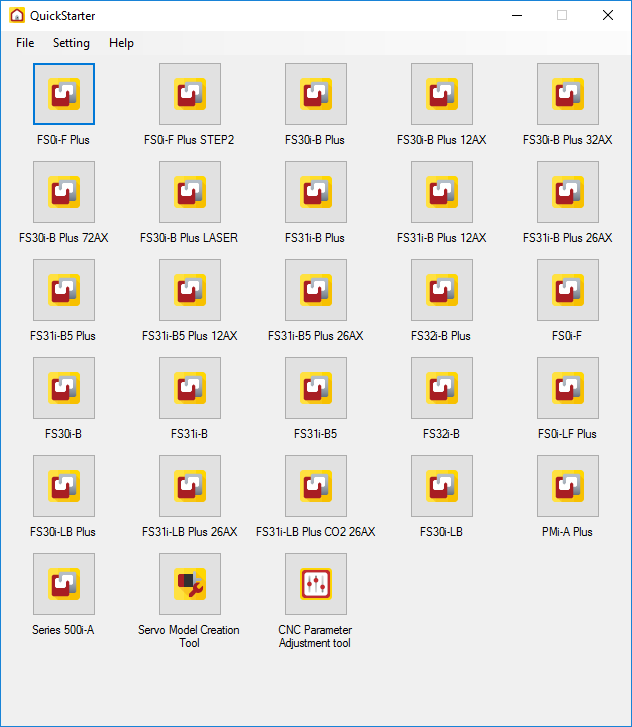
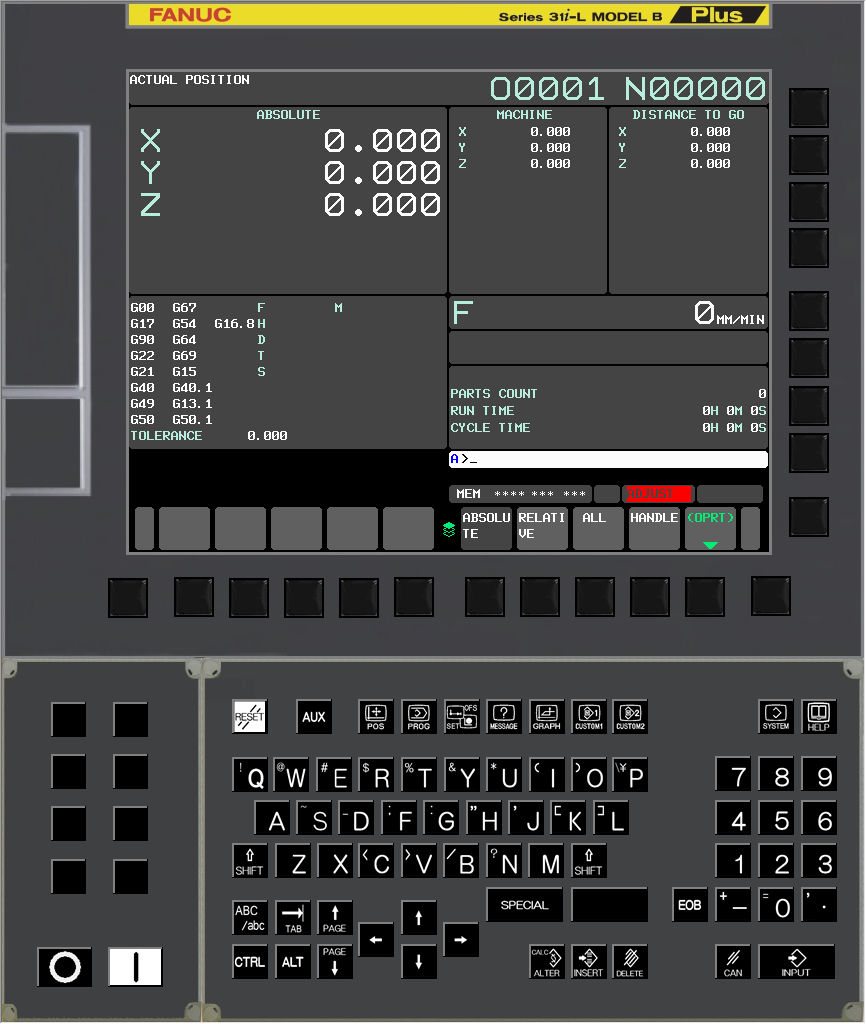
Download FANUC CNC Guide 2 v33.10 x86 x64 full license

Download FANUC CNC Guide 2 v33.10 x86 x64 full license

Link download FANUC CNC Guide 2 v33.10 full activated

FANUC CNC Guide 2 v33.10 x64 x86 full

Working with FANUC CNC Guide 2 v33.10 full

Description of FANUC CNC Guide 2 v33.10

FANUC CNC Guide 2 v33.10 is a powerful CNC simulation and training software developed by FANUC. It is designed to replicate real FANUC CNC machine environments, allowing users to simulate machining processes, test NC programs, and train operators without the need for physical equipment.

This software is widely used in manufacturing, education, and industrial training to improve CNC programming skills, reduce errors, and optimize machining operations.

Features of FANUC CNC Guide 2 v33.10

1. Realistic CNC Simulation
Accurately replicates FANUC CNC control systems
Simulates actual machine behavior and operations
Provides hands-on experience without physical machines

2. NC Program Verification
Test and debug G-code programs safely
Identify errors before running on real machines
Reduces risk of costly machining mistakes

3. Virtual Machine Environment
Simulates different CNC machine configurations
Supports turning, milling, and multi-axis machines
Customizable machine setups for various applications

4. Operator Training & Education
Ideal for students and CNC trainees
Practice machine operation in a risk-free environment
Enhances learning efficiency and skill development

5. Toolpath Visualization
Visualize cutting paths and machining processes
Detect collisions and inefficiencies
Improve machining accuracy and planning

6. Integrated CNC Control Interface
Uses the same interface as real FANUC controls
Familiar environment for operators
Smooth transition from simulation to real machines

7. Multi-Axis Machining Support
Supports complex machining operations
Suitable for 3-axis, 4-axis, and 5-axis simulations
Handles advanced manufacturing scenarios

8. Customizable Parameters & Settings
Modify machine parameters and conditions
Simulate different machining environments
Adaptable to specific production needs

9. Offline Programming Capability
Develop and test programs without machine downtime
Improve productivity and workflow efficiency
Reduce production interruptions

10. High Performance & Stability
Optimized for fast simulation and accurate results
Stable performance for large and complex programs
Reliable for industrial and educational use

💻 System Requirements
OS: Windows 10 / 11 (64-bit)
CPU: Intel/AMD multi-core processor
RAM: 8 GB minimum (16 GB recommended)
Storage: 10 GB free disk space
GPU: OpenGL-compatible graphics card

🚀 Why Choose FANUC CNC Guide 2?
FANUC CNC Guide 2 v33.10 stands out because it:
Provides a realistic CNC simulation environment
Enhances training and operator skill development
Reduces machining errors and production costs
Supports advanced multi-axis machining scenarios

It is an essential tool for manufacturers, CNC programmers, and training institutions aiming to improve efficiency and safety in CNC operations.

If you want to download FANUC CNC Guide 2 v33.10 full license, please click to DOWNLOAD button to download.
CLICKDOWN.ORG Download CAD CAM CNC software
Inside package FANUC CNC Guide 2 v33.10, already have cracked files and instruction how to install FANUC CNC Guide 2 v33.10 step by step. I guarantee you can install FANUC CNC Guide 2 v33.10 successfully if you follow that instruction.
If you also can’t install it or get any problems, please contact to me by email: clickdown.org@gmail.com, then I will help you to install software by teamviewer or Ultraviewer or Anydesk.
Thanks a lot
SOFTWARES

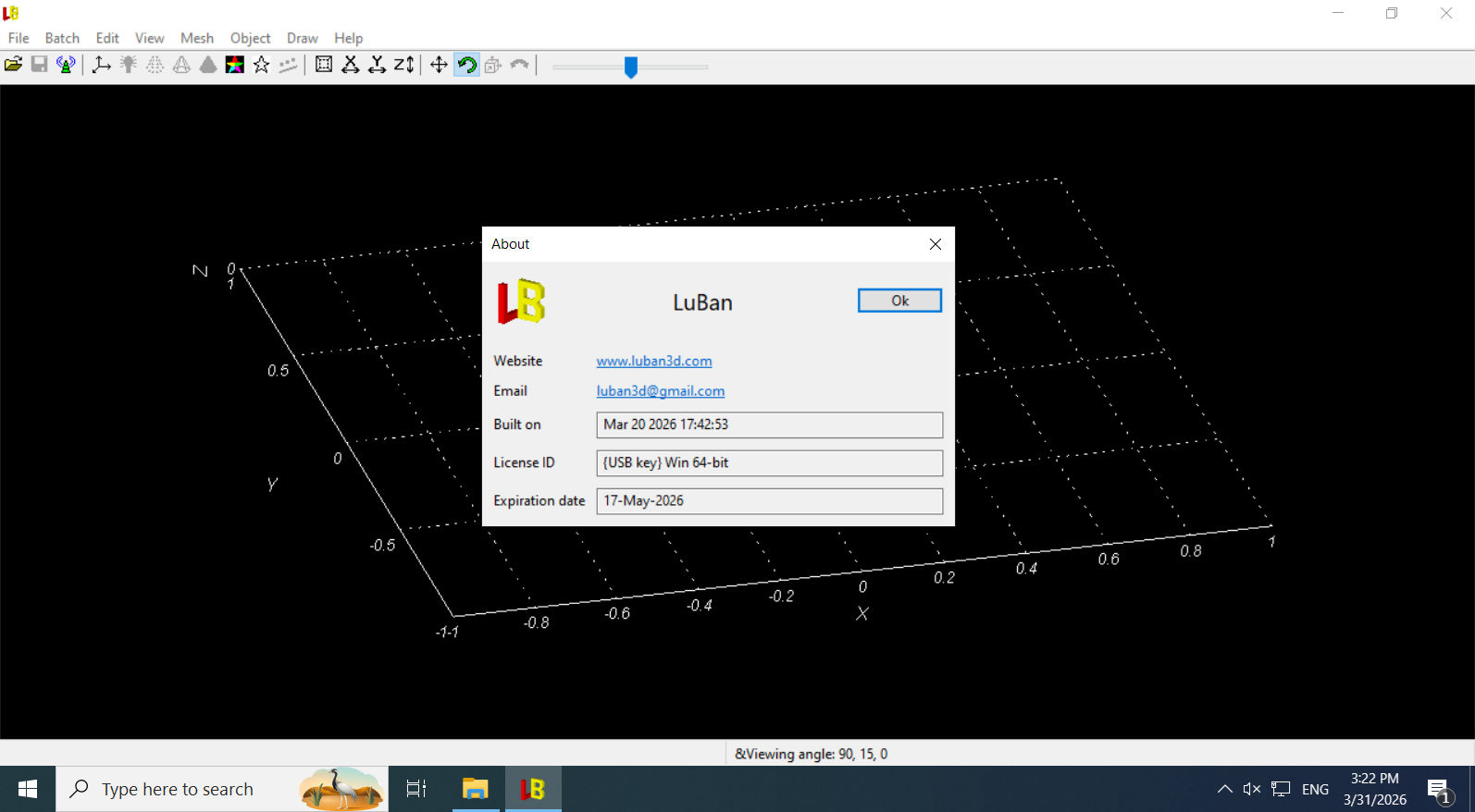
Download LuBan 3D 20.03.2026 full license forever

Download LuBan 3D 20.03.2026 full license forever

Link download LuBan 3D 20.03.2026 full activated

Working with LuBan 3D 20.03.2026 full license

Description of LuBan 3D 20.03.2026

LuBan 3D 20.03.2026 is an innovative 3D modeling and fabrication software developed by Snapmaker. It is designed to transform images, 3D models, and digital designs into ready-to-fabricate files for laser cutting, CNC carving, and 3D printing.

LuBan 3D is especially popular among makers, designers, and hobbyists for its ability to generate creative structures such as layered art, relief carvings, lithophanes, and modular constructions with minimal effort.

Features of LuBan 3D 20.03.2026

1. Image to 3D Model Conversion
Convert 2D images into 3D relief models
Generate lithophanes and grayscale depth designs
Ideal for artistic and decorative projects

2. Laser Cutting Module
Create layered vector designs for laser cutting
Generate interlocking structures and patterns
Export files compatible with laser machines

3. CNC Carving Support
Convert designs into CNC toolpaths
Adjustable depth and carving parameters
Suitable for wood, acrylic, and soft materials

4. 3D Printing Preparation
Slice and prepare models for 3D printing
Optimize geometry for printability
Compatible with common 3D printing formats

5. Modular Design Generator
Create complex structures using modular components
Automatic generation of slots and joints
Perfect for puzzles, models, and architectural designs

6. Relief & Heightmap Creation
Generate detailed surface textures from images
Control depth and detail levels easily
Ideal for engraving and artistic fabrication

7. Easy-to-Use Interface
Beginner-friendly workflow
Step-by-step tools for design creation
Minimal learning curve for new users

8. Multi-Machine Compatibility
Supports 3D printers, CNC routers, and laser cutters
Works with Snapmaker machines and other devices
Flexible export options for different hardware

9. Real-Time Preview
Preview models and toolpaths before production
Visualize final output for better accuracy
Reduce material waste and errors

10. Continuous Updates & Improvements
Regular updates with new features and optimizations
Improved performance and stability
Expanding toolset for makers and designers

💻 System Requirements
OS: Windows 10 / 11, macOS
CPU: Intel/AMD multi-core processor
RAM: 4 GB minimum (8 GB recommended)
Storage: 2 GB free disk space
GPU: Optional for better performance

🚀 Why Choose LuBan 3D 20.03.2026?
LuBan 3D 20.03.2026 stands out because it:
Combines 3D modeling with fabrication tools in one platform
Simplifies the process of turning ideas into physical objects
Supports multiple manufacturing methods (laser, CNC, 3D printing)
Offers an intuitive experience for both beginners and professionals

It is an excellent choice for makers, educators, DIY enthusiasts, and designers looking to bring creative projects to life quickly and efficiently.

If you want to download LuBan 3D 20.03.2026 full license, please click to DOWNLOAD button to download.
CLICKDOWN.ORG Download CAD CAM CNC software
Inside package LuBan 3D 20.03.2026, already have cracked files and instruction how to install LuBan 3D 20.03.2026 step by step. I guarantee you can install LuBan 3D 20.03.2026 successfully if you follow that instruction.
If you also can’t install it or get any problems, please contact to me by email: clickdown.org@gmail.com, then I will help you to install software by teamviewer or Ultraviewer or Anydesk.
Thanks a lot
SOFTWARES

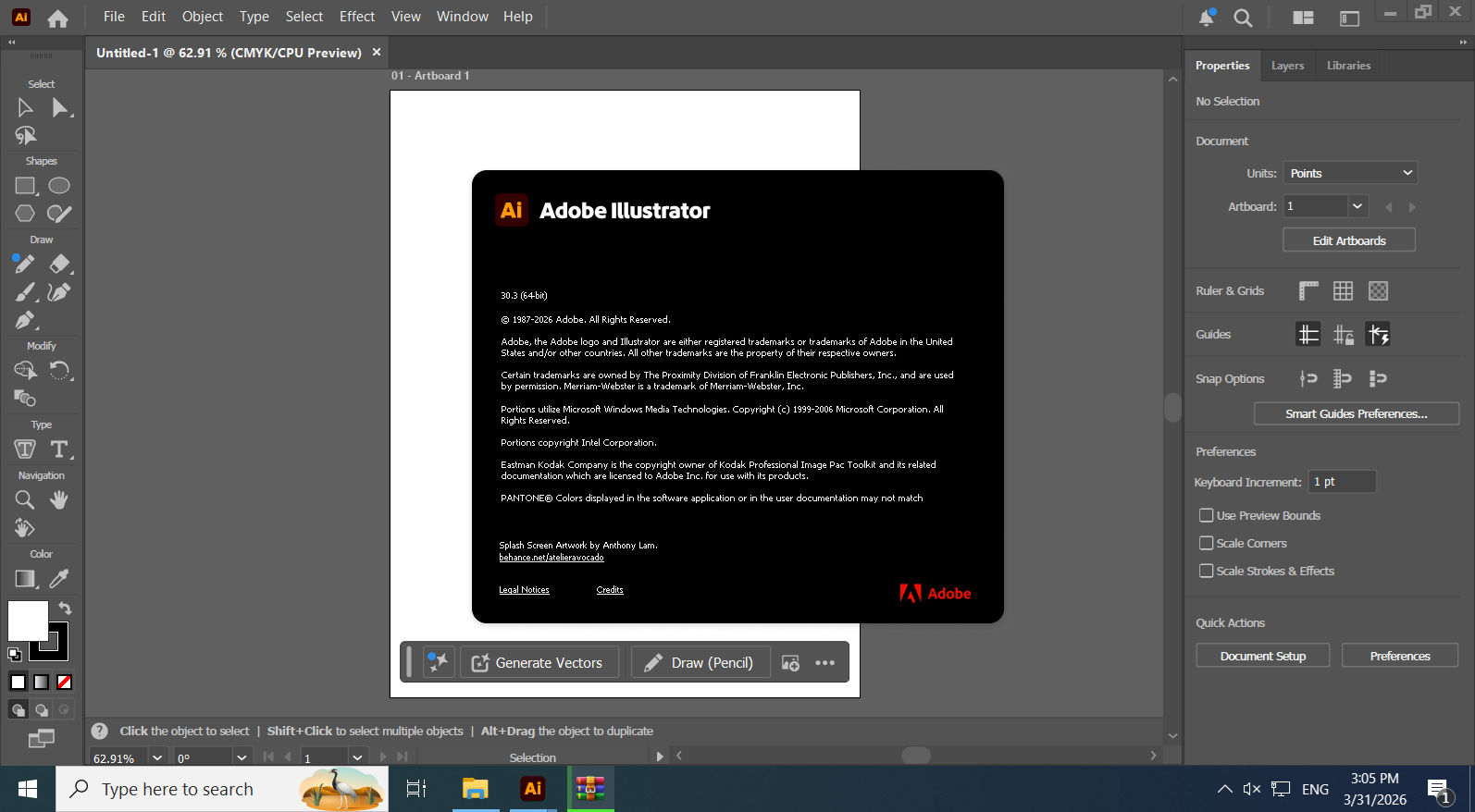
Download Adobe Illustrator 2026 v30.3 win64 full license

Download Adobe Illustrator 2026 v30.3 win64 full license

Link download Adobe Illustrator 2026 v30.3 x64 full activated

Working with Adobe Illustrator 2026 v30.3 full license

Description of Adobe Illustrator 2026 v30.3

Adobe Illustrator 2026 v30.3 is the latest version of the industry-leading vector graphics design software developed by Adobe. Widely used by designers, illustrators, and creative professionals, Illustrator provides powerful tools for creating scalable artwork, logos, icons, typography, and complex illustrations with precision and flexibility.

This version introduces enhanced performance, improved AI-powered tools, and smoother workflows to help users design faster and more efficiently.

Features of Adobe Illustrator 2026 v30.3

1. Advanced Vector Design Tools
Create precise vector graphics with scalable quality
Draw logos, icons, illustrations, and UI designs
Industry-standard tools for professional design

2. AI-Powered Design Enhancements
Smart suggestions for shapes and layouts
Improved object selection and editing
Faster workflows with intelligent automation

3. Enhanced Pen & Drawing Tools
Improved Pen Tool accuracy and responsiveness
Smooth curves and anchor point control
Ideal for detailed illustration work

4. Typography & Font Management
Advanced typography controls for creative text design
Access to Adobe Fonts library
Variable fonts support for flexible design

5. Creative Cloud Integration
Seamless integration with Adobe Photoshop and Adobe InDesign
Cloud document storage and sharing
Easy collaboration across devices

6. Real-Time Collaboration
Share projects with team members
Work collaboratively on designs
Comment and review directly within files

7. High-Performance Rendering
Faster zoom, pan, and rendering performance
Optimized GPU acceleration
Smooth handling of complex artwork

8. Export & File Compatibility
Export to multiple formats (SVG, PNG, PDF, EPS, AI)
Optimized assets for web, print, and mobile
Maintains high-quality output

9. Customizable Workspace
Flexible panels and toolbars
Personalized layout for improved productivity
Supports multiple monitor setups

10. Cross-Platform Support
Available on Windows and macOS
Sync settings and assets across devices
Work anywhere with Creative Cloud

💻 System Requirements
OS: Windows 10 / 11 (64-bit) or macOS
CPU: Multi-core processor (Intel/AMD/Apple Silicon)
RAM: 8 GB minimum (16 GB recommended)
GPU: GPU with DirectX 12 / Metal support
Storage: 5 GB free disk space

🚀 Why Choose Adobe Illustrator 2026?
Adobe Illustrator 2026 v30.3 remains the top choice because it:
Offers industry-leading vector design capabilities
Integrates seamlessly with the Adobe Creative Cloud ecosystem
Provides powerful tools for both beginners and professionals
Ensures high-quality, scalable graphics for any project

It is ideal for graphic designers, branding experts, illustrators, and digital artists working on professional creative projects.

If you want to download Adobe Illustrator 2026 v30.3 full license, please click to DOWNLOAD button to download.
CLICKDOWN.ORG Download CAD CAM CNC software
Inside package Adobe Illustrator 2026 v30.3, already have cracked files and instruction how to install Adobe Illustrator 2026 v30.3 step by step. I guarantee you can install Adobe Illustrator 2026 v30.3 successfully if you follow that instruction.
If you also can’t install it or get any problems, please contact to me by email: clickdown.org@gmail.com, then I will help you to install software by teamviewer or Ultraviewer or Anydesk.
Thanks a lot
SOFTWARES

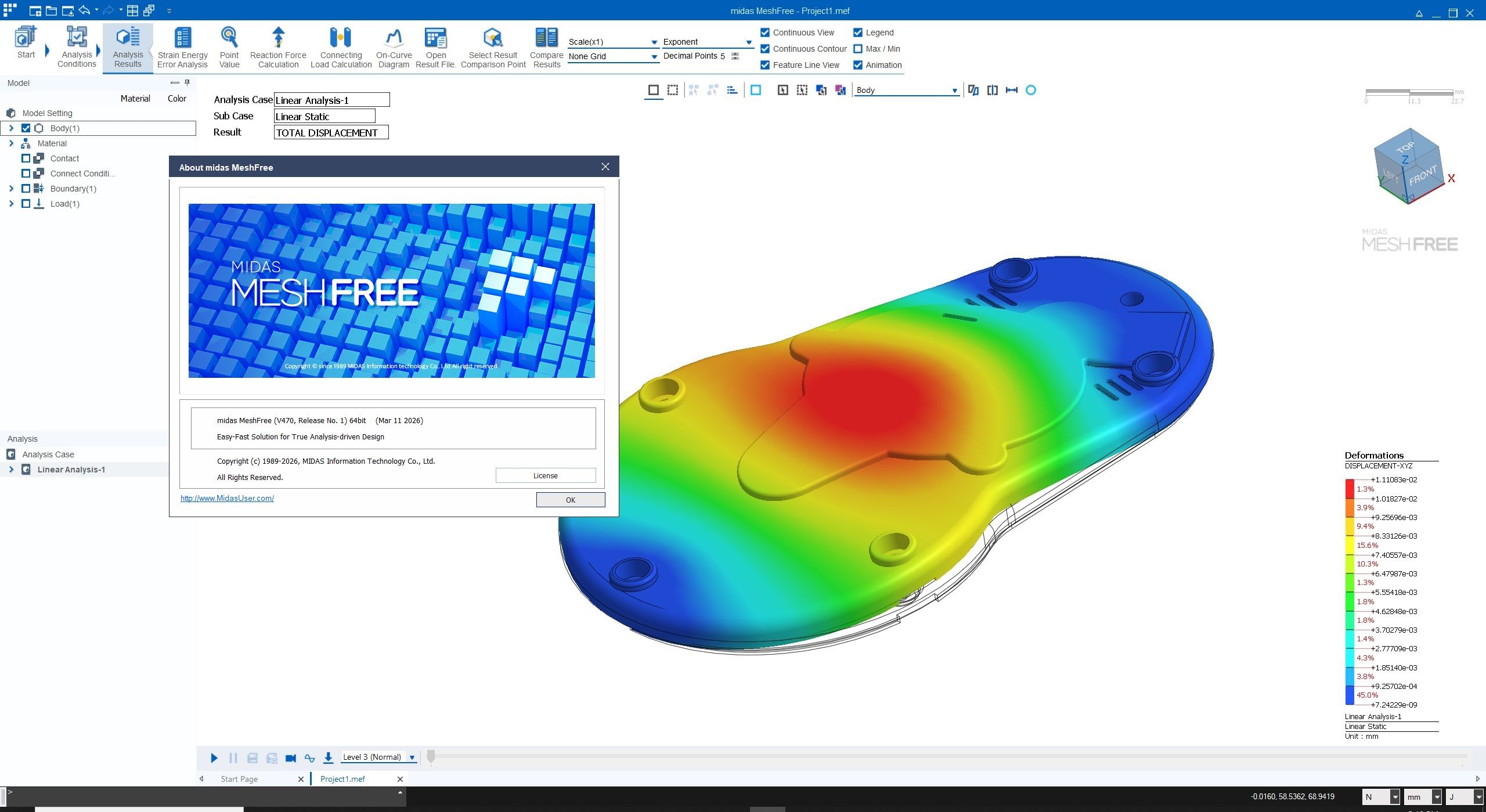
Download midas MeshFree 2026 R1 v2026.03.12 x64 full license

Download midas MeshFree 2026 R1 v2026.03.12 x64 full license

Link download midas MeshFree 2026 R1 v2026.03.12 full activated

Working with midas MeshFree 2026 R1 v2026.03.12 full license

Description of midas MeshFree 2026 R1 v2026.03.12

midas MeshFree 2026 R1 v2026.03.12 is an advanced simulation software developed by MIDAS IT that utilizes meshfree analysis technology for solving highly complex nonlinear engineering problems. Unlike traditional finite element methods (FEM), this software eliminates the need for meshing, enabling faster setup and more accurate simulations for problems involving large deformation, fracture, and impact.

It is widely used in industries such as automotive, defense, aerospace, and manufacturing where conventional meshing techniques can be time-consuming or ineffective.

Features of midas MeshFree 2026 R1 v2026.03.12

1. True Meshfree Simulation Technology
No need for traditional mesh generation
Uses particle-based or node-based methods
Ideal for extreme deformation and failure analysis

2. Large Deformation & Nonlinear Analysis
Handles large strain, plasticity, and material failure
Accurate simulation of crash, explosion, and impact scenarios
Eliminates mesh distortion issues

3. Crack Propagation & Fracture Modeling
Simulates crack initiation and propagation naturally
No remeshing required during fracture
Suitable for brittle and ductile material analysis

4. High-Speed Explicit Solver
Optimized for dynamic and transient simulations
Fast computation for time-dependent problems
Efficient handling of complex contact conditions

5. Advanced Contact & Interaction Modeling
Robust contact algorithms for multiple bodies
Supports complex interactions between materials
Reliable results in collision and assembly simulations

6. Multiphysics Capabilities
Supports coupling of structural, thermal, and dynamic effects
Enables realistic real-world simulations
Useful for advanced engineering research

7. CAD Integration
Direct import of CAD geometry (STEP, IGES, etc.)
Simplifies model preparation
Reduces preprocessing time significantly

8. Pre/Post Processing Tools
Intuitive interface for model setup
Visualization of stress, strain, velocity, and damage
Easy interpretation of simulation results

9. Parallel Computing Performance
Multi-core and GPU acceleration support
Handles large-scale simulations efficiently
Improves productivity for engineers

10. Industry Applications
Automotive crash and safety analysis
Metal forming and manufacturing processes
Defense simulations (blast and penetration)
Aerospace structural integrity studies

💻 System Requirements
OS: Windows 10 / 11 (64-bit)
CPU: Multi-core processor (Intel/AMD)
RAM: 16 GB minimum (32 GB+ recommended)
GPU: CUDA/OpenGL compatible GPU recommended
Storage: 15 GB free disk space

🚀 Why Choose midas MeshFree 2026?
midas MeshFree 2026 R1 v2026.03.12 stands out because it:

Eliminates the complexity of mesh generation
Provides superior accuracy for extreme nonlinear problems
Enables faster simulation setup and execution
Handles fracture and failure more naturally than FEM

It is an ideal solution for engineers working on cutting-edge simulations where traditional FEA tools may struggle.

If you want to download midas MeshFree 2026 R1 v2026.03.12 full license, please click to DOWNLOAD button to download.
CLICKDOWN.ORG Download CAD CAM CNC software
Inside package midas MeshFree 2026 R1 v2026.03.12, already have cracked files and instruction how to install midas MeshFree 2026 R1 v2026.03.12 step by step. I guarantee you can install midas MeshFree 2026 R1 v2026.03.12 successfully if you follow that instruction.
If you also can’t install it or get any problems, please contact to me by email: clickdown.org@gmail.com, then I will help you to install software by teamviewer or Ultraviewer or Anydesk.
Thanks a lot
SOFTWARES

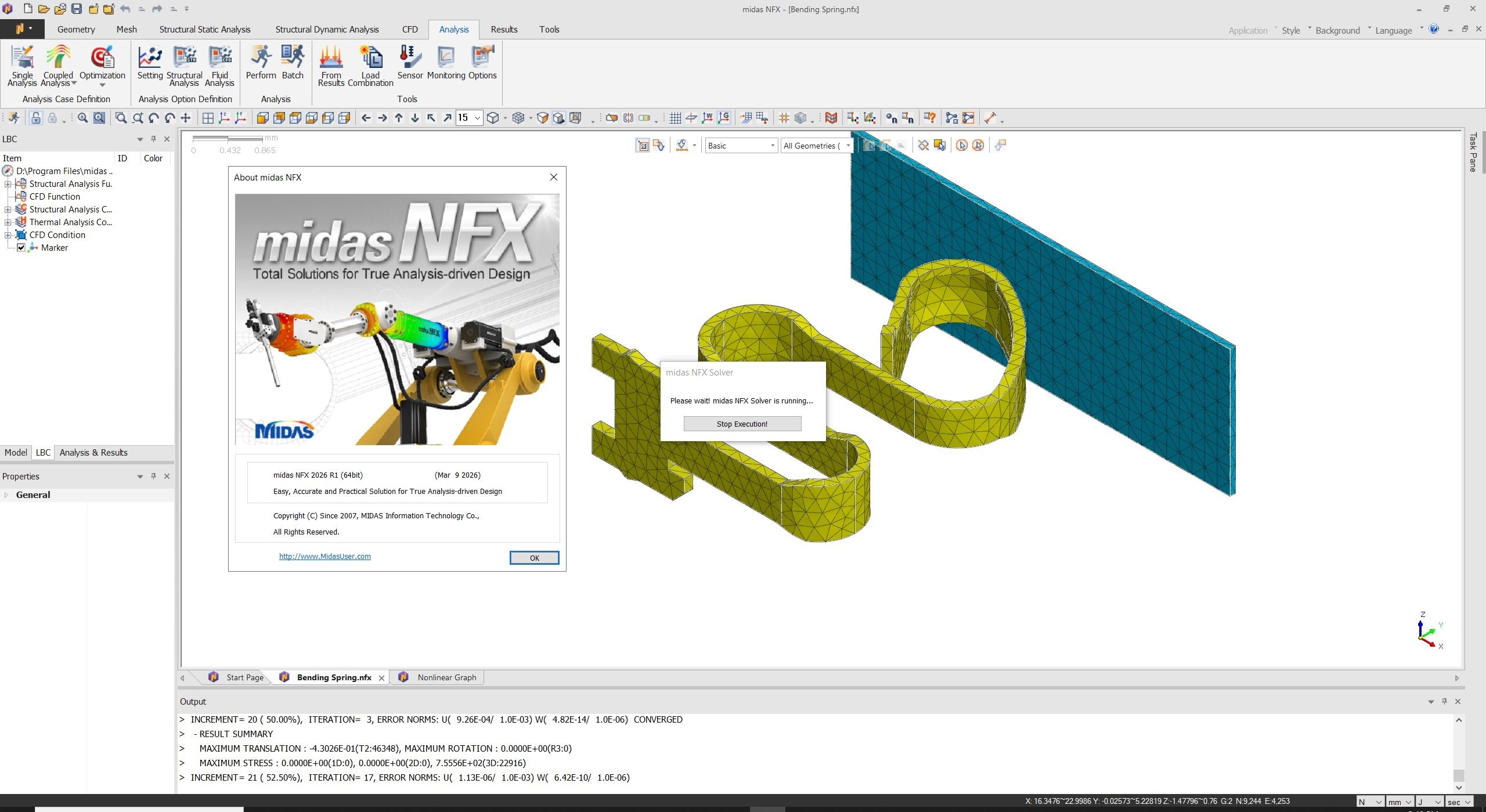
Download midas NFX 2026 R1 v2026.03.12 Win64 full license

Download midas NFX 2026 R1 v2026.03.12 Win64 full license

Link download midas NFX 2026 R1 v2026.03.12 x64 full activated

Working with midas NFX 2026 R1 v2026.03.12 full license

Description of midas NFX 2026 R1 v2026.03.12

midas NFX 2026 R1 v2026.03.12 is a high-performance finite element analysis (FEA) software developed by MIDAS IT. It is designed for advanced simulation of structural, thermal, and nonlinear engineering problems across industries such as automotive, aerospace, mechanical engineering, and manufacturing.

This latest release enhances simulation accuracy, improves solver performance, and streamlines workflows with modern preprocessing and postprocessing tools—making it a reliable solution for engineers tackling complex real-world scenarios.

Features of midas NFX 2026 R1 v2026.03.12

1. Advanced Finite Element Analysis (FEA)
Perform linear and nonlinear structural analysis
Support for static, dynamic, and thermal simulations
Accurate modeling of complex engineering systems

2. Nonlinear & Contact Analysis
Handles large deformation, plasticity, and material nonlinearity
Advanced contact algorithms for realistic interactions
Ideal for crash, impact, and assembly simulations

3. High-Performance Solver
Optimized solver for faster computation
Efficient memory usage for large-scale models
Parallel processing support for improved performance

4. Multiphysics Capabilities
Coupled analysis including structural, thermal, and fluid effects
Enables realistic simulation of engineering environments
Suitable for cross-disciplinary projects

5. Powerful Pre/Post Processing
User-friendly interface for model setup
Advanced meshing tools for complex geometries
Detailed visualization of stress, strain, and deformation results

6. CAD Integration & Data Compatibility
Import models from major CAD formats (STEP, IGES, Parasolid)
Seamless workflow between design and simulation
Reduces time for model preparation

7. Fatigue & Durability Analysis
Predict product life under cyclic loading
Evaluate fatigue damage and failure risks
Essential for product reliability assessment

8. Optimization & Design Improvement
Built-in optimization tools for design refinement
Reduce material usage while maintaining performance
Improve efficiency in engineering design

9. Automation & Scripting
Supports automation through scripting tools
Batch processing for repetitive simulations
Enhances productivity for large projects

10. Industry Applications
Automotive crash and durability analysis
Aerospace structural simulation
Mechanical component design and validation
Manufacturing process optimization

💻 System Requirements
OS: Windows 10 / 11 (64-bit)
CPU: Multi-core processor (Intel/AMD)
RAM: 8 GB minimum (16 GB+ recommended)
GPU: OpenGL-compatible graphics card
Storage: 10 GB free disk space

🚀 Why Choose midas NFX 2026?
midas NFX 2026 R1 v2026.03.12 stands out because it:
Delivers powerful nonlinear and multiphysics simulation
Provides fast and efficient solver performance
Integrates seamlessly with CAD tools
Supports advanced engineering analysis in multiple industries

It is an ideal solution for engineers seeking accurate, efficient, and scalable simulation tools for modern product development.

If you want to download midas NFX 2026 R1 v2026.03.12 full license, please click to DOWNLOAD button to download.
CLICKDOWN.ORG Download CAD CAM CNC software
Inside package midas NFX 2026 R1 v2026.03.12, already have cracked files and instruction how to install midas NFX 2026 R1 v2026.03.12 step by step. I guarantee you can install midas NFX 2026 R1 v2026.03.12 successfully if you follow that instruction.
If you also can’t install it or get any problems, please contact to me by email: clickdown.org@gmail.com, then I will help you to install software by teamviewer or Ultraviewer or Anydesk.
Thanks a lot
SOFTWARES

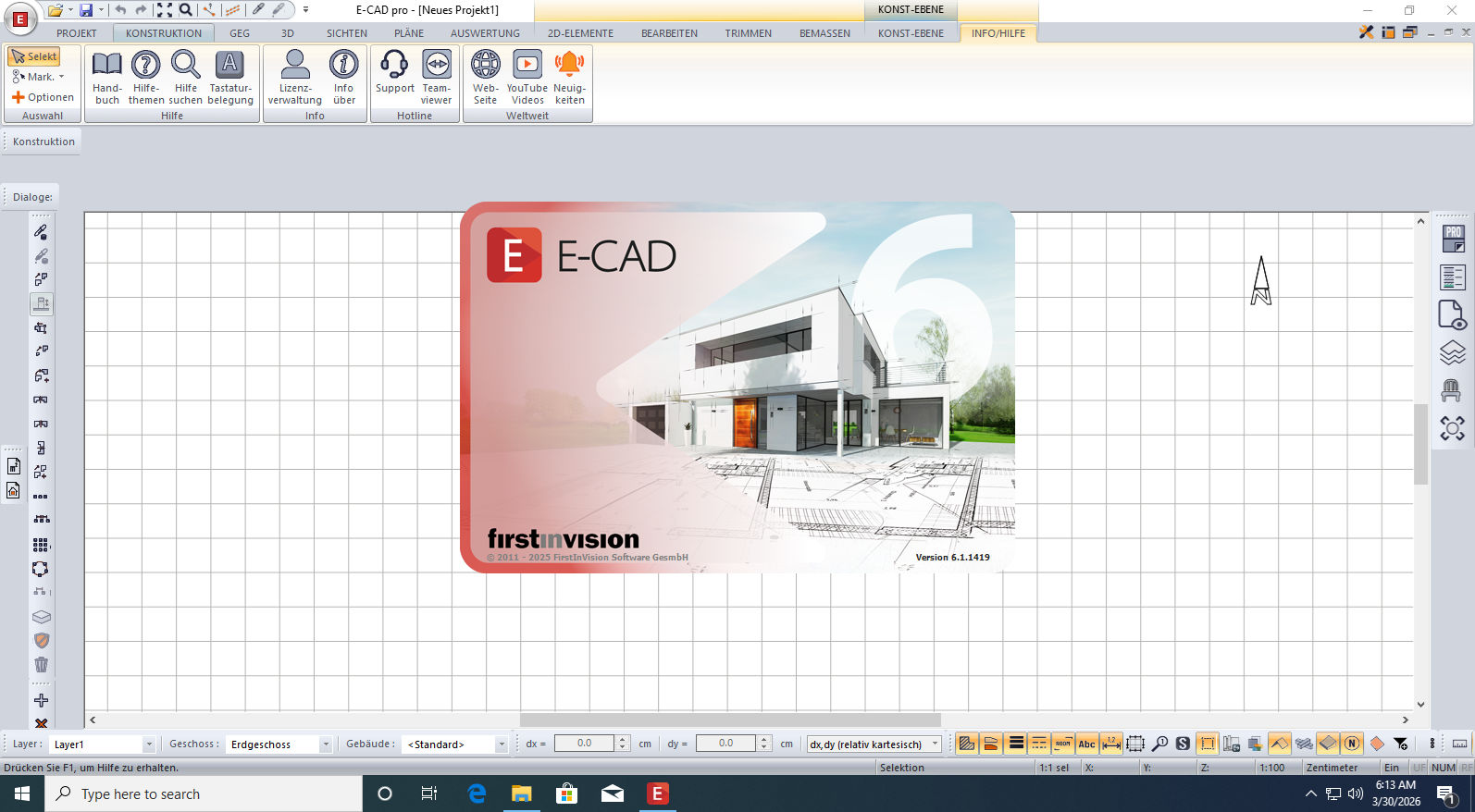
Download BKI E-Cad Pro 2026 v6.1.1419 win64 full license

Download BKI E-Cad Pro 2026 v6.1.1419 win64 full license

Link download BKI E-Cad Pro 2026 v6.1.1419 full activated

Working with BKI E-Cad Pro 2026 v6.1.1419 full license

Description of BKI E-Cad Pro 2026 v6.1.1419

BKI E-CAD Pro 2026 v6.1.1419 is a professional CAD-based building modeling and energy planning software developed by BKI (Baukosteninformationszentrum). It is designed for architects, engineers, and energy consultants to create precise 2D/3D building models and perform energy-related calculations according to German standards (GEG, BEG).

This software integrates BIM workflows, IFC data exchange, and energy analysis tools, making it an essential solution for modern building design and energy efficiency evaluation.

Features of BKI E-Cad Pro 2026 v6.1.1419

1. Advanced 2D/3D Building Modeling
Create detailed building models with walls, roofs, and floors
Automatic generation of sections and elevations from 3D models
Intelligent object-based design for faster workflows

2. BIM & IFC Data Exchange
Full support for IFC import/export for BIM workflows
Integrated IFC viewer for model validation
Seamless collaboration with other BIM tools

3. Energy Analysis Integration (GEG/BEG)
Export building data for energy calculations
Supports GEG compliance and BEG certification workflows
Integration with BKI Energy Planner for detailed simulations

4. CAD Drawing & Import Tools
Import drawings from multiple image and CAD formats
PDF import with vector recognition
Flexible editing tools for architectural elements

5. Automated Construction Elements
Automatic wall intersections with roofs and slabs
Easy creation of roof structures
Parametric building components for efficiency

6. Reporting & Quantity Takeoff
Built-in report generator for areas and quantities
Customizable report layouts
Accurate data extraction for project documentation

7. Energy Zoning & Visualization
3D visualization of building zones and thermal envelopes
Supports zoning for residential and non-residential buildings
Visual validation of energy-relevant components

8. Workflow Automation & Integration
COM interface for direct communication with other BKI tools
Real-time data synchronization between applications
Simplifies multi-software workflows

9. User-Friendly Interface
Logical and structured menus for easy navigation
Fast learning curve for new users
Efficient workspace for professionals

10. Flexible View & Editing System
Work in both 2D and 3D views simultaneously
Modify elements directly in sections and elevations
Advanced filtering for object visibility control

💻 System Requirements
OS: Windows 10 / Windows 11 (64-bit)
CPU: 1 GHz minimum (3 GHz recommended)
RAM: 4 GB minimum (8 GB+ recommended)
Storage: 40 GB free disk space or more
Display: 1024×768 minimum resolution

🚀 Why Choose BKI E-CAD Pro 2026?
BKI E-CAD Pro 2026 v6.1.1419 is a powerful solution because it:
Combines CAD design with energy analysis in one platform
Supports BIM workflows with IFC compatibility
Automates building modeling and reporting tasks
Helps meet modern energy efficiency standards

It is ideal for professionals working in architecture, construction, and sustainable building design.

If you want to download BKI E-Cad Pro 2026 v6.1.1419 full license, please click to DOWNLOAD button to download.
CLICKDOWN.ORG Download CAD CAM CNC software
Inside package BKI E-Cad Pro 2026 v6.1.1419, already have cracked files and instruction how to install BKI E-Cad Pro 2026 v6.1.1419 step by step. I guarantee you can install BKI E-Cad Pro 2026 v6.1.1419 successfully if you follow that instruction.
If you also can’t install it or get any problems, please contact to me by email: clickdown.org@gmail.com, then I will help you to install software by teamviewer or Ultraviewer or Anydesk.
Thanks a lot
SOFTWARES

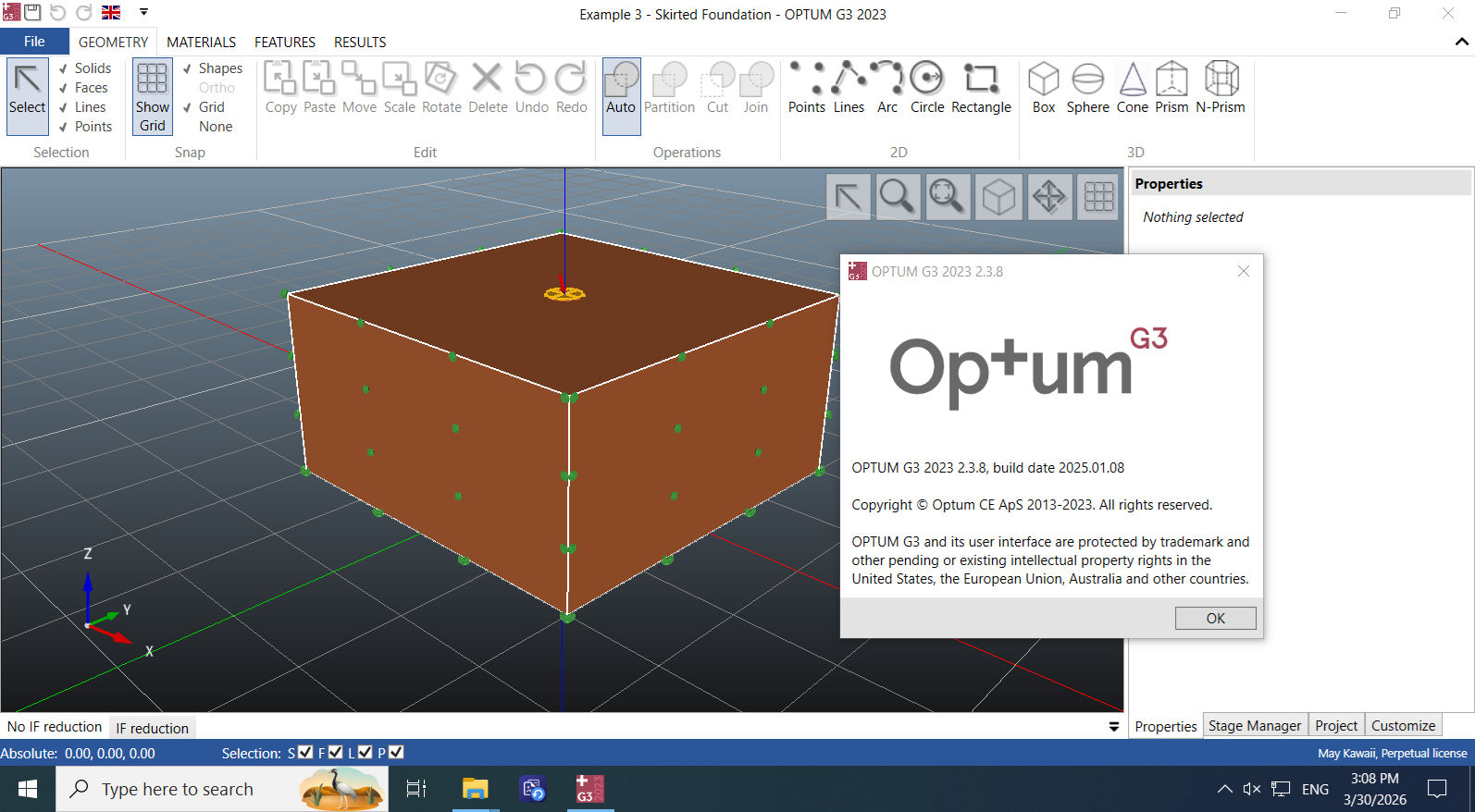
Download OPTUM G3 2023 v2.3.8.0 full license 100% working

Download OPTUM G3 2023 v2.3.8.0 full license 100% working

Link download OPTUM G3 2023 v2.3.8.0 full activated

Working with OPTUM G3 2023 v2.3.8.0 full license

Description of OPTUM G3 2023 v2.3.8.0

OPTUM G3 2023 v2.3.8.0 is an advanced 3D finite element analysis (FEA) software developed by Optum Computational Engineering. It is specifically designed for geotechnical engineers who need high-precision modeling and analysis of soil–structure interaction in complex real-world conditions.

Unlike traditional 2D tools, OPTUM G3 delivers fully 3D simulations, enabling more accurate evaluation of foundations, slopes, excavations, and underground structures. It combines powerful limit analysis with finite element methods to provide fast, reliable, and verified engineering results.

Features of OPTUM G3 2023 v2.3.8.0

1. Full 3D Finite Element Analysis
Perform detailed 3D modeling of geotechnical systems
Analyze soil-structure interaction with high realism
Supports complex geometries and real-world conditions

2. Limit Analysis (FELA Technology)
Compute upper and lower bounds of bearing capacity
Deliver fast and accurate safety assessments
Built-in verification through rigorous bounds calculation

3. Load-Displacement & Elastoplastic Analysis
Simulate realistic deformation and settlement behavior
Perform elastoplastic and consolidation analysis
Ideal for serviceability and long-term performance studies

4. Staged Construction Simulation
Activate or deactivate regions during analysis
Simulate real construction sequences step-by-step
Useful for excavation, embankment, and foundation projects

5. Adaptive Mesh Refinement
Automatic mesh optimization for higher accuracy
Reduces computational cost while maintaining precision
Handles complex models efficiently

6. Advanced Soil & Material Models
Supports Mohr-Coulomb, Tresca, AUS, and more
Simulate realistic soil and rock behavior
Suitable for a wide range of geotechnical conditions

7. Intuitive 3D Modeling Tools
Built-in solid modeling tools for easy geometry creation
No prior 3D modeling experience required
Import CAD formats like IGES, STEP, and DXF

8. Strength Reduction & Stability Analysis
Calculate factor of safety using advanced methods
Analyze slope stability, retaining walls, and embankments
Provides highly reliable engineering results

9. High Performance & Fast Computation
Efficient algorithms for rapid simulations
Mixed element technology for faster 3D calculations
Handles large-scale engineering problems with ease

10. Automation & Command-Line Support
Run simulations via command line for automation
Integrate into engineering workflows
Suitable for batch processing and advanced users

💻 System Requirements
OS: Windows 10 (64-bit)
RAM: 4 GB minimum (8 GB+ recommended)
CPU: Multi-core 64-bit processor
Storage: 6 GB free disk space
Display: 1024×768 minimum (Full HD recommended)

🚀 Why Choose OPTUM G3 2023?
OPTUM G3 2023 v2.3.8.0 stands out because it:
Provides true 3D geotechnical analysis capabilities
Combines FEA and limit analysis for superior accuracy
Delivers fast and reliable safety factor calculations
Simplifies complex modeling with intuitive tools

It is widely used in civil engineering fields such as foundation design, slope stability, tunneling, offshore structures, and infrastructure projects.

If you want to download OPTUM G3 2023 v2.3.8.0 full license, please click to DOWNLOAD button to download.
CLICKDOWN.ORG Download CAD CAM CNC software
Inside package OPTUM G3 2023 v2.3.8.0, already have cracked files and instruction how to install OPTUM G3 2023 v2.3.8.0 step by step. I guarantee you can install OPTUM G3 2023 v2.3.8.0 successfully if you follow that instruction.
If you also can’t install it or get any problems, please contact to me by email: clickdown.org@gmail.com, then I will help you to install software by teamviewer or Ultraviewer or Anydesk.
Thanks a lot
SOFTWARES

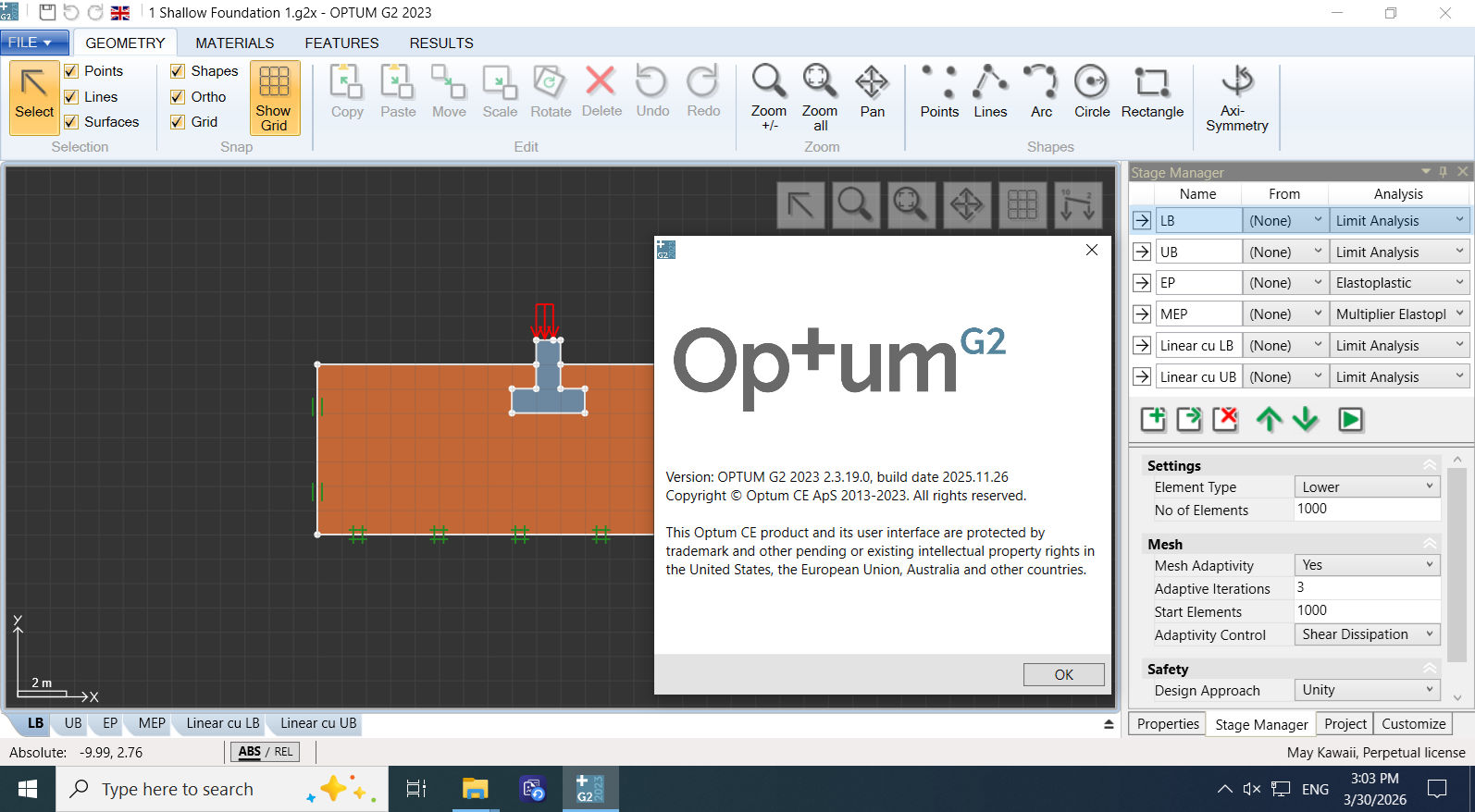
Download OPTUM G2 2023 v2.3.19.0 full license 100% working

Download OPTUM G2 2023 v2.3.19.0 full license 100% working

Link download OPTUM G2 2023 v2.3.19.0 full activated

Working with OPTUM G2 2023 v2.3.19.0 full license

Description of OPTUM G2 2023 v2.3.19.0

OPTUM G2 2023 v2.3.19.0 is a powerful finite element analysis (FEA) software designed for geotechnical engineering applications. Developed by Optum Computational Engineering, it provides advanced tools for analyzing soil behavior, stability, and deformation in complex engineering projects.

This version continues to deliver high computational performance, robust numerical methods, and an intuitive interface, making it a preferred solution for engineers working on foundations, slopes, excavations, and underground structures.

Features of OPTUM G2 2023 v2.3.19.0

1. Advanced Finite Element Analysis
Performs detailed geotechnical stability and deformation analysis
Supports plane strain and axisymmetric modeling
Delivers high accuracy using advanced numerical algorithms

2. Limit Analysis Technology
Computes upper and lower bounds for bearing capacity
Provides fast and reliable safety factor calculations
Reduces uncertainty in engineering design decisions

3. Comprehensive Soil Modeling
Supports elastoplastic, consolidation, and seepage analysis
Wide range of material models from simple to advanced
Suitable for real-world soil behavior simulation

4. Slope Stability & Safety Analysis
Uses strength reduction methods for slope stability
Quickly evaluates safety factors with high precision
Ideal for embankments and earth structures

5. Foundation & Excavation Design
Analyze shallow and deep foundations
Simulate excavation stages and support systems
Model retaining walls, anchors, and piles accurately

6. Seepage & Groundwater Flow Analysis
Simulate groundwater flow and pore pressure distribution
Evaluate hydraulic conditions affecting soil stability
Essential for environmental and civil engineering projects

7. Automatic Adaptive Meshing
Intelligent mesh refinement for higher accuracy
Handles complex geometries without manual adjustments
Improves efficiency and reduces setup time

8. CAD Integration & Model Import
Import geometry from external CAD tools (DXF support)
Easy creation of complex models and soil layers
Streamlined workflow for engineers

9. Staged Construction Simulation
Simulate construction sequences step-by-step
Activate/deactivate model regions dynamically
Analyze real construction processes effectively

10. User-Friendly Interface
Intuitive graphical interface for fast model setup
Efficient workflow for beginners and professionals
Clear visualization of results and analysis

💻 System Requirements
OS: Windows 10 (64-bit)
RAM: 4 GB minimum (8 GB recommended)
CPU: 64-bit multi-core processor
Storage: 6 GB free disk space
Display: 1024×768 (1920×1080 recommended)

🚀 Why Choose OPTUM G2 2023?
OPTUM G2 2023 v2.3.19.0 stands out because it:
Combines limit analysis and finite element methods in one platform
Provides highly accurate and fast geotechnical simulations
Handles complex engineering problems with ease
Offers efficient workflows for real-world project applications

It is widely used in civil engineering fields such as foundation design, slope stability, tunneling, and groundwater analysis.

If you want to download OPTUM G2 2023 v2.3.19.0 full license, please click to DOWNLOAD button to download.
CLICKDOWN.ORG Download CAD CAM CNC software
Inside package OPTUM G2 2023 v2.3.19.0, already have cracked files and instruction how to install OPTUM G2 2023 v2.3.19.0 step by step. I guarantee you can install OPTUM G2 2023 v2.3.19.0 successfully if you follow that instruction.
If you also can’t install it or get any problems, please contact to me by email: clickdown.org@gmail.com, then I will help you to install software by teamviewer or Ultraviewer or Anydesk.
Thanks a lot
SOFTWARES

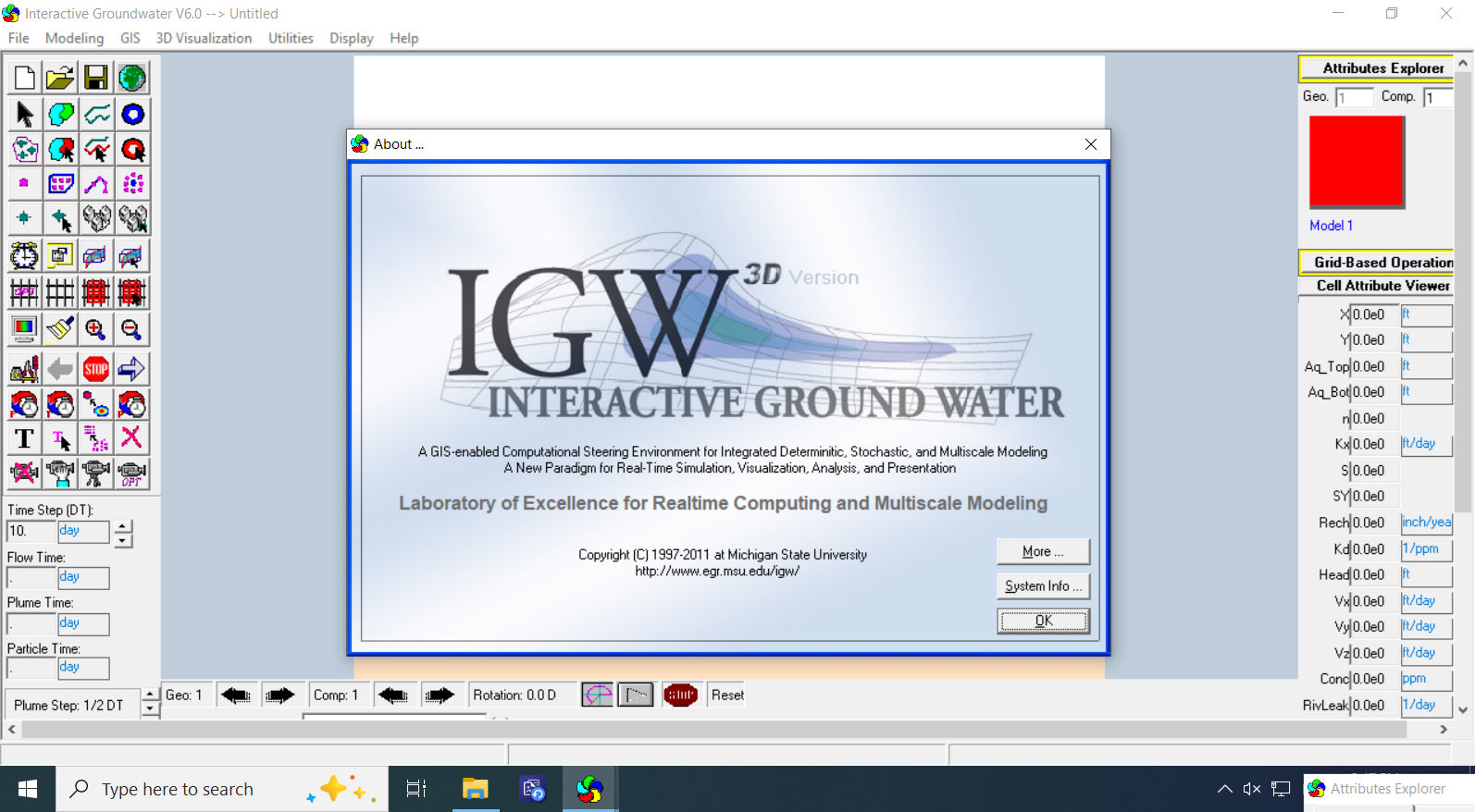
Download Interactive GroundWater 6.0 full license forever

Download Interactive GroundWater 6.0 full license forever

Link download Interactive GroundWater 6.0 full activated

Working with Interactive GroundWater 6.0 full license

Description of Interactive GroundWater 6.0

Interactive GroundWater 6.0 (IGW 6.0) is a comprehensive groundwater modeling and visualization software developed by Deltares. It is designed to help hydrogeologists, environmental engineers, and researchers simulate, analyze, and manage groundwater systems with high accuracy.

Built as a user-friendly interface for powerful numerical engines like MODFLOW, IGW 6.0 simplifies complex groundwater modeling tasks, making it ideal for environmental studies, water resource management, and contamination analysis.

Features of Interactive GroundWater 6.0

1. Advanced Groundwater Modeling
Simulate groundwater flow and aquifer systems
Supports steady-state and transient simulations
Ideal for regional and site-scale hydrogeological studies

2. MODFLOW Integration
Fully integrated with MODFLOW engine
Enables accurate numerical modeling of groundwater flow
Supports multiple MODFLOW packages for extended functionality

3. Contaminant Transport Simulation
Model the movement of pollutants in groundwater
Analyze dispersion, advection, and chemical reactions
Useful for environmental impact assessments

4. User-Friendly Graphical Interface
Intuitive GUI for building and editing models
Visualize model grids, boundaries, and parameters easily
Simplifies complex modeling workflows

5. GIS & Data Integration
Import and export GIS data formats
Integrate spatial datasets for accurate modeling
Supports raster and vector data handling

6. Calibration & Parameter Estimation
Tools for calibrating models using observed data
Improve model accuracy with parameter adjustment
Supports sensitivity analysis

7. Visualization & Results Analysis
2D and 3D visualization of groundwater flow
Display contour maps, velocity vectors, and particle tracking
Generate professional reports and graphics

8. Scenario Analysis
Evaluate different groundwater management strategies
Simulate pumping, recharge, and climate scenarios
Support decision-making in water resource planning

9. Automation & Scripting
Automate repetitive modeling tasks
Improve efficiency in large-scale projects
Custom workflows for advanced users

💻 System Requirements
OS: Windows 10 / 11 (64-bit)
RAM: 4 GB minimum (8 GB+ recommended)
CPU: Multi-core processor
Storage: 1 GB free disk space
GPU: Optional for enhanced visualization

🚀 Why Choose Interactive GroundWater 6.0?
Interactive GroundWater 6.0 stands out because it:
Combines powerful modeling engines with an easy-to-use interface
Supports advanced groundwater and contaminant transport analysis
Integrates GIS data for accurate spatial modeling
Provides robust tools for environmental and water resource management

It is widely used in environmental consulting, academic research, and government water management projects.

If you want to download Interactive GroundWater 6.0 full license, please click to DOWNLOAD button to download.
CLICKDOWN.ORG Download CAD CAM CNC software
Inside package Interactive GroundWater 6.0, already have cracked files and instruction how to install Interactive GroundWater 6.0 step by step. I guarantee you can install Interactive GroundWater 6.0 successfully if you follow that instruction.
If you also can’t install it or get any problems, please contact to me by email: clickdown.org@gmail.com, then I will help you to install software by teamviewer or Ultraviewer or Anydesk.
Thanks a lot
SOFTWARES

Download PTC Modeler 2025 v10.2 full license forever

Download PTC Modeler 2025 v10.2 full license forever

Link download PTC Modeler 2025 v10.2 full activated

Working with PTC Modeler 2025 v10.2 full license forever

Description of PTC Modeler 2025 v10.2

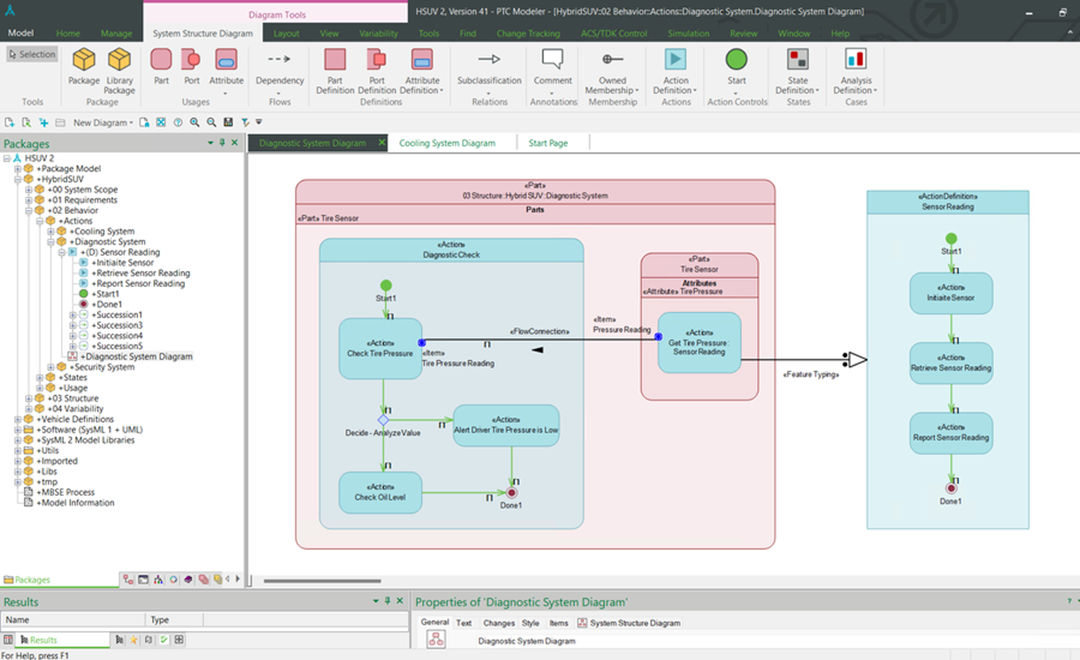
PTC Modeler 2025 v10.2 is a powerful model-based systems engineering (MBSE) software developed by PTC Inc.. It enables engineers to design, analyze, and validate complex systems using industry-standard modeling languages such as UML and SysML.

This version introduces major enhancements aligned with SysML 2.0, improved usability, and stronger integration within the digital engineering ecosystem—making it an essential tool for modern system and software development workflows.

Features of PTC Modeler 2025 v10.2

1. SysML 2.0 Support (Next-Gen Modeling)
Supports the latest SysML 2.0 standard for advanced system modeling
Model requirements, structure, behavior, and verification in one environment
Enables full lifecycle modeling for complex systems

2. Model-Based Systems Engineering (MBSE)
Create digital system models instead of traditional documents
Improve design accuracy and reduce development errors
Supports UML, SysML 1.x, SysML 2.0, and UAF standards

3. Advanced Analysis & Verification Modeling
Define system behavior using state-based models
Perform analysis and validation within the model
Link verification elements directly to requirements

4. Textual Import for SysML 2
Import .sysml files to automatically generate models
Accelerates project setup and improves workflow efficiency
Built-in validation checks for syntax accuracy

5. Improved Diagramming & Usability
Auto-layout and smart diagram population tools
Automatically arrange elements for clean, readable diagrams
Faster diagram creation with multi-item population support

6. Digital Thread Integration
Seamless integration with tools like Codebeamer and Windchill
Enables end-to-end traceability across the development lifecycle
OSLC-based linking ensures connected engineering data

7. Collaboration & Multi-User Environment
Centralized database for team collaboration
Multiple users can work on models simultaneously
Improves communication across engineering disciplines

8. Automation & Code Engineering
Generate and reverse-engineer code from models
Automate repetitive modeling tasks
Reduce development time and improve consistency

9. Database & Infrastructure Enhancements
Supports SQL Server 2022 and modern server environments
Improved installation and deployment flexibility
Secure data management with enterprise-grade systems

10. Security & Compliance
Enhanced software security practices
Compliance with modern security standards and regulations

💻 System Requirements
OS: Windows 10 / 11 (64-bit)
RAM: 8 GB minimum (16 GB recommended)
CPU: Multi-core processor
Database: Microsoft SQL Server (recommended)
Storage: 2 GB+ free disk space

🚀 Why Choose PTC Modeler 2025 v10.2?
PTC Modeler 2025 v10.2 stands out because it:
Supports next-generation SysML 2.0 modeling
Enables full MBSE workflows for complex systems
Improves collaboration with digital thread integration
Reduces development time through automation and reuse

It is widely used in industries such as aerospace, automotive, defense, and complex product engineering.

If you want to download PTC Modeler 2025 v10.2 full license, please click to DOWNLOAD button to download.
CLICKDOWN.ORG Download CAD CAM CNC software
Inside package PTC Modeler 2025 v10.2, already have cracked files and instruction how to install PTC Modeler 2025 v10.2 step by step. I guarantee you can install PTC Modeler 2025 v10.2 successfully if you follow that instruction.
If you also can’t install it or get any problems, please contact to me by email: clickdown.org@gmail.com, then I will help you to install software by teamviewer or Ultraviewer or Anydesk.
Thanks a lot
SOFTWARES

Download CSI Bridge Advanced with Rating 27.1.0 build 37314

Download CSI Bridge Advanced with Rating 27.1.0 build 37314

Link download CSI Bridge Advanced with Rating 27.1.0 full activated

Working with CSI Bridge Advanced with Rating 27.1.0 build 37314

Description of CSI Bridge Advanced with Rating 27.1.0

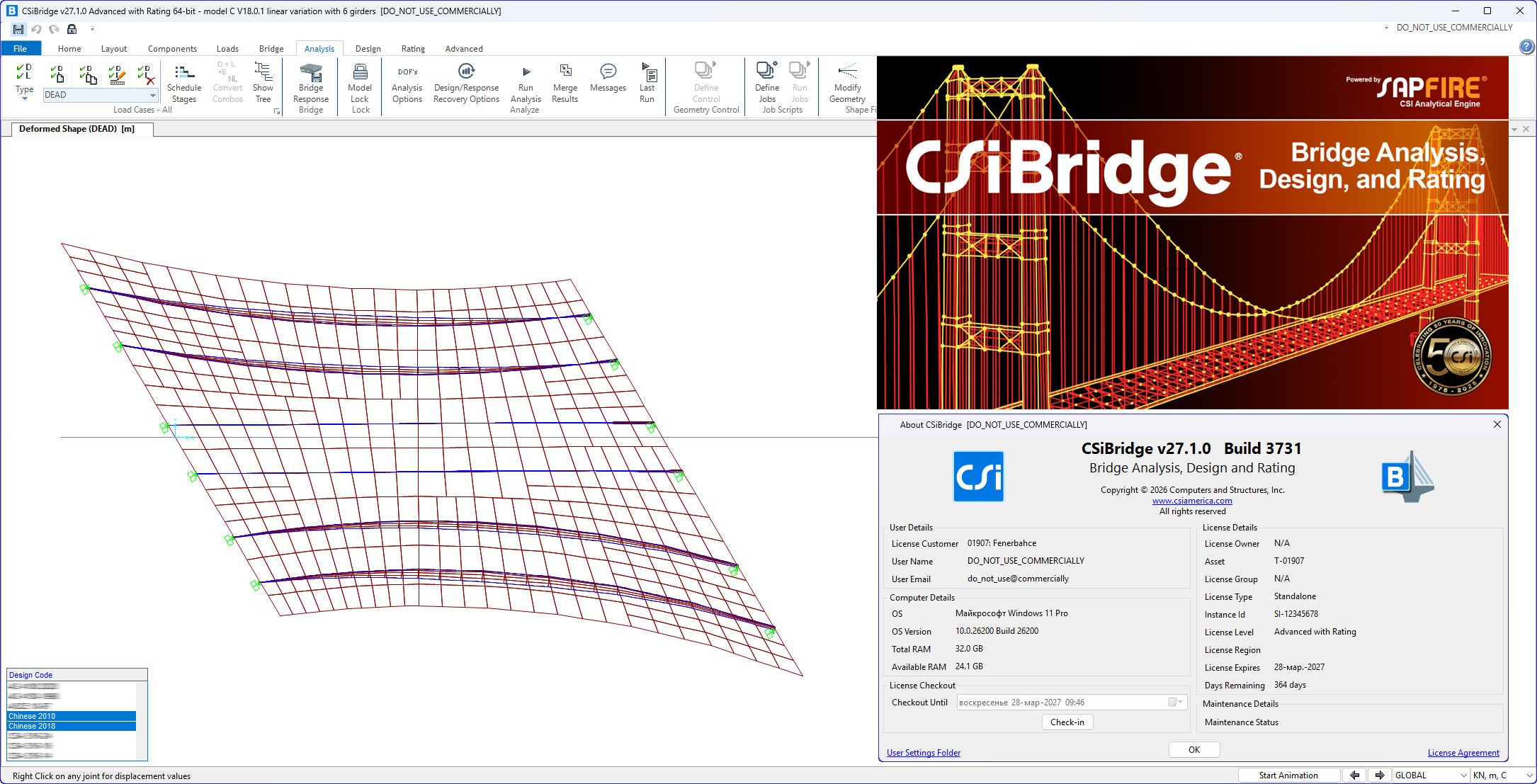
CSI Bridge Advanced with Rating 27.1.0 is a comprehensive bridge analysis, design, and load rating software developed by Computers and Structures Inc.. It integrates powerful modeling tools with advanced structural analysis and code-based design features, making it a leading solution for civil and structural engineers.

This Advanced with Rating edition includes full load rating capabilities, allowing engineers to evaluate existing bridges according to international standards while designing new structures with high precision and efficiency.

Features of CSI Bridge Advanced with Rating 27.1.0

1. Integrated Bridge Modeling & Design
All-in-one environment for modeling, analysis, design, and reporting
Parametric bridge modeling using real engineering components like spans, girders, abutments, and tendons
Quick Bridge Templates for rapid model creation

2. Advanced Analysis Engine
Powered by SAPFire® analysis engine for high-performance computation
Supports linear and nonlinear analysis including dynamic, staged construction, and buckling
Handles complex structural behavior with high accuracy

3. Load Rating Capabilities (Ultimate Feature)
Perform bridge load rating based on standards such as AASHTO LRFD/LRFR
Evaluate existing bridges for safety and compliance
Generate detailed rating reports for decision-making

4. Parametric Bridge Modeling
Intelligent Bridge Wizard guides step-by-step model creation
Automatic updates when geometry or parameters change
Supports deck sections, diaphragms, bearings, and substructures

5. Moving Load & Traffic Simulation
Apply vehicle loads and traffic lanes
Analyze maximum responses using influence lines and surfaces
Simulate real-world traffic conditions accurately

6. Construction Stage Analysis
Simulate staged construction processes
Account for creep, shrinkage, and material aging
Optimize construction scheduling and sequencing

7. Seismic & Dynamic Analysis
Perform response spectrum and time-history analysis
Evaluate seismic performance of bridge structures
Includes pushover and nonlinear dynamic analysis tools

8. Design & Code Compliance
Supports multiple international design codes
Design steel and concrete bridges with automated checks
Detailed graphical and tabular design results

9. Visualization & Reporting Tools
View force diagrams, stress contours, and deformed shapes
Generate comprehensive engineering reports
Animate structural behavior under loads

10. API & Automation
API support for workflow automation and customization
Integrates with other CSI products like SAP2000 and ETABS
Enables advanced scripting and data exchange

💻 System Requirements
OS: Windows 10 / 11 (64-bit)
RAM: 8 GB minimum (16 GB+ recommended)
CPU: Multi-core processor
GPU: DirectX 11 compatible graphics
Storage: 6 GB free disk space

🚀 Why Choose CSI Bridge Advanced with Rating 27.1.0?
CSI Bridge Advanced with Rating 27.1.0 stands out due to:
Fully integrated modeling, analysis, design, and rating tools
Advanced nonlinear and dynamic simulation capabilities
Industry-standard load rating and compliance features
Efficient parametric modeling and automation

It is widely used for bridge design, rehabilitation, and structural assessment in transportation and infrastructure projects.

If you want to download CSI Bridge Advanced with Rating 27.1.0 full license, please click to DOWNLOAD button to download.
CLICKDOWN.ORG Download CAD CAM CNC software
Inside package CSI Bridge Advanced with Rating 27.1.0, already have cracked files and instruction how to install CSI Bridge Advanced with Rating 27.1.0 step by step. I guarantee you can install CSI Bridge Advanced with Rating 27.1.0 successfully if you follow that instruction.
If you also can’t install it or get any problems, please contact to me by email: clickdown.org@gmail.com, then I will help you to install software by teamviewer or Ultraviewer or Anydesk.
Thanks a lot
SOFTWARES

Download Autodesk AutoCAD Map 3D 2027 x64 full license

Download Autodesk AutoCAD Map 3D 2027 x64 full license

Link download Autodesk AutoCAD Map 3D 2027 full activated

Working with Autodesk AutoCAD Map 3D 2027 full license

Description of Autodesk AutoCAD Map 3D 2027

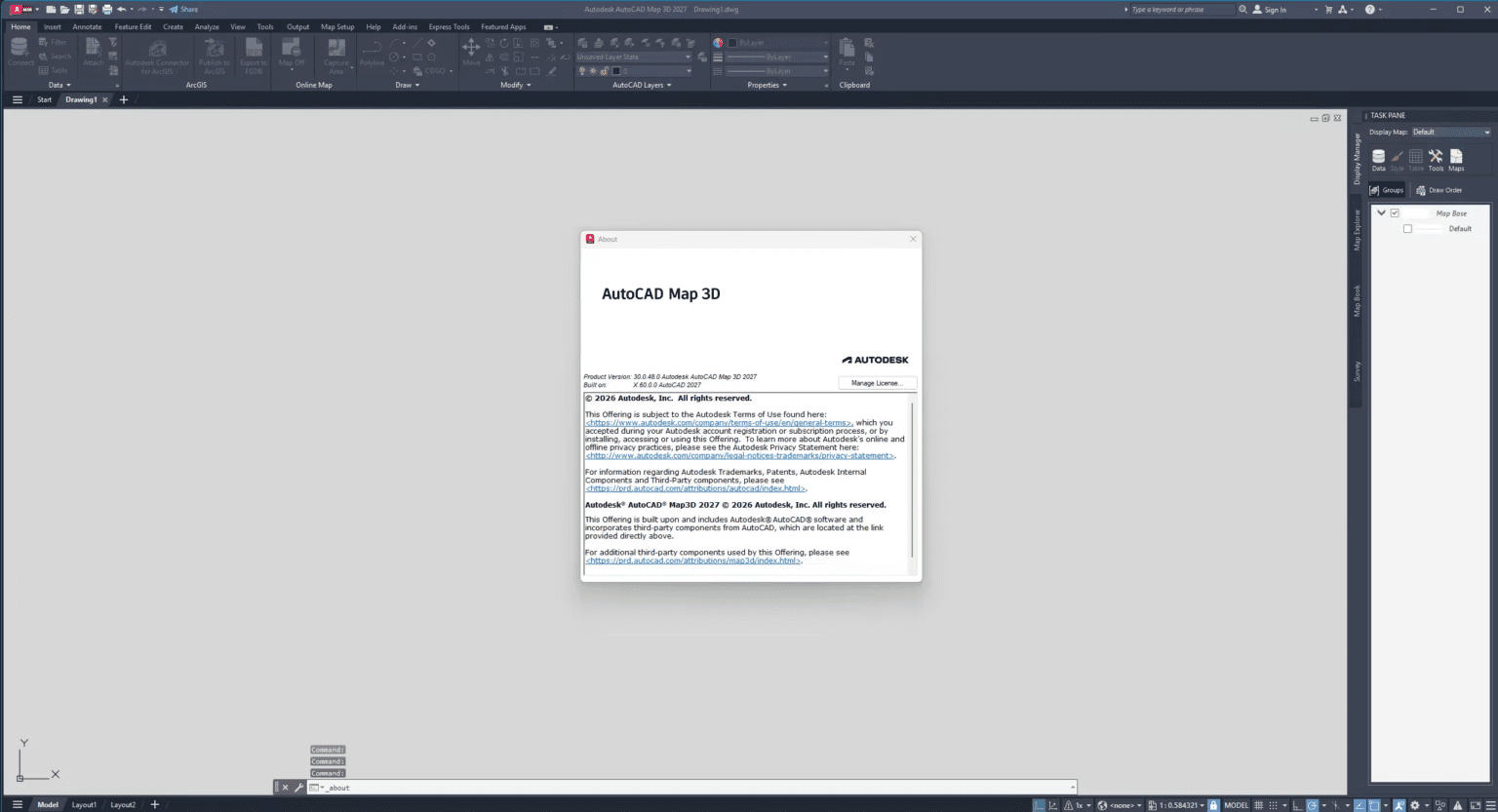
Autodesk AutoCAD Map 3D 2027 is a powerful GIS and mapping software developed by Autodesk Inc.. It combines the precision of CAD tools with advanced geographic information system (GIS) capabilities, allowing professionals to efficiently create, manage, and analyze spatial data.

Designed for engineers, planners, and GIS specialists, AutoCAD Map 3D helps streamline workflows by integrating mapping data directly into CAD environments, making it an essential tool for infrastructure, utilities, and urban planning projects.

Features of Autodesk AutoCAD Map 3D 2027

1. CAD & GIS Integration
Combine CAD drafting with GIS data in a single environment
Access and edit spatial data directly within AutoCAD
Seamless integration between design and mapping workflows

2. Spatial Data Management
Work with various GIS formats including SHP, SDF, KML, and GeoTIFF
Connect to spatial databases like Oracle Spatial and SQL Server
Manage large datasets efficiently

3. Advanced Mapping & Analysis
Perform spatial analysis such as overlay, buffer, and topology
Create thematic maps and visualize geographic data
Generate accurate maps for decision-making

4. Coordinate System Support
Built-in coordinate system library for global mapping
Transform data between different coordinate systems
Ensure geospatial accuracy across projects

5. Topology Tools
Analyze relationships between spatial features
Identify errors and ensure data integrity
Improve network and infrastructure planning

6. Data Editing & Conversion
Convert GIS data into CAD drawings and vice versa
Edit geometry and attributes with precision
Automate data cleanup and processing

7. Industry Model Workflows
Predefined models for utilities, water, gas, and infrastructure
Improve productivity with standardized workflows
Customize models for specific project needs

8. Visualization & Map Production
Create high-quality maps and layouts
Apply styles, labels, and annotations
Export maps for presentation or printing

9. Automation & Customization
Automate tasks using scripts and APIs
Customize workflows for repetitive processes
Increase efficiency in large-scale projects

💻 System Requirements
OS: Windows 10 / 11 (64-bit)
RAM: 8 GB minimum (16 GB recommended)
CPU: Multi-core processor
GPU: DirectX-compatible graphics card
Storage: 4 GB free disk space

🚀 Why Choose Autodesk AutoCAD Map 3D 2027?
Autodesk AutoCAD Map 3D 2027 stands out because it:

Bridges the gap between CAD and GIS workflows
Handles large spatial datasets efficiently
Provides powerful mapping and analysis tools
Enhances productivity for infrastructure and planning projects

It is widely used in industries such as civil engineering, utilities, transportation, and urban development.

If you want to download Autodesk AutoCAD Map 3D 2027 full license, please click to DOWNLOAD button to download.
CLICKDOWN.ORG Download CAD CAM CNC software
Inside package Autodesk AutoCAD Map 3D 2027, already have cracked files and instruction how to install Autodesk AutoCAD Map 3D 2027 step by step. I guarantee you can install Autodesk AutoCAD Map 3D 2027 successfully if you follow that instruction.
If you also can’t install it or get any problems, please contact to me by email: clickdown.org@gmail.com, then I will help you to install software by teamviewer or Ultraviewer or Anydesk.
Thanks a lot
SOFTWARES

Download Adobe Acrobat Pro DC 2026.001.21346 win64 full

Download Adobe Acrobat Pro DC 2026.001.21346 x64 full license

Link download Adobe Acrobat Pro DC 2026.001.21346 win64 full activated

Working with Adobe Acrobat Pro DC 2026.001.21346 full license

Description of Adobe Acrobat Pro DC 2026.001.21346

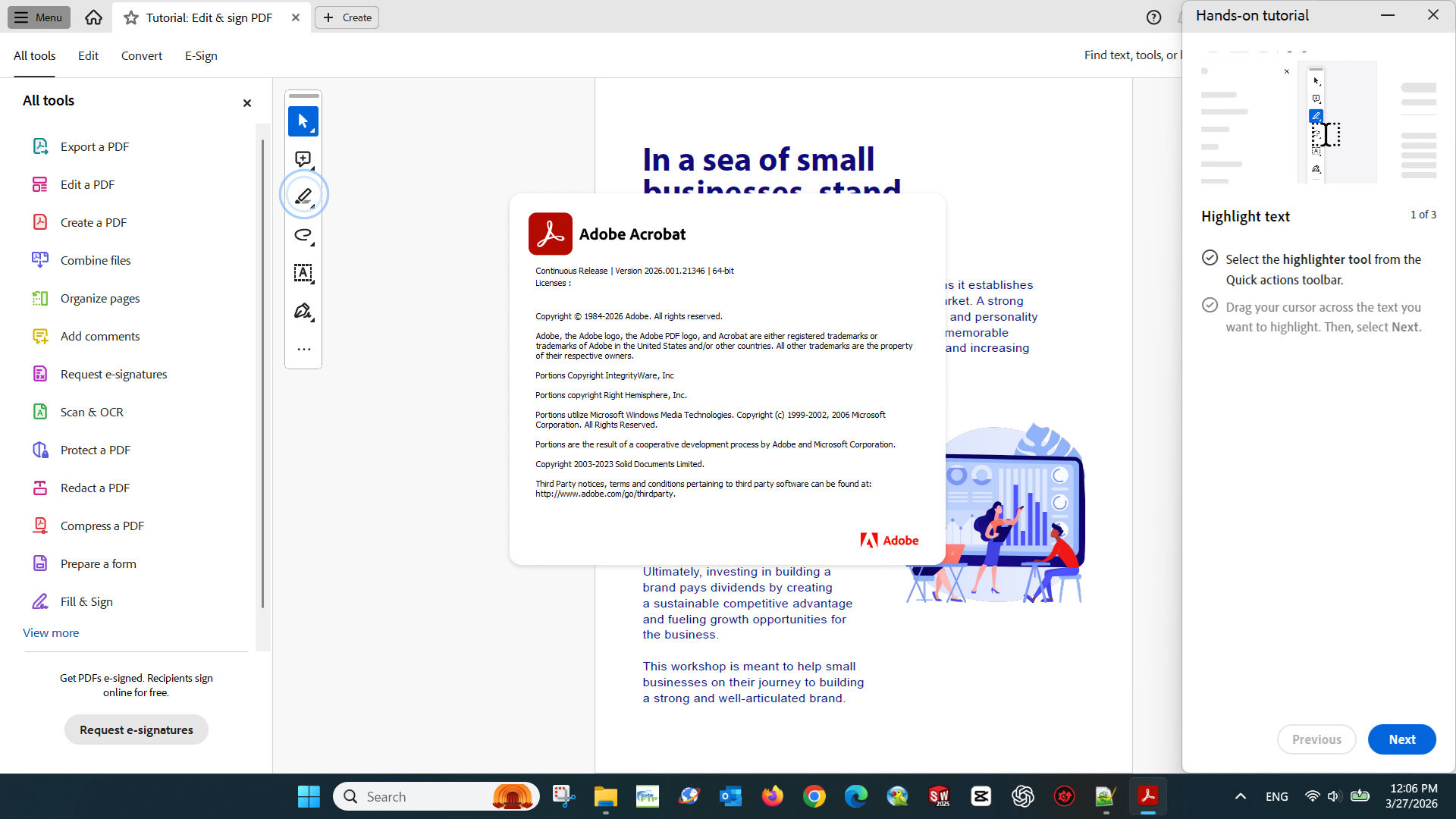
Adobe Acrobat Pro DC 2026.001.21346 is the latest version of the industry-leading PDF solution developed by Adobe Inc.. It provides powerful tools to create, edit, convert, sign, and secure PDF documents with professional-grade precision.

Widely used by businesses, students, and professionals, Acrobat Pro DC offers seamless workflows, cloud integration, and advanced document management features, making it the ultimate all-in-one PDF solution.

Features of Adobe Acrobat Pro DC 2026.001.21346

1. Advanced PDF Editing
Edit text and images directly within PDF files
Adjust fonts, layouts, and formatting with precision
Convert scanned documents into editable PDFs using OCR

2. Create & Convert PDFs
Convert Word, Excel, PowerPoint, and images to PDF
Export PDFs back to editable formats without losing formatting
Batch conversion support for productivity

3. OCR (Optical Character Recognition)
Turn scanned documents into searchable and editable text
Supports multiple languages with high accuracy

4. E-Signature & Forms
Create, fill, and sign documents electronically
Send documents for signature and track status
Build interactive forms easily

5. Cloud Integration
Sync files with Adobe Document Cloud
Access and edit PDFs from anywhere
Collaborate in real time

6. Security & Protection
Protect PDFs with passwords and encryption
Redact sensitive information permanently
Manage permissions and access control

7. Collaboration Tools
Comment, review, and annotate PDFs
Share documents with team members
Track changes and feedback efficiently

8. Optimized Performance
Faster startup and processing speeds
Improved handling of large PDF files
Enhanced user interface for smoother workflows

💻 System Requirements
OS: Windows 10 / 11 (64-bit)
RAM: 4 GB minimum (8 GB recommended)
Storage: 2 GB available space
Processor: 1.5 GHz or faster
Internet: Required for activation and cloud features

🚀 Why Choose Adobe Acrobat Pro DC?
Adobe Acrobat Pro DC 2026.001.21346 remains the top choice for PDF management because of:
Industry-standard PDF tools
Powerful OCR and editing capabilities
Secure document handling
Seamless cloud and collaboration features

It is perfect for professionals, businesses, and anyone who works extensively with digital documents.

If you want to download Adobe Acrobat Pro DC 2026.001.21346 full license, please click to DOWNLOAD button to download.
CLICKDOWN.ORG Download CAD CAM CNC software
Inside package Adobe Acrobat Pro DC 2026.001.21346, already have cracked files and instruction how to install Adobe Acrobat Pro DC 2026.001.21346 step by step. I guarantee you can install Adobe Acrobat Pro DC 2026.001.21346 successfully if you follow that instruction.
If you also can’t install it or get any problems, please contact to me by email: clickdown.org@gmail.com, then I will help you to install software by teamviewer or Ultraviewer or Anydesk.
Thanks a lot
SOFTWARES

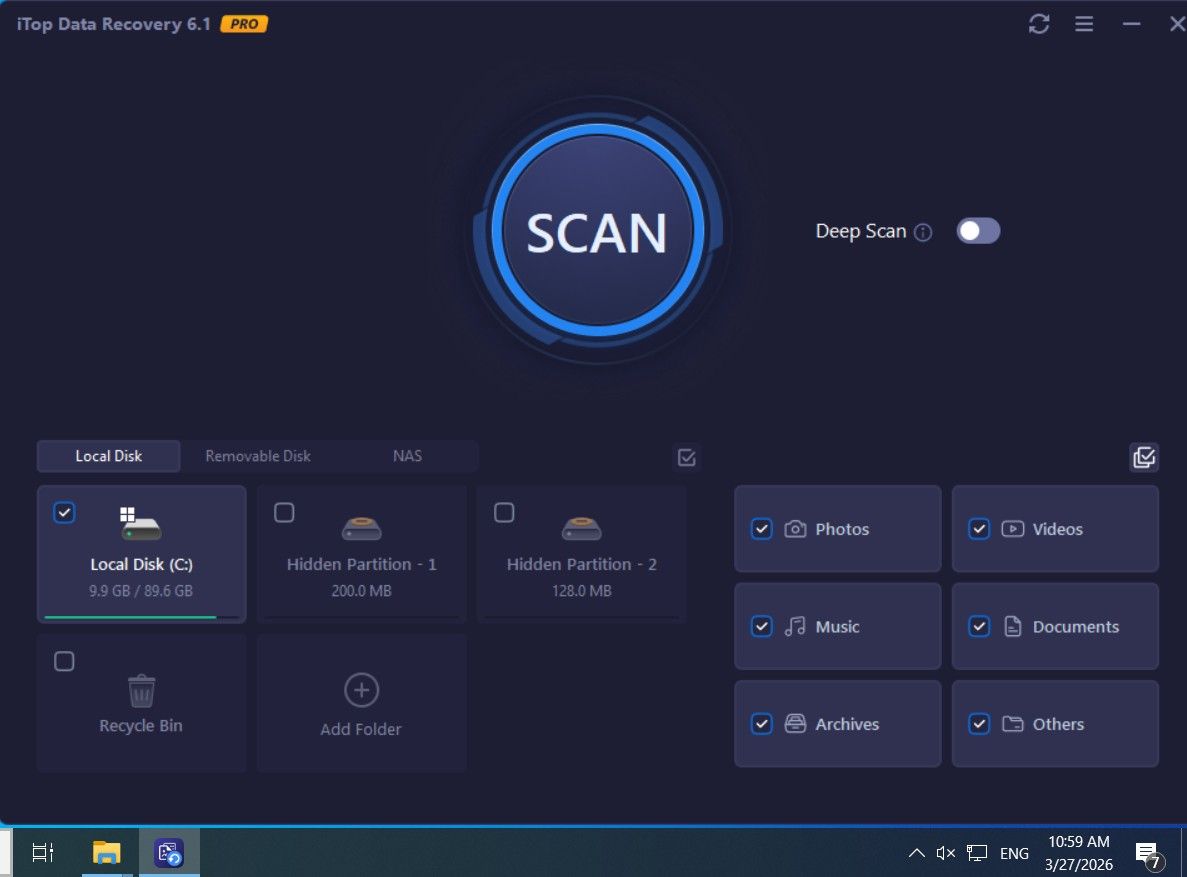
Download iTop Data Recovery Pro 6.1.0.936 Multilingual full

Download iTop Data Recovery Pro 6.1.0.936 full license

Link download iTop Data Recovery Pro 6.1.0.936 full activated

Working with iTop Data Recovery Pro 6.1.0.936 full license

Description of iTop Data Recovery Pro 6.1.0.936

iTop Data Recovery Pro 6.1.0.936 is a powerful and user-friendly data recovery solution developed by iTop Inc.. It is designed to help users recover deleted, lost, or formatted files from various storage devices including hard drives, SSDs, USB drives, and memory cards.

With its advanced scanning algorithms and high recovery success rate, iTop Data Recovery Pro is ideal for both beginners and professionals who need a reliable way to restore important data quickly and safely.

Features of iTop Data Recovery Pro 6.1.0.936

1. Comprehensive File Recovery
Recover deleted, formatted, or lost files easily
Supports recovery from accidental deletion, system crashes, and virus attacks

2. Multiple File Type Support
Restore documents, photos, videos, audio, emails, and archives
Supports hundreds of file formats

3. Deep Scan Technology
Advanced deep scanning to locate hidden or hard-to-find files
Ensures maximum recovery success rate

4. Quick Scan Mode
Fast scanning for recently deleted files
Saves time when immediate recovery is needed

5. Preview Before Recovery
Preview files before restoring them
Helps ensure accuracy and avoids unnecessary recovery

6. Wide Device Compatibility
Works with HDDs, SSDs, USB drives, SD cards, and external storage devices
Compatible with NTFS, FAT32, exFAT file systems

7. User-Friendly Interface
Simple and intuitive interface for easy navigation
Suitable for beginners with no technical experience

8. Safe & Secure Recovery
Read-only recovery process to prevent data overwrite
Ensures your existing data remains intact

💻 System Requirements
OS: Windows 7 / 8 / 10 / 11
RAM: 2 GB minimum (4 GB recommended)
Storage: 200 MB free disk space
Processor: 1 GHz or faster

🚀 Why Choose iTop Data Recovery Pro?
iTop Data Recovery Pro 6.1.0.936 stands out because of:
High recovery success rate
Fast and deep scanning modes
Broad file and device compatibility
Beginner-friendly design
It is an excellent choice for anyone looking to recover lost data quickly and efficiently without complicated steps.

If you want to download iTop Data Recovery Pro 6.1.0.936 full license, please click to DOWNLOAD button to download.
CLICKDOWN.ORG Download CAD CAM CNC software
Inside package iTop Data Recovery Pro 6.1.0.936, already have cracked files and instruction how to install iTop Data Recovery Pro 6.1.0.936 step by step. I guarantee you can install iTop Data Recovery Pro 6.1.0.936 successfully if you follow that instruction.
If you also can’t install it or get any problems, please contact to me by email: clickdown.org@gmail.com, then I will help you to install software by teamviewer or Ultraviewer or Anydesk.
Thanks a lot

error: Content is protected !!
Scroll to Top