SOFTWARES

SOFTWARES

Download Technia BRIGADE Plus 2026.1 win64 full license

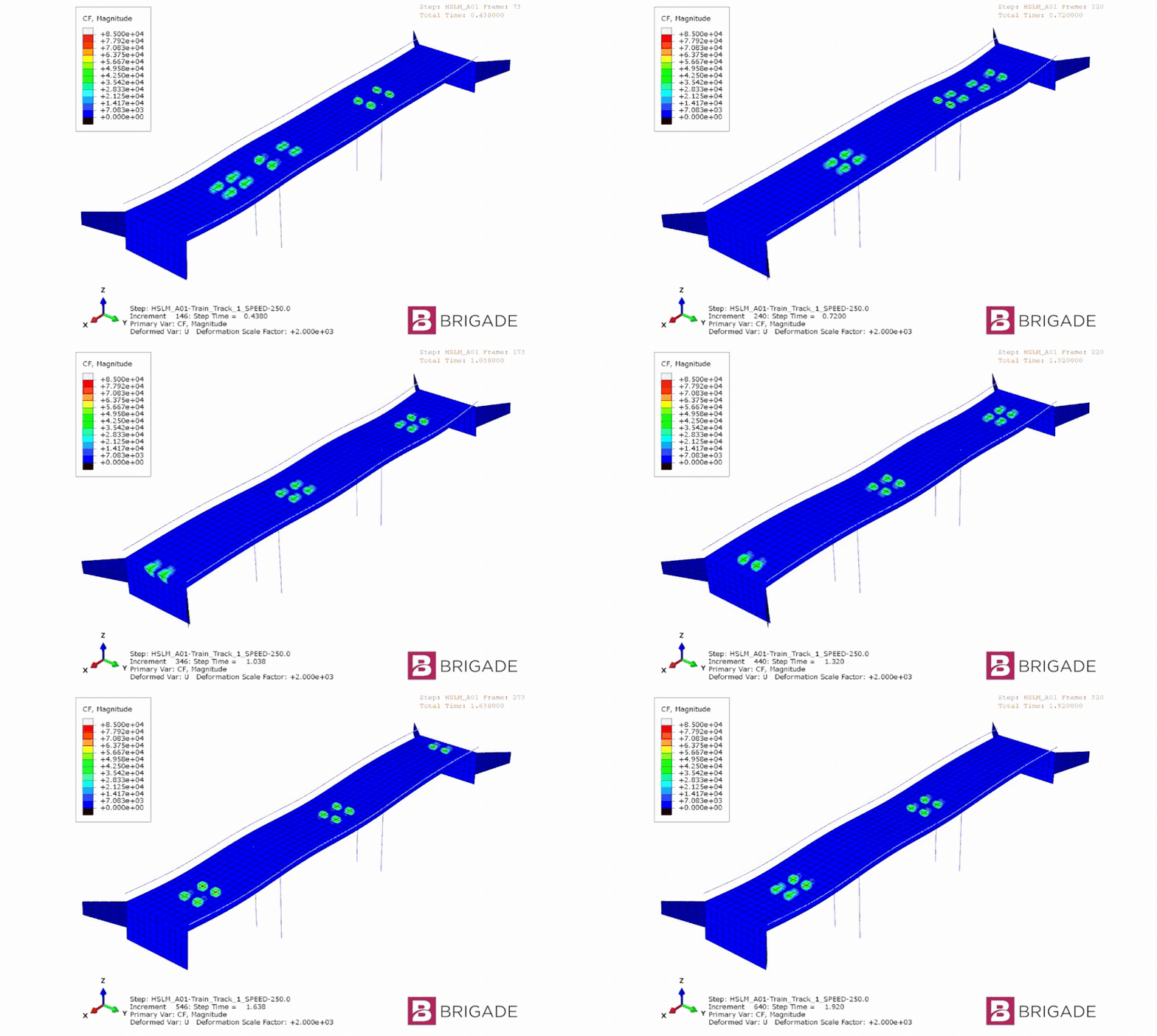
Technia BRIGADE Plus 2026.1 – Advanced FEA Pre- and Post-Processing Software

Download Technia BRIGADE Plus 2026.1 full win64 license

Link download Technia BRIGADE Plus 2026.1 x64 full activated

Technia BRIGADE Plus 2026.1 x64 full license

Working with Technia BRIGADE Plus 2026.1 full activated

Description of Technia BRIGADE Plus 2026.1

Technia BRIGADE Plus 2026.1 is a powerful finite element analysis (FEA) pre- and post-processing software designed for engineers working with complex simulation models. Developed by TECHNIA, BRIGADE Plus provides an advanced environment for preparing simulation models, generating meshes, and analyzing results from multiple FEA solvers.

The software is widely used in industries such as automotive, aerospace, mechanical engineering, and structural analysis. BRIGADE Plus allows engineers to efficiently build simulation models, manage large datasets, and visualize detailed analysis results with high accuracy.

With Technia BRIGADE Plus 2026.1, users can streamline the entire simulation workflow—from geometry preparation and mesh generation to result interpretation—making it an essential tool for advanced engineering analysis.

Features of Technia BRIGADE Plus 2026.1

Advanced FEA Pre-Processing
Prepare simulation models efficiently by importing geometry, defining materials, and setting boundary conditions.

High-Quality Mesh Generation
Generate accurate finite element meshes to ensure reliable simulation results for complex structures.

Multi-Solver Compatibility
BRIGADE Plus supports data exchange with various FEA solvers, allowing flexible integration into different simulation workflows.

Large Model Handling
Efficiently manage and process large simulation models used in industrial engineering applications.

Powerful Post-Processing Tools
Visualize and analyze simulation results including stress distribution, deformation, and structural behavior.

Advanced Visualization Capabilities
Use detailed graphical tools to inspect simulation results and understand complex engineering phenomena.

Geometry Import and Editing
Import CAD models and perform geometry preparation tasks before running simulations.

Automated Workflow Tools
Automate repetitive preprocessing tasks to improve engineering productivity.

Engineering Reporting Tools
Generate professional reports and documentation based on simulation results.

Improvements in Version 2026.1
The latest release introduces improved mesh generation algorithms, enhanced performance, updated solver compatibility, and improved user interface tools.

System Requirements
Operating System: Windows 10 / Windows 11 (64-bit)
Processor: Intel or AMD multi-core processor
RAM: 16 GB minimum (32 GB recommended for large models)
Storage: 5 GB available disk space
Graphics: Professional OpenGL-compatible graphics card

Why Use Technia BRIGADE Plus?
Engineering simulations often require powerful tools for preparing models and analyzing results. Technia BRIGADE Plus 2026.1 provides a flexible environment for engineers to manage complex simulation workflows and obtain accurate analysis results.

By integrating advanced meshing, visualization, and solver compatibility features, BRIGADE Plus helps engineers improve simulation efficiency and gain deeper insights into structural performance.

If you want to download Technia BRIGADE Plus 2026.1 full license, please click to DOWNLOAD button to download.
CLICKDOWN.ORG Download CAD CAM CNC software
Inside package Technia BRIGADE Plus 2026.1, already have cracked files and instruction how to install Technia BRIGADE Plus 2026.1 step by step. I guarantee you can install Technia BRIGADE Plus 2026.1 successfully if you follow that instruction.
If you also can’t install it or get any problems, please contact to me by email: clickdown.org@gmail.com, then I will help you to install software by teamviewer or Ultraviewer or Anydesk.
Thanks a lot
SOFTWARES

Download SketchUp Pro 2026 v26.1.252 x64 full license forever

SketchUp Pro 2026 v26.1.252 – Professional 3D Modeling and Design Software

Download SketchUp Pro 2026 v26.1.252 full license

Link download SketchUp Pro 2026 v26.1.252 full activated

Working with SketchUp Pro 2026 v26.1.252 full license

Description of SketchUp Pro 2026 v26.1.252

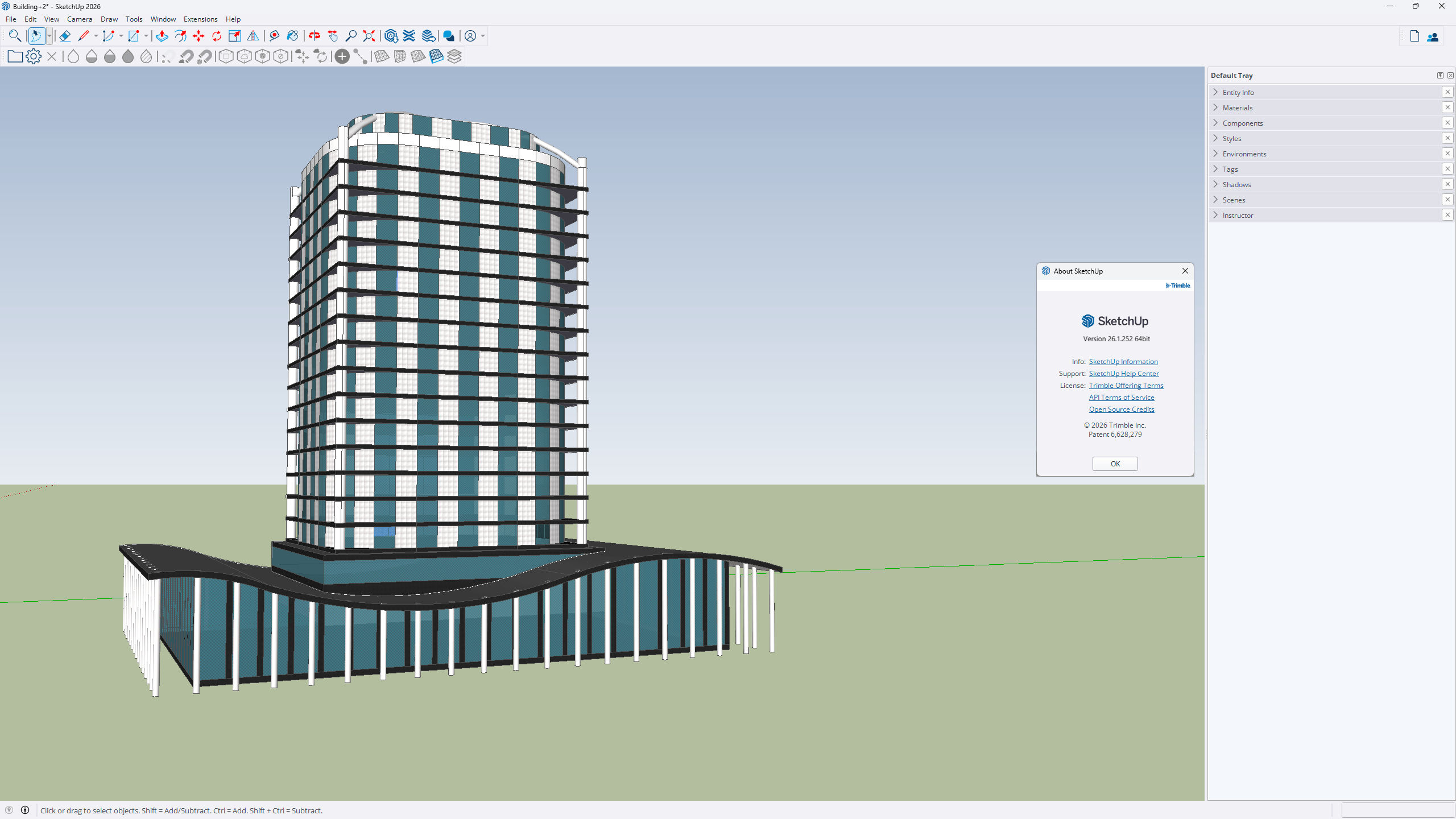
SketchUp Pro 2026 v26.1.252 is a powerful and user-friendly 3D modeling software widely used for architectural design, interior design, construction planning, and product modeling. Developed by Trimble Inc., SketchUp Pro provides intuitive tools that allow designers, architects, and engineers to quickly create detailed 3D models.

Known for its simplicity and flexibility, SketchUp Pro enables users to transform ideas into realistic 3D designs with minimal learning time. The software supports a wide range of professional workflows including architectural visualization, landscape design, urban planning, and furniture modeling.

With SketchUp Pro 2026 v26.1.252, users gain access to enhanced modeling tools, improved performance, and better integration with design and rendering platforms.

Features of SketchUp Pro 2026 v26.1.252

Intuitive 3D Modeling Tools
SketchUp offers simple yet powerful modeling tools that allow users to quickly create and modify 3D geometry.

Professional Architectural Design
Design buildings, interiors, and landscapes using precise modeling tools tailored for architectural workflows.

Extensive 3D Model Library
Access thousands of pre-built models through the integrated 3D Warehouse library to speed up project development.

Layout for Documentation
Create professional 2D presentations, drawings, and documentation using the integrated SketchUp LayOut tool.

Import and Export CAD Formats
Import and export files compatible with popular CAD tools including AutoCAD formats.

Plugin and Extension Support
Expand functionality using a wide range of extensions available in the Extension Warehouse.

Real-Time Visualization Support
Integrate with rendering plugins to create realistic architectural visualizations and presentations.

Collaboration and Cloud Integration
Share models and collaborate with teams using Trimble’s cloud-based design ecosystem.

Flexible Design Workflow
SketchUp supports conceptual design, detailed modeling, and project presentation in a single platform.

Improvements in Version 2026 v26.1.252
The latest version introduces performance enhancements, improved modeling tools, updated graphics handling, and better compatibility with modern design workflows.

System Requirements
Operating System: Windows 10 / Windows 11 (64-bit)
Processor: Intel Core i5 or AMD equivalent
RAM: 8 GB minimum (16 GB recommended)
Storage: 1 GB available disk space
Graphics: 3D-class video card with OpenGL support

Why Choose SketchUp Pro?
SketchUp Pro 2026 v26.1.252 remains one of the most accessible yet powerful 3D design tools available today. Its intuitive interface and extensive ecosystem make it ideal for professionals and beginners alike.

Architects, designers, and engineers rely on SketchUp to quickly visualize ideas, develop detailed models, and communicate design concepts effectively.

If you want to download SketchUp Pro 2026 v26.1.252 full license, please click to DOWNLOAD button to download.
CLICKDOWN.ORG Download CAD CAM CNC software
Inside package SketchUp Pro 2026 v26.1.252, already have cracked files and instruction how to install SketchUp Pro 2026 v26.1.252 step by step. I guarantee you can install SketchUp Pro 2026 v26.1.252 successfully if you follow that instruction.
If you also can’t install it or get any problems, please contact to me by email: clickdown.org@gmail.com, then I will help you to install software by teamviewer or Ultraviewer or Anydesk.
Thanks a lot
SOFTWARES

Download AFT Fathom 2026 v14.01.22 x64 full license

AFT Fathom 2026 v14.01.22 – Advanced Pipe Flow Analysis Software

Download AFT Fathom 2026 v14.01.22 x64 full license

Link download AFT Fathom 2026 v14.01.22 win64 full activated

Working with AFT Fathom 2026 v14.01.22 full license

Description of AFT Fathom 2026 v14.01.22

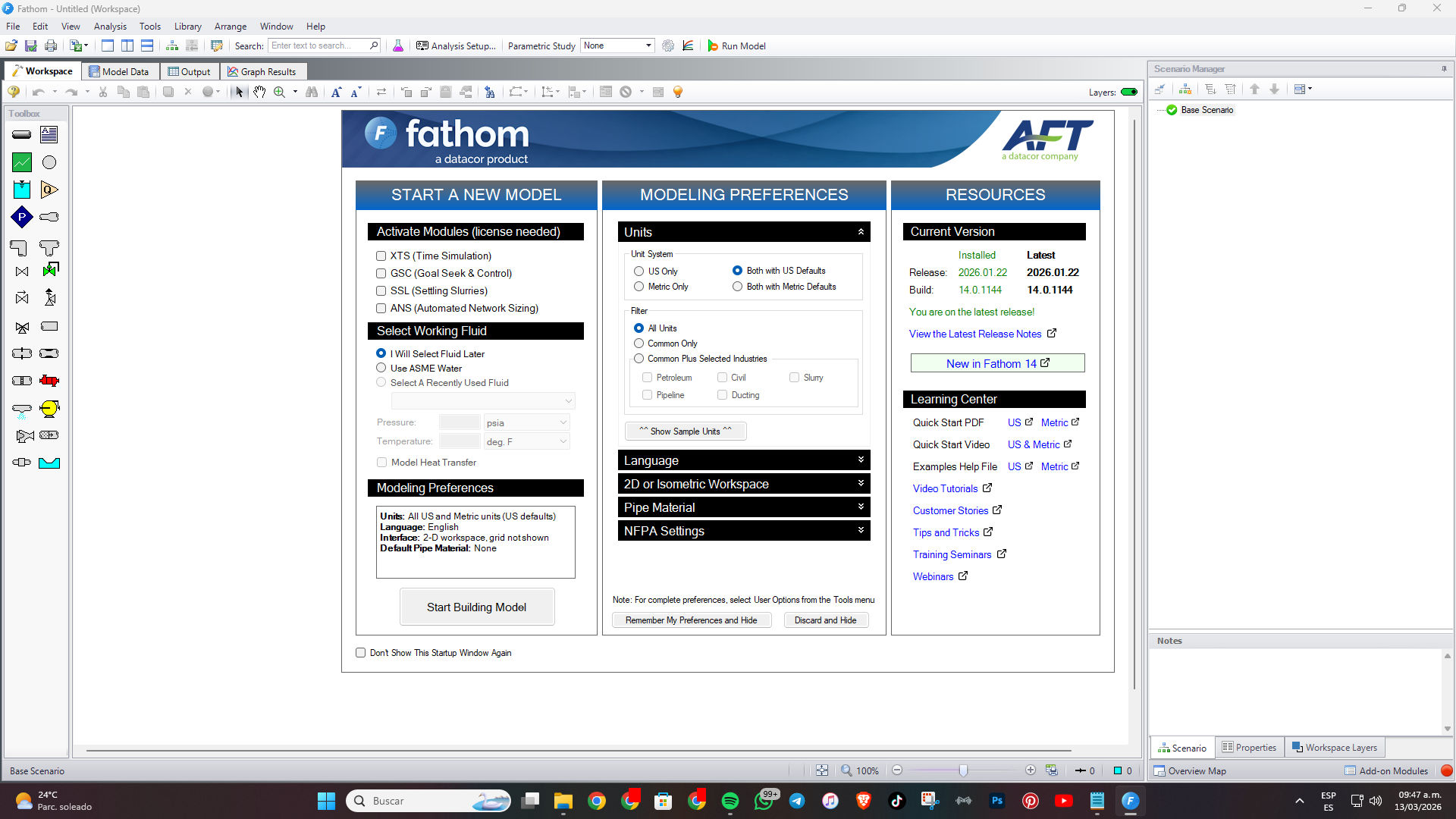
AFT Fathom 2026 v14.01.22 is a powerful pipe flow simulation and analysis software designed for engineers working with liquid piping systems. Developed by Applied Flow Technology, the software enables users to model complex piping networks, analyze hydraulic behavior, and optimize system performance.

Widely used in industries such as oil & gas, chemical processing, power generation, water treatment, and manufacturing, AFT Fathom provides accurate simulation tools that help engineers evaluate pressure drops, flow distribution, pump performance, and system reliability.

With AFT Fathom 2026, engineers can build detailed piping models, simulate real operating conditions, and identify potential issues before construction or system modification.

Features of AFT Fathom 2026 v14.01.22

Comprehensive Pipe Flow Modeling
Create detailed piping system models including pipes, pumps, valves, tanks, and fittings.

Hydraulic Flow Analysis
Analyze pressure drops, flow rates, and fluid velocity throughout the piping network.

Pump and System Curve Analysis
Evaluate pump performance and generate pump curves to ensure proper system operation.

Scenario Management
Test multiple operating scenarios to compare system performance under different conditions.

Transient and Steady-State Simulation
Simulate steady-state hydraulic behavior and evaluate system performance during normal operation.

Automatic Pipe Network Solver
Use advanced calculation algorithms to quickly solve complex pipe networks.

Equipment Modeling
Model pumps, control valves, heat exchangers, and other equipment within the piping system.

Graphical Results Visualization
View flow distribution, pressure profiles, and system performance through interactive charts and diagrams.

Engineering Reports and Documentation
Generate professional reports with detailed hydraulic calculations and simulation results.

Improvements in Version 2026 v14.01.22
The latest version introduces enhanced solver performance, improved modeling capabilities, updated component libraries, and better workflow efficiency.

System Requirements
Operating System: Windows 10 / Windows 11 (64-bit)
Processor: Intel or AMD multi-core processor
RAM: 8 GB minimum (16 GB recommended for large models)
Storage: 2 GB available disk space
Display: 1280×800 resolution or higher

Why Use AFT Fathom?
Designing and maintaining piping systems requires accurate hydraulic analysis. AFT Fathom 2026 v14.01.22 helps engineers evaluate system performance, identify bottlenecks, and optimize piping network designs before implementation.

By simulating real-world operating conditions, AFT Fathom improves system efficiency, reduces design errors, and ensures reliable operation in complex fluid handling systems.

If you want to download AFT Fathom 2026 v14.01.22 full license, please click to DOWNLOAD button to download.
CLICKDOWN.ORG Download CAD CAM CNC software
Inside package AFT Fathom 2026 v14.01.22, already have cracked files and instruction how to install AFT Fathom 2026 v14.01.22 step by step. I guarantee you can install AFT Fathom 2026 v14.01.22 successfully if you follow that instruction.
If you also can’t install it or get any problems, please contact to me by email: clickdown.org@gmail.com, then I will help you to install software by teamviewer or Ultraviewer or Anydesk.
Thanks a lot
SOFTWARES

Download Trimble Tekla Structures 2026 SP0 build 57099 x64

Trimble Tekla Structures 2026 SP0 – Advanced BIM Software for Structural Engineering

Download Trimble Tekla Structures 2026 SP0 full license

Link download Trimble Tekla Structures 2026 SP0 full activated

Working with Trimble Tekla Structures 2026 SP0 full license
Language: Multilingual

Description of Trimble Tekla Structures 2026 SP0

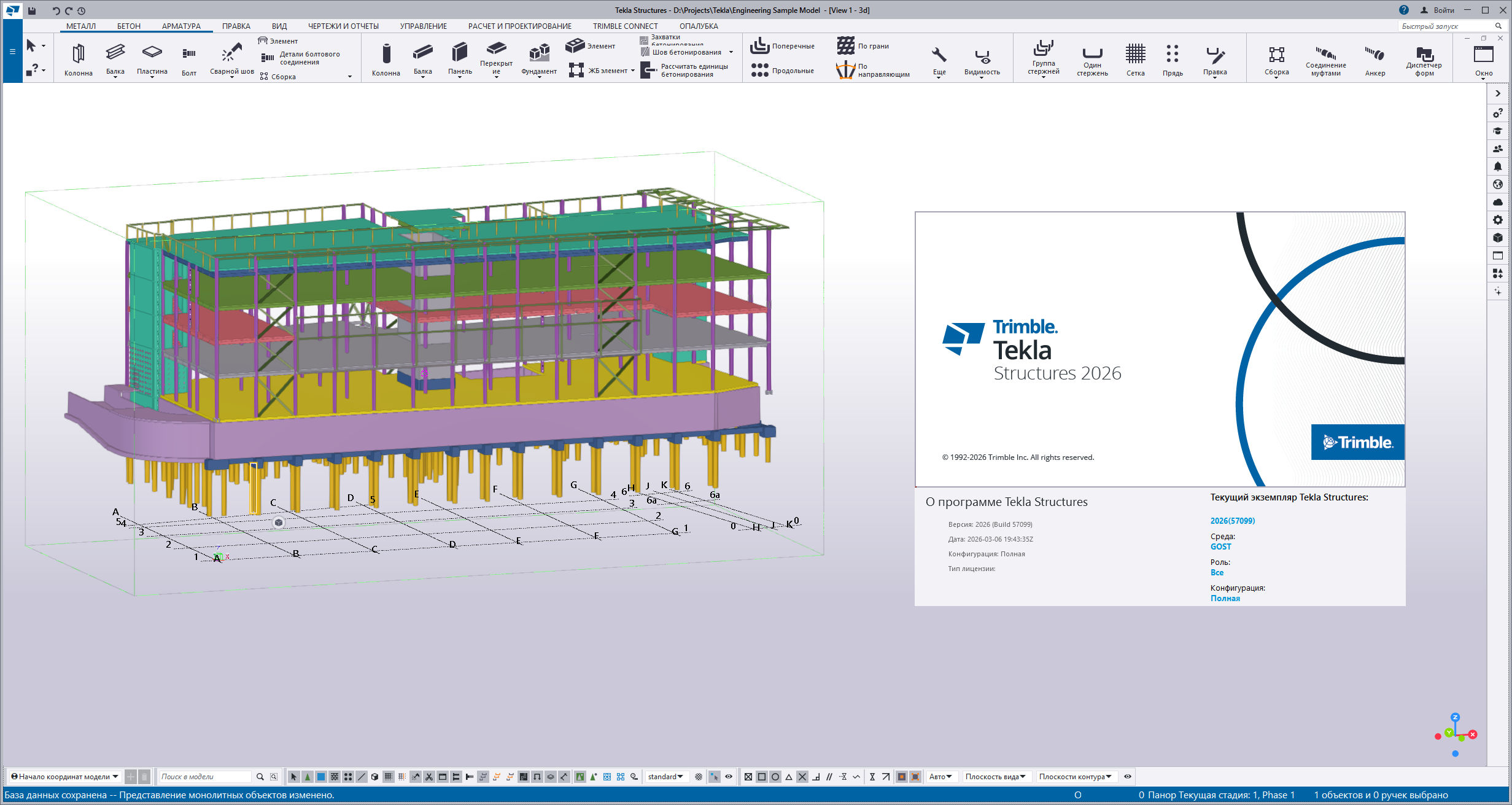
Trimble Tekla Structures 2026 SP0 is a powerful Building Information Modeling (BIM) software designed for structural engineering, steel detailing, and construction project management. Developed by Trimble Inc., Tekla Structures provides advanced tools for creating highly detailed and accurate 3D structural models.

Widely used by engineers, fabricators, and construction professionals, Tekla Structures enables users to design complex steel, concrete, and timber structures while managing project information throughout the construction lifecycle. The software allows teams to collaborate effectively using detailed BIM models that contain precise fabrication and construction data.

With Tekla Structures 2026 SP0, users can create constructible models that integrate design, detailing, fabrication, and construction processes, improving productivity and reducing project errors.

Features of Trimble Tekla Structures 2026 SP0

Advanced BIM Modeling
Create highly detailed 3D structural models that include accurate geometry and construction data for building projects.

Steel Structure Detailing
Design and detail steel structures with precise connections, bolts, welds, and fabrication information.

Reinforced Concrete Modeling
Model reinforced concrete structures including rebar detailing, concrete components, and structural connections.

Construction-Ready Models
Tekla models contain fabrication-level information, allowing direct use in manufacturing and construction workflows.

Collaboration and BIM Integration
Integrate with BIM workflows and collaborate with other design tools such as Autodesk Revit and AutoCAD.

Automatic Drawing Generation
Generate detailed construction drawings, fabrication drawings, and reports directly from the BIM model.

Clash Detection and Model Validation
Identify and resolve design conflicts before construction to reduce costly on-site errors.

Structural Analysis Integration
Export models for structural analysis and simulation using compatible engineering software.

Project Data Management
Manage project information, revisions, and model updates throughout the project lifecycle.

Enhancements in Version 2026 SP0
The latest release includes improved modeling performance, enhanced reinforcement tools, better collaboration features, and updated BIM workflows.

System Requirements
Operating System: Windows 10 / Windows 11 (64-bit)
Processor: Intel Core i7 or AMD equivalent recommended
RAM: 16 GB minimum (32 GB recommended for large models)
Storage: 10 GB available disk space
Graphics: DirectX-compatible graphics card with dedicated memory

Why Choose Tekla Structures?
Modern construction projects require highly detailed models that support both design and fabrication. Trimble Tekla Structures 2026 SP0 provides a comprehensive BIM environment that enables engineers and construction professionals to create accurate, constructible structural models.

By integrating design, detailing, and construction information into a single BIM model, Tekla helps teams improve collaboration, reduce errors, and streamline project delivery in complex construction projects.

If you want to download Trimble Tekla Structures 2026 SP0 full license, please click to DOWNLOAD button to download.
CLICKDOWN.ORG Download CAD CAM CNC software
Inside package Trimble Tekla Structures 2026 SP0, already have cracked files and instruction how to install Trimble Tekla Structures 2026 SP0 step by step. I guarantee you can install Trimble Tekla Structures 2026 SP0 successfully if you follow that instruction.
If you also can’t install it or get any problems, please contact to me by email: clickdown.org@gmail.com, then I will help you to install software by teamviewer or Ultraviewer or Anydesk.
Thanks a lot
SOFTWARES

Download Hatch PneuCalc 8.0.3 full license 100% working

Hatch PneuCalc 8.0.3 – Pneumatic Conveying System Design Software

Download Hatch PneuCalc 8.0.3 full license 100% working

Link download Hatch PneuCalc 8.0.3 full activated

Working with Hatch PneuCalc 8.0.3 full license

Description of Hatch PneuCalc 8.0.3

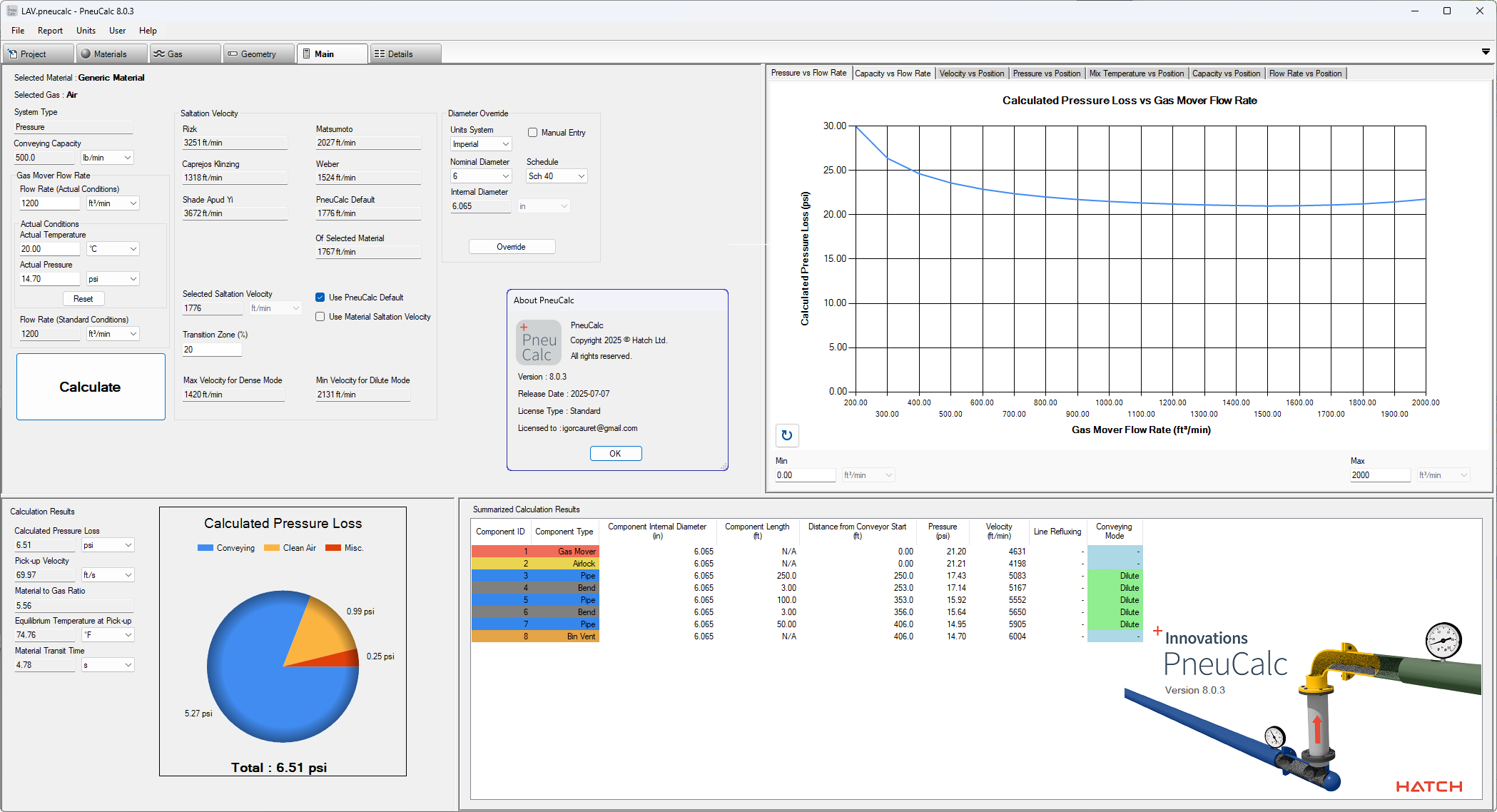
Hatch PneuCalc 8.0.3 is a specialized engineering software designed for the analysis and design of pneumatic conveying systems used in industrial material handling. Developed by Hatch Ltd., the software helps engineers design efficient systems for transporting bulk materials through pipelines using air pressure.

Pneumatic conveying is widely used in industries such as mining, cement production, food processing, chemicals, and power plants. PneuCalc provides powerful calculation tools that allow engineers to model pipeline systems, evaluate air flow requirements, and optimize system performance.

With Hatch PneuCalc 8.0.3, users can design complex pneumatic conveying networks, calculate pressure drops, determine pipeline sizing, and ensure reliable material transport with minimal energy consumption.

Features of Hatch PneuCalc 8.0.3

Pneumatic Conveying System Design
Design and analyze pneumatic conveying systems used to transport powders, granules, and bulk materials.

Pipeline Network Modeling
Create detailed pipeline layouts including bends, vertical sections, feeders, and material transfer points.

Pressure Drop Calculation
Accurately calculate pressure losses across pipelines and system components to ensure efficient operation.

Airflow and Velocity Analysis
Determine optimal air velocities and flow rates required for reliable material conveying.

Material Property Database
Work with different bulk material characteristics to accurately simulate conveying behavior.

System Performance Optimization
Evaluate system efficiency and optimize pipeline sizes and blower requirements.

Multiple Conveying Modes
Support for both dilute phase and dense phase pneumatic conveying systems.

Detailed Engineering Reports
Generate comprehensive calculation reports and design documentation for engineering projects.

User-Friendly Interface
The intuitive interface allows engineers to quickly build system models and analyze performance.

Improvements in Version 8.0.3
The latest version introduces enhanced calculation accuracy, improved system modeling tools, and updated compatibility with modern Windows platforms.

System Requirements
Operating System: Windows 10 / Windows 11
Processor: Intel or AMD processor
RAM: 4 GB minimum (8 GB recommended)
Storage: 500 MB available disk space
Display: 1280×800 resolution or higher

Why Use Hatch PneuCalc?
Designing pneumatic conveying systems requires accurate engineering calculations and reliable modeling tools. Hatch PneuCalc 8.0.3 helps engineers evaluate conveying performance, optimize system design, and ensure efficient material transport in industrial operations.

By automating complex calculations and providing detailed analysis tools, PneuCalc supports engineers in developing safe, reliable, and energy-efficient pneumatic conveying systems.

If you want to download Hatch PneuCalc 8.0.3 full license, please click to DOWNLOAD button to download.
CLICKDOWN.ORG Download CAD CAM CNC software
Inside package Hatch PneuCalc 8.0.3, already have cracked files and instruction how to install Hatch PneuCalc 8.0.3 step by step. I guarantee you can install Hatch PneuCalc 8.0.3 successfully if you follow that instruction.
If you also can’t install it or get any problems, please contact to me by email: clickdown.org@gmail.com, then I will help you to install software by teamviewer or Ultraviewer or Anydesk.
Thanks a lot
SOFTWARES

Download Missler TopSolid 2026 v7.20.400.0 x64 multilingual

Missler TopSolid 2026 v7.20.400.0 – Advanced CAD/CAM/PDM Engineering Software

Download Missler TopSolid 2026 v7.20.400.0 x64 multilingual

Link download Missler TopSolid 2026 v7.20.400.0 full activated

Working with Missler TopSolid 2026 v7.20.400.0 full license

Description of Missler TopSolid 2026 v7.20.400.0

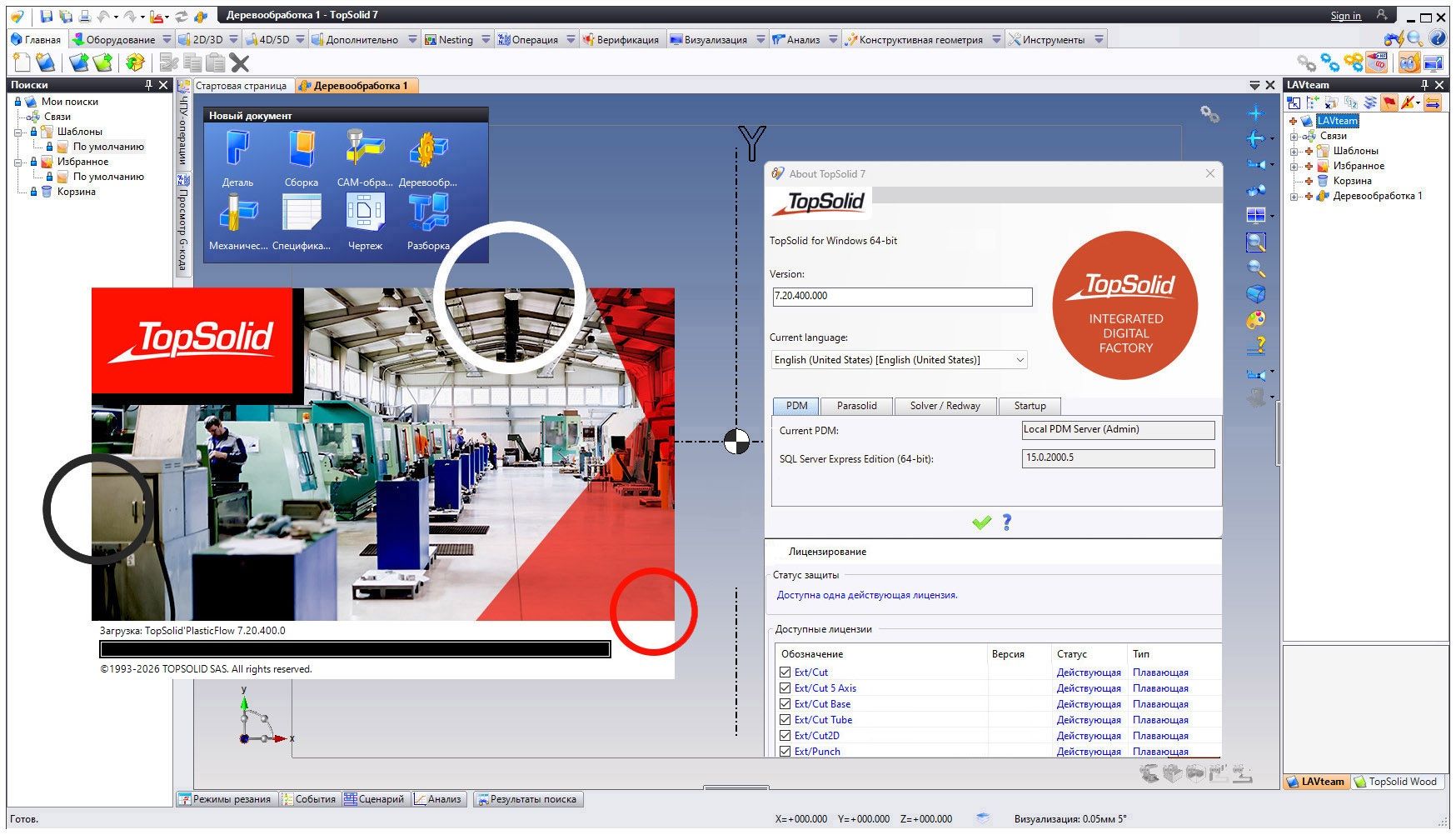
Missler TopSolid 2026 v7.20.400.0 is a powerful integrated CAD/CAM/PDM software platform designed for product design, manufacturing, and engineering workflows. Developed by TopSolid SAS (formerly Missler Software), TopSolid provides a comprehensive environment for mechanical design, machining, and product data management.

The software is widely used in industries such as mechanical engineering, mold design, machining, and industrial manufacturing. TopSolid 2026 enables engineers and manufacturers to manage the entire product development process—from concept design to final production—within a single integrated platform.

With advanced parametric modeling, powerful machining tools, and intelligent data management capabilities, TopSolid 2026 v7.20.400.0 helps companies optimize production processes, improve product quality, and reduce development time.

Features of Missler TopSolid 2026 v7.20.400.0

Integrated CAD/CAM/PDM Platform
TopSolid combines CAD design, CAM machining, and product data management in a single environment, streamlining engineering workflows.

Advanced 3D Parametric Modeling
Create complex mechanical components and assemblies using powerful parametric modeling tools.

High-Performance CAM Programming
Generate efficient CNC machining programs with advanced CAM tools for milling, turning, and multi-axis machining.

Seamless CNC Integration
TopSolid supports a wide range of CNC machines and allows engineers to generate optimized toolpaths for manufacturing.

Assembly Design and Management
Design complex assemblies and manage component relationships with intelligent assembly tools.

Mold and Tool Design
Includes specialized tools for designing molds, dies, and manufacturing tooling.

Product Data Management (PDM)
Manage project files, design revisions, and engineering data securely within the integrated PDM system.

Simulation and Verification
Simulate machining operations to detect collisions, optimize toolpaths, and prevent production errors.

Compatibility with Industry Formats
Import and export common CAD formats to collaborate with other engineering systems.

Enhancements in Version 2026 v7.20.400.0
The latest version introduces improved performance, enhanced machining strategies, updated design tools, and better workflow integration.

System Requirements
Operating System: Windows 10 / Windows 11 (64-bit)
Processor: Intel or AMD multi-core processor
RAM: 16 GB minimum (32 GB recommended for complex assemblies)
Storage: 10 GB available disk space
Graphics: OpenGL-compatible professional graphics card recommended

Why Choose TopSolid?
Modern manufacturing requires seamless integration between design and production. Missler TopSolid 2026 v7.20.400.0 provides a complete digital engineering platform that connects CAD design, CNC machining, and product data management.

By using TopSolid, engineers and manufacturers can reduce production errors, improve machining efficiency, and accelerate the product development process.

If you want to download Missler TopSolid 2026 v7.20.400.0 full license, please click to DOWNLOAD button to download.
CLICKDOWN.ORG Download CAD CAM CNC software
Inside package Missler TopSolid 2026 v7.20.400.0, already have cracked files and instruction how to install Missler TopSolid 2026 v7.20.400.0 step by step. I guarantee you can install Missler TopSolid 2026 v7.20.400.0 successfully if you follow that instruction.
If you also can’t install it or get any problems, please contact to me by email: clickdown.org@gmail.com, then I will help you to install software by teamviewer or Ultraviewer or Anydesk.
Thanks a lot
SOFTWARES

Download QuickFooting 5.00.0018 full license forever

QuickFooting 5.00.0018 – Structural Footing Design and Analysis Software

Download QuickFooting 5.00.0018 full license forever

Link download QuickFooting 5.00.0018 full activated

Working with QuickFooting 5.00.0018 full license

Description of QuickFooting 5.00.0018

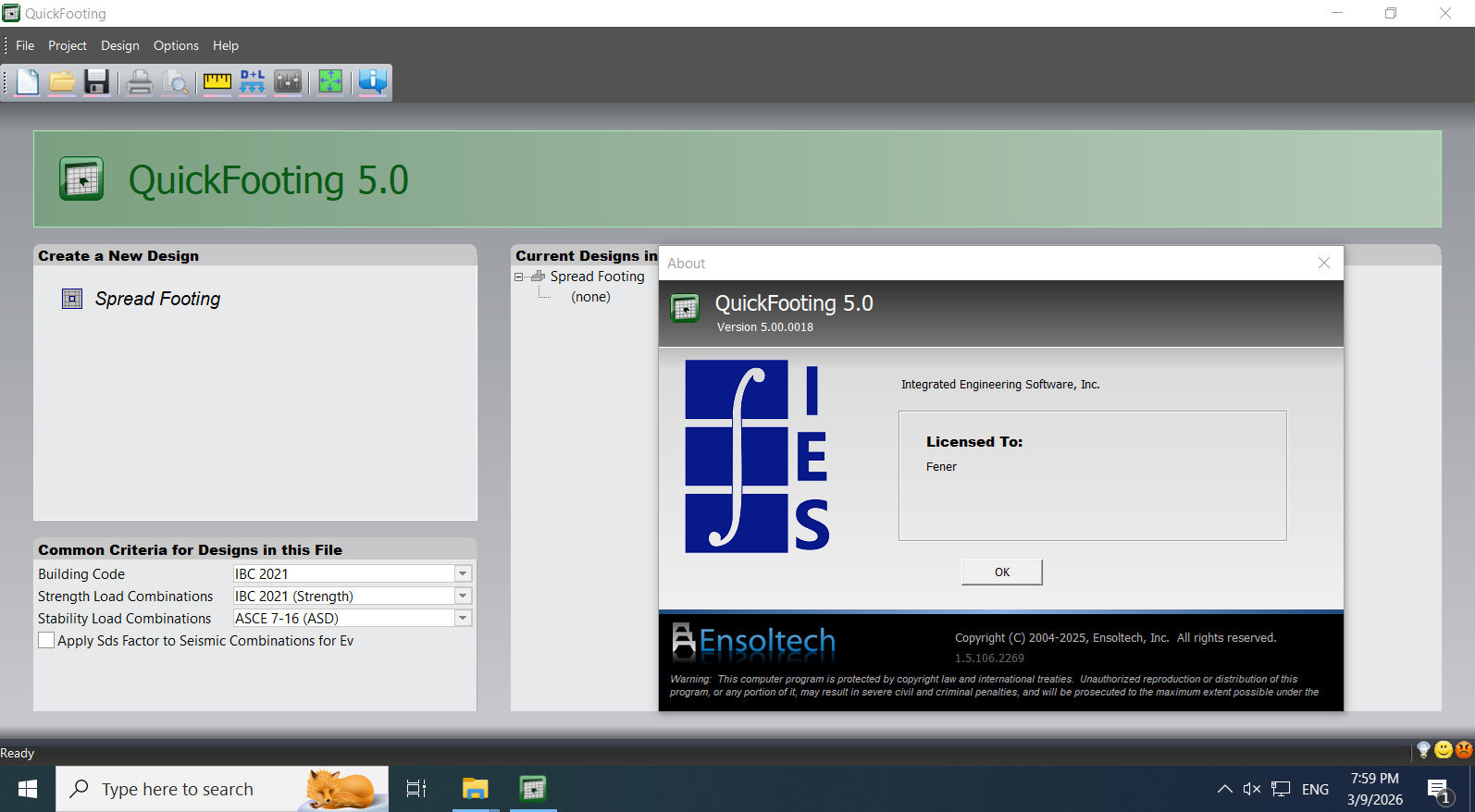
QuickFooting 5.00.0018 is a specialized structural engineering software designed for the analysis and design of concrete footings used in building foundations. Developed by Digital Canal Corporation, the software helps engineers design safe and efficient footing systems while complying with standard structural engineering practices.

Concrete footings play a critical role in transferring loads from buildings to the soil beneath them. QuickFooting simplifies the complex calculations required for footing design by providing automated analysis tools, load evaluation features, and reinforcement calculations.

With QuickFooting 5.00.0018, engineers can quickly model different footing configurations, analyze structural loads, and ensure that the design meets safety requirements for residential, commercial, and industrial construction projects.

Features of QuickFooting 5.00.0018

Concrete Footing Design
Design and analyze reinforced concrete footings used in structural foundations for buildings and other structures.

Load and Structural Analysis
Evaluate structural loads including axial loads, bending moments, and shear forces applied to foundation systems.

Soil Bearing Capacity Analysis
Analyze soil bearing capacity to ensure the foundation safely transfers structural loads to the ground.

Reinforcement Calculation
Automatically determine required reinforcement for concrete footings based on structural design conditions.

Flexible Footing Geometry
Define footing dimensions, column sizes, and reinforcement parameters to model real-world foundation designs.

Multiple Load Combinations
Apply various load cases and combinations to simulate real structural conditions.

Stability and Safety Checks
Perform important design checks to ensure footing safety and structural integrity.

Detailed Engineering Reports
Generate professional calculation reports and design summaries for project documentation.

User-Friendly Interface
The intuitive interface allows engineers to quickly create footing models and analyze design results.

Improvements in Version 5.00.0018
The latest version introduces improved calculation accuracy, enhanced stability, and compatibility with modern Windows systems.

System Requirements
Operating System: Windows 10 / Windows 11
Processor: Intel or AMD processor
RAM: 4 GB minimum (8 GB recommended)
Storage: 500 MB available disk space
Display: 1280×800 resolution or higher

Why Use QuickFooting?
Foundation design requires accurate structural calculations and reliable analysis tools. QuickFooting 5.00.0018 helps engineers design safe and efficient footing systems while reducing manual calculation effort.

By automating key design processes and providing clear engineering reports, the software supports faster project development and improved structural reliability.

If you want to download QuickFooting 5.00.0018 full license, please click to DOWNLOAD button to download.
CLICKDOWN.ORG Download CAD CAM CNC software
Inside package QuickFooting 5.00.0018, already have cracked files and instruction how to install QuickFooting 5.00.0018 step by step. I guarantee you can install QuickFooting 5.00.0018 successfully if you follow that instruction.
If you also can’t install it or get any problems, please contact to me by email: clickdown.org@gmail.com, then I will help you to install software by teamviewer or Ultraviewer or Anydesk.
Thanks a lot
SOFTWARES

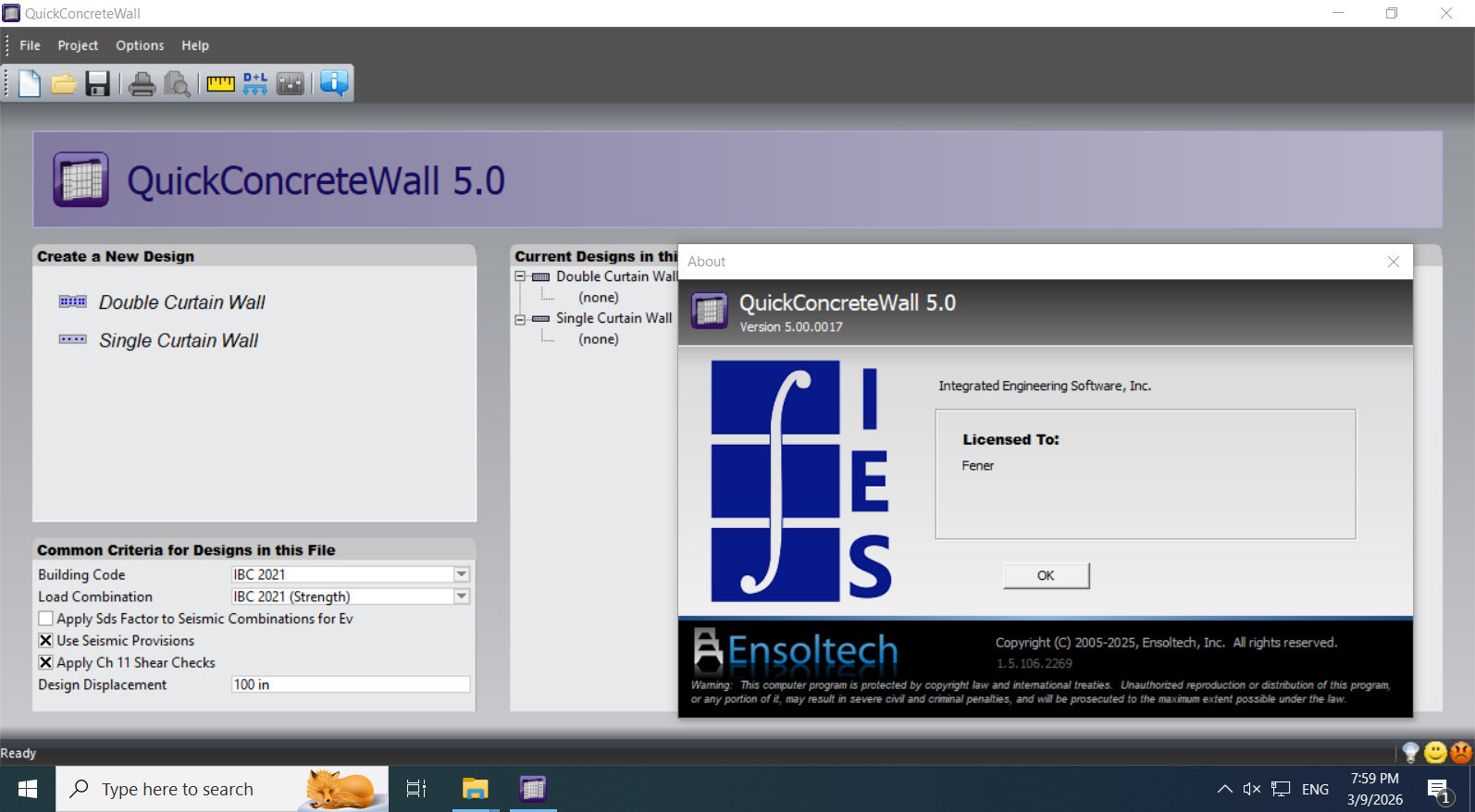
Download QuickRWall 5.00.0019 full license 100% working

QuickRWall 5.00.0019 – Retaining Wall Design and Analysis Software

Download QuickRWall 5.00.0019 full license

Link download QuickRWall 5.00.0019 full activated

Description of QuickRWall 5.00.0019

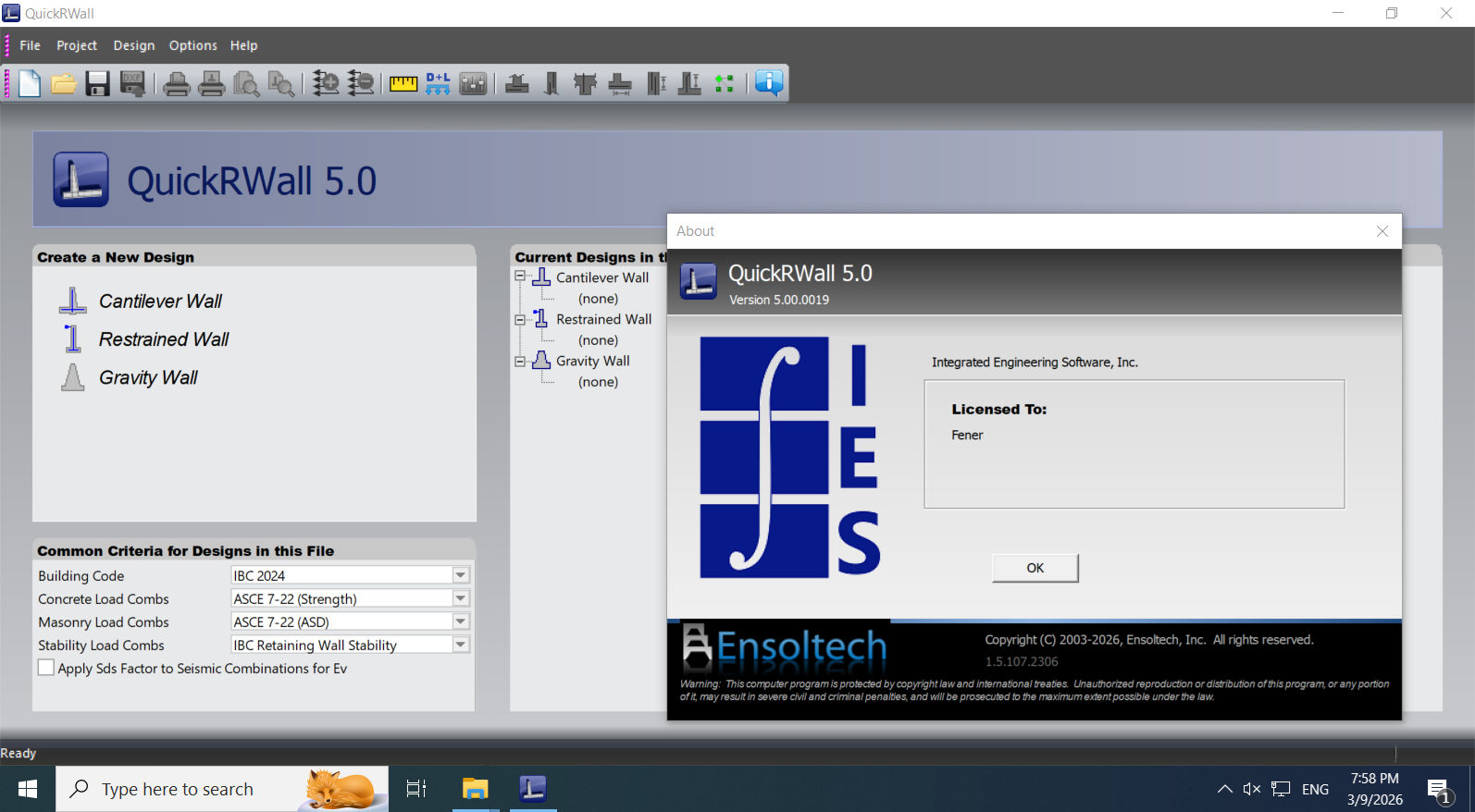
QuickRWall 5.00.0019 is a professional engineering software designed for the analysis and design of retaining walls used in civil and structural engineering projects. Developed by Digital Canal Corporation, the software helps engineers evaluate wall stability, soil pressure, and structural integrity according to recognized engineering standards.

Retaining walls are critical structures used to hold back soil and manage elevation changes in construction projects. QuickRWall simplifies the complex calculations required for designing these structures by providing automated analysis tools, load calculations, and design verification features.

With QuickRWall 5.00.0019, engineers can model various retaining wall configurations, analyze soil loads, and ensure that the structure meets safety and stability requirements for real-world construction applications.

Features of QuickRWall 5.00.0019

Retaining Wall Structural Design
QuickRWall provides specialized tools for designing reinforced concrete retaining walls commonly used in infrastructure and site development projects.

Soil Pressure and Load Analysis
Analyze soil pressure, surcharge loads, and lateral forces acting on retaining walls to evaluate structural stability.

Stability Checks
Perform essential stability checks including sliding, overturning, and bearing capacity analysis.

Flexible Wall Geometry Modeling
Define wall dimensions, footing sizes, reinforcement layouts, and soil parameters to accurately model real-world structures.

Reinforcement Design
Automatically calculate reinforcement requirements for concrete retaining walls based on applied loads and structural conditions.

Multiple Load Combination Support
Apply different load combinations to simulate various environmental and operational scenarios.

Detailed Engineering Reports
Generate comprehensive calculation reports and design summaries suitable for project documentation and regulatory approval.

User-Friendly Modeling Interface
The intuitive interface allows engineers to quickly create retaining wall models and evaluate design results.

Reliable Engineering Calculations
The software performs accurate calculations following recognized engineering design principles.

Improvements in Version 5.00.0019
The latest version includes improved calculation algorithms, enhanced stability checks, and better compatibility with modern Windows systems.

System Requirements
Operating System: Windows 10 / Windows 11
Processor: Intel or AMD processor
RAM: 4 GB minimum (8 GB recommended)
Storage: 500 MB available disk space
Display: 1280×800 resolution or higher

Why Use QuickRWall?
Retaining wall design involves complex structural and geotechnical considerations. QuickRWall 5.00.0019 simplifies this process by providing engineers with powerful analysis tools and automated calculations.

The software helps engineers design safe and reliable retaining walls while reducing manual calculations and improving design efficiency in civil engineering projects.

If you want to download QuickRWall 5.00.0019 full license, please click to DOWNLOAD button to download.
CLICKDOWN.ORG Download CAD CAM CNC software
Inside package QuickRWall 5.00.0019, already have cracked files and instruction how to install QuickRWall 5.00.0019 step by step. I guarantee you can install QuickRWall 5.00.0019 successfully if you follow that instruction.
If you also can’t install it or get any problems, please contact to me by email: clickdown.org@gmail.com, then I will help you to install software by teamviewer or Ultraviewer or Anydesk.
Thanks a lot
SOFTWARES

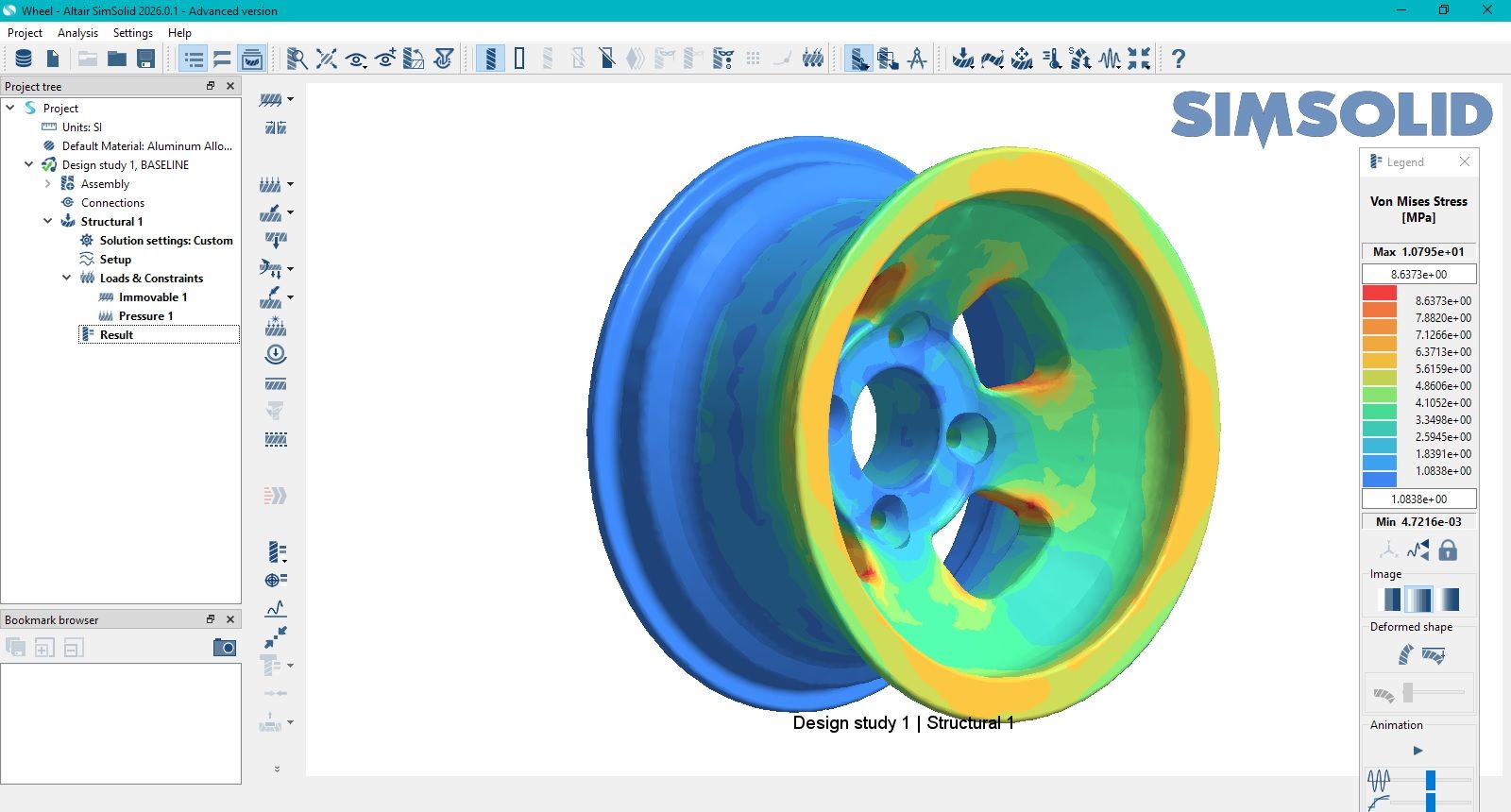
Download QuickConcreteWall 5.00.0017 full license forever

QuickConcreteWall 5.00.0017 – Reinforced Concrete Wall Design Software

Download QuickConcreteWall 5.00.0017 full license forever

Link download QuickConcreteWall 5.00.0017 full activated

Working with QuickConcreteWall 5.00.0017 full license

Description of QuickConcreteWall 5.00.0017

QuickConcreteWall 5.00.0017 is a specialized engineering software designed for the analysis and design of reinforced concrete walls. Developed by Digital Canal Corporation, this software provides structural engineers with advanced tools to evaluate and design concrete wall structures according to recognized engineering standards.

The program simplifies complex structural calculations involved in designing reinforced concrete walls subjected to various loads such as vertical loads, lateral forces, wind loads, and seismic forces. QuickConcreteWall allows engineers to quickly model wall systems, apply load conditions, and generate reliable design results with minimal effort.

With its intuitive interface and automated calculation capabilities, QuickConcreteWall 5.00.0017 helps engineers save time while ensuring accurate and code-compliant structural designs for residential, commercial, and industrial projects.

Features of QuickConcreteWall 5.00.0017

Reinforced Concrete Wall Design
Design and analyze reinforced concrete wall systems used in structural engineering projects.

Comprehensive Structural Analysis
Evaluate wall performance under various load conditions including axial loads, lateral loads, wind loads, and seismic forces.

Code-Based Design Calculations
Perform calculations based on recognized structural engineering standards to ensure safe and compliant designs.

Flexible Wall Geometry Modeling
Define wall dimensions, reinforcement layouts, and structural parameters easily within the modeling environment.

Automatic Reinforcement Calculation
Automatically determine required reinforcement for concrete walls based on applied loads and design parameters.

Load Combination Management
Apply multiple load combinations to simulate real-world structural conditions.

Detailed Engineering Reports
Generate clear and professional reports including design calculations, diagrams, and reinforcement details.

Efficient Structural Workflow
Reduce manual calculation errors and streamline the design process for structural engineers.

User-Friendly Interface
The intuitive interface allows engineers to quickly create models and evaluate structural performance.

Improvements in Version 5.00.0017
The latest version includes enhanced calculation accuracy, improved stability, and better compatibility with modern Windows systems.

System Requirements
Operating System: Windows 10 / Windows 11
Processor: Intel or AMD processor
RAM: 4 GB minimum (8 GB recommended)
Storage: 500 MB available disk space
Display: 1280×800 resolution or higher

Why Use QuickConcreteWall?
Designing reinforced concrete walls involves complex calculations and structural considerations. QuickConcreteWall 5.00.0017 simplifies this process by providing automated design tools and accurate structural analysis.

Structural engineers can quickly evaluate wall designs, verify reinforcement requirements, and generate professional reports, making it a valuable tool for modern structural engineering projects.

If you want to download QuickConcreteWall 5.00.0017 full license, please click to DOWNLOAD button to download.
CLICKDOWN.ORG Download CAD CAM CNC software
Inside package QuickConcreteWall 5.00.0017, already have cracked files and instruction how to install QuickConcreteWall 5.00.0017 step by step. I guarantee you can install QuickConcreteWall 5.00.0017 successfully if you follow that instruction.
If you also can’t install it or get any problems, please contact to me by email: clickdown.org@gmail.com, then I will help you to install software by teamviewer or Ultraviewer or Anydesk.
Thanks a lot
SOFTWARES

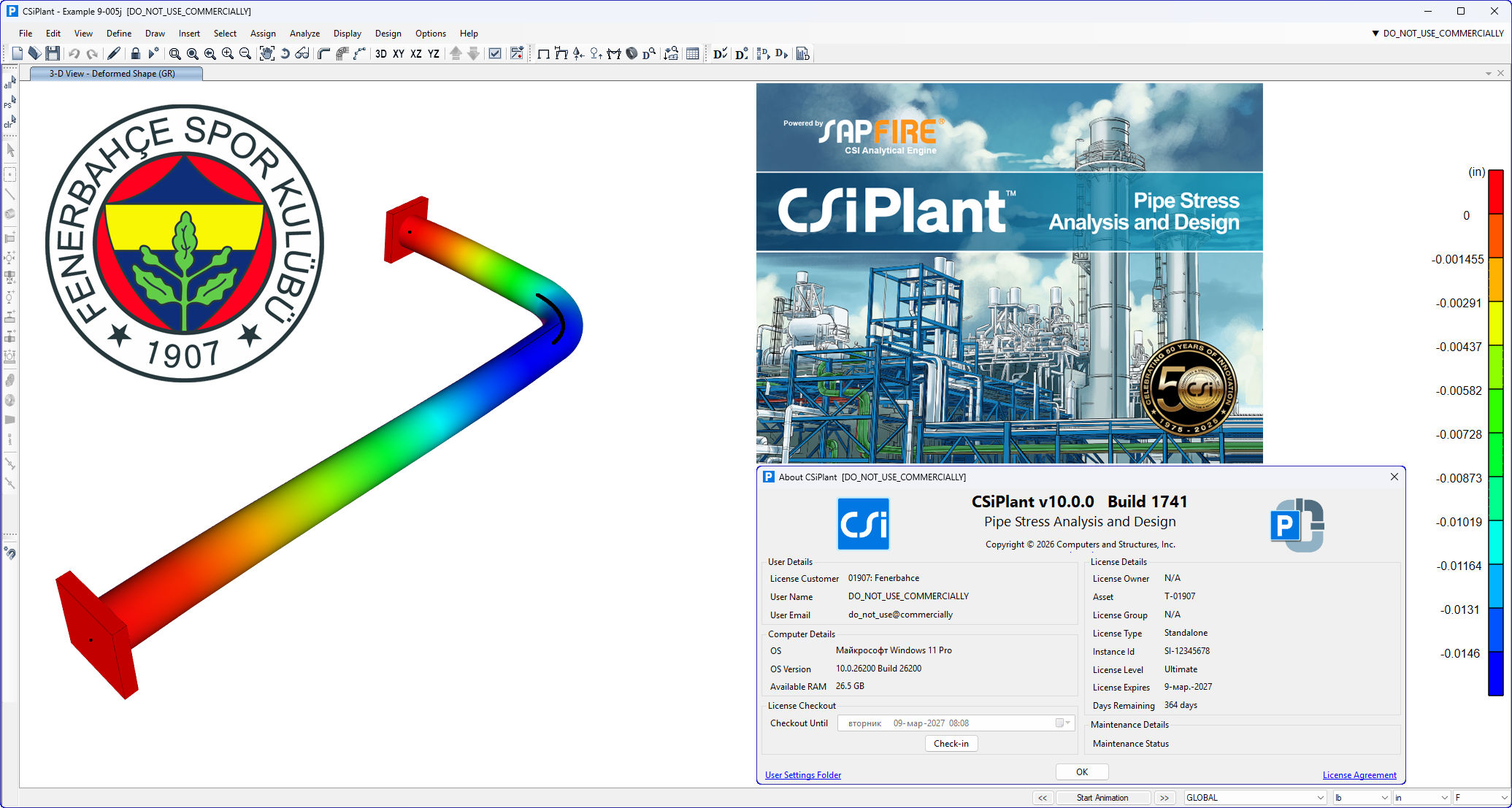
Download Altair SimSolid 2026.0.1 Win64 full license

Altair SimSolid 2026.0.1 – Fast Structural Simulation Without Meshing

Download Altair SimSolid 2026.0.1 Win64 full license

Link download Altair SimSolid 2026.0.1 x64 full activated

Working with Altair SimSolid 2026.0.1 full license

Description of Altair SimSolid 2026.0.1

Altair SimSolid 2026.0.1 is an advanced structural simulation software that allows engineers to analyze complex mechanical assemblies without the need for traditional meshing. Developed by Altair Engineering, SimSolid provides a revolutionary approach to finite element analysis (FEA), enabling rapid simulation directly from CAD geometry.

Unlike traditional FEA tools, SimSolid eliminates the time-consuming meshing process and allows engineers to run accurate structural analyses on full assemblies, including thousands of parts. This dramatically reduces simulation preparation time while maintaining reliable engineering results.

With Altair SimSolid 2026.0.1, engineers can evaluate structural performance, detect stress concentrations, and optimize designs early in the development process. The software is widely used in industries such as automotive, aerospace, heavy machinery, and product engineering.

Features of Altair SimSolid 2026.0.1

Meshless Structural Analysis
SimSolid eliminates the need for mesh generation, allowing engineers to run simulations directly on CAD models without simplifying geometry.

Fast Simulation Performance
Analyze complex assemblies quickly, significantly reducing simulation time compared to traditional FEA workflows.

Full Assembly Analysis
Simulate entire assemblies with thousands of parts, including bolts, welds, and contacts.

Seamless CAD Integration
Import CAD models from major design tools such as SolidWorks, Autodesk Inventor, and PTC Creo.

Linear and Nonlinear Structural Analysis
Perform structural analyses including stress, displacement, fatigue, and vibration studies.

Automatic Contact Detection
Automatically identify and manage contacts between components within assemblies.

Design Optimization
Evaluate multiple design variations quickly to improve performance and reduce material usage.

Advanced Result Visualization
View detailed stress distributions, deformation patterns, and structural behavior through interactive visualization tools.

Efficient Workflow for Engineers
Reduce simulation setup time and accelerate product development cycles.

Enhancements in Version 2026.0.1
The latest version introduces performance improvements, enhanced solver capabilities, improved contact detection, and better integration with engineering workflows.

System Requirements
Operating System: Windows 10 / Windows 11 (64-bit)
Processor: Intel or AMD multi-core processor
RAM: 16 GB minimum (32 GB recommended for large assemblies)
Storage: 2 GB available disk space
Graphics: OpenGL compatible graphics card recommended

Why Choose Altair SimSolid?
Traditional simulation tools often require complex meshing and geometry simplification before analysis. Altair SimSolid 2026.0.1 removes these barriers by enabling fast, meshless structural simulation directly from CAD data.

This approach allows engineers to analyze designs earlier in the development process, reduce engineering time, and improve product reliability. As a result, SimSolid is becoming an essential tool for modern engineering simulation workflows.

If you want to download Altair SimSolid 2026.0.1 full license, please click to DOWNLOAD button to download.
CLICKDOWN.ORG Download CAD CAM CNC software
Inside package Altair SimSolid 2026.0.1, already have cracked files and instruction how to install Altair SimSolid 2026.0.1 step by step. I guarantee you can install Altair SimSolid 2026.0.1 successfully if you follow that instruction.
If you also can’t install it or get any problems, please contact to me by email: clickdown.org@gmail.com, then I will help you to install software by teamviewer or Ultraviewer or Anydesk.
Thanks a lot
SOFTWARES

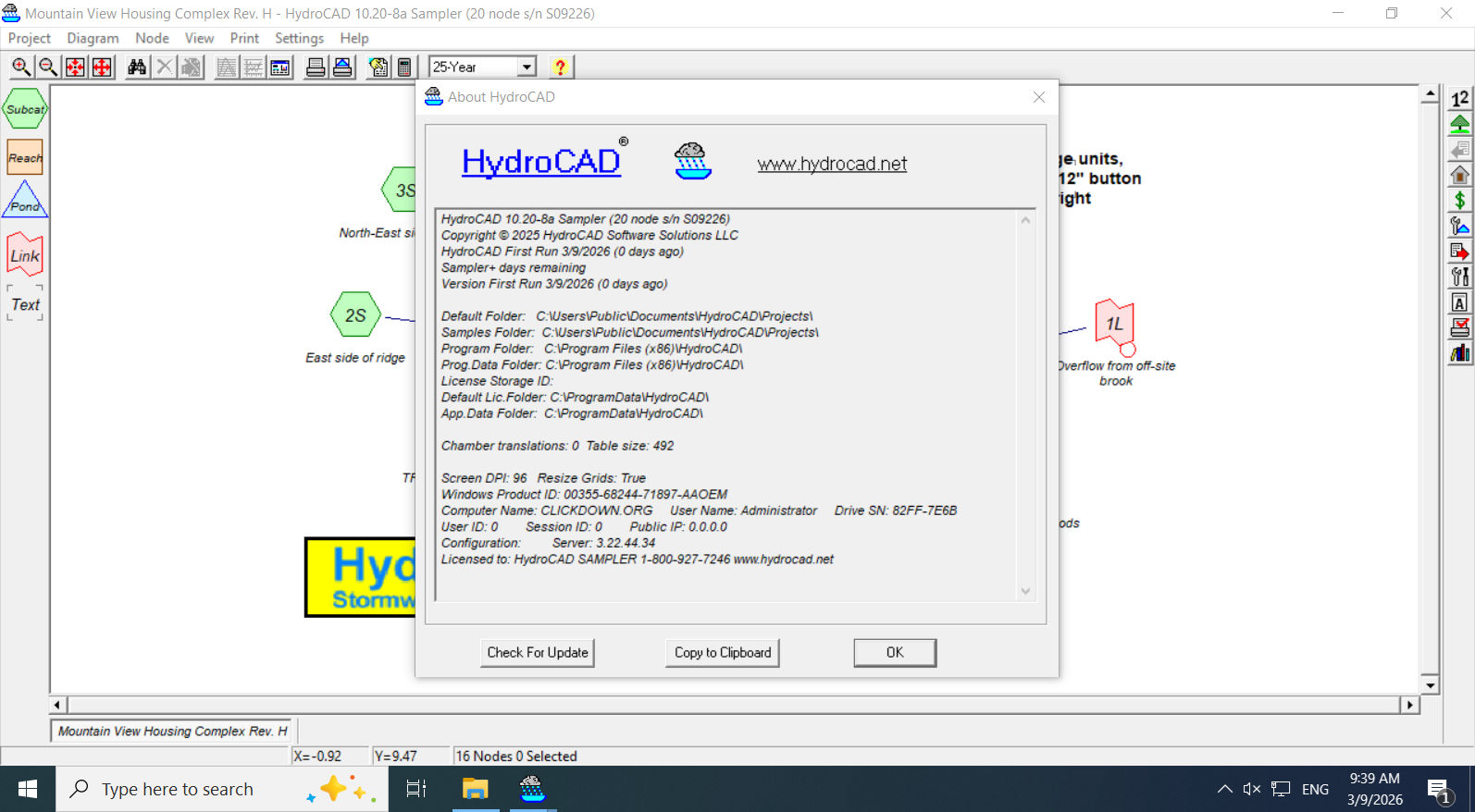
Download CSI CSiPlant 10.0.0 build 1741 win64 full license

CSI CSiPlant 10.0.0 Build 1741 – Structural Design Software for Industrial Plants

Download CSI CSiPlant 10.0.0 build 1741 win64 full license

Link download CSI CSiPlant 10.0.0 build 1741 full activated

Working with CSI CSiPlant 10.0.0 build 1741 full license

Description of CSI CSiPlant 10.0.0 build 1741

CSI CSiPlant 10.0.0 Build 1741 is a specialized structural engineering software developed for the analysis and design of industrial plant structures. Created by Computers and Structures, Inc., the software provides advanced tools for modeling complex plant structures such as pipe racks, equipment supports, platforms, and steel frameworks.

Designed for structural engineers working in the oil & gas, petrochemical, and power industries, CSiPlant offers an integrated environment for building structural models, performing load analysis, and generating accurate design results. The software combines powerful analysis capabilities with an intuitive modeling interface, helping engineers efficiently manage large and complex plant structures.

With CSI CSiPlant 10.0.0, engineers can quickly create structural models, apply loads, run simulations, and produce detailed design documentation for industrial facilities.

Features of CSI CSiPlant 10.0.0 build 1741

Industrial Plant Structural Modeling
Create detailed structural models for pipe racks, industrial buildings, equipment supports, and steel frameworks.

Advanced Structural Analysis
Perform linear and nonlinear structural analysis to evaluate stress, deformation, and structural performance under various load conditions.

Steel Structure Design
Design and verify steel structures according to international engineering standards.

Pipe Rack and Equipment Support Modeling
Easily model pipe racks and supports commonly used in industrial plants and petrochemical facilities.

Load and Combination Management
Apply different load cases including wind, seismic, equipment loads, and operational loads for accurate structural assessment.

Integration with Other CSI Software
Seamlessly exchange models and analysis data with other CSI solutions such as SAP2000 and ETABS.

Efficient 3D Modeling Environment
Create and edit complex plant structures using an intuitive 3D modeling interface.

Comprehensive Results Visualization
Visualize analysis results including forces, stresses, displacements, and structural responses.

Detailed Reporting and Documentation
Generate professional reports and engineering documentation for project analysis and regulatory review.

Improvements in Version 10.0.0 Build 1741
The latest release introduces improved modeling tools, enhanced analysis performance, and better integration with modern engineering workflows.

System Requirements
Operating System: Windows 10 / Windows 11 (64-bit)
Processor: Intel or AMD multi-core processor
RAM: 8 GB minimum (16 GB recommended)
Storage: 2 GB available disk space
Graphics: OpenGL-compatible graphics card

Why Use CSI CSiPlant?
Industrial plant structures require precise analysis and reliable design tools. CSI CSiPlant 10.0.0 Build 1741 provides engineers with a powerful platform to design and analyze plant infrastructure efficiently.

By combining advanced structural analysis, 3D modeling, and engineering design capabilities, CSiPlant helps engineers improve safety, optimize designs, and ensure compliance with industry standards in large industrial projects.

If you want to download CSI CSiPlant 10.0.0 build 1741 full license, please click to DOWNLOAD button to download.
CLICKDOWN.ORG Download CAD CAM CNC software
Inside package CSI CSiPlant 10.0.0 build 1741, already have cracked files and instruction how to install CSI CSiPlant 10.0.0 build 1741 step by step. I guarantee you can install CSI CSiPlant 10.0.0 build 1741 successfully if you follow that instruction.
If you also can’t install it or get any problems, please contact to me by email: clickdown.org@gmail.com, then I will help you to install software by teamviewer or Ultraviewer or Anydesk.
Thanks a lot
SOFTWARES

Download HydroCAD 10.20-8a full license 100% working

HydroCAD 10.20-8a – Advanced Stormwater Modeling and Hydrology Software

Download HydroCAD 10.20-8a full license 100% working

Link download HydroCAD 10.20-8a full activated

Working with HydroCAD 10.20-8a full license

Description of HydroCAD 10.20-8a

HydroCAD 10.20-8a is a powerful hydrology and stormwater modeling software used by engineers, planners, and environmental professionals to design and analyze stormwater management systems. Developed by HydroCAD Software Solutions, the software provides reliable tools for simulating runoff, drainage systems, and watershed behavior.

Widely used in civil engineering and land development projects, HydroCAD helps professionals evaluate stormwater runoff, design detention and retention basins, and ensure compliance with regulatory standards. The software integrates advanced hydrologic calculations with a user-friendly interface, allowing engineers to quickly build accurate drainage models.

With HydroCAD 10.20-8a, users can analyze rainfall events, calculate peak runoff rates, and optimize stormwater infrastructure for residential, commercial, and municipal projects.

Features of HydroCAD 10.20-8a

Comprehensive Stormwater Modeling
HydroCAD provides powerful tools for modeling rainfall runoff and analyzing watershed behavior for stormwater management projects.

TR-20 and TR-55 Hydrology Methods
The software supports widely recognized hydrologic calculation methods developed by the United States Department of Agriculture, including TR-20 and TR-55 runoff modeling techniques.

Detention and Retention Basin Design
Design and evaluate stormwater detention and retention systems to control runoff and reduce flooding risks.

Watershed and Drainage Network Modeling
Create detailed watershed models with multiple subcatchments, ponds, and drainage structures.

Rainfall Event Simulation
Simulate different rainfall scenarios and storm events to evaluate system performance under varying conditions.

Advanced Hydrograph Analysis
Generate hydrographs to analyze peak flow, runoff volume, and system capacity.

Easy-to-Use Graphical Interface
HydroCAD features an intuitive interface that allows engineers to quickly set up drainage networks and hydrologic models.

Automatic Report Generation
Create detailed reports including hydrographs, tables, and calculations for engineering documentation and regulatory submissions.

Flexible Data Import and Export
Import rainfall data and export results for integration with other engineering tools and reports.

Improvements in Version 10.20-8a
The latest release includes performance improvements, updated hydrology tools, enhanced stability, and improved compatibility with modern Windows systems.

System Requirements
Operating System: Windows 10 / Windows 11
Processor: Intel or AMD processor
RAM: 4 GB minimum (8 GB recommended)
Storage: 500 MB available disk space
Display: 1280×800 resolution or higher

Why Use HydroCAD?
Stormwater management is a critical aspect of civil engineering and land development. HydroCAD 10.20-8a provides reliable hydrologic modeling tools that help engineers design effective drainage systems and ensure regulatory compliance.

The software’s combination of powerful calculation methods and an easy-to-use interface makes it a trusted solution for professionals working on stormwater design, flood prevention, and watershed management projects.

If you want to download HydroCAD 10.20-8a full license, please click to DOWNLOAD button to download.
CLICKDOWN.ORG Download CAD CAM CNC software
Inside package HydroCAD 10.20-8a, already have cracked files and instruction how to install HydroCAD 10.20-8a step by step. I guarantee you can install HydroCAD 10.20-8a successfully if you follow that instruction.
If you also can’t install it or get any problems, please contact to me by email: clickdown.org@gmail.com, then I will help you to install software by teamviewer or Ultraviewer or Anydesk.
Thanks a lot
SOFTWARES

Download WiseBIM for Autodesk Revit 2026 x64 full license

WiseBIM for Autodesk Revit 2026 – Advanced BIM Tools for Revit Workflows

Download WiseBIM for Autodesk Revit 2026 x64 full license

Link download WiseBIM for Autodesk Revit 2026 win64 full activated

Working with WiseBIM for Autodesk Revit 2026 full license

Description of WiseBIM for Autodesk Revit 2026

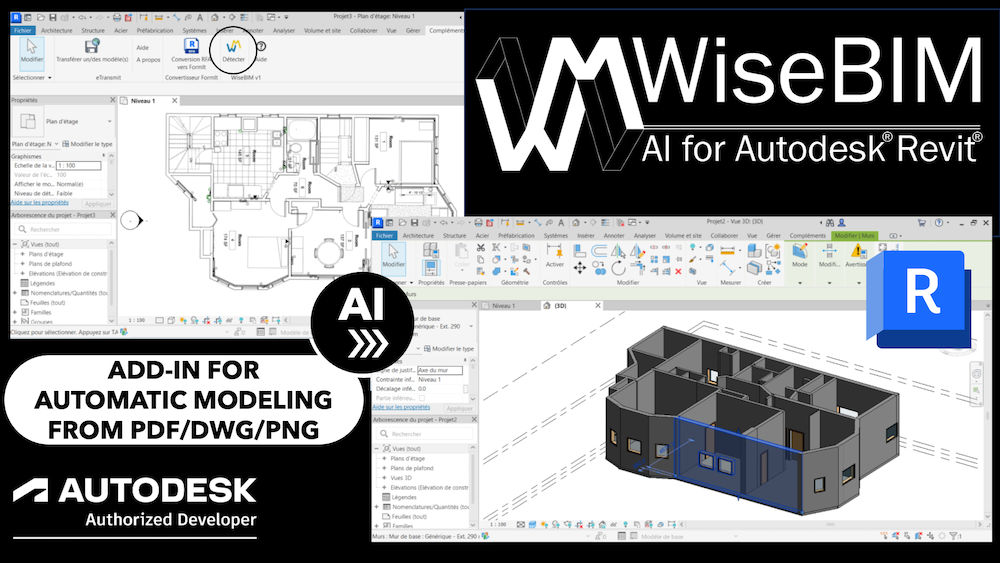
WiseBIM for Autodesk Revit 2026 is a powerful productivity plugin designed to enhance Building Information Modeling (BIM) workflows within Autodesk Revit. Developed by WiseBIM, this toolset provides a wide range of automation and management features that help architects, engineers, and BIM professionals improve efficiency and accuracy in Revit projects.

WiseBIM integrates directly into the Revit interface, adding intelligent tools for model management, data handling, parameter editing, and workflow automation. With its streamlined utilities and powerful BIM management functions, WiseBIM for Revit 2026 allows users to work faster while maintaining high-quality BIM standards.

This plugin is especially valuable for large BIM projects where managing elements, parameters, and documentation can become complex and time-consuming.

Features of WiseBIM for Autodesk Revit 2026

Advanced BIM Model Management
WiseBIM provides powerful tools to organize and manage BIM models efficiently, helping users maintain structured and accurate project data.

Batch Parameter Editing
Edit parameters for multiple Revit elements simultaneously, saving significant time when working with large BIM models.

Intelligent Element Selection Tools
Quickly select and filter elements based on categories, parameters, or properties to simplify model editing and analysis.

BIM Data Analysis
Analyze model data to ensure consistency, identify issues, and maintain BIM standards across the project.

Automated Workflow Tools
Automate repetitive tasks within Revit, reducing manual effort and improving productivity.

Model Cleanup and Optimization
Identify unused elements, redundant parameters, or unnecessary data to optimize model performance.

Flexible Filtering and Sorting
Easily filter and sort model elements to locate specific components quickly.

Enhanced Revit Productivity Tools
Adds practical utilities that extend Revit’s native capabilities for faster modeling and documentation.

Seamless Revit Integration
WiseBIM works directly within Autodesk Revit, ensuring a smooth workflow without requiring additional software environments.

Optimized for Revit 2026
The latest version is fully compatible with Revit 2026, offering improved performance, stability, and updated tools.

System Requirements
Operating System: Windows 10 / Windows 11 (64-bit)
Software Requirement: Autodesk Revit 2026
Processor: Intel or AMD multi-core processor
RAM: 8 GB minimum (16 GB recommended)
Storage: 500 MB available disk space

Why Use WiseBIM for Revit?
Managing complex BIM models often requires additional tools to maintain efficiency and data consistency. WiseBIM for Autodesk Revit 2026 provides a comprehensive toolkit that simplifies model management, automates repetitive tasks, and enhances BIM workflows.

Architects, BIM managers, and engineers can use WiseBIM to improve productivity, reduce manual errors, and maintain high standards in large-scale Revit projects.

If you want to download WiseBIM for Autodesk Revit 2026 full license, please click to DOWNLOAD button to download.
CLICKDOWN.ORG Download CAD CAM CNC software
Inside package WiseBIM for Autodesk Revit 2026, already have cracked files and instruction how to install WiseBIM for Autodesk Revit 2026 step by step. I guarantee you can install WiseBIM for Autodesk Revit 2026 successfully if you follow that instruction.
If you also can’t install it or get any problems, please contact to me by email: clickdown.org@gmail.com, then I will help you to install software by teamviewer or Ultraviewer or Anydesk.
Thanks a lot
SOFTWARES

Download ANSYS Products 2026 R1 linux x64 full license

ANSYS Products 2026 R1 Linux – Advanced Engineering Simulation Platform for Linux Systems

Download ANSYS Products 2026 R1 linux x64 full license

Link download ANSYS Products 2026 R1 linux full activated

ANSYS Products 2026 R1 linux x64 full license

Working with ANSYS Products 2026 R1 linux full license

Description of ANSYS Products 2026 R1 linux

ANSYS Products 2026 R1 Linux is a powerful engineering simulation suite designed for high-performance computing environments and professional engineering workflows. Developed by ANSYS, this release provides a wide range of simulation tools for structural analysis, fluid dynamics, electromagnetics, and multiphysics modeling on Linux operating systems.

The Linux version of ANSYS 2026 R1 is widely used in research institutions, engineering companies, and high-performance computing clusters where stability, scalability, and performance are essential. It allows engineers to perform complex simulations, optimize product designs, and analyze real-world engineering problems with high accuracy.

By running on Linux platforms, ANSYS products benefit from improved performance, better resource management, and integration with advanced HPC infrastructures.

Features of ANSYS Products 2026 R1 linux

Comprehensive Multiphysics Simulation
ANSYS provides tools for structural, thermal, fluid, electromagnetic, and multiphysics simulations within a unified platform.

High-Performance Computing Support
Optimized for Linux-based HPC clusters, enabling large-scale simulations with parallel processing capabilities.

Advanced Structural Analysis
Perform structural simulations using tools such as ANSYS Mechanical to evaluate stress, deformation, fatigue, and structural integrity.

Computational Fluid Dynamics (CFD)
Simulate fluid flow, heat transfer, and turbulence using powerful CFD tools like ANSYS Fluent and ANSYS CFX.

Electromagnetic Field Simulation
Analyze electromagnetic behavior and electronic system performance with tools such as ANSYS HFSS and ANSYS Maxwell.

Multiphysics Coupling
Combine multiple simulation domains to analyze complex engineering systems involving interacting physical phenomena.

Optimized for Linux Workflows
The Linux edition supports enterprise-level deployment and integrates smoothly with Linux-based development and computing environments.

Advanced Meshing and Preprocessing
Use powerful meshing technologies to create accurate simulation models for complex geometries.

Scalable Simulation Performance
Run simulations on multi-core processors and distributed computing environments for faster results.

Updates in ANSYS 2026 R1
The latest release includes improved solver performance, expanded physics capabilities, enhanced meshing tools, and better HPC scalability.

System Requirements
Operating System: Linux (Red Hat Enterprise Linux, CentOS, Ubuntu or compatible distributions)
Processor: Multi-core Intel or AMD processor
RAM: 16 GB minimum (32 GB or more recommended for large simulations)
Storage: 20 GB or more available disk space
GPU: Optional GPU acceleration for supported solvers

Why Use ANSYS on Linux?
Linux environments are commonly used for engineering simulations due to their stability and performance in large-scale computing systems. ANSYS Products 2026 R1 Linux enables engineers to take full advantage of HPC infrastructure while running advanced simulation workflows.

This platform is ideal for organizations that require reliable, scalable, and high-performance engineering simulation tools for research, product development, and industrial analysis.

If you want to download ANSYS Products 2026 R1 linux full license, please click to DOWNLOAD button to download.
CLICKDOWN.ORG Download CAD CAM CNC software
Inside package ANSYS Products 2026 R1 linux, already have cracked files and instruction how to install ANSYS Products 2026 R1 linux step by step. I guarantee you can install ANSYS Products 2026 R1 linux successfully if you follow that instruction.
If you also can’t install it or get any problems, please contact to me by email: clickdown.org@gmail.com, then I will help you to install software by teamviewer or Ultraviewer or Anydesk.
Thanks a lot
SOFTWARES

Download CFTurbo BladeRunner 2026 R1.2 win64 full license

CFTurbo BladeRunner 2026 R1.2 – Advanced Blade Design and Optimization Tool

Download CFTurbo BladeRunner 2026 R1.2 win64 full license

Link download CFTurbo BladeRunner 2026 R1.2 full activated

Working with CFTurbo BladeRunner 2026 R1.2 full license
Additional information: To use CFturbo BladeModeler, you need a pre-installed Simerics MP/MP+

Description of CFTurbo BladeRunner 2026 R1.2

CFTurbo BladeRunner 2026 R1.2 is a specialized engineering tool designed for the advanced design and optimization of turbomachinery blades. Developed by CFturbo Software & Engineering, BladeRunner extends the capabilities of turbomachinery design workflows by providing precise control over blade geometry and aerodynamic performance.

The software is built to work alongside CFTurbo, allowing engineers to refine blade shapes and optimize performance parameters for pumps, compressors, turbines, and fans. By using parametric modeling and advanced design algorithms, BladeRunner enables engineers to generate highly efficient blade profiles and improve overall turbomachinery efficiency.

CFTurbo BladeRunner 2026 R1.2 helps engineers streamline the blade development process while ensuring high accuracy and compatibility with simulation and CAD tools.

Features of CFTurbo BladeRunner 2026 R1.2

Advanced Blade Geometry Design
BladeRunner provides specialized tools to design complex turbomachinery blade geometries with high precision.

Parametric Blade Modeling
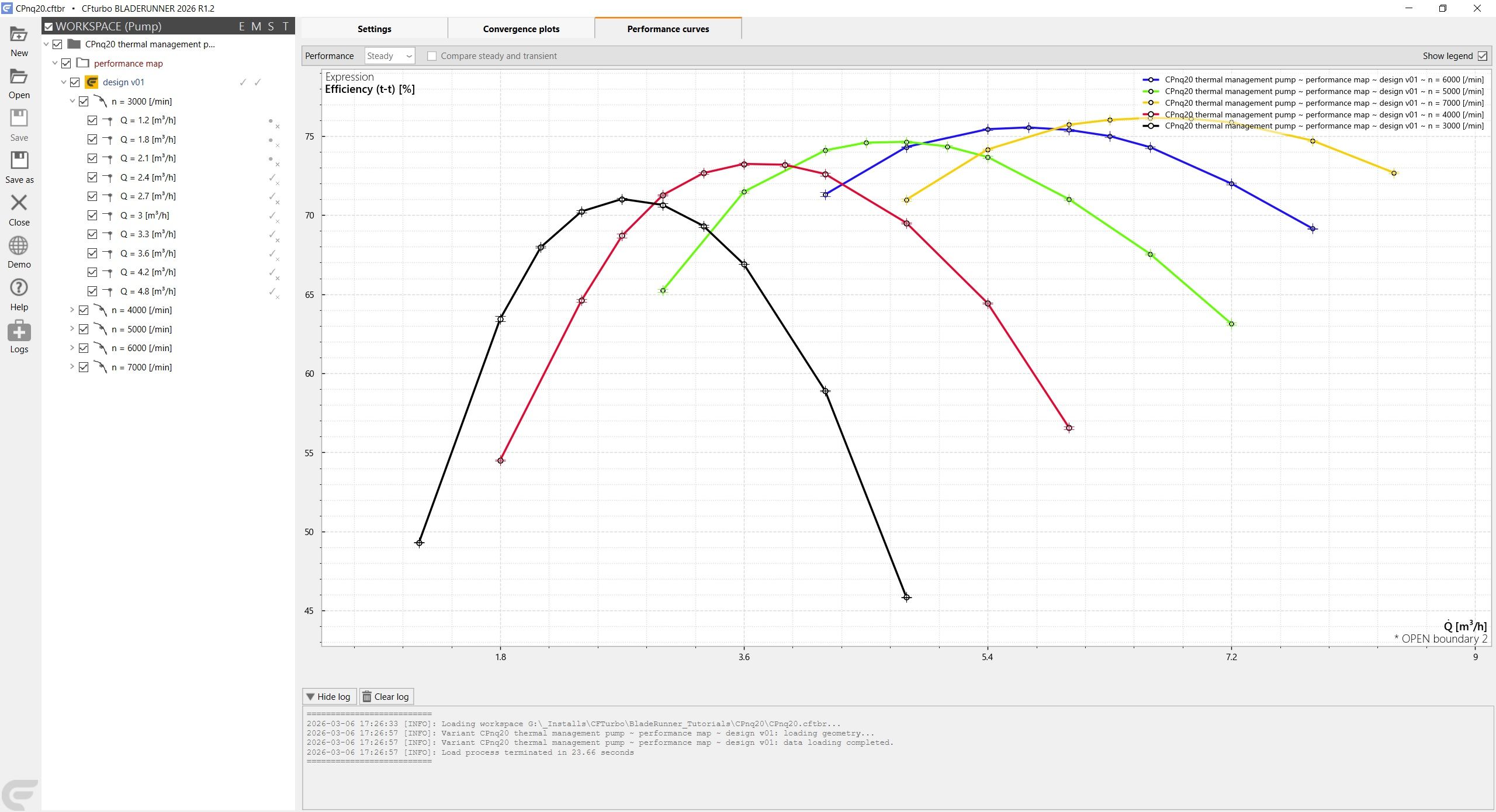
Easily adjust blade parameters such as thickness, curvature, angle, and profile to evaluate multiple design variations.

Aerodynamic Optimization
Optimize blade shapes for improved aerodynamic performance, reduced losses, and increased efficiency.

Seamless Integration with CFTurbo
Fully integrates with CFTurbo to enhance turbomachinery design workflows and enable advanced blade refinement.

CFD Workflow Compatibility
Export optimized blade geometries for simulation in computational fluid dynamics software such as ANSYS Fluent or ANSYS CFX.

Visualization and Geometry Inspection
Inspect blade shapes and curvature using advanced visualization tools to ensure optimal performance.

Flexible Export to CAD Systems
Export blade models to CAD platforms including SolidWorks and Autodesk Inventor for further engineering design and manufacturing preparation.

Performance Analysis Tools
Evaluate important parameters such as blade angles, flow paths, and aerodynamic characteristics.

Efficient Engineering Workflow
Reduce design iteration time by quickly generating and testing blade variations.

Enhancements in Version 2026 R1.2
The latest release includes improved blade modeling accuracy, better integration with turbomachinery design workflows, and enhanced stability.

System Requirements
Operating System: Windows 10 / Windows 11 (64-bit)
Processor: Intel or AMD multi-core processor
RAM: 8 GB minimum (16 GB recommended)
Storage: 1 GB available disk space
Graphics: OpenGL compatible graphics card

Why Choose CFTurbo BladeRunner?
Designing efficient turbomachinery blades requires specialized engineering tools capable of precise geometry control and aerodynamic optimization. CFTurbo BladeRunner 2026 R1.2 provides engineers with advanced modeling capabilities that help improve performance while reducing development time.

When used together with CFTurbo, BladeRunner becomes a powerful solution for developing high-performance turbomachinery systems used in industries such as energy, aerospace, and industrial manufacturing.

If you want to download CFTurbo BladeRunner 2026 R1.2 full license, please click to DOWNLOAD button to download.
CLICKDOWN.ORG Download CAD CAM CNC software
Inside package CFTurbo BladeRunner 2026 R1.2, already have cracked files and instruction how to install CFTurbo BladeRunner 2026 R1.2 step by step. I guarantee you can install CFTurbo BladeRunner 2026 R1.2 successfully if you follow that instruction.
If you also can’t install it or get any problems, please contact to me by email: clickdown.org@gmail.com, then I will help you to install software by teamviewer or Ultraviewer or Anydesk.
Thanks a lot
SOFTWARES

Download CFTurbo 2026 R1.2.129 win64 full license forever

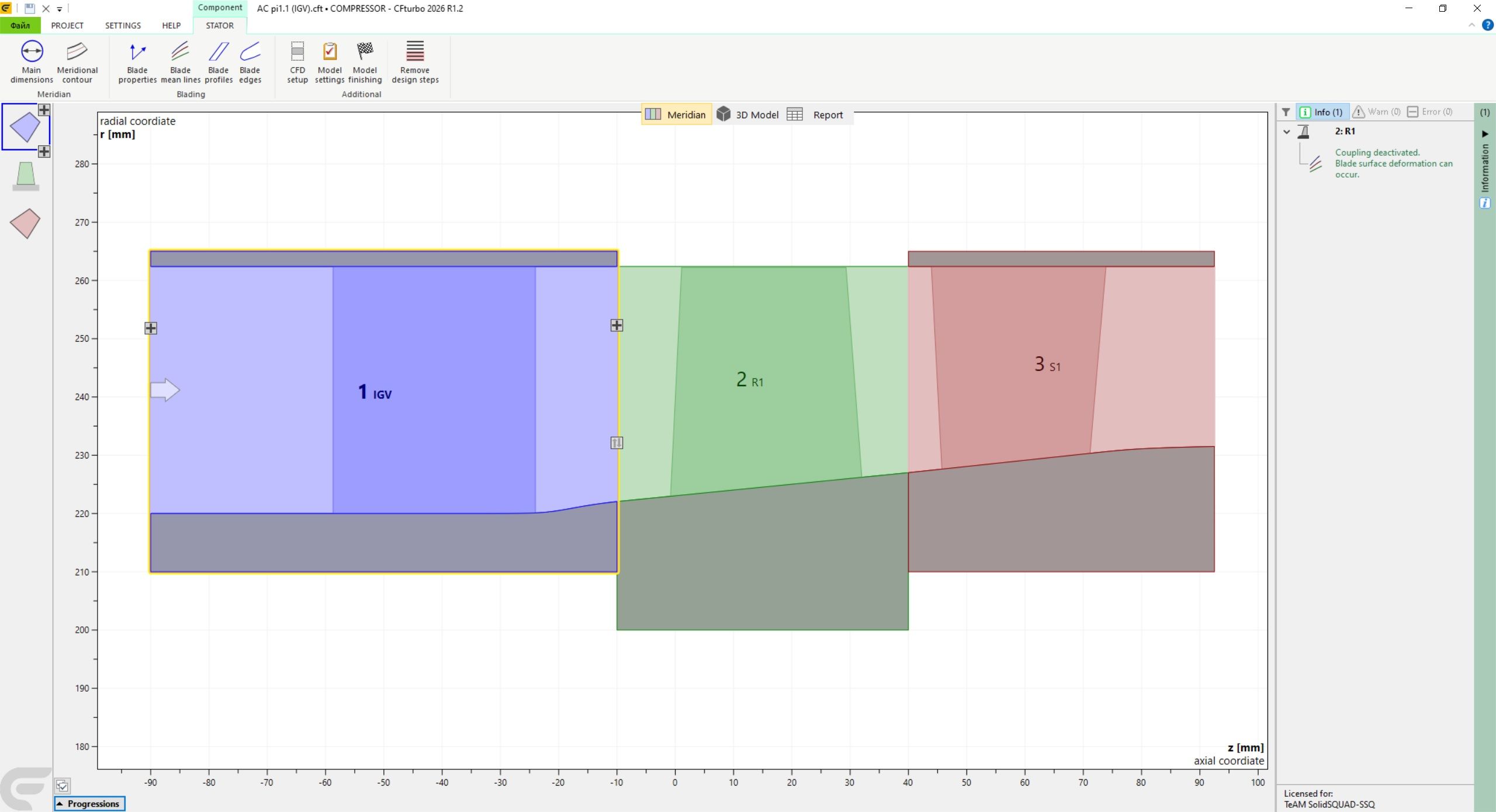
CFTurbo 2026 R1.2.129 – Advanced Turbomachinery Design Software

Download CFTurbo 2026 R1.2.129 win64 full license forever

Link download CFTurbo 2026 R1.2.129 x64 full activated

CFTurbo v2026 R1.2.129 x64 full license

Working with CFTurbo 2026 R1.2.129 full license

Description of CFTurbo 2026 R1.2.129

CFTurbo 2026 R1.2.129 is a powerful turbomachinery design software used by engineers to create and optimize components such as pumps, compressors, turbines, and fans. Developed by CFturbo Software & Engineering, the software provides a specialized environment for designing rotating fluid machinery with high efficiency and precision.

CFTurbo allows engineers to generate complete turbomachinery geometries using advanced design algorithms and engineering parameters. It integrates seamlessly with major CAD and CFD tools, enabling smooth workflows between design, simulation, and optimization stages.

With CFTurbo 2026 R1.2.129, users can rapidly create parametric models, analyze performance characteristics, and export geometry for further analysis in simulation software such as ANSYS Fluent or ANSYS CFX. This makes the software an essential tool for industries including energy, aerospace, automotive, and industrial manufacturing.

Features of CFTurbo 2026 R1.2.129

Comprehensive Turbomachinery Design
Design a wide range of turbomachinery components including pumps, fans, compressors, turbines, and blowers.

Parametric Geometry Generation
Automatically generate 3D turbomachinery geometries based on engineering parameters and performance requirements.

Integrated Design Workflow
CFTurbo provides an efficient workflow from initial concept design to geometry generation and simulation preparation.

Advanced Blade Design Tools
Create and optimize blade shapes for improved aerodynamic performance and efficiency.

CFD Integration
Export geometry directly to simulation platforms such as ANSYS Fluent and ANSYS CFX for computational fluid dynamics analysis.

CAD System Compatibility
Integrates with major CAD systems including SolidWorks and Autodesk Inventor for further mechanical design and engineering workflows.

Performance Analysis Tools
Evaluate key turbomachinery parameters such as flow rates, pressure rise, and efficiency during the design process.

Flexible Export Options
Export geometries in various formats compatible with CAD and CFD tools used in engineering projects.

Visualization and Geometry Inspection
Analyze and inspect turbine and pump geometries using advanced visualization tools.

Improvements in Version 2026 R1.2.129
The latest release includes improved modeling algorithms, better CAD integration, enhanced stability, and performance optimizations.

System Requirements
Operating System: Windows 10 / Windows 11 (64-bit)
Processor: Intel or AMD multi-core processor
RAM: 8 GB minimum (16 GB recommended)
Storage: 2 GB available disk space
Graphics: OpenGL compatible graphics card

Why Choose CFTurbo?
Designing turbomachinery components requires specialized engineering tools capable of handling complex fluid dynamics and geometry generation. CFTurbo 2026 R1.2.129 simplifies this process by providing a dedicated platform for turbomachinery design that integrates smoothly with industry-standard CAD and CFD tools.

Engineers can quickly develop high-performance pump and turbine designs while reducing development time and improving product efficiency.

If you want to download CFTurbo 2026 R1.2.129 full license, please click to DOWNLOAD button to download.
CLICKDOWN.ORG Download CAD CAM CNC software
Inside package CFTurbo 2026 R1.2.129, already have cracked files and instruction how to install CFTurbo 2026 R1.2.129 step by step. I guarantee you can install CFTurbo 2026 R1.2.129 successfully if you follow that instruction.
If you also can’t install it or get any problems, please contact to me by email: clickdown.org@gmail.com, then I will help you to install software by teamviewer or Ultraviewer or Anydesk.
Thanks a lot
SOFTWARES

Download Netcad Super Suite 2026.03 win64 full license

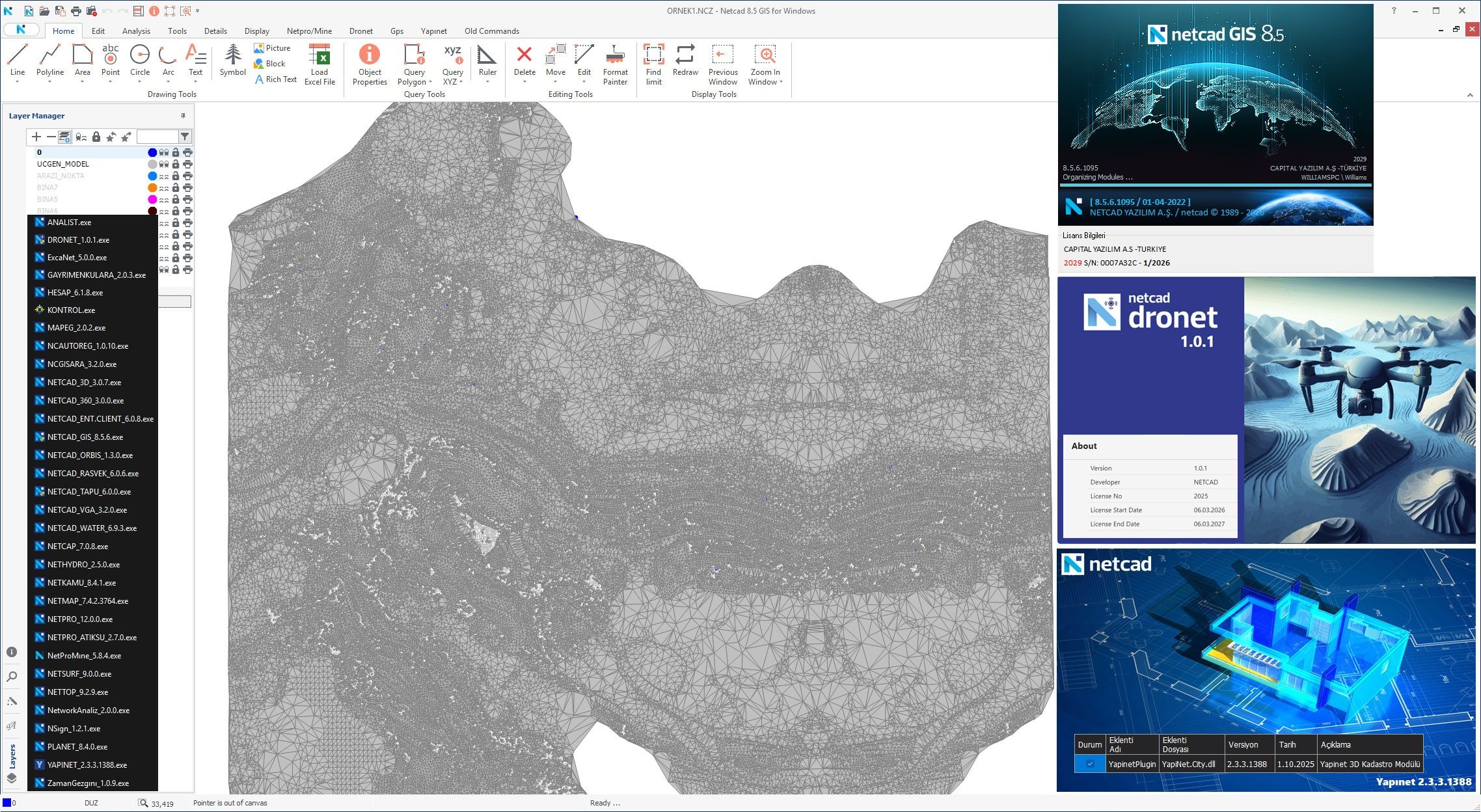
Netcad Super Suite 2026.03 – Advanced GIS and Engineering Design Software

Download Netcad Super Suite 2026.03 win64 full license

Link download Netcad Super Suite 2026.03 full activated

Working with Netcad Super Suite 2026.03 full license

Description of Netcad Super Suite 2026.03

Netcad Super Suite 2026.03 is a comprehensive GIS, mapping, and engineering design software platform developed by Netcad. It provides powerful tools for spatial data analysis, mapping, urban planning, infrastructure design, and geographic information management.

Designed for engineers, surveyors, urban planners, and GIS professionals, Netcad Super Suite integrates advanced CAD and GIS capabilities within a single environment. The software allows users to process spatial data, create detailed maps, perform land management tasks, and develop engineering projects with precision and efficiency.

With its powerful data processing tools and extensive GIS functionality, Netcad Super Suite 2026.03 is widely used in industries such as urban development, transportation planning, environmental management, and land administration.

Features of Netcad Super Suite 2026.03

Integrated CAD and GIS Environment
Netcad combines computer-aided design and geographic information system capabilities, enabling users to create engineering drawings and spatial analyses in one platform.

Advanced Mapping and Cartography
Create detailed maps with professional cartographic tools, including labeling, thematic mapping, and symbol management.

Spatial Data Analysis
Perform complex spatial analysis using geospatial datasets to support planning, environmental monitoring, and infrastructure development.

Surveying and Land Management Tools
Support for cadastral mapping, parcel management, and land registry workflows used by surveyors and land administration authorities.

Urban Planning and Infrastructure Design
Plan and design transportation networks, utilities, and urban infrastructure using precise engineering tools.

GIS Data Integration
Import and export various GIS formats to work with data from multiple sources and systems.

3D Terrain and Surface Modeling
Generate terrain models and elevation surfaces for land analysis and engineering design.

Database and Data Management
Efficiently manage large spatial datasets and project files within a structured environment.

Visualization and Reporting Tools
Produce high-quality maps, reports, and graphical outputs for presentations and planning documentation.

Enhancements in Version 2026.03
The latest version includes performance improvements, updated GIS tools, and enhanced compatibility with modern spatial data standards.

System Requirements
Operating System: Windows 10 / Windows 11 (64-bit)
Processor: Intel or AMD multi-core processor
RAM: 8 GB minimum (16 GB recommended)
Storage: 2 GB available disk space
Graphics: OpenGL-compatible graphics card recommended

Why Choose Netcad Super Suite?
Netcad Super Suite 2026.03 provides a robust solution for professionals who require both GIS analysis and engineering design tools. By combining spatial data management, mapping, and CAD capabilities in one platform, Netcad helps organizations improve efficiency in planning, surveying, and infrastructure development.

Whether used for urban planning, environmental studies, or engineering projects, Netcad Super Suite delivers the precision and flexibility required for modern geospatial workflows.

If you want to download Netcad Super Suite 2026.03 full license, please click to DOWNLOAD button to download.
CLICKDOWN.ORG Download CAD CAM CNC software
Inside package Netcad Super Suite 2026.03, already have cracked files and instruction how to install Netcad Super Suite 2026.03 step by step. I guarantee you can install Netcad Super Suite 2026.03 successfully if you follow that instruction.
If you also can’t install it or get any problems, please contact to me by email: clickdown.org@gmail.com, then I will help you to install software by teamviewer or Ultraviewer or Anydesk.
Thanks a lot
SOFTWARES

Download CADlogic Draft IT Architectural 5.0.38 full license

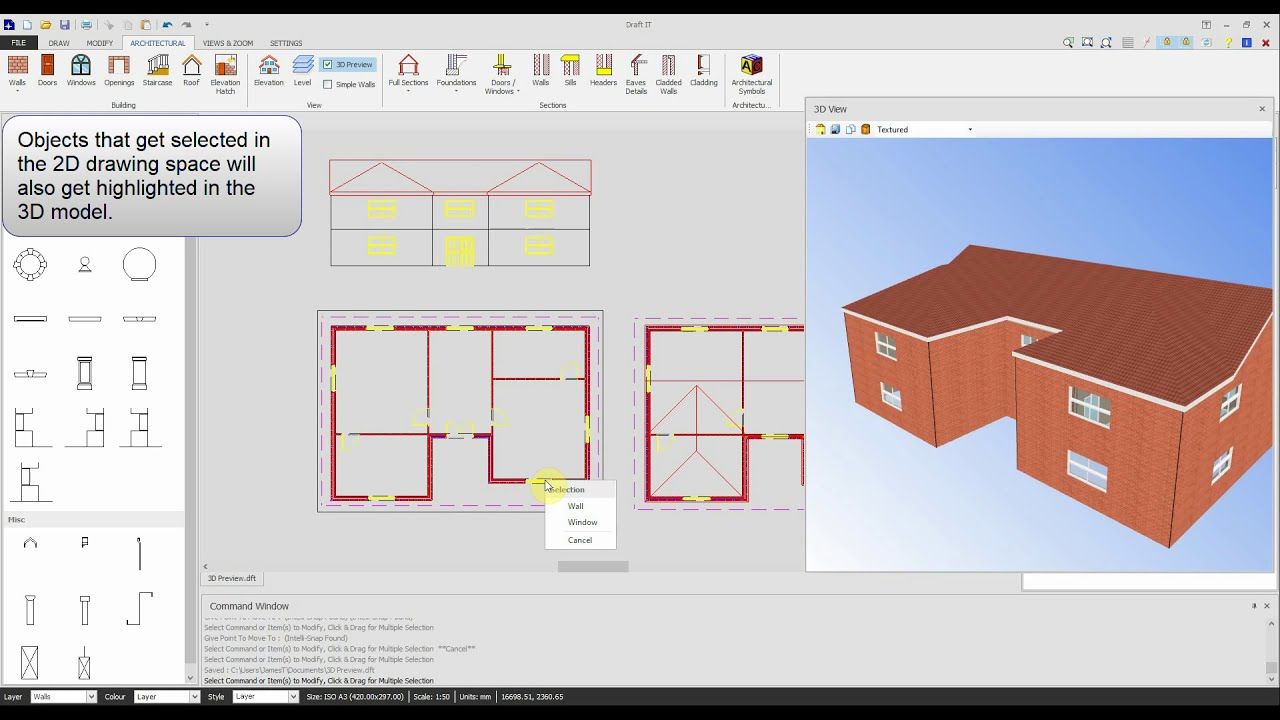
CADlogic Draft IT Architectural 5.0.38 – Professional 2D Architectural Drafting Software

Download CADlogic Draft IT Architectural 5.0.38 full license

Link download CADlogic Draft IT Architectural 5.0.38 full activated

Working with CADlogic Draft IT Architectural 5.0.38 full license

Description of CADlogic Draft IT Architectural 5.0.38

CADlogic Draft IT Architectural 5.0.38 is a specialized 2D CAD drafting software created for architects, builders, and home designers who need an easy-to-use tool for producing accurate architectural drawings. Developed by CADlogic, Draft IT Architectural provides a complete set of drafting tools specifically tailored for architectural planning and building design.

Unlike general CAD software, Draft IT Architectural focuses on building layouts and construction drawings, making it ideal for creating floor plans, elevations, and structural details. The software offers intuitive drawing tools combined with architectural symbols, templates, and measurement features to streamline the design process.

Whether you are designing residential homes, remodeling projects, or building extensions, Draft IT Architectural 5.0.38 helps users produce professional-quality plans quickly and efficiently.

Features of CADlogic Draft IT Architectural 5.0.38

Specialized Architectural Drafting Tools
The software includes tools specifically designed for architectural drawing tasks such as walls, doors, windows, and structural elements.

Accurate 2D CAD Drawing
Create precise 2D drawings with dimensioning tools, grid systems, and measurement features suitable for construction documentation.

Floor Plan Design
Design detailed building layouts including rooms, corridors, staircases, and building components with ease.

Architectural Symbols and Templates
Use built-in libraries of architectural symbols to speed up drawing creation and maintain consistent design standards.

Layer Management
Organize drawings using layers to manage different elements such as electrical plans, structural layouts, and furniture placement.

Flexible Dimensioning Tools
Add accurate dimensions and annotations to ensure construction drawings meet professional standards.

DWG and DXF Compatibility
Import and export industry-standard formats to ensure compatibility with other CAD applications and workflows.

Simple and Intuitive Interface
Draft IT Architectural is designed to be easy to learn, making it accessible for both beginners and experienced designers.

Efficient Editing Tools
Modify drawings quickly with trimming, offsetting, copying, and scaling tools.

Improved Stability in Version 5.0.38
The latest version introduces improved performance, enhanced compatibility, and stability improvements for modern operating systems.

System Requirements
Operating System: Windows 10 / Windows 11
Processor: Intel or AMD processor
RAM: 4 GB minimum (8 GB recommended)
Storage: 500 MB available disk space
Display: 1280×800 resolution or higher

Why Choose Draft IT Architectural?
Architectural drafting requires precision, clarity, and efficient workflows. CADlogic Draft IT Architectural 5.0.38 provides all the essential tools needed to create professional building plans without the complexity of larger CAD platforms.
It is an excellent solution for architects, home designers, builders, and students who need reliable drafting software focused specifically on architectural design tasks.

If you want to download CADlogic Draft IT Architectural 5.0.38 full license, please click to DOWNLOAD button to download.
CLICKDOWN.ORG Download CAD CAM CNC software
Inside package CADlogic Draft IT Architectural 5.0.38, already have cracked files and instruction how to install CADlogic Draft IT Architectural 5.0.38 step by step. I guarantee you can install CADlogic Draft IT Architectural 5.0.38 successfully if you follow that instruction.
If you also can’t install it or get any problems, please contact to me by email: clickdown.org@gmail.com, then I will help you to install software by teamviewer or Ultraviewer or Anydesk.
Thanks a lot
SOFTWARES

Download ANSYS Rocky 2026 R1 Modules Win/Linux x64 full

ANSYS Rocky 2026 R1 Modules – Advanced DEM Simulation for Particle Dynamics

Download ANSYS Rocky 2026 R1 Modules Win/Linux x64 full

Link download ANSYS Rocky 2026 R1 Modules full activated

ANSYS Rocky 2026 R1 Modules Win-Linux x64 full license

Description of ANSYS Rocky 2026 R1 Modules

ANSYS Rocky 2026 R1 Modules provide a powerful simulation environment for modeling and analyzing the behavior of particles using the Discrete Element Method (DEM). Developed by ANSYS, Rocky is widely used by engineers and researchers to simulate granular materials, bulk solids handling, and particle-fluid interactions across multiple industries.

With ANSYS Rocky, users can accurately simulate particle motion, collisions, breakage, wear, and interactions with equipment or fluid flows. The software integrates seamlessly with other ANSYS simulation tools, enabling advanced multiphysics analysis and improving design performance for systems involving particulate materials.

ANSYS Rocky 2026 R1 Modules extend the core capabilities of Rocky by adding specialized simulation features for complex engineering scenarios such as particle breakage, fluid coupling, and wear prediction.

Features of ANSYS Rocky 2026 R1 Modules

Advanced DEM Particle Simulation
Model complex particle interactions using high-performance Discrete Element Method (DEM) technology for accurate granular material analysis.

High-Performance GPU Acceleration
Rocky utilizes powerful GPU acceleration to significantly speed up particle simulations, allowing engineers to process millions of particles efficiently.

Particle Breakage Modeling
Simulate particle fragmentation and size distribution changes during collisions or mechanical stress.

Wear and Erosion Prediction
Analyze wear and erosion on equipment surfaces caused by particle impacts, helping optimize equipment durability and maintenance.

Coupling with CFD Simulations
Integrate DEM particle simulations with computational fluid dynamics tools such as ANSYS Fluent to simulate particle-fluid interactions.

Flexible Particle Shape Modeling
Support realistic particle shapes beyond simple spheres to improve simulation accuracy for real-world materials.

Multiphysics Integration
Combine Rocky simulations with other ANSYS products such as ANSYS Mechanical for comprehensive multiphysics analysis.

Industrial Equipment Simulation
Model particle flow through conveyors, crushers, mixers, mills, and other industrial equipment.

Advanced Post-Processing Tools
Visualize particle motion, collision forces, velocity distributions, and material behavior using detailed analysis tools.

Improvements in Version 2026 R1
The latest release introduces enhanced GPU performance, improved solver stability, and expanded multiphysics coupling capabilities.

Applications of ANSYS Rocky
ANSYS Rocky is widely used in industries including:
Mining and mineral processing
Pharmaceuticals and chemical engineering
Food processing and packaging
Agriculture and grain handling
Energy and materials processing
Engineers use Rocky to better understand particle behavior, optimize equipment performance, and reduce operational costs.

System Requirements
Operating System: Windows 10 / Windows 11 (64-bit)
Processor: Multi-core CPU recommended
RAM: 16 GB minimum (32 GB recommended)
GPU: NVIDIA GPU recommended for acceleration
Storage: 5 GB available disk space

Why Use ANSYS Rocky?
Particle-based processes are common in many industries, but they are difficult to analyze using traditional simulation methods. ANSYS Rocky 2026 R1 Modules provide specialized DEM tools that allow engineers to simulate real particle behavior with high accuracy.

By integrating Rocky with the broader ANSYS ecosystem, engineers can perform advanced multiphysics simulations and improve product designs, process efficiency, and equipment reliability.

If you want to download ANSYS Rocky 2026 R1 Modules full license, please click to DOWNLOAD button to download.
CLICKDOWN.ORG Download CAD CAM CNC software
Inside package ANSYS Rocky 2026 R1 Modules, already have cracked files and instruction how to install ANSYS Rocky 2026 R1 Modules step by step. I guarantee you can install ANSYS Rocky 2026 R1 Modules successfully if you follow that instruction.
If you also can’t install it or get any problems, please contact to me by email: clickdown.org@gmail.com, then I will help you to install software by teamviewer or Ultraviewer or Anydesk.
Thanks a lot

SOFTWARES

Download VMware InstallBuilder Enterprise 26.2 full license

VMware InstallBuilder Enterprise 26.2 – Professional Installer Creation Tool

Download VMware InstallBuilder Enterprise 26.2 full license

Link download VMware InstallBuilder Enterprise 26.2 full activated

Working with VMware InstallBuilder Enterprise 26.2 full license

Description of VMware InstallBuilder Enterprise 26.2

VMware InstallBuilder Enterprise 26.2 is a powerful software packaging and installer creation tool designed for developers who need to build cross-platform installation programs quickly and efficiently. Developed by VMware, InstallBuilder allows developers to create professional installers for Windows, Linux, macOS, and other platforms from a single project file.

The software simplifies the process of packaging applications, managing dependencies, and delivering reliable installation experiences for end users. With its intuitive graphical interface and advanced scripting capabilities, InstallBuilder Enterprise 26.2 enables developers to build highly customizable installers that support complex deployment scenarios.

Whether you are distributing enterprise software, internal tools, or commercial applications, InstallBuilder provides the flexibility and reliability needed to automate installation workflows and ensure smooth software deployment.

Features of VMware InstallBuilder Enterprise 26.2

Cross-Platform Installer Creation
Create installers for Windows, Linux, macOS, Solaris, and other platforms using a single project configuration.

Easy-to-Use GUI Builder
InstallBuilder includes an intuitive graphical interface that allows developers to design installation workflows without extensive coding.

Advanced Installer Customization
Customize installation screens, dialogs, and actions using a powerful scripting engine and configuration options.

Automatic Dependency Management
Automatically detect and install required components, libraries, and system dependencies to ensure successful installations.

Multi-Platform Build System
Generate installers for multiple operating systems from the same project file, reducing development time and effort.

Command-Line Automation
Integrate installer creation into automated build pipelines using command-line tools and scripts.

Lightweight and Fast Installers
InstallBuilder produces compact and efficient installers that run quickly and consume minimal system resources.

Upgrade and Patch Support
Support application updates, upgrades, and patching with built-in version management features.

Integration with Development Tools
Easily integrate with popular development environments and build systems used in enterprise software development.

Improved Stability in Version 26.2
The latest version introduces improved compatibility, enhanced build performance, and updated platform support.

System Requirements
Operating System: Windows, Linux, or macOS
Processor: Intel or AMD processor
RAM: 4 GB minimum (8 GB recommended)
Storage: 500 MB available disk space
Display: 1280×800 resolution or higher

Why Choose VMware InstallBuilder?
Software developers and enterprises rely on InstallBuilder Enterprise to simplify application packaging and distribution. The platform helps teams create reliable installers, manage updates, and deploy applications across multiple operating systems with minimal effort.

With VMware InstallBuilder Enterprise 26.2, developers gain a flexible and efficient solution for building professional installers and improving the overall software deployment experience.

If you want to download VMware InstallBuilder Enterprise 26.2 full license, please click to DOWNLOAD button to download.
CLICKDOWN.ORG Download CAD CAM CNC software
Inside package VMware InstallBuilder Enterprise 26.2, already have cracked files and instruction how to install VMware InstallBuilder Enterprise 26.2 step by step. I guarantee you can install VMware InstallBuilder Enterprise 26.2 successfully if you follow that instruction.
If you also can’t install it or get any problems, please contact to me by email: clickdown.org@gmail.com, then I will help you to install software by teamviewer or Ultraviewer or Anydesk.
Thanks a lot
error: Content is protected !!
Scroll to Top