SOFTWARES

SOFTWARES

Download Datamine Studio RM 3.1.385.0 x64 full license

Datamine Studio RM 3.1.385.0 – Advanced Resource Modeling Software for Mining

Download Datamine Studio RM 3.1.385.0 x64 full license

Link download Datamine Studio RM 3.1.385.0 win64 full activated
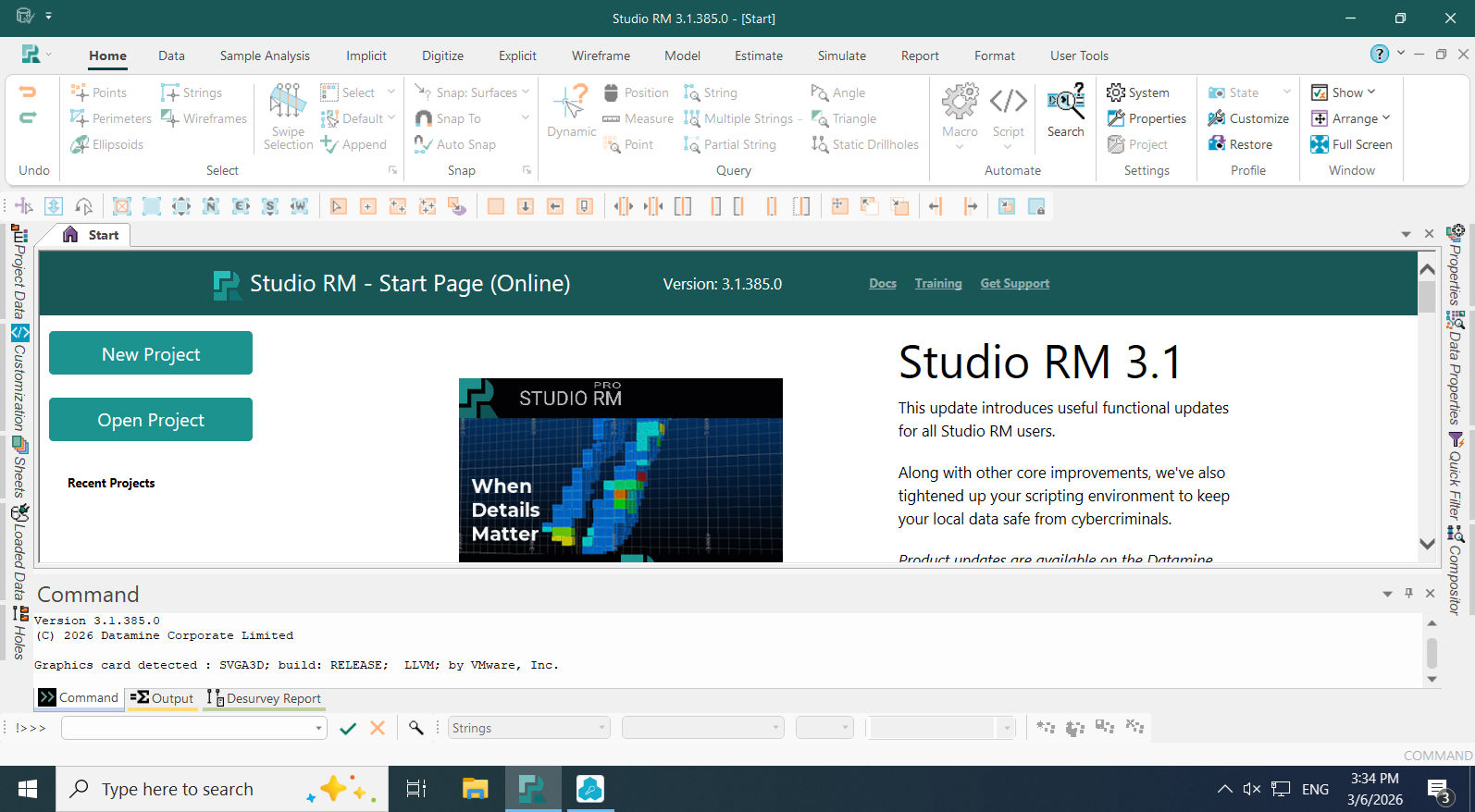
Working with Datamine Studio RM 3.1.385.0 full activated

Description of Datamine Studio RM 3.1.385.0

Datamine Studio RM 3.1.385.0 is a powerful geological modeling and resource estimation software designed for mining professionals. Developed by Datamine, Studio RM provides a comprehensive set of tools for geological data management, block modeling, resource estimation, and advanced 3D visualization.

Widely used by geologists, mining engineers, and exploration teams, Studio RM allows users to build accurate geological models, analyze drillhole data, and generate reliable resource estimations. The software integrates advanced geostatistics, intuitive workflows, and high-performance modeling capabilities to support efficient decision-making in mining exploration and production planning.

With Datamine Studio RM 3.1.385.0, users can transform raw geological data into detailed 3D models, improving accuracy in resource estimation and helping mining companies optimize their operations.

Features of Datamine Studio RM 3.1.385.0

Comprehensive Geological Data Management
Studio RM provides powerful tools to import, manage, and validate geological and drillhole data, ensuring data integrity throughout the modeling process.

Advanced 3D Geological Modeling
Create detailed 3D models of ore bodies, geological structures, and mineral deposits using intuitive modeling tools and advanced visualization features.

Block Model Creation and Editing
Easily generate and manage block models for resource estimation and mine planning. The software allows flexible editing and detailed analysis of block attributes.

Resource Estimation Tools
Studio RM includes advanced estimation methods such as Kriging, Inverse Distance Weighting (IDW), and Nearest Neighbor, helping geologists produce accurate mineral resource estimates.

Drillhole Data Analysis
Analyze and interpret drillhole data with tools designed for compositing, validation, and visualization.

Geostatistical Analysis
Use integrated geostatistical tools to analyze spatial variability and improve the reliability of resource estimations.

3D Visualization and Sectioning
Explore geological models using interactive 3D views, cross-sections, and plan views for better interpretation of complex geological data.

Data Interoperability
Import and export a wide range of industry-standard formats, enabling smooth integration with other mining and geological software platforms.

Workflow Automation
Automate repetitive tasks and streamline geological modeling workflows to improve productivity.

Improved Performance in Version 3.1.385.0
The latest version enhances performance, stability, and compatibility with modern systems, making large geological datasets easier to process and visualize.

System Requirements
Operating System: Windows 10 / Windows 11 (64-bit)
Processor: Intel or AMD multi-core processor
RAM: 8 GB minimum (16 GB recommended for large models)
Storage: 2 GB available disk space
Graphics: OpenGL compatible graphics card for 3D visualization

Why Choose Datamine Studio RM?
Mining companies rely on Studio RM to improve geological understanding and ensure accurate mineral resource evaluation. The software helps professionals build detailed geological models, perform reliable estimations, and support strategic mining decisions.

With Datamine Studio RM 3.1.385.0, users gain access to a professional platform that simplifies complex geological workflows while delivering powerful analytical capabilities for modern mining projects.

If you want to download Datamine Studio RM 3.1.385.0 full license, please click to DOWNLOAD button to download.
CLICKDOWN.ORG Download CAD CAM CNC software
Inside package Datamine Studio RM 3.1.385.0, already have cracked files and instruction how to install Datamine Studio RM 3.1.385.0 step by step. I guarantee you can install Datamine Studio RM 3.1.385.0 successfully if you follow that instruction.
If you also can’t install it or get any problems, please contact to me by email: clickdown.org@gmail.com, then I will help you to install software by teamviewer or Ultraviewer or Anydesk.
Thanks a lot

SOFTWARES

Download Magnet Forensics AXIOM 2026 v9.10.0.47249 x64 full

Magnet Forensics AXIOM 2026 v9.10.0.47249 – Advanced Digital Forensics Investigation Platform

Download Magnet Forensics AXIOM 2026 v9.10.0.47249 x64 full

Link download Magnet Forensics AXIOM 2026 v9.10.0.47249 full activated

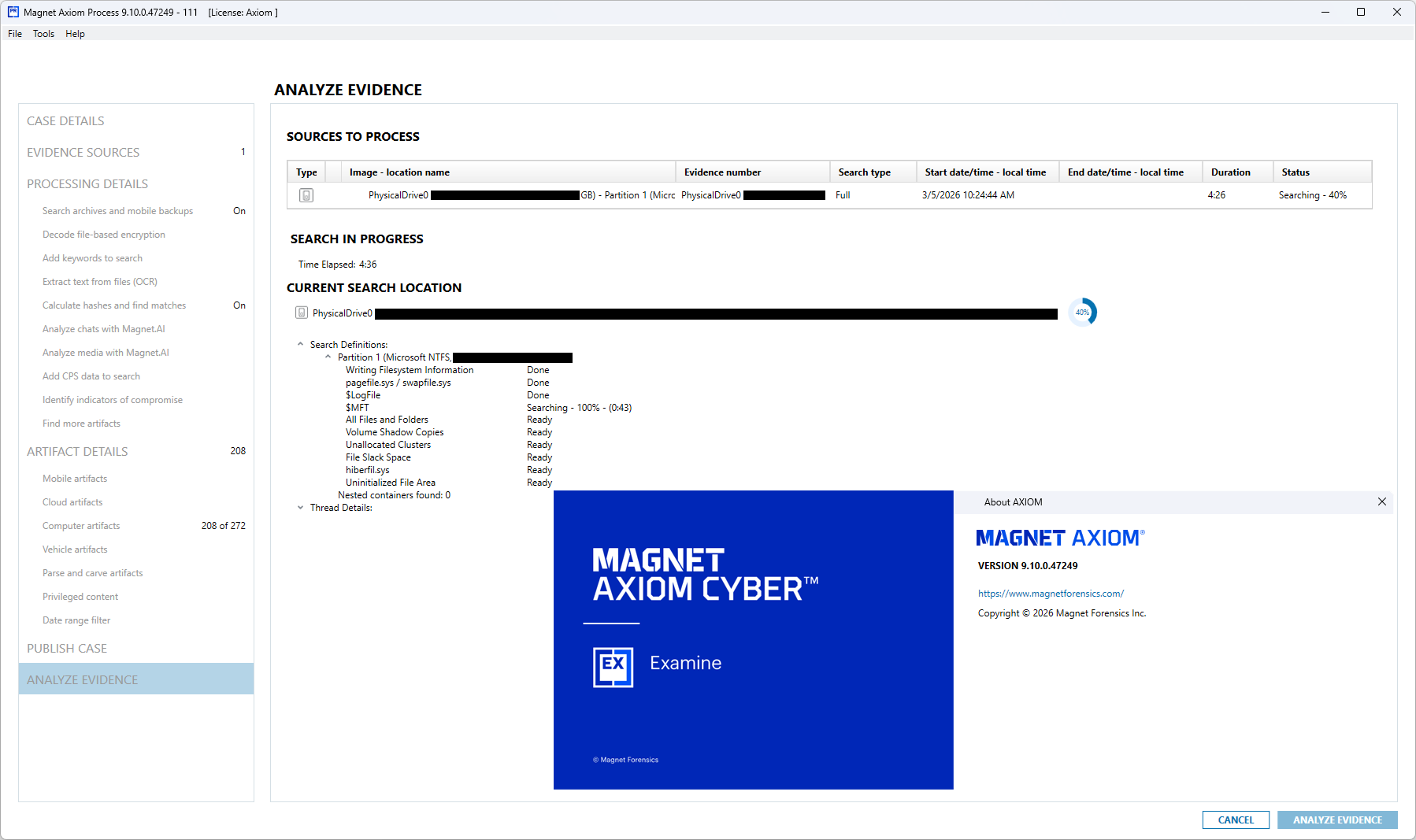
Working with Magnet Forensics AXIOM 2026 v9.10.0.47249 full license

Description of Magnet Forensics AXIOM 2026 v9.10.0.47249

Magnet Forensics AXIOM 2026 v9.10.0.47249 is a powerful digital forensics and incident investigation platform designed for law enforcement agencies, cybersecurity teams, and forensic investigators. Developed by Magnet Forensics, AXIOM provides a complete environment for acquiring, analyzing, and reporting digital evidence from computers, mobile devices, and cloud services.

With the growing complexity of cybercrime and digital investigations, AXIOM 2026 enables investigators to quickly collect and process large volumes of digital evidence while maintaining forensic integrity. The software supports deep artifact analysis, timeline reconstruction, and advanced search capabilities to uncover hidden or deleted data.

The platform combines two powerful components: AXIOM Process, which handles data acquisition and artifact extraction, and AXIOM Examine, which allows investigators to analyze evidence through an intuitive interface with powerful filtering and visualization tools.

Features of Magnet Forensics AXIOM 2026 v9.10.0.47249

Comprehensive Digital Evidence Acquisition
AXIOM supports the collection of data from computers, smartphones, storage devices, and cloud accounts while maintaining forensic soundness.

Deep Artifact Analysis
Automatically identifies and extracts thousands of digital artifacts including chat messages, browser history, documents, and application data.

Computer, Mobile, and Cloud Investigations
Investigate evidence from Windows systems, mobile devices, and popular cloud services within a single platform.

Timeline Reconstruction
Rebuild detailed timelines of user activity to understand events and actions across multiple devices.

Powerful Search and Filtering Tools
Quickly locate relevant evidence using keyword search, filters, and advanced artifact categorization.

Recover Deleted and Hidden Data
Detect and recover deleted files, hidden artifacts, and residual data that may be critical for investigations.

Integrated Reporting Tools
Generate professional forensic reports that can be used in legal proceedings and investigative documentation.

Artifact Visualization
Use visual tools to explore relationships between data, user activity, and devices.

Automation and Workflow Efficiency
Automate repetitive forensic tasks and speed up investigations with optimized processing engines.

Enhanced Performance in Version 9.10
The latest release improves artifact parsing, system compatibility, and processing performance for large datasets.

System Requirements
Operating System: Windows 10 / Windows 11 (64-bit)
Processor: Intel Core i7 or equivalent recommended
RAM: 16 GB minimum (32 GB recommended for large investigations)
Storage: 20 GB available space (SSD recommended)
Graphics: Modern GPU recommended for faster analysis

Why Choose Magnet AXIOM?
AXIOM is trusted by digital forensic professionals worldwide for its powerful evidence processing capabilities and intuitive investigation tools. The platform helps investigators analyze complex digital evidence efficiently while ensuring accuracy and reliability.

With Magnet Forensics AXIOM 2026 v9.10.0.47249, investigators can streamline digital investigations, uncover critical evidence, and generate clear reports for legal or organizational use.

If you want to download Magnet Forensics AXIOM 2026 v9.10.0.47249 full license, please click to DOWNLOAD button to download.
CLICKDOWN.ORG Download CAD CAM CNC software
Inside package Magnet Forensics AXIOM 2026 v9.10.0.47249, already have cracked files and instruction how to install Magnet Forensics AXIOM 2026 v9.10.0.47249 step by step. I guarantee you can install Magnet Forensics AXIOM 2026 v9.10.0.47249 successfully if you follow that instruction.
If you also can’t install it or get any problems, please contact to me by email: clickdown.org@gmail.com, then I will help you to install software by teamviewer or Ultraviewer or Anydesk.
Thanks a lot
SOFTWARES

Download CHROMiX ColorThink 4.1.0 full license forever

CHROMiX ColorThink 4.1.0 – Professional Color Management & Analysis Software

Download CHROMiX ColorThink 4.1.0 full license forever

Link download CHROMiX ColorThink 4.1.0 full activated

Working with CHROMiX ColorThink 4.1.0 full license

Description of CHROMiX ColorThink 4.1.0

CHROMiX ColorThink 4.1.0 is a powerful color analysis and management software designed for professionals working in printing, photography, display calibration, and digital imaging. Developed by CHROMiX, ColorThink provides advanced tools for analyzing ICC profiles, visualizing color spaces in 2D and 3D, and ensuring accurate color reproduction across devices.

Color management is essential in industries where color accuracy is critical. With ColorThink 4.1.0, users can inspect, compare, and optimize ICC profiles, identify color gamut limitations, and diagnose color workflow issues. The software provides clear visual representations of color spaces and allows professionals to make informed decisions about device calibration and color correction.

Whether you are working in prepress, digital printing, photography, or display manufacturing, ColorThink delivers professional-grade tools to understand and control color behavior throughout your workflow.

Features of CHROMiX ColorThink 4.1.0

Advanced ICC Profile Analysis
ColorThink allows users to open and inspect ICC profiles, revealing detailed information about device color characteristics, rendering intents, and profile structure.

3D Color Gamut Visualization
One of the standout features is its ability to display color spaces in a 3D interactive model, making it easier to understand how different devices reproduce color.

Profile Comparison Tools
Compare multiple ICC profiles visually and numerically to see how different printers, monitors, and color spaces differ from one another.

Gamut Mapping & Coverage Analysis
Evaluate how much of one color space fits within another, helping optimize printing workflows and ensure consistent results across devices.

Color List & Measurement Tools
Import color lists from measurement instruments or files to analyze color accuracy and device performance.

DeviceLink Profile Support
Support for DeviceLink profiles helps maintain accurate color conversions between devices without unnecessary color shifts.

Detailed Color Workflow Diagnostics
Identify potential issues in a color management pipeline and correct them before production.

2D and 3D Visualization Modes
Switch between 2D graphs and 3D visualizations for deeper color analysis and easier interpretation.

Professional Reporting Tools
Generate detailed reports for color comparisons, gamut coverage, and profile evaluations.

Optimized Performance in Version 4.1.0
The latest update improves processing speed, interface responsiveness, and compatibility with modern operating systems.

System Requirements
Operating System: Windows 10 / Windows 11
Processor: Intel or AMD multi-core processor
RAM: 4 GB minimum (8 GB recommended)
Storage: 500 MB available space
Display: 1280×800 or higher resolution

Why Use CHROMiX ColorThink?
ColorThink is widely used by color scientists, print technicians, photographers, and display engineers who require precise control over color management. Its powerful visualization tools help users understand color spaces in ways that traditional tools cannot.
With ColorThink 4.1.0, professionals can:
Ensure consistent color reproduction across devices
Analyze and optimize ICC profiles
Improve printing and display calibration workflows
Diagnose color management issues quickly

If you want to download CHROMiX ColorThink 4.1.0 full license, please click to DOWNLOAD button to download.
CLICKDOWN.ORG Download CAD CAM CNC software
Inside package CHROMiX ColorThink 4.1.0, already have cracked files and instruction how to install CHROMiX ColorThink 4.1.0 step by step. I guarantee you can install CHROMiX ColorThink 4.1.0 successfully if you follow that instruction.
If you also can’t install it or get any problems, please contact to me by email: clickdown.org@gmail.com, then I will help you to install software by teamviewer or Ultraviewer or Anydesk.
Thanks a lot
SOFTWARES

Download Wondershare Recoverit 14.0.19.9 full license

Wondershare Recoverit 14.0.19.9 – Powerful Data Recovery Software for Windows & Mac

Download Wondershare Recoverit 14.0.19.9 full license

Link download Wondershare Recoverit 14.0.19.9 full activated

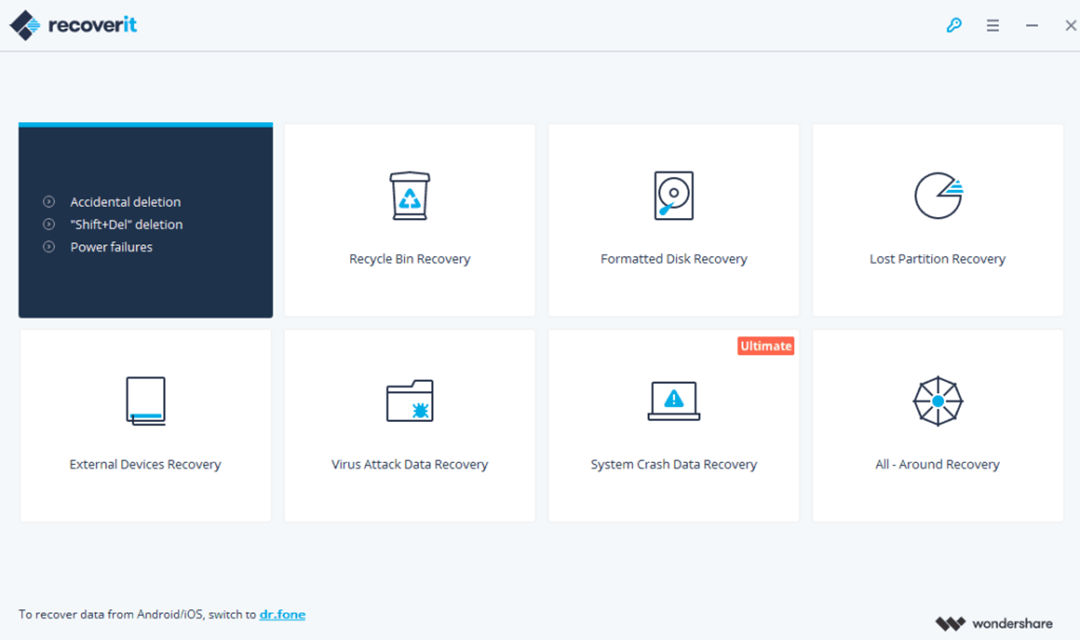
Working with Wondershare Recoverit 14.0.19.9 full license

Description of Wondershare Recoverit 14.0.19.9

Wondershare Recoverit 14.0.19.9 is a professional data recovery solution developed by Wondershare that helps users recover lost, deleted, or formatted files from various storage devices. Whether data loss occurs due to accidental deletion, system crashes, formatting, virus attacks, or hardware failure, Recoverit offers a reliable way to restore important files quickly and safely.

With an intuitive interface and powerful scanning technology, Wondershare Recoverit can retrieve documents, photos, videos, emails, and other file types from hard drives, SSDs, USB drives, memory cards, and even crashed computers. The latest version brings improved recovery algorithms, faster scanning performance, and better compatibility with modern operating systems.

Overview of Wondershare Recoverit 14
Data loss can happen unexpectedly, and having a dependable recovery tool is essential. Wondershare Recoverit 14.0.19.9 is designed to help both home users and professionals recover data efficiently with minimal effort.

The software supports more than 1000 file formats and provides multiple recovery modes tailored for different scenarios such as deleted file recovery, formatted disk recovery, partition recovery, and system crash recovery.

Its advanced deep scanning technology ensures that even files that were deleted long ago can often be recovered successfully.

Features of Wondershare Recoverit 14.0.19.9

Advanced File Recovery
Recover deleted, lost, or formatted files from hard drives, SSDs, USB flash drives, memory cards, and other storage devices with high recovery success rates.

Support for 1000+ File Types
The software can restore a wide variety of file formats including photos, videos, documents, archives, emails, and audio files.

Deep Scan Technology
Recoverit uses intelligent deep scanning algorithms to search storage devices thoroughly and locate recoverable files that standard recovery tools may miss.

Video Recovery and Repair
Recover and repair corrupted video files from cameras, drones, SD cards, and other devices. This feature is especially useful for photographers and videographers.

Formatted Disk Recovery
Easily retrieve files lost due to accidental formatting of hard drives or storage partitions.

Crash Computer Recovery
Recover important files from systems that fail to boot or crash unexpectedly.

Preview Before Recovery
Users can preview files before restoring them, ensuring only the needed data is recovered.

NAS and Linux Recovery
Recover data from NAS storage systems and Linux-based drives, expanding recovery capabilities for advanced users.

Fast and User-Friendly Interface
The clean interface allows beginners to perform complex recovery operations with only a few clicks.

Safe and Reliable Recovery
Recoverit performs recovery operations without overwriting existing data, ensuring safe data restoration.

Benefits of Using Wondershare Recoverit
Recover lost data quickly and efficiently
Supports multiple storage devices and file systems
High recovery success rate with deep scanning technology
Easy-to-use interface suitable for beginners and professionals
Ability to repair damaged video files

System Requirements
Operating System:
Windows 10 / Windows 11 / Windows 8 / Windows 7
macOS compatible versions available
Hardware:
Processor: 1 GHz or faster
RAM: 2 GB minimum (4 GB recommended)
Storage: 200 MB available disk space

Conclusion
Wondershare Recoverit 14.0.19.9 is a reliable and powerful data recovery solution designed to help users retrieve lost files from almost any storage device. With advanced scanning algorithms, broad file format support, and specialized recovery tools, it offers an efficient way to recover important data after accidental loss or system failure.

Whether you are recovering personal photos, business documents, or critical multimedia files, Recoverit provides a comprehensive and user-friendly solution for restoring your valuable data.

If you want to download Wondershare Recoverit 14.0.19.9 full license, please click to DOWNLOAD button to download.
CLICKDOWN.ORG Download CAD CAM CNC software
Inside package Wondershare Recoverit 14.0.19.9, already have cracked files and instruction how to install Wondershare Recoverit 14.0.19.9 step by step. I guarantee you can install Wondershare Recoverit 14.0.19.9 successfully if you follow that instruction.
If you also can’t install it or get any problems, please contact to me by email: clickdown.org@gmail.com, then I will help you to install software by teamviewer or Ultraviewer or Anydesk.
Thanks a lot
SOFTWARES

Download CIMCO Edit 2025 v25.01.29 win64 full activated

CIMCO Edit 2025 v25.01.29 – Professional CNC Programming Editor

Download CIMCO Edit 2025 v25.01.29 win64 full activated

Link download CIMCO Edit 2025 v25.01.29 x64 full activated

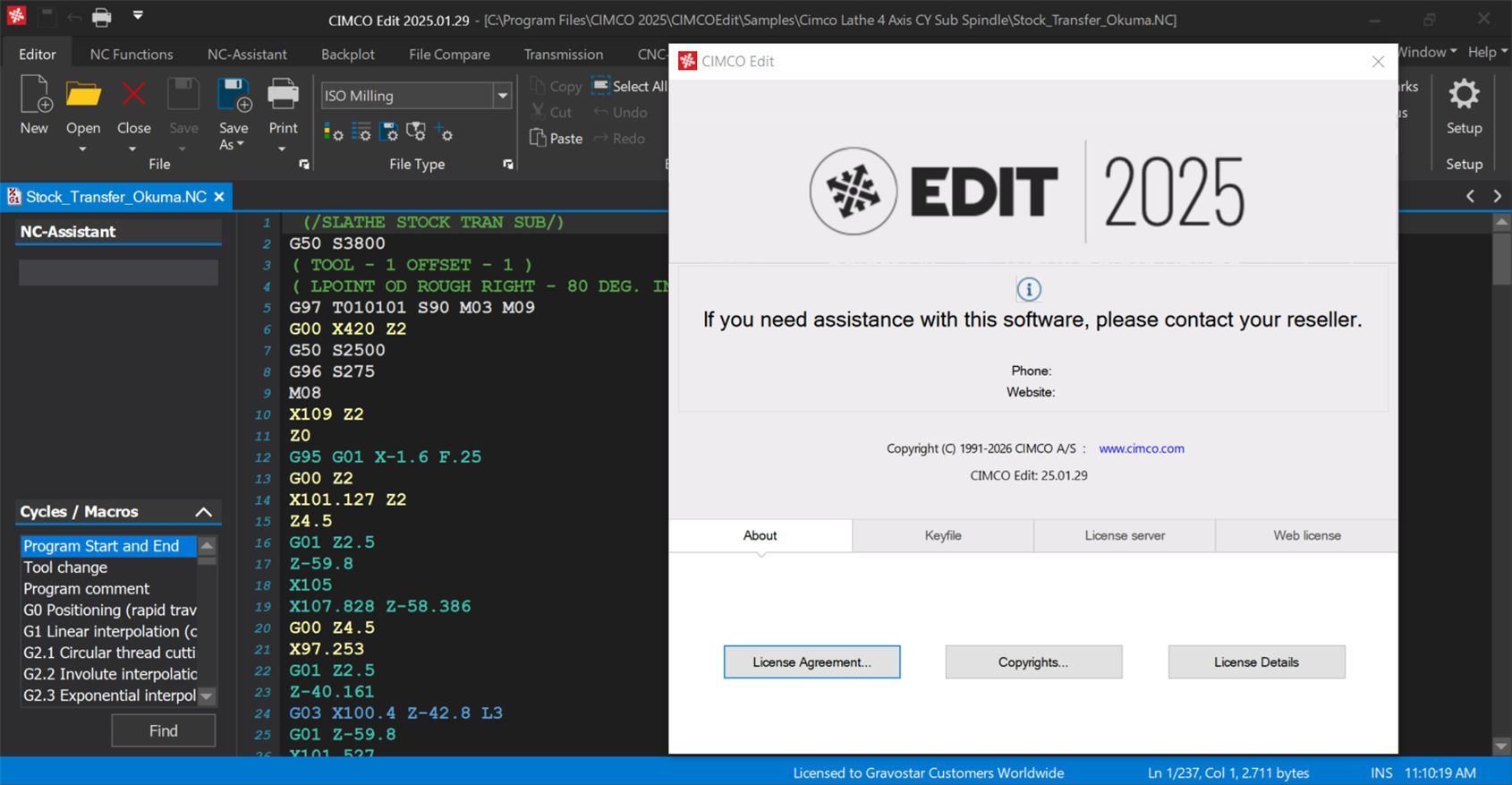
Working with CIMCO Edit 2025 v25.01.29 full activated

Description of CIMCO Edit 2025 v25.01.29

CIMCO Edit 2025 v25.01.29 is one of the most widely used CNC program editors in the manufacturing industry. Developed by CIMCO Software, this powerful tool provides advanced editing, simulation, and file management features specifically designed for CNC programmers and machinists. It supports a wide range of CNC machines and controllers, making it an essential solution for improving productivity and reducing programming errors in machining workflows.

With its intuitive interface and high-performance tools, CIMCO Edit 2025 allows users to create, edit, compare, and optimize CNC programs quickly and efficiently. Whether you are working with simple G-code programs or complex multi-axis machining operations, this software provides the tools needed to streamline the entire CNC programming process.

Overview of CIMCO Edit 2025
CIMCO Edit is a professional CNC code editor that includes powerful features such as advanced code editing, backplot visualization, file comparison, NC assistant tools, and machine communication capabilities. The 2025 version introduces improved stability, enhanced compatibility with modern CNC controllers, and faster processing of large NC files.

Manufacturing professionals rely on CIMCO Edit to minimize errors, visualize machining paths, and manage CNC program files efficiently across multiple machines and projects.

Features of CIMCO Edit 2025 v25.01.29

Advanced CNC Code Editing
CIMCO Edit provides a specialized editing environment designed specifically for CNC programmers. It supports syntax highlighting for G-code, intelligent code completion, and fast editing tools that simplify program development.

CNC Backplot Simulation
The built-in Backplot feature allows users to visually simulate CNC toolpaths. This helps identify programming mistakes, collisions, and inefficient movements before sending the program to the machine.

NC Code Comparison
CIMCO Edit includes a powerful file comparison tool that highlights differences between two NC programs. This feature is extremely useful when verifying program revisions or troubleshooting machining issues.

Intelligent NC Assistant
The integrated NC Assistant provides quick access to commonly used CNC commands, reducing the time needed to write and modify G-code programs.

Large File Handling
CIMCO Edit 2025 can efficiently open and edit extremely large CNC files without performance slowdowns, making it ideal for complex manufacturing projects.

Program Management
The software allows users to organize CNC files, manage program versions, and maintain better control over machining workflows.

Machine Communication
CIMCO Edit includes DNC communication capabilities for transferring CNC programs directly between the computer and CNC machines.

Customizable Interface
Users can customize the interface, keyboard shortcuts, and toolbars to create a workflow tailored to their specific programming needs.

Multi-Controller Support
The software supports a wide range of CNC controllers including Fanuc, Haas, Siemens, and many others.

Reliable Industrial Tool
Used by thousands of manufacturing professionals worldwide, CIMCO Edit is trusted for its reliability and efficiency in CNC programming environments.

Benefits of Using CIMCO Edit 2025
Faster CNC program editing and debugging
Improved machining accuracy with backplot visualization
Efficient management of large NC files
Reduced production errors and machine downtime
Enhanced productivity for CNC programmers and machinists

System Requirements
Operating System: Windows 10 / Windows 11
Processor: Intel or AMD multi-core processor
RAM: 4 GB minimum (8 GB recommended)
Storage: 500 MB available disk space
Display: 1280 × 768 or higher resolution

Conclusion
CIMCO Edit 2025 v25.01.29 remains one of the most powerful and reliable CNC program editors available today. With its advanced editing tools, backplot simulation, and seamless machine communication capabilities, it helps CNC programmers work faster and more accurately. Whether used in small workshops or large manufacturing facilities, CIMCO Edit continues to be an essential tool for efficient CNC programming and production management.

If you want to download CIMCO Edit 2025 v25.01.29 full license, please click to DOWNLOAD button to download.
CLICKDOWN.ORG Download CAD CAM CNC software
Inside package CIMCO Edit 2025 v25.01.29, already have cracked files and instruction how to install CIMCO Edit 2025 v25.01.29 step by step. I guarantee you can install CIMCO Edit 2025 v25.01.29 successfully if you follow that instruction.
If you also can’t install it or get any problems, please contact to me by email: clickdown.org@gmail.com, then I will help you to install software by teamviewer or Ultraviewer or Anydesk.
Thanks a lot
SOFTWARES

Download Adobe Dimension 4.1.8 win64 full license

Adobe Dimension 4.1.8 – Create Stunning 3D Mockups and Product Visualizations

Download Adobe Dimension 4.1.8 win64 full license

Link download Adobe Dimension 4.1.8 x64 full activated

Working with Adobe Dimension 4.1.8 full license

Description of Adobe Dimension 4.1.8

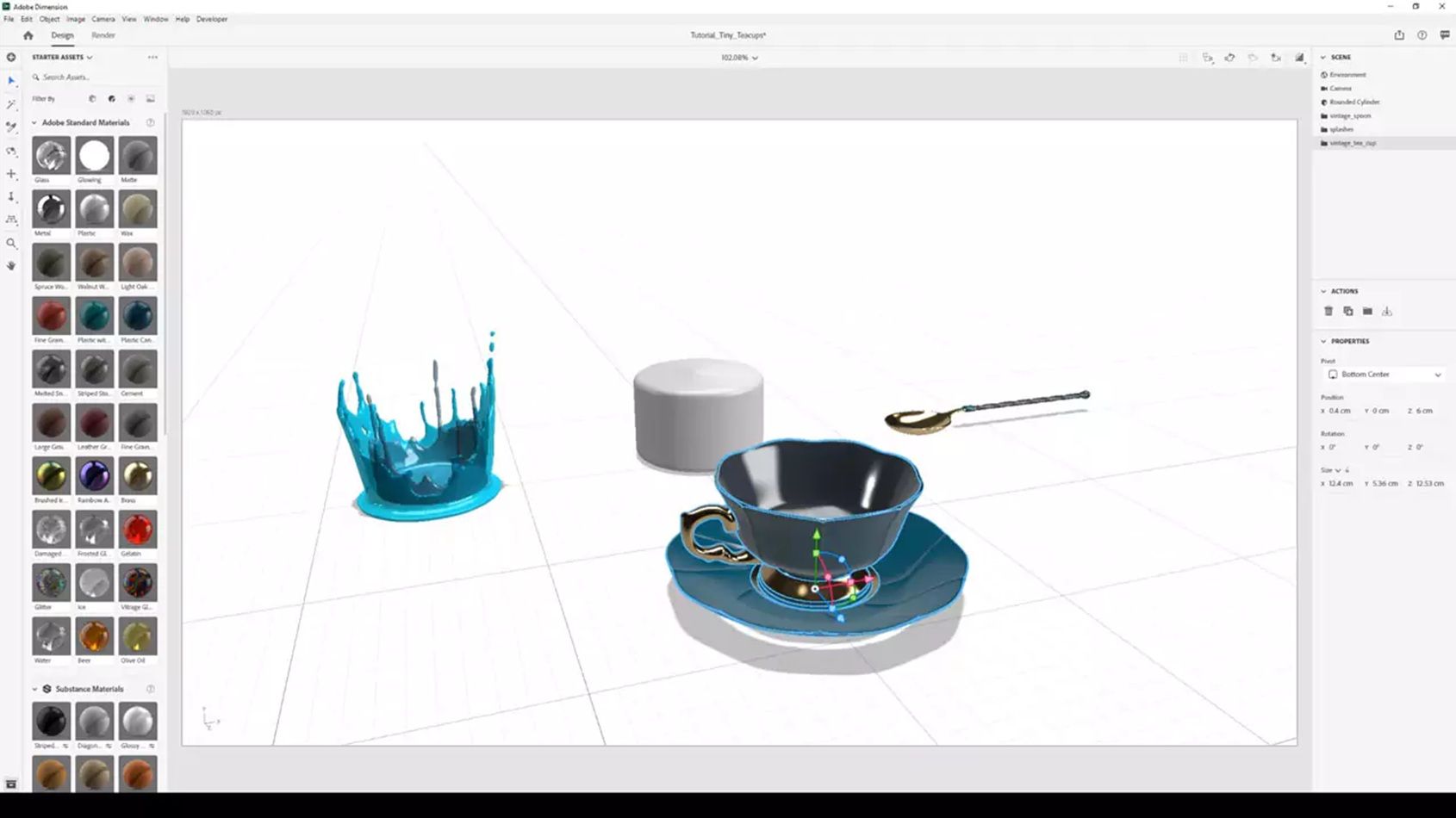
Adobe Dimension 4.1.8 is a powerful 3D design and rendering tool developed by Adobe. It allows designers, marketers, and creative professionals to easily create realistic 3D scenes, product mockups, and visualizations by combining 2D and 3D assets. With an intuitive interface and seamless integration with other Adobe tools like Adobe Photoshop and Adobe Illustrator, Adobe Dimension simplifies the process of producing high-quality visual content for branding, packaging, advertising, and product presentations.

Whether you are designing product packaging, branding concepts, or photorealistic marketing visuals, Adobe Dimension 4.1.8 provides the tools needed to build professional 3D scenes without requiring advanced 3D modeling skills.

Overview of Adobe Dimension 4.1.8
Adobe Dimension enables users to create photorealistic images by placing 3D models into customizable environments. Designers can adjust lighting, materials, textures, and camera angles to achieve highly realistic results.

The software includes an extensive library of 3D assets, materials, and lighting presets, making it easy to build scenes quickly. With drag-and-drop functionality and real-time previews, users can experiment with different compositions and render high-resolution images for marketing materials, presentations, and product visualization.

Adobe Dimension is widely used by graphic designers, branding specialists, advertising agencies, and e-commerce businesses looking to produce professional 3D product visuals without complex 3D software.

Features of Adobe Dimension 4.1.8

1. Photorealistic 3D Rendering
Adobe Dimension uses advanced rendering technology to create highly realistic images with accurate lighting, reflections, shadows, and materials.

2. Easy Product Mockup Creation
Designers can quickly create packaging and product mockups such as bottles, boxes, cans, and labels for branding presentations and marketing visuals.

3. Seamless Adobe Creative Cloud Integration
The software integrates smoothly with other Adobe applications including Photoshop and Illustrator, enabling efficient workflows between 2D and 3D design.

4. Drag-and-Drop Asset Library
Adobe Dimension includes a large collection of 3D models, materials, lighting setups, and background images that can be easily applied to scenes.

5. Custom Materials and Textures
Users can import custom graphics, logos, and textures to apply to 3D models for personalized branding and product visualization.

6. Realistic Lighting and Environment Controls
Adjust lighting, HDR environments, shadows, and reflections to create realistic studio or outdoor scenes.

7. Intelligent Scene Alignment
Adobe Dimension automatically matches perspective and lighting when placing objects into background images, ensuring natural compositions.

8. High-Quality Rendering Output
Export high-resolution images suitable for advertising, websites, product catalogs, and social media campaigns.

9. User-Friendly Interface
The intuitive interface makes it accessible even for beginners who have little experience with 3D design software.

10. Cross-Platform Workflow
Projects can easily move between other Adobe tools and 3D applications for further editing and enhancement.

What’s New in Adobe Dimension 4.1.8
The 4.1.8 update includes performance improvements, stability fixes, and enhanced rendering optimization. It ensures smoother scene handling, better asset management, and improved compatibility with modern design workflows.
Key improvements include:
Improved rendering performance
Better compatibility with Creative Cloud assets
Optimized lighting and shadow calculations
Stability and bug fixes for large scenes
Enhanced asset loading performance

System Requirements (Typical)
Operating System: Windows 10 / Windows 11 (64-bit) or macOS
Processor: Intel Core i5 or higher
RAM: 8 GB minimum (16 GB recommended)
Graphics: GPU supporting DirectX 12 / Metal
Storage: 5 GB free disk space

Who Should Use Adobe Dimension?
Adobe Dimension 4.1.8 is ideal for:
Graphic designers
Branding specialists
Product designers
Marketing teams
Advertising agencies
E-commerce product visualization creators
It is particularly useful for creating product packaging mockups, brand presentations, and photorealistic marketing visuals quickly and efficiently.

Conclusion
Adobe Dimension 4.1.8 is an excellent solution for designers who want to create professional 3D visuals without learning complex 3D modeling software. Its powerful rendering engine, intuitive workflow, and seamless integration with Adobe Creative Cloud make it a valuable tool for modern digital design and product visualization.

If you want to download Adobe Dimension 4.1.8 full license, please click to DOWNLOAD button to download.
CLICKDOWN.ORG Download CAD CAM CNC software
Inside package Adobe Dimension 4.1.8, already have cracked files and instruction how to install Adobe Dimension 4.1.8 step by step. I guarantee you can install Adobe Dimension 4.1.8 successfully if you follow that instruction.
If you also can’t install it or get any problems, please contact to me by email: clickdown.org@gmail.com, then I will help you to install software by teamviewer or Ultraviewer or Anydesk.
Thanks a lot
SOFTWARES

Download WYSIWYG Web Builder 21.0.0 x64 full license

WYSIWYG Web Builder 21.0.0 – Professional Website Builder with Drag-and-Drop Design

Download WYSIWYG Web Builder 21.0.0 x64 full license

Link download WYSIWYG Web Builder 21.0.0 win64 full activated

WYSIWYG Web Builder 21.0.0 x64 full license

Description of WYSIWYG Web Builder 21.0.0

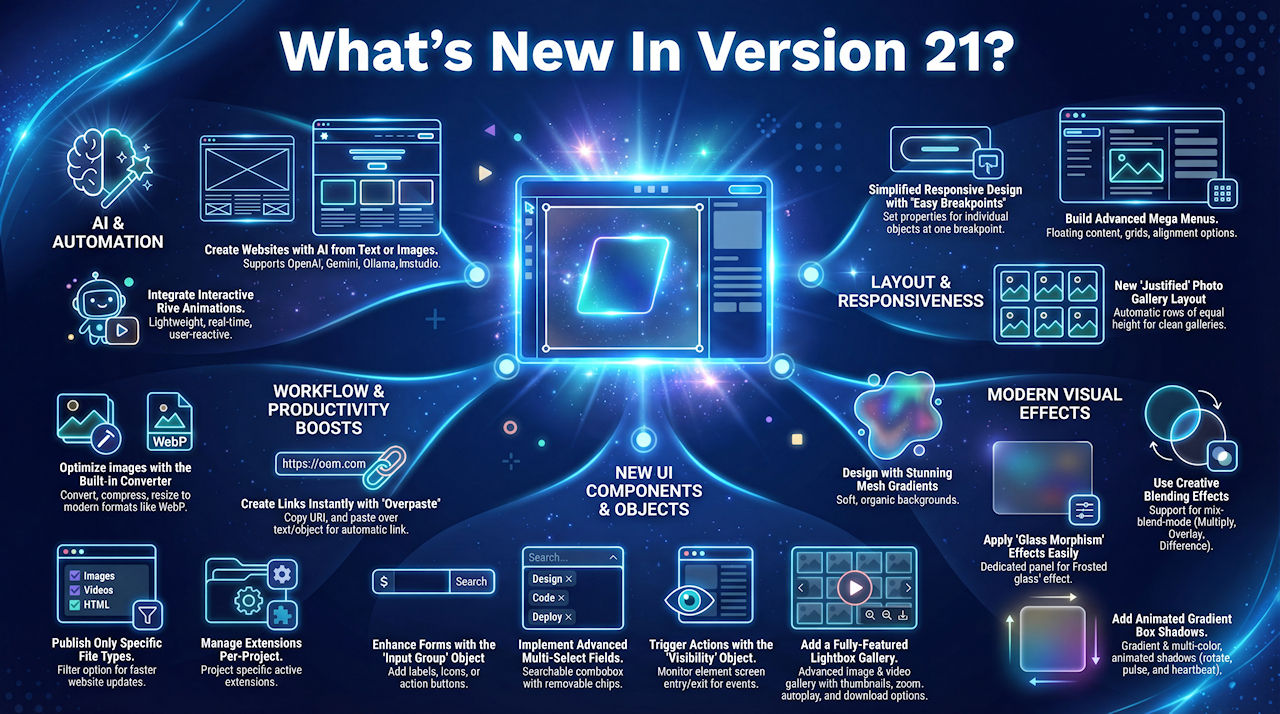
WYSIWYG Web Builder 21.0.0 is a powerful visual web design software that allows users to create professional websites without writing code. With its intuitive drag-and-drop editor, responsive layout tools, and hundreds of built-in features, this application helps both beginners and experienced developers design modern websites quickly and efficiently.

The name WYSIWYG stands for “What You See Is What You Get”, meaning that the page you design in the editor will appear exactly the same when published online. The software automatically generates clean HTML, CSS, and JavaScript code while you focus on the visual design.

WYSIWYG Web Builder is widely used by designers, small businesses, and developers who want full control over their website structure, layout, and functionality without relying heavily on complex coding.

Features of WYSIWYG Web Builder 21.0.0

Visual Drag-and-Drop Editor
Design web pages visually by dragging elements onto the canvas. Arrange text, images, forms, and multimedia exactly where you want them.

Responsive Web Design
Create responsive websites that automatically adjust to different screen sizes including desktops, tablets, and smartphones.

Pre-Designed Templates
Start your project faster with hundreds of professionally designed templates and layouts for different types of websites.

Advanced Layout Tools
Use flexible layout grids, breakpoints, floating layers, and CSS-based layouts to build modern responsive websites.

Built-in Components
The software includes many built-in components such as:
Navigation menus
Image galleries
Sliders and carousels
Contact forms
Social media buttons
Video and audio players

HTML, CSS, and JavaScript Support
Advanced users can directly edit and customize the generated HTML, CSS, and JavaScript for greater control over website functionality.

Built-in SEO Tools
Optimize your website with built-in SEO settings, meta tags, and sitemap generation to improve visibility in search engines.

Form Builder
Create powerful contact forms with validation, email notifications, and database integration.

Extensions and Plugins
Extend functionality with a large library of extensions that add advanced widgets and design tools.

One-Click Publishing
Upload your website directly to your hosting server via built-in FTP support, making publishing fast and simple.

Benefits of Using WYSIWYG Web Builder
No coding knowledge required
Fast and intuitive website creation
Fully responsive design support
Large collection of templates and components
Advanced customization for developers
Built-in publishing and SEO features
This makes the software ideal for freelancers, designers, agencies, and businesses that want a complete offline website design solution.

System Requirements
Operating System: Windows 7 / 8 / 10 / 11
Processor: Intel or AMD processor
RAM: 2 GB minimum (4 GB recommended)
Disk Space: 500 MB or more
Internet connection required for publishing and updates

Conclusion
WYSIWYG Web Builder 21.0.0 is an excellent solution for anyone who wants to create modern, responsive websites quickly and easily. With its visual editor, powerful design tools, and built-in SEO features, it simplifies the entire web development process while still offering advanced customization options for experienced developers.

Whether you are building a personal website, business landing page, or complex multi-page site, WYSIWYG Web Builder provides all the tools needed to design, customize, and publish professional websites efficiently.

If you want to download WYSIWYG Web Builder 21.0.0 full license, please click to DOWNLOAD button to download.
CLICKDOWN.ORG Download CAD CAM CNC software
Inside package WYSIWYG Web Builder 21.0.0, already have cracked files and instruction how to install WYSIWYG Web Builder 21.0.0 step by step. I guarantee you can install WYSIWYG Web Builder 21.0.0 successfully if you follow that instruction.
If you also can’t install it or get any problems, please contact to me by email: clickdown.org@gmail.com, then I will help you to install software by teamviewer or Ultraviewer or Anydesk.
Thanks a lot
SOFTWARES

Download IDS4Revit 0.10.0 full license 100% working forever

IDS4Revit 0.10.0 for Autodesk Revit – Streamline IDS-Based IFC Export and Data Validation

Download IDS4Revit 0.10.0 full license 100% working forever

Link download IDS4Revit 0.10.0 full activated

Working with IDS4Revit 0.10.0 full license

Description of IDS4Revit 0.10.0

IDS4Revit 0.10.0 is a powerful plugin designed to enhance BIM workflows in Autodesk Revit by enabling efficient management of Information Delivery Specification (IDS) requirements. Developed by DiRoots, this plugin helps BIM professionals inspect, map, and export model data in compliance with IDS standards while improving collaboration and interoperability within openBIM workflows.

With IDS4Revit, users can easily analyze IFC entities, validate property requirements, and export models that comply with IDS specifications. This tool significantly reduces manual configuration and ensures accurate data exchange between BIM platforms.

What is IDS4Revit?
IDS4Revit is a specialized plugin that integrates directly into Revit and simplifies the process of working with IDS files. It allows users to inspect model elements, map Revit parameters to IFC properties, and export BIM models that follow specific IDS rules.

By automating key processes, the plugin ensures that data requirements defined in the IDS document are properly implemented before exporting models to IFC format.

This makes it especially useful for BIM managers, architects, engineers, and contractors who need to maintain consistent data standards across projects.

Features of IDS4Revit 0.10.0

1. IDS Entity Inspector
Quickly identify and inspect Revit elements required by the IDS file. The tool highlights IFC entities and shows related elements within the model for easy validation.

2. Property Inspector for IDS Requirements
Analyze property restrictions defined in the IDS specification and verify whether the model complies with these requirements.

3. Parameter Mapping
Map Revit parameters directly to IFC properties defined in the IDS file. This ensures consistent data structure during model export.

4. Automatic Parameter Creation
Create new Revit parameters directly from IDS property definitions, saving time and eliminating manual configuration.

5. IDS-Based IFC Export
Export models using IDS rules to ensure proper entity classification and property mapping within the IFC file.

6. Data Pre-Validation
Check the model against IDS requirements before exporting, allowing users to identify missing or incorrect data early.

7. Profile Management
Save and reuse export configurations, property mappings, and folder paths using profiles, making it easier to standardize BIM workflows.

8. Element Selection Tools
Select, isolate, or section specific elements directly from the inspector interface for faster issue resolution.

9. Flexible Export Scope
Export either the entire model or only the active view, depending on project requirements.

10. OpenBIM Workflow Integration
Supports Industry Foundation Classes (IFC) and IDS standards to ensure seamless collaboration between different BIM tools and teams.

System Requirements
Operating System: Windows 7 / 8 / 10 / 11
Supported Software: Autodesk Revit 2022 – 2025
Architecture: 64-bit
Additional Requirement: Compatible IFC exporter setup

Why Use IDS4Revit?
IDS4Revit simplifies complex BIM data workflows by allowing teams to:
Ensure compliance with IDS specifications
Reduce manual IFC configuration
Improve BIM data quality and consistency
Validate model information before export
Enhance collaboration across BIM platforms
For BIM managers and project teams working with standardized data requirements, IDS4Revit is an essential productivity tool.

Conclusion
IDS4Revit 0.10.0 is a valuable plugin for BIM professionals using Revit who need to manage IDS-based workflows efficiently. With its inspection tools, parameter mapping features, and IDS-compliant IFC export capabilities, it helps ensure high-quality BIM data and smooth interoperability across project teams.

Whether you are validating BIM data or preparing models for IFC exchange, IDS4Revit provides a streamlined solution that enhances productivity and accuracy in modern BIM projects.

If you want to download IDS4Revit 0.10.0 full license, please click to DOWNLOAD button to download.
CLICKDOWN.ORG Download CAD CAM CNC software
Inside package IDS4Revit 0.10.0, already have cracked files and instruction how to install IDS4Revit 0.10.0 step by step. I guarantee you can install IDS4Revit 0.10.0 successfully if you follow that instruction.
If you also can’t install it or get any problems, please contact to me by email: clickdown.org@gmail.com, then I will help you to install software by teamviewer or Ultraviewer or Anydesk.
Thanks a lot
SOFTWARES

Download Prosheets 2.1.3 Autodesk Revit 2026 full license

Prosheets 2.1.3 for Autodesk Revit 2026 – Powerful Sheet Management Plugin

Download Prosheets 2.1.3 Autodesk Revit 2026 full license

Link download Prosheets 2.1.3 Autodesk Revit 2026 full activated

Prosheets 2.1.3 Autodesk Revit 2026 full license

Description of Prosheets 2.1.3 Autodesk Revit 2026

Prosheets 2.1.3 for Autodesk Revit 2026 is a powerful productivity plugin designed to simplify and accelerate sheet management within Revit projects. Developed to enhance workflow efficiency, Prosheets allows architects, engineers, and BIM professionals to manage large numbers of sheets quickly and accurately.

In complex BIM projects, handling dozens or even hundreds of sheets can be time-consuming. Prosheets provides a smart interface that enables users to create, modify, duplicate, rename, and organize sheets in bulk. This greatly reduces manual work and helps maintain consistent documentation across the entire project.

With full compatibility for Autodesk Revit 2026, Prosheets 2.1.3 integrates directly into the Revit environment, offering intuitive tools that streamline sheet creation, numbering, and revision management. It is particularly useful for BIM managers, architects, and designers who regularly work with large documentation sets.

Prosheets is known for its speed, simplicity, and ability to automate repetitive tasks, making it an essential plugin for improving productivity in BIM workflows.

Features of Prosheets 2.1.3 Autodesk Revit 2026

1. Bulk Sheet Creation
Quickly create multiple sheets at once using customizable templates and predefined parameters.

2. Batch Sheet Renaming
Rename multiple sheets simultaneously with flexible naming patterns to maintain consistent documentation.

3. Duplicate Sheets Easily
Duplicate existing sheets along with views and layouts to accelerate project documentation.

4. Advanced Sheet Organization
Organize sheets efficiently using filters, sorting tools, and grouping features.

5. Revision and Parameter Management
Manage revisions and edit sheet parameters across multiple sheets with a single action.

6. Smart Sheet Numbering
Automatically assign or update sheet numbers to avoid duplication and maintain proper order.

7. Improved Workflow for BIM Projects
Prosheets helps streamline BIM documentation workflows, reducing repetitive manual tasks.

8. Seamless Revit Integration
Fully integrated within the Revit interface, ensuring smooth operation without interrupting your design workflow.

9. User-Friendly Interface
The intuitive interface allows users to manage sheets quickly without complicated configurations.

10. Optimized for Large Projects
Handles large sheet sets efficiently, making it ideal for complex architectural and engineering projects.

System Requirements
Software: Autodesk Revit 2026
Operating System: Windows 10 / Windows 11
RAM: 8 GB minimum (16 GB recommended)
Processor: Multi-core CPU recommended
Disk Space: 500 MB or more

Why Use Prosheets for Revit?
Prosheets 2.1.3 is an essential tool for professionals working with Autodesk Revit 2026 who want to improve documentation efficiency. It allows teams to automate sheet management tasks, maintain consistent project documentation, and save valuable time during project delivery.

Whether you’re working on architectural, structural, or MEP projects, Prosheets simplifies sheet management and helps keep your BIM documentation organized and accurate.

If you want to download Prosheets 2.1.3 Autodesk Revit 2026 full license, please click to DOWNLOAD button to download.
CLICKDOWN.ORG Download CAD CAM CNC software
Inside package Prosheets 2.1.3 Autodesk Revit 2026, already have cracked files and instruction how to install Prosheets 2.1.3 Autodesk Revit 2026 step by step. I guarantee you can install Prosheets 2.1.3 Autodesk Revit 2026 successfully if you follow that instruction.
If you also can’t install it or get any problems, please contact to me by email: clickdown.org@gmail.com, then I will help you to install software by teamviewer or Ultraviewer or Anydesk.
Thanks a lot
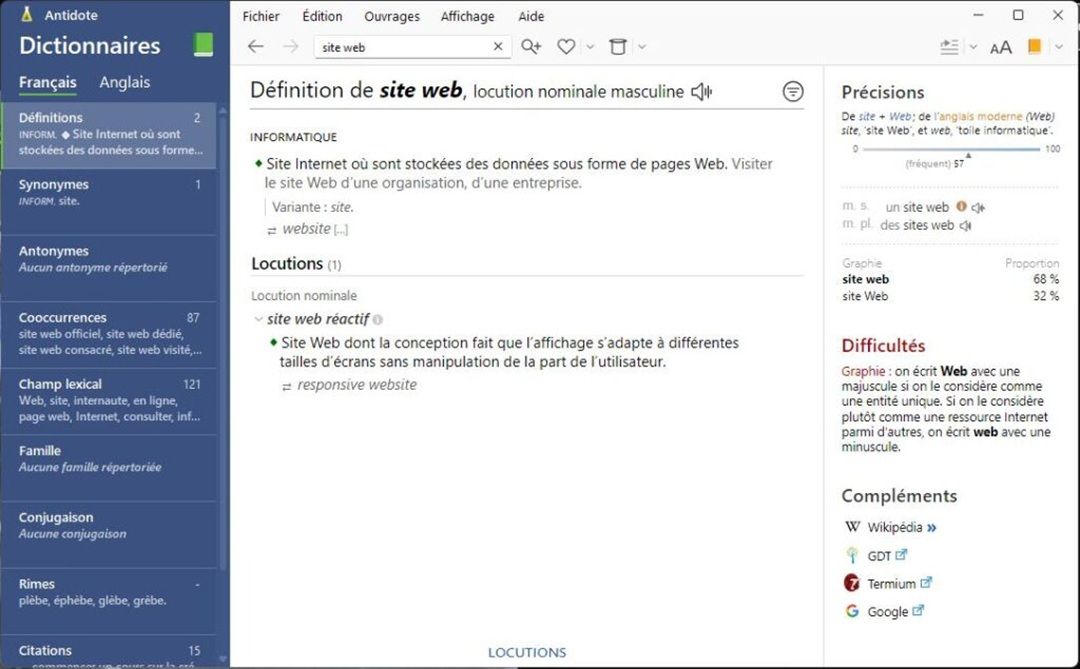
SOFTWARES

Download Antidote 12 v4.0.1 full license 100% working

Antidote 12 v4.0.1 – Advanced Writing Assistant and Grammar Checker

Download Antidote 12 v4.0.1 full license 100% working

Link download Antidote 12 v4.0.1 full activated

Working with Antidote 12 v4.0.1 full license

Description of Antidote 12 v4.0.1

Antidote 12 v4.0.1 is one of the most powerful writing assistance tools available for professionals, students, editors, and content creators. Developed by Druide Informatique, Antidote provides advanced grammar checking, spelling correction, style analysis, and an extensive set of dictionaries and language guides to improve writing quality.

Designed for writers who want precision and clarity, Antidote 12 combines intelligent proofreading tools with linguistic resources that help users write better and faster. Whether you are composing emails, reports, articles, or academic papers, this software analyzes your text in real time and suggests improvements for grammar, punctuation, vocabulary, and style.

Antidote integrates seamlessly with many popular applications such as Microsoft Word, web browsers, and various writing platforms, allowing you to check your text without interrupting your workflow.

With version 12 v4.0.1, the software introduces enhanced correction algorithms, improved language detection, expanded dictionaries, and a more intuitive interface for faster and more efficient editing.

Features of Antidote 12 v4.0.1

1. Advanced Grammar and Spell Checker
Antidote offers an intelligent grammar and spelling correction system that identifies errors and suggests accurate fixes in real time.

2. Style and Clarity Analysis
The software analyzes sentence structure, repetition, readability, and tone to help you improve writing clarity and overall quality.

3. Comprehensive Dictionaries
Antidote includes a large collection of dictionaries covering definitions, synonyms, antonyms, co-occurrences, and word families.

4. Language Guides
Integrated language guides provide explanations for grammar rules, punctuation, typography, and writing style.

5. Smart Correction Filters
Users can filter issues by categories such as grammar, typography, repetition, style, and vocabulary.

6. Seamless Application Integration
Antidote works with many applications including:
Microsoft Word
Outlook
Google Chrome
Mozilla Firefox
Safari
Various writing and editing platforms

7. Powerful Search Tools
Search linguistic resources instantly to find the right word, phrase, or expression.

8. Writing Statistics
Provides statistics on word count, sentence complexity, lexical richness, and readability.

9. Improved Interface
Version 12 v4.0.1 introduces a refined user interface designed for faster navigation and easier proofreading.

10. Cross-Platform Support
Antidote is available for both Windows and macOS, ensuring compatibility with modern writing environments.

Why Use Antidote 12?
Antidote 12 is more than a simple spell checker. It is a complete writing assistant designed to help users:
Improve grammar accuracy
Enhance writing style
Expand vocabulary
Ensure professional-quality documents
Whether you’re a student, journalist, editor, or business professional, Antidote 12 v4.0.1 helps you produce polished, clear, and error-free content.

If you want to download Antidote 12 v4.0.1 full license, please click to DOWNLOAD button to download.
CLICKDOWN.ORG Download CAD CAM CNC software
Inside package Antidote 12 v4.0.1, already have cracked files and instruction how to install Antidote 12 v4.0.1 step by step. I guarantee you can install Antidote 12 v4.0.1 successfully if you follow that instruction.
If you also can’t install it or get any problems, please contact to me by email: clickdown.org@gmail.com, then I will help you to install software by teamviewer or Ultraviewer or Anydesk.
Thanks a lot
SOFTWARES

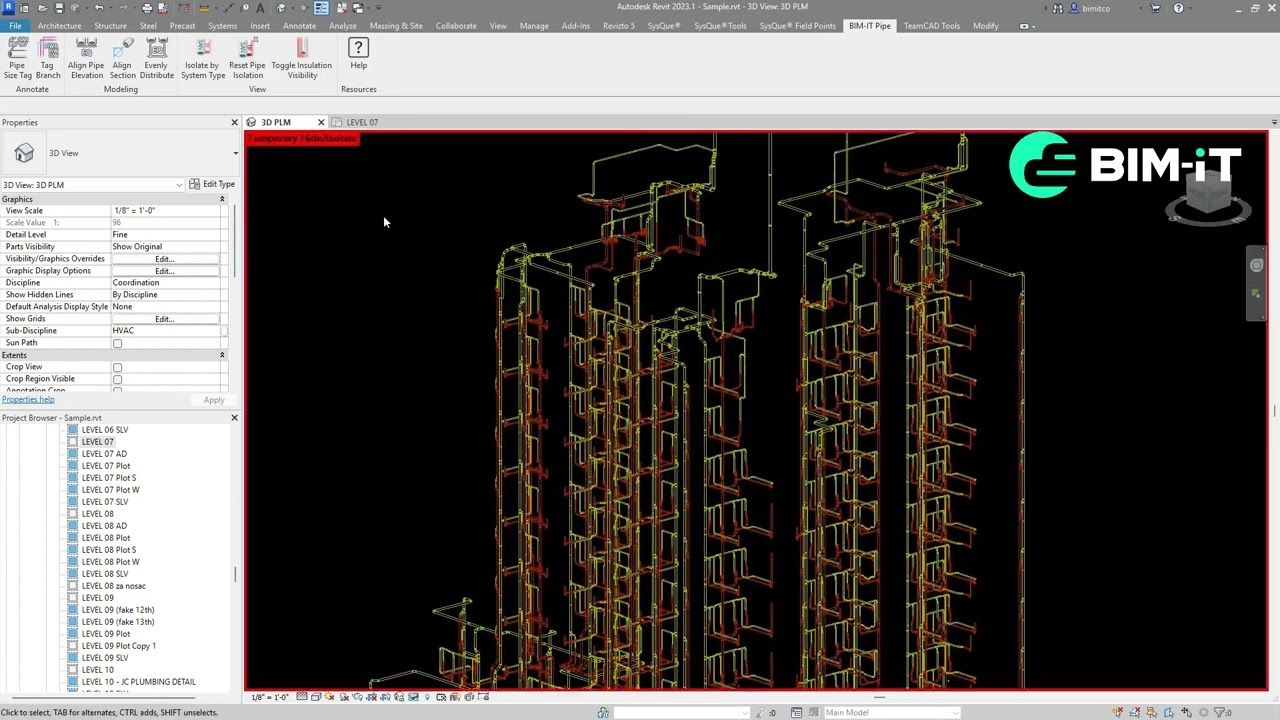
Download BIM-IT Pipe 1.0.1 full license 100% working

BIM-IT Pipe 1.0.1 Free Download – Revit Plumbing & Piping Design Plugin

Download BIM-IT Pipe 1.0.1 full license

Link download BIM-IT Pipe 1.0.1 full activated

Working with BIM-IT Pipe 1.0.1 full license

Description of BIM-IT Pipe 1.0.1

BIM-IT Pipe 1.0.1 is a powerful plugin designed to enhance piping and plumbing workflow in Autodesk Revit. It helps BIM engineers, MEP designers, and construction professionals automate pipe modeling tasks, improve design accuracy, and significantly reduce manual work during complex piping system development.

With an intuitive interface and smart automation tools, BIM-IT Pipe allows users to quickly create, edit, and manage piping systems within Revit projects. The plugin improves productivity by providing advanced pipe routing tools, intelligent connections, and better control over pipe parameters and layouts.

Whether you are working on large-scale infrastructure projects, commercial buildings, or residential plumbing systems, BIM-IT Pipe 1.0.1 offers practical tools that streamline MEP workflows and ensure more efficient BIM modeling.

Features of BIM-IT Pipe 1.0.1

Advanced Pipe Modeling Tools
BIM-IT Pipe adds powerful commands that simplify pipe layout creation, enabling faster and more accurate piping system modeling directly inside Revit.

Automated Pipe Routing
The plugin helps automatically generate pipe routes between components, reducing manual modeling time and minimizing routing errors.

Smart Connection Management
Create precise connections between fittings, pipes, and equipment while maintaining proper alignment and BIM standards.

Parameter Control
Quickly manage pipe properties such as diameter, slope, material, and system classification with easy-to-use parameter tools.

Improved Workflow Efficiency
The plugin significantly reduces repetitive tasks, helping engineers focus more on design optimization instead of manual editing.

Compatibility with Revit Projects
Fully integrated with Revit environments, allowing seamless collaboration across BIM teams and project models.

User-Friendly Interface
Simple and clean interface makes it easy for both beginners and experienced BIM professionals to work efficiently.

Enhanced Project Accuracy
Ensures consistent pipe layouts and reduces clashes or modeling inconsistencies during BIM coordination.

Conclusion
BIM-IT Pipe 1.0.1 is a valuable add-on for BIM and MEP professionals who rely on Revit for piping system design. By introducing automation, smarter routing tools, and improved parameter control, the plugin enhances productivity and accuracy in piping and plumbing projects. It is especially useful for engineers and BIM coordinators looking to speed up complex pipe modeling tasks while maintaining professional BIM standards.

If you want to download BIM-IT Pipe 1.0.1 full license, please click to DOWNLOAD button to download.
CLICKDOWN.ORG Download CAD CAM CNC software
Inside package BIM-IT Pipe 1.0.1, already have cracked files and instruction how to install BIM-IT Pipe 1.0.1 step by step. I guarantee you can install BIM-IT Pipe 1.0.1 successfully if you follow that instruction.
If you also can’t install it or get any problems, please contact to me by email: clickdown.org@gmail.com, then I will help you to install software by teamviewer or Ultraviewer or Anydesk.
Thanks a lot
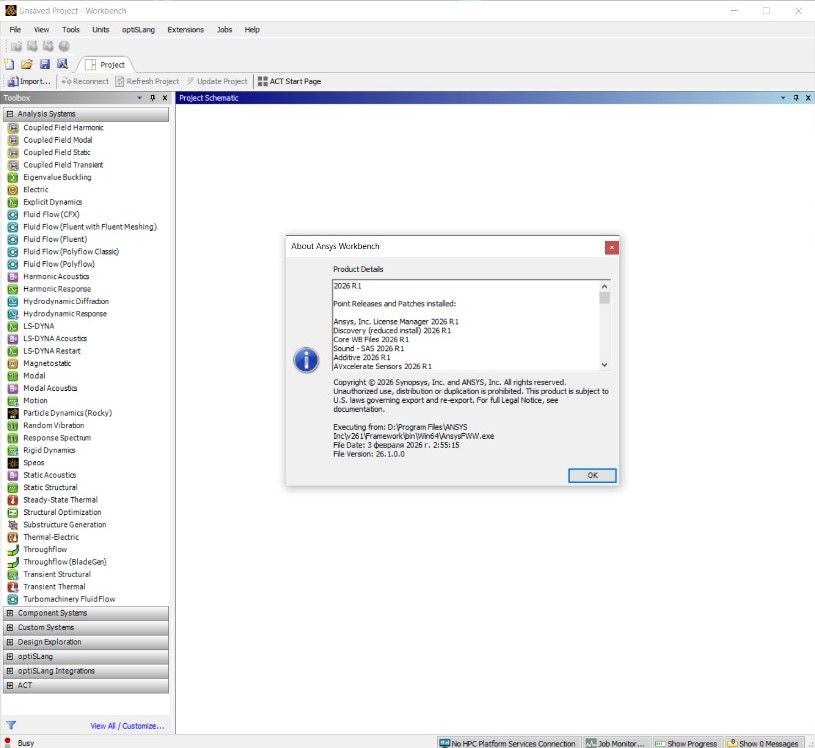
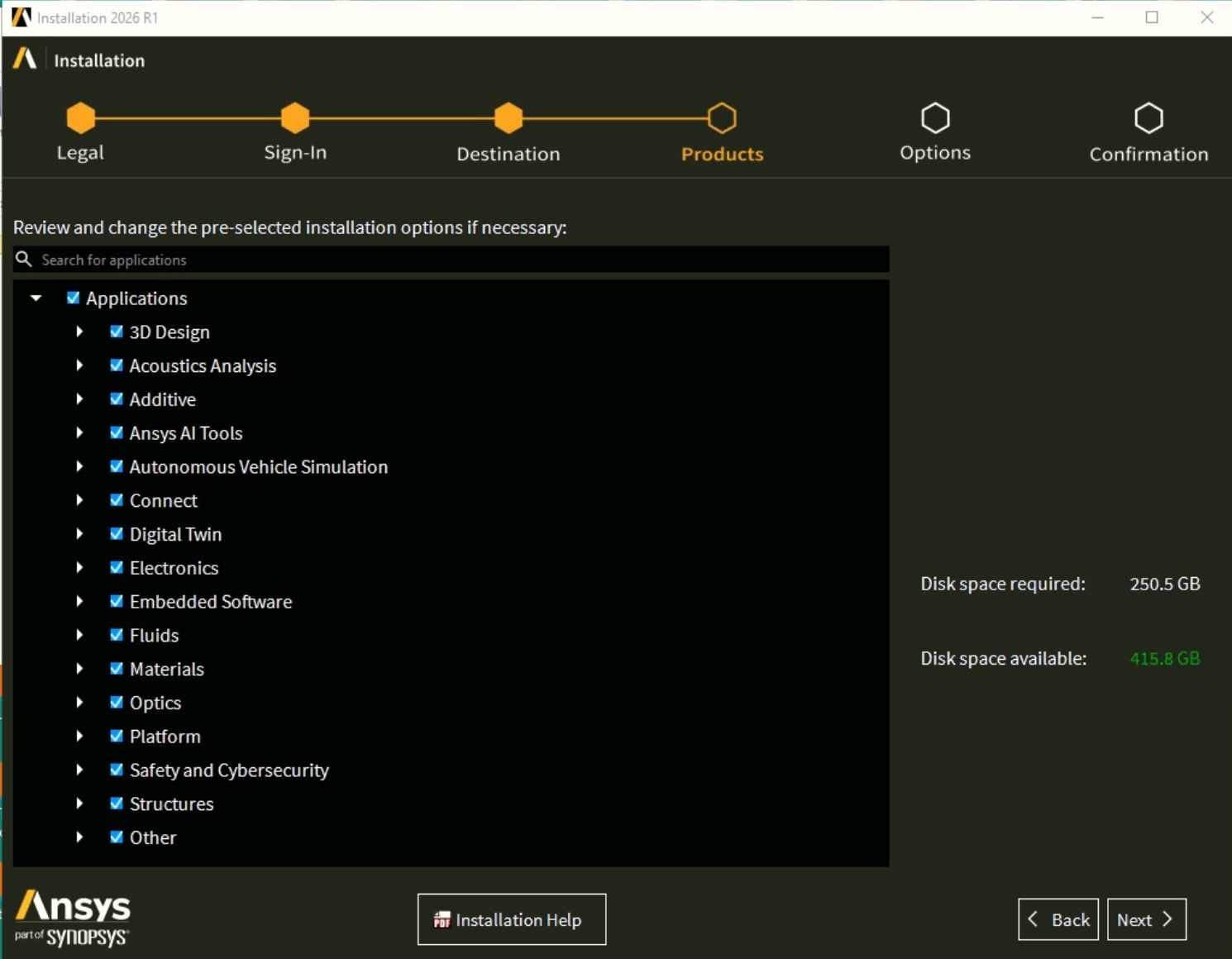
SOFTWARES

Download ANSYS Products 2026 R1 win64 full license

ANSYS Products 2026 R1 Free Download – Complete Engineering Simulation Software Suite

Download ANSYS Products 2026 R1 win64 full license

Link download ANSYS Products 2026 R1 full activated

ANSYS Products 2026 R1 x64 full license

Working with ANSYS Products 2026 R1 full license

Description of ANSYS Products 2026 R1

ANSYS Products 2026 R1 is the latest release of the industry-leading engineering simulation software suite designed to help engineers and researchers model, simulate, and optimize complex physical systems. The ANSYS platform provides powerful tools for structural analysis, fluid dynamics, electromagnetics, thermal analysis, and multiphysics simulations, enabling organizations to innovate faster and reduce product development costs.

Widely used in industries such as aerospace, automotive, electronics, energy, and manufacturing, ANSYS provides highly accurate simulation environments that allow engineers to test and validate designs before physical prototyping.

The 2026 R1 release introduces performance improvements, enhanced solver capabilities, improved GPU acceleration, and new tools for digital engineering workflows. These updates help users perform more complex simulations with greater speed and accuracy.

Overview of ANSYS Products 2026 R1
ANSYS has become a global standard for computer-aided engineering (CAE) simulation. The platform integrates a wide range of simulation tools into a unified environment, allowing engineers to analyze multiple physical phenomena simultaneously.

The ANSYS Products 2026 R1 suite includes a variety of powerful engineering tools used for product design, testing, and optimization. These tools enable engineers to simulate real-world conditions such as mechanical stress, fluid flow, heat transfer, and electromagnetic interactions.

With improved automation, enhanced visualization, and powerful computational performance, ANSYS 2026 R1 helps organizations accelerate innovation and improve product reliability.

Major Products Included in ANSYS 2026 R1
The ANSYS 2026 R1 package includes many industry-leading simulation applications, such as:
ANSYS Mechanical – Structural analysis and finite element simulation
ANSYS Fluent – Advanced computational fluid dynamics (CFD) solver
ANSYS CFX – High-performance CFD simulation for turbomachinery and fluid systems
ANSYS HFSS – Electromagnetic simulation for high-frequency electronics
ANSYS Maxwell – Electromagnetic field simulation for motors and transformers
ANSYS Icepak – Thermal management simulation for electronics cooling
ANSYS Electronics Desktop – Integrated environment for electronic system simulation
ANSYS SpaceClaim – Direct 3D modeling and geometry preparation tool
ANSYS Discovery – Real-time simulation-driven design
ANSYS LS-DYNA – Advanced nonlinear dynamic simulation

Features of ANSYS Products 2026 R1

Comprehensive Multiphysics Simulation
Simulate multiple physical interactions including structural mechanics, fluid dynamics, thermal effects, and electromagnetics within a unified platform.

High-Performance Computing Support
Utilize parallel processing and GPU acceleration to perform complex simulations faster and handle large-scale engineering models.

Advanced CFD Capabilities
Powerful fluid dynamics solvers allow accurate simulation of airflow, turbulence, combustion, and multiphase flow systems.

Accurate Structural Analysis
Perform detailed finite element analysis (FEA) to evaluate stresses, deformation, fatigue, and structural performance.

Electromagnetic Simulation
Design and optimize antennas, motors, sensors, and electronic devices with precise electromagnetic field simulations.

Real-Time Simulation with ANSYS Discovery
Explore design alternatives instantly with real-time physics simulation and rapid geometry modifications.

Improved User Interface
Enhanced workflow tools and simplified interfaces help engineers work more efficiently with complex models.

Integrated Geometry Modeling
Create and modify simulation-ready geometries easily using built-in modeling tools such as SpaceClaim.

Advanced Visualization Tools
Generate detailed reports and visual results with improved rendering, animation, and data visualization.

Enhanced Automation and Scripting
Automate repetitive simulation tasks using Python scripting and customizable workflows.

Conclusion
ANSYS Products 2026 R1 delivers a powerful and comprehensive simulation environment for modern engineering challenges. By integrating advanced multiphysics tools with high-performance computing capabilities, the platform enables engineers to design innovative products with greater accuracy and efficiency.

From structural mechanics and fluid dynamics to electromagnetic simulation, ANSYS remains one of the most trusted CAE platforms for industries seeking reliable, high-performance simulation software.

If you want to download ANSYS Products 2026 R1 full license, please click to DOWNLOAD button to download.
CLICKDOWN.ORG Download CAD CAM CNC software
Inside package ANSYS Products 2026 R1, already have cracked files and instruction how to install ANSYS Products 2026 R1 step by step. I guarantee you can install ANSYS Products 2026 R1 successfully if you follow that instruction.
If you also can’t install it or get any problems, please contact to me by email: clickdown.org@gmail.com, then I will help you to install software by teamviewer or Ultraviewer or Anydesk.
Thanks a lot
SOFTWARES

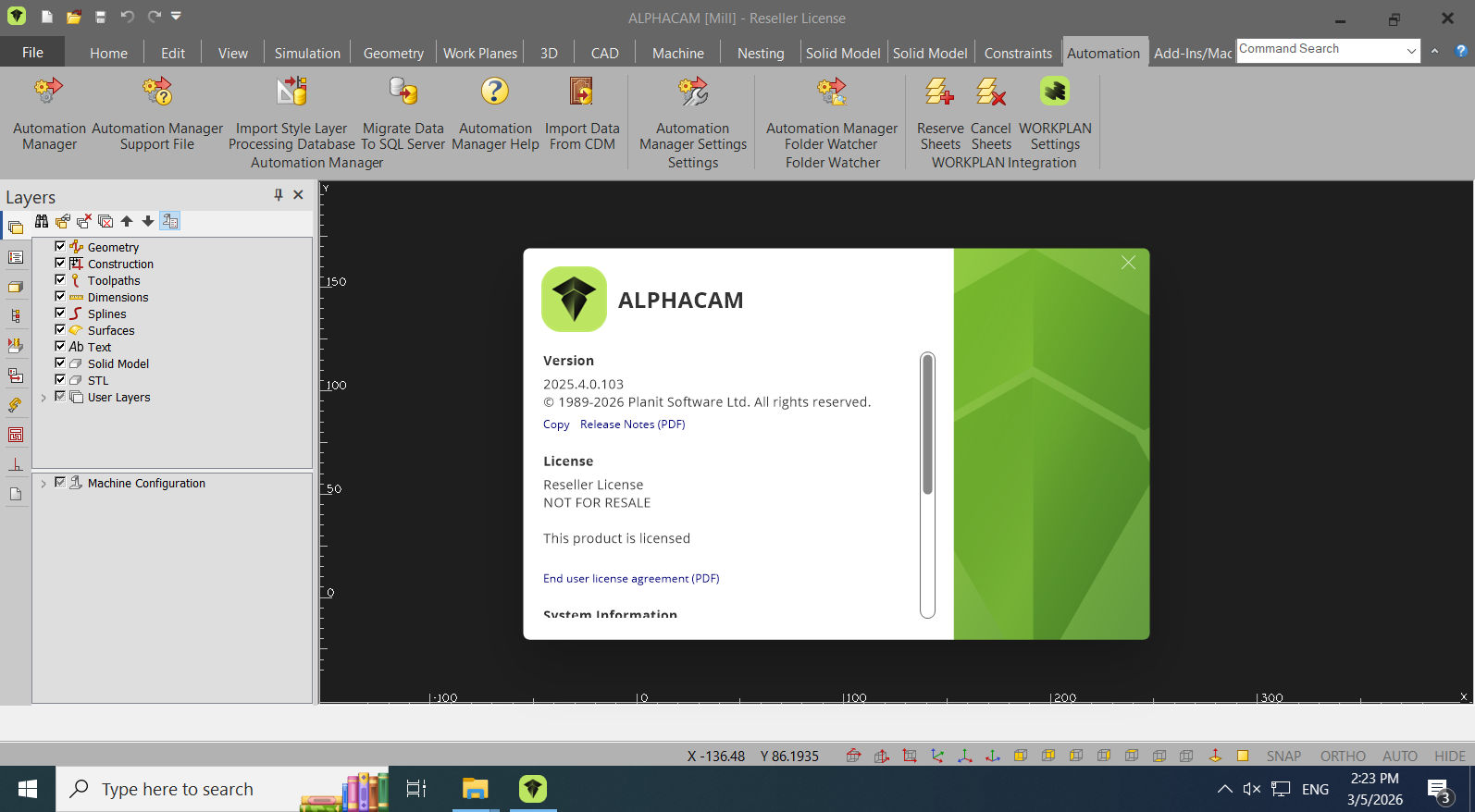
Download AlphaCam 2025.4.0.103 win64 full license forever

AlphaCam 2025.4.0.103 Free Download – Advanced CAD/CAM Software for CNC Programming

Download AlphaCam 2025.4.0.103 win64 full license forever

Link download AlphaCam 2025.4.0.103 x64 full activated

Working with AlphaCam 2025.4.0.103 full license

Description of AlphaCam 2025.4.0.103

AlphaCam 2025.4.0.103 is a powerful and professional CAD/CAM software solution designed for CNC programming across a wide range of manufacturing industries. It offers advanced tools for 2D and 3D machining, routing, milling, stone cutting, and woodworking applications, making it one of the most versatile CAM solutions available.

Developed to streamline production workflows, AlphaCam provides engineers, machinists, and manufacturers with a reliable platform for creating precise CNC toolpaths and optimizing machining strategies. The software integrates seamlessly with multiple CAD systems and supports numerous CNC machines, enabling users to convert designs into accurate machine-ready code efficiently.

With its intuitive interface, robust machining strategies, and high-performance toolpath generation, AlphaCam helps improve productivity while maintaining superior machining quality.

Overview of AlphaCam 2025.4.0.103
AlphaCam has become a trusted CAM solution for industries such as woodworking, metal fabrication, aerospace, automotive, and stone processing. The software enables users to design, simulate, and generate CNC programs with precision and efficiency.

The 2025.4.0.103 release introduces performance improvements, enhanced machining strategies, and compatibility updates that further improve reliability and workflow integration. Whether you are working with complex 3D models or simple 2D components, AlphaCam provides the necessary tools to handle demanding machining tasks.

From routing operations to advanced multi-axis machining, AlphaCam simplifies complex manufacturing processes and ensures optimal machine performance.

Features of AlphaCam 2025.4.0.103

Advanced CAD Integration
AlphaCam supports multiple CAD file formats, allowing users to import designs directly and start machining without extensive conversion processes.

Powerful CNC Toolpath Generation
Generate efficient CNC toolpaths for a variety of machining operations including routing, drilling, profiling, pocketing, and engraving.

2D and 3D Machining Capabilities
Handle both simple 2D operations and complex 3D surfaces with advanced machining strategies designed for precision manufacturing.

Industry-Specific Modules
AlphaCam includes specialized modules for industries such as woodworking, metal cutting, and stone fabrication.

Intelligent Nesting
Optimize material usage through automated nesting tools that reduce waste and improve production efficiency.

Simulation and Verification
Visualize machining operations with built-in simulation tools to detect potential collisions and errors before production.

Extensive Post-Processor Library
Supports a wide range of CNC machines with customizable post-processors for accurate code generation.

Automation and Workflow Optimization
Automate repetitive tasks and standard machining processes to reduce manual work and increase productivity.

Improved Performance and Stability
The latest version delivers faster processing speeds, improved memory handling, and greater overall stability.

User-Friendly Interface
Designed with ease of use in mind, AlphaCam offers a streamlined interface suitable for both beginners and experienced CNC programmers.

Conclusion
AlphaCam 2025.4.0.103 is a comprehensive CAD/CAM solution for CNC machining, offering powerful tools for designing, programming, and optimizing manufacturing processes. With its robust machining capabilities, wide CNC compatibility, and intuitive interface, it remains an essential software for professionals seeking precision and efficiency in modern production environments.

If you want to download AlphaCam 2025.4.0.103 full license, please click to DOWNLOAD button to download.
CLICKDOWN.ORG Download CAD CAM CNC software
Inside package AlphaCam 2025.4.0.103, already have cracked files and instruction how to install AlphaCam 2025.4.0.103 step by step. I guarantee you can install AlphaCam 2025.4.0.103 successfully if you follow that instruction.
If you also can’t install it or get any problems, please contact to me by email: clickdown.org@gmail.com, then I will help you to install software by teamviewer or Ultraviewer or Anydesk.
Thanks a lot
SOFTWARES

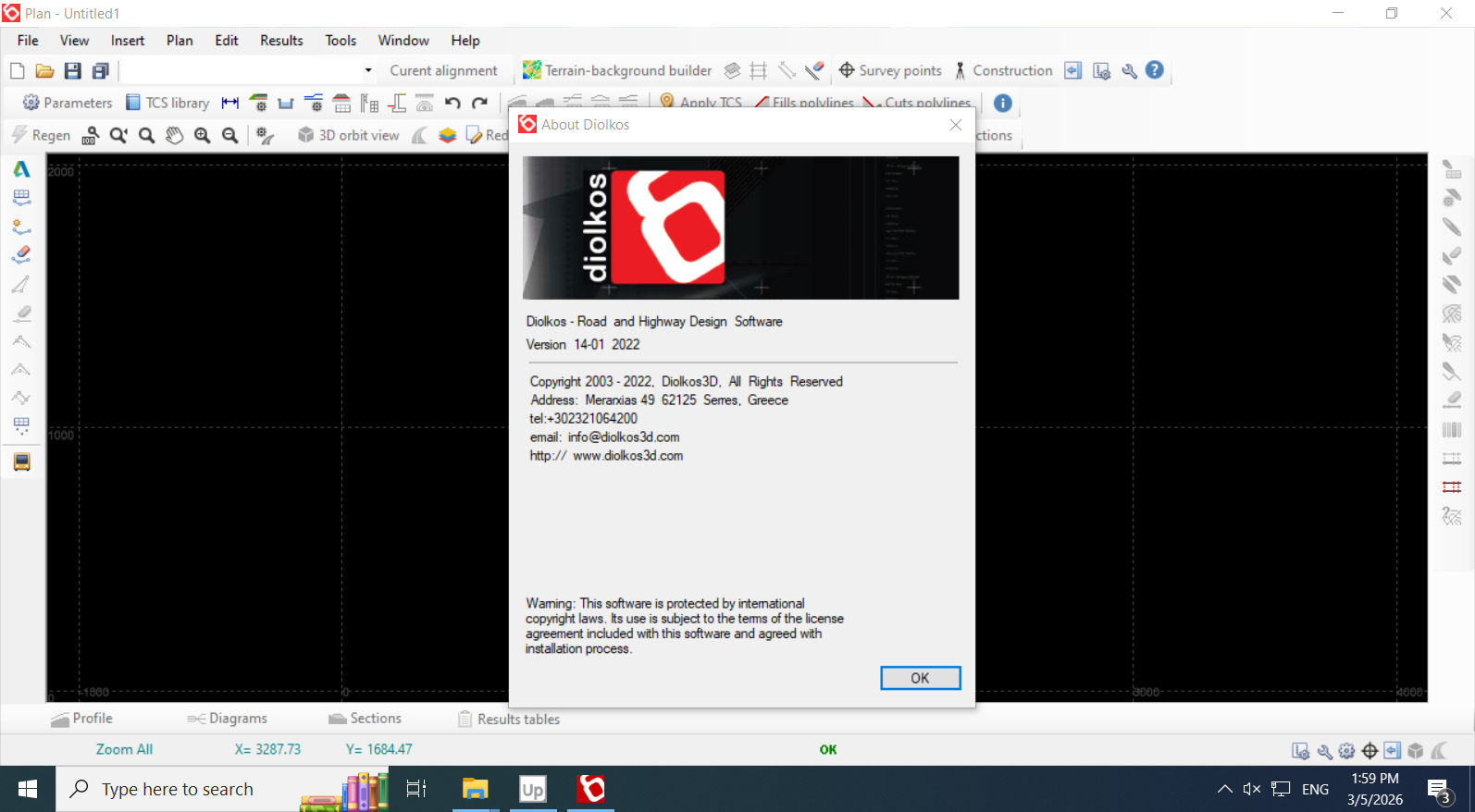
Download Diolkos3D 14-01 2022 full license 100% working

Diolkos3D 14-01 2022 – Advanced Ship Launching & Dry Dock Engineering Software

Download Diolkos3D 14-01 2022 full license 100% working

Link download Diolkos3D 14-01 2022 full activated

Working with Diolkos3D 14-01 2022 full license

Description of Diolkos3D 14-01 2022

Diolkos3D 14-01 2022 is a specialized naval engineering software designed for analyzing and simulating ship launching, dry docking, and heavy marine operations. Developed by TWD – Technology for Water & Development, the software helps engineers evaluate structural forces, stability, and safety during complex shipyard operations.

Diolkos3D is widely used in shipyards and marine engineering projects to simulate the complete launching process and ensure safe vessel movement from dock to water.

What is Diolkos3D?
Diolkos3D is an advanced simulation tool used to model and analyze ship launching operations. It provides a 3D engineering environment where naval architects and shipyard engineers can simulate the physical behavior of vessels during launching or docking.

The software calculates forces, stresses, vessel movement, and contact interactions between the ship hull, launching ways, and support structures.

By performing accurate simulations, engineers can optimize the launching procedure and reduce operational risks.

Features of Diolkos3D 14-01 2022

1. Ship Launching Simulation
Full simulation of longitudinal launching operations
Modeling of sliding ways and launch systems
Vessel movement analysis during launch
Accurate dynamic calculations

2. Dry Dock & Docking Analysis
Simulation of docking procedures
Analysis of keel block loads
Stability evaluation during docking
Safe dock planning for large vessels

3. 3D Engineering Visualization
Detailed 3D model representation
Visual simulation of launching procedures
Clear analysis of vessel motion and structure interaction

4. Structural Load Analysis
Calculate forces acting on ship hull
Analyze stresses on launching structures
Determine load distribution on supports and blocks

5. Marine Engineering Calculation Tools
Buoyancy and stability calculations
Friction and resistance analysis
Waterline and hydrostatic modeling

6. Professional Reporting
Generate engineering calculation reports
Export diagrams and results for project documentation
Provide technical data for safety verification

7. Improvements in Version 14-01 2022
Enhanced calculation precision
Improved simulation performance
Updated compatibility with modern Windows systems
Stability improvements and bug fixes

Benefits of Using Diolkos3D
Improve safety during ship launching operations
Accurately analyze structural loads and forces
Optimize shipyard engineering procedures
Reduce risks during docking and launching
Support professional naval engineering workflows

Ideal Users
Naval architects
Shipyard engineers
Marine engineering consultants
Offshore engineering companies
Shipbuilding organizations

Conclusion
Diolkos3D 14-01 2022 provides advanced simulation capabilities for ship launching and docking operations. By combining powerful engineering calculations with detailed 3D visualization, the software helps shipyards and naval engineers plan safe and efficient marine operations.

For professionals involved in shipbuilding and marine engineering, Diolkos3D is an essential tool for ensuring operational safety and engineering accuracy.

If you want to download Diolkos3D 14-01 2022 full license, please click to DOWNLOAD button to download.
CLICKDOWN.ORG Download CAD CAM CNC software
Inside package Diolkos3D 14-01 2022, already have cracked files and instruction how to install Diolkos3D 14-01 2022 step by step. I guarantee you can install Diolkos3D 14-01 2022 successfully if you follow that instruction.
If you also can’t install it or get any problems, please contact to me by email: clickdown.org@gmail.com, then I will help you to install software by teamviewer or Ultraviewer or Anydesk.
Thanks a lot
SOFTWARES

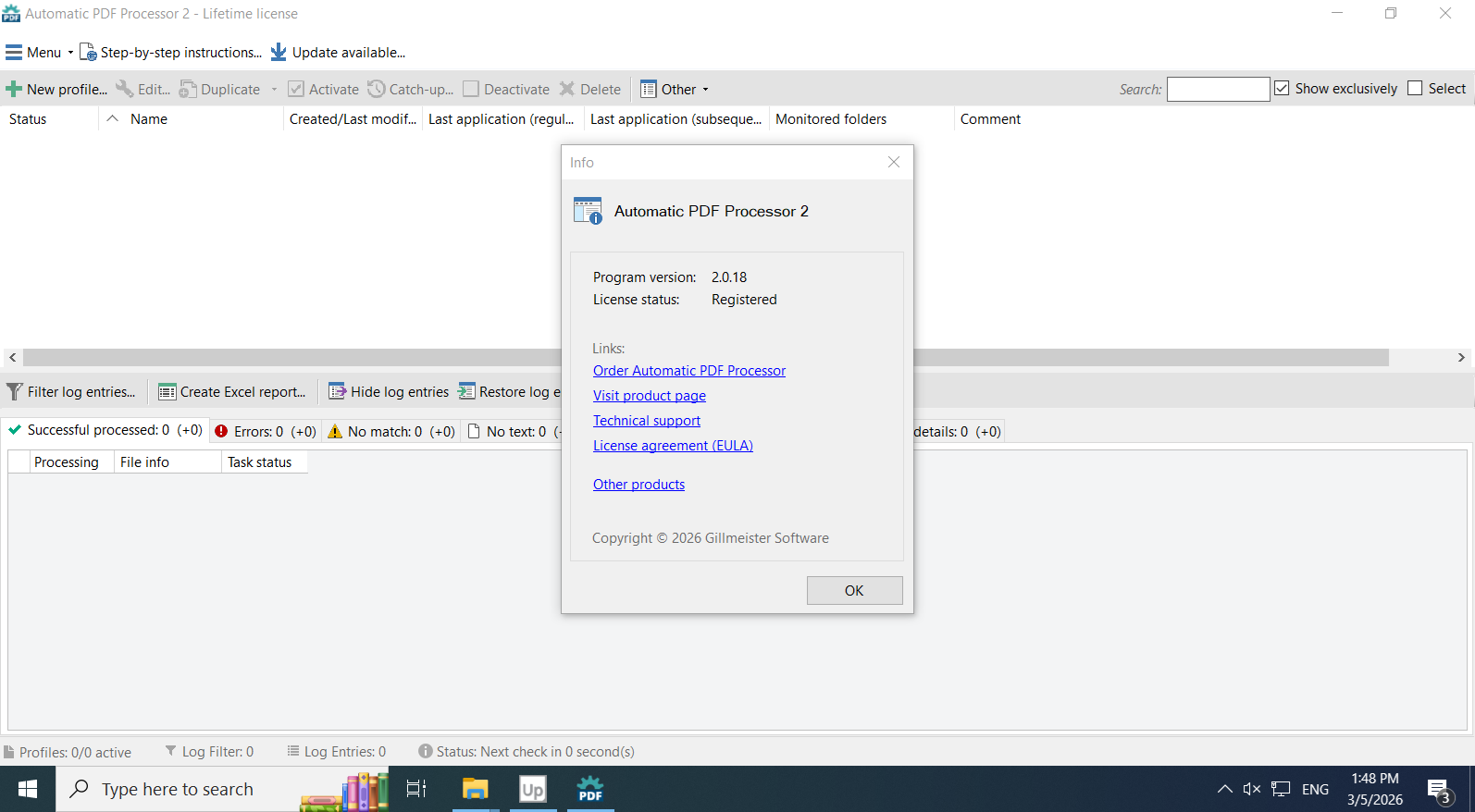
Download Gillmeister Automatic PDF Processor 2.0.18 x64 full

Gillmeister Automatic PDF Processor 2.0.18 – Advanced PDF Automation & Batch Processing Tool

Download Gillmeister Automatic PDF Processor 2.0.18 x64 full license

Link download Gillmeister Automatic PDF Processor 2.0.18 win64 full activated

Working with Gillmeister Automatic PDF Processor 2.0.18 full license

Description of Gillmeister Automatic PDF Processor 2.0.18

Gillmeister Automatic PDF Processor 2.0.18 is a powerful automation software designed to process, manipulate, and manage PDF documents automatically. Developed by Gillmeister Software, this tool allows users to automate repetitive PDF tasks such as splitting, merging, renaming, and monitoring folders for incoming files.

With its rule-based automation system and batch processing capabilities, Automatic PDF Processor helps businesses and professionals streamline document workflows and significantly reduce manual effort.

What is Gillmeister Automatic PDF Processor 2.0.18?
Gillmeister Automatic PDF Processor is a specialized software that automates the processing of PDF files. It works by monitoring folders and applying predefined rules whenever new PDF files appear. The software can perform a wide range of tasks such as splitting multi-page PDFs, extracting pages, renaming files based on content, and converting documents.

This automation approach makes it ideal for organizations that handle large volumes of PDF documents daily.

Features of Gillmeister Automatic PDF Processor 2.0.18

1. Automated PDF Processing
Monitor folders for incoming PDF files
Automatically process documents based on rules
Schedule tasks or run in real-time monitoring mode

2. PDF Splitting & Merging
Split PDFs into multiple files
Extract specific pages automatically
Merge multiple PDF documents into one file

3. Intelligent File Renaming
Rename files based on PDF content
Extract text from documents to generate file names
Use metadata for automated naming rules

4. Batch Processing
Process large numbers of PDF files simultaneously
Reduce manual document management tasks
Automate complex multi-step workflows

5. Text Extraction & Data Processing
Extract text from PDF documents
Search for keywords and patterns
Use extracted data for file organization and automation

6. Flexible Automation Rules
Create custom rule-based workflows
Apply multiple operations to each document
Configure processing conditions and triggers

7. Improvements in Version 2.0.18
Enhanced automation performance
Improved stability and reliability
Faster processing of large PDF batches
Minor bug fixes and workflow optimizations

Benefits of Using Automatic PDF Processor
Save time by automating repetitive PDF tasks
Improve document workflow efficiency
Reduce human errors in file management
Handle large volumes of PDF documents easily
Streamline business document processing systems

Ideal Users
Businesses processing large document volumes
Accounting and finance departments
Legal offices handling PDF records
Administrative teams managing digital documents
IT professionals automating document workflows

Conclusion
Gillmeister Automatic PDF Processor 2.0.18 is a highly efficient solution for automating PDF document processing tasks. With powerful automation rules, folder monitoring, and batch processing features, it helps organizations save time and improve document workflow management.

For businesses that frequently work with large volumes of PDF files, this software provides a reliable and efficient automation platform.

If you want to download Gillmeister Automatic PDF Processor 2.0.18 full license, please click to DOWNLOAD button to download.
CLICKDOWN.ORG Download CAD CAM CNC software
Inside package Gillmeister Automatic PDF Processor 2.0.18, already have cracked files and instruction how to install Gillmeister Automatic PDF Processor 2.0.18 step by step. I guarantee you can install Gillmeister Automatic PDF Processor 2.0.18 successfully if you follow that instruction.
If you also can’t install it or get any problems, please contact to me by email: clickdown.org@gmail.com, then I will help you to install software by teamviewer or Ultraviewer or Anydesk.
Thanks a lot
SOFTWARES

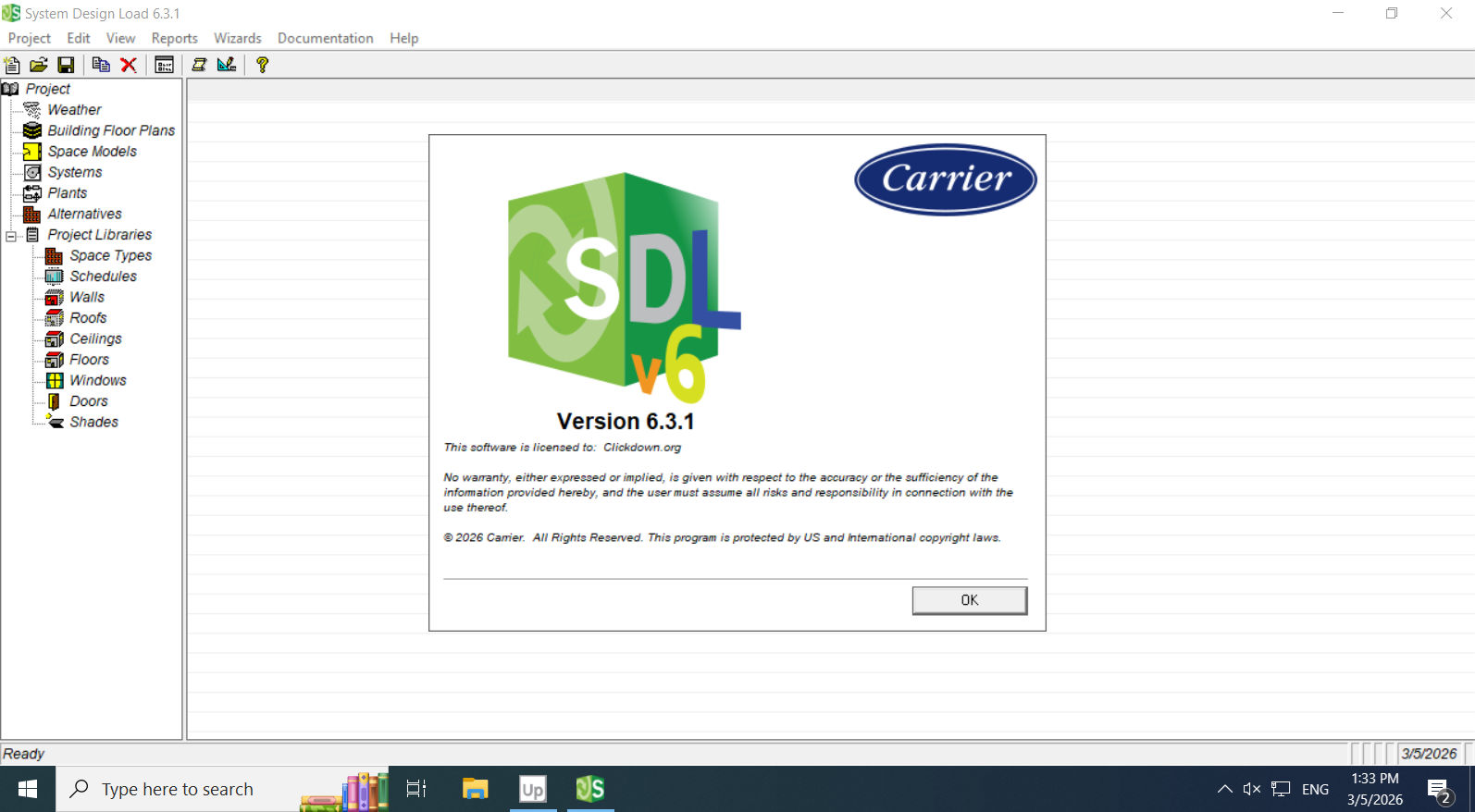
Download Carrier SDL 6.3.1 full license 100% working forever

Carrier SDL 6.3.1 – System Design Load Calculation Software for HVAC Engineers

Download Carrier SDL 6.3.1 full license 100% working forever

Link download Carrier SDL 6.3.1 full activated

Working with Carrier SDL 6.3.1 full license

Description of Carrier SDL 6.3.1

Carrier SDL 6.3.1 (System Design Load) is a professional HVAC load calculation software developed by Carrier Global Corporation. The software is designed to help engineers perform accurate heating and cooling load calculations for commercial and residential buildings.

Carrier SDL focuses on detailed load analysis to support efficient HVAC system sizing and building design, ensuring comfort, energy efficiency, and compliance with engineering standards.

What is Carrier SDL 6.3.1?
Carrier SDL is a specialized engineering tool used to determine building heating and cooling requirements. It calculates loads based on building structure, materials, climate data, occupancy schedules, and equipment usage.

The software works alongside Carrier HAP, allowing engineers to integrate load calculations with system design and energy analysis workflows.

Carrier SDL is widely used by mechanical engineers and HVAC professionals for accurate system planning during early project design stages.

Features of Carrier SDL 6.3.1

1. Accurate HVAC Load Calculations
Detailed cooling load calculations
Heating load analysis for building spaces
Zone-by-zone load breakdown
Peak demand calculations

2. Building Modeling Tools
Define building zones and thermal properties
Configure wall, roof, and window characteristics
Model insulation and shading conditions
Analyze heat gains and losses

3. Climate and Weather Data Integration
Built-in climate data for various regions
Seasonal temperature analysis
Solar radiation calculations
Weather-based load simulations

4. Detailed Engineering Reports
Load calculation reports for HVAC system sizing
Room-by-room heat gain breakdown
Engineering documentation for projects
Exportable results for further analysis

5. HVAC Design Workflow Integration
Seamless workflow with HVAC design software
Export results for system selection and modeling
Supports professional HVAC design processes

6. Improvements in Version 6.3.1
Enhanced calculation accuracy
Improved software performance
Updated compatibility with modern Windows environments
Stability improvements and bug fixes

Benefits of Using Carrier SDL
Perform precise HVAC load calculations
Improve accuracy of system sizing
Reduce design errors and inefficiencies
Support energy-efficient building design
Generate professional engineering documentation

Ideal Users
HVAC engineers
Mechanical engineers
MEP design professionals
Building energy consultants
Engineering design firms

Conclusion
Carrier SDL 6.3.1 provides engineers with reliable tools for calculating heating and cooling loads in building design projects. By accurately analyzing thermal conditions and environmental factors, the software helps professionals design efficient HVAC systems that meet performance and energy efficiency requirements.

For HVAC engineers and building design professionals, Carrier SDL 6.3.1 is a valuable tool for accurate load analysis and optimized system planning.

If you want to download Carrier SDL 6.3.1 full license, please click to DOWNLOAD button to download.
CLICKDOWN.ORG Download CAD CAM CNC software
Inside package Carrier SDL 6.3.1, already have cracked files and instruction how to install Carrier SDL 6.3.1 step by step. I guarantee you can install Carrier SDL 6.3.1 successfully if you follow that instruction.
If you also can’t install it or get any problems, please contact to me by email: clickdown.org@gmail.com, then I will help you to install software by teamviewer or Ultraviewer or Anydesk.
Thanks a lot
SOFTWARES

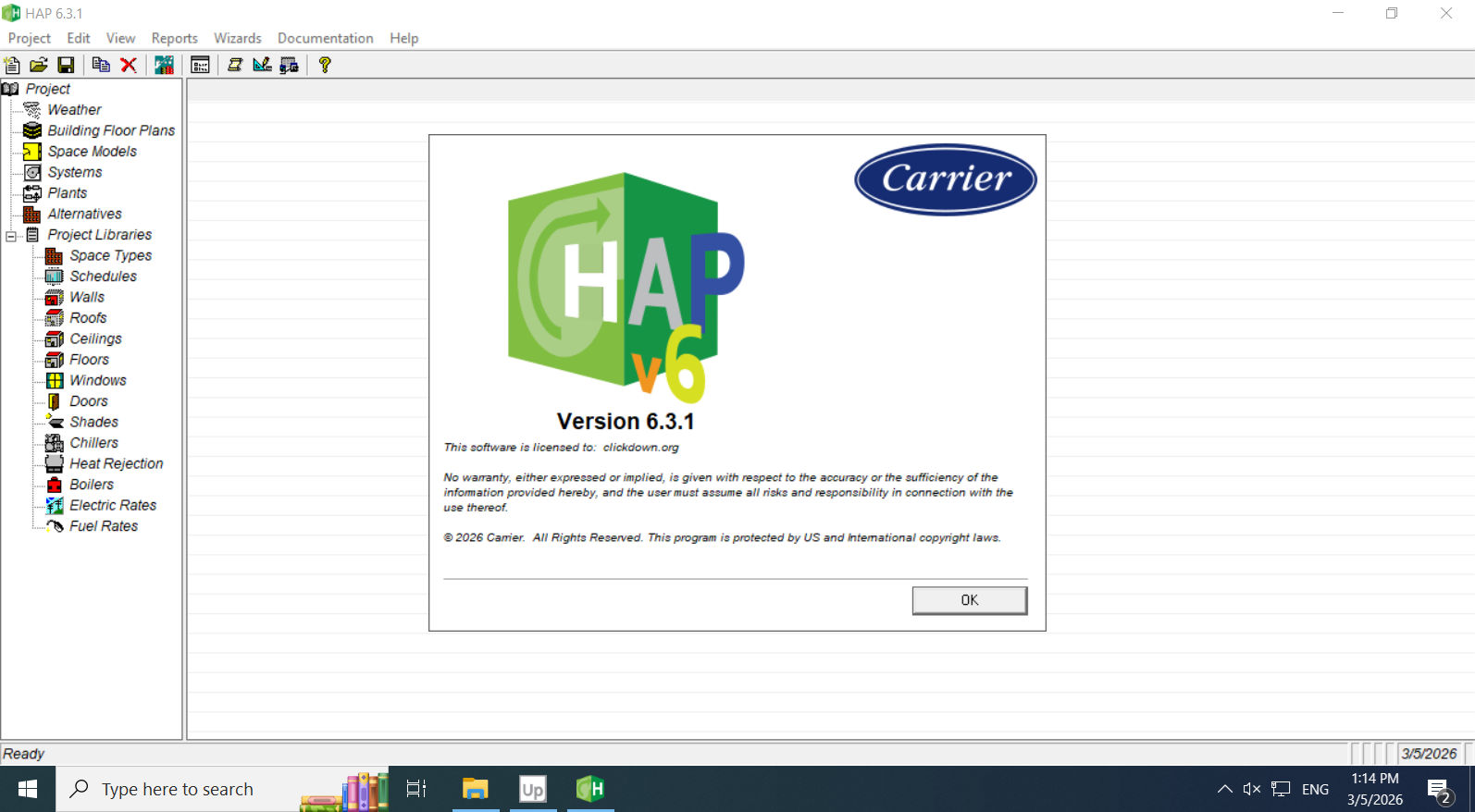
Download Carrier HAP 6.3.1 full license 100% working

Carrier HAP 6.3.1 – HVAC Load Calculation & Energy Analysis Software

Download Carrier HAP 6.3.1 full license 100% working

Link download Carrier HAP 6.3.1 full activated

Working with Carrier HAP 6.3.1 full license

Description of Carrier HAP 6.3.1

Carrier HAP 6.3.1 (Hourly Analysis Program) is a professional HVAC system design and energy analysis software developed by Carrier Global Corporation. It is widely used by engineers and building professionals to calculate heating and cooling loads, design HVAC systems, and evaluate energy consumption in commercial and residential buildings.

This latest version improves calculation accuracy, performance, and compatibility with modern engineering workflows.

What is Carrier HAP 6.3.1?
Carrier HAP is a comprehensive tool used for designing HVAC systems and analyzing building energy performance. It allows engineers to simulate building conditions, calculate peak loads, and select equipment for optimal system performance.

The software is commonly used during building design phases to ensure efficient HVAC operation, reduce energy consumption, and meet regulatory requirements.

Features of Carrier HAP 6.3.1

1. Accurate Heating & Cooling Load Calculations
Perform detailed cooling and heating load calculations
Evaluate peak building load conditions
Analyze zone-level thermal performance
Follow industry-standard calculation methods

2. HVAC System Design
Design air distribution systems
Select HVAC equipment based on calculated loads
Simulate different system configurations
Optimize system efficiency and performance

3. Energy Consumption Analysis
Annual energy use simulation
Operating cost estimation
Compare alternative HVAC system designs
Evaluate energy efficiency improvements

4. Building Modeling Tools
Define building zones and spaces
Configure schedules for occupancy, lighting, and equipment
Model walls, roofs, windows, and insulation
Analyze building envelope performance

5. Equipment Selection & Performance
Integrated equipment libraries
Analyze performance of chillers, boilers, and air handlers
Generate equipment sizing reports

6. Reporting & Documentation
Detailed load calculation reports
Energy analysis summaries
HVAC equipment sizing documentation
Professional engineering reports for projects

7. Improvements in Version 6.3.1
Improved calculation engine performance
Updated energy analysis models
Enhanced stability and bug fixes
Better compatibility with modern Windows systems

Benefits of Using Carrier HAP
Improve HVAC system design accuracy
Reduce energy consumption in building projects
Optimize equipment sizing and selection
Support energy-efficient building designs
Generate professional engineering documentation

Ideal Users
HVAC engineers
Mechanical engineers
Building energy consultants
MEP design professionals
Engineering firms and contractors

Conclusion
Carrier HAP 6.3.1 remains one of the most trusted tools for HVAC load calculation and energy analysis in building design. With its advanced simulation capabilities, detailed reporting tools, and professional-grade engineering features, it helps engineers design efficient HVAC systems and optimize building performance.

For professionals involved in HVAC system design and energy modeling, Carrier HAP 6.3.1 provides the accuracy and reliability needed for modern engineering projects.

If you want to download Carrier HAP 6.3.1 full license, please click to DOWNLOAD button to download.
CLICKDOWN.ORG Download CAD CAM CNC software
Inside package Carrier HAP 6.3.1, already have cracked files and instruction how to install Carrier HAP 6.3.1 step by step. I guarantee you can install Carrier HAP 6.3.1 successfully if you follow that instruction.
If you also can’t install it or get any problems, please contact to me by email: clickdown.org@gmail.com, then I will help you to install software by teamviewer or Ultraviewer or Anydesk.
Thanks a lot
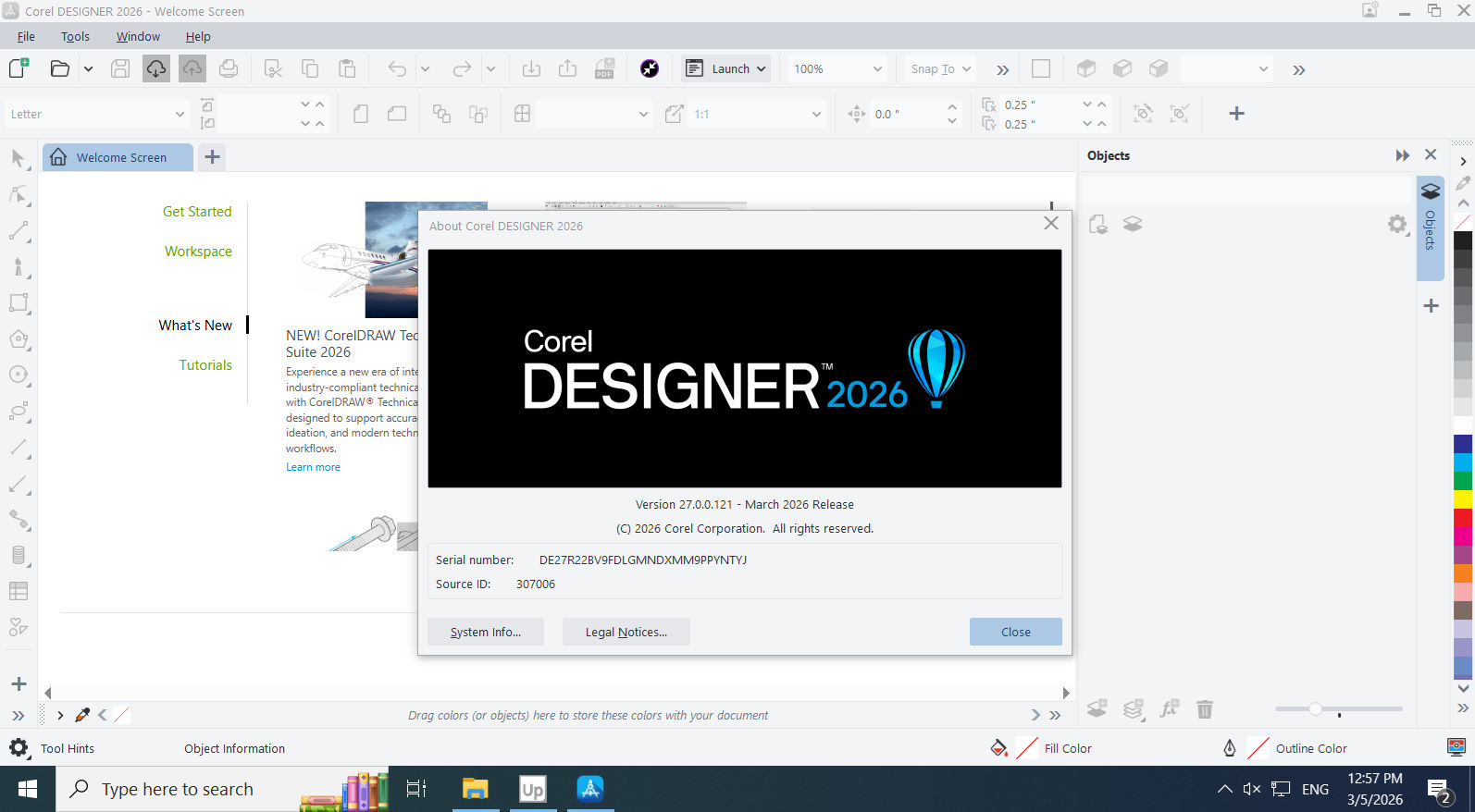
SOFTWARES

Download CorelDRAW Technical Suite 2026 v27.0.0.121 x64 full

CorelDRAW Technical Suite 2026 v27.0.0.121 – Professional Technical Illustration & Documentation Software

Download CorelDRAW Technical Suite 2026 v27.0.0.121 x64 full

Link download CorelDRAW Technical Suite 2026 v27.0.0.121 full activated

Working with CorelDRAW Technical Suite 2026 v27.0.0.121 full license

Description of CorelDRAW Technical Suite 2026 v27.0.0.121

CorelDRAW Technical Suite 2026 v27.0.0.121 is an advanced technical illustration and documentation solution developed by Corel. This specialized suite is designed for engineers, technical illustrators, manufacturers, and documentation teams who need precise tools for creating detailed technical graphics and visual communication materials.

With powerful vector illustration capabilities and advanced technical drawing tools, the suite enables users to transform complex technical data into clear, accurate visual documentation.

What is CorelDRAW Technical Suite 2026?
CorelDRAW Technical Suite is a professional software package for creating technical illustrations, assembly instructions, product documentation, and engineering diagrams. It combines the powerful vector design features of CorelDRAW with specialized tools for technical communication and 3D visualization.

The suite typically includes several professional applications:
Corel DESIGNER – Precision technical illustration tools
CorelDRAW – Vector graphics and layout design
Corel PHOTO-PAINT – Professional image editing
XVl Studio Corel Edition – 3D CAD visualization and conversion
Corel Font Manager – Font organization and management
These integrated tools allow users to create high-quality technical graphics for manuals, training materials, and product documentation.

Features of CorelDRAW Technical Suite 2026 v27.0.0.121

1. Advanced Technical Illustration Tools
Precision vector drawing tools for engineering diagrams
Dimensioning and callout tools
Isometric drawing capabilities
Accurate object alignment and measurement

2. CAD & 3D Data Integration
Import 3D CAD files and assemblies
Convert complex 3D models into 2D illustrations
Simplify models for technical documentation
Maintain design accuracy from engineering data

3. Professional Documentation Layout
Multi-page document support
Layout tools for manuals and technical guides
Annotation and labeling features
Print-ready and digital publishing support

4. High-Quality Vector Graphics Editing
Advanced shape editing and node control
Object styling and reusable symbol libraries
Layer-based editing for complex projects

5. Image Editing and Enhancement
Photo editing tools with layers and masks
Color correction and retouching
Image optimization for documentation and manuals

6. Productivity & Workflow Improvements
Faster rendering and improved performance
Enhanced file compatibility with common formats
Streamlined UI for efficient workflows
Updated compatibility with modern operating systems

Benefits of Using CorelDRAW Technical Suite
Convert complex engineering data into clear illustrations
Create professional technical manuals and documentation
Improve communication between engineering and production teams
Maintain design accuracy when working with CAD files
Streamline technical publishing workflows

Ideal Users
Technical illustrators
Mechanical and industrial engineers
Product documentation specialists
Manufacturing companies
Engineering and design departments

Conclusion
CorelDRAW Technical Suite 2026 v27.0.0.121 provides a complete environment for technical illustration and professional documentation. With specialized tools for engineering graphics, CAD integration, and high-quality vector design, it enables organizations to create accurate, visually clear technical materials.

For professionals who need precise and reliable tools for technical communication, CorelDRAW Technical Suite remains one of the most powerful solutions available.

If you want to download CorelDRAW Technical Suite 2026 v27.0.0.121 full license, please click to DOWNLOAD button to download.
CLICKDOWN.ORG Download CAD CAM CNC software
Inside package CorelDRAW Technical Suite 2026 v27.0.0.121, already have cracked files and instruction how to install CorelDRAW Technical Suite 2026 v27.0.0.121 step by step. I guarantee you can install CorelDRAW Technical Suite 2026 v27.0.0.121 successfully if you follow that instruction.
If you also can’t install it or get any problems, please contact to me by email: clickdown.org@gmail.com, then I will help you to install software by teamviewer or Ultraviewer or Anydesk.
Thanks a lot
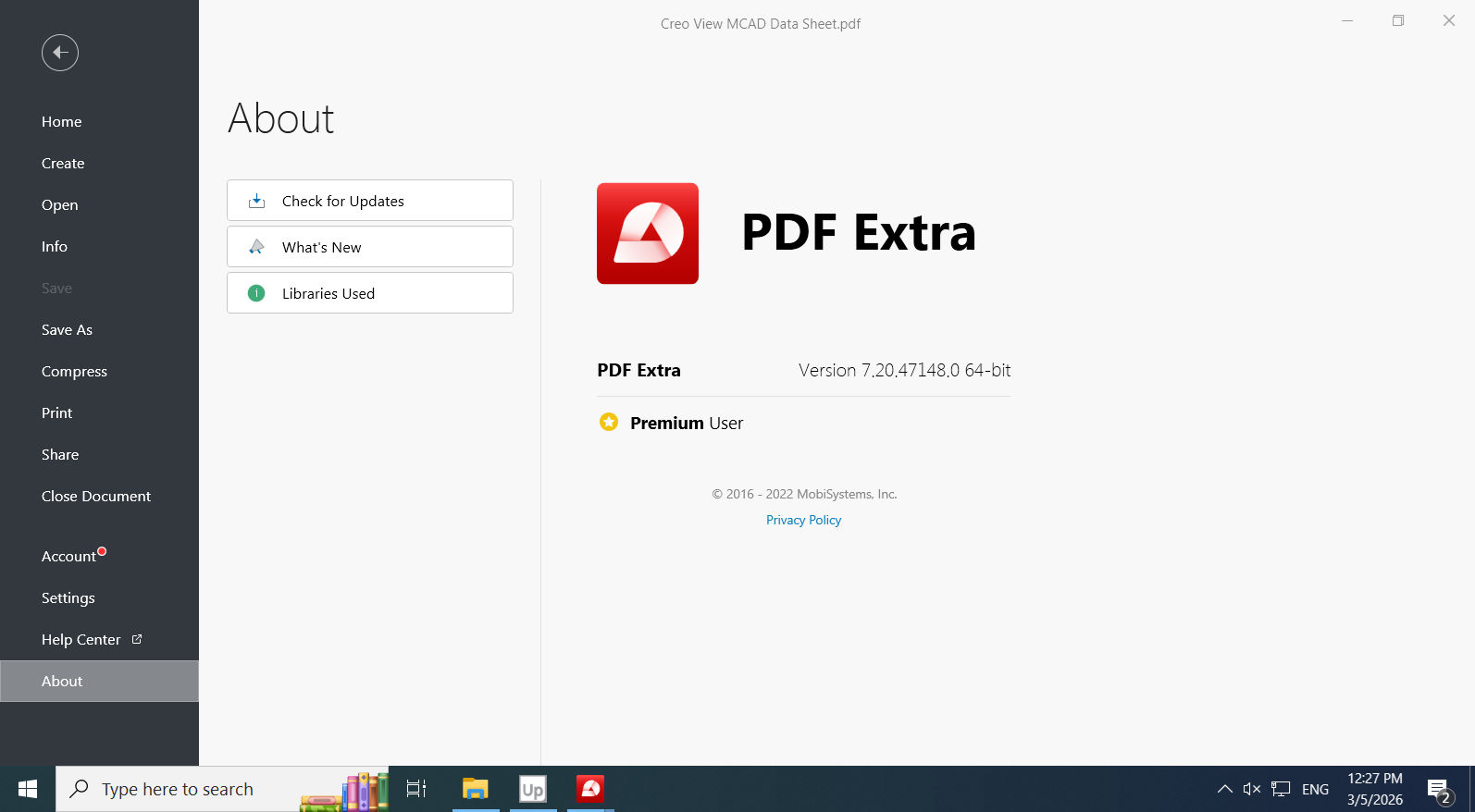
SOFTWARES

Download PDF Extra Premium 7.20.47148.0 x64 full license

PDF Extra Premium 7.20.47148.0 – Powerful PDF Editing and Management Solution

Download PDF Extra Premium 7.20.47148.0 x64 full license

Link download PDF Extra Premium 7.20.47148.0 win64 full activated

Working with PDF Extra Premium 7.20.47148.0 full license

Description of PDF Extra Premium 7.20.47148.0

PDF Extra Premium 7.20.47148.0 is a feature-rich PDF editor designed to create, edit, convert, and manage PDF documents efficiently. Developed by MobiSystems, this software offers a complete toolkit for handling PDF files in both personal and professional environments.

With its intuitive interface and advanced document tools, PDF Extra Premium provides everything needed to modify PDFs, add annotations, convert files, and secure sensitive documents.

What is PDF Extra Premium 7.20.47148.0?
PDF Extra Premium is a professional document management solution that enables users to edit text and images inside PDF files, convert documents to other formats, and collaborate using annotation tools. It is designed to streamline document workflows and improve productivity for businesses, students, and professionals.

The software provides many features commonly found in high-end PDF editors such as Adobe Acrobat but with a simpler interface and accessible workflow.

Features of PDF Extra Premium 7.20.47148.0

1. Complete PDF Editing
Edit text directly in PDF files
Modify images and graphics
Adjust fonts, alignment, and formatting
Rearrange, rotate, and delete pages

2. PDF Conversion Tools
Convert PDF to Word, Excel, PowerPoint, and images
Convert office documents into PDF format
Preserve layout and formatting during conversion

3. Annotation and Review Tools
Highlight, underline, and strikeout text
Add comments, stamps, and notes
Draw shapes and freehand markup
Collaboration-friendly review features

4. Create and Organize PDFs
Merge multiple documents into one PDF
Split PDFs into separate files
Insert or remove pages
Organize document structure easily

5. Security and Protection
Password protection for sensitive documents
Permission control for editing or printing
Digital signature support
Secure document sharing

6. OCR (Optical Character Recognition)
Convert scanned documents into editable text
Search within scanned PDFs
Improve document accessibility

7. Improvements in Version 7.20.47148.0
Enhanced performance and stability
Improved OCR accuracy
Faster file processing
Updated compatibility with modern operating systems

Benefits of Using PDF Extra Premium
Edit PDF documents easily without complex tools
Convert files between multiple formats quickly
Improve collaboration with annotation features
Secure important documents with encryption
Manage digital paperwork more efficiently

Ideal Users
Office professionals
Students and educators
Legal and administrative teams
Small businesses
Anyone who works frequently with PDF documents

Conclusion
PDF Extra Premium 7.20.47148.0 offers a complete solution for editing, converting, and managing PDF files with ease. With powerful editing tools, OCR capabilities, and secure document management features, it provides a reliable alternative for handling digital documents efficiently.

Whether for work, study, or business, this software helps simplify everyday PDF tasks while maintaining professional-quality results.

If you want to download PDF Extra Premium 7.20.47148.0 full license, please click to DOWNLOAD button to download.
CLICKDOWN.ORG Download CAD CAM CNC software
Inside package PDF Extra Premium 7.20.47148.0, already have cracked files and instruction how to install PDF Extra Premium 7.20.47148.0 step by step. I guarantee you can install PDF Extra Premium 7.20.47148.0 successfully if you follow that instruction.
If you also can’t install it or get any problems, please contact to me by email: clickdown.org@gmail.com, then I will help you to install software by teamviewer or Ultraviewer or Anydesk.
Thanks a lot
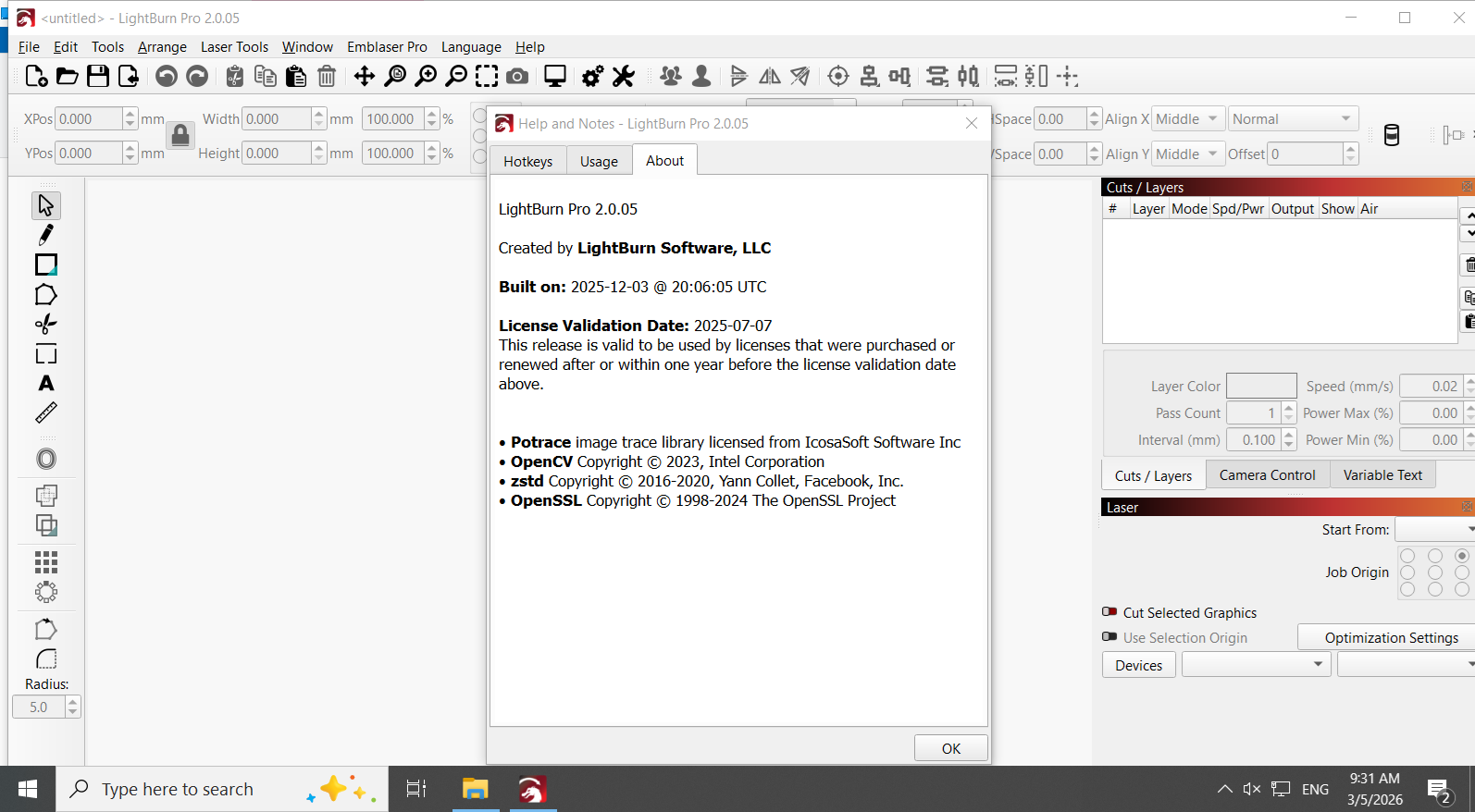
SOFTWARES

Download Lightburn 2.0.05 full license 100% working

LightBurn 2.0.05 – Professional Laser Engraving & Cutting Software

Download Lightburn 2.0.05 full license 100% working

Link download Lightburn 2.0.05 full activated

Working with Lightburn 2.0.05 full license

Description of Lightburn 2.0.05

LightBurn 2.0.05 is a powerful layout, editing, and control software designed for laser engraving and cutting systems. Developed by LightBurn Software, LightBurn provides an all-in-one solution for preparing artwork, configuring laser settings, and managing laser jobs with precision and efficiency.

Version 2.0.05 introduces performance improvements, enhanced device compatibility, and workflow refinements for professional and hobbyist users alike.

What is LightBurn 2.0.05?
LightBurn is a cross-platform software application that allows users to design, edit, and control laser engraving and cutting machines. It supports a wide range of laser controllers and hardware systems, making it a versatile choice for makers, small businesses, and industrial users.

From vector editing to image tracing and laser job management, LightBurn streamlines the entire production process in one intuitive interface.

Features of Lightburn 2.0.05

1. Comprehensive Design & Editing Tools
Create and edit vector shapes
Node editing and path manipulation
Boolean operations (weld, subtract, intersect)
Text tools with font preview and shaping

2. Image Processing & Optimization
Image tracing (bitmap to vector)
Dithering and grayscale conversion
Adjustable brightness and contrast
Advanced image engraving controls

3. Laser Control & Job Management
Direct laser control from the software
Layer-based speed and power settings
Real-time preview of laser paths
Material test grids for calibration

4. Wide Hardware Compatibility
Supports DSP, Ruida, Trocen, and other controllers
GRBL device compatibility
USB, Ethernet, and serial connection support
Cross-platform (Windows, macOS, Linux)

5. Workflow & Productivity Enhancements
Camera alignment support
Job library management
Cut optimization for reduced runtime
Advanced layout and nesting tools

6. What’s New in 2.0.05
Improved stability and performance
Faster rendering for complex designs
Enhanced device communication
Minor bug fixes and UI refinements

Benefits of Using LightBurn 2.0.05
All-in-one laser workflow solution
Precise control over engraving and cutting parameters
Increased production efficiency
Broad compatibility with laser hardware
Suitable for both professionals and beginners

Ideal For
Laser engraving businesses
Makers and hobbyists
Sign and branding companies
Woodworking and craft studios
Educational fabrication labs

Conclusion
LightBurn 2.0.05 continues to be one of the most trusted laser control software solutions on the market. With its powerful design tools, flexible hardware support, and efficient workflow management, it enables users to move from concept to finished product seamlessly.

Whether you’re engraving custom designs or running a production laser business, LightBurn 2.0.05 delivers reliability, precision, and professional-grade control.

If you want to download Lightburn 2.0.05 full license, please click to DOWNLOAD button to download.
CLICKDOWN.ORG Download CAD CAM CNC software
Inside package Lightburn 2.0.05, already have cracked files and instruction how to install Lightburn 2.0.05 step by step. I guarantee you can install Lightburn 2.0.05 successfully if you follow that instruction.
If you also can’t install it or get any problems, please contact to me by email: clickdown.org@gmail.com, then I will help you to install software by teamviewer or Ultraviewer or Anydesk.
Thanks a lot

error: Content is protected !!
Scroll to Top