SOFTWARES

SOFTWARES

Download Tekla Structures 2025 SP7 win64 full license

Tekla Structures 2025 SP7 – Advanced BIM Software for Structural Engineering & Detailing

Download Tekla Structures 2025 SP7 win64 full license

Link download Tekla Structures 2025 SP7 x64 full activated
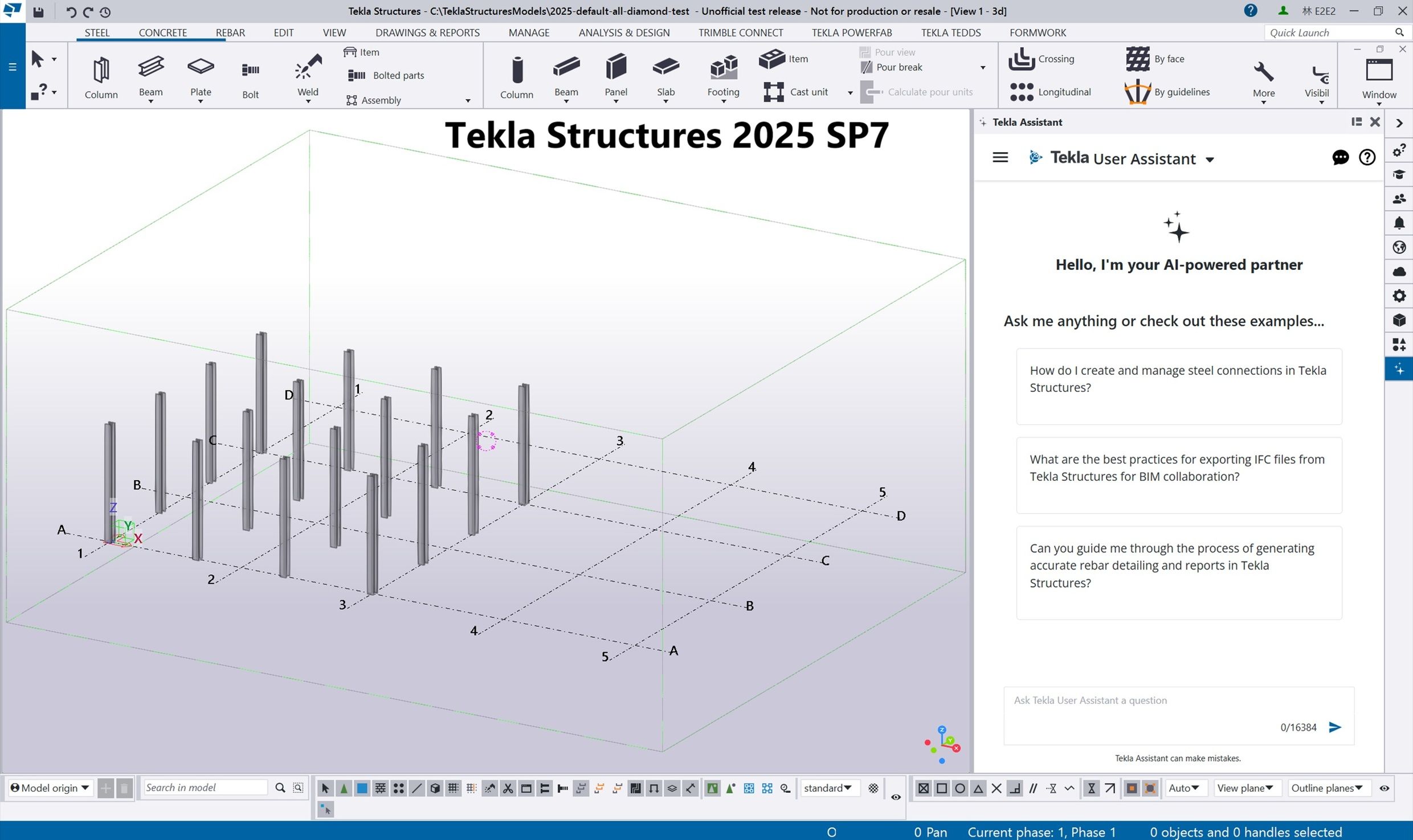
Working with Tekla Structures 2025 SP7 full license

Description of Tekla Structures 2025 SP7

Tekla Structures 2025 SP7 is a powerful Building Information Modeling (BIM) software developed by Trimble. Widely used by structural engineers, steel detailers, fabricators, and construction professionals, Tekla Structures delivers highly accurate 3D modeling and detailed construction documentation for steel, concrete, and composite structures.

With the 2025 SP7 update, users benefit from improved modeling performance, enhanced detailing tools, and optimized workflows that support complex construction projects from concept to fabrication.

What is Tekla Structures?
Tekla Structures is an advanced BIM solution focused on structural design and detailing. It enables users to create constructible 3D models containing precise geometry, materials, connections, and fabrication details. These models serve as a reliable source of information throughout the entire project lifecycle.

Version 2025 SP7 enhances stability, performance, and interoperability, ensuring efficient collaboration across design and construction teams.

Features of Tekla Structures 2025 SP7

1. Detailed 3D Structural Modeling
Accurate modeling of steel, concrete, and composite structures
Intelligent components and connection design
Parametric modeling tools
Support for complex geometry

2. Advanced Steel Detailing
Automated connection design
Bolt, weld, and plate detailing
Shop drawing generation
Fabrication-ready outputs

3. Reinforced Concrete Modeling
Rebar detailing and placement tools
Automated reinforcement generation
Clash detection for reinforcement
Precise quantity takeoffs

4. Comprehensive Drawing & Documentation
Automatic drawing creation from models
Associative updates when models change
Customizable templates
Detailed reports and schedules

5. BIM Collaboration & Interoperability
IFC import/export support
Integration with other BIM platforms
Model sharing and coordination tools
Clash detection and model review

6. Fabrication & Construction Support
CNC and DSTV file export
Material tracking
Erection planning support
Accurate quantity estimation

7. Performance & Workflow Improvements (SP7)
Enhanced large-model handling
Faster drawing generation
Improved user interface responsiveness
Stability enhancements for complex projects

Applications
Tekla Structures 2025 SP7 is ideal for:
Steel structure detailing
Reinforced concrete buildings
Industrial plant structures
Infrastructure projects
High-rise building construction
Fabrication and manufacturing workflows

Benefits for Construction Professionals
Increased model accuracy and constructability
Reduced errors during fabrication
Improved collaboration between stakeholders
Faster project delivery
Reliable data-driven decision-making
Tekla Structures enables teams to work with highly detailed and information-rich models that minimize rework and enhance efficiency.

Why Choose Tekla Structures 2025 SP7?
Tekla Structures remains one of the most trusted BIM solutions for structural engineering and detailing worldwide. Its precision, fabrication-ready outputs, and strong BIM interoperability make it a critical tool for modern construction projects.

For professionals seeking detailed structural modeling, advanced detailing tools, and reliable BIM collaboration, Tekla Structures 2025 SP7 delivers exceptional performance and accuracy.

If you want to download Tekla Structures 2025 SP7 full license, please click to DOWNLOAD button to download.
CLICKDOWN.ORG Download CAD CAM CNC software
Inside package Tekla Structures 2025 SP7, already have cracked files and instruction how to install Tekla Structures 2025 SP7 step by step. I guarantee you can install Tekla Structures 2025 SP7 successfully if you follow that instruction.
If you also can’t install it or get any problems, please contact to me by email: clickdown.org@gmail.com, then I will help you to install software by teamviewer or Ultraviewer or Anydesk.
Thanks a lot
SOFTWARES

Download Chaos Enscape 4.16.0.1262 win64 full license

Chaos Enscape 4.16.0.1262 – Real-Time Rendering & Visualization for Architects and Designers

Download Chaos Enscape 4.16.0.1262 win64 full license

Link download Chaos Enscape 4.16.0.1262 x64 full activated

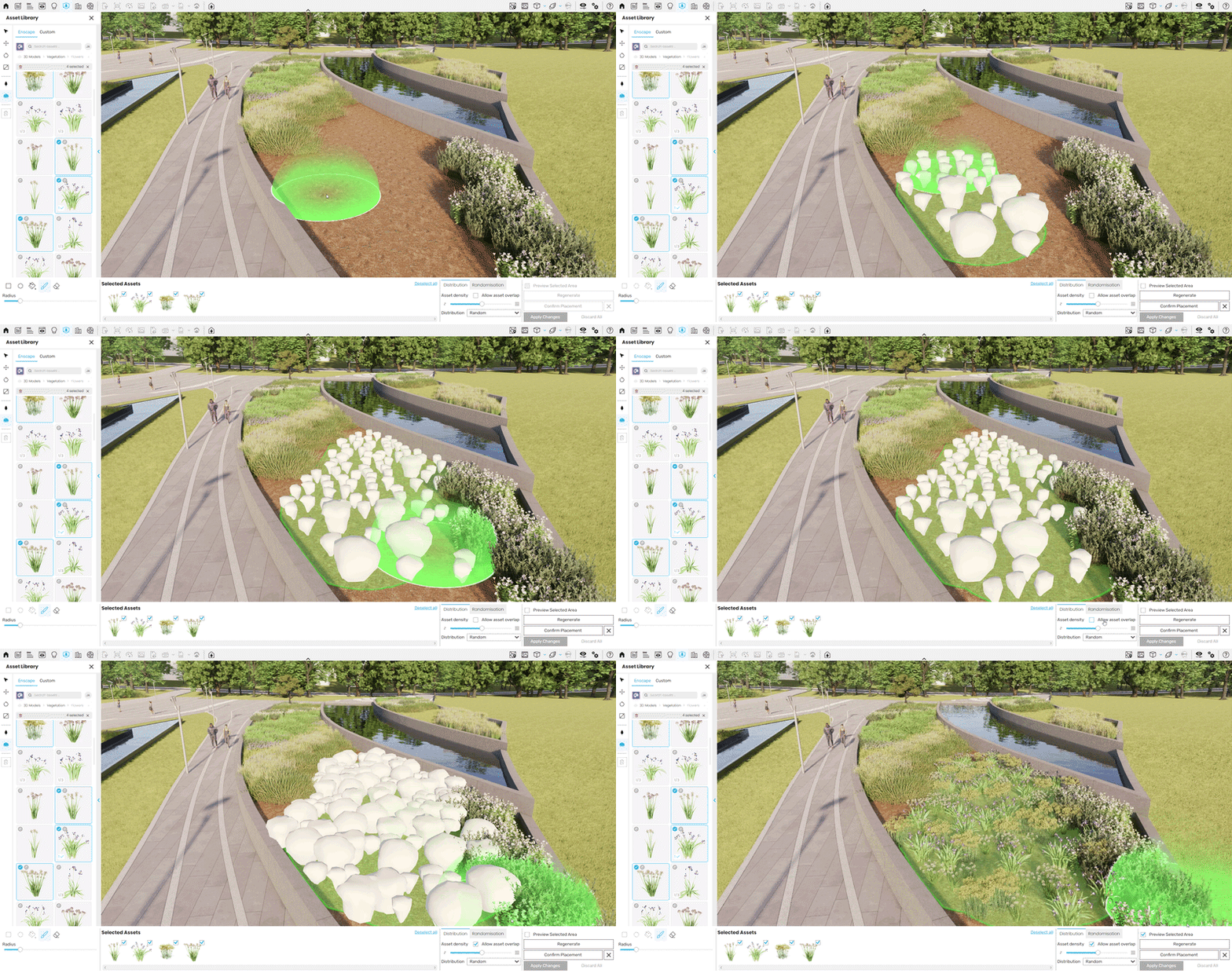
Working with Chaos Enscape 4.16.0.1262 full license

Description of Chaos Enscape 4.16.0.1262

Chaos Enscape 4.16.0.1262 is a powerful real-time rendering and visualization software developed by Chaos. Designed for architects, interior designers, and engineers, Enscape seamlessly integrates with major CAD and BIM platforms to deliver high-quality visualizations instantly.

With its real-time rendering engine, immersive VR support, and intuitive workflow, Chaos Enscape 4.16.0.1262 enables professionals to transform 3D models into stunning visual presentations without complex rendering setups.

What is Chaos Enscape?
Chaos Enscape is a real-time rendering plugin that connects directly to design software, allowing users to visualize projects instantly as they model. Changes made in the CAD or BIM environment are reflected immediately in Enscape, enabling faster design iterations and better client communication.

Version 4.16.0.1262 introduces performance optimizations, enhanced lighting accuracy, improved material rendering, and workflow refinements to support modern architectural visualization demands.

Features of Chaos Enscape 4.16.0.1262

1. Real-Time Rendering Engine
Instant visualization from live CAD models
Physically based lighting and materials
Realistic reflections and global illumination
High-performance rendering with GPU acceleration

2. Seamless CAD & BIM Integration
Compatible with major platforms such as Revit, SketchUp, Rhino, Archicad, and Vectorworks
One-click synchronization with design models
No complex export process required

3. Immersive Virtual Reality (VR)
Real-time VR walkthroughs
Compatible with major VR headsets
Interactive project exploration
Enhanced client presentations

4. High-Quality Visual Outputs
Ultra-high-resolution still renders
360° panoramic images
Animated video exports
Web standalone presentations

5. Advanced Material & Asset Library
Extensive built-in asset library (people, vegetation, furniture)
Custom material editor
Support for PBR textures
Realistic environmental settings

6. Improved Lighting & Environmental Controls
Accurate sun positioning
Artificial lighting simulation
Dynamic sky and atmosphere settings
Exposure and tone mapping adjustments

7. Performance Enhancements
Optimized GPU usage
Faster scene loading
Improved stability for large BIM projects

Applications
Chaos Enscape 4.16.0.1262 is ideal for:
Architectural visualization
Interior design presentations
Urban planning projects
Real estate marketing visuals
Construction project previews
Engineering concept demonstrations

Benefits for Designers & Architects
Faster design decision-making
Improved client communication
Reduced rendering time
Seamless workflow integration
Professional-quality visual output
Enscape allows professionals to move from concept to immersive presentation in minutes, significantly improving project efficiency.

Why Choose Chaos Enscape 4.16.0.1262?
Chaos Enscape stands out for its simplicity, speed, and integration capabilities. By delivering real-time rendering directly within the design environment, it eliminates traditional rendering bottlenecks and enhances creative workflows.

For architects and designers seeking high-quality visualization without complex setup, Chaos Enscape 4.16.0.1262 offers a reliable and powerful solution.

If you want to download Chaos Enscape 4.16.0.1262 full license, please click to DOWNLOAD button to download.
CLICKDOWN.ORG Download CAD CAM CNC software
Inside package Chaos Enscape 4.16.0.1262, already have cracked files and instruction how to install Chaos Enscape 4.16.0.1262 step by step. I guarantee you can install Chaos Enscape 4.16.0.1262 successfully if you follow that instruction.
If you also can’t install it or get any problems, please contact to me by email: clickdown.org@gmail.com, then I will help you to install software by teamviewer or Ultraviewer or Anydesk.
Thanks a lot
SOFTWARES

Download EIVA NaviPac 4.13 x64 full license forever

EIVA NaviPac 4.13 – Advanced Marine Navigation & Positioning Software

Download EIVA NaviPac 4.13 x64 full license forever

Link download EIVA NaviPac 4.13 full activated

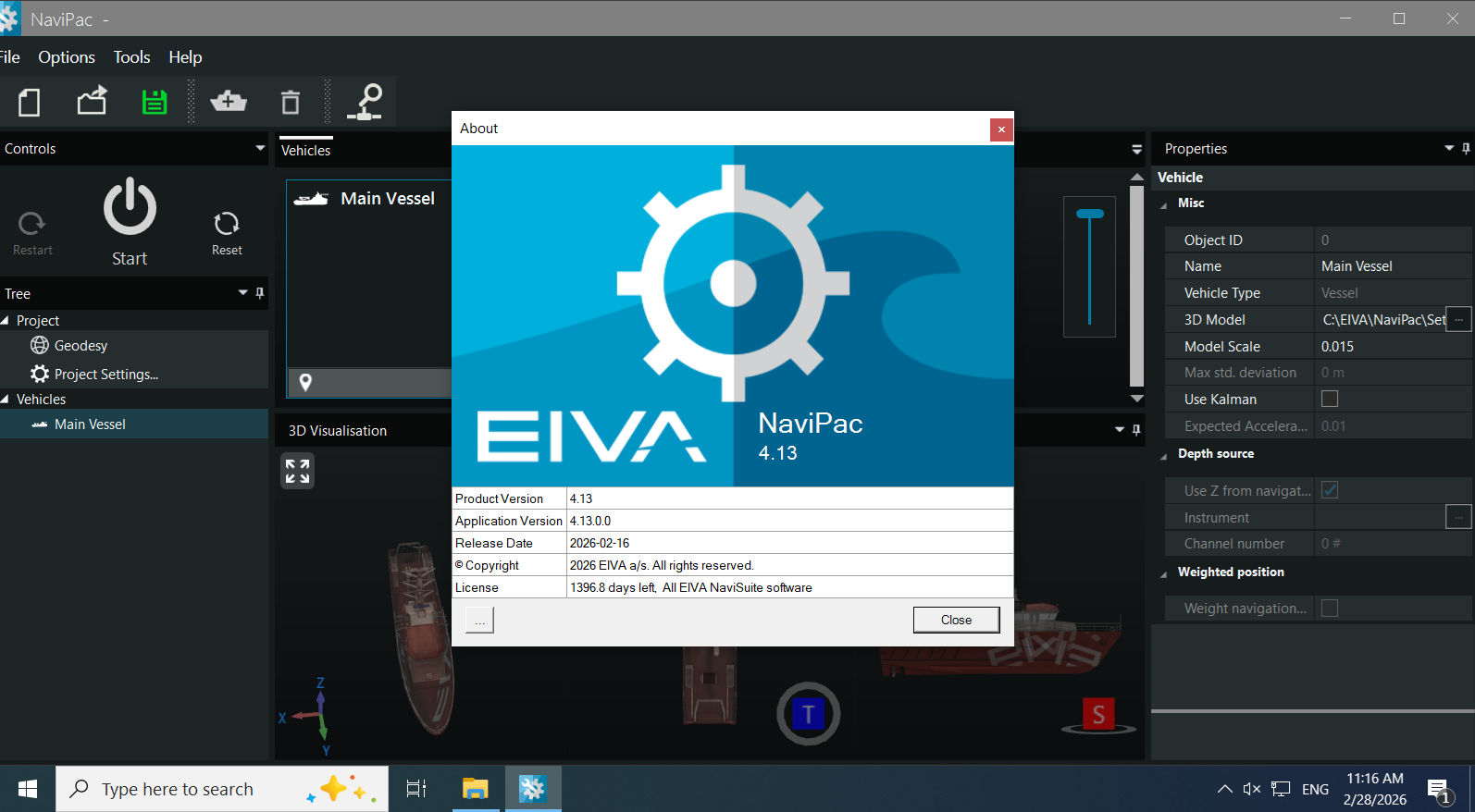
Working with EIVA NaviPac 4.13 full license

Description of EIVA NaviPac 4.13

EIVA NaviPac 4.13 is a professional marine navigation and positioning software developed by EIVA. Designed for offshore surveyors, hydrographic engineers, and marine contractors, NaviPac provides accurate real-time positioning, data acquisition, and vessel control for complex offshore and subsea operations.

Widely used in offshore energy, dredging, cable laying, and construction support projects, NaviPac 4.13 ensures precise navigation and sensor integration across a wide range of marine survey applications.

What is EIVA NaviPac?
EIVA NaviPac is a flexible navigation and positioning platform that integrates multiple sensors and positioning systems into a single control interface. It supports GNSS, USBL, LBL, total stations, motion sensors, and various marine instruments, providing reliable real-time data for offshore operations.

Version 4.13 introduces performance improvements, expanded sensor compatibility, and workflow enhancements to meet modern marine survey requirements.

Features of EIVA NaviPac 4.13

1. Real-Time Positioning & Navigation
Multi-GNSS support (GPS, GLONASS, Galileo, BeiDou)
USBL and LBL acoustic positioning integration
Vessel tracking and dynamic positioning support
Real-time quality control and monitoring

2. Sensor Integration & Data Acquisition
Support for a wide range of marine sensors
Centralized data logging
Synchronization of multiple data streams
Flexible configuration for offshore projects

3. Offshore Construction Support
Anchor handling support
Cable and pipeline laying guidance
Dredging operations monitoring
ROV and subsea vehicle positioning

4. Advanced Visualization Tools
Real-time vessel and object tracking
2D and 3D visualization modes
Customizable chart overlays
Live data quality indicators

5. Survey Workflow Optimization
Modular system architecture
User-friendly interface
Efficient setup and calibration
Reliable performance in demanding environments

6. Data Export & Compatibility
Industry-standard export formats
Integration with processing software such as NaviSuite
Seamless transition from acquisition to analysis

Applications
EIVA NaviPac 4.13 is ideal for:
Hydrographic surveys
Offshore oil & gas operations
Renewable energy installation
Dredging and reclamation projects
Cable and pipeline installation
Subsea construction and inspection

Benefits for Marine Professionals
High-precision real-time positioning
Reduced operational risk
Improved offshore efficiency
Seamless sensor integration
Reliable performance in harsh marine environments
NaviPac enhances project accuracy while simplifying complex offshore navigation and positioning tasks.

Why Choose EIVA NaviPac 4.13?
EIVA NaviPac 4.13 offers a robust and flexible marine navigation platform trusted by offshore professionals worldwide. Its advanced positioning engine, broad sensor compatibility, and seamless integration with the EIVA software ecosystem make it a powerful solution for modern marine survey and construction projects.

For organizations seeking accurate, real-time offshore navigation and positioning software, EIVA NaviPac 4.13 delivers performance, reliability, and operational confidence.

If you want to download EIVA NaviPac 4.13 full license, please click to DOWNLOAD button to download.
CLICKDOWN.ORG Download CAD CAM CNC software
Inside package EIVA NaviPac 4.13, already have cracked files and instruction how to install EIVA NaviPac 4.13 step by step. I guarantee you can install EIVA NaviPac 4.13 successfully if you follow that instruction.
If you also can’t install it or get any problems, please contact to me by email: clickdown.org@gmail.com, then I will help you to install software by teamviewer or Ultraviewer or Anydesk.
Thanks a lot
SOFTWARES

Download IronCAD 2026 SP1 win64 full license forever

IronCAD 2026 SP1 – Flexible 3D CAD Design & Engineering Software

Download IronCAD 2026 SP1 win64 full license forever

Link download IronCAD 2026 SP1 full activated

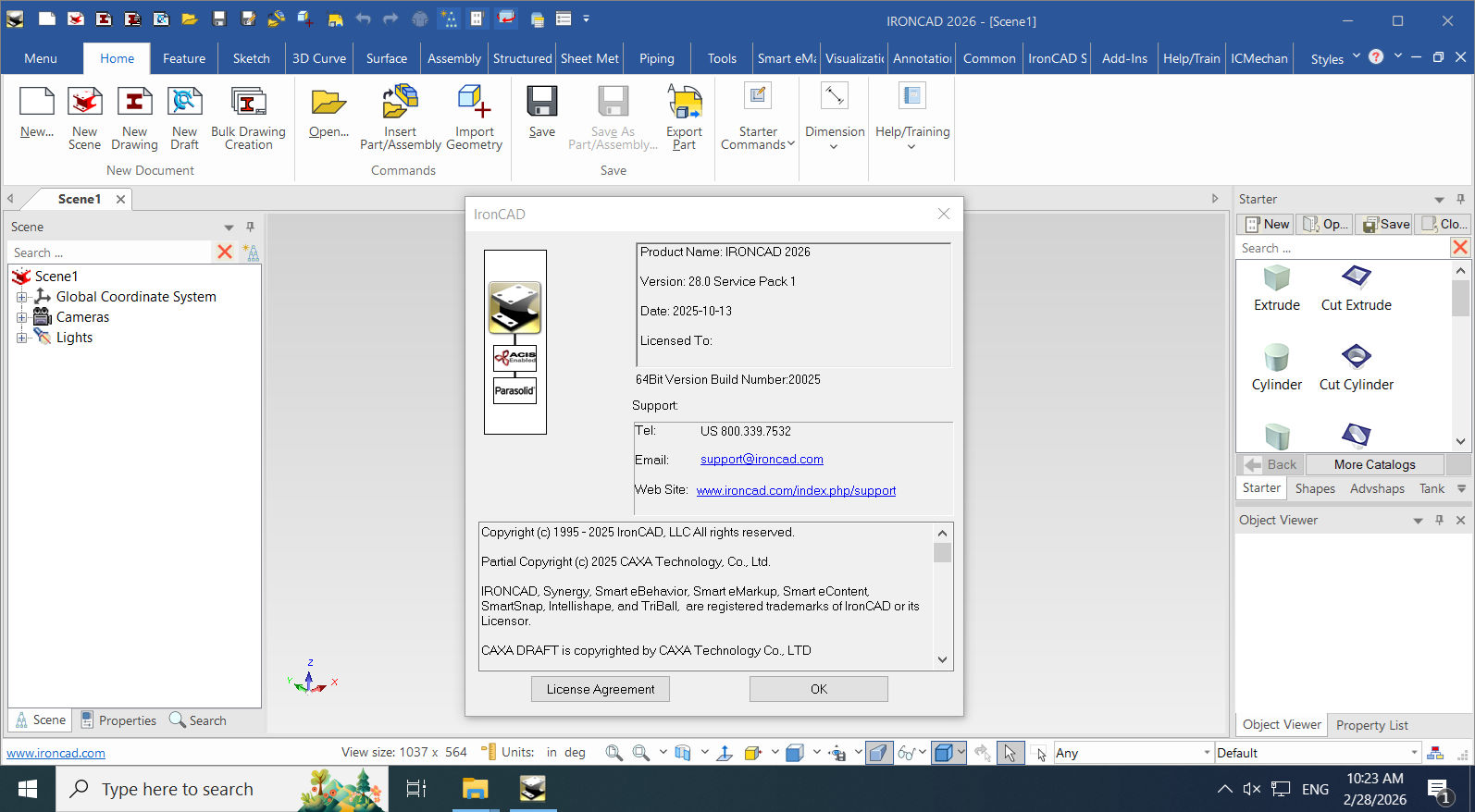
Working with IronCAD 2026 SP1 full license

Description of IronCAD 2026 SP1

IronCAD 2026 SP1 is a powerful and innovative 3D CAD software solution developed by IronCAD LLC. Designed for mechanical engineers, product designers, and manufacturing professionals, IronCAD delivers a highly flexible modeling environment that combines direct modeling with parametric design in one unified platform.

With its intuitive drag-and-drop workflow and advanced design tools, IronCAD 2026 SP1 accelerates product development while maintaining precision and control across complex assemblies.

What is IronCAD 2026 SP1?
IronCAD is known for its unique dual-kernel technology and scene-based design environment that allows users to rapidly create and modify 3D models without rigid feature history limitations. The 2026 SP1 release introduces performance optimizations, enhanced interoperability, and improved drawing and assembly tools for professional engineering projects.

Features of IronCAD 2026 SP1

1. Hybrid Modeling Technology
Combines direct and parametric modeling
Flexible feature editing without rebuilding entire models
Dual-kernel support for maximum geometry compatibility
Fast concept-to-production workflow

2. Drag-and-Drop Design Environment
Scene-based modeling system
Instant part and feature placement
Real-time design modifications
Streamlined assembly creation

3. Advanced Assembly Management
Large assembly handling improvements
Intelligent constraint management
Dynamic structure updates
BOM (Bill of Materials) generation

4. 2D Drawing & Documentation Tools
Automatic drawing generation from 3D models
Associative updates
GD&T support
Customizable drawing templates

5. Sheet Metal & Structural Design
Integrated sheet metal tools
Flat pattern creation
Structural framing capabilities
Manufacturing-ready outputs

6. Interoperability & File Compatibility
Import/export major CAD formats (STEP, IGES, DWG, DXF, etc.)
Collaboration with other CAD systems
Enhanced data exchange tools

7. Performance & Workflow Enhancements
Faster model regeneration
Optimized graphics performance
Improved memory management
Stability updates in SP1

Applications
IronCAD 2026 SP1 is ideal for:
Mechanical product design
Industrial equipment modeling
Manufacturing and fabrication projects
Sheet metal design
Machine and tooling design
Prototype development

Benefits for Engineers & Designers
Faster product development cycles
Reduced design revision time
Greater flexibility in modeling
Improved collaboration across teams
Accurate manufacturing documentation
IronCAD’s flexible modeling approach allows engineers to adapt quickly to design changes without complex rebuilding processes.

Why Choose IronCAD 2026 SP1?
IronCAD 2026 SP1 stands out for its innovative hybrid modeling technology and intuitive workflow. By combining speed, flexibility, and precision, it empowers engineers and designers to move from concept to production efficiently.

For professionals seeking a powerful and adaptable 3D CAD solution, IronCAD 2026 SP1 offers a reliable and performance-driven design platform.

If you want to download IronCAD 2026 SP1 full license, please click to DOWNLOAD button to download.
CLICKDOWN.ORG Download CAD CAM CNC software
Inside package IronCAD 2026 SP1, already have cracked files and instruction how to install IronCAD 2026 SP1 step by step. I guarantee you can install IronCAD 2026 SP1 successfully if you follow that instruction.
If you also can’t install it or get any problems, please contact to me by email: clickdown.org@gmail.com, then I will help you to install software by teamviewer or Ultraviewer or Anydesk.
Thanks a lot
SOFTWARES

Download Leica Infinity 5.0.0.46612 x64 full license forever

Leica Infinity 5.0.0.46612 – Advanced Survey Data Processing & Geospatial Office Software

Download Leica Infinity 5.0.0.46612 x64 full license forever

Link download Leica Infinity 5.0.0.46612 win64 full activated

Working with Leica Infinity 5.0.0.46612 full license

Description of Leica Infinity 5.0.0.46612

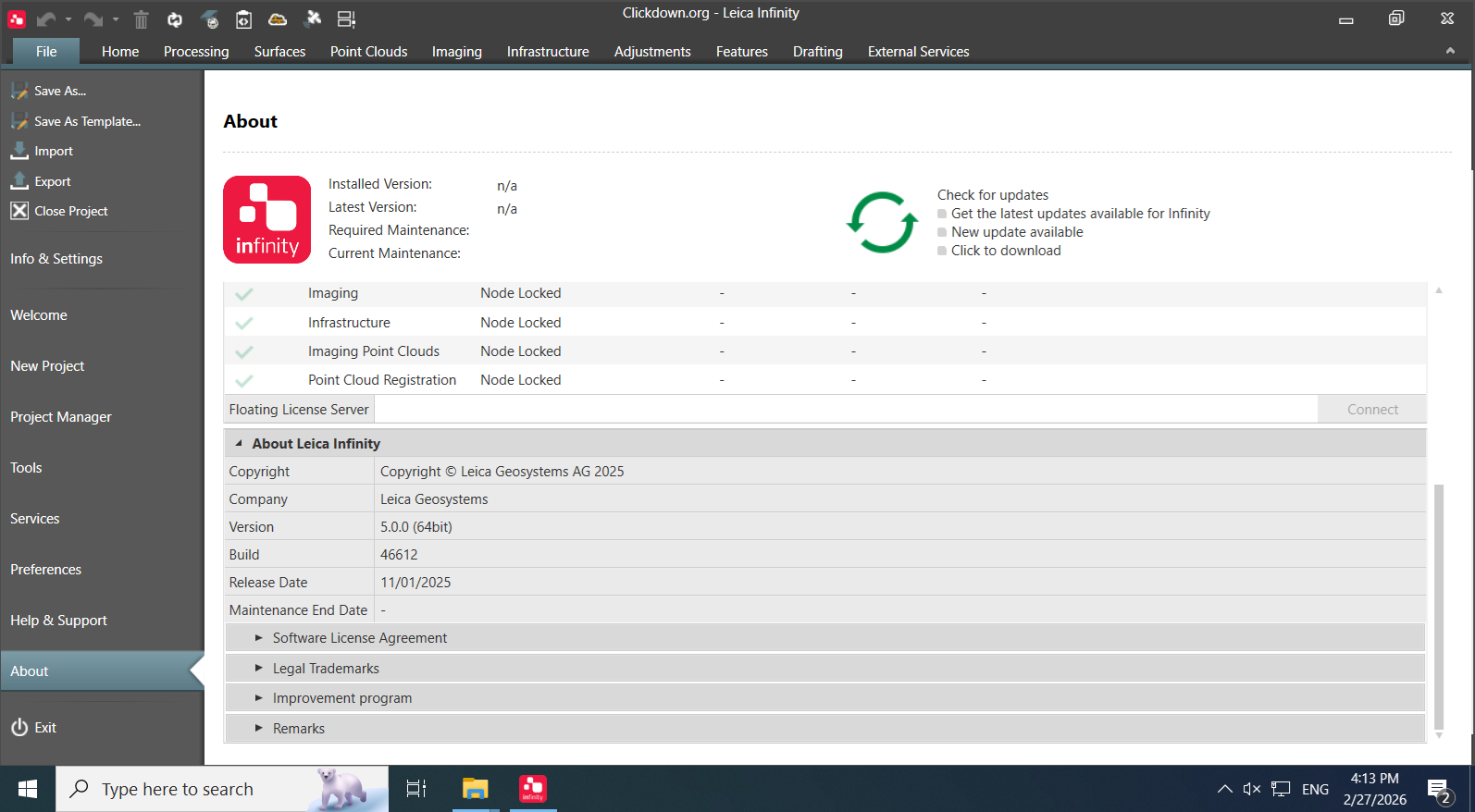
Leica Infinity 5.0.0.46612 is a powerful geospatial office software solution developed by Leica Geosystems, part of Hexagon AB. Designed for surveyors, engineers, and geospatial professionals, Leica Infinity provides a centralized platform for managing, processing, analyzing, and validating complex survey data.

With its intuitive interface and advanced data processing capabilities, Leica Infinity 5.0.0.46612 streamlines workflows from field data collection to final deliverables, ensuring high precision and efficiency.

What is Leica Infinity?
Leica Infinity is a comprehensive office software solution for handling GNSS, total station, digital level, UAV, and laser scanning data. It enables professionals to integrate multiple data sources into a unified project environment for accurate geospatial analysis and reporting.

Version 5.0.0.46612 introduces performance improvements, enhanced data compatibility, and refined processing tools to meet modern surveying and engineering demands.

Features of Leica Infinity 5.0.0.46612

1. GNSS Data Processing
Static and kinematic GNSS data adjustment
Baseline processing and network adjustment
Multi-constellation support (GPS, GLONASS, Galileo, BeiDou)
Quality control and validation tools

2. Total Station & Level Data Integration
Import and process total station observations
Traverse adjustment
Leveling data computation
Error detection and correction tools

3. Laser Scanning & Point Cloud Handling
Import and manage large point cloud datasets
Registration and alignment tools
Visualization and filtering
Integration with other survey datasets

4. UAV & Photogrammetry Support
UAV data import
Georeferencing capabilities
Orthophoto and terrain model integration
Enhanced aerial data management

5. Advanced Adjustment & Analysis
Least squares network adjustment
Deformation analysis
Coordinate system management
Custom transformation support

6. Data Management & Reporting
Centralized project database
Automated report generation
Customizable output formats
Export to CAD and GIS platforms

Applications
Leica Infinity 5.0.0.46612 is ideal for:
Land surveying projects
Infrastructure development
Construction layout and monitoring
Mining and industrial surveying
Geodetic network adjustment
Topographic and cadastral mapping

Benefits for Surveying Professionals
Improved data accuracy and reliability
Seamless integration of multiple data sources
Reduced processing time
Enhanced collaboration between field and office teams
Professional-quality reporting and deliverables
Leica Infinity provides a scalable and efficient solution for organizations managing complex geospatial workflows.

Why Choose Leica Infinity 5.0.0.46612?
Leica Infinity stands out as a robust and integrated geospatial office platform that connects field data collection with precise office processing. Its powerful adjustment engine, multi-sensor compatibility, and advanced visualization tools make it a trusted choice for modern surveying projects.

For professionals seeking accuracy, efficiency, and advanced geospatial data management, Leica Infinity 5.0.0.46612 delivers exceptional performance.

If you want to download Leica Infinity 5.0.0.46612 full license, please click to DOWNLOAD button to download.
CLICKDOWN.ORG Download CAD CAM CNC software
Inside package Leica Infinity 5.0.0.46612, already have cracked files and instruction how to install Leica Infinity 5.0.0.46612 step by step. I guarantee you can install Leica Infinity 5.0.0.46612 successfully if you follow that instruction.
If you also can’t install it or get any problems, please contact to me by email: clickdown.org@gmail.com, then I will help you to install software by teamviewer or Ultraviewer or Anydesk.
Thanks a lot
SOFTWARES

Download ANYBODY TECHNOLOGIES ANYBODY 2025 v8.1.4 full

ANYBODY TECHNOLOGIES ANYBODY 2025 v8.1.4 – Advanced Musculoskeletal Modeling & Biomechanics Simulation

Download ANYBODY TECHNOLOGIES ANYBODY 2025 v8.1.4 full license

Link download ANYBODY TECHNOLOGIES ANYBODY 2025 v8.1.4 full activated

Working with ANYBODY TECHNOLOGIES ANYBODY 2025 v8.1.4 full

Description of ANYBODY TECHNOLOGIES ANYBODY 2025 v8.1.4

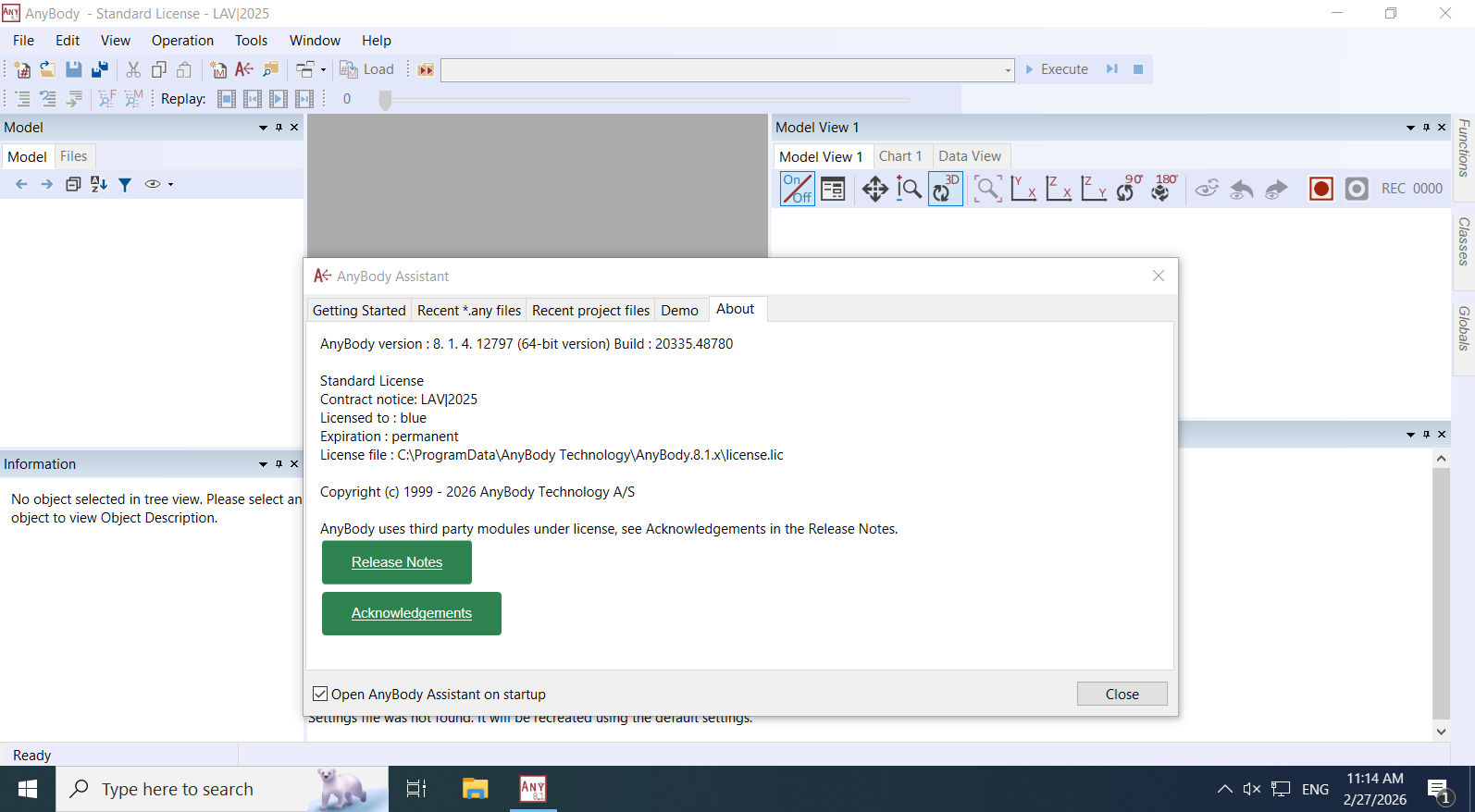
ANYBODY TECHNOLOGIES ANYBODY 2025 v8.1.4 is a leading musculoskeletal modeling and biomechanics simulation software developed by AnyBody Technology. Designed for engineers, researchers, and medical professionals, this advanced platform enables detailed simulation of human movement, muscle forces, joint loads, and ergonomic performance.

Widely used in orthopedics, prosthetics development, automotive ergonomics, and sports science, ANYBODY 2025 v8.1.4 provides highly accurate biomechanical analysis through predictive human body modeling.

What is ANYBODY 2025?
ANYBODY is a powerful simulation system that replicates the mechanical behavior of the human musculoskeletal system. Using inverse dynamics and advanced modeling techniques, it allows users to analyze muscle activity, joint reaction forces, and internal loads during movement.

Version 8.1.4 introduces improved solver performance, enhanced model libraries, and workflow refinements that streamline biomechanical research and product development.

Features of ANYBODY TECHNOLOGIES ANYBODY 2025 v8.1.4

1. Advanced Musculoskeletal Modeling
Full-body and segment-specific human models
Detailed muscle and joint representation
Customizable anatomical parameters
Scalable anthropometric data support

2. Biomechanics Simulation & Analysis
Inverse dynamics calculations
Joint reaction force estimation
Muscle activation and load prediction
Movement performance evaluation

3. Ergonomic & Product Design Applications
Workplace ergonomic assessment
Automotive seating and interior analysis
Wearable device and exoskeleton testing
Prosthetics and orthopedic implant evaluation

4. Motion Capture Integration
Import motion capture data
Synchronization with external measurement systems
Realistic movement replication
Dynamic activity simulation

5. Optimization & What-If Analysis
Evaluate design alternatives
Simulate posture adjustments
Predict load changes under varying conditions
Improve injury prevention strategies

6. Reporting & Visualization Tools
3D interactive visualization
Graphical result plotting
Customizable data export
Detailed biomechanical reporting

Applications
ANYBODY 2025 v8.1.4 is widely applied in:
Orthopedic research and implant design
Rehabilitation and clinical studies
Sports performance analysis
Industrial ergonomics optimization
Automotive safety and comfort studies
Academic biomechanics research

Benefits for Engineers & Researchers
Accurate prediction of internal body forces
Reduced need for physical prototyping
Improved ergonomic design validation
Data-driven decision-making
Enhanced safety and performance evaluation
ANYBODY helps professionals understand complex human movement mechanics and optimize products or environments accordingly.

Why Choose ANYBODY TECHNOLOGIES ANYBODY 2025 v8.1.4?
ANYBODY 2025 v8.1.4 stands out as a highly specialized biomechanics simulation platform that combines anatomical accuracy with powerful computational tools. Its ability to simulate real-world human movement and predict internal forces makes it an essential solution for industries focused on human-centered design.

For professionals seeking advanced musculoskeletal analysis and biomechanical simulation capabilities, ANYBODY TECHNOLOGIES ANYBODY 2025 v8.1.4 delivers precision, flexibility, and scientific reliability.

If you want to download ANYBODY TECHNOLOGIES ANYBODY 2025 v8.1.4 full license, please click to DOWNLOAD button to download.
CLICKDOWN.ORG Download CAD CAM CNC software
Inside package ANYBODY TECHNOLOGIES ANYBODY 2025 v8.1.4, already have cracked files and instruction how to install ANYBODY TECHNOLOGIES ANYBODY 2025 v8.1.4 step by step. I guarantee you can install ANYBODY TECHNOLOGIES ANYBODY 2025 v8.1.4 successfully if you follow that instruction.
If you also can’t install it or get any problems, please contact to me by email: clickdown.org@gmail.com, then I will help you to install software by teamviewer or Ultraviewer or Anydesk.
Thanks a lot
SOFTWARES

Download Deswik.Suite 2025.2.3380 win64 full license

Deswik.Suite 2025.2.3380 – Integrated Mine Planning & Scheduling Solution

Download Deswik.Suite 2025.2.3380 win64 full license

Link download Deswik.Suite 2025.2.3380 x64 full activated

Working with Deswik.Suite 2025.2.3380 full license

Description of Deswik.Suite 2025.2.3380

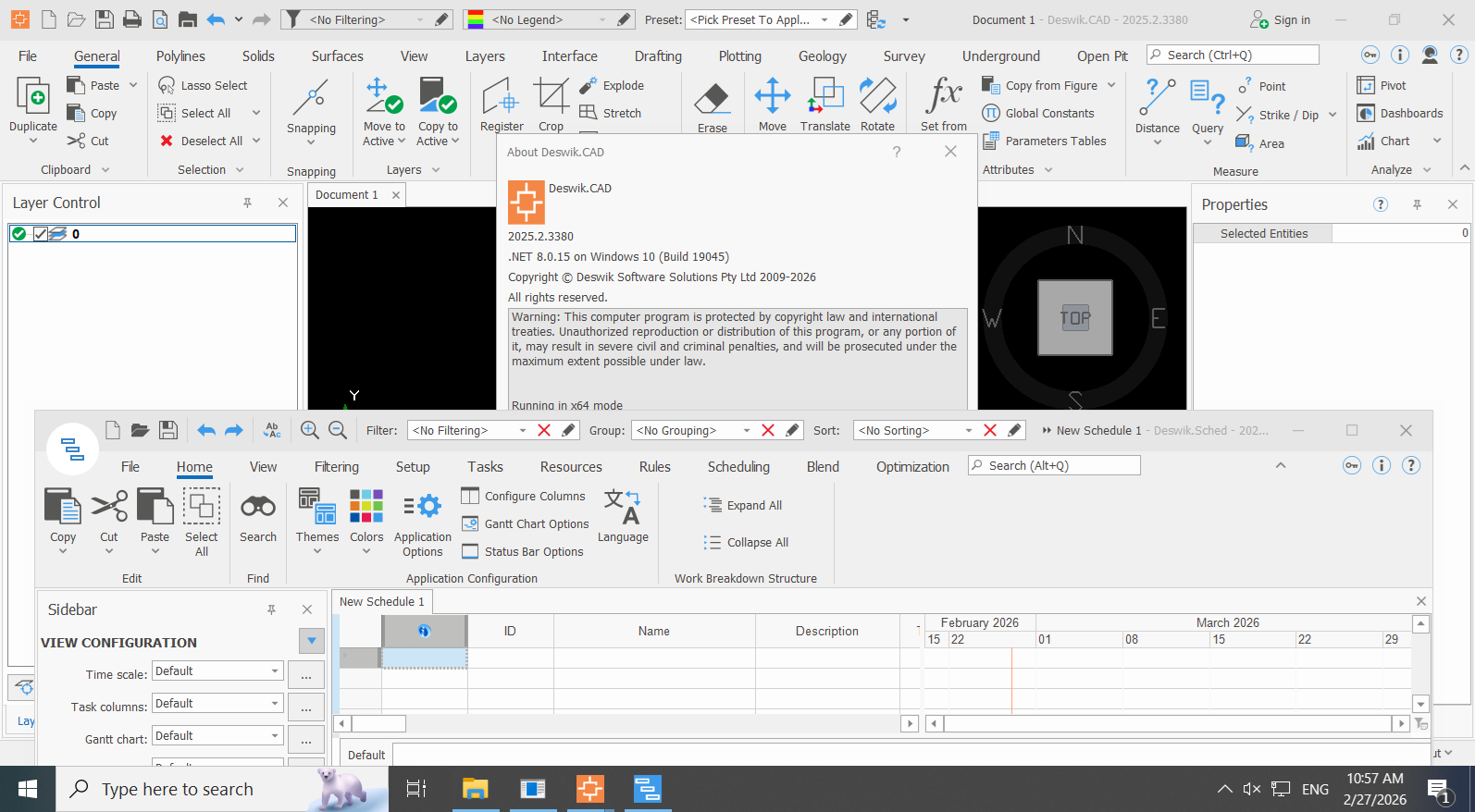
Deswik.Suite 2025.2.3380 is a comprehensive mine planning and scheduling software platform developed by Deswik. Designed for mining engineers, planners, and operations teams, Deswik.Suite provides an end-to-end workflow that integrates design, scheduling, resource management, and data analysis within a unified environment.

Built to support both open pit and underground operations, Deswik.Suite helps mining companies improve productivity, optimize resource utilization, and enhance decision-making accuracy across all project phases.

What is Deswik.Suite?
Deswik.Suite is a modular mining software ecosystem that combines geological modeling, mine design, production scheduling, and operational reporting tools. Its integrated architecture enables seamless data flow between departments, ensuring consistency and collaboration throughout the mine lifecycle.

Version 2025.2.3380 introduces performance enhancements, improved scheduling algorithms, and refined user interface features to streamline complex mining workflows.

Features of Deswik.Suite 2025.2.3380

1. Comprehensive Mine Design Tools
Open pit and underground mine design
Pit optimization support
Stope design and development layout
Surface infrastructure planning

2. Advanced Scheduling & Production Planning
Long-term, mid-term, and short-term scheduling
Resource allocation and constraint management
Gantt chart visualization
Scenario comparison and optimization

3. Geological & Resource Integration
Seamless connection with geological models
Block model utilization in planning
Grade control integration
Resource reconciliation support

4. 3D Visualization & Analysis
Interactive 3D mine models
Dynamic filtering and data interrogation
Volume and tonnage calculations
Real-time plan updates

5. Workflow Automation & Customization
Script-based automation tools
Custom templates and reporting
Repeatable process standardization
Improved planning efficiency

6. Data Management & Interoperability
Import/export of industry-standard formats
Centralized project database
Integration with third-party mining software
Scalable performance for large datasets

Applications
Deswik.Suite 2025.2.3380 is ideal for:
Open pit mine planning
Underground mine development
Production scheduling
Feasibility and prefeasibility studies
Resource optimization projects
Operational performance monitoring

Benefits for Mining Companies
Improved cross-department collaboration
Faster and more accurate scheduling
Enhanced visibility of production targets
Optimized equipment and workforce utilization
Reduced operational risks
Deswik.Suite provides mining operations with the flexibility and power needed to adapt to changing market conditions and production demands.

Why Choose Deswik.Suite 2025.2.3380?
Deswik.Suite stands out as a fully integrated mine planning platform that connects geological data, engineering design, and operational scheduling into a single, efficient workflow. Its modular structure allows organizations to scale functionality according to project complexity.

For mining professionals seeking reliable, data-driven planning and scheduling software, Deswik.Suite 2025.2.3380 offers a powerful and future-ready solution.

If you want to download Deswik.Suite 2025.2.3380 full license, please click to DOWNLOAD button to download.
CLICKDOWN.ORG Download CAD CAM CNC software
Inside package Deswik.Suite 2025.2.3380, already have cracked files and instruction how to install Deswik.Suite 2025.2.3380 step by step. I guarantee you can install Deswik.Suite 2025.2.3380 successfully if you follow that instruction.
If you also can’t install it or get any problems, please contact to me by email: clickdown.org@gmail.com, then I will help you to install software by teamviewer or Ultraviewer or Anydesk.
Thanks a lot
SOFTWARES

Download Deswik.GO 2025.2.2074 win64 full license

Deswik.GO 2025.2.2074 – Advanced Geological Modeling & Mine Planning Software

Download Deswik.GO 2025.2.2074 win64 full license

Link download Deswik.GO 2025.2.2074 x64 full activated

Working with Deswik.GO 2025.2.2074 full license

Description of Deswik.GO 2025.2.2074

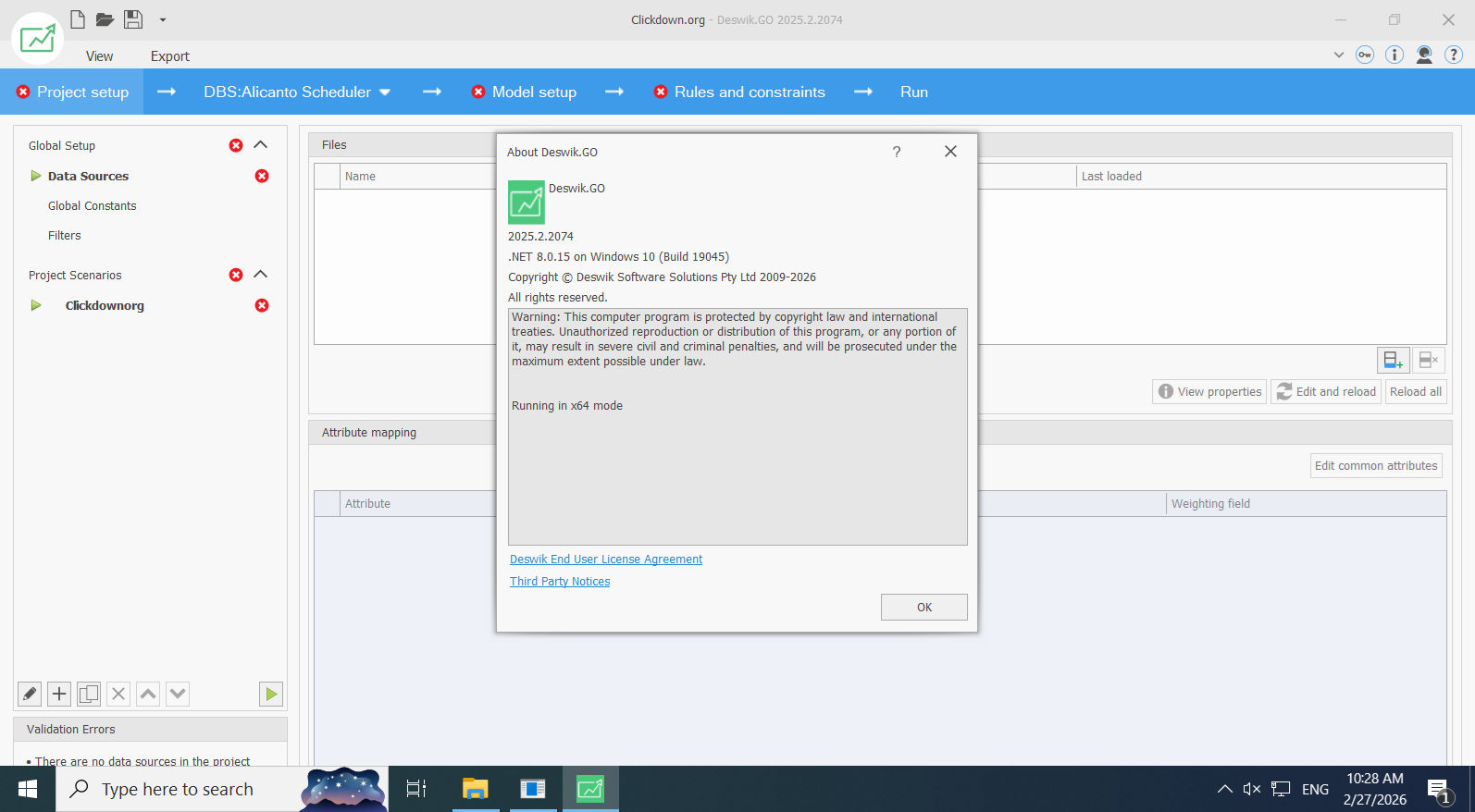
Deswik.GO 2025.2.2074 is a powerful geological modeling and mine planning solution developed by Deswik. Designed specifically for geologists and mining engineers, Deswik.GO provides an intuitive and efficient environment for creating, editing, and managing geological models across open pit and underground mining projects.

Built on Deswik’s integrated mine planning platform, Deswik.GO streamlines geological interpretation, block modeling, and data visualization to improve resource evaluation and decision-making accuracy.

What is Deswik.GO?
Deswik.GO is a specialized geological modeling module within the Deswik software ecosystem. It allows users to interpret drilling data, build geological wireframes, generate block models, and integrate geological information directly into mine planning workflows.

Version 2025.2.2074 enhances performance, improves modeling precision, and introduces workflow optimizations that support modern mining operations.

Features of Deswik.GO 2025.2.2074

1. Geological Interpretation Tools
Drillhole data visualization and management
Cross-section and plan-view interpretation
3D geological wireframing
Structural modeling capabilities

2. Advanced Block Modeling
Creation and editing of block models
Grade interpolation tools
Resource estimation support
Model validation and quality control

3. Integrated Mine Planning Workflow
Seamless integration with Deswik scheduling and design tools
Shared data environment across departments
Real-time updates between geological and planning teams

4. 3D Visualization & Analysis
Interactive 3D model display
Dynamic filtering and querying
Grade distribution visualization
Volume and tonnage calculations

5. Data Management & Compatibility
Import/export of industry-standard formats
Database connectivity
Large dataset handling
Optimized performance for complex models

6. Workflow Automation
Customizable templates
Script-based automation tools
Efficient repetitive task handling
Improved productivity for geological teams

Applications
Deswik.GO 2025.2.2074 is suitable for:
Open pit mine geological modeling
Underground mine geology
Mineral resource estimation
Exploration data analysis
Orebody modeling
Feasibility and pre-feasibility studies

Benefits for Mining Professionals
Improved geological model accuracy
Faster interpretation and modeling workflows
Enhanced collaboration between geology and planning teams
Reduced project turnaround time
Reliable data-driven decision-making
Deswik.GO helps organizations transform raw exploration data into actionable geological models that directly support optimized mine design and scheduling.

Why Choose Deswik.GO 2025.2.2074?
Deswik.GO delivers a modern, integrated geological modeling platform that enhances productivity and model reliability. With its advanced interpretation tools, block modeling capabilities, and seamless integration into the Deswik ecosystem, it provides mining professionals with a comprehensive solution for geological data management and resource modeling.

For companies seeking efficient and accurate geological modeling software, Deswik.GO 2025.2.2074 is a robust and scalable choice.

If you want to download Deswik.GO 2025.2.2074 full license, please click to DOWNLOAD button to download.
CLICKDOWN.ORG Download CAD CAM CNC software
Inside package Deswik.GO 2025.2.2074, already have cracked files and instruction how to install Deswik.GO 2025.2.2074 step by step. I guarantee you can install Deswik.GO 2025.2.2074 successfully if you follow that instruction.
If you also can’t install it or get any problems, please contact to me by email: clickdown.org@gmail.com, then I will help you to install software by teamviewer or Ultraviewer or Anydesk.
Thanks a lot
SOFTWARES

Download HeavyM Pro+ 2.14.5 x64 full license forever

HeavyM Pro+ 2.14.5 – Professional Projection Mapping Software

Download HeavyM Pro+ 2.14.5 full license

Link download HeavyM Pro+ 2.14.5 full activated

Working with HeavyM Pro+ 2.14.5 full license

Description of HeavyM Pro+ 2.14.5

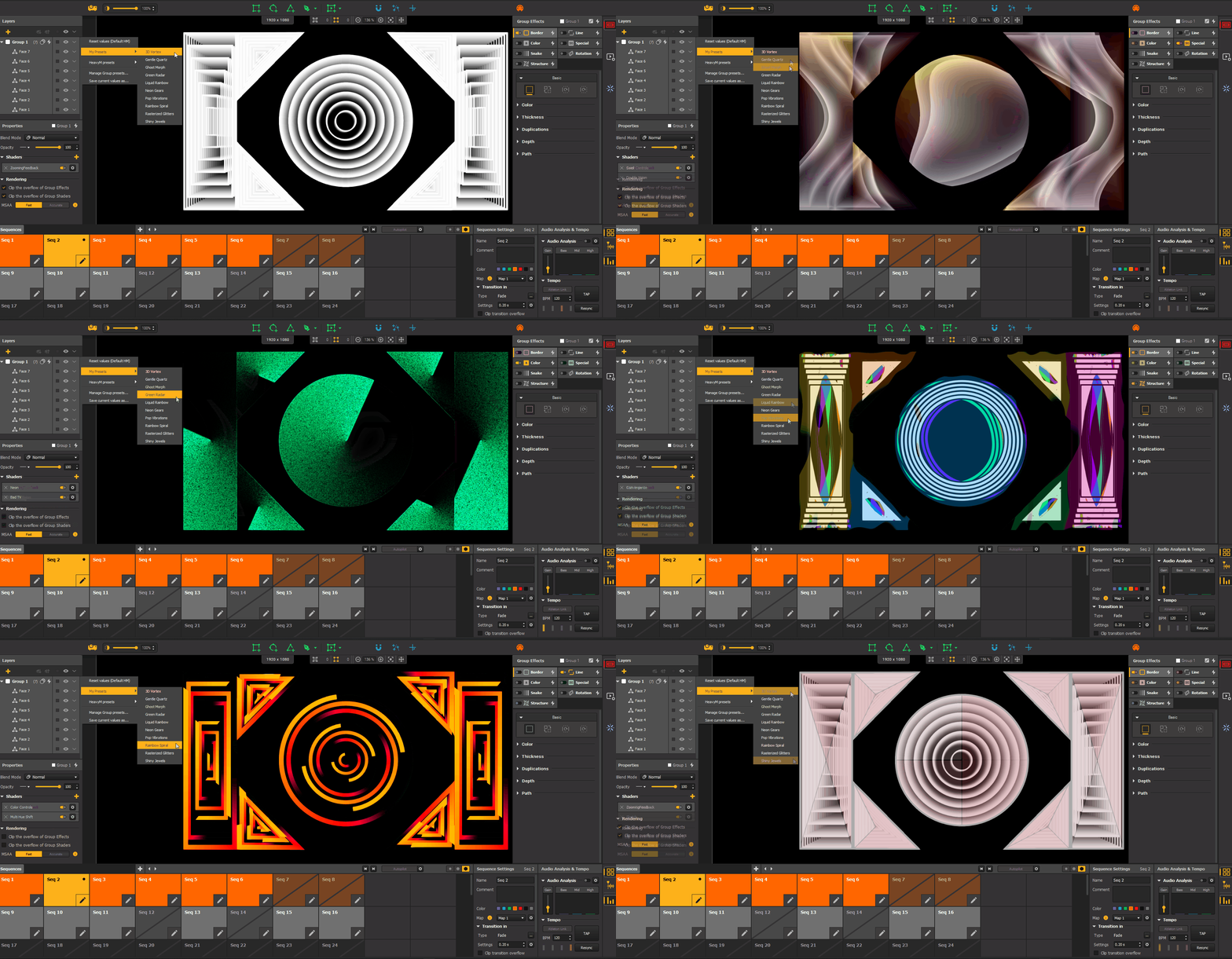
HeavyM Pro+ 2.14.5 is a powerful and user-friendly projection mapping software developed by Digital Essence. Designed for artists, event professionals, VJs, and creative studios, HeavyM Pro+ enables users to create stunning video mapping experiences without requiring advanced technical skills.

With its intuitive interface and real-time visual effects engine, HeavyM Pro+ 2.14.5 allows you to transform buildings, stages, objects, and installations into dynamic visual spectacles.

What is HeavyM Pro+?
HeavyM Pro+ is the advanced version of HeavyM, offering expanded features for professional projection mapping workflows. It supports multi-projector setups, advanced warping tools, DMX control, and real-time generative effects — making it ideal for concerts, festivals, corporate events, immersive art exhibitions, and architectural mapping projects.

Features of HeavyM Pro+ 2.14.5

1. Intuitive Projection Mapping Tools
Easy shape drawing and surface mapping
Corner pinning and mesh warping
Real-time visual adjustments
Supports irregular and complex surfaces

2. Built-in Visual Effects Engine
Library of dynamic generative effects
Audio-reactive animations
Real-time effect customization
Layer-based visual composition

3. Multi-Projector Management
Seamless edge blending
Multi-output support
Large-scale projection setup compatibility
Precise projector calibration

4. Advanced Media Support
Import videos, images, and animations
High-resolution content playback
Optimized performance for large media files

5. DMX & MIDI Control
DMX lighting integration
MIDI controller compatibility
Synchronization with live performances
Real-time show control

6. Professional Workflow Enhancements
Scene and timeline management
Preset saving and recall
Performance optimization tools
Reliable live event stability

Applications
HeavyM Pro+ 2.14.5 is ideal for:
Concert stage visuals
Festival projection mapping
Architectural façade mapping
Corporate product launches
Immersive art installations
Nightclub and live VJ performances
Themed attractions and exhibitions

Benefits for Creative Professionals
No coding required
Fast setup for live events
Flexible control options
Scalable for small and large productions
Professional-grade visual output
Whether you’re an independent VJ or a production company handling large-scale events, HeavyM Pro+ 2.14.5 provides the tools needed to create impactful visual experiences.

Why Choose HeavyM Pro+ 2.14.5?
HeavyM Pro+ combines ease of use with professional-level capabilities. Its powerful mapping engine, real-time effects, and multi-projector support make it a versatile solution for modern projection mapping projects.

For creators seeking reliable, high-performance visual mapping software, HeavyM Pro+ 2.14.5 stands out as a flexible and efficient tool for immersive visual storytelling.

If you want to download HeavyM Pro+ 2.14.5 full license, please click to DOWNLOAD button to download.
CLICKDOWN.ORG Download CAD CAM CNC software
Inside package HeavyM Pro+ 2.14.5, already have cracked files and instruction how to install HeavyM Pro+ 2.14.5 step by step. I guarantee you can install HeavyM Pro+ 2.14.5 successfully if you follow that instruction.
If you also can’t install it or get any problems, please contact to me by email: clickdown.org@gmail.com, then I will help you to install software by teamviewer or Ultraviewer or Anydesk.
Thanks a lot
SOFTWARES

Download CSI ETABS 23.2.0 build 4400 win64 full license

CSI ETABS 23.2.0 Build 4400 – Advanced Structural Analysis & Building Design Software

Download CSI ETABS 23.2.0 build 4400 win64 full license

Link download CSI ETABS 23.2.0 build 4400 x64 full activated

Working with CSI ETABS 23.2.0 build 4400 full license

Description of CSI ETABS 23.2.0 build 4400

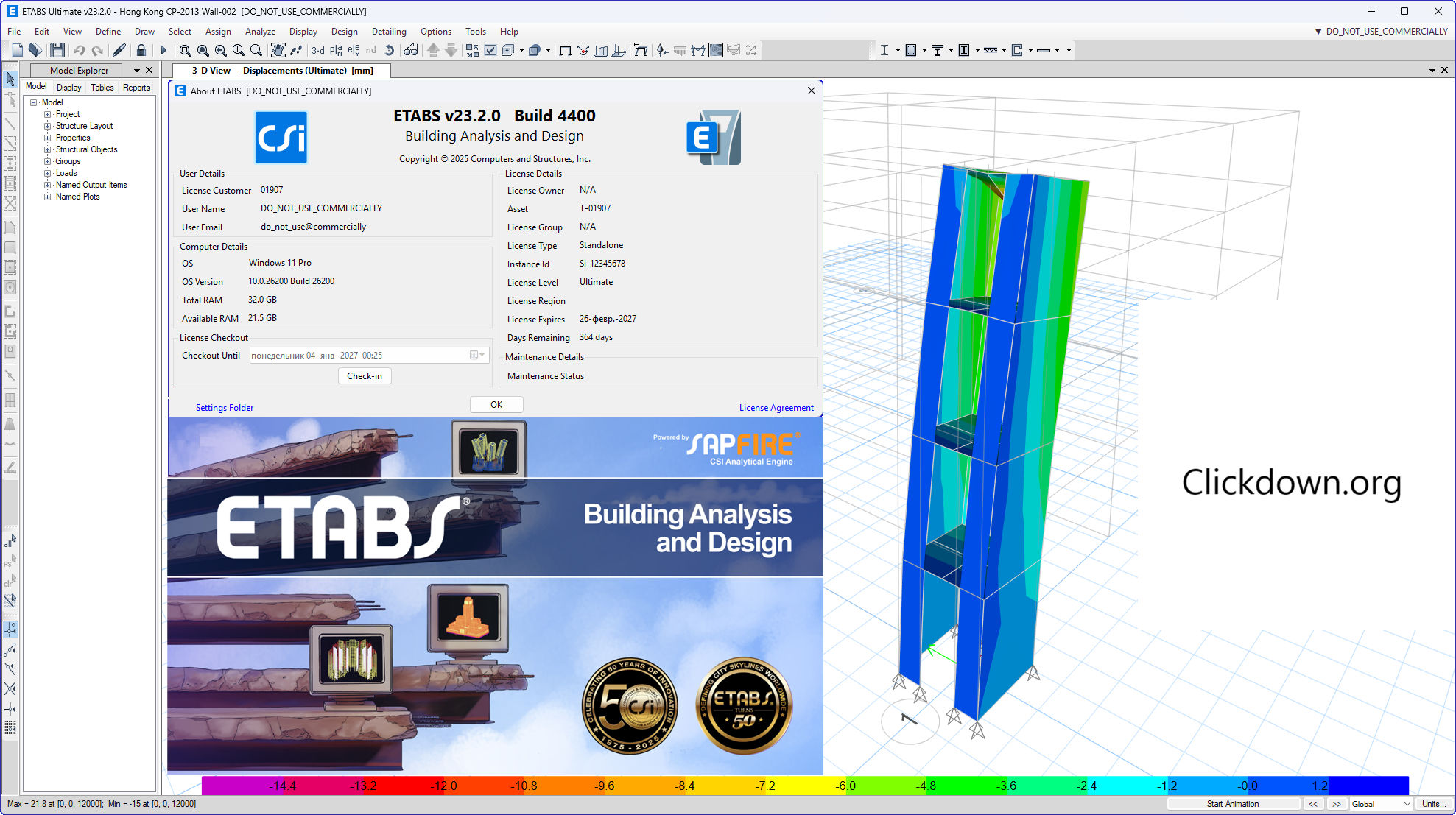
CSI ETABS 23.2.0 Build 4400 is a state-of-the-art structural analysis and design software developed by Computers and Structures, Inc. (CSI) for multi-story buildings and complex structural systems. Widely trusted by structural engineers worldwide, ETABS provides an integrated platform for modeling, analysis, design, and detailing of steel and reinforced concrete structures.

With powerful finite element technology and intelligent modeling tools, ETABS 23.2.0 enhances performance, improves workflow efficiency, and ensures code-compliant design for modern building projects.

What is CSI ETABS?
ETABS (Extended Three-Dimensional Analysis of Building Systems) is specifically tailored for building structures. It streamlines the entire structural design process — from conceptual modeling to detailed analysis and documentation — within a single environment.

Version 23.2.0 Build 4400 introduces performance optimizations, improved design algorithms, and enhanced interoperability to support today’s complex architectural and engineering requirements.

Features of CSI ETABS 23.2.0 build 4400

1. Advanced Structural Modeling
Intelligent grid and story-based modeling
Automatic generation of beams, columns, slabs, and walls
Parametric modeling tools
Support for complex geometry structures

2. Powerful Analysis Capabilities
Linear and nonlinear static analysis
Response spectrum and time history analysis
P-Delta analysis
Performance-based seismic design

3. Comprehensive Design Modules
Reinforced concrete frame design
Steel structure design
Composite beam design
Shear wall and slab design
International design code support

4. Seismic & Wind Load Analysis
Built-in seismic load generators
Wind load automation
Dynamic analysis tools
Drift and displacement checks

5. BIM & Software Integration
Seamless integration with SAFE and SAP2000
Import/export via IFC, DXF, and other formats
Coordination with BIM workflows

6. Detailed Reporting & Documentation
Customizable calculation reports
Reinforcement detailing output
Graphical display of forces, stresses, and deformations
Exportable analysis summaries

7. Performance Enhancements
Improved solver speed
Efficient large-model handling
Optimized memory usage for complex buildings

Benefits for Structural Engineers
CSI ETABS 23.2.0 Build 4400 helps engineers:
Reduce modeling time
Improve design accuracy
Ensure compliance with international codes
Optimize structural performance
Enhance collaboration through BIM integration
It is ideal for high-rise buildings, commercial complexes, residential towers, industrial facilities, hospitals, educational buildings, and infrastructure projects.

Applications
High-rise building structural analysis
Seismic-resistant building design
Steel frame and concrete structure modeling
Wind load performance evaluation
Structural retrofitting and rehabilitation projects

Why Choose CSI ETABS 23.2.0 Build 4400?
CSI ETABS remains one of the most powerful and specialized building structural analysis tools available today. Its integrated modeling environment, advanced analysis engine, and comprehensive design modules make it an essential solution for structural engineers worldwide.

For professionals seeking precision, efficiency, and reliable building analysis software, CSI ETABS 23.2.0 Build 4400 delivers outstanding performance and flexibility.

If you want to download CSI ETABS 23.2.0 build 4400 full license, please click to DOWNLOAD button to download.
CLICKDOWN.ORG Download CAD CAM CNC software
Inside package CSI ETABS 23.2.0 build 4400, already have cracked files and instruction how to install CSI ETABS 23.2.0 build 4400 step by step. I guarantee you can install CSI ETABS 23.2.0 build 4400 successfully if you follow that instruction.
If you also can’t install it or get any problems, please contact to me by email: clickdown.org@gmail.com, then I will help you to install software by teamviewer or Ultraviewer or Anydesk.
Thanks a lot
SOFTWARES

Download CSI SAFE 23.2.0 build 3523 win64 full license

CSI SAFE 23.2.0 Build 3523 – Advanced Slab & Foundation Design Software

Download CSI SAFE 23.2.0 build 3523 win64 full license

Link download CSI SAFE 23.2.0 build 3523 full activated

Working with CSI SAFE 23.2.0 build 3523 full license

Description of CSI SAFE 23.2.0 build 3523

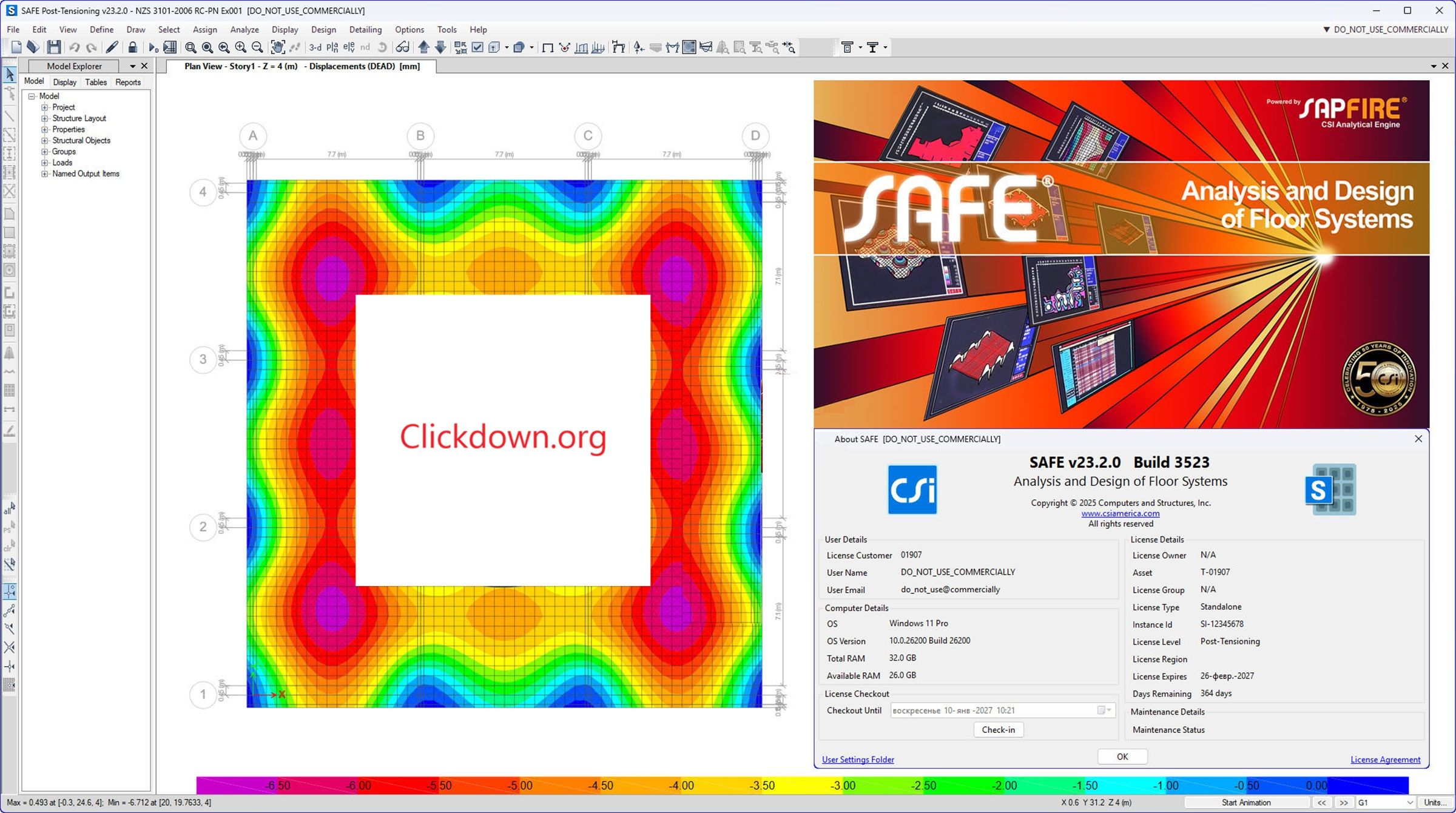
CSI SAFE 23.2.0 Build 3523 is a powerful structural engineering software solution developed by Computers and Structures, Inc. (CSI) for the analysis and design of concrete slabs and foundations. Widely trusted by structural engineers worldwide, SAFE integrates load analysis, design, and detailing tools into a single, efficient environment.

With its advanced finite element modeling capabilities and seamless BIM integration, CSI SAFE 23.2.0 enables engineers to accurately model mat foundations, post-tensioned slabs, reinforced concrete slabs, and footings under complex loading conditions.

What is CSI SAFE?
CSI SAFE (Slab Analysis by the Finite Element Method) is purpose-built for concrete slab and foundation systems. It combines powerful modeling tools with design code-based checks to streamline workflows from concept to detailed design.

Version 23.2.0 Build 3523 introduces performance improvements, enhanced modeling flexibility, and refined analysis tools to support modern structural engineering projects.

Features of CSI SAFE 23.2.0 build 3523

1. Advanced Finite Element Analysis
Accurate modeling of slabs and foundations
Support for complex geometries
Nonlinear analysis capabilities
Soil-structure interaction modeling

2. Comprehensive Slab Design Tools
Reinforced concrete slab design
Post-tensioned slab design
Punching shear checks
Automated reinforcement calculations

3. Foundation Modeling Capabilities
Mat foundations
Spread footings
Strip footings
Pile caps and combined foundations

4. Integrated Design Codes
Multiple international concrete design codes
Automated code compliance verification
Detailed design reports

5. BIM & Software Integration
Seamless integration with ETABS and SAP2000
Import/export via IFC and other formats
Enhanced interoperability for collaborative workflows

6. Detailed Reporting & Documentation
Customizable design reports
Reinforcement detailing output
Graphical stress and deformation visualization
Exportable calculation summaries

7. Performance Enhancements
Faster analysis engine
Improved handling of large models
Optimized memory usage

Benefits for Structural Engineers
CSI SAFE 23.2.0 Build 3523 offers:
Increased design accuracy
Reduced modeling time
Streamlined slab and foundation workflows
Reliable code-compliant results
Improved coordination with other CSI products
It is especially suitable for high-rise buildings, industrial facilities, residential complexes, commercial structures, and infrastructure projects requiring precise slab and foundation analysis.

Applications
Reinforced concrete slab design
Post-tensioned slab systems
Mat foundation analysis
Basement slab modeling
Heavy industrial foundation systems
Multi-story building foundation design

Why Choose CSI SAFE 23.2.0 Build 3523?
CSI SAFE continues to be one of the most reliable slab and foundation design tools available. With its powerful finite element engine, code-based design automation, and integration with other CSI structural software, it provides engineers with confidence, efficiency, and precision in every project.

For professionals seeking a robust and specialized slab analysis and foundation design solution, CSI SAFE 23.2.0 Build 3523 remains a top-tier choice.

If you want to download CSI SAFE 23.2.0 build 3523 full license, please click to DOWNLOAD button to download.
CLICKDOWN.ORG Download CAD CAM CNC software
Inside package CSI SAFE 23.2.0 build 3523, already have cracked files and instruction how to install CSI SAFE 23.2.0 build 3523 step by step. I guarantee you can install CSI SAFE 23.2.0 build 3523 successfully if you follow that instruction.
If you also can’t install it or get any problems, please contact to me by email: clickdown.org@gmail.com, then I will help you to install software by teamviewer or Ultraviewer or Anydesk.
Thanks a lot
SOFTWARES

Download PDF-XChange Pro 10.8.3.408 full license forever

PDF-XChange Pro 10.8.3.408 – Complete PDF Editing & Management Suite

Download PDF-XChange Pro 10.8.3.408 full license forever

Link download PDF-XChange Pro 10.8.3.408 full activated

Working with PDF-XChange Pro 10.8.3.408 full license

Description of PDF-XChange Pro 10.8.3.408

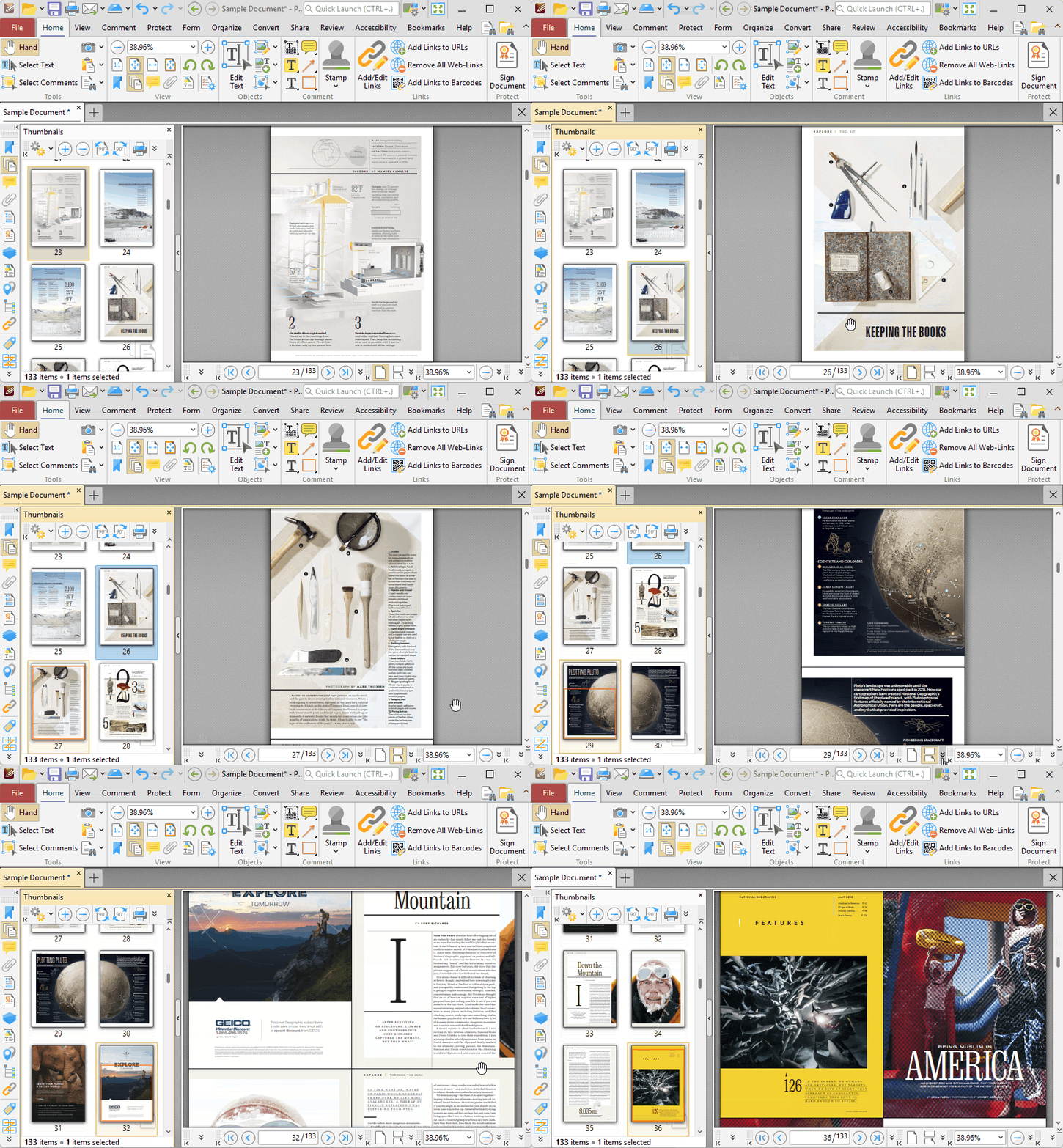
PDF-XChange Pro 10.8.3.408 is a powerful all-in-one PDF solution designed for professionals who need advanced tools for creating, editing, annotating, converting, and securing PDF documents. Developed by Tracker Software, this professional suite combines PDF-XChange Editor Plus, PDF-XChange Standard, and PDF-Tools into a single comprehensive package.

Whether you’re managing business documents, legal files, technical manuals, or academic materials, PDF-XChange Pro delivers speed, precision, and full control over your PDF workflows.

Features of PDF-XChange Pro 10.8.3.408

1. PDF-XChange Editor Plus
Full-featured PDF editing and annotation tools
Direct text editing within PDF files
OCR (Optical Character Recognition) for scanned documents
Form creation and editing
Advanced commenting and markup tools

2. PDF-XChange Standard (Virtual Printer)
Create high-quality PDFs from any printable application
Batch conversion support
Customizable print profiles
Optimized compression settings

3. PDF-Tools
Batch processing for large document workflows
Automated document manipulation
Split, merge, and optimize PDFs
Convert PDF to various formats (Word, Excel, images)
Add watermarks, headers, footers, and stamps

Advanced PDF Editing
Modify text, images, and objects directly
Rearrange, insert, or delete pages
Add hyperlinks and interactive elements

Powerful OCR Engine
Convert scanned documents into searchable and editable PDFs
Multi-language recognition support
High accuracy and fast processing

Comprehensive Security Options
Password protection
256-bit AES encryption
Digital signatures and certificate-based security
Redaction tools to permanently remove sensitive information

Document Conversion
Export PDF to Microsoft Word, Excel, PowerPoint
Convert PDFs to image formats (JPEG, PNG, TIFF)
Batch conversion capabilities

Form Creation & Automation
Create interactive fillable forms
JavaScript support for advanced form actions
Validate and calculate form data

Optimized Performance
Lightweight and fast installation
Low system resource usage
Smooth performance even with large documents

Benefits for Professionals
PDF-XChange Pro 10.8.3.408 is ideal for:
Business professionals handling contracts and reports
Legal teams managing secure documentation
Engineers and architects working with technical drawings
Students and educators organizing research materials
Administrative offices requiring batch processing tools
Its combination of editing, printing, automation, and security tools makes it a cost-effective alternative to many other high-end PDF solutions.

Why Choose PDF-XChange Pro 10.8.3.408?
Comprehensive PDF toolkit in one package
Professional-grade OCR and security
Advanced batch processing capabilities
Lightweight and efficient performance
Suitable for both small businesses and enterprises
PDF-XChange Pro continues to be a trusted solution for users who demand precision, flexibility, and full control over their PDF documents.

If you want to download PDF-XChange Pro 10.8.3.408 full license, please click to DOWNLOAD button to download.
CLICKDOWN.ORG Download CAD CAM CNC software
Inside package PDF-XChange Pro 10.8.3.408, already have cracked files and instruction how to install PDF-XChange Pro 10.8.3.408 step by step. I guarantee you can install PDF-XChange Pro 10.8.3.408 successfully if you follow that instruction.
If you also can’t install it or get any problems, please contact to me by email: clickdown.org@gmail.com, then I will help you to install software by teamviewer or Ultraviewer or Anydesk.
Thanks a lot
SOFTWARES

Download Voyis VSLAM powered by EIVA NaviSuite 1.5 full

Voyis VSLAM powered by EIVA NaviSuite 1.5 – Advanced Underwater Navigation & Mapping Solution

Download Voyis VSLAM powered by EIVA NaviSuite 1.5 full license

Link download Voyis VSLAM powered by EIVA NaviSuite 1.5 full activated

Voyis VSLAM powered by EIVA NaviSuite 1.5 x64 full license

Working with Voyis VSLAM powered by EIVA NaviSuite 1.5 full activated

Description of Voyis VSLAM powered by EIVA NaviSuite 1.5

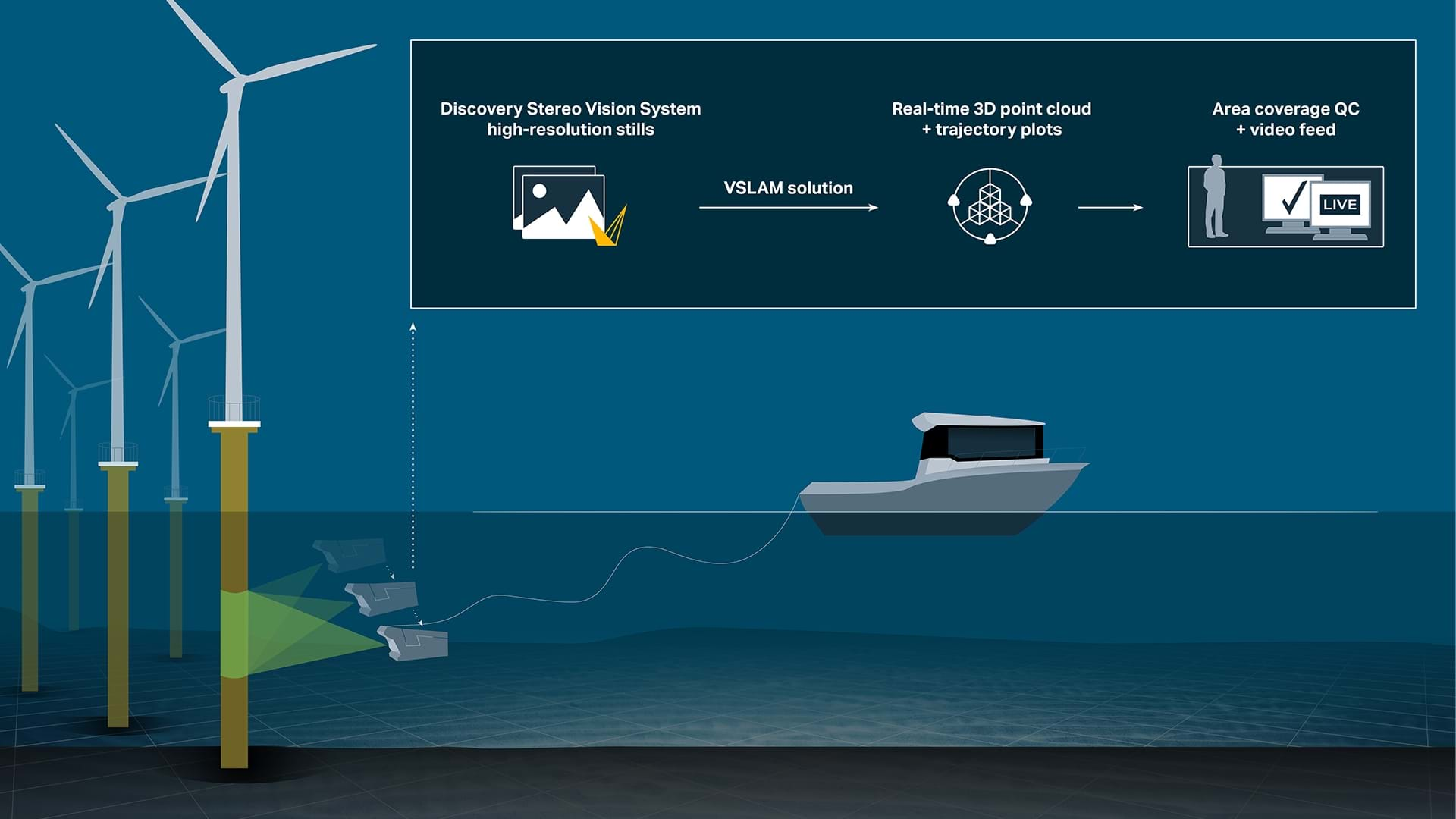
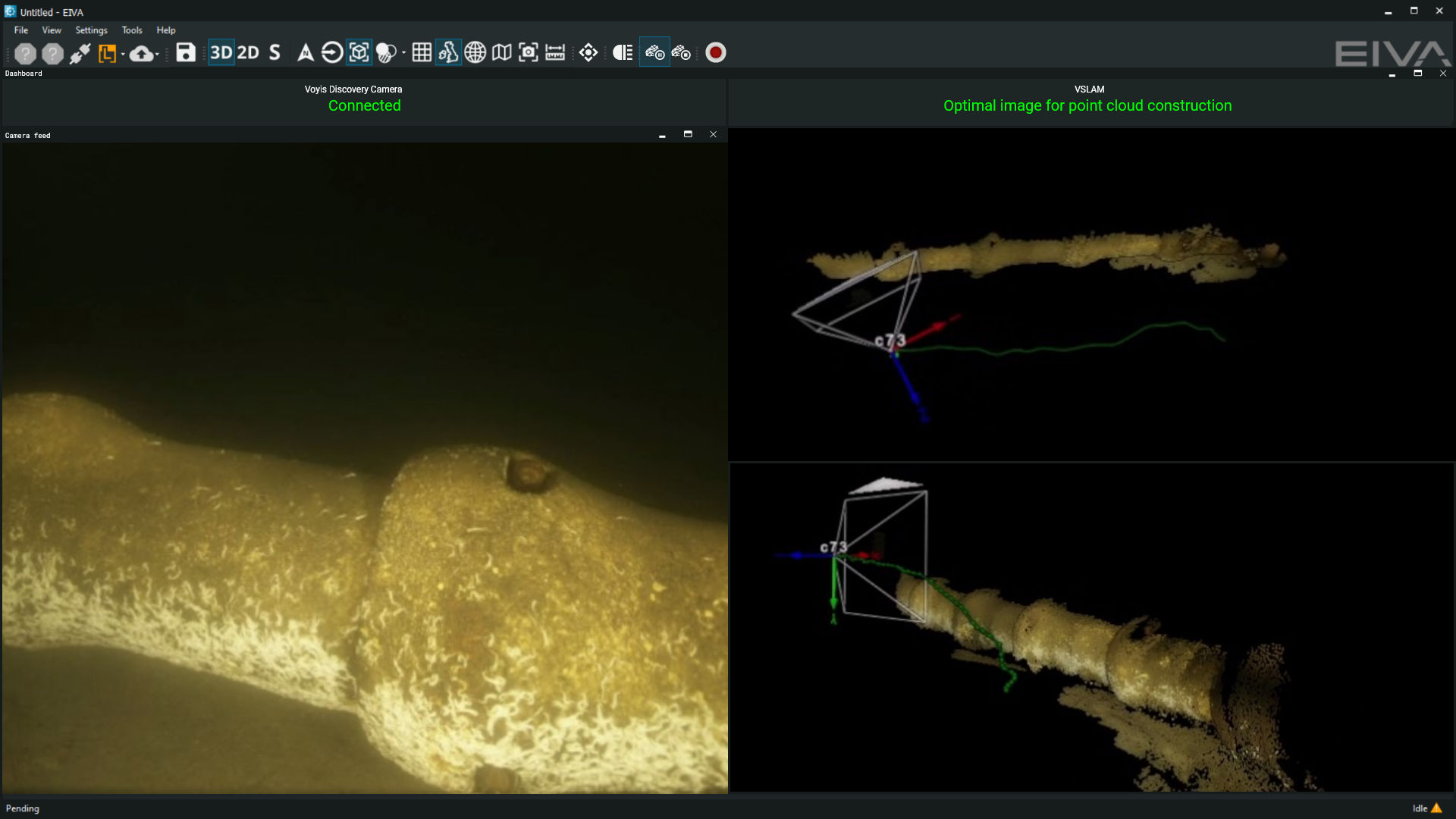
Voyis VSLAM powered by EIVA NaviSuite 1.5 is a cutting-edge underwater navigation and real-time mapping solution designed to enhance subsea survey accuracy, operational efficiency, and data quality. By combining Voyis’ visual SLAM (Simultaneous Localization and Mapping) technology with the powerful processing and visualization capabilities of EIVA NaviSuite 1.5, this integrated solution delivers precise positioning and high-resolution 3D mapping in GPS-denied underwater environments.

This system is ideal for ROV, AUV, and diver-based inspections, offering reliable navigation without dependence on traditional acoustic positioning systems. It is widely used in offshore energy, marine research, defense, infrastructure inspection, and subsea construction projects.

Voyis VSLAM is a visual-based navigation system that uses high-resolution optical sensors to estimate vehicle position and generate detailed 3D maps in real time. Unlike conventional USBL or LBL acoustic systems, VSLAM operates independently of external beacons, making it ideal for confined, complex, or cluttered underwater environments.

When integrated with NaviSuite 1.5, users gain seamless mission planning, data acquisition, processing, and visualization in one unified workflow.

Features of Voyis VSLAM powered by EIVA NaviSuite 1.5

1. Real-Time Visual Navigation
Accurate positioning in GPS-denied subsea environments
Reduced dependency on acoustic positioning systems
Enhanced stability for ROV and AUV operations

2. High-Resolution 3D Mapping
Detailed subsea structure reconstruction
Improved inspection and asset documentation
Supports photogrammetry-based deliverables

3. Seamless NaviSuite Integration
Unified workflow from acquisition to processing
Integrated data management within NaviSuite 1.5
Streamlined reporting and visualization tools

4. Improved Inspection Efficiency
Faster mobilization with minimal infrastructure
Reduced setup time compared to traditional systems
Increased productivity in complex underwater environments

5. Enhanced Accuracy & Reliability
Visual SLAM algorithm optimized for subsea conditions
Robust performance in low-visibility scenarios
Consistent mapping in tight or confined spaces

6. Cost-Effective Operations
Eliminates need for expensive acoustic arrays
Lower operational complexity
Reduced vessel time and operational costs

Applications
Voyis VSLAM powered by EIVA NaviSuite 1.5 is suitable for:
Offshore oil & gas inspection
Renewable energy subsea surveys
Port and harbor inspection
Ship hull inspection
Underwater infrastructure monitoring
Scientific marine research
Defense and security operations

Benefits for Survey & Inspection Professionals
By integrating optical navigation with NaviSuite’s advanced processing environment, this solution ensures:
Greater operational confidence
High-precision subsea mapping
Streamlined data processing workflow
Improved project turnaround time
Reliable results in challenging underwater conditions
For companies seeking an alternative to traditional acoustic positioning systems, Voyis VSLAM powered by EIVA NaviSuite 1.5 represents a significant advancement in underwater navigation technology.

Conclusion
Voyis VSLAM powered by EIVA NaviSuite 1.5 delivers next-generation underwater navigation and mapping performance. With real-time visual positioning, detailed 3D mapping capabilities, and seamless integration within the NaviSuite ecosystem, it provides a powerful and efficient solution for modern subsea survey and inspection operations.

Whether for offshore energy, marine research, or infrastructure inspection, this integrated system ensures accurate results, reduced operational costs, and enhanced data quality.

If you want to download Voyis VSLAM powered by EIVA NaviSuite 1.5 full license, please click to DOWNLOAD button to download.
CLICKDOWN.ORG Download CAD CAM CNC software
Inside package Voyis VSLAM powered by EIVA NaviSuite 1.5, already have cracked files and instruction how to install Voyis VSLAM powered by EIVA NaviSuite 1.5 step by step. I guarantee you can install Voyis VSLAM powered by EIVA NaviSuite 1.5 successfully if you follow that instruction.
If you also can’t install it or get any problems, please contact to me by email: clickdown.org@gmail.com, then I will help you to install software by teamviewer or Ultraviewer or Anydesk.
Thanks a lot
SOFTWARES

Download AIT Encevis 2.1.1.61769 full license 100% working

AIT Encevis 2.1.1.61769 – Advanced Data Analytics & Visualization Platform

Download AIT Encevis 2.1.1.61769 full license 100% working

Link download AIT Encevis 2.1.1.61769 full activated

Working with AIT Encevis 2.1.1.61769 full license

Description of AIT Encevis 2.1.1.61769

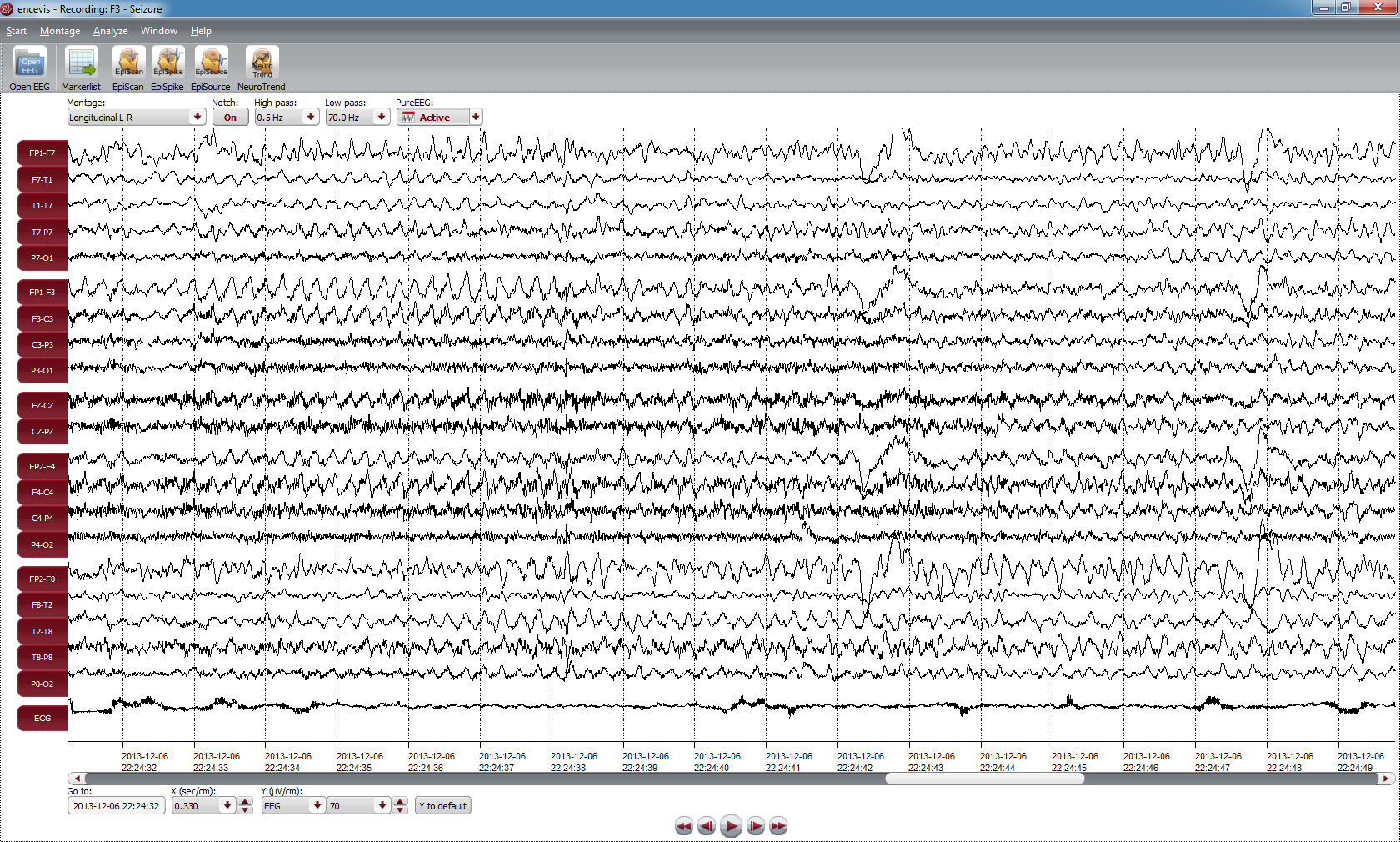
AIT Encevis 2.1.1.61769 is a powerful data analytics and visualization platform designed to help organizations transform complex datasets into meaningful insights. Built with advanced statistical modeling, machine learning integration, and interactive dashboards, Encevis enables engineers, researchers, and business analysts to make faster, smarter decisions.

The 2.1.1.61769 release introduces performance enhancements, improved visualization tools, and expanded compatibility for modern data environments. Whether you work in engineering analysis, scientific research, or enterprise analytics, AIT Encevis provides a reliable and scalable solution.

AIT Encevis is engineered to simplify complex data interpretation by combining powerful computational engines with intuitive visualization features. The software supports large-scale data processing, advanced modeling, and customizable reporting tools to suit diverse industry requirements.

Features of AIT Encevis 2.1.1.61769

1. Advanced Data Processing Engine
Efficiently handle large datasets with high-speed computation and optimized memory usage.

2. Interactive Visualization Tools
Create dynamic charts, graphs, and dashboards to analyze trends and patterns in real time.

3. Statistical Modeling & Machine Learning
Apply advanced statistical methods and predictive modeling to uncover deeper insights.

4. Multi-Format Data Support
Import and export data in multiple formats, ensuring compatibility with external software and databases.

5. Custom Reporting System
Generate automated, customizable reports for internal analysis or client presentation.

6. Modular Architecture
Flexible modular design allows users to adapt the platform to specific project requirements.

7. High-Level Security
Integrated user authentication, encrypted data handling, and secure project management.

8. API & Integration Capabilities
Connect seamlessly with third-party systems, databases, and enterprise platforms.

9. User-Friendly Interface
Clean and intuitive UI that reduces the learning curve for new users.

10. Performance Optimization in v2.1.1.61769
This version improves stability, enhances processing speed, and refines visualization responsiveness.

Benefits of Using AIT Encevis 2.1.1.61769
Organizations can leverage AIT Encevis to:
Improve data-driven decision making
Reduce analysis time
Enhance reporting accuracy
Support research and engineering projects
Increase operational efficiency
The platform is suitable for engineering firms, research institutions, data analysts, and enterprise teams seeking advanced analytical capabilities.

Conclusion
AIT Encevis 2.1.1.61769 delivers a robust and scalable analytics environment for professionals who require advanced data modeling and visualization tools. With improved performance, enhanced reporting features, and secure integration capabilities, this release provides a comprehensive solution for modern analytical workflows.

If you want to download AIT Encevis 2.1.1.61769 full license, please click to DOWNLOAD button to download.
CLICKDOWN.ORG Download CAD CAM CNC software
Inside package AIT Encevis 2.1.1.61769, already have cracked files and instruction how to install AIT Encevis 2.1.1.61769 step by step. I guarantee you can install AIT Encevis 2.1.1.61769 successfully if you follow that instruction.
If you also can’t install it or get any problems, please contact to me by email: clickdown.org@gmail.com, then I will help you to install software by teamviewer or Ultraviewer or Anydesk.
Thanks a lot
SOFTWARES

Download Rusolut Platform 2026 v10.1.0 x64 full license

Download Rusolut Platform 2026 v10.1.0 x64 full license

Link download Rusolut Platform 2026 v10.1.0 full activated

Download Rusolut Platform 2026 v10.1.0 x64 full license

Description of Rusolut Platform 2026 v10.1.0

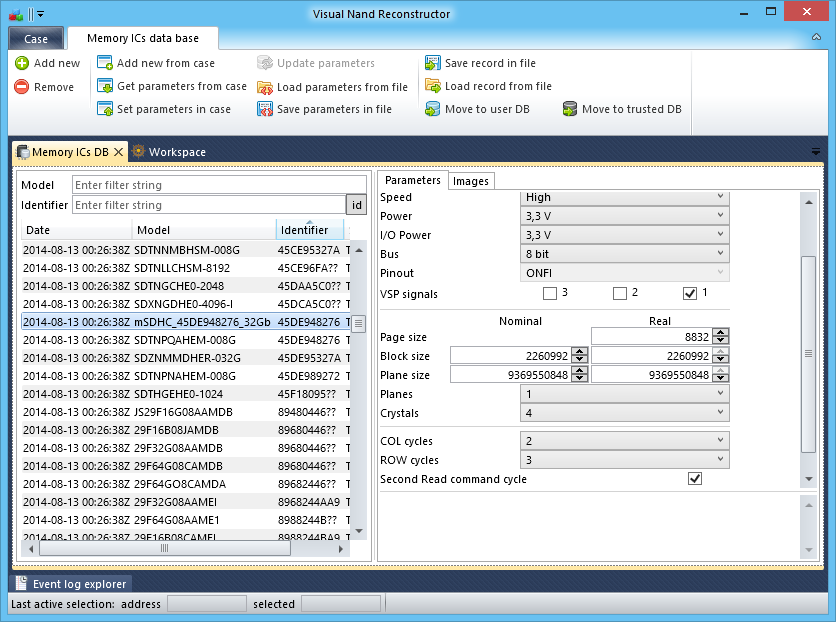
Rusolut Platform 2026 v10.1.0 is a unified application that serves as a central workspace for all Rusolut solutions – current and future.
From Visual NAND Reconstructor and Vehicle Data Reconstructor to eMMC-NAND Reconstructor, all tools are accessible from a single interface.
A scalable platform designed to support advanced data recovery and forensic analysis from one place.

We’re also pleased to announce a new update for Visual NAND Reconstructor 10.0, now integrated into the Rusolut Platform 10.0.
This release focuses on the development of powerful, high-performance AI-XOR algorithms for the latest flash controllers – PS2251-09/19 and FC33xx.
In addition, we’ve significantly improved the performance of all existing AI-XOR algorithms, delivering faster and more efficient analysis across supported devices.
We’ve also increased read performance for the NVDDR3 3D NAND (6×ALE) protocol, enabling significantly faster acquisition from large-capacity NAND chips.
Below is a summary of all the new features included in this update.

If you want to download Rusolut Platform 2026 v10.1.0 full license, please click to DOWNLOAD button to download.
CLICKDOWN.ORG Download CAD CAM CNC software
Inside package Rusolut Platform 2026 v10.1.0, already have cracked files and instruction how to install Rusolut Platform 2026 v10.1.0 step by step. I guarantee you can install Rusolut Platform 2026 v10.1.0 successfully if you follow that instruction.
If you also can’t install it or get any problems, please contact to me by email: clickdown.org@gmail.com, then I will help you to install software by teamviewer or Ultraviewer or Anydesk.
Thanks a lot
SOFTWARES

Download HEXAGON NCSIMUL 2026.1.0 win64 full license

NCSIMUL 2026.1.0 – Advanced CNC Simulation & Verification Solution

Download HEXAGON NCSIMUL 2026.1.0 win64 full license

Link download NCSIMUL 2026.1.0 x64 full activated

Working with HEXAGON NCSIMUL 2026.1.0 full license

Description of NCSIMUL 2026.1.0

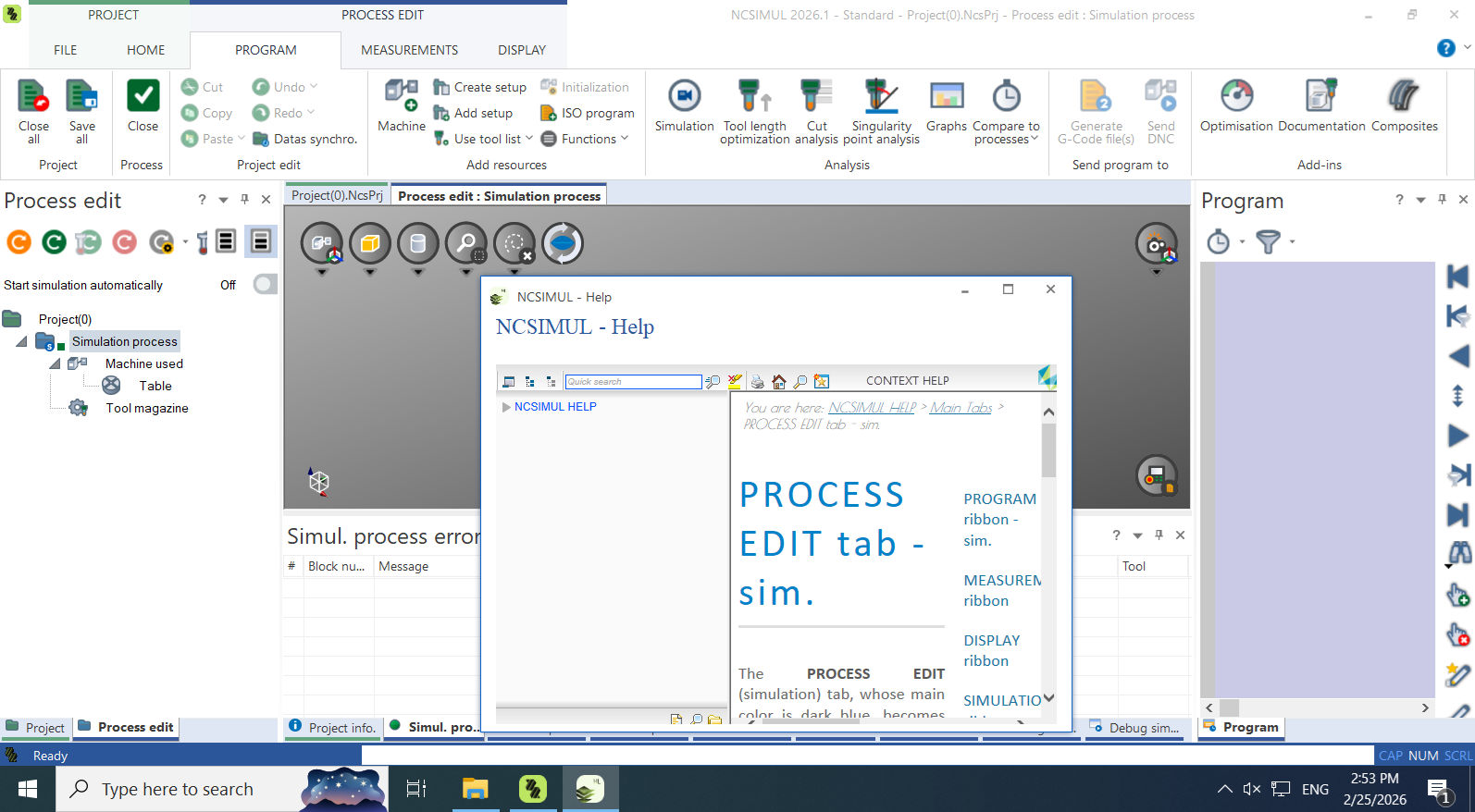
HEXAGON NCSIMUL 2026.1.0 is a powerful CNC machining simulation and verification software developed by Hexagon AB. It enables manufacturers, CNC programmers, and production engineers to simulate, optimize, and validate machining processes before execution, helping eliminate collisions, reduce cycle time, and improve production efficiency.

This latest version enhances digital manufacturing workflows with improved simulation accuracy, smarter toolpath optimization, and seamless integration with CAM and CNC environments.

NCSIMUL provides a complete virtual machining environment where users can verify NC programs, detect potential errors, optimize toolpaths, and ensure safe and efficient production. It supports multi-axis machines, complex tooling setups, and advanced machining strategies.

Features of NCSIMUL 2026.1.0

🛠 CNC Simulation & Collision Detection
Accurate 3D machine simulation and visualization
Detect collisions, gouges, and over-travel risks
Validate machine kinematics and motion paths

⚙ NC Code Verification & Optimization
Verify G-code before shop floor execution
Optimize feed rates and tool movements
Reduce machining cycle time and tool wear

🔩 Multi-Axis Machining Support
Full support for 3-axis to 5-axis CNC machines
Simulate complex multi-axis toolpaths
Ensure precision in high-complexity parts

📐 Tool & Machine Digital Twin
Create accurate virtual replicas of machines and tools
Validate setups and fixtures virtually
Reduce setup time and prevent costly errors

🔄 CAM Integration & Workflow Automation
Seamless integration with leading CAM systems
Automate simulation and verification workflows
Streamline digital manufacturing processes

📊 Material Removal & Surface Analysis
Visualize material removal in real time
Compare simulated results with CAD models
Improve surface finish and machining accuracy

🏭 Smart Manufacturing & Industry 4.0
Enhance production planning and efficiency
Improve traceability and process control
Support digital twin manufacturing strategies

What’s New in Version 2026.1.0
Improved simulation accuracy and collision detection
Enhanced multi-axis machining verification
Faster simulation processing and performance
Improved CAM interoperability
UI enhancements and workflow optimizations

Benefits
✔ Prevents costly machining errors and collisions
✔ Reduces setup time and material waste
✔ Optimizes machining efficiency and cycle time
✔ Improves product quality and precision
✔ Supports smart manufacturing initiatives

Who Should Use HEXAGON NCSIMUL?
CNC programmers & machinists
Manufacturing engineers
Aerospace & automotive manufacturers
Precision machining workshops
Industry 4.0 production teams

If you want to download NCSIMUL 2026.1.0 full license, please click to DOWNLOAD button to download.
CLICKDOWN.ORG Download CAD CAM CNC software
Inside package NCSIMUL 2026.1.0, already have cracked files and instruction how to install NCSIMUL 2026.1.0 step by step. I guarantee you can install NCSIMUL 2026.1.0 successfully if you follow that instruction.
If you also can’t install it or get any problems, please contact to me by email: clickdown.org@gmail.com, then I will help you to install software by teamviewer or Ultraviewer or Anydesk.
Thanks a lot
SOFTWARES

Download Adobe Lightroom Classic 15.2.0 x64 full license

Adobe Lightroom Classic 15.2.0 – Professional Photo Editing & Workflow Management

Download Adobe Lightroom Classic 15.2.0 x64 full license

Link download Adobe Lightroom Classic 15.2.0 full activated

Working with Adobe Lightroom Classic 15.2.0 full license

Description of Adobe Lightroom Classic 15.2.0

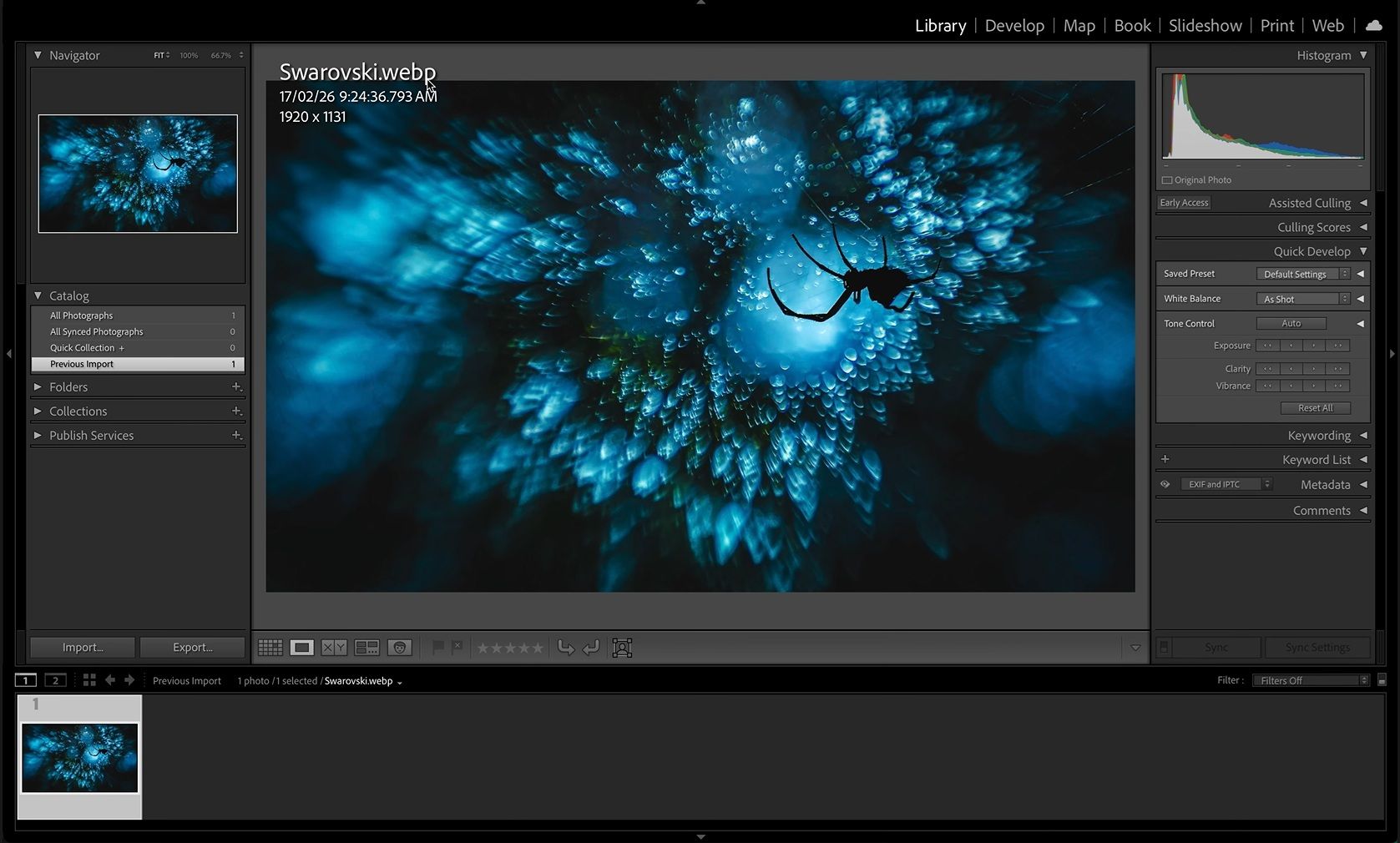
Adobe Lightroom Classic 15.2.0 is a professional photo editing and management solution from Adobe Inc., designed for photographers who need powerful editing tools combined with advanced cataloging and workflow control. This latest version improves performance, enhances AI-powered adjustments, and refines organizational tools to streamline professional photo workflows.

Lightroom Classic remains the preferred choice for photographers who want full control over local storage, batch editing, and high-quality image processing.

Adobe Lightroom Classic provides a complete environment for importing, organizing, editing, and exporting photos. With non-destructive editing and advanced color control, users can enhance images while preserving original files.

Features of Adobe Lightroom Classic 15.2.0

📸 Professional Photo Editing
Non-destructive editing workflow
Exposure, contrast, highlights, and shadow adjustments
Advanced tone curve and color grading tools

🤖 AI-Powered Enhancements
AI masking for subject, sky, and background selection
Automatic portrait enhancements and skin smoothing
Intelligent noise reduction and sharpening

🗂 Advanced Photo Organization
Smart collections and keyword tagging
Face recognition and metadata management
Powerful search and filtering tools

🎨 Precision Color Control
HSL adjustments and color grading panels
Camera profile support and custom presets
HDR and panoramic image merging

⚡ Workflow & Performance Improvements
Faster preview rendering and batch processing
GPU acceleration for smoother editing
Improved catalog performance for large libraries

🌐 Seamless Integration & Export
Integration with Adobe Creative Cloud ecosystem
Export presets for print, web, and social media
Watermarking and batch export options

What’s New in Version 15.2.0
Improved AI masking accuracy and speed
Enhanced noise reduction performance
Faster image import and preview generation
Expanded camera and lens profile support
Stability improvements and bug fixes

Benefits
✔ Professional-grade photo editing tools
✔ Efficient management of large photo libraries
✔ Faster workflow for photographers and studios
✔ AI-powered adjustments save editing time
✔ Seamless integration with Adobe ecosystem

Who Should Use Adobe Lightroom Classic?
Professional photographers
Wedding & portrait photographers
Photo studios & media agencies
Content creators & influencers
Photography enthusiasts

If you want to download Adobe Lightroom Classic 15.2.0 full license, please click to DOWNLOAD button to download.
CLICKDOWN.ORG Download CAD CAM CNC software
Inside package Adobe Lightroom Classic 15.2.0, already have cracked files and instruction how to install Adobe Lightroom Classic 15.2.0 step by step. I guarantee you can install Adobe Lightroom Classic 15.2.0 successfully if you follow that instruction.
If you also can’t install it or get any problems, please contact to me by email: clickdown.org@gmail.com, then I will help you to install software by teamviewer or Ultraviewer or Anydesk.
Thanks a lot
SOFTWARES

Download HVAC Solution Professional 2021.6.11 win64 full

HVAC Solution Professional 2021.6.11 – Advanced HVAC System Design & Load Calculation Tool

Download HVAC Solution Professional 2021.6.11 win64 full

Link download HVAC Solution Professional 2021.6.11 full activated

Working with HVAC Solution Professional 2021.6.11 full license

Description of HVAC Solution Professional 2021.6.11

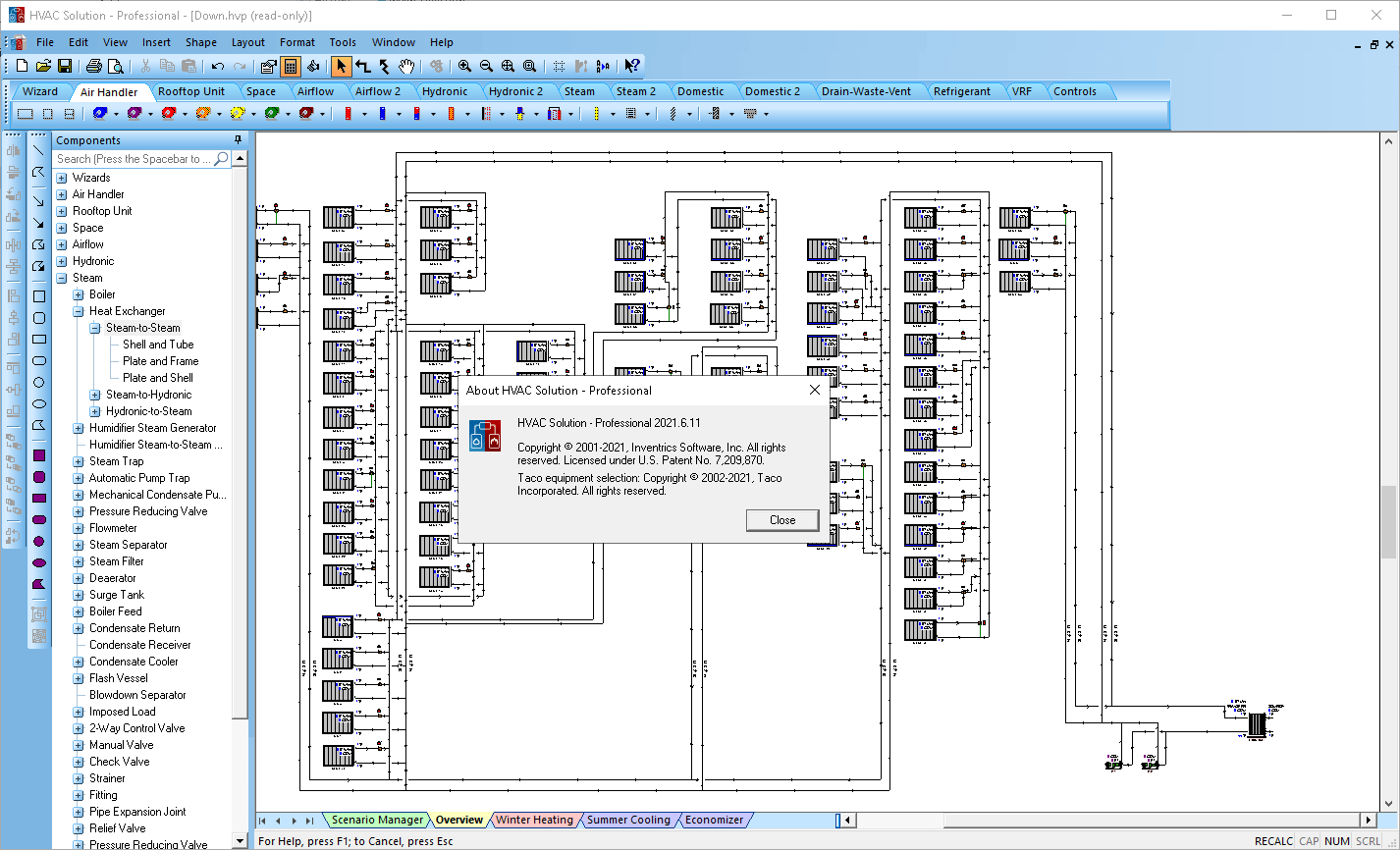
HVAC Solution Professional 2021.6.11 is a powerful engineering software designed to simplify heating, ventilation, and air conditioning system design. Developed by Elite Software Development Inc., this professional solution enables engineers, contractors, and building designers to perform accurate load calculations, duct sizing, equipment selection, and energy analysis.

With built-in compliance tools and automation features, HVAC Solution Professional helps users design efficient, code-compliant HVAC systems for residential, commercial, and industrial projects.

HVAC Solution Professional integrates multiple HVAC design modules into a single platform, allowing professionals to calculate heating and cooling loads, size ducts and piping, and select equipment with precision. The software improves productivity while ensuring system performance and energy efficiency.

Features of HVAC Solution Professional 2021.6.11

❄️ Heating & Cooling Load Calculations
Accurate block and room-by-room load calculations
Supports industry standards and regional climate data
Automatic heat gain and loss analysis

🌬 Duct Design & Air Distribution
Automatic duct sizing and layout optimization
Static pressure and airflow balancing tools
Noise and velocity control calculations

🔥 Hydronic & Piping Design
Pipe sizing for hot water and chilled water systems
Pump head calculations and flow analysis
Pressure drop and system balancing tools

⚙ Equipment Selection & System Sizing
Select HVAC equipment based on calculated loads
Evaluate system performance and efficiency
Generate equipment schedules and specifications

📊 Energy Efficiency & Cost Analysis
Estimate operating costs and energy consumption
Compare system alternatives for efficiency
Optimize designs for sustainability goals

📄 Compliance & Reporting
Generate detailed engineering reports
Ensure compliance with building codes and standards
Export documentation for project submissions

What’s New in Version 2021.6.11
Improved load calculation accuracy
Updated climate and weather databases
Enhanced reporting and documentation tools
Performance improvements and bug fixes
Improved compatibility with modern Windows systems

Benefits
✔ Reduces HVAC design time and errors
✔ Ensures accurate load calculations and system sizing
✔ Improves energy efficiency and cost control
✔ Supports code compliance and documentation
✔ Ideal for residential and commercial projects

Who Should Use HVAC Solution Professional?
HVAC engineers & consultants
Mechanical contractors
Building services designers
Energy efficiency specialists
Construction & MEP professionals

If you want to download HVAC Solution Professional 2021.6.11 full license, please click to DOWNLOAD button to download.
CLICKDOWN.ORG Download CAD CAM CNC software
Inside package HVAC Solution Professional 2021.6.11, already have cracked files and instruction how to install HVAC Solution Professional 2021.6.11 step by step. I guarantee you can install HVAC Solution Professional 2021.6.11 successfully if you follow that instruction.
If you also can’t install it or get any problems, please contact to me by email: clickdown.org@gmail.com, then I will help you to install software by teamviewer or Ultraviewer or Anydesk.
Thanks a lot
SOFTWARES

Download Xara Designer Pro Plus 25.1.0.72372 full license

Xara Designer Pro Plus 25.1.0.72372 – Complete Graphic & Web Design Solution

Download Xara Designer Pro Plus 25.1.0.72372 win64 full license

Link download Xara Designer Pro Plus 25.1.0.72372 x64 full activated

Working with Xara Designer Pro Plus 25.1.0.72372 full license

Description of Xara Designer Pro Plus 25.1.0.72372

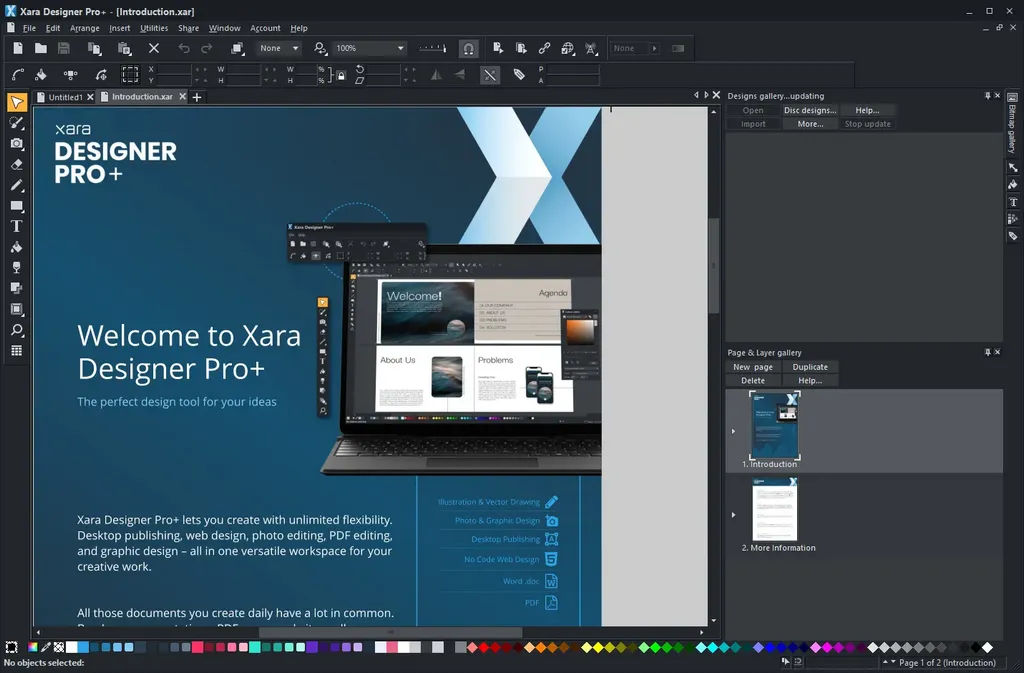
Xara Designer Pro Plus 25.1.0.72372 is an all-in-one creative design suite that combines vector illustration, photo editing, desktop publishing, and web design tools in a single powerful platform. Developed by Xara Group Ltd., this software is trusted by designers, marketers, and content creators for producing professional visuals and digital content quickly and efficiently.

With its intuitive drag-and-drop workflow, high-performance rendering engine, and extensive template library, Xara Designer Pro Plus enables users to create logos, brochures, social media graphics, presentations, and responsive websites without requiring advanced coding skills.

Xara Designer Pro Plus offers a seamless design experience by integrating illustration, layout, and publishing tools. Whether you’re creating marketing materials, web pages, or digital artwork, the software delivers professional results with speed and precision.

Features of Xara Designer Pro Plus 25.1.0.72372

🎨 Advanced Vector Illustration
Create scalable vector graphics with precision drawing tools
Shape builder and node editing for complex designs
Apply gradients, transparency, and effects easily

🖼 Professional Photo Editing
Non-destructive image editing workflow
Background removal and photo enhancement tools
Filters, color correction, and retouching features

📰 Desktop Publishing & Layout Design
Design brochures, flyers, posters, and magazines
Advanced typography and text flow controls
Print-ready output with professional color management

🌐 Website & Responsive Design
Build responsive websites visually without coding
Drag-and-drop web components and widgets
Built-in hosting & FTP publishing support

📣 Marketing & Content Creation Tools
Ready-made templates for social media & ads
Create banners, infographics, and presentations
Export graphics optimized for digital platforms

⚡ High-Speed Rendering Engine
Smooth performance even with complex designs
Real-time effects and instant preview rendering
Optimized for modern multi-core systems

What’s New in Version 25.1
Improved performance and stability
Updated design templates and assets
Enhanced photo editing tools
Improved web export compatibility
Workflow refinements for faster content creation

Benefits
✔ All-in-one solution for graphic and web design
✔ Ideal for beginners and professional designers
✔ Saves time with templates and automation tools
✔ Produces print-ready and web-optimized output
✔ Eliminates need for multiple design applications

Who Should Use Xara Designer Pro Plus?
Graphic designers & illustrators
Marketing professionals & content creators
Small business owners
Web designers & freelancers
Publishers & print professionals

If you want to download Xara Designer Pro Plus 25.1.0.72372 full license, please click to DOWNLOAD button to download.
CLICKDOWN.ORG Download CAD CAM CNC software
Inside package Xara Designer Pro Plus 25.1.0.72372, already have cracked files and instruction how to install Xara Designer Pro Plus 25.1.0.72372 step by step. I guarantee you can install Xara Designer Pro Plus 25.1.0.72372 successfully if you follow that instruction.
If you also can’t install it or get any problems, please contact to me by email: clickdown.org@gmail.com, then I will help you to install software by teamviewer or Ultraviewer or Anydesk.
Thanks a lot
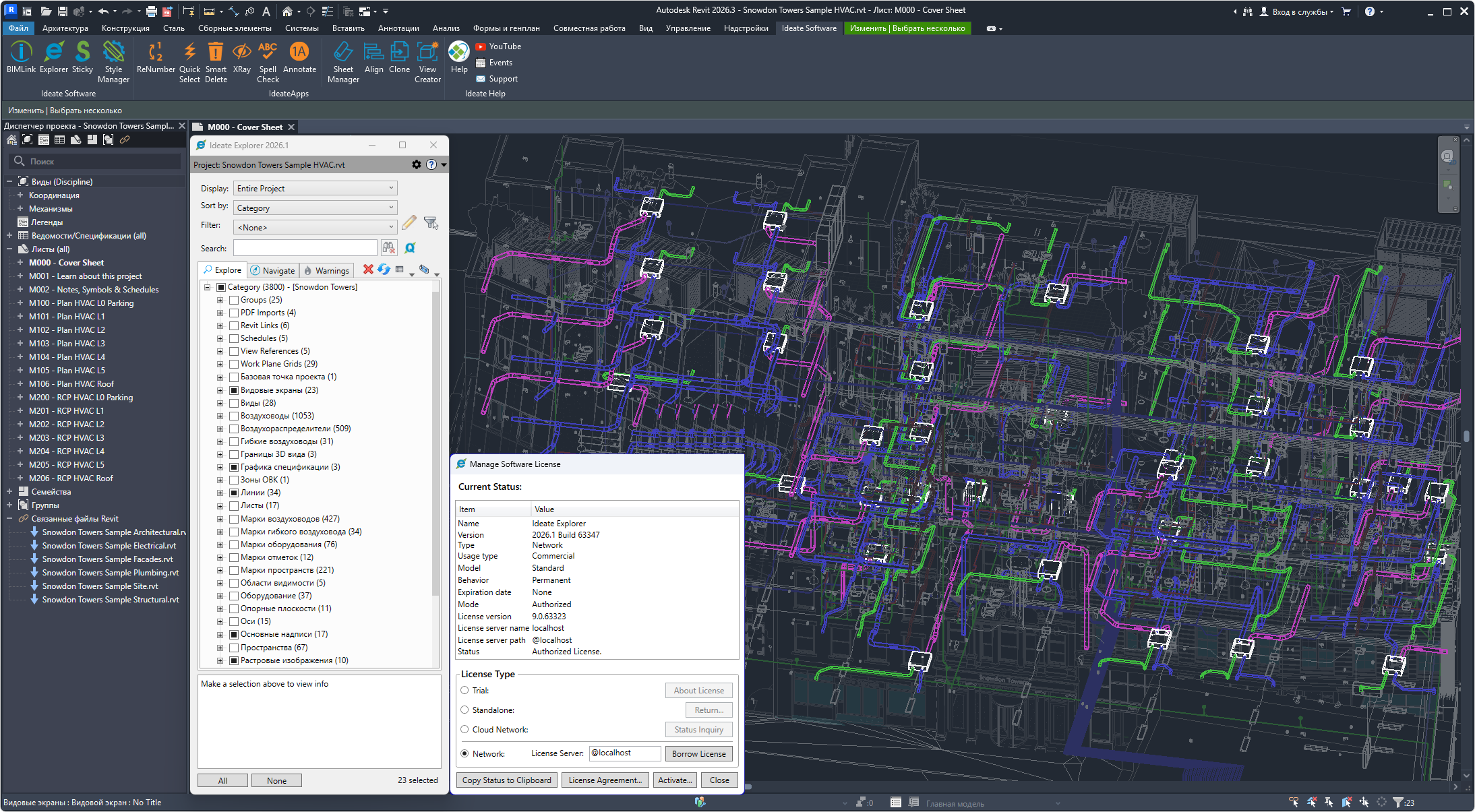
SOFTWARES

Download Ideate Software Revit Plugins 2023-2026 x64 full

Ideate Software Revit Plugins 2023-2026 – Productivity Tools for BIM & Revit Workflows

Download Ideate Software Revit Plugins 2023-2026 x64 full license

Link download Ideate Software Revit Plugins 2023-2026 full activated

Ideate Software Revit Plugins 2023-2026 x64 full license

Description of Ideate Software Revit Plugins 2023-2026

Ideate Software Revit Plugins 2023-2026 is a powerful suite of productivity tools designed to enhance modeling efficiency, data management, and workflow automation inside Autodesk Revit. Developed by Ideate Software, this plugin collection helps architects, engineers, and BIM managers streamline complex projects and maintain model accuracy.

The suite includes tools such as Ideate Explorer, Ideate BIMLink, Ideate Sticky, and IdeateApps, enabling professionals to quickly search, manage, and optimize Revit models while improving team collaboration.

🔎 Ideate Explorer
Quickly search and find elements within Revit models
Navigate large BIM files with improved visibility
Verify standards and model consistency

📊 Ideate BIMLink
Export Revit data to Excel for bulk editing
Perform rapid parameter changes and data validation
Re-import edited data with full accuracy

📌 Ideate Sticky
Add notes and reminders directly inside Revit projects
Improve team communication and coordination
Track tasks and model updates

⚙️ IdeateApps
Automate repetitive modeling tasks
Batch process multiple views and sheets
Manage standards, naming, and data consistency

Features of Ideate Software Revit Plugins 2023-2026

🚀 Boost Modeling Productivity
Reduce time spent searching and editing elements
Automate repetitive BIM tasks
Improve workflow efficiency across large projects

🧩 Advanced Data Management
Easily manipulate parameters and metadata
Ensure project data consistency
Simplify quality control processes

👥 Enhanced Collaboration
Improve communication between team members
Share notes and project insights within models
Maintain transparency across BIM workflows

📐 Model Quality & Standards Control
Identify inconsistencies and unused elements
Maintain naming conventions and standards
Improve overall model reliability

🔄 Seamless Revit Integration
Native integration with Revit interface
Supports Revit versions 2023–2026
Works within existing BIM workflows

Benefits for BIM Professionals
✔ Accelerates model navigation and editing
✔ Reduces errors through better data control
✔ Enhances team collaboration and coordination
✔ Improves BIM model quality and compliance
✔ Saves hours on repetitive tasks

Who Should Use Ideate Revit Plugins?
Architects & architectural firms
Structural & MEP engineers
BIM managers & coordinators
Construction & design professionals
Revit power users

If you want to download Ideate Software Revit Plugins 2023-2026 full license, please click to DOWNLOAD button to download.
CLICKDOWN.ORG Download CAD CAM CNC software
Inside package Ideate Software Revit Plugins 2023-2026, already have cracked files and instruction how to install Ideate Software Revit Plugins 2023-2026 step by step. I guarantee you can install Ideate Software Revit Plugins 2023-2026 successfully if you follow that instruction.
If you also can’t install it or get any problems, please contact to me by email: clickdown.org@gmail.com, then I will help you to install software by teamviewer or Ultraviewer or Anydesk.
Thanks a lot

error: Content is protected !!
Scroll to Top