SOFTWARES

SOFTWARES

Download Altair Embed 2026.0 win64 full license forever

Download Altair Embed 2026.0 win64 full license forever

Link download Altair Embed 2026.0 full activated
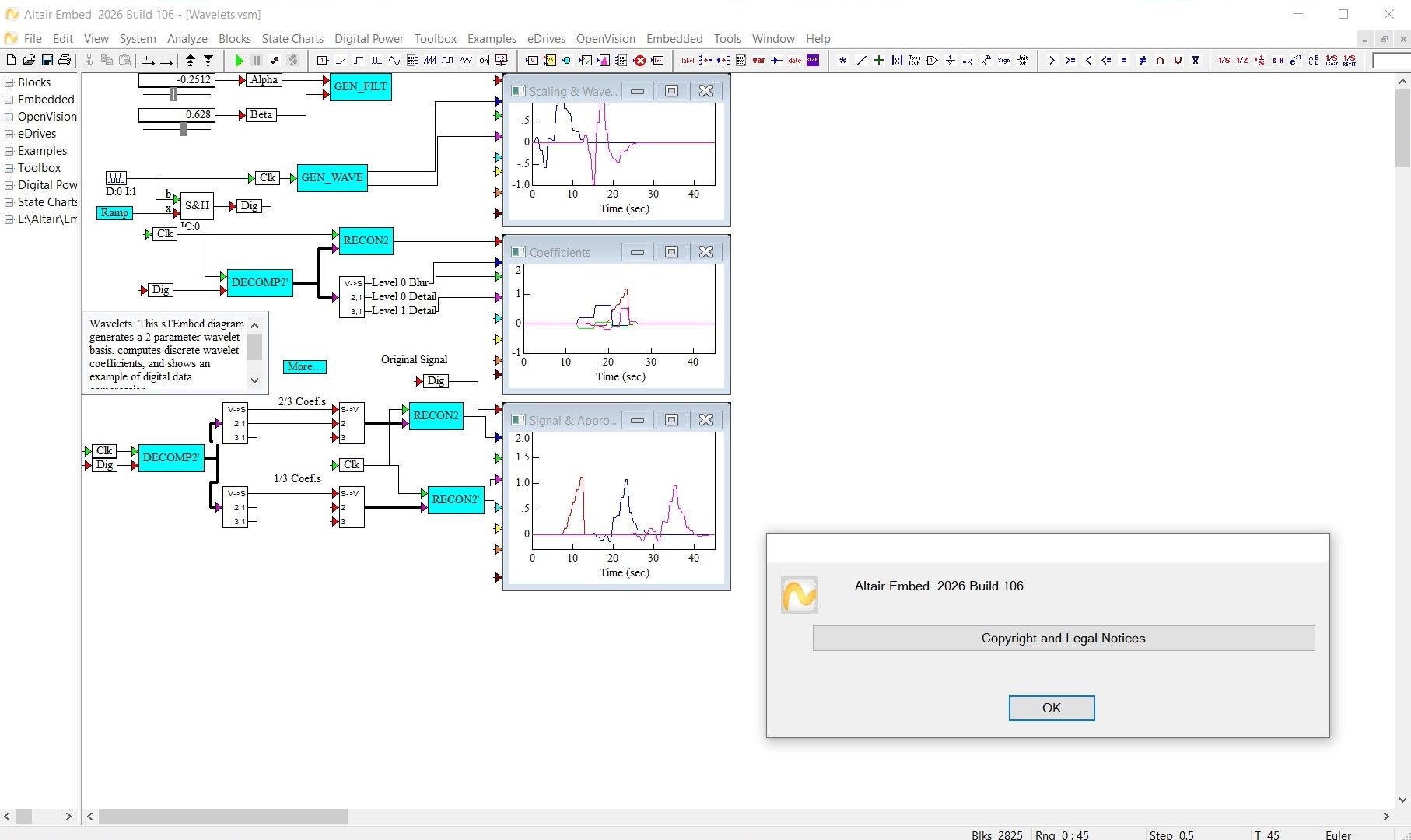
Working with Altair Embed 2026.0 full license

Description of Altair Embed 2026.0

Altair Embed 2026.0 is a model based design software platform for developing, simulating, and deploying embedded systems. It is widely used by engineers to design control algorithms, simulate system behavior, and generate production ready code for embedded hardware.

This release enhances real time simulation performance, expands code generation support, and improves workflow efficiency for embedded control development.

Features of Altair Embed 2026.0

Model Based Design Environment
Altair Embed provides a visual block diagram environment for designing control systems and embedded algorithms without manual coding.

Embedded Code Generation
The software supports automatic generation of optimized C code for microcontrollers and embedded processors, reducing development time.

Real Time System Simulation
Engineers can simulate control systems in real time to validate performance and behavior before hardware deployment.

Hardware in the Loop and Processor Support
Altair Embed supports hardware in the loop testing and deployment to a wide range of embedded targets.

Control System Design Tools
The platform includes tools for designing, tuning, and validating control algorithms for industrial and automotive applications.

Signal Processing and Math Libraries
Embed offers built in signal processing and mathematical functions to support complex embedded applications.

Debugging and Verification
Users can debug models, monitor signals, and verify system behavior throughout the development lifecycle.

Integration with Altair Ecosystem
Altair Embed integrates seamlessly with Altair simulation and optimization tools, supporting end to end system development.

Performance and Stability Improvements
Version 2026.0 introduces execution speed improvements and enhanced stability for large and complex embedded models.

Why Choose Altair Embed 2026.0
Altair Embed 2026.0 enables faster and more reliable embedded system development through model based design and automated code generation. Its real time simulation capabilities and hardware support make it ideal for control and embedded software engineers.

If you want to download Altair Embed 2026.0 full license, please click to DOWNLOAD button to download.
CLICKDOWN.ORG Download CAD CAM CNC software
Inside package Altair Embed 2026.0, already have cracked files and instruction how to install Altair Embed 2026.0 step by step. I guarantee you can install Altair Embed 2026.0 successfully if you follow that instruction.
If you also can’t install it or get any problems, please contact to me by email: clickdown.org@gmail.com, then I will help you to install software by teamviewer or Ultraviewer or Anydesk.
Thanks a lot
SOFTWARES

Download Altair EDEM Professional 2026.0 Win64 full license

Download Altair EDEM Professional 2026.0 Win64 full license

Link download Altair EDEM Professional 2026.0 full activated

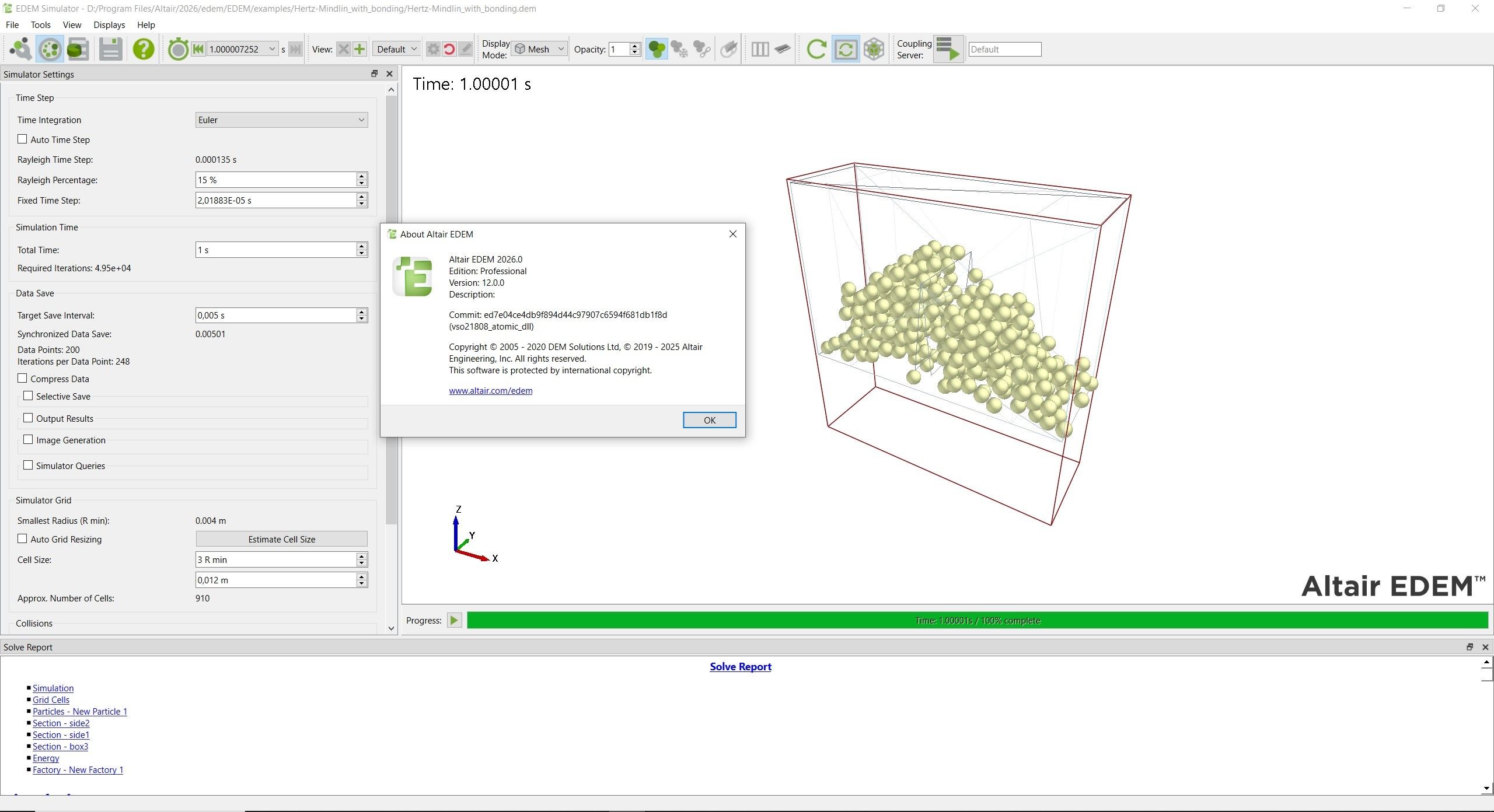
Working with Altair EDEM Professional 2026.0 full license

Description of Altair EDEM Professional 2026.0

Altair EDEM Professional 2026.0 is a leading discrete element method simulation software designed for modeling and analyzing the behavior of granular materials and bulk solids. It is widely used in industries such as mining, agriculture, pharmaceuticals, manufacturing, and energy to study particle flow, mixing, and interaction with equipment.

This release improves solver performance, expands particle modeling capabilities, and enhances coupling with multiphysics workflows.

Features of Altair EDEM Professional 2026.0

Discrete Element Method Simulation
Altair EDEM enables accurate simulation of individual particles, allowing engineers to analyze realistic bulk material behavior.

Advanced Particle Shape and Material Models
The software supports complex particle shapes, material properties, and contact models to represent real world granular materials.

Equipment Interaction and Wear Analysis
Users can simulate particle interaction with machinery to study wear, erosion, and performance under operational conditions.

Particle Flow and Mixing Analysis
EDEM provides tools to evaluate flow behavior, segregation, mixing efficiency, and throughput in industrial processes.

Multiphysics Coupling
Altair EDEM integrates with CFD and structural solvers, enabling fluid particle interaction and coupled simulation workflows.

High Performance Computing Support
The software is optimized for parallel processing and GPU acceleration, delivering faster simulation results for large particle systems.

Visualization and Postprocessing
Built in visualization tools help users analyze particle motion, contact forces, and system behavior with clarity.

Customization and API Support
EDEM offers APIs and scripting options for extending functionality and integrating custom models.

Improved Performance and Stability
Version 2026.0 introduces solver enhancements that improve stability and scalability for complex DEM simulations.

Why Choose Altair EDEM Professional 2026.0
Altair EDEM Professional 2026.0 provides powerful and reliable tools for engineers who need insight into bulk material behavior. Its advanced DEM capabilities, multiphysics integration, and performance optimizations make it an essential solution for particle based simulation.

If you want to download Altair EDEM Professional 2026.0 full license, please click to DOWNLOAD button to download.
CLICKDOWN.ORG Download CAD CAM CNC software
Inside package Altair EDEM Professional 2026.0, already have cracked files and instruction how to install Altair EDEM Professional 2026.0 step by step. I guarantee you can install Altair EDEM Professional 2026.0 successfully if you follow that instruction.
If you also can’t install it or get any problems, please contact to me by email: clickdown.org@gmail.com, then I will help you to install software by teamviewer or Ultraviewer or Anydesk.
Thanks a lot
SOFTWARES

Download Altair Compose 2026.0 Win64 full license forever

Download Altair Compose 2026.0 Win64 full license forever

Link download Altair Compose 2026.0 full activated

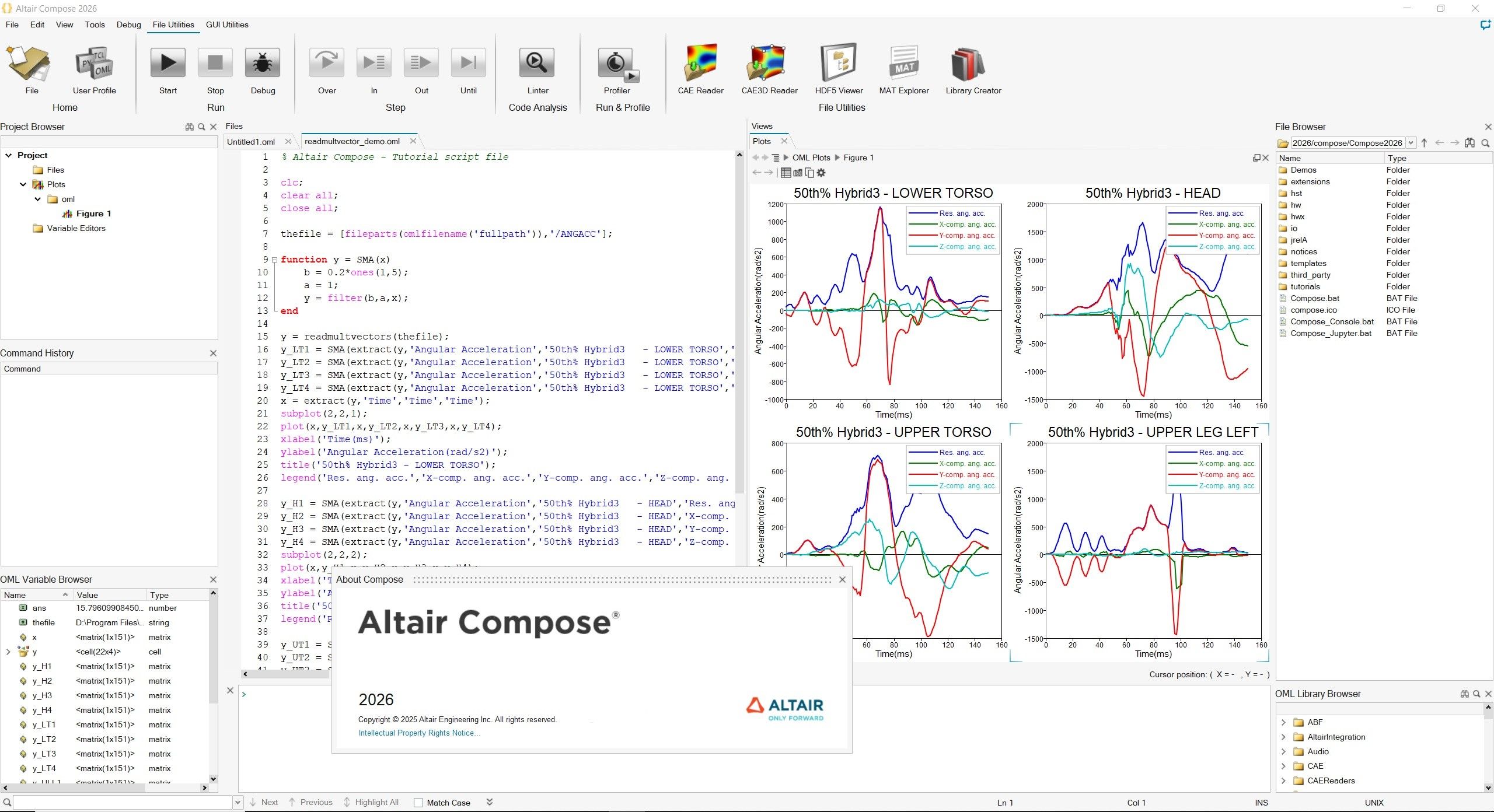
Working with Altair Compose 2026.0 full license

Description of Altair Compose 2026.0

Altair Compose 2026.0 is an advanced numerical computing and scripting environment designed for engineers, scientists, and analysts. It provides a powerful platform for mathematics, data analysis, signal processing, and algorithm development using an intuitive syntax compatible with common technical computing workflows.

This release improves performance, expands numerical libraries, and enhances usability for engineering analysis and simulation support tasks.

Features of Altair Compose 2026.0

Numerical Computing and Mathematics
Altair Compose delivers robust tools for linear algebra, calculus, statistics, and numerical methods, supporting complex engineering calculations.

Matrix Based Programming Environment
The software offers a high level matrix based language that enables fast development of algorithms and mathematical models.

Data Analysis and Visualization
Users can analyze large datasets and create clear 2D and 3D plots for effective interpretation of engineering and scientific data.

Signal Processing Capabilities
Compose includes advanced signal processing functions for filtering, frequency analysis, and time domain evaluation.

Script Automation and Workflow Integration
Engineers can automate repetitive tasks, customize workflows, and integrate Compose scripts with other Altair simulation tools.

Compatibility with Engineering Workflows
Altair Compose supports file formats and workflows commonly used in engineering analysis and simulation environments.

Debugging and Development Tools
Built in debugging features help users test, validate, and optimize scripts efficiently.

Performance and Stability Improvements
Version 2026.0 introduces performance enhancements that improve execution speed and stability for large scale computations.

Integration with Altair Ecosystem
Altair Compose works seamlessly with Altair CAE and optimization solutions, supporting model setup, postprocessing, and data manipulation.

Why Choose Altair Compose 2026.0
Altair Compose 2026.0 is an ideal solution for engineers who need a reliable and efficient numerical computing environment. Its powerful math tools, scripting flexibility, and integration with simulation workflows make it a valuable component of data driven engineering processes.

If you want to download Altair Compose 2026.0 full license, please click to DOWNLOAD button to download.
CLICKDOWN.ORG Download CAD CAM CNC software
Inside package Altair Compose 2026.0, already have cracked files and instruction how to install Altair Compose 2026.0 step by step. I guarantee you can install Altair Compose 2026.0 successfully if you follow that instruction.
If you also can’t install it or get any problems, please contact to me by email: clickdown.org@gmail.com, then I will help you to install software by teamviewer or Ultraviewer or Anydesk.
Thanks a lot
SOFTWARES

Download Altair CFD Solvers 2026.0 x64 full license forever

Download Altair CFD Solvers 2026.0 win64 full license forever

Link download Altair CFD Solvers 2026.0 x64 full activated

Working with Altair CFD Solvers 2026.0 full license

Description of Altair CFD Solvers 2026.0

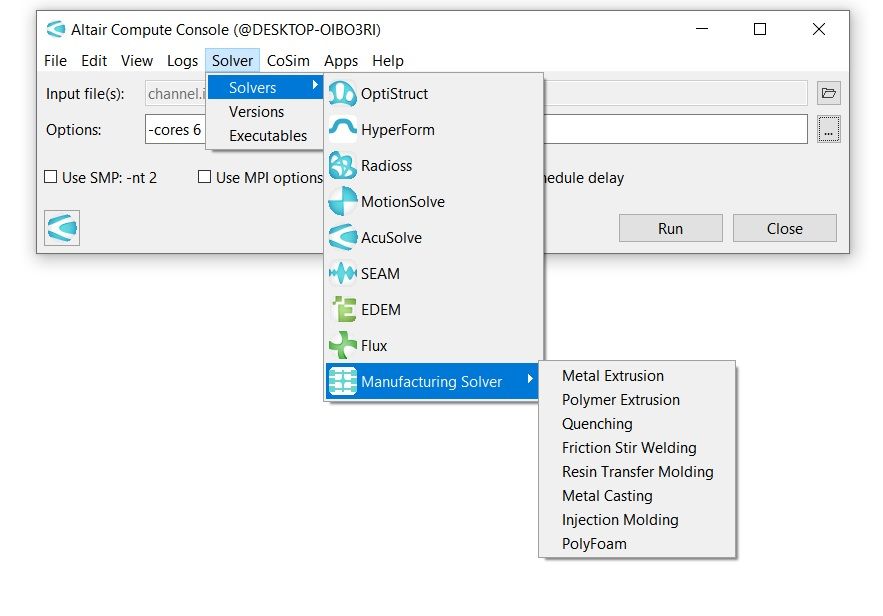
Altair CFD Solvers 2026.0 is a powerful computational fluid dynamics simulation suite designed to analyze fluid flow, heat transfer, and turbulence behavior in complex engineering systems. It is widely used in automotive, aerospace, energy, electronics cooling, and industrial applications to improve performance and reliability through accurate fluid simulation.

This version enhances solver performance, numerical accuracy, and scalability, supporting advanced CFD workflows from early design to final validation.

Features of Altair CFD Solvers 2026.0

Advanced Fluid Flow Simulation
Altair CFD Solvers support incompressible and compressible flow analysis, enabling accurate prediction of velocity, pressure, and flow distribution.

Turbulence and Advanced Flow Models
The software includes a wide range of turbulence models suitable for laminar, transitional, and fully turbulent flow conditions.

Heat Transfer and Thermal Analysis
Users can simulate conjugate heat transfer, thermal convection, and temperature distribution for thermal management and cooling studies.

Multiphase and Free Surface Modeling
Altair CFD Solvers support multiphase flows, free surface tracking, and phase interaction analysis for complex fluid systems.

Rotating Machinery and Moving Mesh
The solvers provide tools for analyzing rotating components, transient motion, and dynamic mesh behavior in fluid domains.

Multiphysics Coupling
CFD solvers integrate with structural, thermal, and optimization workflows, enabling fluid structure interaction and coupled simulations.

High Performance Computing and Scalability
The software is optimized for parallel processing, allowing efficient simulation of large models on multicore and cluster systems.

Robust Numerical Accuracy and Stability
Enhanced numerical schemes improve convergence, solution stability, and result reliability across challenging CFD cases.

Seamless Integration with Altair Ecosystem
Altair CFD Solvers work smoothly with Altair preprocessing and postprocessing tools, delivering an end to end CFD simulation environment.

Why Choose Altair CFD Solvers 2026.0
Altair CFD Solvers 2026.0 provide accurate, scalable, and efficient CFD analysis for engineers who need reliable insight into fluid behavior. Its advanced modeling capabilities and strong performance make it ideal for simulation driven design and optimization.

If you want to download Altair CFD Solvers 2026.0 full license, please click to DOWNLOAD button to download.
CLICKDOWN.ORG Download CAD CAM CNC software
Inside package Altair CFD Solvers 2026.0, already have cracked files and instruction how to install Altair CFD Solvers 2026.0 step by step. I guarantee you can install Altair CFD Solvers 2026.0 successfully if you follow that instruction.
If you also can’t install it or get any problems, please contact to me by email: clickdown.org@gmail.com, then I will help you to install software by teamviewer or Ultraviewer or Anydesk.
Thanks a lot
SOFTWARES

Download Altair Mechanical Solvers 2026.0 win64 full license

Download Altair Mechanical Solvers 2026.0 win64 full license

Link download Altair Mechanical Solvers 2026.0 x64 full activated

Working with Altair Mechanical Solvers 2026.0 full license

Description of Altair Mechanical Solvers 2026.0

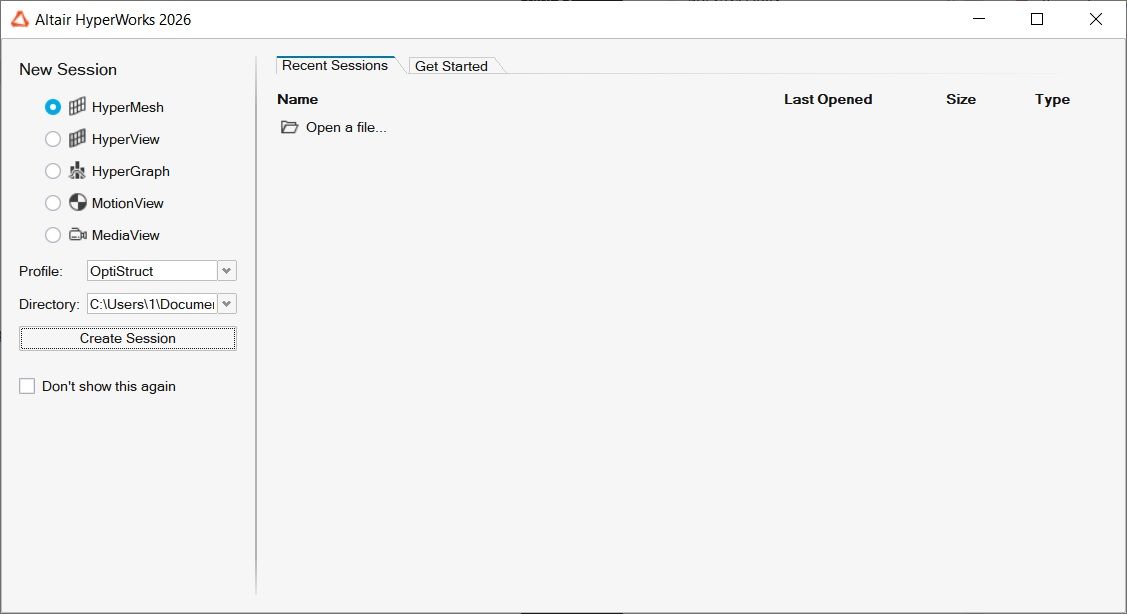
Altair Mechanical Solvers 2026.0 is a comprehensive suite of high performance engineering simulation tools designed for advanced structural and mechanical analysis. It is widely used by engineers and analysts to evaluate strength, durability, vibration, and nonlinear behavior of complex mechanical systems across multiple industries.

This release introduces performance improvements, enhanced solver accuracy, and expanded support for modern materials and engineering workflows.

Features of Altair Mechanical Solvers 2026.0

Advanced Structural Analysis
Altair Mechanical Solvers support linear and nonlinear structural analysis, enabling accurate prediction of stresses, strains, and deformations under real world loading conditions.

Dynamic and Vibration Simulation
The software provides robust tools for modal, transient, and frequency response analysis to study vibration behavior, noise sensitivity, and dynamic performance.

Nonlinear and Contact Capabilities
Engineers can simulate material nonlinearity, large deformations, and complex contact interactions for realistic mechanical behavior.

Fatigue and Durability Analysis
Built in fatigue analysis capabilities help predict product life and assess long term durability under cyclic loading.

Multibody and Mechanism Simulation
The solvers support mechanical system simulation involving joints, constraints, and moving components, enabling accurate motion and load transfer analysis.

Multiphysics Integration
Altair Mechanical Solvers integrate with thermal, fluid, and optimization workflows, supporting coupled multiphysics simulations.

High Performance Computing Support
The solvers are optimized for parallel processing, enabling faster solution times for large and complex models on modern computing hardware.

Accuracy and Numerical Stability
Improved algorithms enhance solution accuracy and numerical stability across a wide range of mechanical simulation scenarios.

Seamless Integration with Altair Ecosystem
Altair Mechanical Solvers work seamlessly with Altair preprocessing and postprocessing tools, providing a complete end to end simulation workflow.

Why Choose Altair Mechanical Solvers 2026.0
Altair Mechanical Solvers 2026.0 deliver reliable, scalable, and accurate mechanical simulation capabilities for demanding engineering applications. Their advanced analysis features and performance optimizations make them suitable for product development, validation, and optimization.

If you want to download Altair Mechanical Solvers 2026.0 full license, please click to DOWNLOAD button to download.
CLICKDOWN.ORG Download CAD CAM CNC software
Inside package Altair Mechanical Solvers 2026.0, already have cracked files and instruction how to install Altair Mechanical Solvers 2026.0 step by step. I guarantee you can install Altair Mechanical Solvers 2026.0 successfully if you follow that instruction.
If you also can’t install it or get any problems, please contact to me by email: clickdown.org@gmail.com, then I will help you to install software by teamviewer or Ultraviewer or Anydesk.
Thanks a lot
SOFTWARES

Download Altair HWDesktop 2026.0 x64 full license forever

Download Altair HWDesktop 2026.0 x64 full license forever

Link download Altair HWDesktop 2026.0 full activated

Altair HWDesktop 2026.0 x64 full license

Working with Altair HWDesktop 2026.0 full license

Description of Altair HWDesktop 2026.0

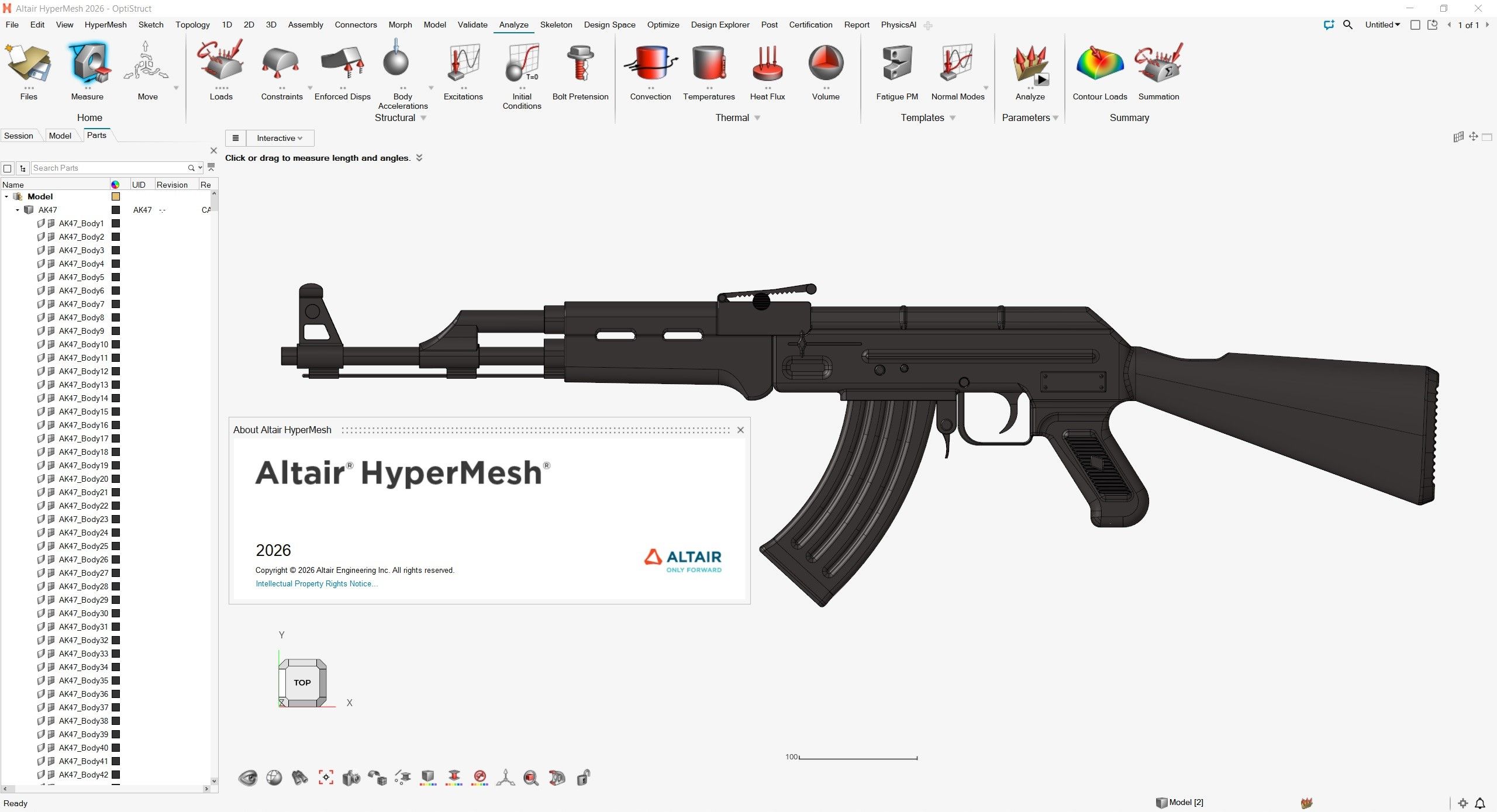
Altair HWDesktop 2026.0 is an integrated simulation and engineering desktop environment designed to manage, run, and review CAE workflows efficiently. It acts as a unified interface for Altair solvers and preprocessing tools, enabling engineers to handle complex simulation tasks from model setup to result visualization within a single workspace.

This release enhances usability, solver integration, and performance, helping engineering teams streamline simulation driven design processes.

Features of Altair HWDesktop 2026.0

Unified Simulation Environment
HWDesktop provides a centralized interface to manage preprocessing, solver execution, and postprocessing, reducing the need to switch between multiple applications.

Seamless Solver Integration
The software integrates tightly with Altair solvers for structural, thermal, fluid, and optimization analysis, supporting consistent and reliable simulation workflows.

Advanced Model Setup and Management
Users can prepare and organize simulation models efficiently, manage solver settings, and control analysis parameters with clarity and precision.

Job Submission and Monitoring
HWDesktop allows users to submit simulation jobs locally or on remote systems, monitor solver progress, and manage multiple analysis runs.

Postprocessing and Result Visualization
Engineers can review and analyze simulation results with built in visualization tools, helping validate performance and identify design improvements.

Support for Multiphysics Workflows
The platform supports multiphysics simulations by enabling interaction between different analysis types within a coordinated environment.

Automation and Workflow Efficiency
HWDesktop supports scripting and automation features that help reduce repetitive tasks and improve overall productivity.

Data Organization and Traceability
Simulation data, models, and results are organized in a structured manner, supporting traceability and collaboration across teams.

Performance and Stability Enhancements
Version 2026.0 includes performance optimizations that improve responsiveness, solver control, and stability for large scale engineering simulations.

Why Choose Altair HWDesktop 2026.0
Altair HWDesktop 2026.0 is ideal for engineers who require a unified and efficient simulation management platform. Its integrated workflow, solver connectivity, and visualization tools make it a valuable component of modern CAE environments.

If you want to download Altair HWDesktop 2026.0 full license, please click to DOWNLOAD button to download.
CLICKDOWN.ORG Download CAD CAM CNC software
Inside package Altair HWDesktop 2026.0, already have cracked files and instruction how to install Altair HWDesktop 2026.0 step by step. I guarantee you can install Altair HWDesktop 2026.0 successfully if you follow that instruction.
If you also can’t install it or get any problems, please contact to me by email: clickdown.org@gmail.com, then I will help you to install software by teamviewer or Ultraviewer or Anydesk.
Thanks a lot
SOFTWARES

Download SkyCAD Electrical Pro 1.3.61 full license forever

Download SkyCAD Electrical Pro 1.3.61 full license forever

Link download SkyCAD Electrical Pro 1.3.61 full activated

Working with SkyCAD Electrical Pro v1.3.61 full license

Description of SkyCAD Electrical Pro 1.3.61

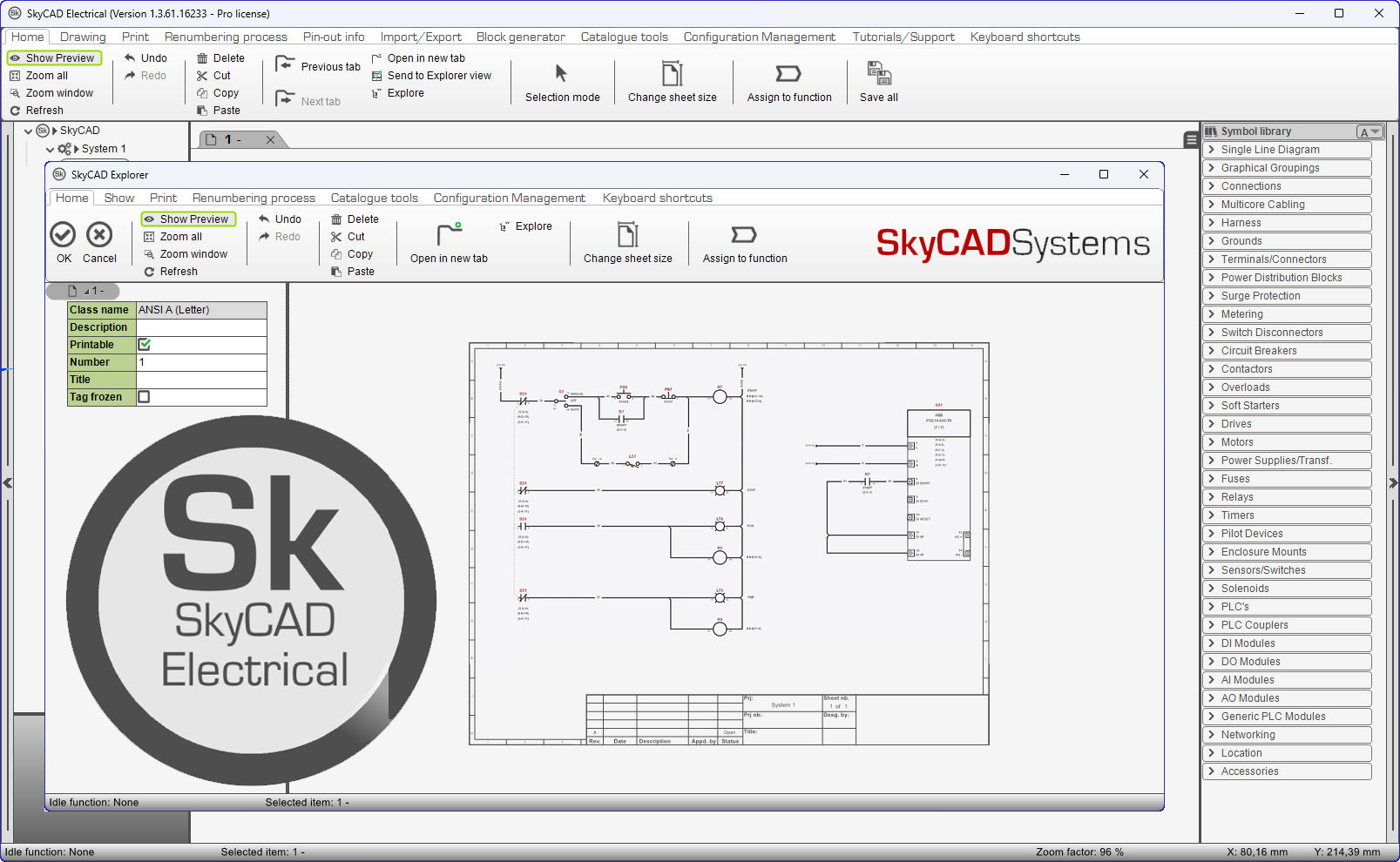
SkyCAD Electrical Pro 1.3.61 is a professional CAD software solution designed for electrical schematic design and documentation. It is widely used by electrical engineers, panel builders, and automation professionals to create accurate electrical diagrams, control schematics, and wiring documentation efficiently.

This version improves drawing performance, symbol handling, and workflow stability, supporting reliable electrical design for industrial and building systems.

Features of SkyCAD Electrical Pro 1.3.61

Professional Electrical Schematic Design
SkyCAD Electrical Pro provides dedicated tools for creating electrical schematics, including power distribution, control circuits, and automation diagrams.

Extensive Electrical Symbol Libraries
The software includes comprehensive libraries of standardized electrical symbols, enabling fast and consistent diagram creation.

Intelligent Wire and Connection Tools
Automated wiring tools help users create clean and accurate connections, reducing manual errors and improving design clarity.

Panel and Cabinet Layout Design
Users can design electrical panels and cabinets, arranging components precisely and generating clear layout documentation.

Automatic Numbering and Labeling
SkyCAD Electrical Pro supports automatic wire numbering, component tagging, and reference labeling, saving time and ensuring consistency.

Bill of Materials Generation
The software can generate detailed bills of materials based on schematic data, supporting project planning and procurement.

DWG and DXF Compatibility
SkyCAD Electrical Pro supports DWG and DXF formats, enabling smooth collaboration with other CAD tools and project stakeholders.

Customization and Project Templates
Users can create custom symbols, templates, and standards to match specific project requirements and company workflows.

Improved Performance and Stability
Version 1.3.61 includes performance optimizations and stability improvements for smoother operation on complex electrical projects.

Why Choose SkyCAD Electrical Pro 1.3.61
SkyCAD Electrical Pro 1.3.61 is an efficient solution for professionals who need reliable electrical CAD tools. Its intelligent automation, symbol libraries, and documentation features make it ideal for electrical engineering and automation design tasks.

If you want to download SkyCAD Electrical Pro 1.3.61 full license, please click to DOWNLOAD button to download.
CLICKDOWN.ORG Download CAD CAM CNC software
Inside package SkyCAD Electrical Pro 1.3.61, already have cracked files and instruction how to install SkyCAD Electrical Pro 1.3.61 step by step. I guarantee you can install SkyCAD Electrical Pro 1.3.61 successfully if you follow that instruction.
If you also can’t install it or get any problems, please contact to me by email: clickdown.org@gmail.com, then I will help you to install software by teamviewer or Ultraviewer or Anydesk.
Thanks a lot
SOFTWARES

Download ProgeCAD Pro 2026 v26.0.10.10 x64 full license

Download ProgeCAD Pro 2026 v26.0.10.10 x64 full license

Link download ProgeCAD Pro 2026 v26.0.10.10 full activated

Working with ProgeCAD Pro 2026 v26.0.10.10 full license forever

Description of ProgeCAD Pro 2026 v26.0.10.10

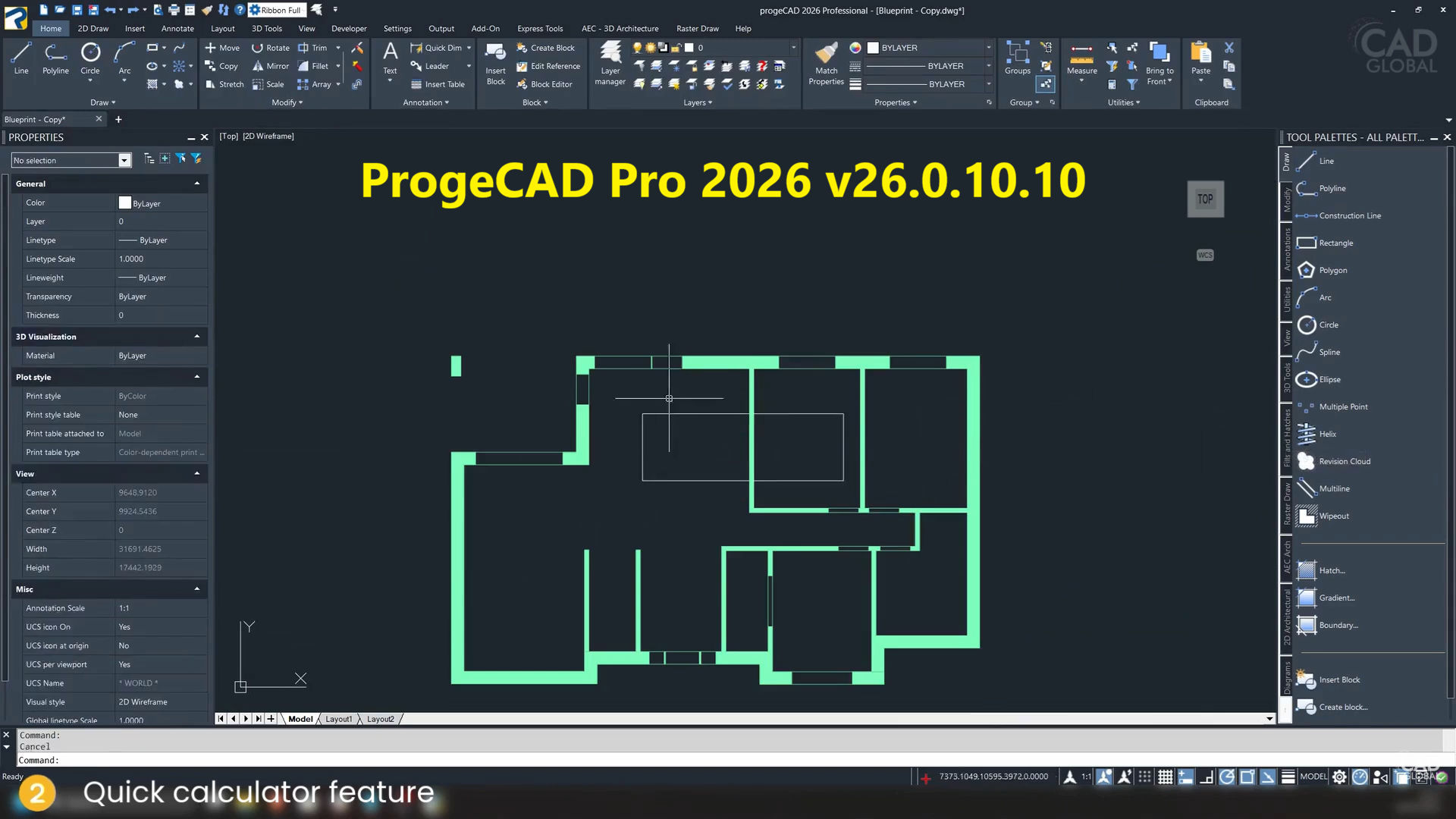
ProgeCAD Pro 2026 v26.0.10.10 is a professional 2D and 3D CAD software developed for architects, engineers, and construction professionals who need full compatibility with DWG and DXF file formats. It offers a familiar drafting environment similar to AutoCAD while providing advanced design tools at a cost effective level.

This version focuses on performance optimization, enhanced DWG compatibility, and workflow improvements for technical drafting and design projects.

Features of ProgeCAD Pro 2026 v26.0.10.10

Full DWG and DXF Compatibility
ProgeCAD Pro ensures native support for DWG and DXF files, allowing seamless file exchange with AutoCAD and other CAD applications without data loss.

Comprehensive 2D Drafting Tools
The software includes a complete set of professional drawing and editing tools for technical drafting, detailing, and documentation.

3D Design and Visualization
ProgeCAD Pro supports basic 3D modeling and viewing tools, enabling users to create and inspect three dimensional objects and layouts.

Advanced Layer and Block Management
Users can efficiently manage layers, blocks, external references, and drawing standards for complex projects.

Customization and Automation
The software supports scripting, macros, and API access, allowing users to automate repetitive tasks and customize workflows.

PDF Import and Export
ProgeCAD Pro provides reliable PDF import and export capabilities, making it easy to convert drawings for documentation and collaboration.

Raster Image Handling
Users can attach and manage raster images such as scans and reference photos directly within drawings.

High Performance and Stability
Version 26.0.10.10 includes performance improvements that enhance speed, responsiveness, and stability when working with large CAD files.

Familiar User Interface
The interface is designed to feel familiar to AutoCAD users, reducing learning time and improving productivity.

Why Choose ProgeCAD Pro 2026 v26.0.10.10
ProgeCAD Pro 2026 v26.0.10.10 is an excellent alternative CAD solution for professionals who require reliable DWG compatibility and powerful drafting tools without high licensing costs. It is suitable for architecture, engineering, and construction workflows.

If you want to download ProgeCAD Pro 2026 v26.0.10.10 full license, please click to DOWNLOAD button to download.
CLICKDOWN.ORG Download CAD CAM CNC software
Inside package ProgeCAD Pro 2026 v26.0.10.10, already have cracked files and instruction how to install ProgeCAD Pro 2026 v26.0.10.10 step by step. I guarantee you can install ProgeCAD Pro 2026 v26.0.10.10 successfully if you follow that instruction.
If you also can’t install it or get any problems, please contact to me by email: clickdown.org@gmail.com, then I will help you to install software by teamviewer or Ultraviewer or Anydesk.
Thanks a lot
SOFTWARES

Download AI Video Watermark Remover Pro 1.0.3 full license

Download AI Video Watermark Remover Pro 1.0.3 full license

Link download AI Video Watermark Remover Pro 1.0.3 full activated

Working with AI Video Watermark Remover Pro 1.0.3 full license

Description of AI Video Watermark Remover Pro 1.0.3

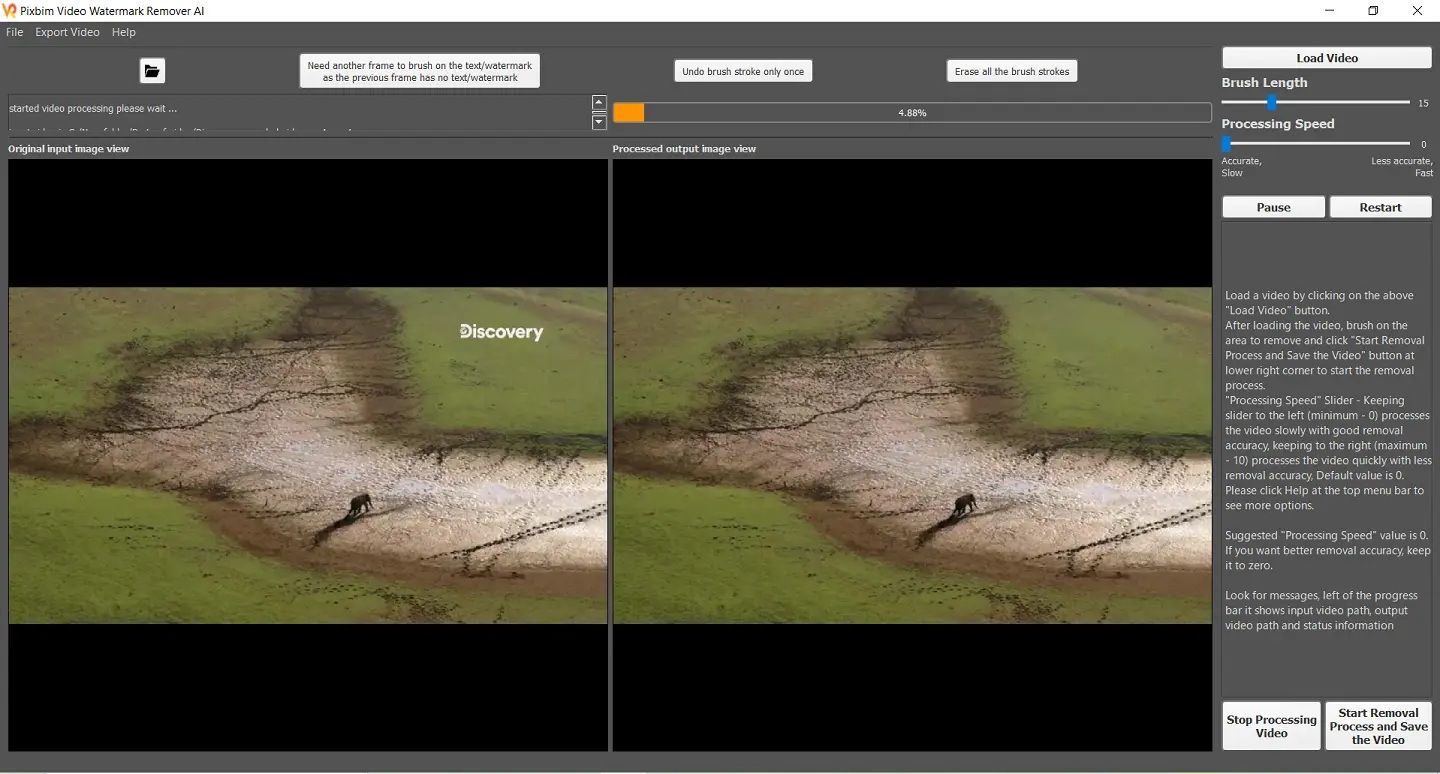
AI Video Watermark Remover Pro 1.0.3 is an intelligent video editing utility designed to remove watermarks, logos, timestamps, and unwanted objects from video files using advanced artificial intelligence. It is suitable for content creators, editors, marketers, and video professionals who need clean and distraction free footage without manual frame by frame editing.

This version improves AI accuracy, processing speed, and output quality, delivering reliable results while preserving original video resolution and motion consistency.

Features of AI Video Watermark Remover Pro 1.0.3

AI Powered Watermark Removal
The software uses AI based inpainting technology to detect and remove static or moving watermarks while reconstructing the background naturally.

Support for Static and Dynamic Objects
AI Video Watermark Remover Pro can remove logos, channel marks, timestamps, subtitles, and other unwanted elements, even when they move across the frame.

Batch Video Processing
Users can process multiple videos at once, saving time when working with large video libraries or repetitive editing tasks.

High Quality Output Preservation
The software maintains original video resolution, frame rate, and visual clarity, ensuring professional quality results without noticeable artifacts.

User Friendly Workflow
A simple and intuitive interface allows users to select watermark areas and start processing quickly without advanced editing skills.

Frame Accurate Masking Tools
Manual selection tools are available for precise control, enabling accurate removal in complex scenes where automatic detection needs refinement.

Wide Format Compatibility
The application supports common video formats, making it easy to work with footage from cameras, smartphones, and online platforms.

Fast AI Processing Engine
Optimized AI acceleration ensures efficient processing speeds while maintaining high accuracy and visual consistency.

Improved Stability and Performance
Version 1.0.3 includes internal optimizations that enhance reliability and reduce processing errors on longer videos.

Why Choose AI Video Watermark Remover Pro 1.0.3
AI Video Watermark Remover Pro 1.0.3 offers a practical solution for removing unwanted elements from videos without complex editing software. Its AI driven approach, high quality output, and ease of use make it ideal for both professional and everyday video editing tasks.

If you want to download AI Video Watermark Remover Pro 1.0.3 full license, please click to DOWNLOAD button to download.
CLICKDOWN.ORG Download CAD CAM CNC software
Inside package AI Video Watermark Remover Pro 1.0.3, already have cracked files and instruction how to install AI Video Watermark Remover Pro 1.0.3 step by step. I guarantee you can install AI Video Watermark Remover Pro 1.0.3 successfully if you follow that instruction.
If you also can’t install it or get any problems, please contact to me by email: clickdown.org@gmail.com, then I will help you to install software by teamviewer or Ultraviewer or Anydesk.
Thanks a lot
SOFTWARES

Download Lyric Video Studio 1.3.82 full license forever

Download Lyric Video Studio 1.3.82 full license

Link download Lyric Video Studio 1.3.82 full activated

Working with Lyric Video Studio 1.3.82 full license

Description of Lyric Video Studio 1.3.82

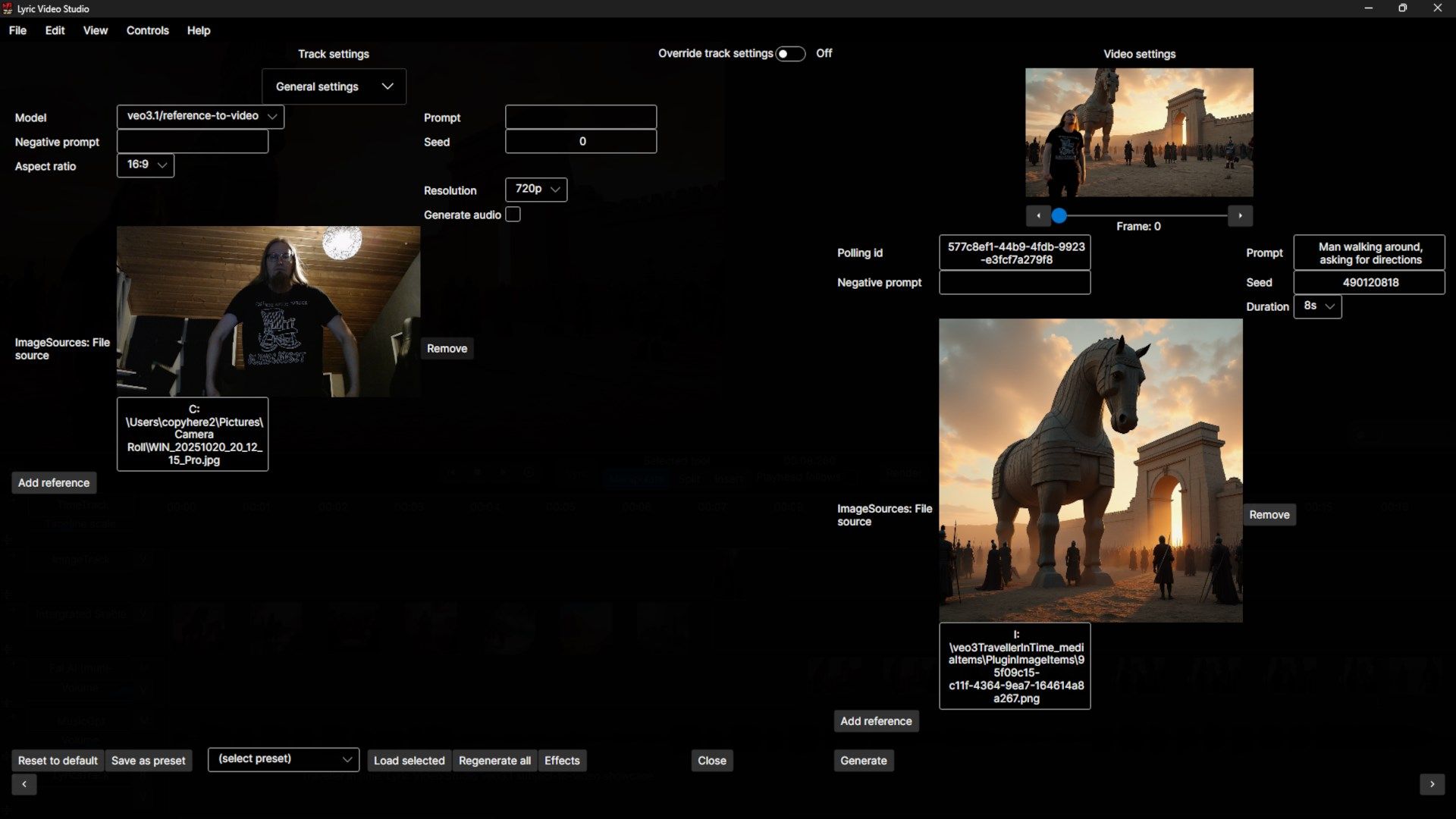
Lyric Video Studio 1.3.82 is a creative video production software designed for musicians, content creators, and video editors who want to create engaging lyric videos with professional visual effects. It provides an easy to use environment for synchronizing song lyrics with music and visuals, making it ideal for music promotion on platforms such as YouTube and social media.

This version improves stability, animation smoothness, and text timing accuracy, helping users produce high quality lyric videos efficiently.

Features of Lyric Video Studio 1.3.82

Automatic Lyric Synchronization
Lyric Video Studio allows users to sync lyrics with audio tracks accurately, ensuring each word or line appears at the correct time in the video.

Custom Text Animation Effects
The software includes a variety of text animation styles that bring lyrics to life with smooth transitions, fades, and motion effects.

Background Video and Image Support
Users can import videos, images, or solid backgrounds to create visually appealing lyric videos that match the mood of the music.

Music and Audio Editing Tools
Basic audio controls help users fine tune timing, volume, and playback to achieve perfect lyric alignment.

Timeline Based Editing
A simple timeline interface allows precise control over lyric timing, transitions, and visual elements without complex editing steps.

Templates and Presets
Built in templates help users get started quickly, reducing production time while maintaining a professional look.

Export for Online Platforms
Lyric Video Studio supports exporting videos in formats optimized for YouTube, Instagram, and other popular platforms.

Easy to Use Interface
The clean and intuitive interface makes lyric video creation accessible for beginners while still offering enough control for advanced users.

Performance and Stability Improvements
Version 1.3.82 includes internal optimizations that improve rendering speed and overall application stability.

Why Choose Lyric Video Studio 1.3.82
Lyric Video Studio 1.3.82 is an ideal solution for artists and creators who want to produce attractive lyric videos without complex video editing software. Its simplicity, automation tools, and creative effects make it suitable for fast and effective music video production.

If you want to download Lyric Video Studio 1.3.82 full license, please click to DOWNLOAD button to download.
CLICKDOWN.ORG Download CAD CAM CNC software
Inside package Lyric Video Studio 1.3.82, already have cracked files and instruction how to install Lyric Video Studio 1.3.82 step by step. I guarantee you can install Lyric Video Studio 1.3.82 successfully if you follow that instruction.
If you also can’t install it or get any problems, please contact to me by email: clickdown.org@gmail.com, then I will help you to install software by teamviewer or Ultraviewer or Anydesk.
Thanks a lot

SOFTWARES

Download Boris FX Mocha Pro 2026.0 x64 full license forever

Download Boris FX Mocha Pro 2026.0 x64 full license forever

Link download Boris FX Mocha Pro 2026.0 win64 full activated

Boris FX Mocha Pro 2026.0 x64 full license

Description of Boris FX Mocha Pro 2026.0

Boris FX Mocha Pro 2026.0 is a professional planar tracking and visual effects software used in film, television, and post production workflows. It provides industry standard tools for tracking, rotoscoping, object removal, stabilization, and screen replacement with high accuracy and efficiency.

This release enhances tracking performance, usability, and integration, making it a reliable solution for complex VFX and motion graphics tasks.

Features of Boris FX Mocha Pro 2026.0

Advanced Planar Tracking Technology
Mocha Pro uses award winning planar tracking to accurately track flat and semi flat surfaces, even in challenging shots with motion blur, occlusions, or changing lighting.

Professional Rotoscoping Tools
The software includes powerful spline based roto tools with magnetic edges and advanced shape management for fast and precise rotoscoping.

Object and Wire Removal
Mocha Pro provides robust tools for removing unwanted objects, wires, rigs, and markers from footage using clean plate generation and motion aware processing.

Image and Video Stabilization
Advanced stabilization tools allow users to smooth camera movement or lock shots with high precision while preserving image quality.

Screen and Insert Replacement
Users can perform realistic screen replacements on phones, monitors, and signs by combining planar tracking, corner pinning, and surface alignment.

Mesh and 3D Tracking Support
Mocha Pro includes mesh based tracking for organic surfaces, improving tracking accuracy on deforming objects such as faces or clothing.

Seamless Host Application Integration
Mocha Pro integrates with major editing and compositing software including Adobe After Effects, Premiere Pro, Avid Media Composer, and Foundry Nuke.

Powerful Rendering and Export Options
The software supports multiple export formats for masks, tracking data, and compositing workflows, ensuring smooth pipeline integration.

Performance and Workflow Improvements
Version 2026.0 includes performance optimizations, improved GPU usage, and workflow refinements for faster processing and better stability.

Why Choose Boris FX Mocha Pro 2026.0
Boris FX Mocha Pro 2026.0 is an essential tool for VFX artists and editors who need accurate tracking and advanced rotoscoping capabilities. Its proven technology and deep host integration make it a standard choice for professional post production.

If you want to download Boris FX Mocha Pro 2026.0 full license, please click to DOWNLOAD button to download.
CLICKDOWN.ORG Download CAD CAM CNC software
Inside package Boris FX Mocha Pro 2026.0, already have cracked files and instruction how to install Boris FX Mocha Pro 2026.0 step by step. I guarantee you can install Boris FX Mocha Pro 2026.0 successfully if you follow that instruction.
If you also can’t install it or get any problems, please contact to me by email: clickdown.org@gmail.com, then I will help you to install software by teamviewer or Ultraviewer or Anydesk.
Thanks a lot
SOFTWARES

Download Windpro 3.2.744 full license 100% working forever

Download Windpro 3.2.744 full license 100% working forever

Link download Windpro 3.2.744 full activated

Working with Windpro 3.2.744 full license

Description of Windpro 3.2.744

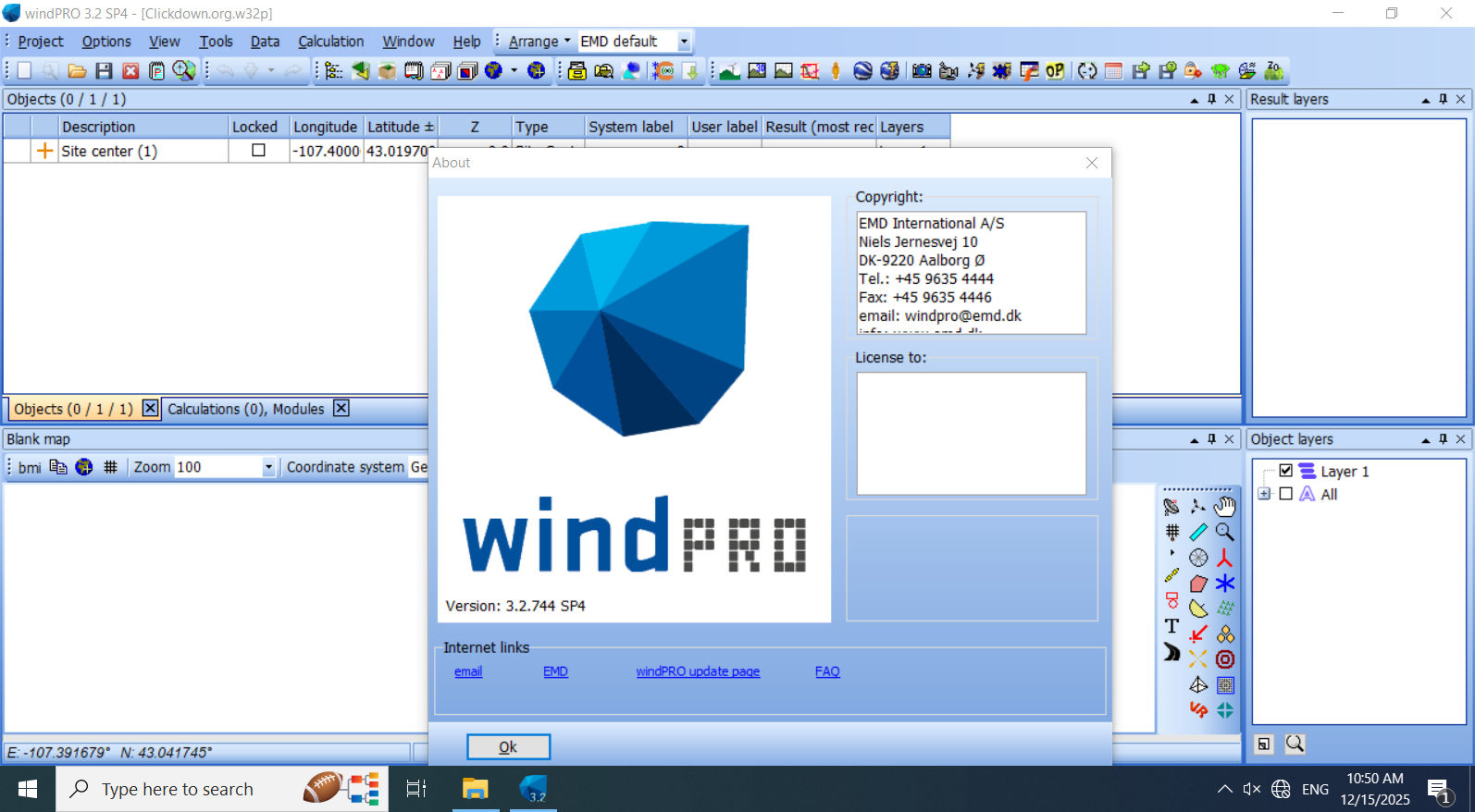
WindPRO 3.2.744 is a professional software solution for wind energy planning, analysis, and project development. It is widely used by wind energy consultants, engineers, and developers to evaluate wind resources, optimize wind farm layouts, and assess environmental and economic impacts of wind power projects.

This version improves calculation accuracy, data handling, and workflow efficiency, supporting reliable decision making throughout the wind project lifecycle.

Features of Windpro 3.2.744

Wind Resource Assessment
WindPRO provides advanced tools for analyzing wind measurement data, wind climates, and long term wind resource potential to support accurate energy yield estimates.

Wind Farm Layout Design
Users can design and optimize wind turbine layouts, taking into account terrain, obstacles, wake effects, and spacing requirements to maximize energy production.

Energy Production and Yield Calculation
The software calculates annual energy production and losses using industry accepted wake models and performance curves, delivering bankable results.

Terrain and GIS Integration
WindPRO integrates with GIS data, digital terrain models, and map layers, enabling accurate modeling of complex landscapes and site conditions.

Environmental Impact Assessment
The software includes modules for noise, shadow flicker, and visual impact analysis, supporting compliance with environmental regulations and permitting requirements.

Grid and Electrical Loss Analysis
Users can evaluate electrical infrastructure, cable routing, and grid losses to improve overall project efficiency.

Reporting and Documentation Tools
WindPRO generates detailed reports and visual outputs for technical documentation, stakeholder communication, and regulatory submissions.

Multi Project and Data Management
The software supports efficient management of multiple wind projects, measurement campaigns, and datasets within a single environment.

Improved Performance and Stability
Version 3.2.744 includes performance optimizations that enhance calculation speed, stability, and handling of large wind energy datasets.

Why Choose WindPRO 3.2.744
WindPRO 3.2.744 is a trusted solution for professional wind energy analysis and planning. Its comprehensive modules, accurate modeling tools, and strong industry acceptance make it ideal for developing, assessing, and optimizing wind power projects.

If you want to download Windpro 3.2.744 full license, please click to DOWNLOAD button to download.
CLICKDOWN.ORG Download CAD CAM CNC software
Inside package Windpro 3.2.744, already have cracked files and instruction how to install Windpro 3.2.744 step by step. I guarantee you can install Windpro 3.2.744 successfully if you follow that instruction.
If you also can’t install it or get any problems, please contact to me by email: clickdown.org@gmail.com, then I will help you to install software by teamviewer or Ultraviewer or Anydesk.
Thanks a lot
SOFTWARES

Download PDF Architect Pro+OCR 9.1.83.23106 full license

Download PDF Architect Pro+OCR 9.1.83.23106 full license

Link download PDF Architect Pro+OCR 9.1.83.23106 full activated

Working with PDF Architect Pro-OCR 9.1.83.23106 full license

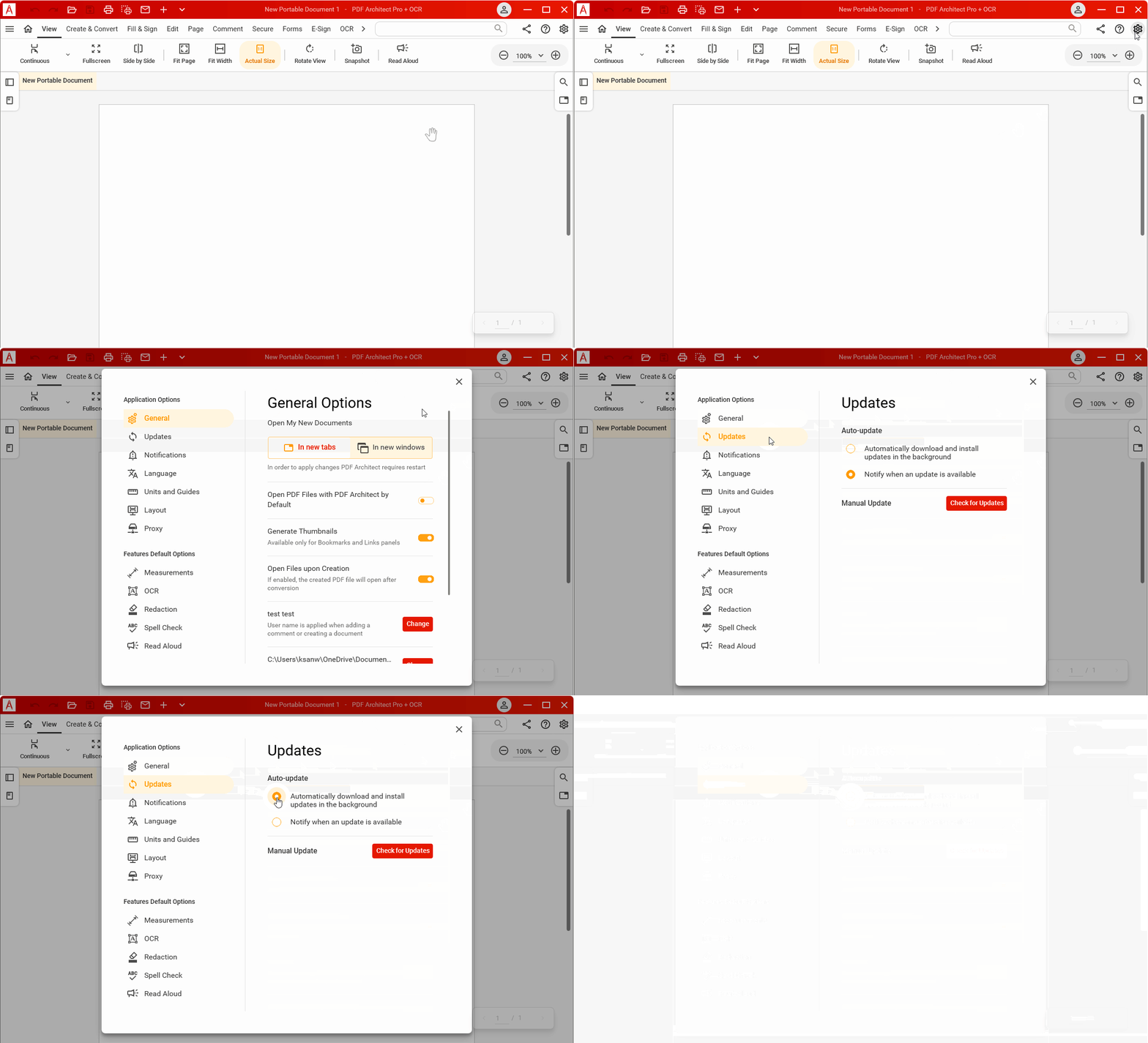
Description of PDF Architect Pro+OCR 9.1.83.23106

PDF Architect Pro+OCR 9.1.83.23106 is a comprehensive PDF management solution designed for professionals and businesses that need full control over creating, editing, converting, and securing PDF documents. It combines powerful PDF editing tools with advanced Optical Character Recognition technology, allowing users to work efficiently with both digital and scanned documents.

This version enables users to create PDFs from Microsoft Office files, images, and other document formats while maintaining accurate layout and formatting. Editing tools allow direct modification of text, images, and pages within PDFs, making it easy to correct content, update reports, or reorganize documents without returning to the original source file.

The integrated OCR module in PDF Architect Pro+OCR 9.1.83.23106 converts scanned PDFs and image-based documents into searchable and editable files. It accurately recognizes text in multiple languages, enabling users to copy, edit, and index previously locked content. This is especially useful for digitizing paper documents and improving document searchability.

PDF Architect Pro+OCR also includes advanced conversion features, allowing PDFs to be exported to Word, Excel, PowerPoint, HTML, and image formats. Users can merge multiple PDFs, split large documents, reorder pages, and insert new content with precision. Batch processing tools help save time when working with large numbers of files.

Security and compliance features are built in, including password protection, encryption, digital signatures, and permission controls. These tools help protect sensitive information and ensure documents meet professional and legal standards. The intuitive user interface and modular design allow users to access only the tools they need, improving workflow efficiency.

With its strong editing, OCR, conversion, and security capabilities, PDF Architect Pro+OCR 9.1.83.23106 is a reliable solution for document management, business reporting, and digital archiving.

Features of PDF Architect Pro+OCR 9.1.83.23106

Create and edit PDF files with full text and image control
Advanced OCR for scanned PDFs and image-based documents
Convert PDFs to Word, Excel, PowerPoint, HTML, and images
Create PDFs from Office files and other formats
Merge, split, reorder, and manage PDF pages
Batch processing for high-volume document tasks
Secure PDFs with passwords, encryption, and permissions
Support for digital signatures and document validation
Accurate layout and formatting preservation
User-friendly interface with modular tool access

If you want to download PDF Architect Pro+OCR 9.1.83.23106 full license, please click to DOWNLOAD button to download.
CLICKDOWN.ORG Download CAD CAM CNC software
Inside package PDF Architect Pro+OCR 9.1.83.23106, already have cracked files and instruction how to install PDF Architect Pro+OCR 9.1.83.23106 step by step. I guarantee you can install PDF Architect Pro+OCR 9.1.83.23106 successfully if you follow that instruction.
If you also can’t install it or get any problems, please contact to me by email: clickdown.org@gmail.com, then I will help you to install software by teamviewer or Ultraviewer or Anydesk.
Thanks a lot
SOFTWARES

Download Coolutils Total Excel Converter 7.1.0.106 full

Download Coolutils Total Excel Converter 7.1.0.106 full license

Link download Coolutils Total Excel Converter 7.1.0.106 full activated

Working with Coolutils Total Excel Converter 7.1.0.106 full license

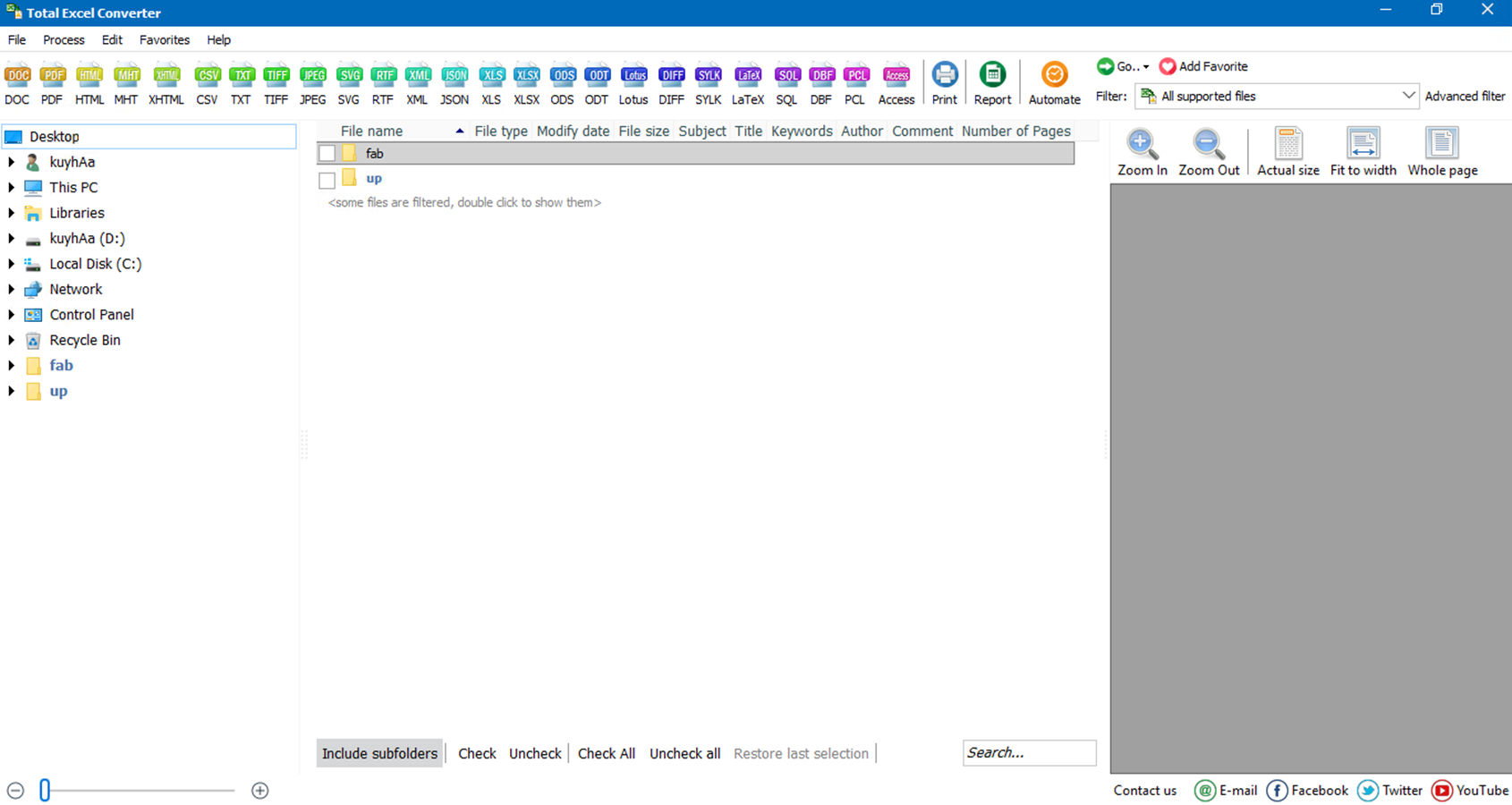
Description of Coolutils Total Excel Converter 7.1.0.106

Coolutils Total Excel Converter 7.1.0.106 is a powerful and reliable file conversion tool designed to help users convert Microsoft Excel spreadsheets into a wide range of popular document and data formats. It is ideal for business users, analysts, accountants, and organizations that regularly work with large volumes of Excel files and need fast, accurate, and automated conversions.

This version supports conversion of XLS, XLSX, XLSM, and CSV files into formats such as PDF, DOC, DOCX, HTML, XML, TXT, CSV, and various image formats. Total Excel Converter preserves original layouts, tables, charts, formulas, and formatting to ensure converted files remain clear, professional, and ready for sharing or archiving.

Coolutils Total Excel Converter 7.1.0.106 includes advanced batch processing capabilities, allowing users to convert hundreds of Excel files at once. This significantly reduces manual work and increases productivity. Users can select specific worksheets, define page settings, adjust margins, and control output structure to match business or compliance requirements.

The software also offers flexible customization options, including the ability to add headers, footers, page numbers, watermarks, and date stamps to output files. PDF conversion settings provide control over page size, orientation, and security options, making it suitable for official reports and documentation.

Total Excel Converter integrates smoothly with Windows Explorer, enabling quick conversions directly from the right-click menu. It also supports command line usage, which is ideal for developers and system administrators who need to automate Excel file conversions within scripts or enterprise workflows.

With its user-friendly interface, high conversion accuracy, and strong automation features, Coolutils Total Excel Converter 7.1.0.106 is a practical solution for converting Excel files into multiple formats for reporting, sharing, and long-term storage.

Features of Coolutils Total Excel Converter 7.1.0.106

Convert Excel files to PDF, DOC, DOCX, HTML, XML, TXT, CSV, and image formats
Supports XLS, XLSX, XLSM, and CSV file types
Batch conversion for large numbers of Excel files
Preserves original formatting, tables, charts, and layouts
Select specific worksheets for conversion
Custom headers, footers, watermarks, and page numbers
Advanced PDF settings including page size and security
Windows Explorer integration for quick conversions
Command line support for automation and scripting
User-friendly interface with professional output quality

If you want to download Coolutils Total Excel Converter 7.1.0.106 full license, please click to DOWNLOAD button to download.
CLICKDOWN.ORG Download CAD CAM CNC software
Inside package Coolutils Total Excel Converter 7.1.0.106, already have cracked files and instruction how to install Coolutils Total Excel Converter 7.1.0.106 step by step. I guarantee you can install Coolutils Total Excel Converter 7.1.0.106 successfully if you follow that instruction.
If you also can’t install it or get any problems, please contact to me by email: clickdown.org@gmail.com, then I will help you to install software by teamviewer or Ultraviewer or Anydesk.
Thanks a lot
SOFTWARES

Download Office Timeline 13.15.00.00 full license forever

Download Office Timeline 13.15.00.00 full license forever

Link download Office Timeline 13.15.00.00 full activated

Working with Office Timeline 13.15.00.00 full license

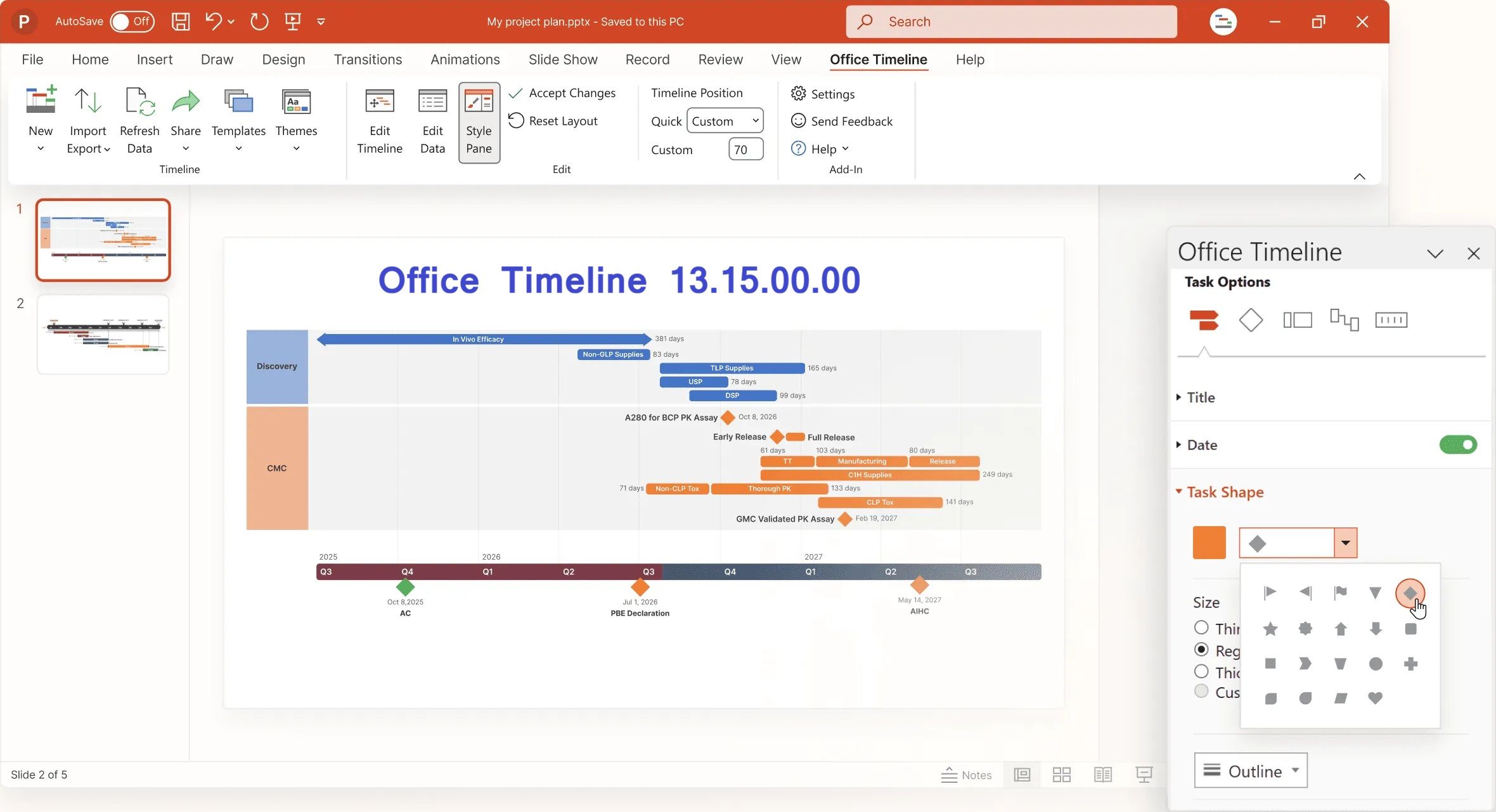
Description of Office Timeline 13.15.00.00

Office Timeline 13.15.00.00 is a professional PowerPoint add-in designed to help users create clear, visually engaging timelines, roadmaps, and project schedules directly inside Microsoft PowerPoint. It is widely used by project managers, consultants, executives, and teams who need to present complex plans and milestones in a simple, easy-to-understand visual format.

With Office Timeline 13.15.00.00, users can quickly build timelines from scratch or import data from Microsoft Excel, Microsoft Project, and Smartsheet. The software automatically converts raw data into polished timelines, reducing manual formatting and saving significant time during presentation preparation. All timelines remain fully editable in PowerPoint, allowing users to customize dates, colors, fonts, shapes, and layouts to match corporate branding or presentation styles.

This version offers advanced roadmap and swimlane capabilities, making it easy to visualize multiple workstreams, phases, and dependencies in a single slide. Users can create high-level executive roadmaps or detailed project timelines with tasks, milestones, and dependencies clearly displayed. Automatic alignment and scaling ensure that timelines remain accurate and visually balanced as projects change.

Office Timeline 13.15.00.00 also includes flexible styling options with professional templates, themes, and layout presets. These tools help users deliver consistent and professional-looking presentations without advanced design skills. Timeline updates are fast and intuitive, allowing teams to quickly adjust schedules, extend phases, or add new milestones as projects evolve.

Seamless integration with PowerPoint ensures compatibility with existing slides, while collaboration is simplified by allowing timelines to be shared as native PowerPoint objects. This makes Office Timeline 13.15.00.00 an ideal solution for status reports, project updates, executive briefings, and client presentations.

Features of Office Timeline 13.15.00.00

Create professional timelines and roadmaps directly in Microsoft PowerPoint
Import data from Excel, Microsoft Project, and Smartsheet
Advanced roadmap and swimlane views for multiple workstreams
Full PowerPoint editability with custom colors, fonts, and styles
Automatic alignment, scaling, and layout optimization
Built-in templates and themes for professional presentations
Quick updates for changing schedules and milestones
Clear visualization of tasks, phases, and dependencies
Ideal for project management, reporting, and executive presentations

If you want to download Office Timeline 13.15.00.00 full license, please click to DOWNLOAD button to download.
CLICKDOWN.ORG Download CAD CAM CNC software
Inside package Office Timeline 13.15.00.00, already have cracked files and instruction how to install Office Timeline 13.15.00.00 step by step. I guarantee you can install Office Timeline 13.15.00.00 successfully if you follow that instruction.
If you also can’t install it or get any problems, please contact to me by email: clickdown.org@gmail.com, then I will help you to install software by teamviewer or Ultraviewer or Anydesk.
Thanks a lot
SOFTWARES

Download Room Arranger 10.3.1.737 x86 x64 full license

Download Room Arranger 10.3.1.737 full license

Link download Room Arranger 10.3.1.737 full activated

Working with Room Arranger 10.3.1.737 full license

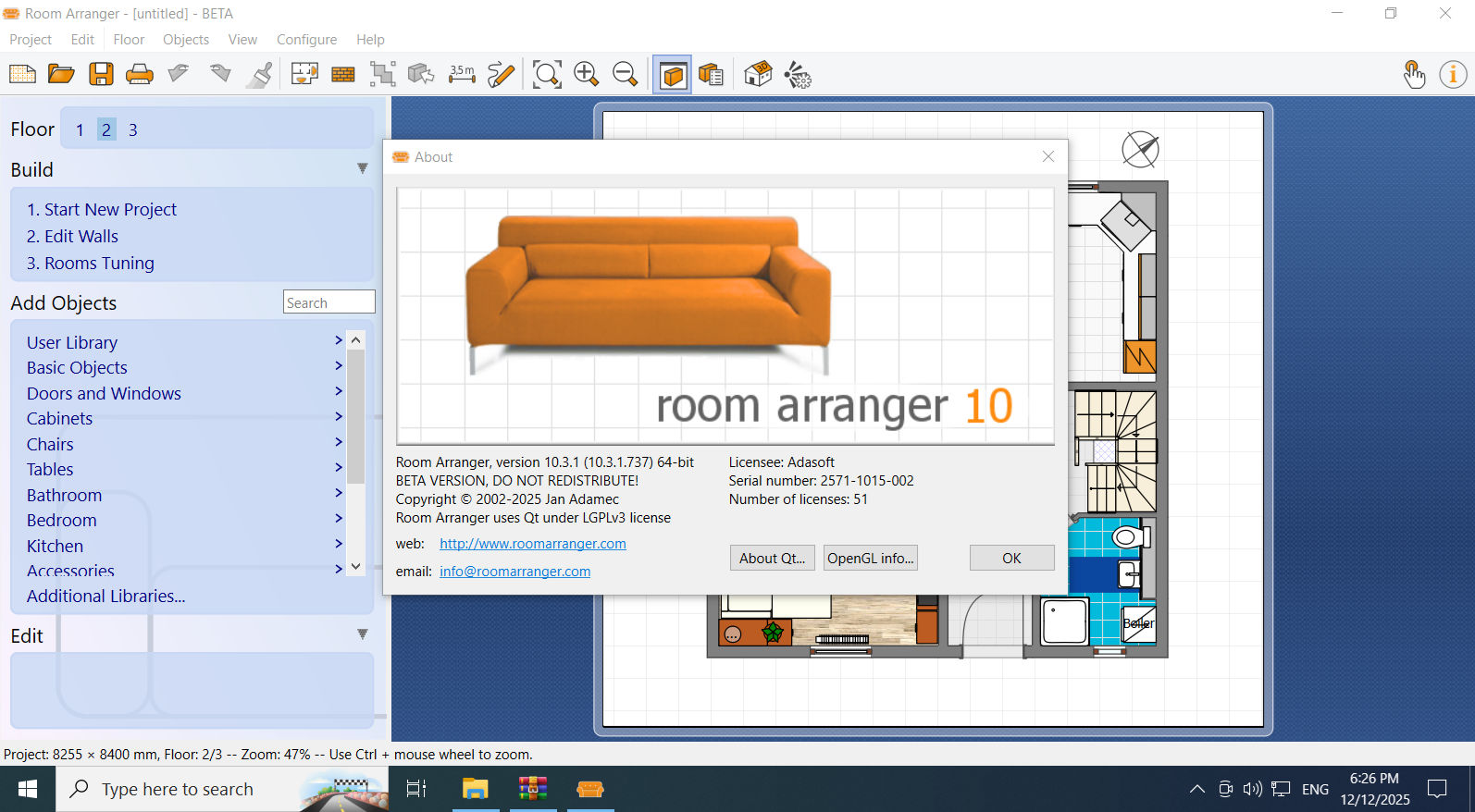
Description of Room Arranger 10.3.1.737

Room Arranger 10.3.1.737 is an easy to use interior design and room planning software created for homeowners, interior designers, and real estate professionals. It allows users to design rooms, apartments, and offices in both 2D and 3D views, helping visualize layouts and furniture placement before making real world changes.

This version improves usability, object handling, and performance, making interior planning faster and more accurate.

Features of Room Arranger 10.3.1.737

2D and 3D Room Planning
Room Arranger enables users to design spaces in a simple 2D layout and instantly switch to a 3D view to see how the room will look in reality.

Easy Drag and Drop Interface
The intuitive interface allows users to place, move, and resize furniture and objects easily, making room design accessible even for beginners.

Extensive Furniture and Object Library
The software includes a wide range of furniture, fixtures, and decorative objects. Users can also create custom items to match real dimensions.

Precise Measurement and Scaling
Room Arranger supports accurate measurements and scaling, ensuring designs reflect real world room sizes and furniture dimensions.

Multi Room and Floor Planning
Users can design multiple rooms, entire apartments, or office layouts within a single project, making it suitable for larger planning tasks.

Custom Object Creation
Users can design their own furniture and objects by entering exact measurements, providing full control over layout accuracy.

Real Time 3D Visualization
The 3D view updates instantly as changes are made, helping users understand space, proportions, and furniture placement clearly.

Export and Printing Options
Plans can be printed or exported as images for sharing with clients, contractors, or family members.

Improved Performance and Stability
Version 10.3.1.737 includes performance optimizations that ensure smooth operation and reliable project handling.

Why Choose Room Arranger 10.3.1.737
Room Arranger 10.3.1.737 is a practical solution for anyone who wants to plan interior spaces efficiently without complex design software. Its ease of use, accurate measurements, and clear 3D visualization make it ideal for home and professional use.

If you want to download Room Arranger 10.3.1.737 full license, please click to DOWNLOAD button to download.
CLICKDOWN.ORG Download CAD CAM CNC software
Inside package Room Arranger 10.3.1.737, already have cracked files and instruction how to install Room Arranger 10.3.1.737 step by step. I guarantee you can install Room Arranger 10.3.1.737 successfully if you follow that instruction.
If you also can’t install it or get any problems, please contact to me by email: clickdown.org@gmail.com, then I will help you to install software by teamviewer or Ultraviewer or Anydesk.
Thanks a lot
SOFTWARES

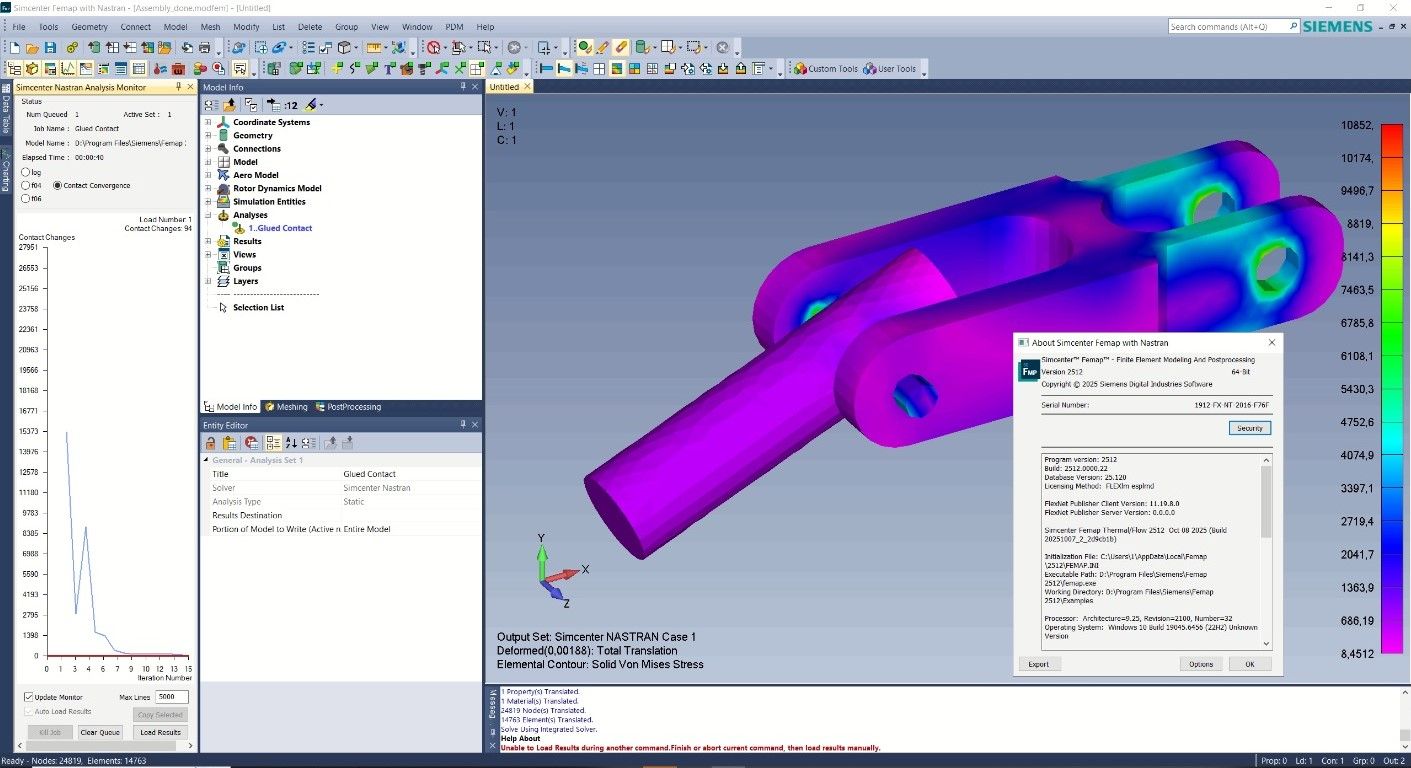
Download Siemens Simcenter FEMAP 2512 with NX Nastran

Download Siemens Simcenter FEMAP 2512 with NX Nastran

Link download Siemens Simcenter FEMAP 2512 with NX Nastran full

Working with Siemens Simcenter FEMAP 2512 with NX Nastran full license

Description of Siemens Simcenter FEMAP 2512 with NX Nastran

Siemens Simcenter FEMAP 2512 with NX Nastran is a powerful finite element analysis software solution used for advanced structural, thermal, and dynamic simulation. It combines the robust FEMAP pre and post processing environment with the industry proven NX Nastran solver to deliver accurate and reliable engineering analysis for complex mechanical systems.

This release enhances solver performance, modeling efficiency, and visualization tools, helping engineers validate designs faster and with greater confidence.

Features of Siemens Simcenter FEMAP 2512 with NX Nastran

Advanced Finite Element Modeling
FEMAP provides comprehensive tools for creating and editing finite element models, including geometry import, mesh generation, and model setup for complex structures.

Industry Proven NX Nastran Solver
NX Nastran delivers high accuracy solutions for linear and nonlinear statics, dynamics, heat transfer, and buckling analysis, trusted across aerospace, automotive, and industrial sectors.

Powerful Pre and Post Processing
The integrated FEMAP environment allows engineers to prepare models efficiently and visualize results with advanced contour plots, animations, and detailed reports.

Linear and Nonlinear Analysis
Engineers can perform linear static, modal, frequency response, transient, and nonlinear analyses to evaluate structural behavior under real world loading conditions.

Thermal and Multiphysics Simulation
The software supports thermal analysis and coupled structural thermal workflows, enabling accurate prediction of temperature effects on structural performance.

Automated Meshing and Model Control
Advanced meshing tools allow users to generate high quality meshes while maintaining control over element types, sizes, and refinement.

Large Model and Assembly Support
FEMAP 2512 is optimized for handling large and complex models, making it suitable for enterprise level simulation projects.

CAD Integration and Data Exchange
The software supports direct import of CAD geometry from major design tools, ensuring seamless transition from design to analysis.

Performance and Stability Improvements
Version 2512 includes performance optimizations that improve solver speed, memory usage, and overall stability for demanding simulation tasks.

Why Choose Siemens Simcenter FEMAP 2512 with NX Nastran
Siemens Simcenter FEMAP 2512 with NX Nastran is a trusted solution for engineers who require accurate and scalable finite element analysis. Its combination of a powerful solver and an intuitive modeling environment makes it ideal for high fidelity engineering simulation and validation.

If you want to download Siemens Simcenter FEMAP 2512 with NX Nastran full license, please click to DOWNLOAD button to download.
CLICKDOWN.ORG Download CAD CAM CNC software
Inside package Siemens Simcenter FEMAP 2512 with NX Nastran, already have cracked files and instruction how to install Siemens Simcenter FEMAP 2512 with NX Nastran step by step. I guarantee you can install Siemens Simcenter FEMAP 2512 with NX Nastran successfully if you follow that instruction.
If you also can’t install it or get any problems, please contact to me by email: clickdown.org@gmail.com, then I will help you to install software by teamviewer or Ultraviewer or Anydesk.
Thanks a lot
SOFTWARES

Download Gerbview 11.32.0.636 win64 full license forever

Download Gerbview 11.32.0.636 win64 full license forever

Link download Gerbview 11.32.0.636 full activated

Working with Gerbview 11.32.0.636 full license

Description of Gerbview 11.32.0.636

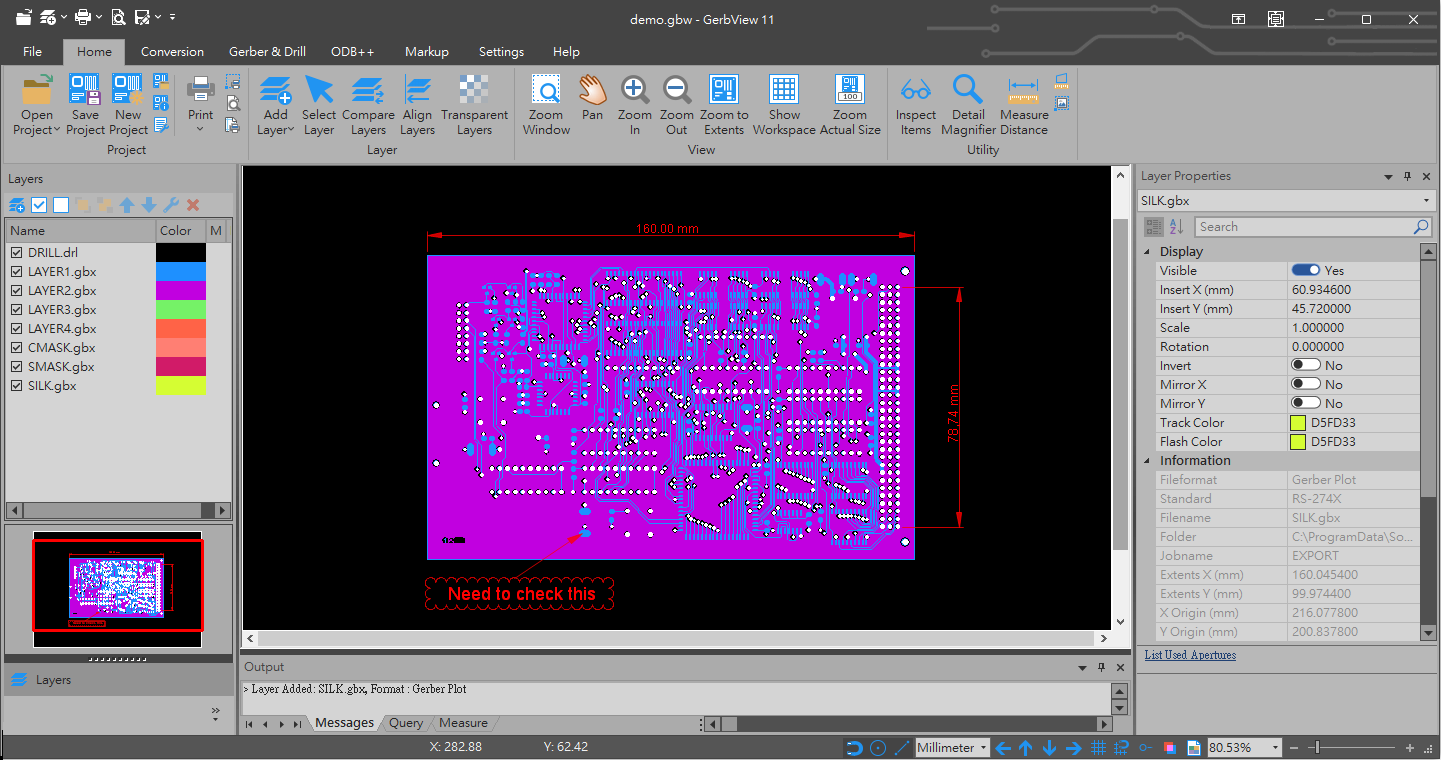
Gerbview 11.32.0.636 is a professional Gerber file viewer and analysis software designed for PCB designers, electronics engineers, and manufacturing professionals. It allows users to open, inspect, verify, and print Gerber and drill files used in printed circuit board production.

This version improves file compatibility, rendering accuracy, and performance, making it a reliable tool for reviewing PCB layouts before manufacturing.

Features of Gerbview 11.32.0.636

Comprehensive Gerber File Viewing
Gerbview supports standard Gerber RS-274X and extended Gerber formats, allowing users to view multiple PCB layers with precise alignment and clarity.

Drill File Support
The software can open and analyze Excellon drill files, enabling accurate inspection of drill holes and board fabrication details.

Layer Management and Visualization
Users can enable, disable, reorder, and color individual layers to better understand PCB structure and design intent.

Accurate Measurement Tools
Gerbview includes measurement tools for checking distances, pad sizes, trace widths, and clearances to ensure design accuracy and manufacturability.

Printing and Export Options
PCB layouts can be printed or exported for documentation and review, making it easier to share designs with manufacturers or team members.

Design Verification and Inspection
Engineers can visually inspect boards to detect potential layout issues before production, reducing manufacturing errors and costs.

Fast Rendering Performance
Optimized rendering ensures smooth navigation and zooming, even with complex PCB designs and large Gerber files.

Simple and User-Friendly Interface
The clean interface makes Gerbview accessible for both professionals and users who need quick Gerber file inspection without complex CAD tools.

Improved Stability and Compatibility
Version 11.32.0.636 enhances application stability and supports a wider range of PCB file standards.

Why Choose Gerbview 11.32.0.636
Gerbview 11.32.0.636 is an essential utility for anyone involved in PCB design and manufacturing. Its accurate visualization, measurement tools, and broad format support make it ideal for verifying Gerber files before fabrication.

If you want to download Gerbview 11.32.0.636 full license, please click to DOWNLOAD button to download.
CLICKDOWN.ORG Download CAD CAM CNC software
Inside package Gerbview 11.32.0.636, already have cracked files and instruction how to install Gerbview 11.32.0.636 step by step. I guarantee you can install Gerbview 11.32.0.636 successfully if you follow that instruction.
If you also can’t install it or get any problems, please contact to me by email: clickdown.org@gmail.com, then I will help you to install software by teamviewer or Ultraviewer or Anydesk.
Thanks a lot

SOFTWARES

Download Adobe Substance 3D Designer 15.1.0 x64 full license

Download Adobe Substance 3D Designer 15.1.0 x64 full license

Link download Adobe Substance 3D Designer 15.1.0 full activated

Working with Adobe Substance 3D Designer 15.1.0 x64 full license

Description of Adobe Substance 3D Designer 15.1.0

Adobe Substance 3D Designer 15.1.0 is a professional material authoring and procedural texture creation software used in game development, visual effects, architectural visualization, and product design. It allows artists and technical designers to build fully parametric materials and textures that can be reused, customized, and scaled across multiple projects.

This version improves performance, workflow efficiency, and node-based tools, helping users create complex materials with greater control and precision.

Features of Adobe Substance 3D Designer 15.1.0

Node-Based Procedural Material Creation
Substance 3D Designer uses a powerful node-based workflow that enables users to create fully procedural materials. Every parameter can be adjusted at any time, allowing non-destructive and highly flexible material design.

Physically Based Rendering Workflow
The software supports industry-standard PBR workflows, ensuring materials behave realistically under different lighting conditions in real-time engines and offline renderers.

Advanced Texture Authoring Tools
Users can generate and edit textures such as base color, normal, roughness, metallic, height, and ambient occlusion with high accuracy and consistency.

Parametric and Reusable Materials
Materials created in Substance 3D Designer are fully parametric, making them easy to customize and reuse across multiple assets, projects, and production pipelines.

High-Quality Procedural Noise and Filters
The application includes a rich library of noises, filters, and generators that help users build complex surface details efficiently.

Seamless Integration with Substance Ecosystem
Substance 3D Designer integrates smoothly with other Adobe Substance 3D applications, including Substance 3D Painter and Substance 3D Sampler, enabling a connected workflow.

Export to Game Engines and Renderers
Materials and textures can be exported in optimized formats for popular platforms such as Unreal Engine, Unity, and various offline renderers.

Automation and Graph Optimization
Advanced graph optimization tools help improve performance and reduce complexity, making materials suitable for real-time applications.

Improved Performance and Stability
Version 15.1.0 includes performance enhancements that improve graph evaluation speed, memory usage, and overall application stability.

Why Choose Adobe Substance 3D Designer 15.1.0
Adobe Substance 3D Designer 15.1.0 is an essential tool for artists and studios that rely on procedural material workflows. Its flexibility, precision, and deep integration with modern rendering pipelines make it a standard solution for high-quality material creation.

If you want to download Adobe Substance 3D Designer 15.1.0 full license, please click to DOWNLOAD button to download.
CLICKDOWN.ORG Download CAD CAM CNC software
Inside package Adobe Substance 3D Designer 15.1.0, already have cracked files and instruction how to install Adobe Substance 3D Designer 15.1.0 step by step. I guarantee you can install Adobe Substance 3D Designer 15.1.0 successfully if you follow that instruction.
If you also can’t install it or get any problems, please contact to me by email: clickdown.org@gmail.com, then I will help you to install software by teamviewer or Ultraviewer or Anydesk.
Thanks a lot
SOFTWARES

Download Foxit PDF Editor Pro 2025.3.0.35737 x64 full license

Download Foxit PDF Editor Pro 2025.3.0.35737 x64 full license

Link download Foxit PDF Editor Pro 2025.3.0.35737 full activated

Working with Foxit PDF Editor Pro 2025.3.0.35737 full license

Description of Foxit PDF Editor Pro 2025.3.0.35737

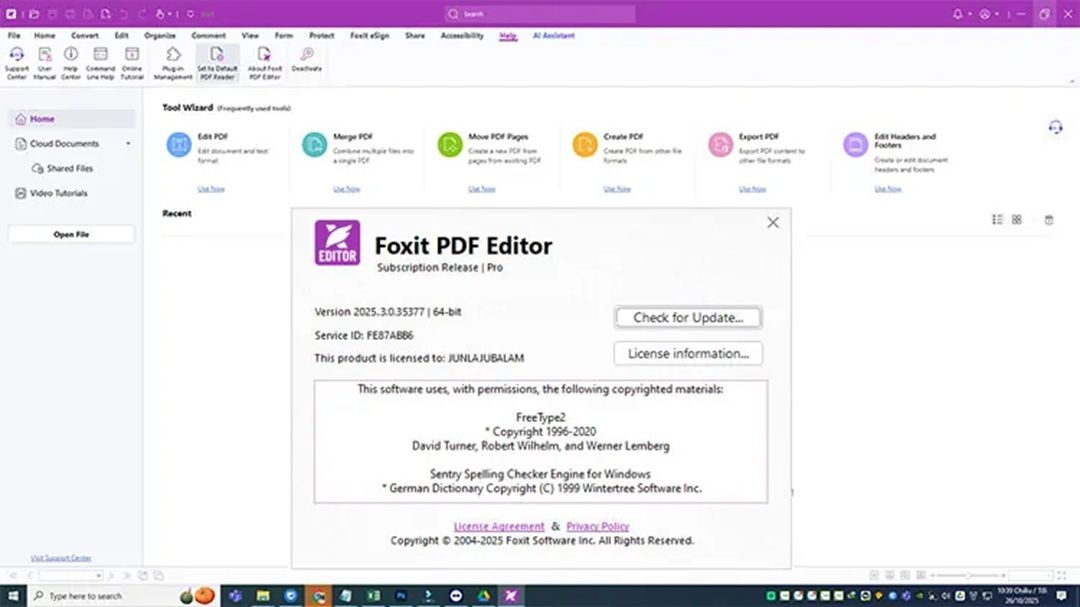
Foxit PDF Editor Pro 2025.3.0.35737 is a professional PDF editing and document management software designed for businesses, enterprises, and individual users who need advanced control over PDF files. It provides a complete set of tools for creating, editing, converting, securing, and collaborating on PDF documents with high efficiency and accuracy.

This version focuses on performance improvements, enhanced security features, and refined collaboration tools to support modern digital document workflows.

Features of Foxit PDF Editor Pro 2025.3.0.35737

Advanced PDF Editing
Foxit PDF Editor Pro allows users to edit text, images, tables, and layouts directly within PDF files. It preserves original formatting while enabling precise content modifications.

PDF Creation and Conversion
Users can create PDFs from multiple file formats and convert PDFs to Word, Excel, PowerPoint, and other editable formats while maintaining layout accuracy.

Annotation and Collaboration Tools
The software includes robust commenting, markup, and annotation tools that make document review and collaboration faster and more efficient.

Form Creation and Data Collection
Foxit enables users to create interactive PDF forms with text fields, checkboxes, and dropdowns, supporting automated data collection and form distribution.

Digital Signatures and eSigning
Built-in digital signature and eSignature features allow users to sign documents securely and verify document authenticity.

Security and Document Protection
Advanced security options include password protection, encryption, redaction, and permission controls to safeguard sensitive information.

OCR and Scanned Document Processing
Integrated OCR technology converts scanned documents into searchable and editable PDFs, improving document accessibility and usability.

Batch Processing and Automation
Users can automate repetitive tasks such as watermarking, renaming, and converting multiple PDF files at once, saving time and effort.

Enterprise-Grade Performance and Stability
Version 2025.3.0.35737 improves speed, stability, and resource efficiency, making it suitable for handling large and complex PDF documents.

Why Choose Foxit PDF Editor Pro 2025.3.0.35737
Foxit PDF Editor Pro 2025.3.0.35737 is an excellent alternative to traditional PDF solutions, offering powerful features, high performance, and strong security. It is ideal for professionals who require reliable and flexible PDF document management tools.

If you want to download Foxit PDF Editor Pro 2025.3.0.35737 full license, please click to DOWNLOAD button to download.
CLICKDOWN.ORG Download CAD CAM CNC software
Inside package Foxit PDF Editor Pro 2025.3.0.35737, already have cracked files and instruction how to install Foxit PDF Editor Pro 2025.3.0.35737 step by step. I guarantee you can install Foxit PDF Editor Pro 2025.3.0.35737 successfully if you follow that instruction.
If you also can’t install it or get any problems, please contact to me by email: clickdown.org@gmail.com, then I will help you to install software by teamviewer or Ultraviewer or Anydesk.
Thanks a lot

error: Content is protected !!
Scroll to Top